Most “X audit” advice is a checklist with no scale, so it can’t tell you which item is actually holding the account back. A scored audit can. Xholic’s free twitter audit tool rates five parts of a public profile from 0 to 100, averages them and turns the weakest ones into fixes. This guide explains every check exactly as the tool calculates it, how to read the report, and a before/after plan for raising the score. We ran it on our own account, @XholicAI, and show the real result, including the part we score badly on.
What the X audit checks
The audit reads two things: the public profile fields, and the most recent original posts (up to 30, with replies and reposts excluded). It never logs in to the account, so it only sees what any visitor sees.
| Category | What it measures | Scores 70 at | Scores 100 at |
|---|---|---|---|
| Profile completeness | Name, bio, photo, banner, website | 70 points of fields | All five fields |
| Audience shape | Followers per account followed | Ratio of about 3.2 | Ratio of about 4.5 |
| Engagement | Public engagements per view | About 5.8% | About 8.3% |
| Consistency | Sampled posts and weekly pace | Mixed, see below | 25 sampled posts |
| Positioning clarity | Bio length | 78 characters | 111 characters |
Each category is capped between a floor and 100, and the overall score is the simple average of the five, rounded. No category counts more than another.
How to run an audit, step by step
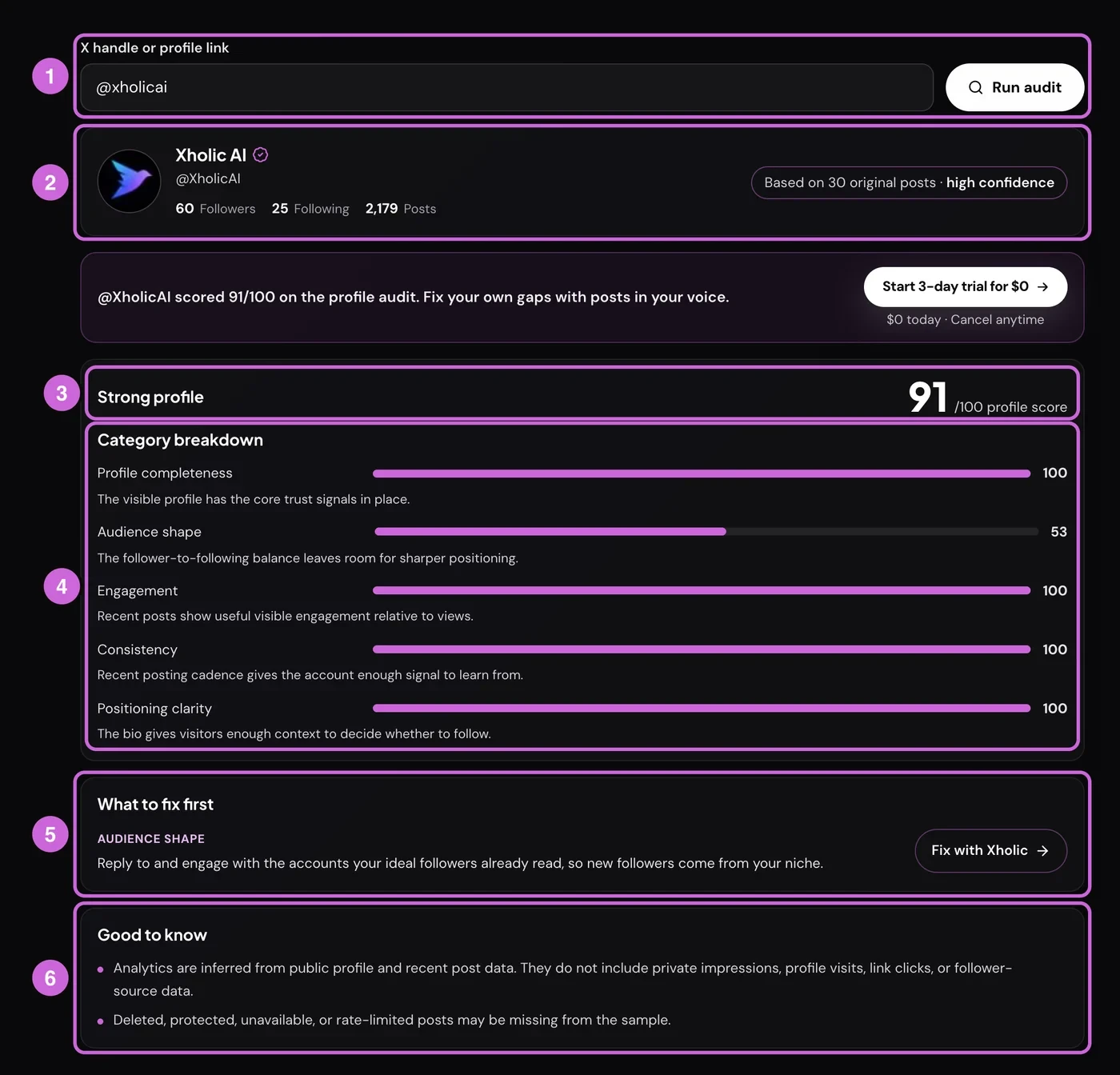
- Enter a handle. Type
@name,nameor paste an x.com or twitter.com profile link, then select Run audit. The handle also lands in the page URL as?handle=, so you can bookmark or share the audit. - Check the sample badge. The profile card shows followers, following and posts, plus how many recent original posts the score is based on. 20 or more posts gives high confidence, 8 to 19 medium, and fewer than 8 low.
- Read the verdict and overall score. 80 and above is “Strong profile”, 60 to 79 “Solid, with clear gaps”, 40 to 59 “Needs work”, and below 40 “Big room to improve”.
- Scan the category breakdown. Each bar has a one-line summary. Look for the shortest bar, not the total.
- Work through “What to fix first”. Every category under 70 gets a recommendation, weakest first, up to three. If fewer than 10 original posts were found, a fourth note asks you to track more posts before trusting the score.
- Read “Good to know”. These caveats say what the audit can’t see, and flag a thin sample or missing view counts when that applies. Below the result you can also get the report by email.
The X audit checklist: every check and how to fix it
Profile completeness
This is the only category that’s a straight checklist. Each field present earns fixed points:
| Field | Points |
|---|---|
| Bio | 30 |
| Display name | 20 |
| Profile photo | 20 |
| Banner (header image) | 15 |
| Website field | 15 |
The check is presence only. A blurry banner or a dead link scores the same as a great one, so judge quality yourself. The website point comes from the profile’s website field, not a link typed into the bio.
One quirk: a recommendation only appears when this category drops below 70. Missing just the banner and link leaves you at exactly 70, so the audit won’t flag it, but the gap is real. Fix it with the Twitter Banner Maker and use the right profile picture size.
Audience shape
The score is followers divided by following, multiplied by 22, with a floor of 20. An account that follows nobody but has followers is treated as a ratio of 4, which scores 88.
| Followers per account followed | Score |
|---|---|
| 0.9 or less | 20 (floor) |
| 1 | 22 |
| 2 | 44 |
| 3.2 | 70 |
| 4.5 or more | 100 |
A low ratio can read as follow-for-follow growth. The fix the tool suggests is to reply to and engage with accounts your ideal followers already read, so new followers come from your niche. Unfollowing inactive accounts also moves the ratio, but growing the top of the fraction is the lasting fix. This is the slowest category to change.
Engagement
Engagement is likes, replies, reposts and quotes divided by views, across sampled posts that show a public view count. Bookmarks aren’t counted. The rate is multiplied by 1,200, with a floor of 25.
- Below about 2.1% you get the floor of 25.
- About 5.8% gets you to 70.
- About 8.3% or more scores 100.
If none of the sampled posts expose a view count, engagement can’t be rated and gets a neutral 35, with a caveat saying so.
These bands are strict. Large accounts often sit on the floor because views grow faster than replies. The fix is format work: find the posts that earned replies, turn their hooks into repeatable formats, and post more things that invite a reply or a save. Our guide on how to increase Twitter engagement covers that in depth, and what counts as a good engagement rate puts the number in context.
Consistency
Consistency adds 4 points per original post in the sample (up to 30) and 8 points per post per week, floored at 20. Weekly pace is measured from the oldest sampled post to the moment the audit ran, so a burst followed by silence pulls it down.
Any account with 25 or more recent original posts hits 100 on sample size alone. With 10 posts, you need a pace of about 3.75 posts a week to reach 70. The fix is a steady weekly schedule; the best time to tweet guide helps you pick the slots.
Positioning clarity
This scores bio length as a proxy for how much it tells a visitor: 0.9 points per character, between 30 and 100. An empty bio scores 20.
| Bio length | Score |
|---|---|
| Empty | 20 |
| 1 to 33 characters | 30 |
| 50 characters | 45 |
| 78 characters | 70 |
| 111 characters or more | 100 |
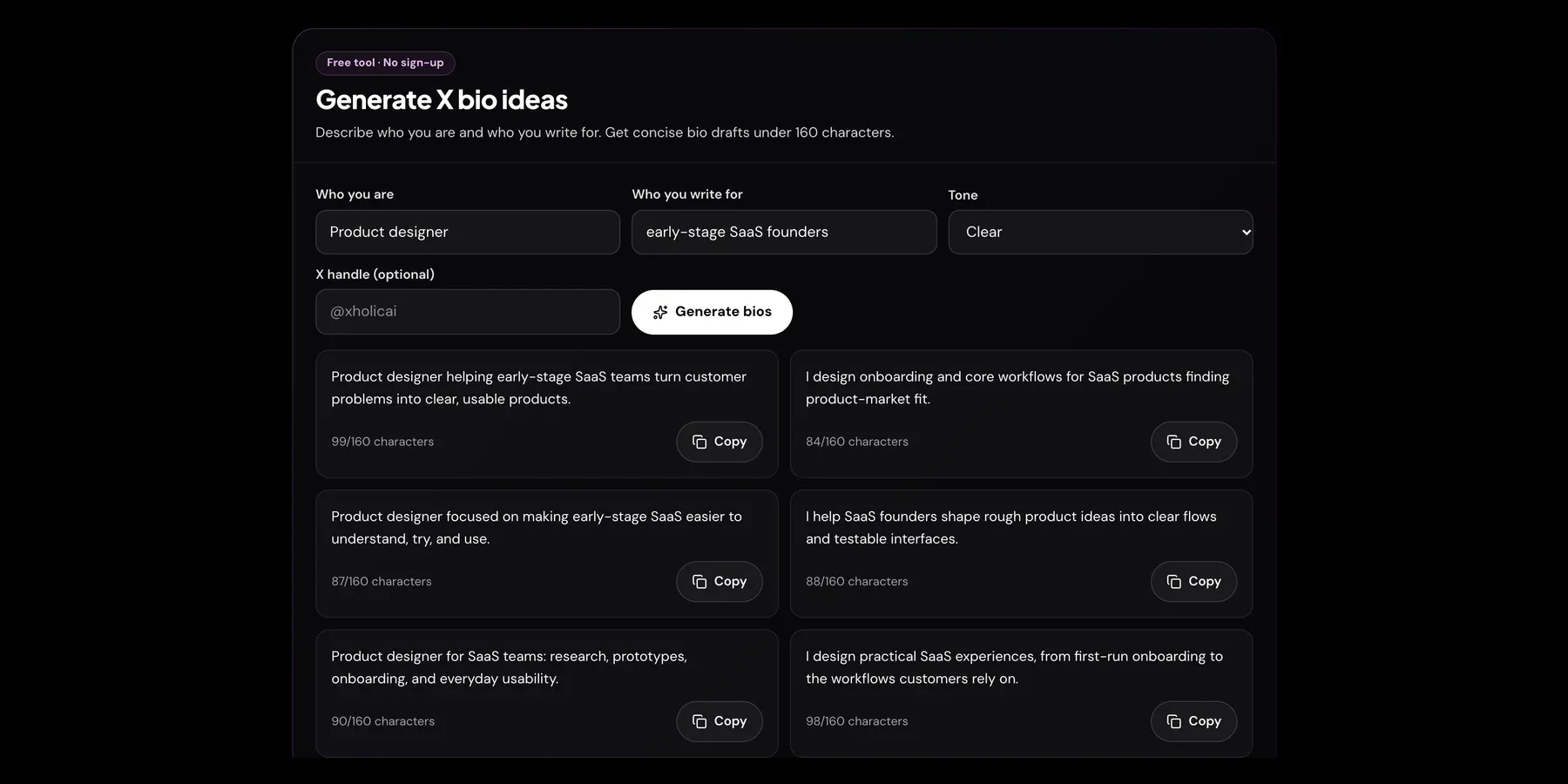
Length is the measure, not quality, so don’t pad. Use the room to answer four things: who you help, what you post, why it matters and what proof you have. X bios allow 160 characters, so there’s space to do it well. The Twitter Bio Generator drafts options, and common bio mistakes lists what to cut.
Reading a real audit report
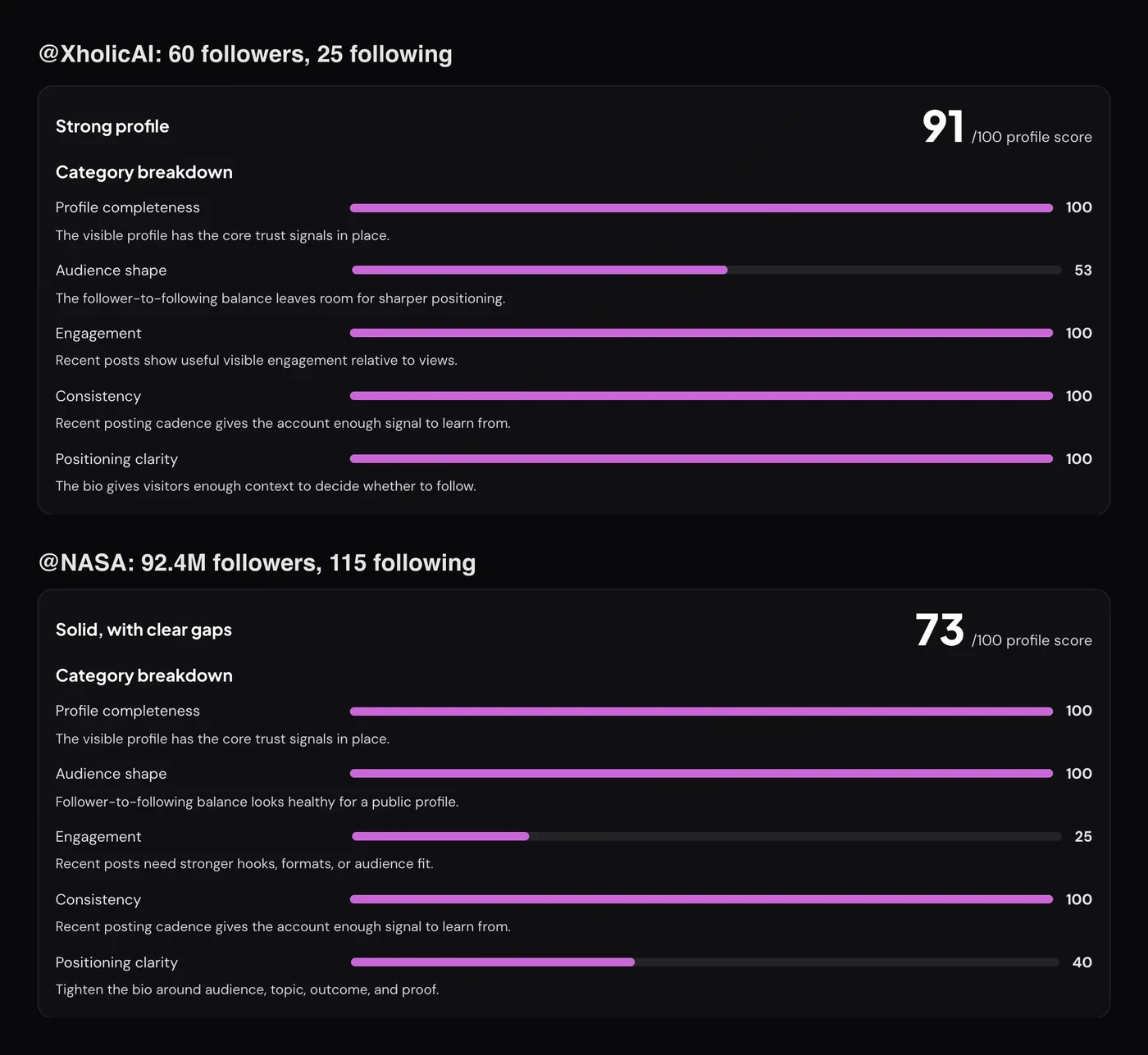
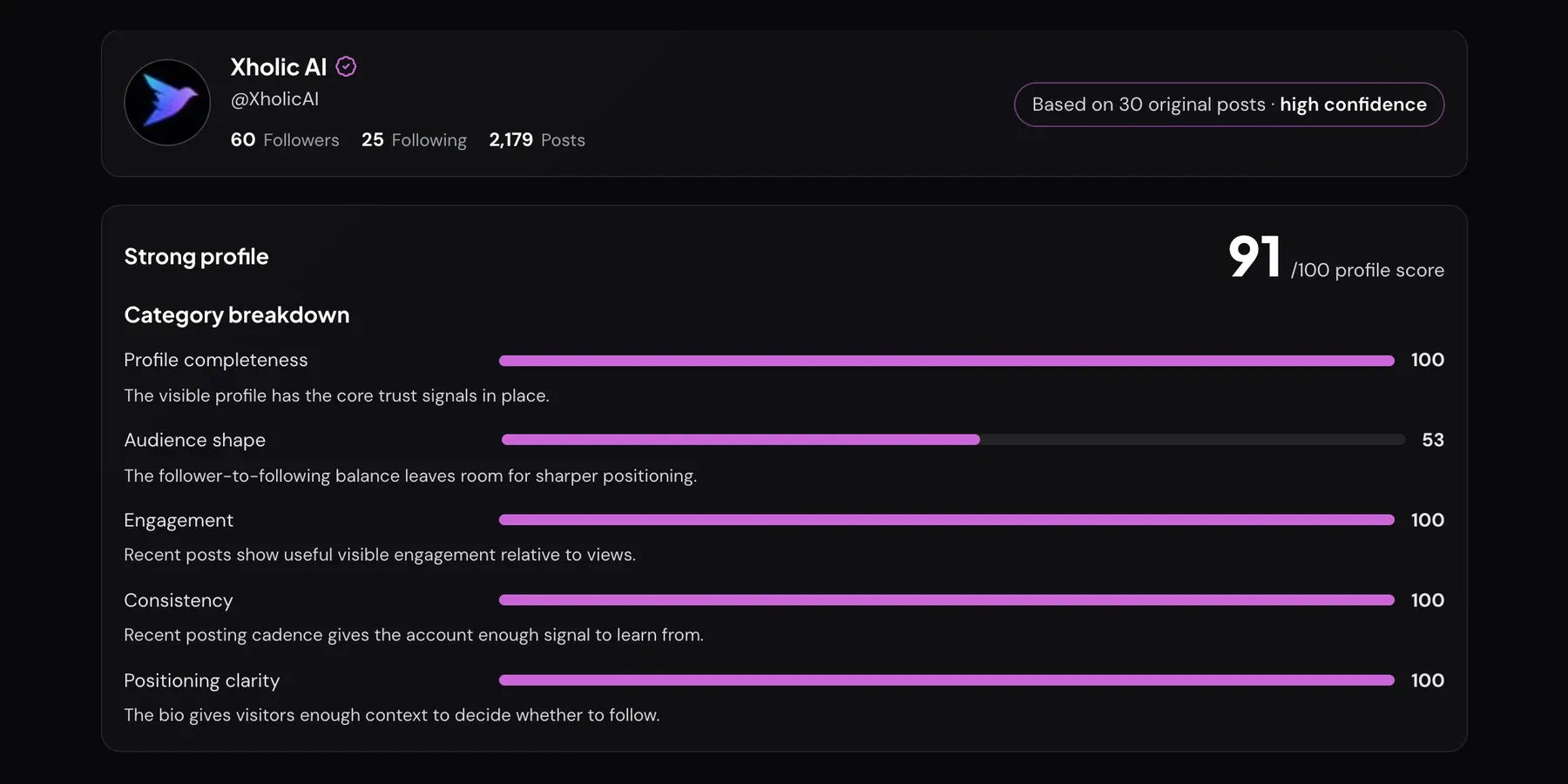
@XholicAI scored 91. Four categories are at 100. Audience shape is 53, because 60 followers against 25 following is a ratio of 2.4 (2.4 × 22 = 52.8). The average is (100 + 53 + 100 + 100 + 100) ÷ 5 = 90.6, rounded to 91. That’s an honest picture of a young brand account: complete profile, steady posting, small audience.
@NASA scored 73. With 92.4 million followers and 115 following, audience shape is 100. But engagement hits the floor of 25, since replies and likes are tiny relative to its views, and the bio is short enough (about 44 characters) to score 40 on positioning.
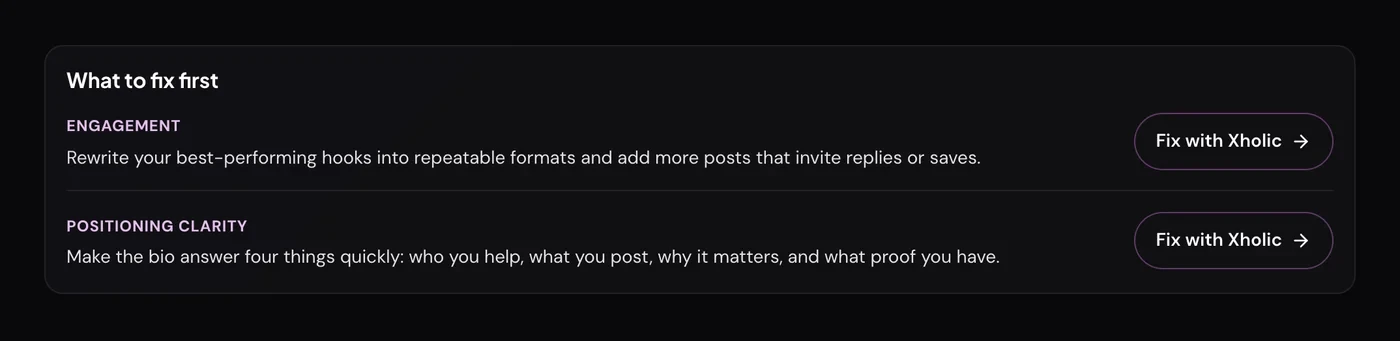
Two lessons here. The total hides the shape: a 73 with two weak categories needs different work from a 73 with five average ones. And the audit is built for accounts trying to grow, so read every recommendation against your own goal.
A before/after fix plan to improve your X profile score
Here’s a worked example for a hypothetical account. All numbers follow the formulas above.
| Category | Before | Change made | After |
|---|---|---|---|
| Completeness | 70: no banner or link | Added both | 100 |
| Audience shape | 20: 900 followers, 1,200 following | Pruned follows, replied in-niche: 950 and 600 | 35 |
| Engagement | 25: 1.5% by views | Reused reply-earning hooks: 3% | 36 |
| Consistency | 35: 6 posts in 30 days | 4 posts a week for 5 weeks: 20 posts | 100 |
| Positioning | 36: 40-character bio | Rewrote it to 120 characters | 100 |
| Overall | 37: Big room to improve | 74: Solid, with clear gaps |
In the “before” audit the three recommendations would be audience shape, engagement and consistency, plus the small-sample note. Positioning at 36 just misses the top three, and completeness at 70 isn’t flagged at all. That’s why it pays to read every bar, not only the fix list.
Plan the work in this order:
- Today: profile fields and bio. Completeness and positioning respond as soon as X shows the new profile. They’re the cheapest points available.
- Weeks 1 to 4: cadence. Consistency needs new posts in the sample. Schedule a steady weekly rhythm and leave it alone long enough to measure.
- Weeks 2 to 6: engagement formats. Test one format at a time and watch which posts earn replies.
- Ongoing: audience shape. Follower ratio moves slowly. Treat it as a quarterly number.
When you re-run the audit, give changes time to show. The tool reuses recent profile data for up to 30 minutes, recent posts for up to an hour, and caches each audit for 10 minutes, so an instant re-run can show the old result.
What the audit doesn’t check
The score is a first-impression check, not a full account health report. It doesn’t look at:
- Pinned post, location or handle. None of these affect the score. Our pinned tweet guide covers what to pin.
- Quality of images, bio wording or the linked page. It checks that they exist, and how long the bio is.
- Private analytics. Profile visits, impressions on posts without public view counts, link clicks and follower sources aren’t public, so they’re not included.
For post-level performance, use X Profile Analytics, which shows the same profile score alongside top posts and best times. The X Profile Analytics guide explains those numbers.
Troubleshooting

| Message | What it means |
|---|---|
| “X handles use 1–15 letters, numbers, or underscores. Check the spelling.” | The input isn’t a valid handle or profile link. Remove spaces and symbols. |
| “We couldn’t find that account on X. Check the spelling, or the account may be suspended or deleted.” | No public account matches the handle. |
| “This account is protected, so its posts aren’t public.” | Protected accounts can’t be audited. |
| “You’ve run a lot of checks in a short time. Try again in a few minutes.” | Rate limit. Wait the time shown, then retry. |
| “X didn’t respond in time. Try again in a moment.” | A slow response from X. Retry shortly. |
| “Only N recent original posts were found, so treat these numbers as directional.” | Fewer than 8 original posts. Consistency and engagement are unreliable until you post more. |
| “X could not be reached just now, so these numbers come from the last stored scan.” | The result is from saved data and may be slightly out of date. |
Frequently asked questions
What is an X audit?
An X audit is a check of how a public X (Twitter) profile looks to a new visitor and how its recent posts perform. Xholic’s version scores five categories out of 100 and lists fixes for the weakest ones.
How is the X profile score calculated?
It’s the plain average of five category scores: profile completeness, audience shape, engagement, consistency and positioning clarity. Each category runs from a floor to 100 using the formulas in this guide, and none is weighted more than another.
What’s a good X profile score?
80 or higher is labelled a strong profile, and 60 to 79 is solid with clear gaps. More useful than the total is whether any single category is under 70, because that’s where the recommendations come from.
How do I improve my X profile score fast?
Fill every profile field (bio, name, photo, banner and website) and write a bio of at least 111 characters. Those two changes can move completeness and positioning to 100 the same day. Engagement, consistency and audience shape take weeks of posting.
Why is my engagement score so low?
The engagement bands are strict: below about 2.1% engagement by views, the score sits at its floor of 25. Accounts with large reach often land there. Compare your rate with accounts of a similar size rather than chasing 100.
Can I audit someone else’s account?
Yes. Any public account can be audited, which is useful before a partnership, a pitch or a competitor review. Protected accounts can’t be audited.
Does the audit need access to my X account?
No. It reads only public profile data and recent public posts. There’s no sign-in and no connection to your account.
Related guides and tools
- Twitter profile optimization: the full profile checklist, field by field.
- Twitter Bio Generator guide: write a bio that raises positioning clarity without filler.
- Twitter Banner Maker guide: build the header image the completeness check looks for.
- Twitter analytics guide: the wider measurement framework behind these numbers.
- Twitter Engagement Rate Calculator: check your rate against accounts of a similar size.