Quick answer: Type any handle and the tool instantly tells you whether it’s available on Twitter, whether the format is valid, and if it’s taken suggests alternative handles based on your input. No Twitter login needed.
What Is It?
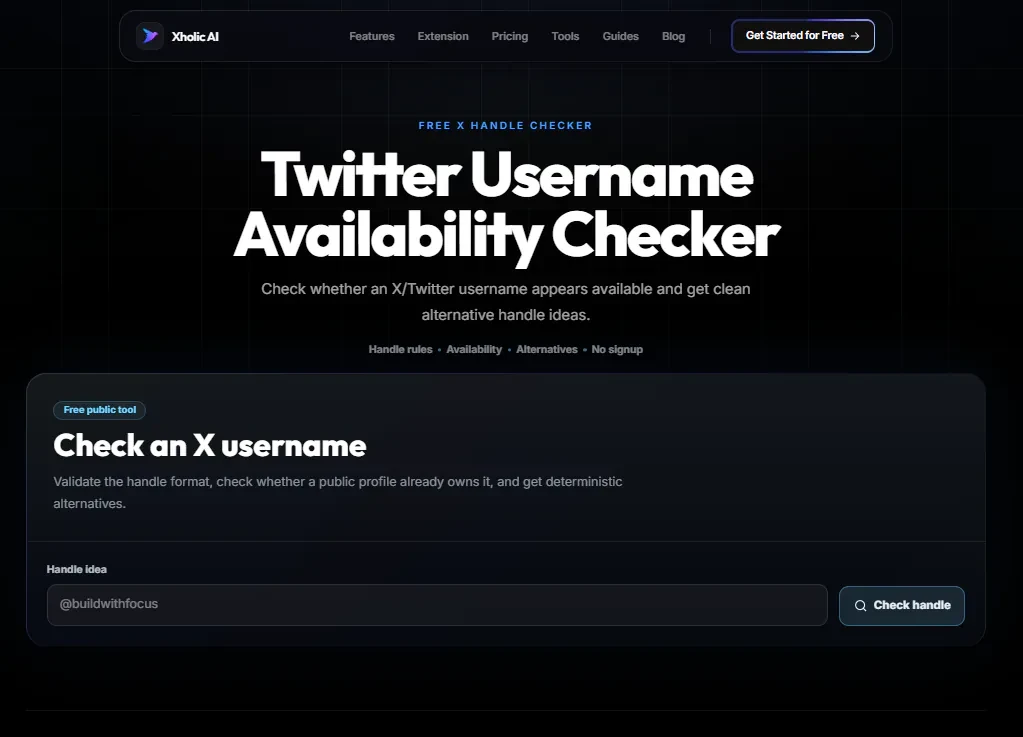
The Twitter Username Availability Checker is a free tool at xholic.ai. Type any handle and the tool instantly tells you whether it’s available on Twitter, whether the format is valid, and if it’s taken, suggests alternative handles based on your input. No Twitter login needed.
Open the Twitter Username Availability Checker Tool.
Who Uses It and Why
| Who Uses It | What They Use It For |
|---|---|
| People setting up new accounts | Check if their preferred username is available before creating an account |
| People rebranding | Find a new handle that’s close to their old one before making the change |
| Businesses launching on Twitter | Secure a handle that matches their brand name or domain |
| Developers & marketers | Quickly validate multiple handle ideas without checking Twitter manually |
| Handle researchers | See if a specific handle is registered, inactive, or free |
How to Use It - Step by Step
It takes under a minute. Here’s exactly what to do:
Step 1: Open the tool
Go to Twitter Username Availability Checker in any browser.
Step 2: Type your desired handle
Enter the username you want to check. Don’t include the @ symbol just the name. Must be 4-15 characters.
Step 3: See the result instantly
The tool checks format validity first (no spaces, no special characters, 4-15 chars), then checks availability. You’ll get a clear available or taken result.
Step 4: Review alternatives
If the handle is taken, the tool generates a list of close alternatives common variations using underscores, numbers, and niche descriptors that may be available.
Step 5: Check multiple options
Run as many checks as you like. There’s no limit. Check all your ideas in one session before registering.
Pro tip: Before checking, write down your top 5-10 handle ideas in order of preference. Run them all through the checker in one sitting. Handles get taken quickly - if you find one you like, register it immediately.
Real Example
A startup founder wants to use @launchpad for their new product. The checker shows it’s taken. The tool suggests alternatives: @launchpad_hq, @launchpad_app, @getlaunchpad, @launchpadio. They check all four @getlaunchpad is available. They register it immediately.
What to Do With Your Result
Availability is checked against Twitter’s current public data. A handle showing as available means no active account is using it right now. However, Twitter also reserves some handles associated with suspended or deactivated accounts, these may show as unavailable even though no public profile appears.
Heads up: Once you change to a new handle, your old one becomes available to anyone immediately there’s no grace period. If you’re rebranding, use this checker to confirm your new handle is available before you make the switch. Don’t check and wait someone else could register it in between.
Frequently Asked Questions
What counts as a valid Twitter handle?
A valid Twitter handle is 4-15 characters long and contains only letters (A-Z), numbers (0-9), and underscores. No spaces, hyphens, dots, or special characters. It’s not case-sensitive @JohnDoe and @johndoe are the same handle.
Why does a handle show as unavailable when no profile exists?
Twitter holds onto handles linked to suspended, deactivated, or reserved accounts. These handles aren’t publicly visible but are still locked. The only option is to try a variation or check back later.
Can I claim an inactive Twitter account’s handle?
Not directly. Twitter has historically released inactive handles in bulk but doesn’t have a standard process for claiming specific ones. You can submit a request through Twitter’s support, but results are inconsistent.
Does checking a handle ‘reserve’ it for me?
No. Checking availability does nothing to reserve the handle. If you find one you want, go to Twitter and register it immediately.
How many handles can I check?
As many as you like. The tool has no limit on checks.
What are the best alternatives when my first choice is taken?
Common patterns that tend to be available: add your niche (e.g. @namedev, @namehq, @nameapp), add an underscore between words, add your location, or use ‘get’, ‘try’, ‘the’, or ‘use’ as a prefix.
Related Xholic Tools
These tools work well alongside this one:
- How to Change Your Twitter Handle Guide - The step-by-step guide to changing your handle safely
- X ID Converter - Look up the stable account ID behind any username
- Twitter Bio Generator - Once you have your handle, write a bio that converts visitors
- Fake Tweet Generator - Preview how your new handle looks in an actual tweet mockup
When You Need the Numeric X User ID
A handle can change, but an account’s numeric X user ID is stable. After checking whether a username is available, use the X ID Converter when you need to verify an account across a handle change, store a stable identifier in an integration, or distinguish two similarly named profiles.
Enter the current public handle, copy the returned numeric ID, and store it as text rather than a JavaScript number so large IDs are not rounded. The availability checker answers whether a handle can be claimed; the ID converter answers which existing account a handle belongs to.
Related Xholic Resources
For the broader collection of public account and media utilities, continue from the Twitter Video Downloader pillar and choose the workflow that matches the identifier or asset you need.