What you need from twitter listening tools isn’t another dashboard. You need a way to catch useful posts before they get buried, separate signal from noise, and turn those mentions into replies, research, or decisions. On X (formerly Twitter), that usually means tracking brand names, keywords, competitors, hashtags, sentiment, and buying-intent conversations, not just @mentions, because people often talk about a product without tagging it. If you want to find growth opportunities in comments, start with this comment analysis guide, then use the tools below to build a workflow that fits how you work.
1. Xholic AI
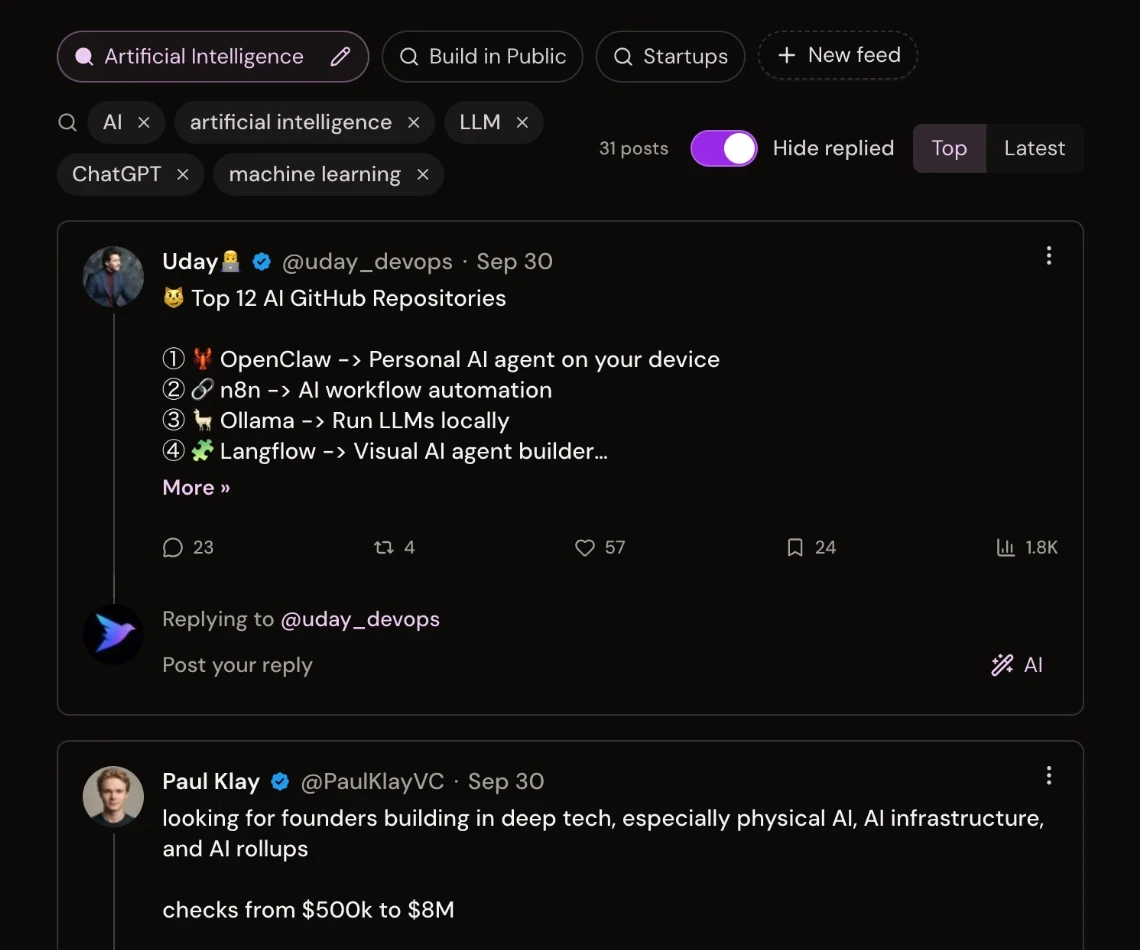
Xholic AI stands out if your real job is not just listening, but deciding what to say next. The product is built around your Context settings (style guide, About You, products, and rules), and its replies learn from your real past replies and posts and the edits you make, so the suggestions get more relevant over time. That matters for founders, creators, marketers, analysts, and Web3 builders who want context-aware replies inside X, not generic AI output.
Why it fits a listening workflow
The practical difference is that Xholic doesn’t stop at discovery. Its Engage helps surface worthwhile conversations, the Inspiration Library gives you a large pool of indexed posts to study, and Ask Xholic breaks down a post’s hook, structure, tension, and payoff so you can learn why it worked before you remix it. That makes it more of a decision layer than a simple listener.
Practical rule: if a tool makes you scroll less but think more, it’s probably helping. If it only floods you with alerts, you still have the hard part.
The workflow is also human-in-the-loop, which is the right call for X. Xholic doesn’t auto-post unreviewed content, so you stay in control of tone, timing, and context. For users who want one place to listen, study, draft, and schedule, the combination of the Chrome extension (with keyword feeds and a Mentions tab inside X), Smart Scheduler, Collections, and the Analytics streak heatmap is more useful than a standalone mention tracker.
As of October 2026, pricing starts with Pro at $19/month. Max is $29/month, normally $49/month, and Ultra is $99/month with the highest usage limits, up to 5 connected X accounts, included automated DMs, and priority support. Every plan includes every feature, and plans differ only in limits. Every plan includes a 7-day trial. Quarterly billing includes 10 free days, while yearly billing includes three months free (see pricing). Pro covers the core publishing, analytics, Workers, Signals, and DM workflow. Max adds higher limits and the Inspiration Library. Ultra is for higher-volume operators and teams. Xholic uses OAuth authentication and keeps users in control of what gets published.
If you want a tool that helps you find conversations, analyze what works, and respond without sounding copied, Xholic is the most creator-friendly option on this list. It’s especially strong for users who want listening to feed directly into growth, not sit in a separate reporting tab. Visit the Xholic AI website to evaluate whether that context-aware workflow fits your X process.
2. Brandwatch
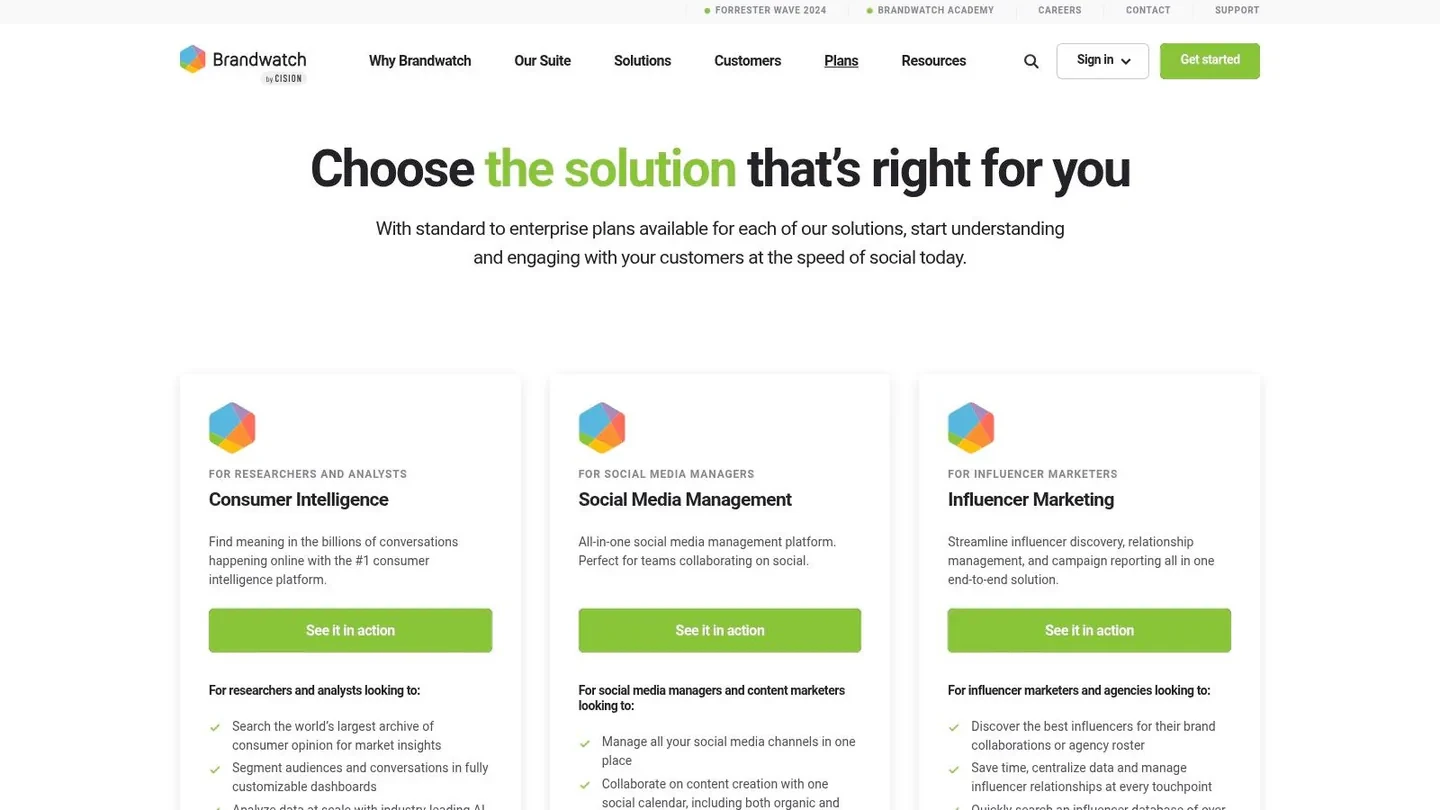
Brandwatch is the strongest fit when the job is enterprise social intelligence, not lightweight monitoring. It’s built for teams that need deep query control, large-scale coverage, and reporting that can support brand health, competitive analysis, and executive readouts. For serious X listening workflows, that usually means you’re managing many topics at once and care more about reliability than simplicity.
When the enterprise layer is worth it
The trade-off is obvious. Brandwatch gives you a heavy-duty system with dashboards, alerts, and historical depth, but it’s not the fastest path if you just want to catch X mentions and reply to them. It works best when X is one source inside a broader intelligence stack that also includes other social and media channels.
For teams that need a single vendor for social intelligence, Brandwatch makes sense. For creators or founders, it can feel like too much platform for too little day-to-day action. That’s especially true if your actual workflow is “find post, judge relevance, respond fast,” because enterprise analytics don’t help much if nobody is acting on them.
One useful internal reference if you’re already thinking about broader account analysis is Xholic’s guide to Twitter analytics for another account. It pairs well with the kind of research Brandwatch supports, especially when you’re trying to understand a competitor or category leader rather than just your own feed.
Brandwatch is best for teams that can justify a sales-led process and want stronger governance, reporting, and audience analysis than SMB tools usually provide. It’s less appealing if the only thing you need is a clean alert flow into Slack or email. In short, it’s a research platform, not a lean operator’s shortcut.
3. Talkwalker
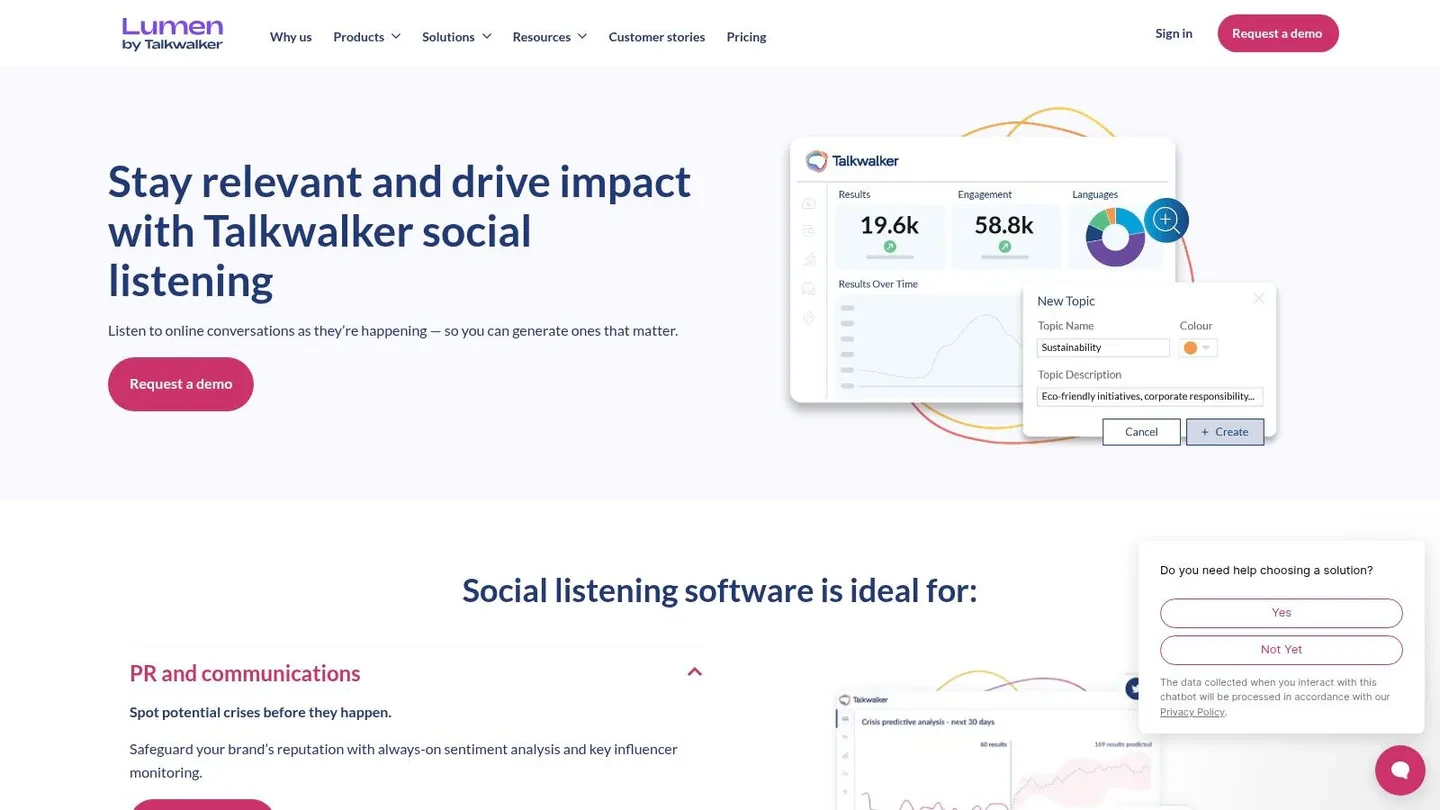
Talkwalker is the right pick when you need broad listening across formats, not just text mentions on X. Its enterprise appeal comes from coverage that extends beyond standard social posts into visual content and other media types, which matters if your brand shows up in images, video, or cross-channel coverage. For larger companies, that broader net is often the whole point.
Best for brands with many touchpoints
The upside is clear. Talkwalker is strong when you need enterprise-grade analytics, alerting, and anomaly detection across a wide set of sources, not just X. The downside is just as clear. If you’re a small team, the complexity can be more than you need, and the buying process is usually closer to enterprise procurement than self-serve software.
For marketers and comms teams, that broad format support is useful because it lets you see how conversations travel across channels. For founders, it can feel like a lot of system for a workflow that may only need a few tight searches and fast triage. That’s the trade-off with tools like this. They’re powerful, but they ask you to behave like an enterprise team.
If you’re comparing X listening tools by the type of signal they catch, Talkwalker sits near the top for coverage breadth. It’s a good option when your questions go beyond “who mentioned us?” and into “where is the conversation happening, in what format, and how is it moving?” That makes it especially relevant for brands with global reach or multi-channel campaigns.
Talkwalker is not the simplest tool on this list, but it’s one of the strongest if your monitoring strategy needs to extend past X and into richer media intelligence. For teams that live in dashboards and reporting cycles, that’s a real advantage.
4. Meltwater
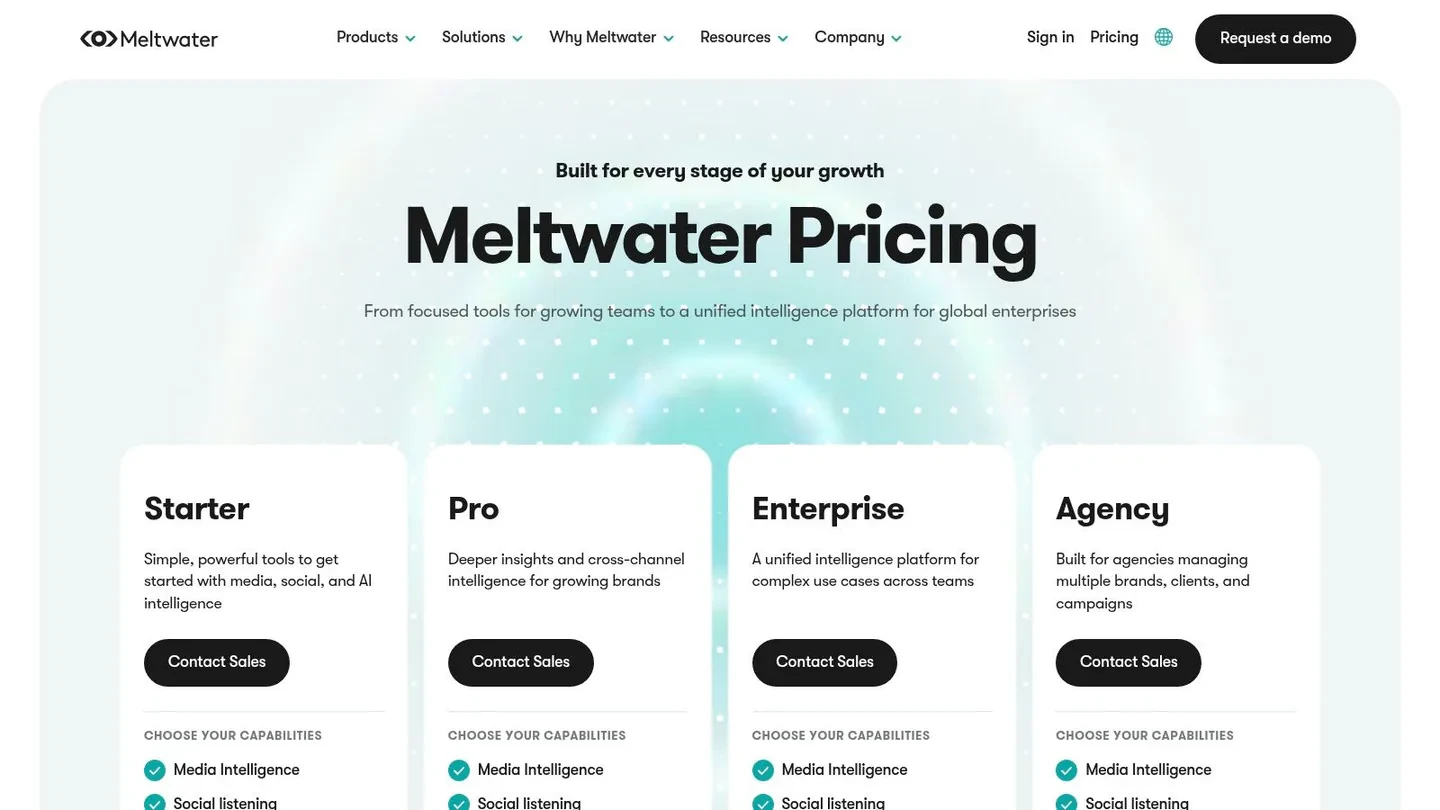
Meltwater is a strong fit for teams that want PR monitoring and social listening in one vendor relationship. It’s useful when X is only one piece of the media intelligence puzzle and you also need news monitoring, influencer tracking, analytics, and region-specific configurations. That makes it appealing for communications teams that don’t want to stitch together separate tools.
Where Meltwater earns its keep
The main advantage is operational convenience. If your PR team already needs media coverage alongside social mentions, Meltwater reduces vendor sprawl and keeps reporting under one roof. That can be more valuable than squeezing out a little extra precision from a lighter X-only tool.
The trade-off is cost and complexity. Meltwater pricing is typically opaque, and the platform often works best once multiple modules are in play. That means it’s rarely the fastest or cheapest way to solve a single listening problem. If your team mainly wants to identify posts worth replying to on X, the broader media stack may be more than you need.
For organizations that care about sentiment, trends, share of voice, and influencer discovery in the same place, Meltwater is credible. For indie founders or creators, it’s hard to justify unless the company is already operating at a level where comms reporting is a core function. This is a classic case of fit over features.
A practical way to think about it is simple. Use Meltwater when you’re managing public narrative, not just mentions. If the job is to watch X, news, and media signals together, it’s a serious option. If the job is to reply faster and stay closer to the feed, lean lighter.
5. Sprout Social Listening Add-On
Sprout Social makes the most sense when listening has to live inside a broader publishing and inbox workflow. If your team already uses Sprout for scheduling, engagement, or reporting, the Listening add-on is attractive because it keeps everything in one place. That’s a real workflow advantage for social teams that hate tool switching.
Good for teams that move from listen to respond fast
The strength here isn’t just data, it’s handoff. A mention can move from listening into scheduling, inbox management, or reporting without leaving the workspace. For teams handling replies at scale, that reduces friction and makes the listening layer more actionable.
The downside is that listening is an extra cost on top of seat-based plans, so the price can climb quickly as the team grows. It’s also less specialized than a dedicated alert-first tool when your goal is to catch precise X posts and route them immediately to the right person. In other words, Sprout is excellent when monitoring is part of a larger social system, but it’s not the leanest choice for raw X tracking.
If your team already lives in a publishing suite, add listening there first. If you’re starting from scratch and only need high-signal X alerts, that’s usually the wrong place to start.
If you want a broader scheduling workflow alongside social listening, this guide to the best social media scheduling tools is worth reading before you commit. That matters because Sprout’s value rises when publishing and listening are connected.
Sprout is best for established teams that need reliable operations, not just insights. If you’re running support, community, or content from the same seat, it’s a practical choice. If you’re a founder trying to spot a few high-value conversations each day, it may be more platform than payoff.
6. Hootsuite Streams and Listening
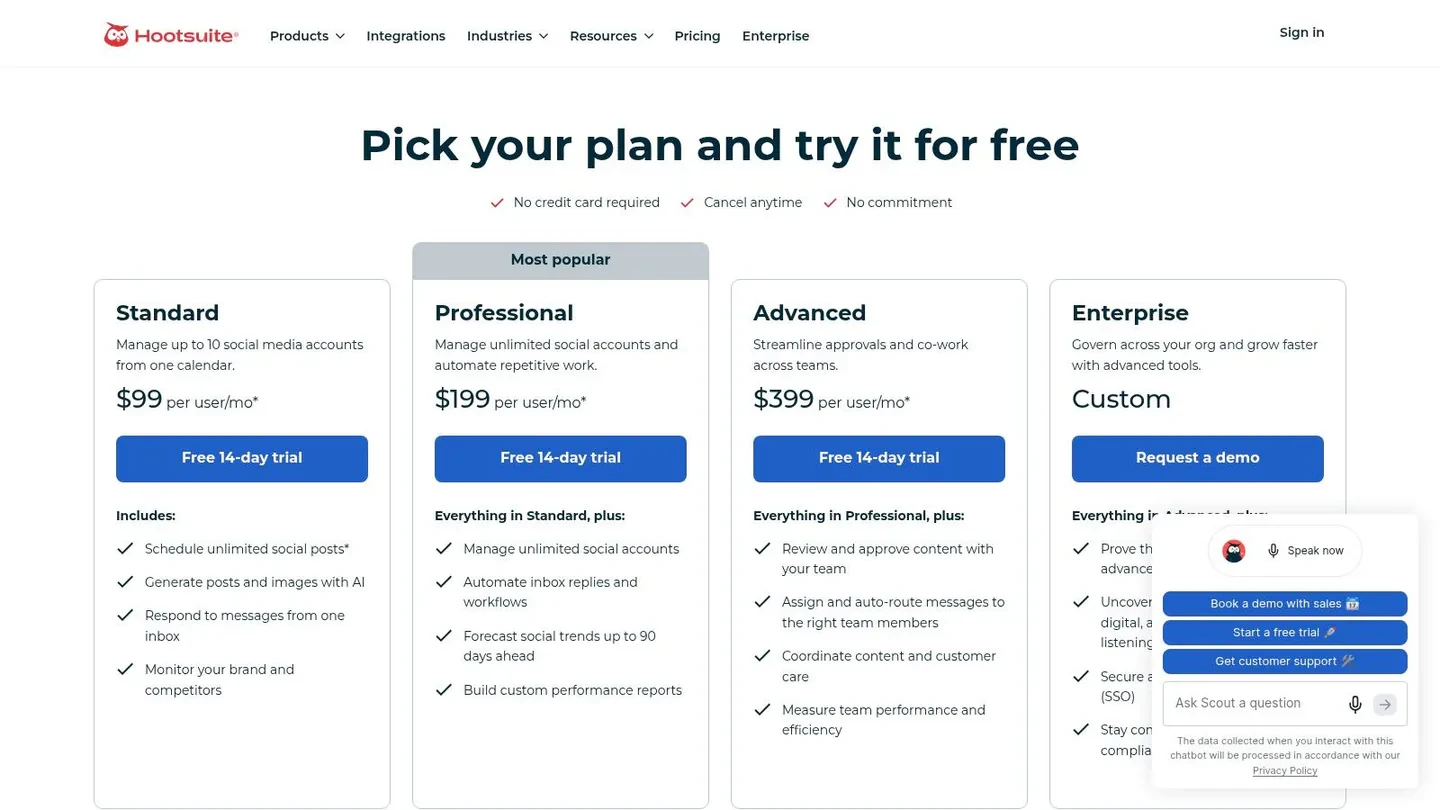
Hootsuite works well when you need basic X monitoring without committing to a dedicated enterprise listening suite. Streams let you build boards around keywords, hashtags, lists, and accounts, so you can watch conversations in real time while also handling scheduling and reporting in the same place. For social teams that need one workspace for publishing and monitoring, that trade-off is often enough.
A practical fit for everyday monitoring
The main advantage is speed. You can set up a monitoring board quickly and fold it into a daily social workflow instead of building a separate intelligence process from scratch. That makes sense for social managers, community leads, and small teams that need to watch X while keeping publishing, inbox work, and reporting moving.
The trade-off is depth. Hootsuite is built as a broader social media management platform, so it does not go as far as enterprise listening tools on analytics, research, or query refinement. If your job is to separate signal from noise across a busy brand account, it works. If your job is to produce deeper trend analysis or more specialized listening workflows, you will notice the limits. Plan structure matters too, because seat-based pricing and add-ons can become harder to justify if listening is the only feature you really need.
For a team that wants both monitoring and publishing in one workflow, Hootsuite is a sensible middle ground. For creators and founders who only need a short list of actionable X mentions, a lighter tool may be easier to buy and easier to use. If you want to compare that kind of setup with a smaller-budget option, free Twitter analytics tools are worth reviewing before you decide.
Monitoring works best when the team checks it every day. A dashboard no one opens turns into an expensive archive.
For teams that also need to pull data from the web, these AI data collection tools for engineers can complement your monitoring setup. Hootsuite is the better fit when the job is ongoing social operations, not when you are building a dedicated research function.
7. Mention
Mention is a good fit when you want real-time monitoring and basic analytics without enterprise complexity. It watches social platforms, news, forums, and the web, which makes it useful for brands that care about reputation, share of voice, and fast alerts more than deep research. That balance is why a lot of SMB teams consider it.
Simple to deploy, easy to understand
Mention’s strength is that it’s relatively straightforward to get running. You can set up searches, get alerts, and export reports without going through an enterprise onboarding cycle. For smaller marketing teams, that makes it easier to move from interest to action quickly.
The trade-off is depth. Compared with Brandwatch or Talkwalker, Mention doesn’t go as far in enterprise workflows or governance. If your organization needs executive-ready intelligence and complex segmentation, it may feel too light. But if the goal is to watch the public conversation, triage mentions, and keep a clean reporting trail, it does the job.
For X users who need a balance between ease of use and useful coverage, Mention is a solid middle path. It’s especially practical if you’re not trying to build a large-scale intelligence function and just need dependable alerting. That’s often the SMB use case.
If you want a broader view of lighter X reporting tools, Xholic’s free Twitter analytics tools guide is a useful companion read. Mention sits closer to monitoring than analytics, but the workflow overlaps when you’re trying to understand performance and perception at the same time.
8. Brand24
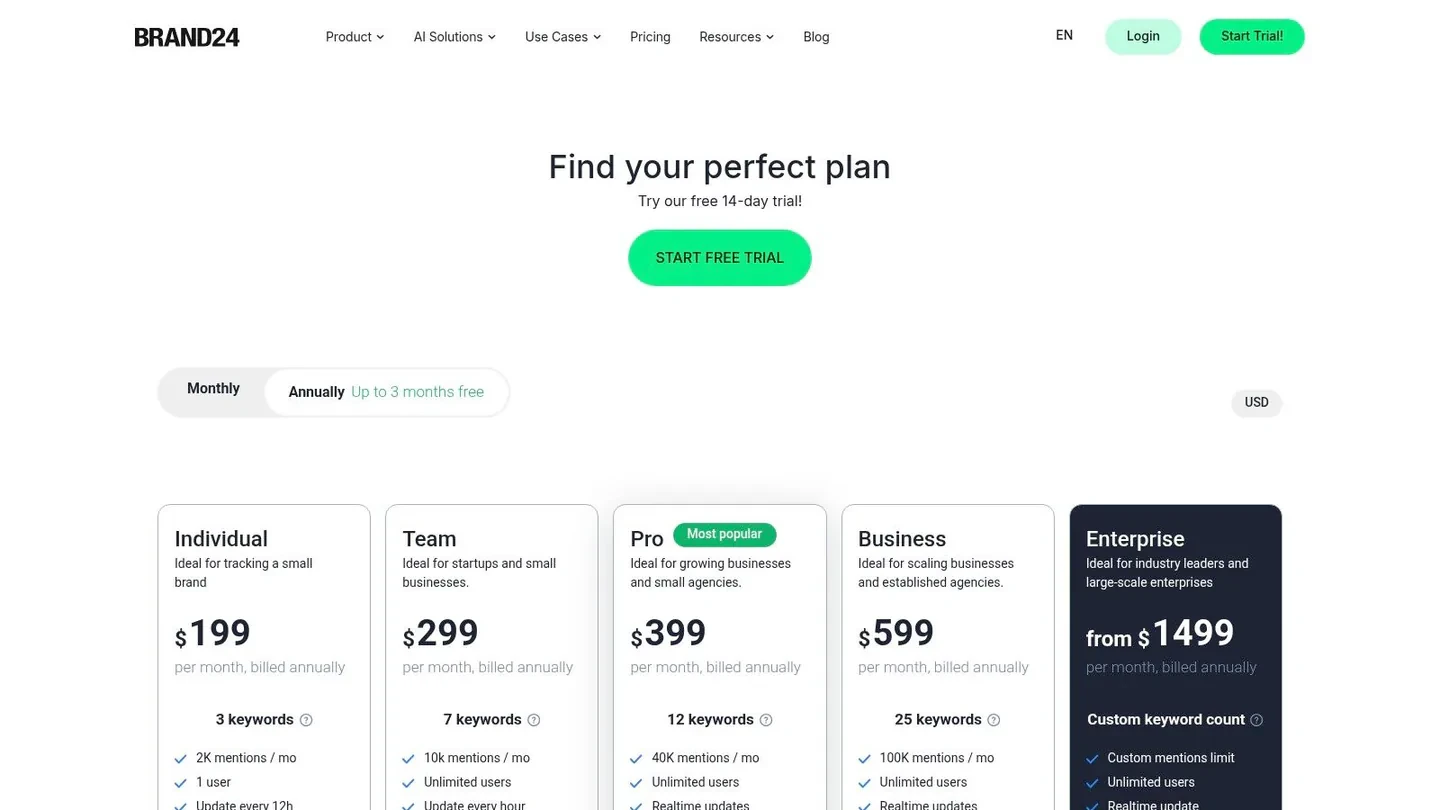
Brand24 is one of the best picks for teams that want predictable, SMB-friendly social listening. It tracks X along with other web sources, adds sentiment-style reporting, and gives you alerts and share-of-voice data without forcing an enterprise buying process. For agencies, founders, and smaller marketing teams, that combination is attractive.
Good value when you want clean reporting
Brand24 works well when the task is broader brand awareness tracking, not just live response. It’s useful for watching how a product or campaign spreads across social and the web, and it does a nice job of packaging the results into client-friendly reports. That matters if you’re an agency or a solo operator who needs to explain what the listening data means.
The downside is that the analytics aren’t as deep as enterprise suites, and plan limits can matter once your volume grows. It’s a strong fit if you want enough structure to stay organized, but not so much platform complexity that setup becomes its own project. In practice, that’s why a lot of smaller teams land here.
Brand24 is especially useful when you care about visibility more than immediate reply speed. If someone on X mentions your brand and you need a report later, it’s a good tool. If you need the mention to trigger a fast response inside Slack or a team channel, a more workflow-driven tool may be better.
For teams comparing budget-conscious monitoring tools, Brand24 is one of the more polished options. It strikes a sensible balance between coverage, reporting, and ease of deployment.
9. Keyhole
Keyhole is a strong option when your main need is campaign tracking on X. It handles real-time hashtag and keyword monitoring, then packages the results into dashboards that are easy to share with clients, teammates, or stakeholders. That makes it especially useful for launches, events, and short-term campaigns.
Best when shareable reporting matters
The biggest strength is presentation. Keyhole makes it easier to visualize X data, surface top posts and authors, and explain what happened during a campaign window. If your work involves clients or stakeholders who want a clean readout, that’s a real advantage.
The downside is that it’s less compelling for deep, ongoing cross-channel research. Topic and post quotas can also matter depending on plan, so heavy-volume users need to watch limits carefully. That means Keyhole is most compelling when you have a defined campaign or event and want neat reporting around it, not when you’re building a permanent listening operation.
One useful internal resource here is Xholic’s Twitter analyzer tool guide. Keyhole is a better fit for campaign dashboards, while Xholic leans toward context-aware analysis and growth workflows.
If you need a tool that helps you show results quickly, Keyhole does that well. If you need a tool that helps you decide what to reply to, study, or remix, it’s not the same category.
10. Awario
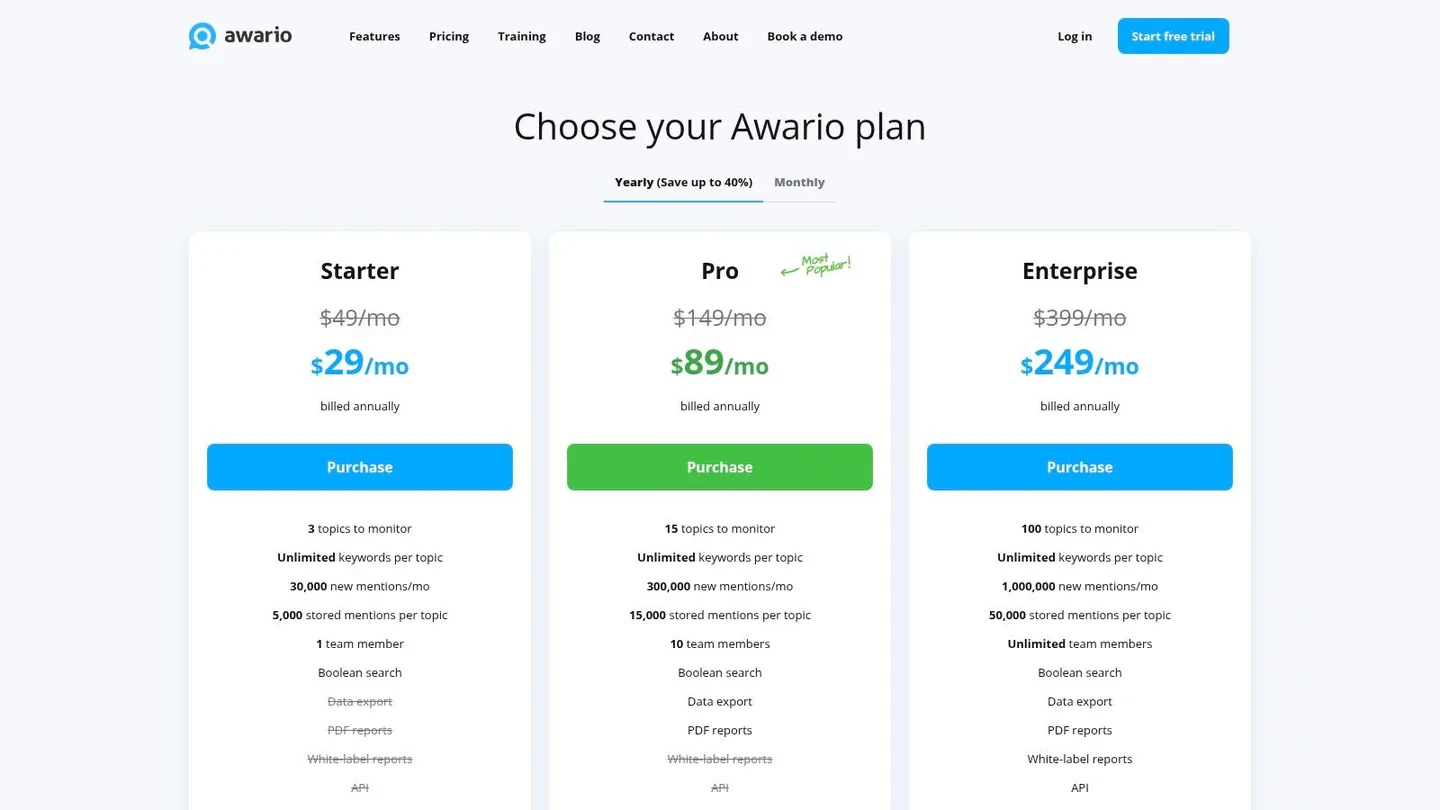
Awario is the budget-friendly option for teams that need always-on monitoring across X and the wider web. It’s built for keyword tracking, alerts, and simple reporting, which makes it a sensible choice for small teams that care about notifications more than advanced visual analytics.
Low-friction monitoring for small teams
Awario’s appeal is accessibility. It gives you enough structure to monitor handles, keywords, hashtags, and URLs without pushing you into a heavy enterprise setup. That makes it useful for founders, small agencies, and teams that need alerts for prompt triage or engagement.
The trade-off is depth. Awario is better at collecting and reporting than it is at prioritizing the next action. If you want advanced conversation scoring or strong visual dashboards, it won’t feel as rich as the larger suites. But if your priority is to stay informed without overspending, it’s a practical option.
Awario fits especially well when you’re watching for product mentions, category questions, or early reputation signals. It can keep you in the loop without demanding a lot of setup time, which is often what smaller teams need most. In that sense, it’s one of the more straightforward tools on the list.
If your workflow is “alert me quickly, then I’ll decide what matters,” Awario is a solid lower-cost path. If your workflow is “surface the best conversations and help me act on them,” you’ll probably want something more specialized.
Top 10 Twitter Listening Tools Comparison
| Product | Core features | UX & Quality | Value & Pricing | Target audience | Unique selling points |
|---|---|---|---|---|---|
| 🏆 Xholic AI | Context settings; in‑timeline AI replies (Chrome ext); 12M Inspiration Library; Ask Xholic; Remixer; Scheduler | ★★★★★, personalized, learns from your edits | 💰 Pro $19/mo · Max $29/mo (normally $49/mo) · Ultra $99/mo · 7-day trial | 👥 founders · indie hackers · creators · marketers · Web3 builders | ✨ Context‑aware replies; human‑in‑loop; in‑timeline workflows; remix + analysis |
| Brandwatch | Full X firehose; advanced Boolean; dashboards; historical data | ★★★★★, enterprise‑grade speed & coverage | 💰 Quote‑only; enterprise pricing | 👥 large enterprises · agencies · brand teams | ✨ Real‑time firehose & mature analytics |
| Talkwalker | Multi‑format listening (images/video/podcasts); visual recognition; AI insights | ★★★★★, broad cross‑media coverage | 💰 Quote‑only; typically pricey | 👥 large brands · enterprise insights teams | ✨ Visual/logo detection; cross‑media monitoring |
| Meltwater | Social + news monitoring; influencer tools; configurable dashboards | ★★★★☆, PR + social combo | 💰 Quote‑only; modular add‑ons | 👥 PR/comms teams · enterprises | ✨ One vendor for PR & social; influencer reporting |
| Sprout Social (Listening add‑on) | Always‑on Boolean listening; historical pulls; dashboards; integrates with publishing/inbox | ★★★★☆, integrated workflow | 💰 Add‑on cost + seat‑based plans | 👥 teams already on Sprout · social managers | ✨ Seamless integration with Sprout scheduling & inbox |
| Hootsuite (Streams + Listening) | Streams boards for keywords/hashtags/accounts; multi‑network monitoring; scheduling | ★★★★☆, pragmatic, fast to set up | 💰 Tiered plans; per‑user pricing | 👥 SMBs · social managers · agencies | ✨ Quick setup; bundled management tools |
| Mention | Real‑time alerts; sentiment & share‑of‑voice; Boolean queries; exportable reports | ★★★★☆, fast alerts, easy to deploy | 💰 Public plans; SMB‑friendly pricing | 👥 SMBs · brands wanting straightforward monitoring | ✨ Straightforward alerts & reporting |
| Brand24 | X/Reddit/news/blog tracking; sentiment, influence scores; alerts & reports | ★★★★☆, accessible, easy to use | 💰 Transparent, affordable tiers | 👥 SMBs · agencies · founders | ✨ Affordable pricing; minimal learning curve |
| Keyhole | Real‑time hashtag/keyword trackers; campaign dashboards; embeddable reports | ★★★★☆, excellent for live campaign tracking | 💰 Topic/post quotas; costs rise with volume | 👥 campaign teams · events · marketers | ✨ Live campaign dashboards & embeddable analytics |
| Awario | Budget monitoring for keywords/handles/hashtags; sentiment; alerts; optional API | ★★★★☆, budget‑friendly monitoring | 💰 Low entry price; public tiers + free trial | 👥 small teams · startups · solopreneurs | ✨ Low cost, quick alerts, simple reports |
Choosing Your Tool From Listening to Action
The best Twitter listening tool is the one that matches the job you need done. If you’re running enterprise reporting, Brandwatch, Talkwalker, or Meltwater make sense because they give you deeper dashboards, broader coverage, and stronger intelligence workflows. If your team already runs publishing and inbox management in Sprout Social or Hootsuite, adding listening there can be the easiest operational move.
If you’re a founder, creator, or growth operator, the decision is different. You usually don’t need the biggest suite first, you need the shortest path from a relevant X post to a useful action. That might mean replying to a customer pain point, joining a category conversation, spotting competitor chatter, or saving a post pattern worth remixing later.
That’s where Xholic is strongest. Instead of treating listening as a separate reporting layer, it connects discovery, analysis, reply writing, and scheduling in one workflow. If you want a tool that helps you find conversations, study what works, and stay consistent without living inside the feed, start there before you buy a heavier platform.
A simple way to choose is to match the tool to your main job. Use enterprise suites for brand health and research. Use SMB tools like Mention, Brand24, or Awario for affordable monitoring and reporting. Use Xholic if your goal is to turn X listening into consistent growth, better replies, and faster decision-making.
Start with one trial, one use case, and one monitoring setup. If you’re optimizing for growth on X, test Xholic first and see whether the combination of personalized replies, Engage, and Context settings reduces the time you spend guessing what to post next.