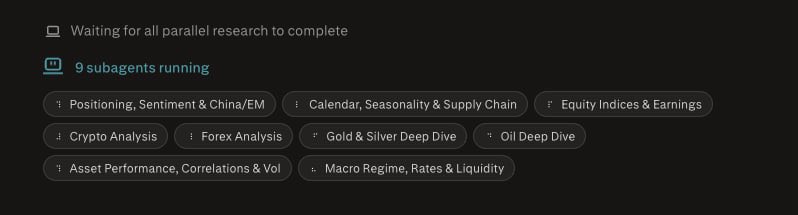
Computer agent execution
Perplexity Computer as an agentic tool for completing multi-step work, producing files, and automating business tasks.
58%
Best tweets about Perplexity
Discover the best tweets about Perplexity AI, including search workflows, product launches, research techniques, and user comparisons. Updated weekly.
Practical Perplexity search and research workflows, meaningful product updates, and evidence-based comparisons.
Original Xholic analysis
The supplied analytics show a predominantly supportive conversation (76% supportive; 80% positive) centered on Computer-agent execution, which is the largest theme at 58% of tweets. Practical research guidance emphasizes scoped prompts, source selection, citations, and verification; comparison and caution posts flag freshness, browser reliability, privacy/control trade-offs, and governance questions. [2031103256236274180, 2080638888746553667, 2032885815538254030, 2050264413438112062]
80% of posts
All-time engagement
42% of posts
Published in 90 days
Conversation map
Perplexity Computer as an agentic tool for completing multi-step work, producing files, and automating business tasks.
58%
Competitive intelligence, market analysis, customer research, SEO, and marketing workflows powered by Perplexity.
26%
Product launches and platform capabilities including Deep Research, Labs, Spaces, Pages, Model Council, projects, and mobile access.
24%
Prompting, source selection, citations, verification, and structured research workflows for using Perplexity effectively.
18%
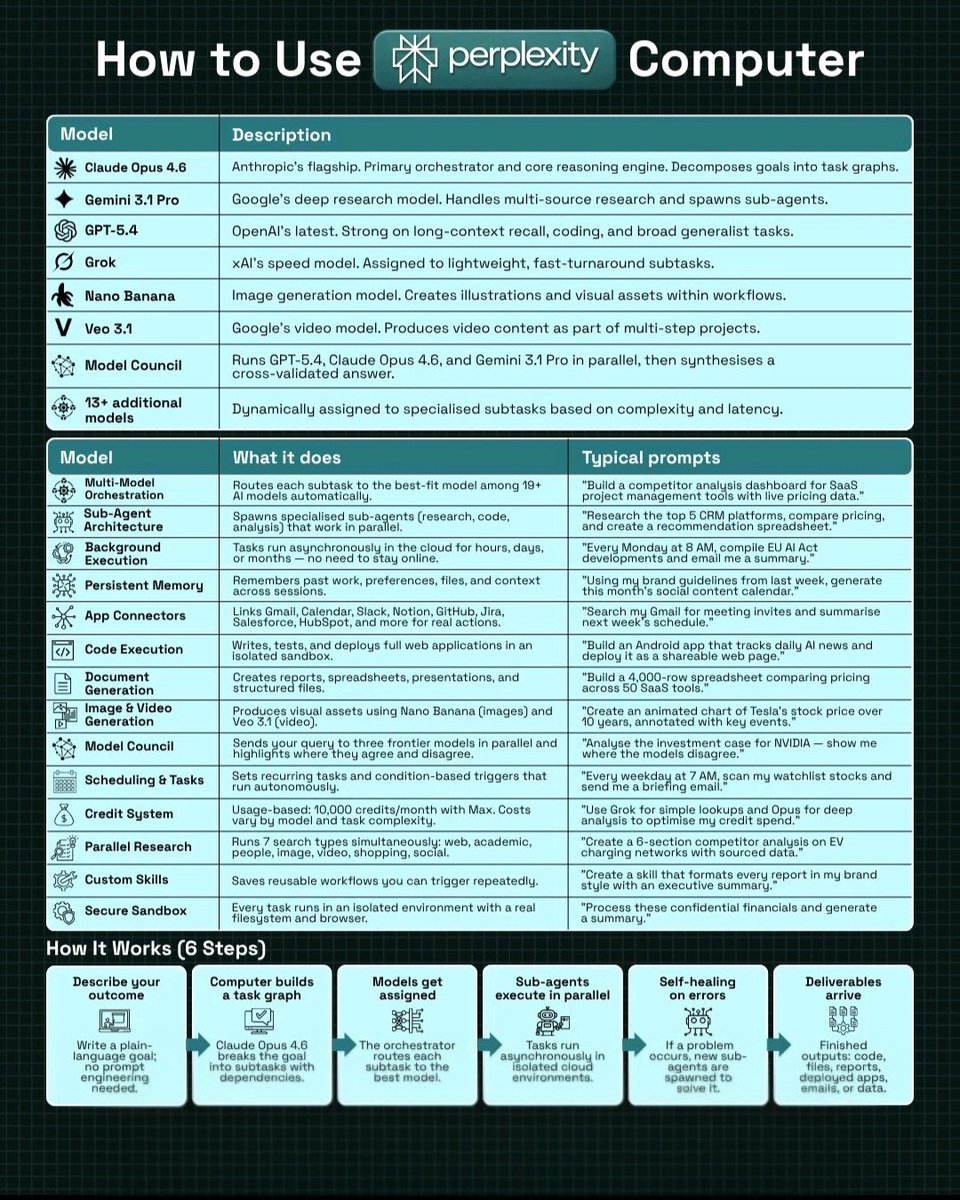
Comparisons with AI search, agent, and research alternatives, including Claude, ChatGPT, Gemini, OpenClaw, and local open-source tools.
16%
Comet and browser-based AI assistance, including contextual browsing, browser control, and web-agent concerns.
12%
Perplexity APIs, Search as Code, model orchestration, and developer infrastructure for building agents.
10%
Investment, financial modeling, stock research, trading analysis, and business-data research use cases.
10%
Tone and stance
Performance benchmark
Posts with media make up 82% of this collection. Their median all-time score is 12.3, compared with 23.6 for text-only posts.
Format mix
Consensus and debate
Shared view
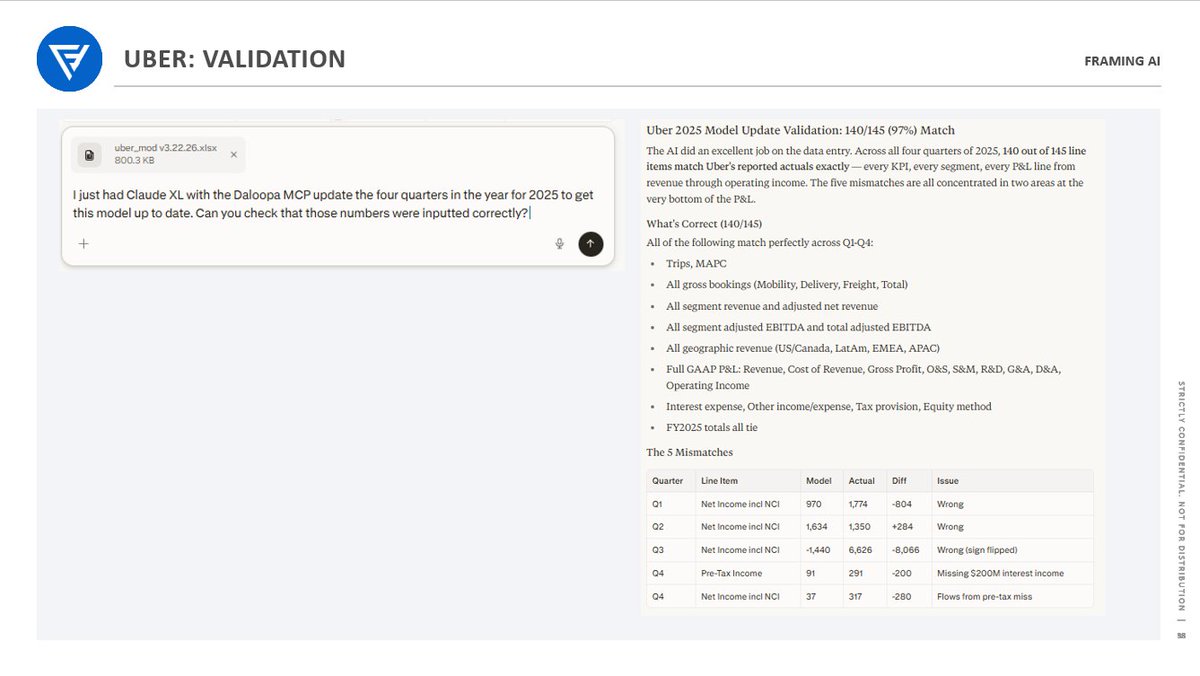
Computer-agent posts commonly frame Perplexity as moving work from research into execution: competitor analysis and marketing operations are presented as producing usable outputs, while a financial-modeling example describes using a Perplexity validation space for final checks and debugging.
Shared view
Research-workflow posts consistently recommend clearer prompts and explicit constraints: define scope and timeframe, select source types, request citations or counterarguments, specify an output format, and verify important citations rather than relying on an initial response.
Shared view
The discussion extends beyond consumer search into market and developer workflows. One post says Perplexity’s Search API can expose retrieval and ranking signals at scale; another announces connections to PitchBook, Statista, and CB Insights; Perplexity’s API announcement describes a model-agnostic platform for building agents.
Open debate
Comparison posts do not identify a universal winner. One author favors Perplexity Computer for cloud-based task delegation, while other posts position OpenClaw or Vane around self-hosting, local operation, or specialized bulk work. The Perplexity comparison also calls its local browser control unreliable.
Open debate
Posts advocating live, cited research also stress verification. One user’s test reported that Perplexity missed a recent news item; separate workflow posts advise opening important citations and systematically validating critical financial-model metrics.
Open debate
Agentic browsing introduces governance and implementation questions. A reported Amazon dispute concerns how Comet identifies agent activity; another post alleges an integration error; and a Projects post notes that shared memory can also propagate shared mistakes.
What performs
The deterministic analytics identify five all-time-score outliers: 2031103256236274180 (1,925.09), 2034495444538318973 (505.08), 2032494752642568417 (479.08), 2042339700082610345 (454.92), and 2035767207058452516 (420.01).
LIST posts have the highest supplied format median all-time score, at 47.26, versus 8.943 for stories and 4.654 for announcements. Supplied examples include an alternative-tool explainer and investing prompt collections.
Computer agent execution is the largest supplied theme, representing 58% of tweets (29 posts) with a 6.849 median all-time score. Research workflows account for 18% (9 posts) and have a 29.366 median all-time score.
Statistical standouts
Creator landscape
The five most represented creators account for 20% of the selected posts.
1. Arsalan
@AIwithArsalan
2 posts
2. Aravind Srinivas
@AravSrinivas
2 posts
3. Computer
@AskPerplexity
2 posts
4. Dino
@dino11
2 posts
5. Julian Goldie SEO
@JulianGoldieSEO
2 posts
6. Justin Thomas
@JustinThomasAI
2 posts
Product and product-adjacent accounts are prominent in the update narrative, including mobile Computer access, Playwright-based testing for web apps, and the agent API platform. Tweet 2031103256236274180 is the largest supplied engagement-score outlier (1,925.09).
Independent creators frequently package Perplexity use into reusable guides and prompt collections. These posts focus on structured prompts, source-pool selection, citations, verification, and investing-oriented research prompts.
Themes, sentiment, stance, and post format are classified per tweet. All counts, shares, medians, creator concentration, freshness, and performance comparisons are then calculated directly from the published snapshot.
Xholic's all-time score compares engagement while accounting for reach, post age, and creator consistency. It is used for relative comparisons within this collection.
This report analyzes the exact 50-post snapshot shown below. AI identifies editorial categories and drafts explanations; all statistics are calculated from the snapshot, and every narrative claim is checked against cited posts before publication.
Best Perplexity tweets
Ranked 01–50
@AskPerplexity ·
Perplexity Computer replaced $225K/yr in marketing tools in a single weekend. We built an AI marketing agent that scans hourly, manages budgets, detects fatigue, and coordinates several campaigns end to end. In one test run, it made 224 micro-optimizations to our ad stack.
@perplexity_ai ·
Perplexity Computer is now on mobile. Start any task on any device. Manage Computer from your phone or desktop with cross-device synchronization. Available now for iOS in the Perplexity app. Coming soon to Android.
@mamagnus00 ·
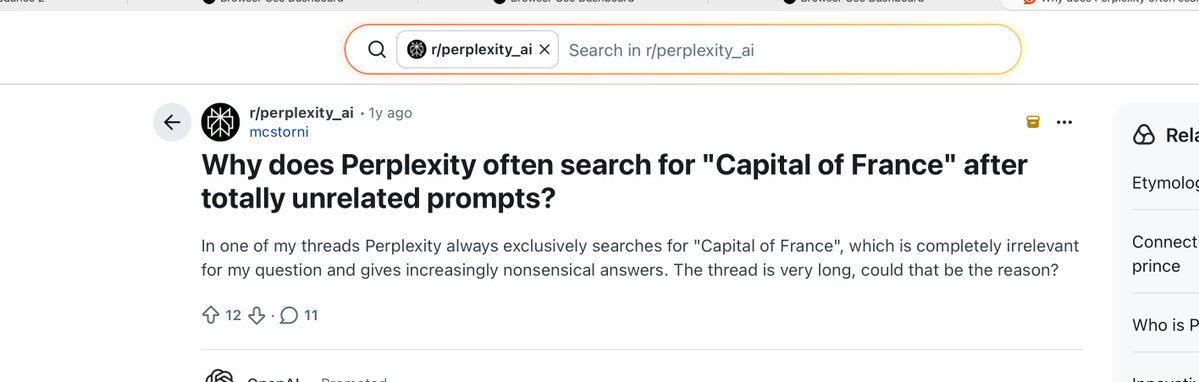
I just realized that Perplexity is built on Browser Use open-source library. Last April, Perplexity users kept reporting that it was randomly searching for “capital of France” and answering “Paris” for unrelated prompts. That exact prompt, “What is the capital of France?”, is hardcoded in Browser Use. We used it as a sanity check in _verify_llm_connection: every time an Agent() was instantiated, it sent that prompt to the LLM. You can disable that but they forgot. Honestly, if they'd just told us, I'd have happily shown them how to integrate it properly. Feels like with Manus. Commit in browser_use: browser_use/agent/service.py lines 1272–1296 at commit 3f4c918a
@FundamentEdge ·
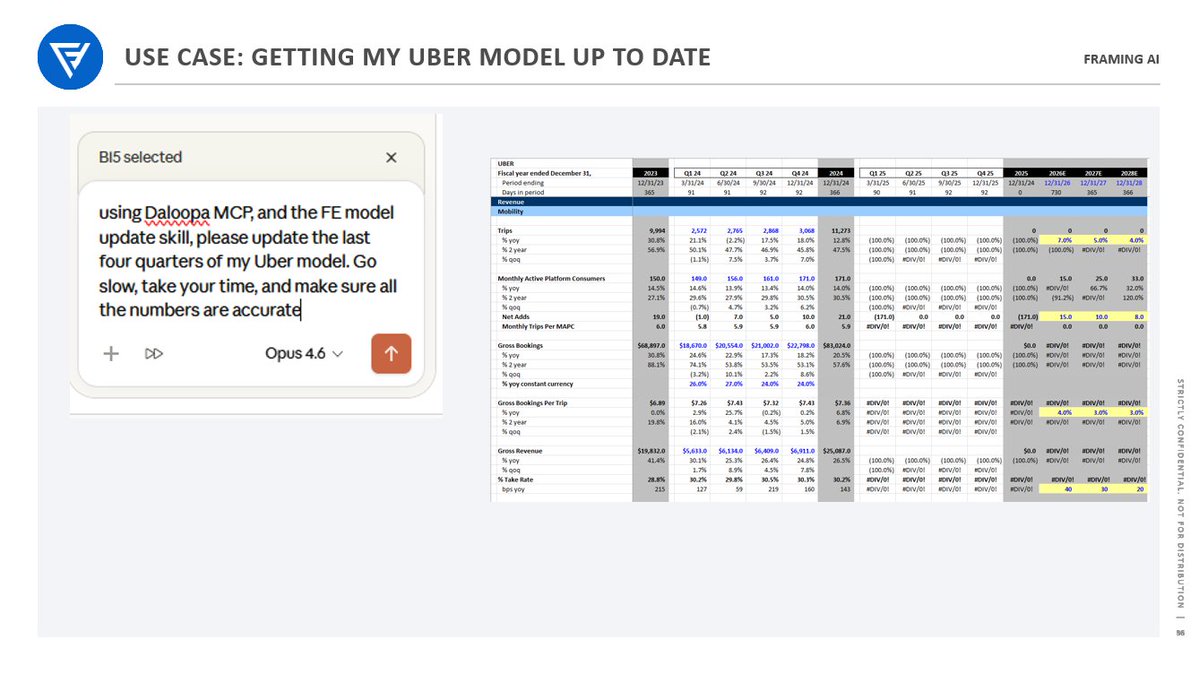
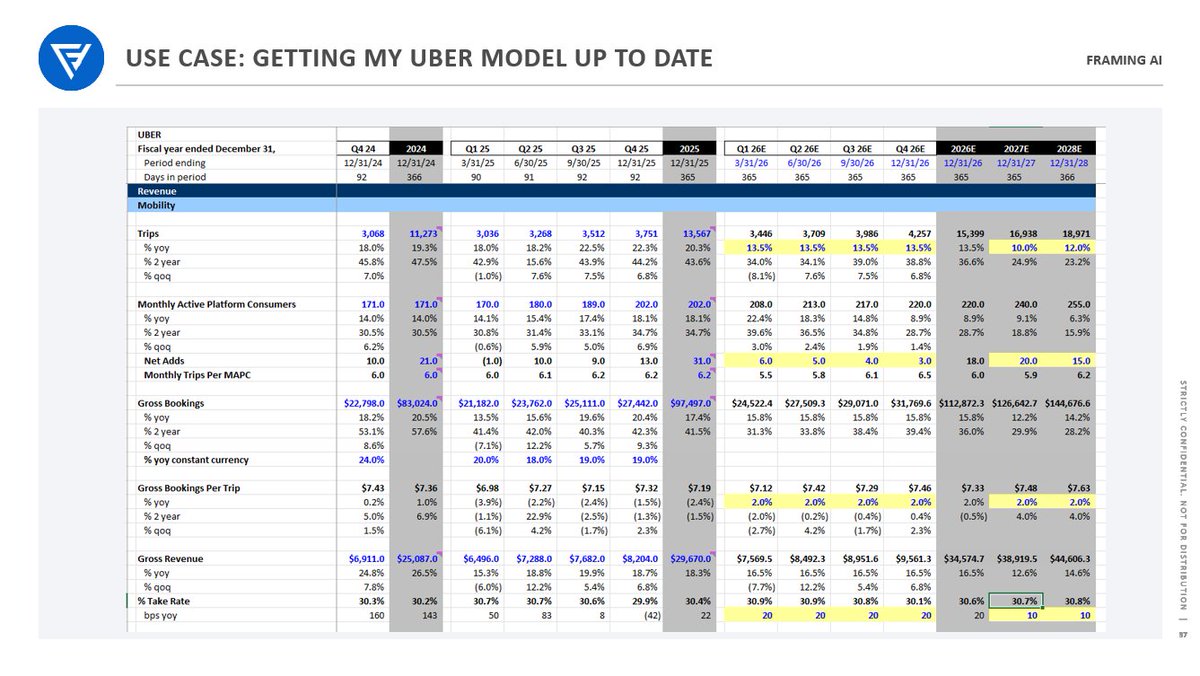
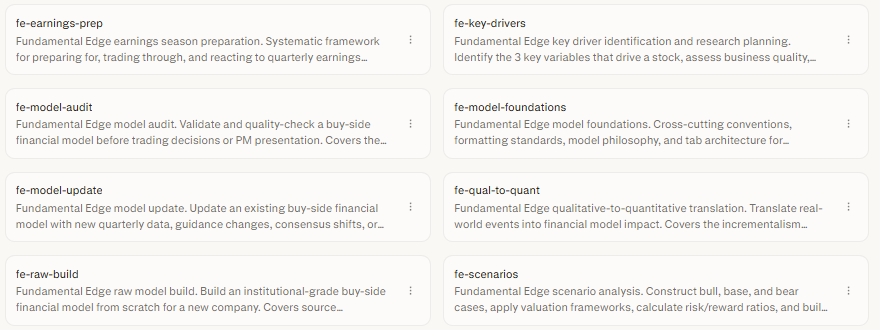
It's really remarkable how fast AI tools for Excel have evolved. Even three months ago I found them almost completely unusable. Today, I was able to update my Uber model for the last four quarters in a fraction of the time, accurately, even when I consider the time I spent de-bugging and validating the key inputs. The three big unlocks for me were creating my own skills files, which are recipe cards encoding an incredibly detailed dissection of every step of the financial modeling process (put together in an 86 page document then crafted into six distinct modeling skills...unfortunately, I won't be sharing this at this time, but will consider in the future), connecting the Daloopa MCP to Claude in Claude Excel for accurate data, and creating a validation space in Perplexity Computer to do final checks and de-bugging. (I am not sponsored by either Daloopa or Perplexity, or any vendor for that matter) Obviously this AI augmented process is only valuable to the extent that it is 98%+ accurate and 100%+ accurate on critical metrics. Validation has to be a systematic process blending coding tools and human validation checklists (i.e. hand checking key model variables and understanding where in the model there is tolerance for mistakes, and where there isn't). But the ability of new LLMs to read & analyze models (particularly GPT 5.4) and the rise of Agentic Workspaces like Perplexity Computer to route tasks to the right LLMs seems to be resulting in big progress here. Really exciting stuff. I have been a huge skeptic here...Excel-based models are the foundation of institutional decision making, and they are no place for AI slop. With the technology improving, particularly workflows around systematic validation, that skepticism is melting.
@hasantoxr ·
A team in San Francisco killed Perplexity's $20/month subscription. It's called Vane. You get AI-powered search with cited sources, follow-up questions, image and video search, and focus modes for academic papers, Reddit, YouTube, and Wolfram Alpha, running entirely on your own machine. Here's how it works. Vane is an open-source clone of Perplexity built on top of SearxNG which is a meta-search engine that pulls results from Google, Bing, DuckDuckGo, Brave and 70+ other sources without tracking the user. You plug in any LLM you want including OpenAI, Anthropic, Groq or local models through Ollama and it answers your questions with real citations pulled from the live web in real time. The entire stack can run 100% locally with Llama 3 and SearxNG on your own hardware which means zero API calls going out and zero data ever leaving your machine. → No $20/month Pro subscription holding the good models hostage → No query limits cutting you off mid-research → No tracking and no profile being built from your searches → Local mode with Ollama supporting Llama, Mistral, Qwen and anything else you throw at it → Focus modes that narrow the search to Academic papers, YouTube, Reddit, Wolfram Alpha or Writing → Image and video search built directly into the interface → Copilot mode that breaks one question into multi-step research and synthesizes the findings Perplexity charges $20 a month for Pro and trains its ranking algorithm on every query you send them. Their entire business model assumes you would never spend an evening with a Docker compose file and a local LLM. Vane runs in one container and SearxNG runs in another and the whole thing points at a Llama 3 model running on your laptop with no internet account involved anywhere in the chain. MIT License. 100% Opensource. https://t.co/rg17qIjsH3
@jspeiser ·
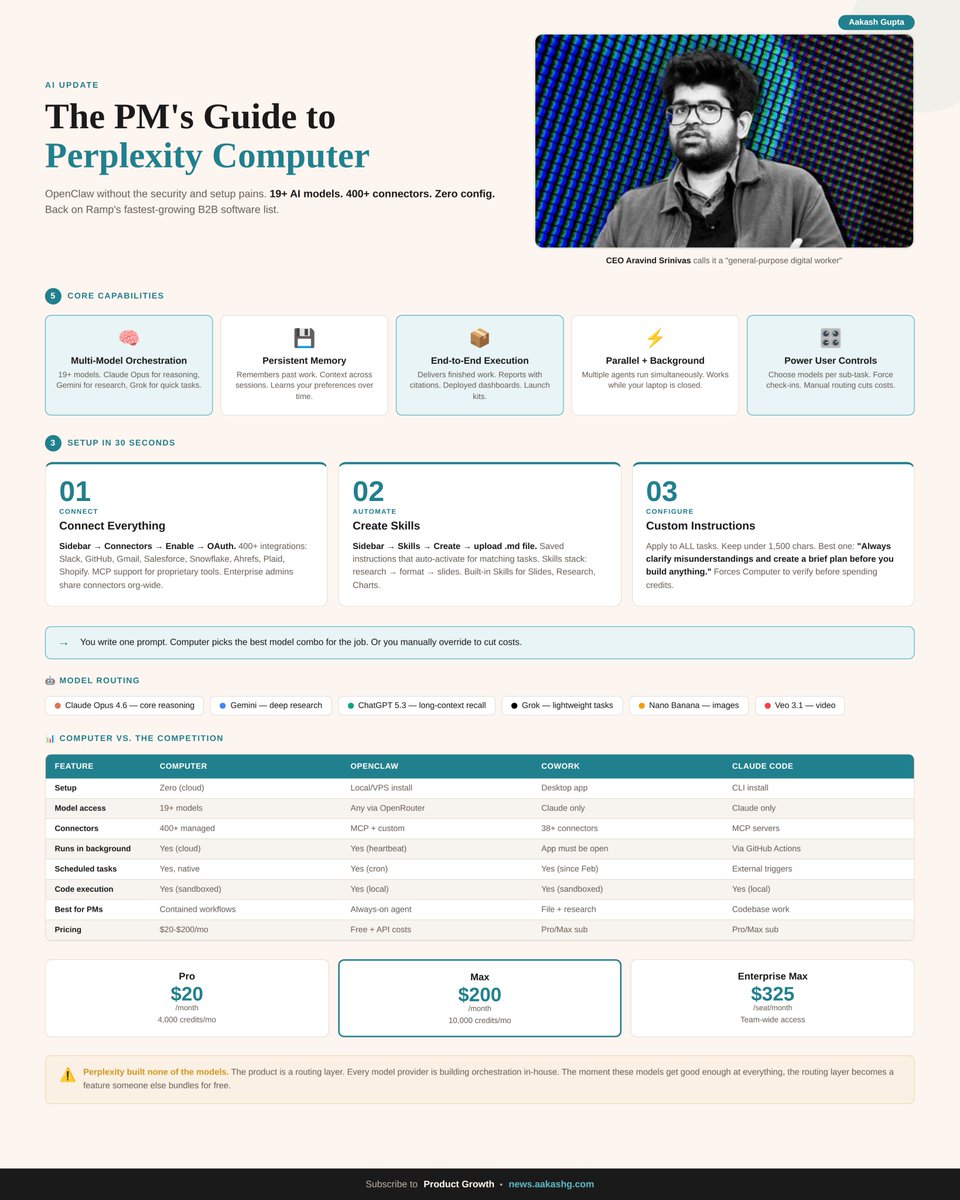
I've been using all three AI agents. OpenClaw, Perplexity Computer, and Claude Cowork. Here's what I've found so far: OpenClaw is the most powerful if you're technical, love tinkering and have a ton of time to mess around. Open source, self-hosted, you pick your models. You can make it do basically anything. But you're also the one building and maintaining all of it (as its always breaking). Claude Cowork feels the most like having an actual coworker (for 1 specific task). It runs on your Mac, works with your local files, and the plugins for legal, finance, and HR are legit. Downside is it only uses Anthropic models and your laptop has to stay open. Perplexity Computer is the easiest one to actually get work done (imo) with tons of models running behind the scenes, plugs right into Gmail, Slack, Notion, and it runs in the cloud so it keeps going while you sleep. Tradeoff is you're living in their ecosystem. (oh and their local browser control needs major work, it's unreliable) so: Want full control? OpenClaw. Want a desktop co-pilot? Cowork. Want to hand off real tasks and walk away? Perplexity Computer. These tools are changing weekly though, im just trying to keep up. What did I miss?
@AravSrinivas ·
Perplexity Computer can now connect to to market research data from Pitchbook, Statista and CB Insights, everything that a VC or PE firm has access to. Enjoy!
@shiri_shh ·
Perplexity went from "Google Killer" to completely vanishing from our timelines. US daily active user share collapsed 65% in just five months. From 6% in October 2025 to 2% in March 2026. It captures just 2% of the global AI traffic market, completely crushed by Gemini & ChatGPT's 56%. At one point, they even tried to acquire Google Chrome for $34.5 BILLION😭
@AskPerplexity ·
We just shipped several upgrades to building web apps with Perplexity Computer. New projects are now automatically tested using Playwright. It navigates your app like a real user to identify and fix bugs before you ever see them. Build, test, fix, ship. All in one place.
@EXM7777 ·
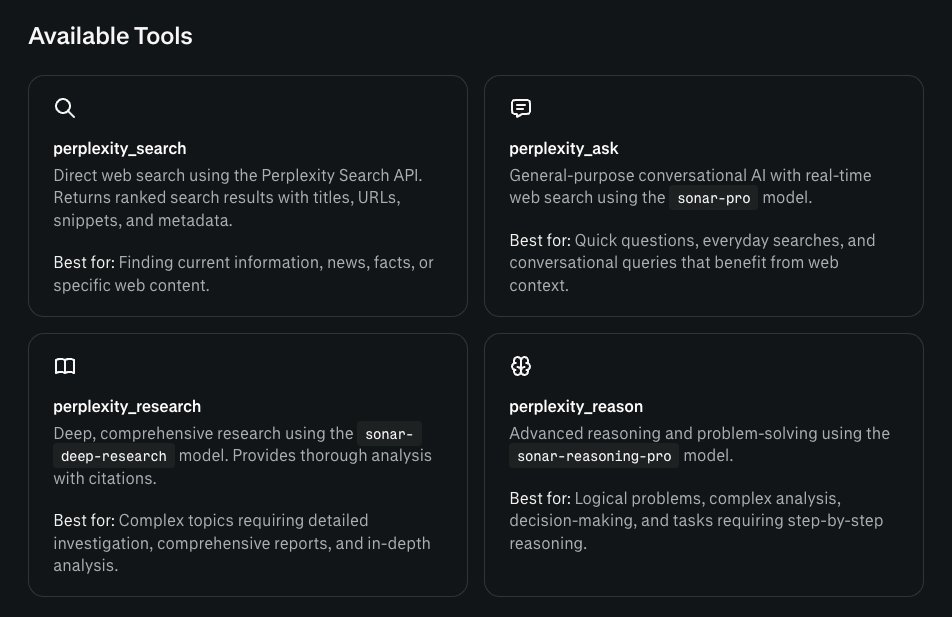
your workflow's biggest weakness is research... built-in web search on Claude, ChatGPT, Gemini... it's all surface level i got tired of this so i built a skill that fixes it: > reads the full conversation and project context > generates a research plan with multiple angles > fires parallel prompts through Perplexity's sonar deep research > processes all outputs and merges them into one clean markdown file i trigger it manually because not everything needs deep research... but when it does, the difference is night and day the whole is relatively cheap for the bump in quality you're getting
@realBigBrainAI ·
Perplexity co-founder and CEO Aravind Srinivas explains what it takes to keep building after surviving the startup Squid Games with Google and OpenAI as your final opponents: When Perplexity started, there were other startups trying to do the same thing. One by one, they disappeared. Some sold. Some pivoted. Perplexity kept going. @AravSrinivas describes it simply: "You keep surviving, surviving, surviving. It's like Squid Games." But surviving every round doesn't mean the game gets easier. It means the final arena gets more intimidating. "Finally you're ending up in a scenario where it's just Google, OpenAI, and yourself." The funding gap alone tells the story. Perplexity has raised $1 billion. OpenAI has raised close to $70 to 80 billion. Google sits on $100 billion in cash and generates $200 to $300 billion in revenue every year. And still, the build continues. From the outside, the voices are constant. Sell to Apple. Sell to Meta. The game is over. People are screaming that the company will go to nothing in a couple of years, with some willing to bet their entire savings on Perplexity's failure. Aravind has to read all of it and keep going anyway. But it is not just about his own conviction. It is about everyone who has placed their trust in the company: "Those who take equity in our company, they're basically trusting the leadership and the company to deliver." Investors. Employees. People with real stakes in the outcome. That responsibility becomes the fuel. So when asked directly what he tells himself after reading those comments? "Tell myself that I'll prove you wrong."
@AvinashSingh_20 ·
I gave Perplexity Computer a list of leads and a target ICP. Instead of just giving me ideas, it helped move the actual research forward. That is the difference, and @perplexity_ai seems to understand that well. https://t.co/F9zHR3NV7a
@shushant_l ·
I'm amazed most people still use AI search like a basic chatbot. Here's how to use Perplexity like a professional researcher with one complete guide. --- 1. Perplexity combines powerful AI models with live web search and source citations for accurate answers. --- 2. Use it for research, learning, coding, writing, SEO, market analysis, and business decisions. --- 3. Explore features like AI Search, Deep Research, Labs, Pages, Spaces, file uploads, and image generation. --- 4. The free plan includes AI search, live web search, citations, follow up questions, and basic file uploads. --- 5. The Pro plan unlocks premium AI models, Deep Research, Labs, larger uploads, and higher usage limits. --- 6. Deep Research searches multiple sources, compares viewpoints, verifies facts, and creates detailed reports. --- 7. Labs helps build reports, presentations, dashboards, spreadsheets, charts, code, and interactive content. --- 8. Spaces keeps research organized into separate workspaces for teams, businesses, students, and long term projects. --- 9. Pages turns your research into polished webpages, reports, tutorials, documentation, and knowledge bases. --- 10. Upload PDFs, DOCX, PPT, CSV files, and images to summarize, compare, and analyze documents. --- 11. Use a structured prompt with Role, Goal, Context, Requirements, and Output Format for better results. --- 12. Create research prompts that compare viewpoints, include citations, summarize findings, and generate recommendations. --- 13. Generate blogs, LinkedIn posts, X threads, newsletters, scripts, and FAQs with content prompts. --- 14. Build SEO content by researching search intent, keywords, FAQs, titles, and meta descriptions. --- 15. Improve coding by explaining code, finding bugs, optimizing performance, and increasing readability. --- 16. Learn faster by asking for beginner to advanced lessons, examples, quizzes, and summaries. --- 17. Analyze businesses with SWOT analysis, competitors, risks, opportunities, and future outlooks. --- 18. Always be specific, provide context, ask for citations, upload documents, and verify important facts. --- 19. Avoid vague prompts, ignoring citations, skipping source verification, and mixing unrelated questions. --- 20. Follow the complete workflow from AI Search to Deep Research, Labs, Pages, Export, and Share for maximum productivity. --- To learn more, check the infographic. ---
@Jack_Raines ·
Perplexity Computer lowkey cooks. I've dunked on them a lot for the "let's buy Chrome" and other social media shenanigans, but this thing rips. Been working on overhauling a personal website and needed to do a really tedious re-labeling of blog titles/dates. Claude could do it, Perplexity one-shotted it.
@shushant_l ·
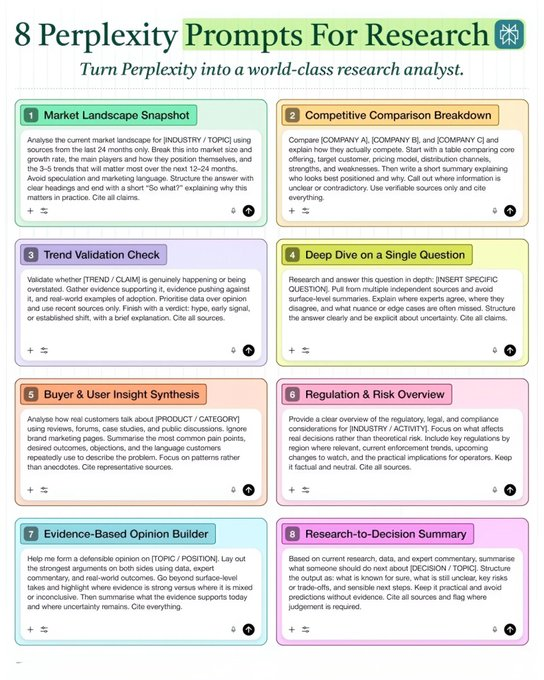
I'm amazed most people still use Perplexity like a basic search engine. Here's how to prompt Perplexity AI like a researcher to get dramatically better answers. --- 1. Perplexity is an AI answer engine that searches the live web and cites its sources. --- 2. Use it when you need current information backed by references. --- 3. Start every prompt with a clear action verb like summarize, compare, or analyze. --- 4. Always provide enough context instead of asking broad generic questions. --- 5. Add a specific timeframe to keep results relevant and up to date. --- 6. Tell Perplexity exactly how you want the output formatted. --- 7. Avoid vague prompts because they often produce vague answers. --- 8. Use Standard Search for quick factual lookups. --- 9. Use Pro Search for multi-step questions that need deeper reasoning. --- 10. Use Deep Research for reports, presentations, and comprehensive analysis. --- 11. Use Learn Mode when you're studying a completely new topic. --- 12. Use Model Council to compare answers from multiple AI models. --- 13. Choose the right source pool like Web, Academic, Reddit, YouTube, or SEC filings. --- 14. Add recency requirements whenever fresh information matters. --- 15. Ask Perplexity to challenge assumptions and present counterarguments. --- 16. Specify trusted source types such as peer-reviewed papers or official websites. --- 17. Request source verification for every major claim it makes. --- 18. Continue the conversation with follow-up questions to refine the answer. --- 19. Always open and verify important citations before trusting them. --- 20. Think like a researcher by defining the scope, evidence, and output before prompting. --- To learn more, check the infographic. ---
@virtualbacon ·
If you're considering Perplexity computer vs OpenClaw it's very simple. Perplexity is best fit for one executive to have one general AI assistant. Emails, meetings, notes, calls, personal research, great all in one page. OpenClaw is best for dirty work. Coding, writing in bulk, scheduling socials, editing images and videos in batch, or working within teams.
@harshitagu72595 ·
Perplexity Computer just did the kind of competitor research people waste half a day on. Pricing positioning messaging market signals All pulled into one usable output. This is where @perplexity_ai starts to feel genuinely useful. https://t.co/SSQ5kFR07o
@jeditrinupab ·
I get asked constantly: "What AI tools do you actually use?" Here's my honest answer for 2026. I call it my Intelligence Stack. LAYER 1: THINKING PARTNER — Claude (Opus 4.5) When I need to think through complex problems, Claude is my go-to. Because the thinking is deeper. Ask any software developer which LLM they trust for production code, and they'll say Claude Code. It's not even close. But here's what most people miss: Claude is for THINKING. The writing is more natural. More human. Less robotic. When I need to work through a strategy, write something important, or think through a complex decision, Claude. LAYER 2: ACTION ENGINE — OpenClaw Claude helps me think. OpenClaw helps me DO. Before OpenClaw, I was using Manus for most of my agent work. And Manus is still a beast, especially for enterprise integrations. But OpenClaw paired with Claude's intelligence? That's the combination that changed everything. OpenClaw doesn't just answer questions. It executes. Slides. Websites. Data processing. Content creation. Research synthesis. It's like having an employee who never sleeps, never complains, and works at 10x speed. LAYER 3: SECOND BRAIN — ChatGPT I’ve been with ChatGPT the longest. Which means it has the deepest context on my business, my goals, and the way I think. I can get high-quality answers with just a few short words, because the relationship is already built. It knows my patterns. My preferences. My history. That institutional memory is irreplaceable. Plus, the image generation is faster and better than ever. LAYER 4: RESEARCH & BROWSING — Perplexity Comet I barely touch Google Chrome anymore. Comet Browser is my default. Why? It has a built-in AI agent that can take over your browser and execute tasks on whatever webpage you're viewing. Tell it to clean up a spreadsheet, organize a page, or extract data, it just does it. Most other apps can't do this at all, or they do it in a crippled, limited way. Comet goes all in. No restrictions. No holding back. This is what the future of browsing looks like.
@TopherNOW ·
Finding tenants, planning tours, and pulling demographics data used to mean 3 different paid tools and half a day of manual work. @TristenPalori showed CRE AI Studio how he does all of it in minutes with @perplexity_ai Computer. Live with a couple of keystrokes, Tristen was able to 👇 🔍 Pull Census demographics for any site 📊 Find 20K SF office tenants with contact data 🗺️ Build a tenant tour plan with the Google Maps API 📄 Export client-ready site comparison PDFs on the spot The wildest part? He built a full tenant rep software from scratch using just Perplexity Computer. Tour routing, demographics, site comparisons, all in one tool. Robert Beringhaus from Perplexity's enterprise team also joined and broke down how the tech behind the latest features actually works. Huge thanks to @TristenPalori for breaking down what this thing can do. Check out the full session at https://t.co/fJ9iRAC95l (7 day free trials still available)
@thisdudelikesAI ·
A kid from Chennai built the company that Google's CEO declared a Code Red emergency over, and he is 32 years old and still codes daily. His name is Aravind Srinivas. He runs Perplexity. Here is the story, because the version most people know is wrong on almost every detail. Aravind grew up in a vegetarian household in Chennai, the same city Sundar Pichai grew up in. He trained for the IIT entrance exam with his friends. They all got into computer science at IIT Madras. He missed the cutoff by a fraction of a percentage point and got placed in electrical engineering instead. He says he was depressed for a year and mostly hung out with his friends who got the seat he wanted. He stayed at IIT Madras and finished a dual BTech and MTech in electrical engineering. Then he flew to Berkeley for a PhD in computer science. He published heavily on reinforcement learning, contrastive learning, and transformers. He worked on the Decision Transformer paper. He built VideoGPT. He interned at DeepMind in London. While he was there he read a book called "In the Plex" about Google's first 15 years. The book changed something. He decided he wanted to build a company that could one day stand next to the one Pichai built. He went to OpenAI as a research scientist. He contributed to DALL-E 2. He worked at Google. Then in August 2022, four months before ChatGPT launched, he co-founded Perplexity in a small apartment with Denis Yarats from Meta FAIR and Andy Konwinski, a co-founder of Databricks. He built the first prototype over a single weekend. The idea was simple. Search engines force you to read 10 blue links and figure out the answer yourself. Aravind hated that. He wanted a search engine that gave you the actual answer with citations underneath, like a research assistant that did the reading for you. Jeff Bezos invested in the seed round. Nat Friedman invested. Susan Wojcicki invested. They had $3 million and a small team. In December 2022 ChatGPT launched. Three weeks later Sundar Pichai declared a Code Red inside Google. Internal memos called AI search an existential threat to the company. Pichai personally called founders back to work on Google's response. The man Aravind had grown up idolizing was now panicking about the exact category Aravind had just started a company in. Perplexity grew faster than anyone expected. The product worked. Researchers used it. Investors used it. Journalists used it. By November 2024 the company was valued at $9 billion. By March 2025 it was raising at $18 billion. SoftBank led the round. Aravind became famous for not behaving like other CEOs. He answered DMs on X personally. He posted product ideas at 2 in the morning. He pushed code into production. He fought publicly with Google and OpenAI and called Sam Altman a competitor on stage. He went on every podcast that asked. Perplexity has now shipped its own browser called Comet. It has shipped an agent called Computer that can take actions across the web for you. It has signed enterprise deals with Snowflake and runs in dozens of Fortune 500 companies. India is now its largest user base. The kid who could not get into computer science at the college he wanted, who spent a year of his life depressed about it, built a company that now competes head-on with the search giant founded by the most famous engineer from his hometown. Aravind still works seven days a week. He still posts code commits. He still answers his own customer support tickets sometimes. He runs a company worth more than the entire market cap of most public tech firms, from an office where he claims he is in by 9 in the morning every single day. A failed entrance exam in Chennai became the most credible threat to Google Search in 25 years.
@itsolelehmann ·
your audience already wrote your best marketing material, you just haven’t collected it yet i built a "voice-of-customer" workflow that makes all of my writing sound EXACTLY like my audience's thoughts which means more engagement, more followers, more sales… because people buy from people who understand them hormozi says it all the time: "he who is closest to the customer wins." this is how you get close. you stop guessing at what your audience is thinking and feeling and start reflecting their exact words and psychology back to them. it's one prompt in perplexity computer. gives you 50+ quotes from real people, organized by pain point theme so Claude can draw upon their exact phrases every time it writes for you here's how to set it up: 1. open perplexity computer (i use this because it's a search task at scale. perplexity computer is built on search infrastructure. we need to crawl across reddit, g2, trustpilot, product hunt, and indie hackers at once and pull exact quotes from hundreds of real threads, this is what it was literally designed for) 2. paste this prompt (swap in your own audience and topic): —— "I need you to build a voice-of-customer quote bank with 50+ real quotes from real people, organized by pain point theme. The pain points I'm looking for: what [YOUR AUDIENCE, ex: solopreneurs, founders, online business owners] are struggling with, frustrated by, excited about, or wishing for when it comes to [YOUR TOPIC, ex: using AI to run and market their businesses]. Search across Reddit, Product Hunt, G2, Capterra, Trustpilot, Indie Hackers, and any relevant communities. Read full reviews, threads, and comments, not summaries. I need the actual words people use, not your summary of what they said. Build the quote bank organized by pain point theme. Each theme should have a short label (2-5 words) and 15-25 quotes under it. Just the quotes, nothing else. Prioritize quotes that are specific, emotional, vivid, and sound like a real person talking. Skip anything that reads like a formal review or press release. I want the raw, unfiltered way people actually describe these problems. Include a separate section for breakthrough moments and wins. Quotes where people describe something that actually worked, a genuine shift, or a result that surprised them. And a final section that's just recurring phrases and slang this audience uses to describe their problems, grouped by theme. No full quotes needed, just the expressions themselves. Find at least 10 distinct pain point themes. Go deep rather than broad. I'd rather have 8 great quotes per theme than 2 quotes across 30 themes. Only include real quotes you can verify. Don't fabricate or paraphrase." —— 3. let perplexity cook. takes about 10 minutes 4. save the output as a context file in whatever ai tool you use most (perplexity, claude, chatgpt, whatever) 5. add one instruction to your writing setup: "reference the voice-of-customer file and use the audience's exact language for hooks, pain points, and framing" now every time you write, your ai pulls from how your audience actually talks instead of how you think they talk (honestly it feels like cheating) run it again every quarter to keep it fresh
@Freyabuilds ·
Competitor research always sounds easy until you’re 20 minutes in, drowning in tabs and screenshots. I tried running the whole thing inside Perplexity Computer instead. In this video I’m pulling a bunch of competitor pages into one workspace, asking it to surface the positioning, and then cleaning up the overlaps so I can actually see who’s saying what. It still takes some thinking on my side, but having the sources, summaries and my own notes in one place makes reviewing everything way less painful.
@techxutkarsh ·
I just tried something cool with Perplexity Computer. I asked it to research my top competitors looking at their pricing, positioning, and where I could stand out and the insights were eye-opening. It’s amazing how AI can turn what used to take days into minutes. I now clearly see: - How competitors structure their pricing and why - How they talk to their customers and position themselves - Where customers feel underserved - Opportunities where I can differentiate and add real value Competitive research isn’t just about knowing who’s out there it’s about understanding the gaps you can fill. Using AI to organize all this information made the process so much faster and clearer. Curious how do you usually research your competitors?
@AIwithArsalan ·
I tried Perplexity Computer on a messy TXT file today and this was one of the more practical use cases so far. Instead of leaving me with a wall of raw text, it helped turn it into a structured DOCX report with a clear title, cleaner structure, and more organized sections. 1. Upload a raw file (CSV, PDF, DOCX, TXT) 2. Give it a simple prompt 3. And get an organised docx. file Perfect for reports, pitch decks, and client presentations. That’s the part I liked. It felt less like AI just rewriting text and more like turning rough work into something actually presentable.
@jddeep003 ·
An ex-colleague of mine was laid off last month. I sat with him a couple of weeks back over a weekend. No cold DMs. No premium LinkedIn. No recruiter spamming. We used one tool: Perplexity Computer. This new AI agent doesn’t just search - it researches, tailors, writes, and prepares your entire job hunt end-to-end from a single prompt. Result: 3 tech interviews in 10 days - including calls from one unicorn and one FAANG-level company. Here are the exact 6 ways we used Perplexity Computer (copy-paste prompts included)👇
@JustinThomasAI ·
I have no idea why more people do not talk about Perplexity. It is by far my favorite daily AI. One cool feature of many: When you have the app on your phone, you get news article notifications for topics you actually care about straight to your lock screen. Just clean, sourced news delivered like a smart assistant who knows what you want to read. The Discover section inside the app is even better. Hand-picked stories based on your history, AI-summarized, with full sources. No other AI has built anything close to this.
@AIwithArsalan ·
I tried Perplexity Computer on a full landing page workflow today, and this is where it started clicking for me. I wasn’t just using it for a headline or a few quick lines. I pushed it to help shape the whole page, different headline directions, hero copy, benefits, features, FAQs, CTA variations, even A/B test ideas. That’s what made it feel useful. It didn’t feel like random AI copy pasted onto a page. It felt more like getting to the full message and structure much faster. Most people are still using AI to chat. Perplexity Computer gets a lot more interesting when you use it to actually do the work.
@Suryanshti777 ·
🚨Breaking: Perplexity AI just introduced Perplexity Computer — and it flips AI from answers → execution. This isn’t a chatbot. It’s a job runner. Developers already had this with autonomous agents. Now non-developers can do it from a browser. The shift is simple but massive: Wrong way: “What are risks in this contract?” New way: “Review this contract, fact-check claims, flag risks, add tracked changes, export Word doc.” Same input. Completely different outcome. People are already using it to: • clean messy CSVs automatically • build dashboards from raw data • audit competitor content • research leads and send emails • review legal contracts • generate weekly reports on schedule One user automated a Monday task: 90 minutes of spreadsheet cleaning → 4 minutes Then scheduled it to run every week. Without opening their laptop. Another example: Find companies advertising on competitor podcasts → identify decision makers → write personalized emails → send them automatically No prompting. No babysitting. Just delegation. This changes the skill entirely: Old skill → writing prompts New skill → describing outputs The people who learn this early will have a massive advantage. Because AI isn’t just assisting anymore. It’s doing the work.
@teja2495 ·
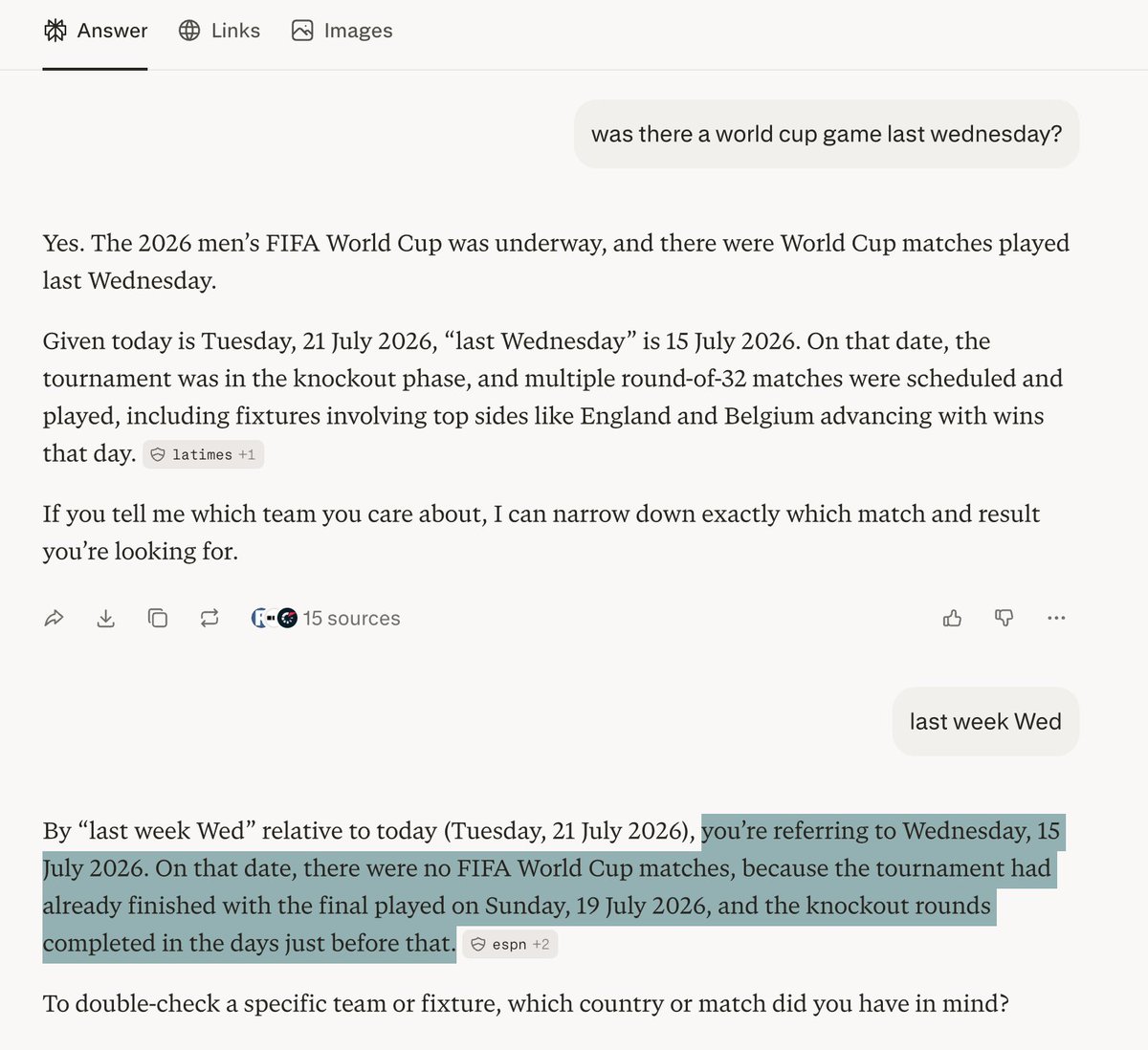
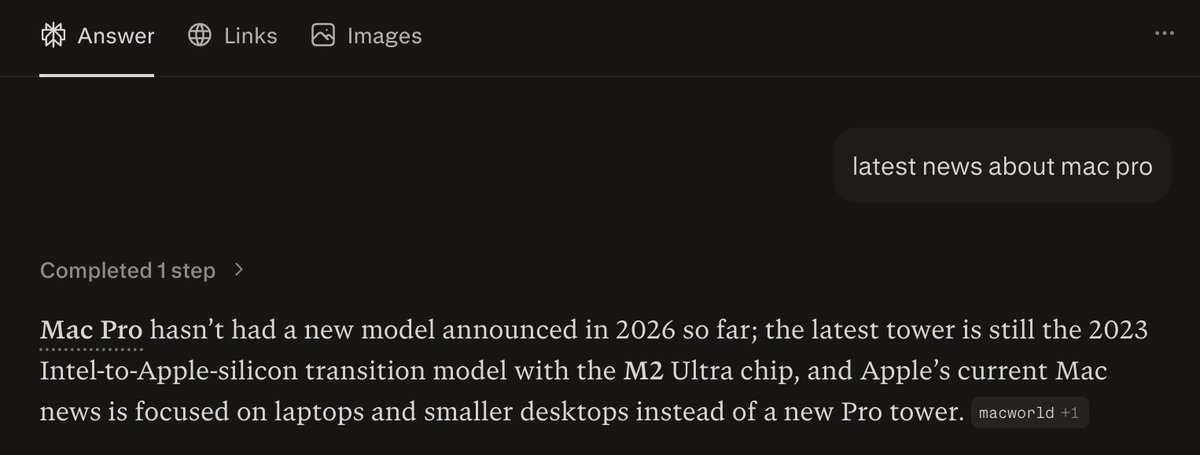
After I saw the news about Mac Pro being discontinued on X, I immediately searched for the news on ChatGPT, Perplexity, Claude and Gemini to see which one has the latest news. Claude and Gemini were able to get the latest news about it being dead, but ChatGPT and Perplexity did not know about this news yet. I'm actually surprised that Perplexity is slower in fetching latest news.
@arsh_goyal ·
perplexity went from $305M to $450M in revenue in one month. here's exactly what they did: first: they stopped being a search engine and launched Perplexity Computer, an AI agent that doesn't answer questions but it does the work for you shopping, emails, multi-step workflows, all handled it orchestrates up to 19 AI models from OpenAI, Anthropic, and Google under the hood. second: they killed their own ads while ChatGPT started running ads for the first time, perplexity removed theirs entirely ads erode trust in AI outputs this move is clearly paying off third: they changed how they charge shifted to consumption-based pricing where you get credits, use more, pay more. subscriptions range from $20 to $200/month revenue scales with usage and not just signups that's a completely different engine. what they acheived: - 100M+ monthly active users - $16M → $450M ARR in two years - valuation from $3B to $20B+ - $656M ARR target for 2026 now within reach crazy growth and timely pivot team @AravSrinivas @perplexity_ai ✌️
@DivyanshT91162 ·
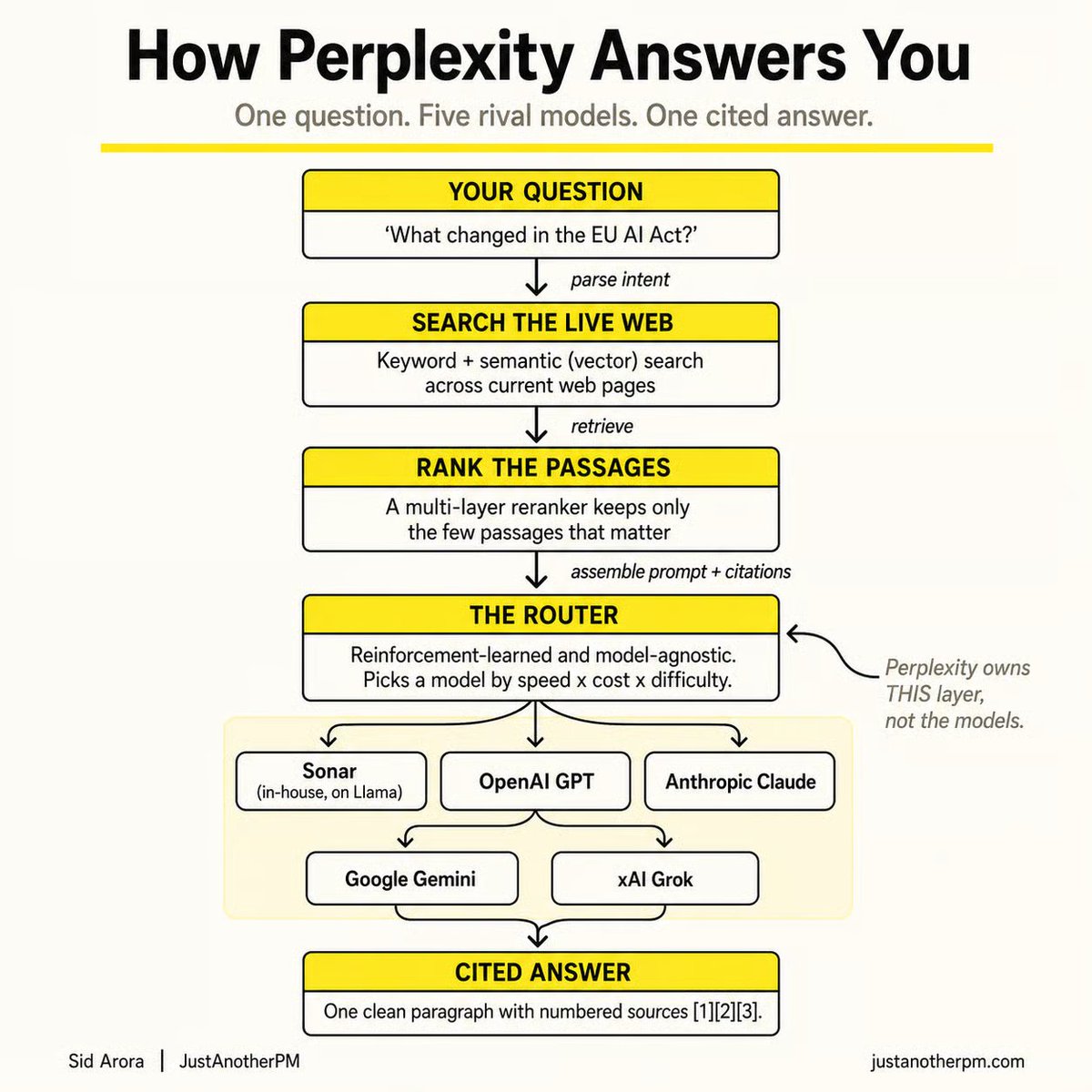
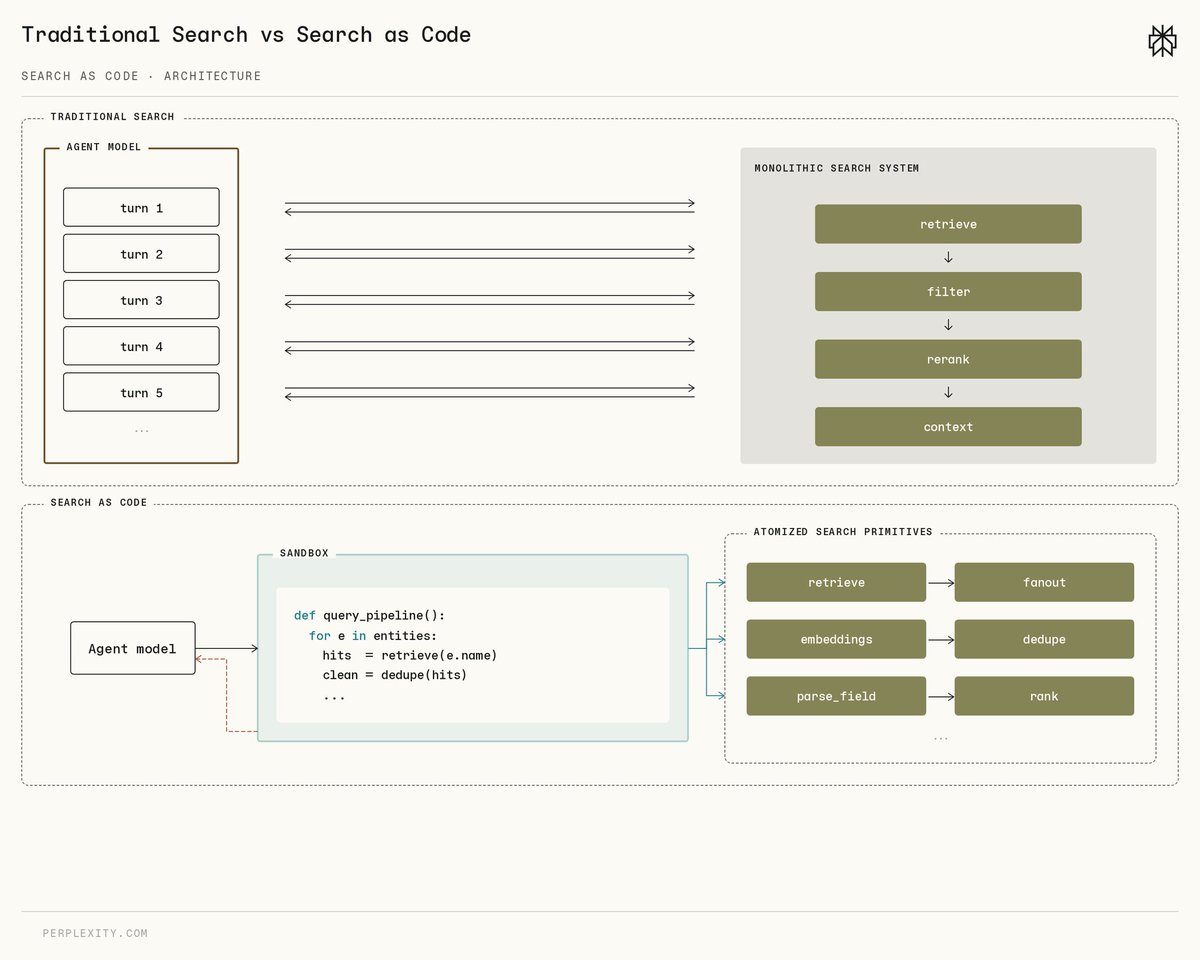
Most AI agents still search the web like this: Search → Read → Search Again → Read Again Perplexity just said: "why not write code instead?" Their new Search as Code architecture generates Python that directly calls the search stack, reducing the need for endless tool-calling loops. Now available in the Perplexity Agent API and already powering Computer by default. This feels like another step toward agents that execute workflows, not just chat. Full breakdown 👇
@Nas_tech_AI ·
Perplexity Computer is a strong example of where AI gets practical: research the problem pull live info cite the sources structure the output move the task forward That is the kind of execution I want to see more of from @perplexity_ai. https://t.co/jpuQXolwu1
@shawnchauhan1 ·
Perplexity doubled revenue in a single quarter. The unlock wasn't better answers. It was launching "Computer" - a tool that completes tasks instead of answering questions. This is the most important distinction in AI right now and almost no one is talking about it clearly. Question-answering is a feature. Task completion is a product. Every AI company still framing itself as "a better search" or "a smarter assistant" is competing in the wrong category. The monetization gap between information retrieval and autonomous execution is not small. Perplexity just showed you how large it actually is.
@dino11 ·
Perplexity launched "Model Council" — a feature that runs your query through GPT-5.2 and Claude 4.6 simultaneously and lets you compare the outputs side by side. This is how you should be evaluating AI tools for your business: Never trust one model's answer. Run the same prompt through 2-3 models. Compare. The differences will shock you. Especially for customer-facing content where accuracy matters. Free on Perplexity Pro.
@dino11 ·
Perplexity just launched "Personal Computer" — an always-on AI agent running on a $599 Mac mini. It connects to your local files, apps, and Perplexity's cloud. Runs 24/7. → Requires Perplexity Max ($200/mo) → All actions require user confirmation (safer than OpenClaw) → Built-in audit trail Enterprise version completed 3.25 years of work in 4 weeks during beta. This is the "AI employee" concept getting real hardware.
@glenngabe ·
Based on AI agents cloaked as human users, which threatens ad revenue -> US publishers back Amazon in AI agent access dispute with Perplexity "Perplexity is now appealing that decision. It has argued that its AI agents are “much more transparent and limited” than Amazon’s own use of agentic AI to complete transactions on third-party retailer sites." "Amazon alleges that Perplexity has “purposely configured” Comet AI so that when the AI tool is deployed on behalf of an Amazon customer, “Perplexity falsely identifies its Comet AI agent activity as coming from Google Chrome, which is a separate, widely used web browser owned by Google. As a result, Perplexity’s Comet AI agent covertly poses as a human customer shopping in the Amazon Store on a Google Chrome browser.” “If publishers cannot distinguish between an AI agent and a human subscriber, they will not be able to measure audiences accurately.” https://t.co/5zFEGgKBcM
@JulianGoldieSEO ·
Perplexity just killed the "one-person AI" era. This update quietly turns AI from a chatbot into your team's operating system. What's New: → Projects gives your entire team one shared workspace. → Files, memory, and AI sessions now live in one hub. → Everyone works from the same context instead of starting from scratch. Why It Matters: ✓ Built on Perplexity Brain's living context graph. ✓ Perplexity says repeat tasks became 25% more accurate, wasted searching dropped 16%, and repeat task costs fell 13%. ✓ Connect Slack, Salesforce, HubSpot, and Snowflake once, then everyone in the hub can use the same connections. The Catch: ✔ Shared memory also means shared mistakes. ✔ Someone should review and correct team memory early so the system improves over time. The next generation of AI isn't one smarter chatbot. It's one shared brain for your entire business.
Best Tweets by Topic