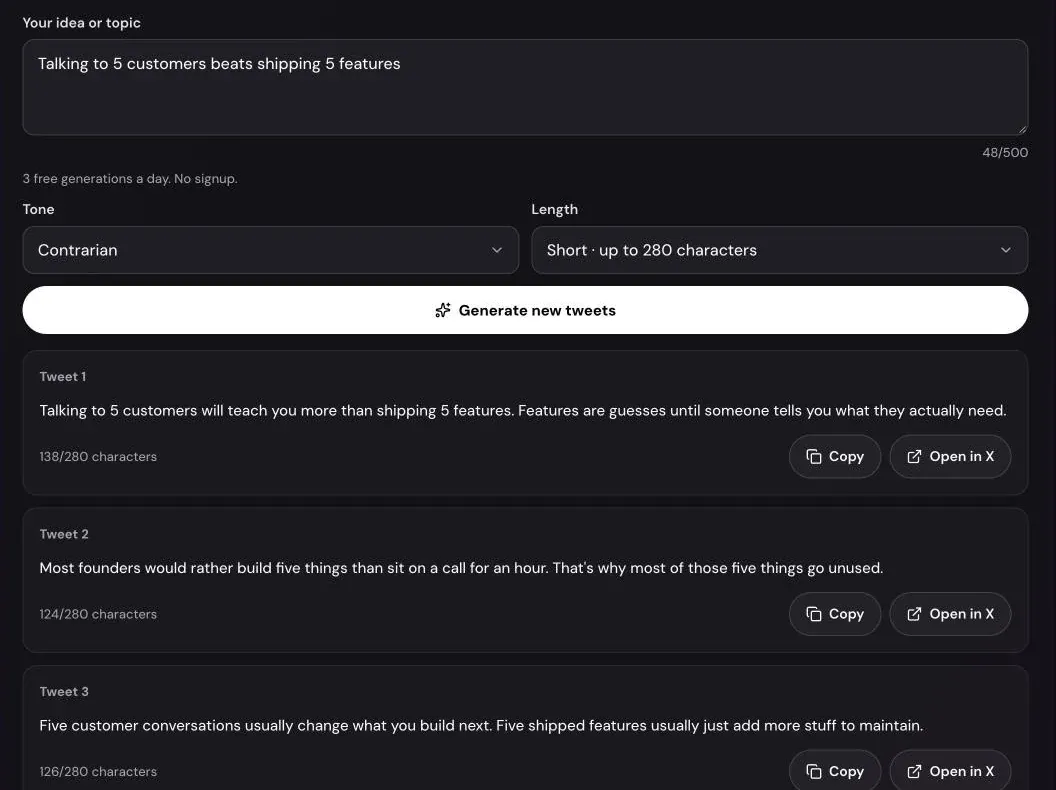
Most tweets don’t fail because the idea is bad. They fail because the idea never gets past “I should post about this.” A tweet generator is useful at exactly that point: you have the thought, and you need a first line that’s worth sending.
This guide shows how to use Xholic’s free AI Tweet Generator to get from a rough idea to a tweet you’d actually post. It covers what to type, how the tones and lengths differ, how to read the three drafts, and how to edit the winner so it sounds like you rather than like software.
What the AI Tweet Generator does
You describe an idea, choose a tone and a length, and the tool writes three tweets about it. Each takes a different angle, such as a lesson, a list, a question or a bold claim, so you’re choosing between real options rather than three rewordings of one sentence.
| Setting | Options | What it changes |
|---|---|---|
| Your idea or topic | Up to 500 characters | What the tweets are about |
| Tone | Insightful, Funny, Contrarian, Story, Punchy | How the tweets sound |
| Length | Short (280), Medium (500), Long (1,000) | How much room each tweet has |
It’s free, needs no signup and allows 3 generations a day. Each tweet shows its length the way X counts it, a Copy button and an Open in X link.
How to generate a tweet, step by step
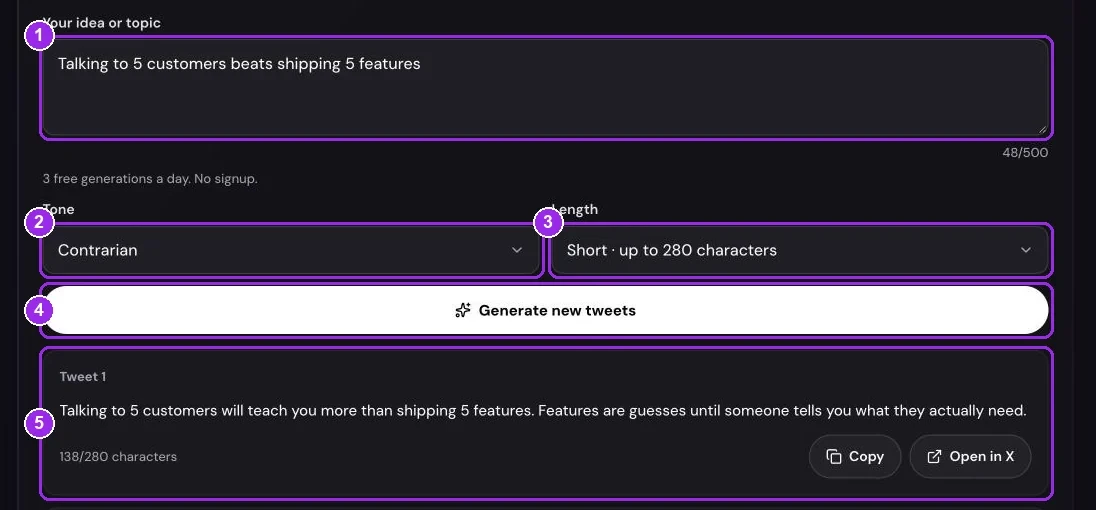
Step 1: Write the idea as a point, not a topic
The Your idea or topic field gives the best results when it holds a point of view. Compare:
- “Sales” gives three tweets about sales that could come from anyone.
- “We stopped doing sales calls for deals under $5K” gives three tweets about a real decision, with a reason built in.
A detail from your own work, such as a number, a decision or something a customer said, gives the writer something no one else has. You need at least 3 characters; the counter under the field shows how much of the 500 you’ve used.
Step 2: Pick a tone
The Tone menu has five options:
- Insightful for a lesson or observation. A good default.
- Funny for a dry take on a relatable moment. It’s the only tone that may use an emoji.
- Contrarian for a clear opinion against common advice, with the reason stated.
- Story for a short first-person moment with a turn and a takeaway.
- Punchy for short, rhythmic lines with nothing extra.
Pick the one that matches how you actually post. A contrarian tweet on an account that’s usually measured reads as out of character.
Step 3: Choose a length
Short keeps every tweet under 280 characters, so it works on any account. Medium allows up to 500 characters and Long up to 1,000. X only lets you post more than 280 characters with X Premium, so the tool adds a reminder under longer results.
Short is right most of the time. Use Medium for a short list or a two-paragraph point, and Long only when the idea really needs the space.
Step 4: Generate and compare the three drafts
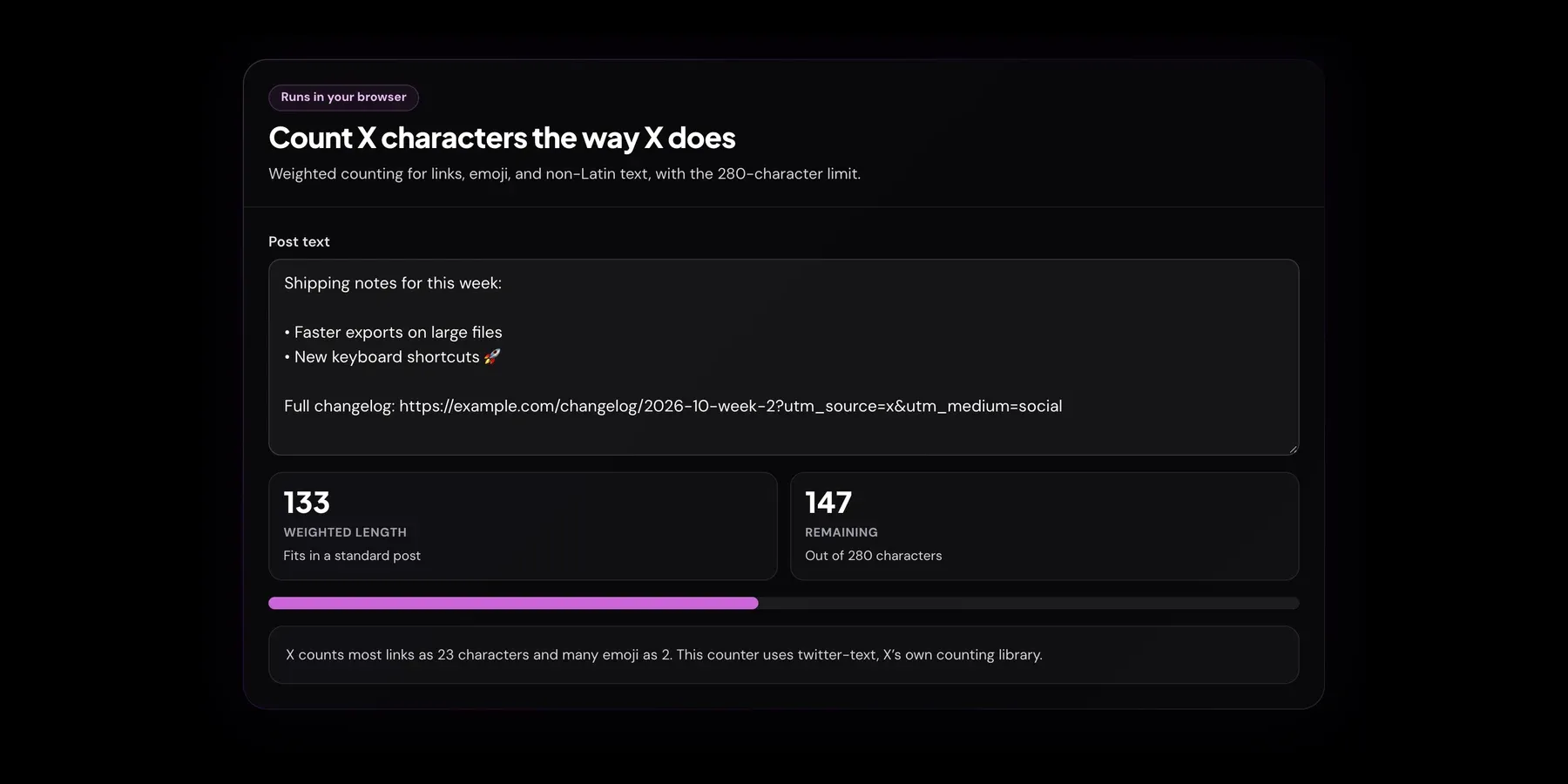
Press Generate tweets. After a few seconds you get three cards labeled Tweet 1 to Tweet 3. Each shows its count, such as “164/280 characters”, using X’s weighted rules: an emoji counts as 2 and a link as 23, so a tweet that fits here also fits in X’s composer.
Read the first line of each. On X, that’s usually all people see before they decide to keep reading. The draft with the strongest first line is usually the one to keep, even if another has a better ending you can borrow.
If none of them land, reword the idea or switch tone and press Generate new tweets. Each run counts toward your 3 a day.
Step 5: Make it yours, then post
Copy the draft you like and change at least one thing: swap a general phrase for a specific one, add the real number, or cut the weakest sentence. The drafts are deliberately careful with facts and won’t invent statistics, so any proof has to come from you.
When it’s ready, press Open in X. X’s composer opens in a new tab with the text filled in, and nothing is posted until you press Post. To check a tweet after editing it, paste it into the Twitter Character Counter.
What makes a generated tweet good
Whatever the tone, the tweets that do well tend to share a few traits:
- A specific first line. A number, a decision or a claim beats a warm-up like “Some thoughts on…”.
- One idea. If a draft makes two points, split it into two tweets or turn it into a thread.
- Your proof. A result, a mistake or an example from your work. This is the part AI can’t supply.
- No decoration. No hashtag strings, no emoji in every line, no “game-changer”. The generator already avoids these; keep them out when you edit.
For more on structure, see our Twitter threads guide and the viral thread guide, which cover hooks in depth.
When one tweet isn’t enough
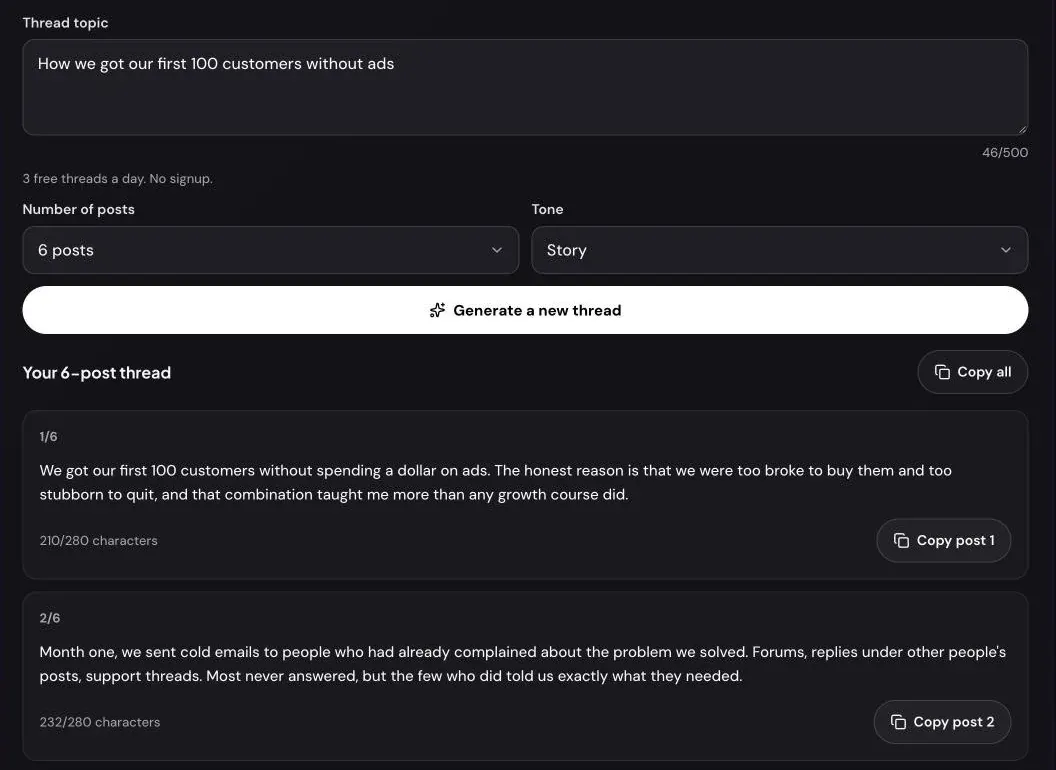
Some ideas need more room than one post. If you find yourself wanting all three drafts at once, the idea is probably a thread. The AI Thread Generator writes a hook-first thread of 4 to 10 posts, each under 280 characters. Our AI Thread Generator guide walks through it.
Troubleshooting
“Describe your idea in a few words, like “why we ship on Fridays”.” The idea field has fewer than 3 characters. Write a short sentence about what you want to say.
“You’ve used your 3 free tweet generations for today.” Each visitor gets 3 generations a day. The message says when more are available. Failed attempts don’t count.
“The free AI writer has reached today’s limit for everyone.” The tool has a shared daily budget. It resets at 00:00 UTC, and the message shows that time in your timezone.
“We can’t write posts on that topic. Try a different one.” The writer declines hateful, sexual, violent or harassing topics and posts about private people.
“The AI writer is busy right now. Try again in a minute.” The AI service didn’t respond. Wait a moment and try again; this doesn’t use up one of your 3 generations.
Frequently asked questions
Is the AI Tweet Generator free?
Yes. There’s no signup and you can generate tweets 3 times a day, with three tweets each time. Xholic’s app writes posts in your own voice every day if you need more.
Can it write tweets longer than 280 characters?
Yes. Medium allows up to 500 characters and Long up to 1,000. You need X Premium to post anything over 280 characters, so stick to Short if your account doesn’t have it.
Will people be able to tell the tweet was written by AI?
Less so than with most generators, because it avoids hashtag strings, emoji everywhere and stock phrases. The giveaway is usually a lack of specifics, so add one detail from your own experience before you post.
Does the tool post to my X account?
No. It never connects to your account. Open in X fills X’s composer in a new tab, and you decide whether to post.
Why did I get the same kind of tweet three times?
The idea was probably too broad. Add a point of view or a detail, such as what you decided, what happened or who it’s for, and the three drafts will spread out.
What happens to the idea I type?
It’s sent to an AI model to write the tweets. It isn’t attached to an account and the tool doesn’t save it.
Related guides and tools
- AI Tweet Generator: three tweets from any idea, in five tones and three lengths.
- AI Thread Generator: a hook-first thread of 4 to 10 posts.
- Twitter Character Counter guide: how X counts emoji, links and CJK characters.
- Best time to tweet guide: when to post the tweet once it’s written.
- Twitter Bio Generator guide: make sure your profile matches what you tweet about.