Standard X posts allow up to 280 characters for free accounts, while verified and Premium tiers can post up to 25,000 characters. DMs, bios, display names, and handles each have their own separate caps.
You’ve probably seen the problem: a post reads perfectly in the composer, you add one emoji and a link, and X suddenly says you’re over the limit. The confusing part is that X doesn’t count every visible symbol the way a word processor does. It applies character weights, treats URLs specially, and handles reply mentions differently.
This guide explains the Twitter character limit as a practical publishing rule. You’ll learn what the standard cap means, why some drafts run out of space faster than expected, when to use a thread or long post, and how to build a workflow that catches cutoffs before you publish.
What the Standard Twitter Character Limit Is
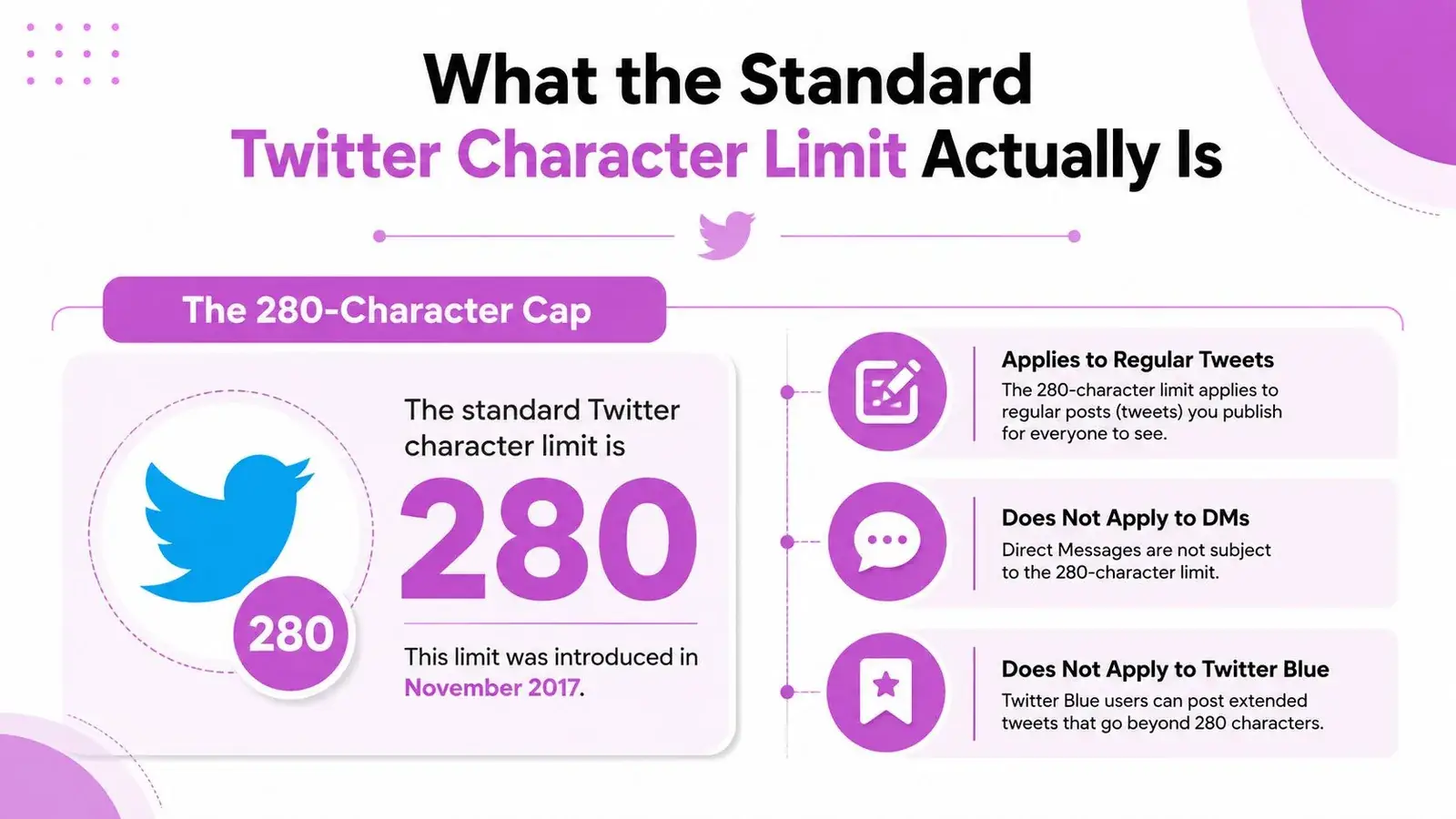
You finish the final sentence, shorten the introduction, and X still blocks publication. For a regular public post, the standard cap is 280 characters, including text, spaces, punctuation, and characters handled by X’s weighting system. Premium accounts can publish posts of up to 25,000 characters, according to X Help Center information on longer posts.
The free-account cap became 280 characters on November 7, 2017, replacing the original 140-character standard. Twitter had tested the expansion earlier that year and described it as a way to give writers more room, especially because users writing in some languages reached the old limit more often than users writing in Japanese or Chinese. The short-form format remained, but a post could carry more context.
What counts toward the post cap
Treat the cap like a budget. Each item below draws from it:
- Words and spaces: Latin letters, numbers, spaces, and ordinary punctuation generally count as one each.
- Emojis and some Unicode characters: Many count as two under X’s weighted model, so a short-looking draft can use its budget quickly.
- URLs: X counts a pasted URL as a fixed token under its URL rules, regardless of the link’s original length.
- Reply content: The reply uses the post limit, with special handling for an automatically inserted mention at the beginning.
Images, GIFs, videos, polls, and quoted posts attach to the text. They do not replace the text field or create more writing space. Replies, DMs, bios, display names, and handles have separate limits, so 280 characters is not a universal X limit.
In practice, the cap changes your drafting decision. Reserve room for a URL before polishing the final sentence, and check emoji or multilingual copy with a counter rather than trusting a word processor. A useful reference is the X character counter guide. For cross-platform copy, the same trimming habit can help you avoid Facebook truncation.
The number shown by a plain text editor may differ from the number X validates. If a draft keeps failing despite looking short, inspect its links, reply mention, emoji, and Unicode characters first.
How X Counts Characters Behind the Scenes
X uses a weighted character-counting model, not a basic visible-character tally. Its developer documentation classifies standard Latin text, punctuation, and common symbols with a weight of 1, while emojis, CJK characters, and certain other Unicode ranges receive a weight of 2. The platform’s official character-counting documentation explains why a post that looks short can consume its budget quickly.
| Character Type | Weight | Example | Characters Used |
|---|---|---|---|
| Latin letter | 1 | A | 1 |
| Space | 1 | 1 | |
| Common punctuation | 1 | ! | 1 |
| Emoji | 2 | 🚀 | 2 |
| CJK character | 2 | 文 | 2 |
| URL | 23 | 23 |
The practical math
Suppose a draft contains plain English, a Chinese phrase, several emojis, and a link. A text editor may show fewer than 280 visible characters, but X adds two units for each weighted emoji or CJK character and 23 units for the URL. The result can exceed the post budget even though the draft looks comfortably short.
For example, this draft has ordinary prose plus a visual symbol and a link:
New guide for founders 🚀 Read it here:
The URL isn’t charged according to its pasted length. X normalizes URLs for counting, so a long tracking link and a short domain link occupy the same fixed URL allocation in the post. Pre-shortening a link generally doesn’t create extra room under this rule.
Replies have one useful exception
When you reply, X can automatically place the account mention at the start of the reply. X’s Help Center describes this reply behavior, and those auto-populated starting mentions don’t count toward the 280-character reply limit. A mention you type into the body, however, should be treated as normal content and budgeted accordingly.
Line breaks, spaces, hashtags, and ordinary punctuation still matter. There isn’t a hidden reserve of characters that appears after publishing. When a draft is close to the ceiling, check it with an X-aware counter rather than relying on the number from a notes app.
How the Twitter Character Limit Changed Over Time
Twitter’s limit started as a mobile messaging constraint and gradually became a writing convention. When the service launched in 2006, it used SMS infrastructure with a 160-character message cap. Twitter reserved about 20 characters for a username, leaving 140 characters for the post itself. That restriction shaped the platform’s early language, from compressed headlines to shorthand jokes and dense links, as documented in Wired’s history of the expanding tweet.
A short timeline
- 2006, 140 characters: The SMS-based design gave Twitter a clear identity. Users had to make each character do useful work, and the limit encouraged rapid, compact updates.
- November 7, 2017, 280 characters: Twitter doubled the standard cap after testing the change in September. The company pointed to differences across languages and the difficulty of fitting English into the old limit. Writers gained room for context without losing the short-form structure.
- The X Premium era, up to 25,000 characters: Premium tiers later introduced much longer posts, turning X into a platform that can host both compact updates and long-form explainers. X’s current Help Center documentation confirms the availability of posts up to 25,000 characters for eligible accounts.
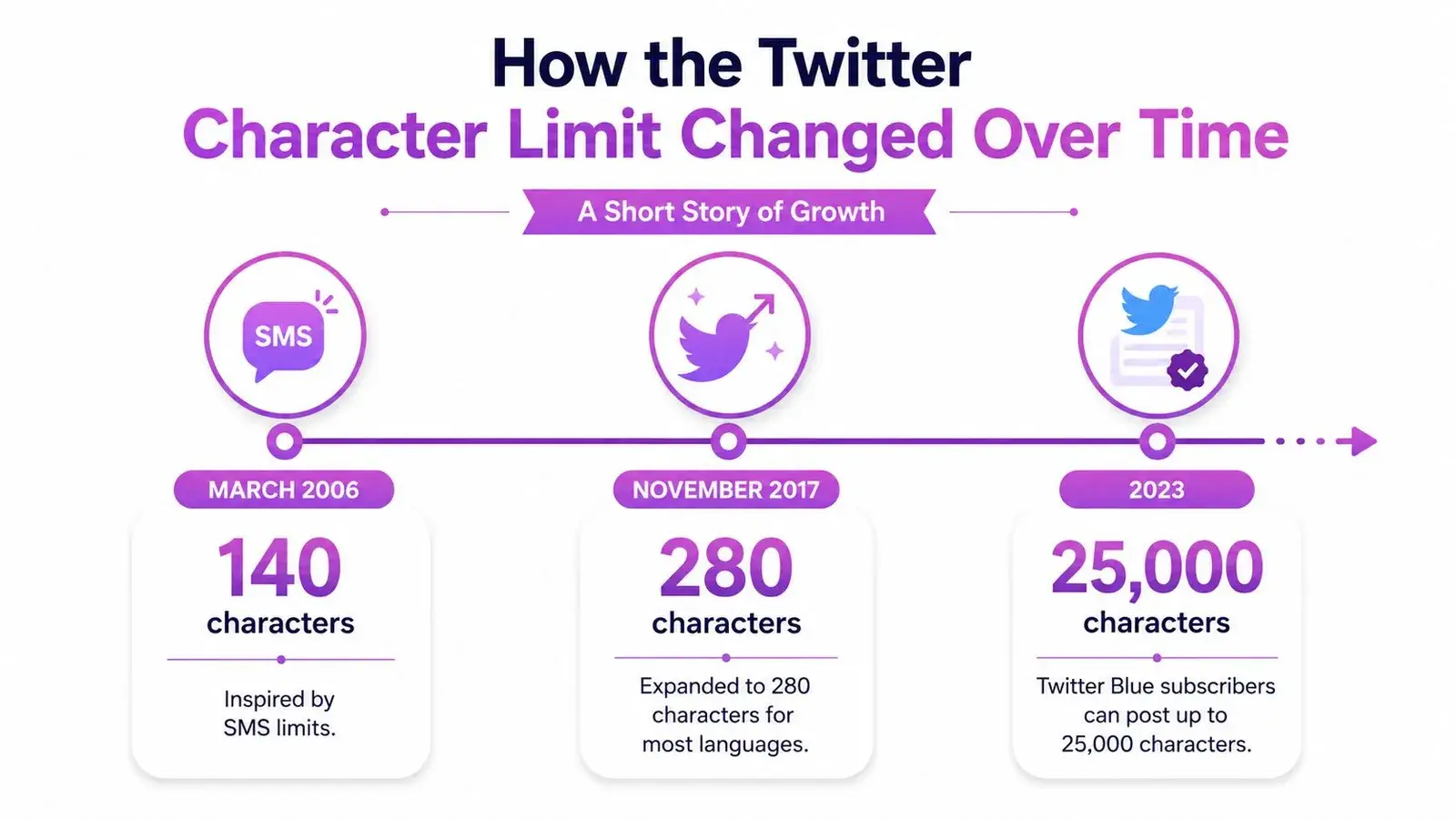
The product tradeoff changed at each stage. SMS compatibility favored extreme brevity. The 280-character standard favored readability and context. Long posts favor completeness, but they also ask more from readers scrolling through a fast-moving feed.
This short explainer provides another visual look at how the platform’s format evolved:
The original constraint still influences how people read X. Even with long-form publishing available, the opening of a post has to earn attention quickly.
Character Limits for Replies, DMs, Bios, and Handles
The main post composer gets most of the attention, but creators type into several other X fields. Each field has its own rules, and a profile can feel incomplete or lose clarity when you apply the 280-character assumption everywhere.
| Field | Free Limit | Premium Limit | Counts URL? | Counts Emoji As? |
|---|---|---|---|---|
| Regular post | 280 | 25,000 | Fixed URL allocation | Weight 2 in many cases |
| Reply | 280 | 25,000 | Subject to post counting | Weight 2 in many cases |
| Direct message | 10,000 | 10,000 | Separate field rules | Separate field rules |
| Bio | 160 | 160 | Separate profile rules | Weighted under X rules |
| Display name | 50 | 50 | Separate profile rules | Weighted under X rules |
| Handle | 15 | 15 | Not a post field | Weighted under X rules |
The 10,000-character DM limit, along with the profile limits shown above, is summarized in the X/Twitter limits guide from Bundle. These fields aren’t interchangeable. A long DM doesn’t give you more space in a reply, and a Premium post limit doesn’t expand your bio or handle.
Replies need a different drafting check
Replies use the post limit, but the automatically inserted mention at the beginning of a reply is handled separately, as noted earlier. If you add another account mention inside the actual text, budget for it. This matters for outreach, customer support, and reply-first growth, where a short response can become crowded with names, context, and a call to action.
Profile fields carry different jobs
Your handle needs to be recognizable and easy to share. Your display name can clarify your identity or niche, while your bio has to explain who you help and what you publish. If you’re revising a profile, use Twitter bio examples by niche as an idea source, then validate the final wording with an X-aware counter.
Changing a handle can also create practical friction. People may still search for the old identity, existing links may become confusing, and your visible name no longer does the same recognition work. Treat profile fields as separate conversion surfaces, not leftover space after you finish writing posts.
Practical Workarounds When You Need More Space
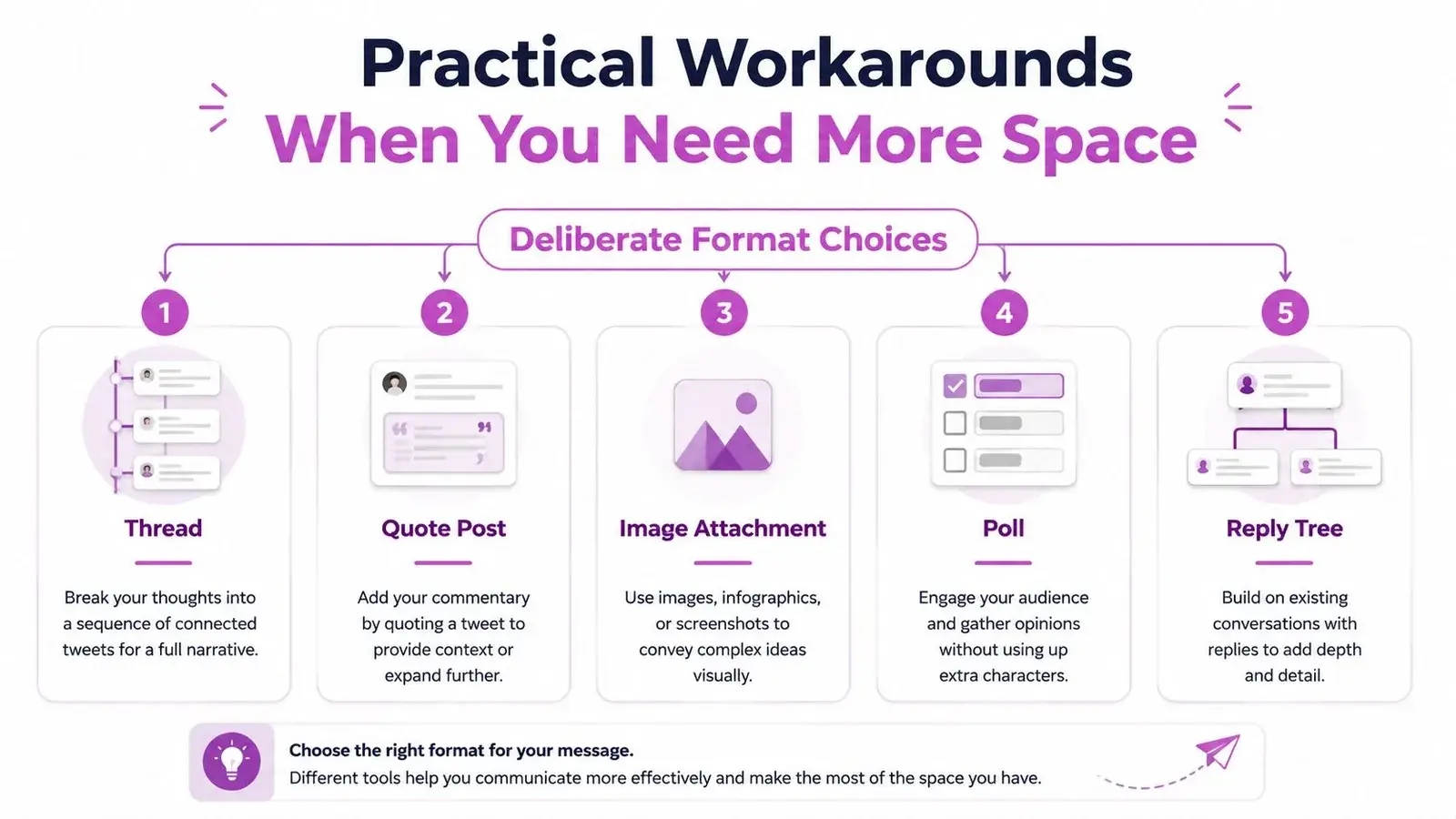
A character cutoff isn’t always a writing failure. Often, it means the idea belongs in a different X format. Choose the format based on what the reader needs to do next.
Match the format to the job
Use a thread for an argument with sequential steps. Put the central claim in the first post, then give each supporting point its own post. Keep the order obvious with simple numbering or clear transitions, and make every post understandable enough to survive being read out of sequence.
Use a quote post for commentary. The original post remains attached, while your text gives readers your interpretation, disagreement, example, or extension. This is usually cleaner than copying the original idea into a new post and spending your entire budget on context.
Use a poll for a choice-based question. A poll can make the interaction easier to understand, but its options and interface affect the available writing room. Leave space for the question itself rather than writing the full explanation into the poll caption.
Use an image when the detail needs visual structure. A chart, screenshot, diagram, or product view can carry information that would make the text crowded. Write a concise caption that tells readers why the attachment matters.
Use a reply tree when the conversation should unfold naturally. This works for answering follow-up questions, documenting a build, or adding detail after the main post. Each reply should add a distinct point instead of repeating the opening.
For a reusable structure, adapt the Twitter thread template to your topic, then check every post separately.
Format rule: If the idea has one sharp point, edit it. If it has several necessary points, give each point room through a thread, quote post, image, poll, or reply tree.
Don’t choose a workaround just to use more space. A thread can dilute a simple observation, and a long-form post can bury a point that would work better as a compact reply.
Why Visible Length Matters More Than the Raw Limit
A Premium post may contain far more text, but readers don’t encounter all of it at once. In the timeline, long posts are visually collapsed, and the opening portion is what a reader sees before tapping to expand. That makes the first 280 characters a discovery problem, even when the total post can reach 25,000 characters.
The practical question isn’t only, “How much can I publish?” It’s also, “What will someone understand before deciding whether to continue?” A long post with a vague opening asks the reader to make a commitment before they know the payoff.
Draft the preview before the essay
Start with the part that must work in the feed:
- State the problem or claim immediately.
- Give the reader a reason to continue.
- Make the next section promise concrete.
- Remove setup that only makes sense after the reader has already agreed to read.
A founder writing a product launch might open with the customer problem, the product change, and the reason it matters. The technical background can follow after the expansion point. A creator explaining a research finding can lead with the surprising implication, then show the evidence and limitations later.
Visibility principle: Long-form capacity expands the document. It doesn’t automatically expand the reader’s first impression.
There isn’t enough verified evidence here to promise that a particular length will produce more impressions, replies, or reposts. Engagement depends on the idea, audience fit, timing, relationships, positioning, and execution. The reliable workflow decision is simpler: write the opening as if the rest of the post may never be read, then add depth only when the opening makes that depth useful.
This also explains why a compact thread can compete with a long post. A thread gives several separate entry points, while one long post concentrates the reader’s decision in its opening preview. Neither format is universally superior. Use the one that makes the idea easiest to understand and continue.
Drafting Workflow and Tools to Stay Within the Limit
A dependable workflow catches the cutoff before the final click. It also separates three problems that writers often mix together: the field they’re writing for, the way X counts the text, and the way the finished post appears in the feed.
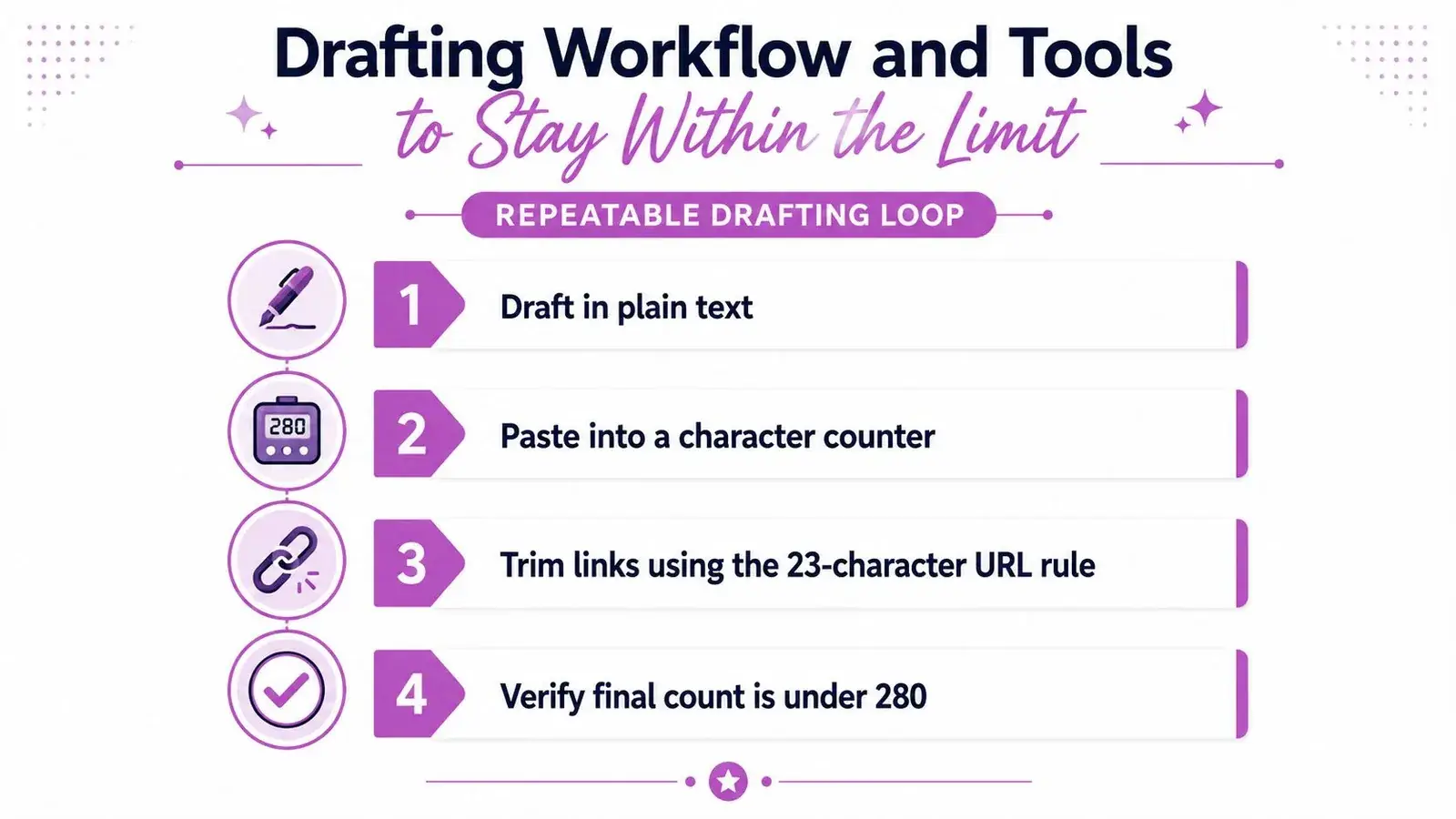
Use a repeatable drafting loop
- Choose the target field. Decide whether you’re writing a post, reply, DM, bio, display name, or handle. Don’t start editing until you know which limit applies.
- Draft in plain text. Write the idea without trimming every sentence as it appears. This helps you see whether the post has one point or several.
- Run an X-aware count. Check weighted characters, URLs, emoji, whitespace, and any multilingual text. A simple visible-character count can mislead you.
- Trim with purpose. Delete throat-clearing, repeated context, and unnecessary adjectives before removing the sentence that carries the idea.
- Inspect the final composer. Paste the draft into X or your scheduling tool and check the rendered preview on desktop and mobile.
Build a small pre-flight checklist
- Field: Post, reply, DM, bio, display name, or handle.
- Budget: The limit for that field and account type.
- Weighting: Emoji, CJK text, punctuation, spaces, and line breaks.
- Links: Confirm how the final URL is treated before adding the CTA.
- Reply mentions: Check whether X inserts an account mention at the start.
- Preview: Read the first visible portion as someone scrolling would.
- Queue: If you’re scheduling, verify that the scheduler validates X’s rules before submission.
A dedicated counter is useful because it can expose the weighted total, remaining budget, and problem characters while you edit. For teams producing content in batches, save approved bio variants, recurring CTAs, campaign links, and reply structures in a shared collection. If you also need a broader system to create authentic social posts at scale, keep the final X validation step separate from the writing tool.
Xholic AI can fit into this workflow as a human-in-the-loop growth platform. Its Context settings hold your style guide, About You, products, and rules, while its reply and drafting workflows help shape relevant content that you can review and edit before publishing. For planning, compare your needs with the best social media scheduling tools and choose a workflow that preserves a final count check.
If you’re tired of mysterious X cutoffs, use Xholic AI to keep your voice and product context connected while you draft replies and posts, then review every suggestion before it goes live. Start by checking each draft’s weighted length and visible opening, and use the format that gives your idea enough room without making readers work for the point.