You’ve probably had this happen. A post does well on X, the replies are solid, and then it disappears into the feed within hours. The obvious move is to cross post Twitter to LinkedIn, but the question is whether to copy it, rewrite it, or leave it X-native. The right answer is usually to treat LinkedIn as a second distribution channel with different expectations, not as a mirror of X.
Why Cross Posting From X to LinkedIn Is Worth the Effort
The value of cross posting Twitter to LinkedIn isn’t duplication, it’s distribution across two different audience graphs. One industry guide estimated 1% to 5% audience overlap between X and LinkedIn, which means most of your followers on one platform won’t see you on the other, and a 5,000-follower account would have only about 100 to 250 people seeing both versions while 4,750 to 4,900 would be unique to each platform. That’s why a single post can keep working long after it fades on X, especially if it has a useful insight, a practical lesson, or a strong point of view. Cross-posting audience overlap estimates
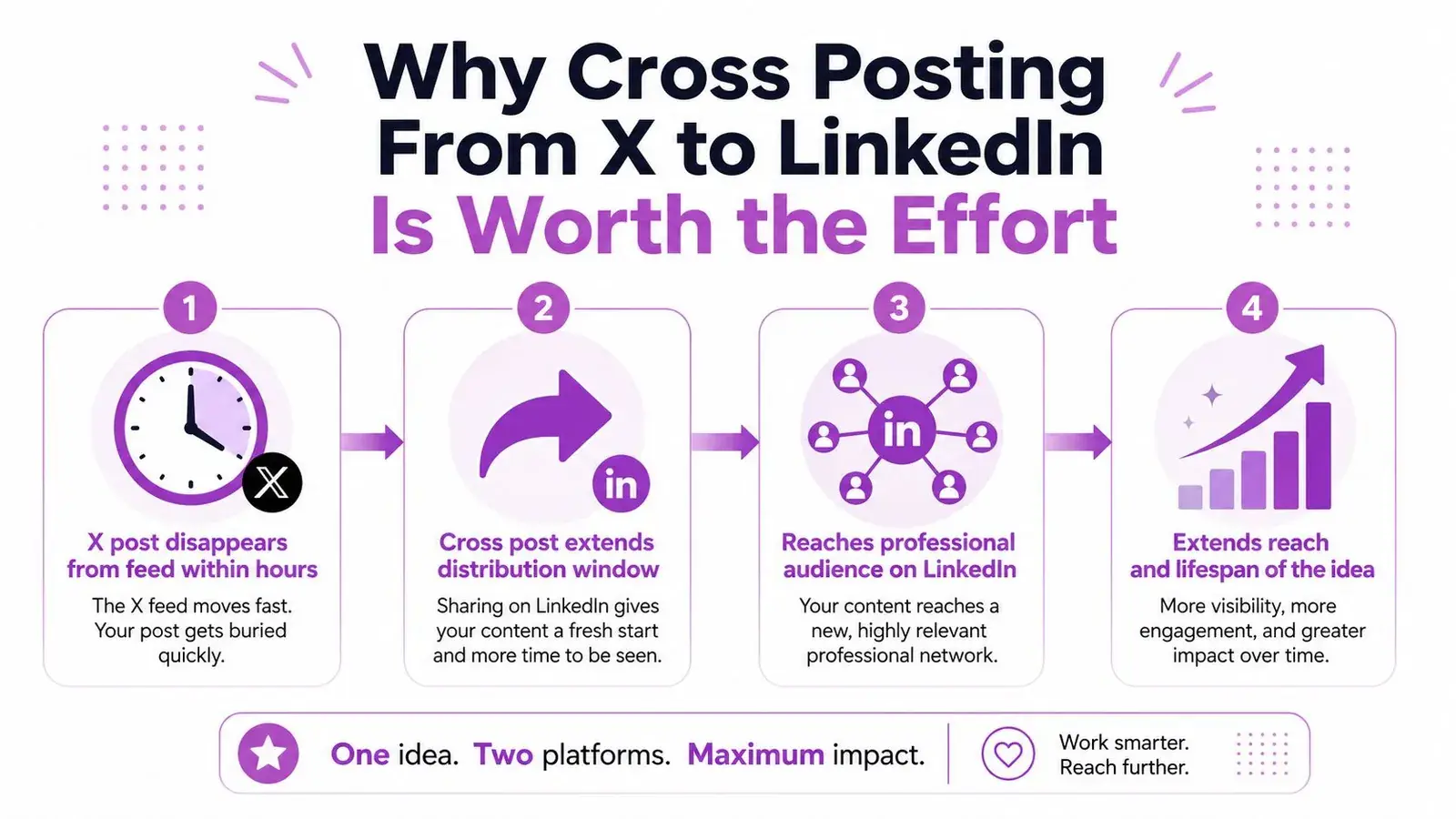
Why the same idea can work twice
X rewards speed, immediacy, and shorthand. LinkedIn tends to reward context, business relevance, and a point people can discuss without decoding platform-specific jargon. That means the same core idea often needs a different opening, a cleaner structure, and a more professional call to action.
A useful way to think about it is this. On X, the post often wins because it grabs attention quickly. On LinkedIn, it wins because it reads like something an operator, founder, or manager can use.
Practical rule: cross-post the idea, not the exact phrasing.
That matters even more when the original post already contains a defensible opinion or a concrete lesson. The goal is to move the insight into a professional environment where it can produce comments, profile visits, and meaningful conversations, not just more impressions.
What to watch instead of raw reach
Reach alone is a weak signal. A better read is whether the LinkedIn version generates saves, comments, qualified profile visits, clicks, and inbound conversations. Those are the signals that show the post did more than duplicate content, it reached a different audience with enough relevance to take action.
If you’re trying to cross post Twitter to LinkedIn as part of a weekly workflow, think of each post as an asset that can travel. The original X version can be fast and sharp. The LinkedIn version can be more deliberate, with a stronger setup, better context, and a closer fit to professional expectations.
Manual vs Automated Cross Posting Methods Compared
The best method depends on how often you post and how much control you need over the LinkedIn version. Manual posting gives you the most editorial control. Automation saves time, but it can also make bad formatting look more efficient than it really is.
What each method is good at
Manual copy and paste works best when the post matters. That includes launches, nuanced opinions, and anything where the LinkedIn audience deserves a rewrite instead of a direct transplant. Native X share features are fine for quick distribution, but they often preserve the original tone too closely for LinkedIn.
Third-party scheduling tools are the middle ground. They’re useful when you publish often, want a calendar, or need to queue both platforms from one place. If you’re planning social content, a scheduling workflow like plan your social content can help you map the timing without forcing the same caption everywhere.
| Method | Control | Best For | Main Limitation |
|---|---|---|---|
| Manual copy and paste | High | Launches, sensitive posts, nuanced commentary | Time-consuming and repetitive |
| Native X sharing | Low to medium | Quick distribution of simple updates | Often feels too close to the X original |
| Third-party automation | Medium to high | Regular publishing and scheduled workflows | Still needs human editing before publishing |
A practical workflow is to use manual editing for high-value posts, automation for repeatable weekly content, and native sharing only when the X version already reads naturally on LinkedIn. If you want to compare scheduling options more broadly, this guide to best social media scheduling tools is a useful place to start.
Automation should move the post, not make the decision for you.
That’s the main trade-off. Tools can handle timing, queues, and publishing. They can’t tell you whether a post sounds like a real professional update or a lazy repost wearing a different logo.
Rewriting an X Post for a LinkedIn Audience
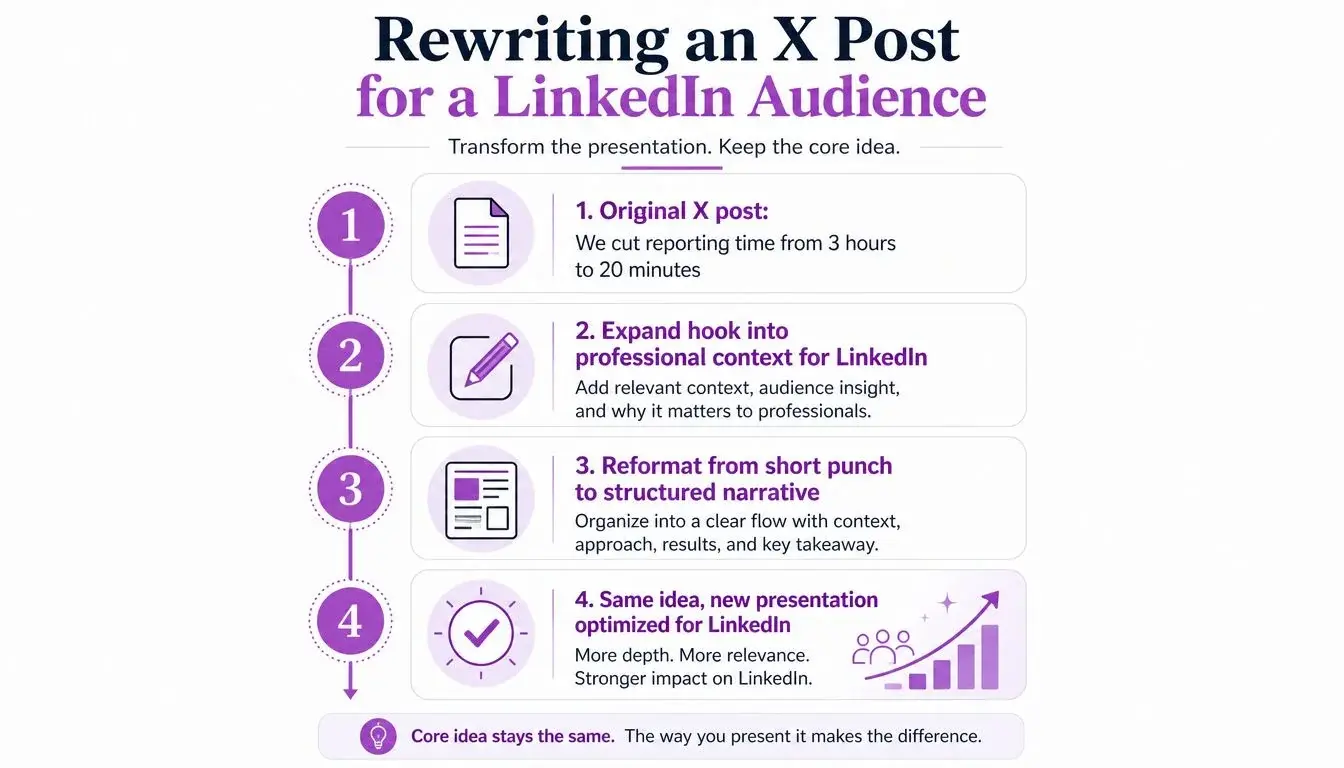
A good rewrite changes the presentation, not the idea. If the X post is strong, the LinkedIn version should preserve the underlying claim while adding the context a professional reader needs to care about it.
A simple before-and-after example
Original X-style version. “We cut reporting time from 3 hours to 20 minutes. The trick? Stop building one massive dashboard. Ship three focused views for daily use, weekly reviews, and monthly decisions. Simplicity compounds.”
LinkedIn version. “We cut reporting time from 3 hours to 20 minutes after we stopped treating every stakeholder like a daily analyst. Instead of one overloaded dashboard, we built three focused views for daily operations, weekly trends, and monthly decisions. Each audience now sees only the information it uses, and the reporting process is far easier to maintain. The lesson is simple. Dashboard consolidation is not always simplification. Sometimes the better move is deliberate separation.”
That’s the shift. The LinkedIn version explains the problem, the change, the outcome, and the lesson without flattening the original point into generic inspiration. It also stands on its own if someone never saw the X post.
How to adapt the structure
Start with the original claim, then widen it. Add one sentence about the problem, one about the decision, one about the result, and one about why it matters. Short paragraphs work better than a dense block because they create breathing room for professional readers scanning on desktop or mobile.
A few rules make the rewrite cleaner:
- Expand abbreviations and shorthand when they depend on X context.
- Remove reply-chain references that only make sense on the timeline.
- Convert casual CTAs into questions that invite practitioner feedback.
- Keep one central idea instead of stacking three unrelated insights into one post.
If you want to break down strong posts before you rewrite them, a workflow like repurpose tweets is useful because it forces you to separate the core idea from the platform-specific wrapper.
If the rewritten version can’t stand alone, it still leans too hard on X context. That usually means the hook is too compressed or the explanation is too thin for LinkedIn’s audience expectations.
Choosing Which X Posts Deserve a LinkedIn Version
Not every post should be cross-posted. The selection step matters more than most tutorials admit, because some ideas are strong on X and awkward everywhere else.
A quick filter that actually works
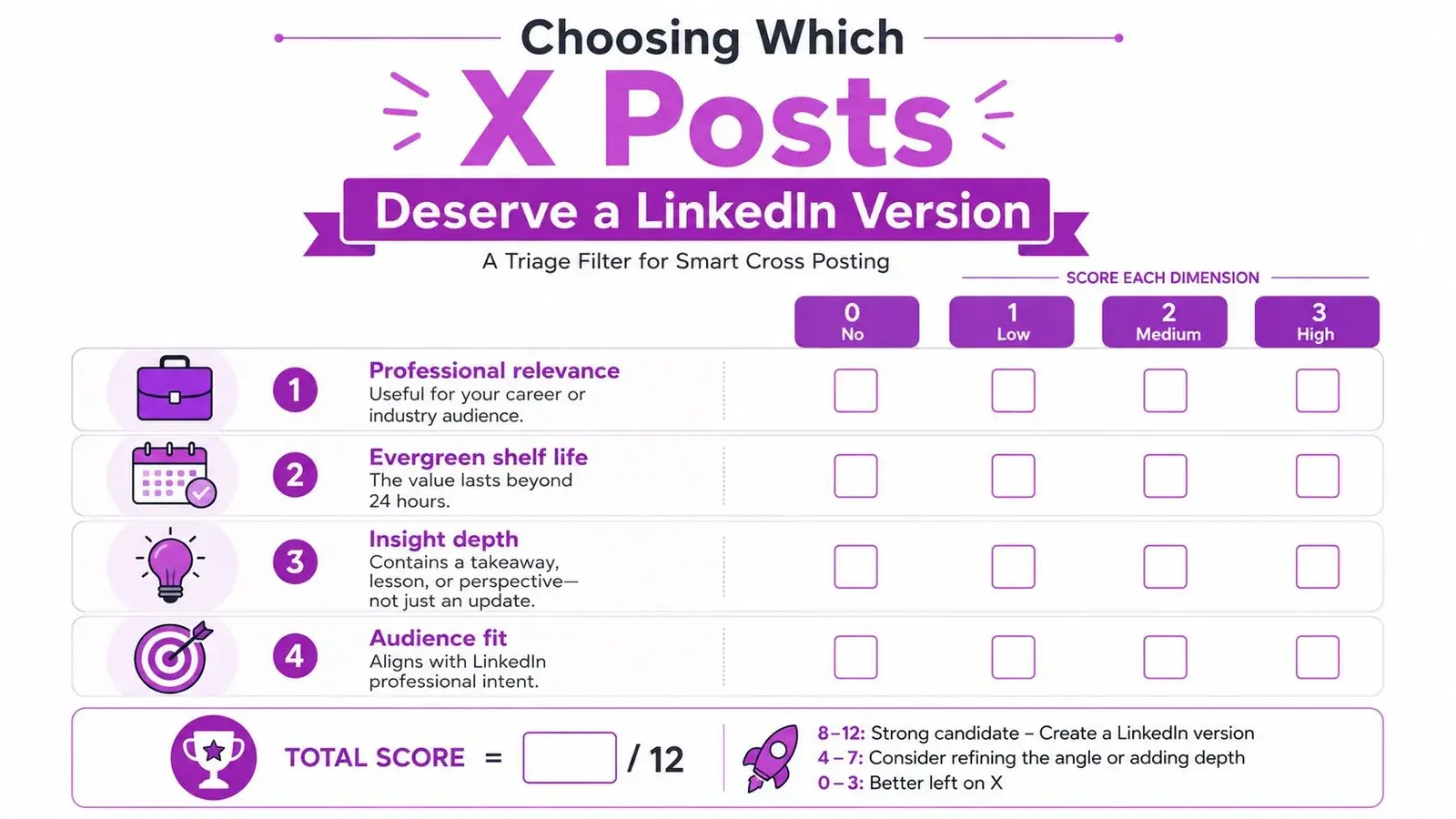
Before rewriting, ask four questions. Is the post professionally relevant? Does it still matter next week or next month? Can it be expanded without losing its punch? Does it have enough depth to earn attention beyond a quick like?
A practical scoring mindset helps:
- Professional relevance means the post speaks to work, business, product, strategy, or craft.
- Evergreen shelf life means it still makes sense after the moment passes.
- Structural compatibility means it can become a fuller LinkedIn update without feeling padded.
- Engagement depth means the post earned more than casual likes, such as replies, saves, or bookmarks.
If a post only works because of the moment, leave it on X.
That’s especially true for reactive commentary, thread jokes, and niche in-jokes. They can perform well inside X’s live conversation culture and feel flat in a professional feed. Posts that teach, reframe, or tell a work story usually travel better because they already contain a usable takeaway.
For a more analytical way to decide what to repurpose, Twitter analytics can help you spot which posts got real interaction, not just surface-level attention.
A worked example of a post worth saving
An underperforming X post can still deserve a LinkedIn version if the structure is right. A short post that says, “We stopped updating the dashboard every day and started reviewing it weekly” might not explode on X. But it can become a strong LinkedIn post if it points to a real workflow change, a business reason, and a clear result.
The core idea is simple. Don’t ask whether a post was viral enough to reuse. Ask whether it contains an insight worth rebuilding for a professional audience.
Formatting, Media, and Timing Adjustments That Matter
Once the idea is chosen and rewritten, the details decide whether it feels native on LinkedIn or like a rushed transplant. Formatting is where most cross posts lose their polish.
Clean up the post before it leaves X
X has a 280-character limit, so people often compress the idea into shorthand or a thread. LinkedIn gives you more room, so the rewrite should breathe a little. A good LinkedIn version often lands in a more expanded range, with enough context to make the point without forcing the reader to infer missing pieces. X character limit and LinkedIn expansion guidance
Strip out thread markers, reply counts, and platform references that only make sense on X. Move hashtags to the end, keep them sparse, and remove anything that reads like a timeline artifact. If the post uses a screenshot, re-upload the image natively instead of linking out or pasting the X version as-is.
Handle timing and media with intent
A delayed post usually feels more deliberate than a same-minute duplicate. Some guides recommend short delays, while others recommend longer ones, but the practical point is simple. Don’t make the LinkedIn audience see the same idea in the same moment with almost identical wording. The source platform and the professional feed shouldn’t feel like copy-paste twins. Cross-posting timing guidance
For media, make the format suit LinkedIn’s feed. A screenshot-heavy X post often works better as a cleaner image, document post, or carousel. For video, re-export so it previews well on mobile instead of assuming the X version will carry over neatly.
| Element | X (Twitter) Default | LinkedIn Adjustment |
|---|---|---|
| Hook | Short, punchy, compressed | Add context and a fuller opening |
| Thread markers | Common in multi-part posts | Remove numbering and reply chain cues |
| Hashtags | Often placed inline or used more freely | Move to the end, keep them minimal |
| Media | Screenshots and quick clips | Re-upload natively, use cleaner presentation |
| Links | Often used sparingly or in replies | Add only when the post can support it cleanly |
| Tone | Casual, reactive, conversational | More measured, professional, and explanatory |
If you schedule the post, check the LinkedIn draft before approving it. Review the preview image, caption spacing, and any link preview that appears. A clean transfer usually comes down to one thing, the post should look like it was written for LinkedIn first, even if it began on X.
For timing your original X posts before repurposing them, best time to post on Twitter can help you decide what’s worth revisiting later in the week.
Common Mistakes That Quietly Kill Your LinkedIn Reach
The worst cross-posting mistakes don’t look dramatic. They just make the LinkedIn version feel low-effort enough that people scroll past it without thinking twice.
The patterns that hurt the most
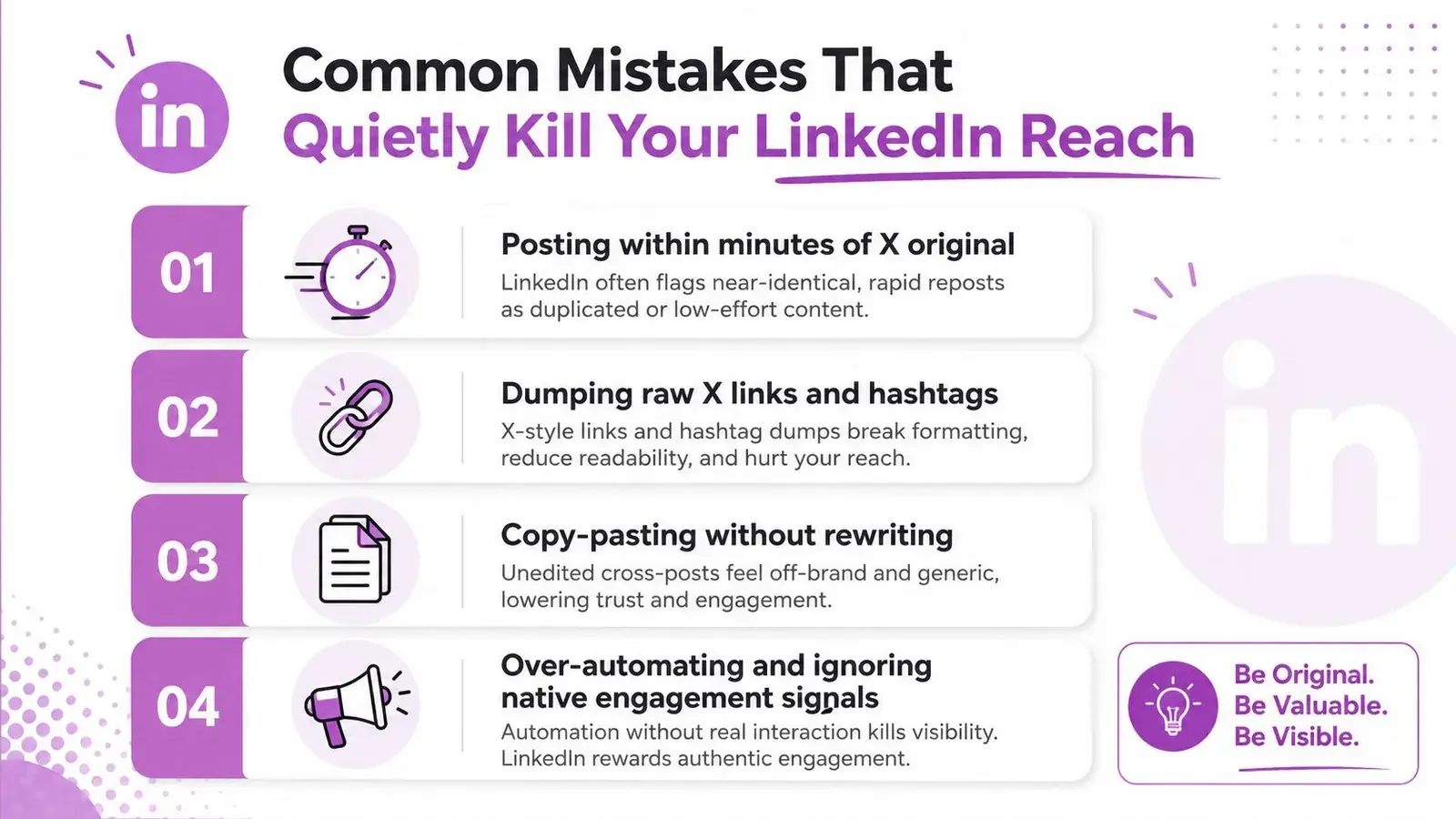
Posting within minutes of the X original is one of the easiest ways to make the LinkedIn version feel duplicated. The same goes for carrying over thread numbering, emoji-dense hooks, or trailing hashtags that read as timeline clutter. LinkedIn audiences are more likely to respond to context than to obvious repackaging.
Raw X links can also undercut the post when they’re used instead of native media. When a post leans on external links or pasted screenshots without adaptation, it often loses the visual clarity that LinkedIn rewards. Copy-paste formatting tends to make the whole thing look like a distribution job instead of a thoughtful update.
Same idea, different feed, different standard.
That standard matters for tone too. A casual, polarizing, or inside-baseball take can work on X and feel out of place on LinkedIn if the audience doesn’t already trust the voice behind it. The platform is more forgiving when the post looks like a professional observation rather than a timeline rant.
A quick audit for older cross posts
If you already have a library of cross-posted updates, look for these warning signs:
- Identical opening lines that clearly came straight from X.
- Thread artifacts like numbering, reply cues, or “1/4” style formatting.
- Over-automation that makes every post look templated.
- Missing context that leaves the LinkedIn reader guessing.
- X-specific jokes or slang that don’t translate cleanly.
If a pattern shows up repeatedly, it may be lowering the page’s distribution signal over time. The fix usually isn’t more posting, it’s better rewriting and better selection. That’s the difference between a professional cross-post and a feed that looks mechanically assembled.
A Practical Weekly Cross Posting Workflow and Checklist
The easiest way to stay consistent is to make cross-posting a weekly ritual instead of a daily scramble. Sunday night or Monday morning works well because you can scan the previous week’s X posts with a clear head and choose what deserves a second life.
A simple weekly process
Start by reviewing the week’s posts and scoring them against the selection filter. Pick the top two or three, not ten. Rewrite each one for LinkedIn with a fuller opening, cleaner structure, and a professional question or discussion prompt at the end.
Then queue the posts in a scheduler like Buffer or Typefully with a delay from the original X post. Hypefury no longer supports X as of 2026, so it can’t pull from your X posts anymore. Before approving anything, check the LinkedIn draft for hashtag cleanup, media formatting, and preview quality. Once it goes live, leave room to engage with comments and questions during the first stretch after publishing.
The checklist to keep on hand
- Select carefully by choosing posts with professional relevance and lasting value.
- Rewrite fully so the LinkedIn version can stand alone.
- Delay the post instead of publishing both versions at once.
- Check the media so the visual fits the feed, not just the source platform.
- Engage after publishing so the post doesn’t end up as a one-way broadcast.
That’s enough structure for a solo operator to stay consistent without turning cross-posting into a second job. The main win is that you spend less time inventing unrelated content and more time moving proven ideas into the right environment.
If you want a faster way to decide what to post, what to rewrite, and what to leave alone, Xholic AI can help you turn X ideas into smarter next actions without losing your voice. It’s built to remember context, surface worthwhile conversations, and keep your workflow moving while you stay in control of what gets published.