Quick answer: Enter a public Twitter/X handle and the tool analyzes the visible engagement on their recent posts to estimate which days and times tend to perform best for that specific account, rather than relying on generic, one-size-fits-all timing advice.
What Is It?
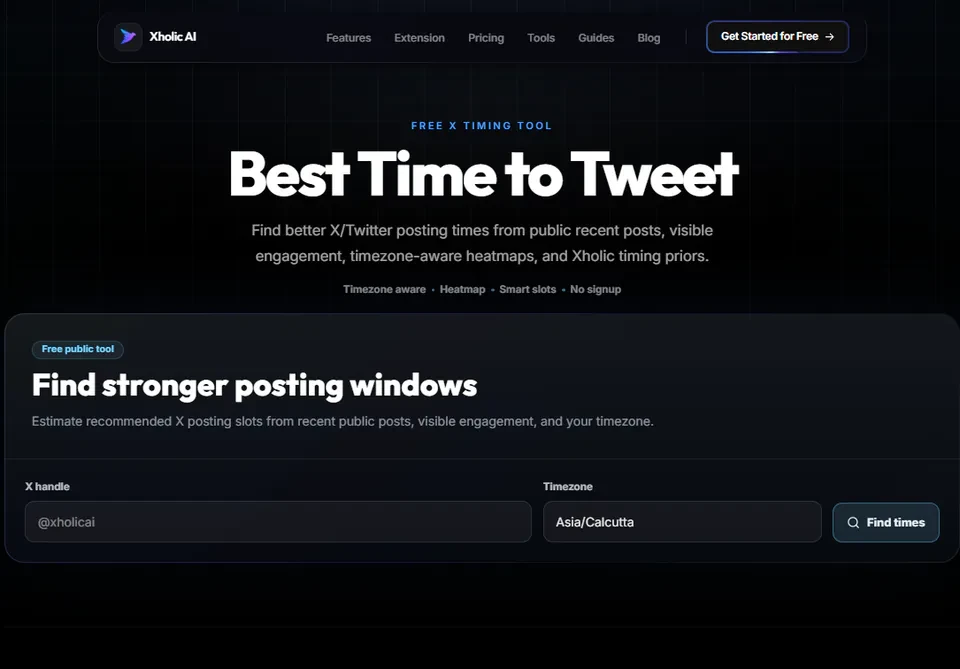
The Best Time to Tweet is a free tool at xholic.ai. Enter a public Twitter/X handle and the tool analyzes the visible engagement on their recent posts to estimate which days and times tend to perform best for that specific account, rather than relying on generic, one-size-fits-all timing advice.
Open the Best Time to Tweet Tool.
Who Uses It and Why
| Who Uses It | What They Use It For |
|---|---|
| Creators planning a posting schedule | Want timing recommendations based on their actual audience, not a generic best-practice chart |
| Social media managers | Need data-backed timing suggestions for multiple client accounts in different niches |
| New accounts | Don’t have months of personal data yet, so check what’s working for similar accounts in their niche |
| Anyone optimizing an existing strategy | Already posting consistently but want to confirm whether their current schedule is actually working |
How to Use It - Step by Step
It takes under a minute. Here’s exactly what to do:
Step 1: Open the tool
Go to Best Time to Tweet Tool in your browser.
Step 2: Enter a handle
Type the public Twitter/X handle you want to analyze. Your own, or an account in your niche.
Step 3: Let it analyze
The tool reviews the account’s recent visible posts and the engagement each one received, mapped against posting time.
Step 4: Read the recommended windows
You’ll see suggested days and time windows where that account’s content has historically performed best.
Step 5: Test and adjust
Use the suggested windows as a starting point. Post consistently within them for a few weeks, then check your own analytics to confirm what’s actually working for you.
Pro tip: Generic ‘best time to post’ charts apply to the average account, but your specific audience might be most active at different hours, especially if your followers are concentrated in a particular timezone or industry. Always treat suggested windows as a starting hypothesis to test, not a fixed rule.
Real Example
A B2B SaaS creator checks Best Time to Tweet for their own handle and an established competitor in the same niche. Both show stronger engagement on weekday mornings between 8-10 AM, aligning with when their B2B audience is likely starting their workday. They shift their posting schedule to that window and track results over the following month.
Good to Know
Heads up: This tool estimates based on visible recent performance, which is a smaller sample than a full private analytics history. Treat the suggested windows as a strong starting point, then refine using your own account’s analytics data over several weeks for the most accurate picture.
Frequently Asked Questions
Is the suggested time the same for every account?
No. The tool analyzes each specific handle’s visible performance, so the suggested windows vary by account, niche, and audience. There’s no universal best time that works for everyone.
Can I check an account that isn’t mine?
Yes. You can analyze any public account, which is useful for understanding timing patterns in your niche before you have enough of your own data.
How accurate is this compared to my own analytics?
It’s a solid estimate based on visible public data. Your own private analytics, accessible via X Premium or a tool like Xholic’s analytics extension, will always be more precise since it includes impression data the public can’t see.
How often should I recheck this?
Recheck every few months, or whenever your audience or content style changes meaningfully. Posting patterns and audience behavior do shift over time.
Does timing matter more than content quality?
No. Timing is a multiplier on quality content, not a substitute for it. Posting at the perfect time with weak content will not outperform good content posted at a slightly less optimal time.
Related Xholic Tools
Timing is one part of a larger publishing system. The complete How to Grow on Twitter guide connects posting windows with positioning, content planning, engagement, and measurement.
These tools work well alongside this one:
- X Profile Analytics - See the full content and engagement breakdown behind the timing data
- Twitter Analytics Guide - Learn how to read your own analytics dashboard in depth
- Live Twitter Follower Count - Track whether your new posting schedule is moving your follower growth