Quick answer: Enter any public Twitter handle and the tool shows you their current follower count with a freshness label so you know exactly how recent the number is. It refreshes automatically and is faster than checking the Twitter app manually.
What Is It?
The Live Twitter Follower Count is a free tool at xholic.ai. Enter any public Twitter handle and the tool shows you their current follower count with a freshness label so you know exactly how recent the number is. It refreshes automatically and is faster than checking the Twitter app manually.
Open the Live Twitter Follower Count Tool.
Who Uses It and Why
| Who Uses It | What They Use It For |
|---|---|
| Creators watching growth | Check their own follower count without opening Twitter useful during a campaign or viral moment |
| Competitors tracking rivals | Keep an eye on how a competitor’s account is growing without following them |
| Brand managers | Monitor a brand account’s follower trajectory in real time during a PR event or product launch |
| Journalists & researchers | Verify a public figure’s follower count quickly without needing a Twitter account |
| Fans & curious users | Watch a favourite creator or celebrity’s count tick up live |
How to Use It - Step by Step
It takes under a minute. Here’s exactly what to do:
Step 1: Open the tool
Go to Live Twitter Follower Count in any browser.
Step 2: Enter a handle
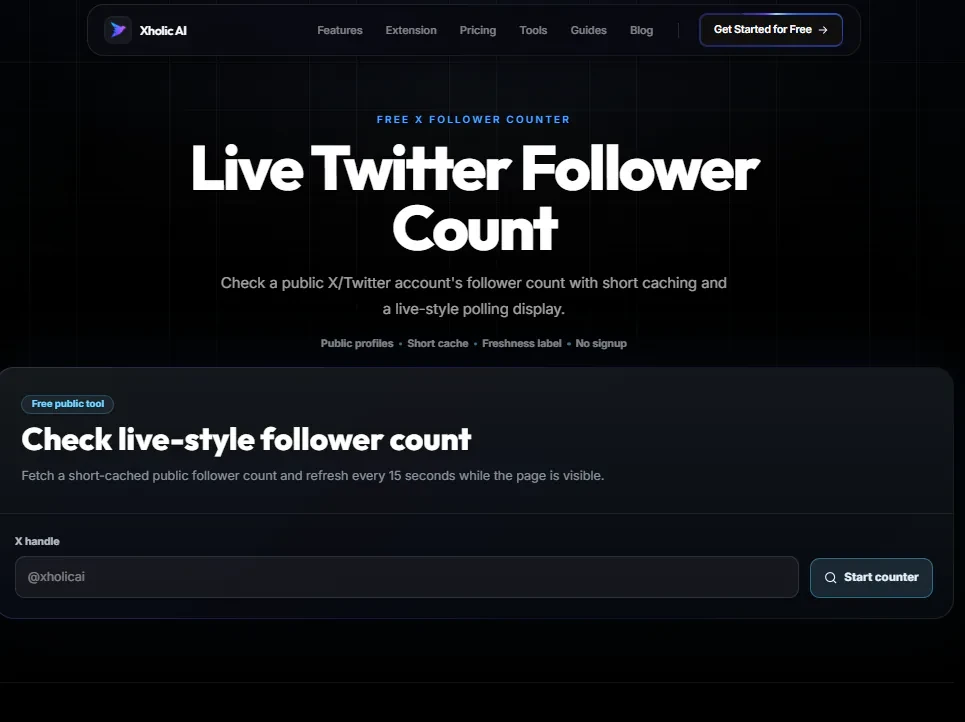
Type any public Twitter @handle into the search box. No @ symbol needed just the username.
Step 3: See the count
The current follower count appears immediately, with a freshness label showing how recently it was updated.
Step 4: Watch it refresh
The count refreshes automatically. You’ll see a timestamp so you always know if the number is from the last few minutes or cached from slightly longer ago.
Step 5: Open multiple tabs if needed
To track more than one account at the same time, open the tool in multiple browser tabs, one per account.
Pro tip: Bookmark this tool if you’re running a follower growth campaign. Open it alongside your Twitter tab and refresh to see the number move in near real time much faster than navigating to your profile to count.
Real Example
A founder announces a new product on a Tuesday morning and wants to watch their follower growth in real time. They open the Live Follower Count tool with their handle, keep it in a browser tab, and refresh every few minutes to see the count climb 4,210 -> 4,280 -> 4,350 as their announcement tweet gets picked up.
What to Do With Your Result
The tool reads publicly available follower count data. The count shown is what Twitter reports publicly which can occasionally differ slightly from what you see in the Twitter app due to caching on Twitter’s own servers.
Heads up: Follower counts naturally fluctuate small dips are normal as inactive or bot accounts get removed by Twitter. Don’t panic if you lose 20-30 followers in a day. It’s usually a routine platform cleanup, not real people leaving.
Frequently Asked Questions
How often does the count update?
The tool uses short cache windows, typically refreshing every few minutes. A freshness label tells you when the data was last pulled so you’re never guessing how current the number is.
Can I track any account, not just my own?
Yes. Any public Twitter account can be tracked. Just enter their handle.
Is this the same number I’d see on Twitter?
It reads the same public data source Twitter uses, so it should match closely. Very small differences can appear due to caching both Twitter’s own caching and the tool’s refresh window.
Do I need a Twitter account to use this?
No. The tool works entirely on public data and doesn’t require any Twitter authentication.
Can I use this to track a private account?
No. Private accounts don’t expose follower counts publicly, so the tool can’t display them.
Why is my follower count sometimes lower than yesterday?
Twitter regularly purges spam, bot, and inactive accounts. Small drops of 10-50 followers in a day are almost always routine platform maintenance, not real people unfollowing you.
Related Xholic Tools
Follower-count changes are only one part of account performance. Use the complete Twitter Analytics guide to connect those movements with posting activity, engagement, profile visits, and content patterns.
These tools work well alongside this one:
- Twitter Follower Tracker Guide - The full guide to tracking follower growth over time
- X Profile Analytics - Deeper analytics beyond just follower count
- Twitter Account Worth Calculator - Your follower count is one factor in your account’s estimated worth
- X Profile Audit - See the full picture of your profile, not just the count