If you only glance at your follower count now and then, a drop shows up weeks after it happened, with no clue about when, why or who left.
A Twitter follower tracker fixes that. You watch the trend as it develops and line it up with what you posted, so you understand why the number moved, not just that it moved.
Most of the tools in this space are free or free to start, and the free ones are enough for a solid tracking setup. This guide covers seven options, what each does well, where it falls short, and how to pick the right combination for where you are now.
Quick Answer: Best Twitter Follower Tracker by Use Case
If you want the shortest path to the right tool, start here:
-
Live public follower count: Xholic Live Twitter Follower Count for a no-signup public follower counter with short caching and a live-style refresh.
-
Native post and follower correlation: X Analytics for seeing how your own posts, profile visits, engagement, and follower movement connect.
-
Unfollower tracking: Unfollr for privacy-first unfollower checks without OAuth.
-
Audience quality: Circleboom (paid) for fake, inactive, and suspicious follower signals.
-
Audience research: Followerwonk for follower demographics, bio patterns, activity scores, and account comparison.
-
All-in-one scheduling plus monitoring: SocialDog for follower monitoring alongside scheduling and account management.
Why Your Follower Count Is More Than a Vanity Metric
Before the tools, it helps to be clear about what follower tracking is for.
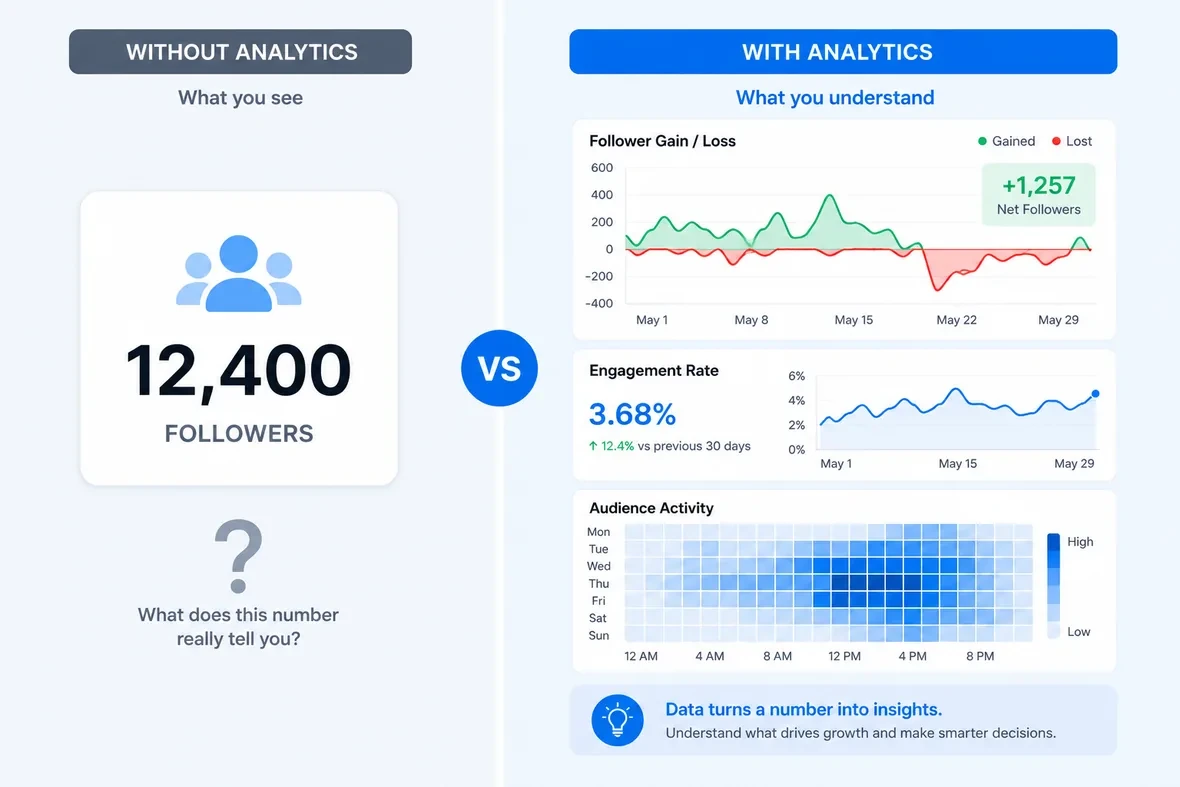
Your follower count isn’t just a score. It’s a signal. Every time someone follows you, they’re saying your content made enough of an impression that they want to see more. Every time someone unfollows, something shifted, either their interests moved on, or your content stopped matching their expectations, or you posted something that didn’t land.
The problem is that raw numbers tell you nothing about which of these things happened. That’s what a follower tracker helps you figure out.
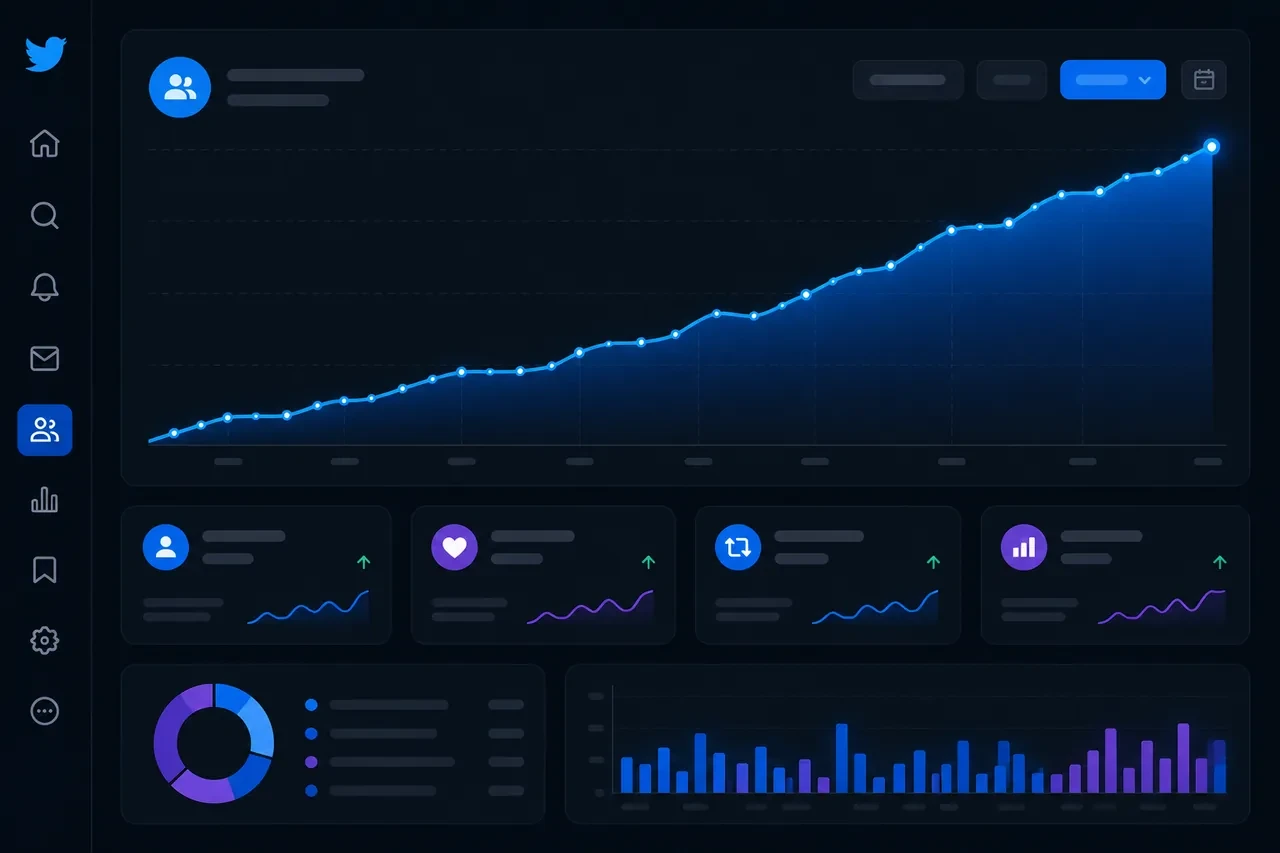
When you track follower growth over time, correlated with your posting activity, patterns start to emerge. A spike in follows after a particular thread. A quiet bleed of unfollows during a week where your content shifted in tone. A competitor gaining momentum in your niche around the same time your numbers dipped. You only see these patterns when you log the numbers over time.
There’s also audience quality. For most goals, a smaller group of followers who reply, share and click is more useful than a much larger group who scroll past. A good tracker helps you separate these two groups, not just watch the total number move up or down.
What to Actually Look for in a Twitter Follower Tracker
Not every tool in this category tracks the same things. Here’s what matters before you commit to one:
-
Follower gain and loss over time. This is the baseline. You need to see not just your current count but how it’s changed day by day, week by week. Ideally with enough historical data to spot seasonal patterns.
-
Unfollower identification. Knowing your net count dropped is useful. Knowing who unfollowed you, and when, is far more useful. Some tools give you this, some don’t.
-
Audience quality signals. Fake follower detection, inactive account flagging, bot identification. A follower count padded with ghost accounts gives you false confidence in your reach.
-
Competitor benchmarking. How are your numbers moving relative to similar accounts in your niche? This context is often more meaningful than your raw numbers in isolation.
-
Tracking without automation. Automated following and unfollowing puts your account at risk. Some tools here (SocialDog and Circleboom) also offer scheduling and bulk follow/unfollow features. I’d use them for tracking and leave automated following and unfollowing off.
-
Privacy and security. Understand what access you’re granting when you connect any tool to your X account. OAuth connections give third-party apps varying levels of permission. The safer tools are upfront about exactly what they access.
The 7 Best Twitter Follower Trackers in 2026 (Free and Paid)
How I Compared These Tools
I compared these tools from their public product pages, pricing pages and help docs, last checked on October 17, 2026. I build Xholic, so tool #1 is my product; I’ve ranked it on the same criteria as the others. The goal was not to collect every analytics product with a Twitter feature. The goal was to recommend tools that each answer a clear follower-tracking question. Most can be used for free; where the tracking features are paid (Circleboom), I say so.
I prioritized free access, direct relevance to follower tracking, no unsafe automation requirement, privacy and OAuth posture, public-account support, follower or unfollower visibility, audience-quality signals, and usefulness for creators who need to turn tracking into better decisions. If a tool is mainly a growth workflow rather than a tracker, it belongs later in the action section, not in the ranked tracker list.
1. Xholic Live Twitter Follower Count (Free)
Xholic Live Twitter Follower Count is the simplest choice when the job is fast public lookup. Enter a public X handle and the page returns a short-cached follower count with a live-style refresh while the page is visible, plus 7, 30 and 90-day history from stored snapshots and an optional head-to-head comparison with a second account. No signup, no account connection, no dashboard setup.
That matters because a lot of people searching for a Twitter follower tracker do not want a full analytics suite yet. They want to check a profile during a launch, a media mention, a viral post, a creator collaboration, or a campaign window and see whether the follower count is moving.
What it does well: It matches the immediate “check this account now” intent. It is fast, public, and lightweight, which makes it a good first stop before you decide whether you need deeper analytics.
Where it falls short: It is not an unfollower tracker and it does not identify individual followers. Its history covers follower totals only, not post performance or audience quality. Use it for quick public count checks, then layer in other tools when you need trend analysis or audience quality.
Free tier: Fully free public tool. No signup required.
Best for: Public follower-count checks, launches, collaborations, live campaigns, and quick creator research.
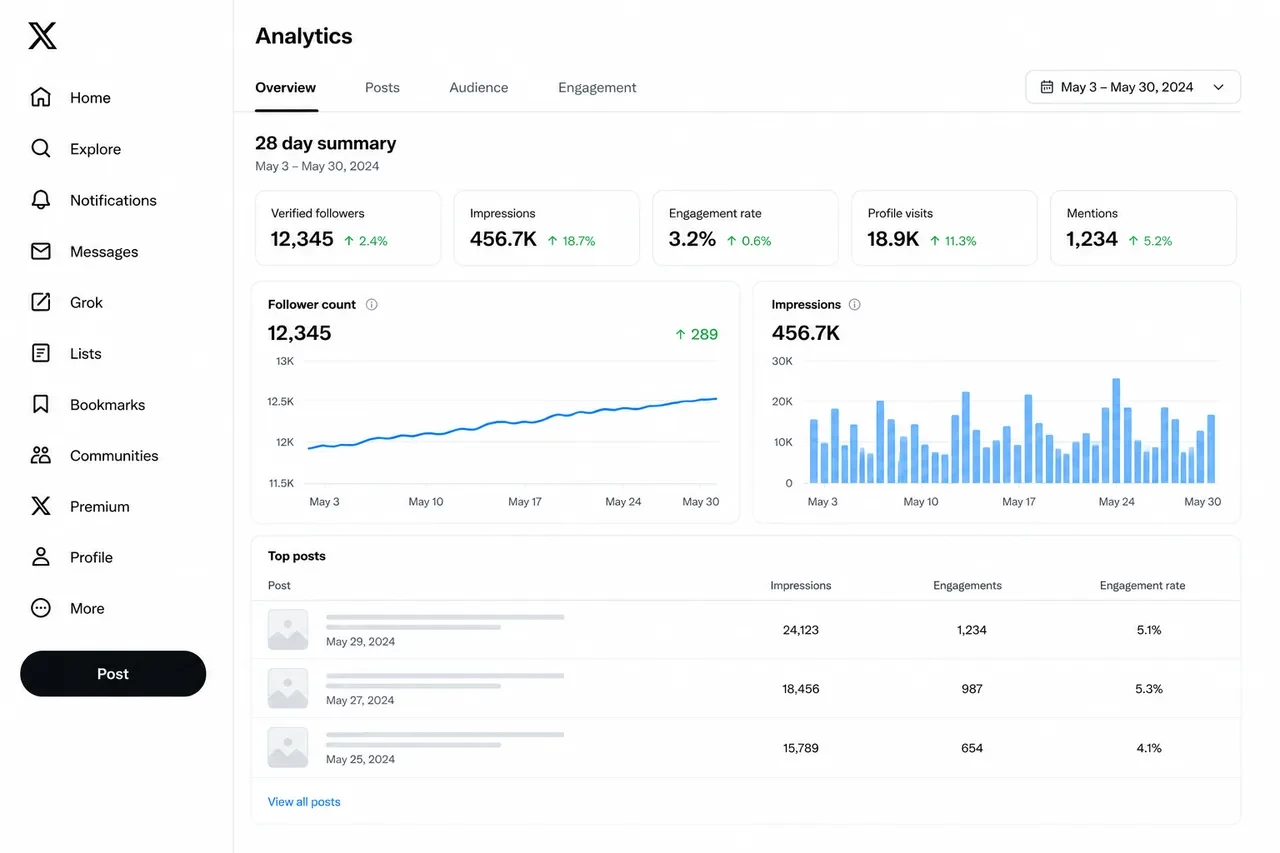
2. X Analytics (Native — Free Per Post)
X’s built-in analytics isn’t the most powerful option here, but it’s the baseline every account already has, so it’s worth starting with.
X Analytics gives you post-level data: impressions, engagements, link clicks, profile visits, and more for content you’ve published. The account-level dashboard also shows how your own follower total changes over time. If you’re not sure which of those numbers deserve your attention, start with the Twitter analytics metrics that actually matter.
What it does well: The per-post data is solid. You can look at any single post and understand its reach and engagement in real terms. Correlating this with your follower movements gives you a feedback loop that’s easy to act on.
Where it falls short: X Analytics doesn’t tell you who followed or unfollowed you. It shows the net change, not the individual accounts. It also has no competitor analysis or detailed audience demographics. For a quick pulse check, it’s enough. For anything deeper, layer in another tool.
Free tier: X’s built-in post analytics are free per post; the account analytics dashboard needs X Premium.
Best for: Beginners, smaller accounts, anyone who wants a zero-setup starting point.
3. Livecounts.io (Free)
Livecounts.io is another simple live-style follower counter for public X accounts. It is built for the same immediate-use case: type a handle, watch the count, and avoid connecting your own account.
What it does well: It is easy to understand, especially for monitoring public accounts during short windows where follower count changes matter. If you want a second public counter to compare against your primary tool, it is useful.
Where it falls short: It is a counter, not a full follower tracker. It does not show who followed, who unfollowed, audience quality, or content-level drivers. Its own page also notes that X caches follower numbers heavily, so counts can lag reality by hours. Treat it as a quick public lookup tool, not a complete analytics workflow.
Free tier: Free public counter.
Best for: No-login public count checks and short-window monitoring.
4. Followerwonk (Now Part of Fedica)
Followerwonk is one of the longest-running Twitter audience tools, and it is now part of Fedica. Its strength is understanding who your followers are rather than just counting them.
The core feature is audience analysis. Connect your X account and Followerwonk breaks down your followers by location, the words they use most in their bios, activity scores, and relative influence signals. None of this is available through X’s native analytics.
Followerwonk also supports account comparison. You can compare your follower base against another account’s, looking at overlap and divergence in audience interests and demographics.
Where it falls short: Plans and limits have changed since the move to Fedica, so check which features your plan includes before relying on them. It is best used for audience research, not quick no-login follower-count checks.
Free tier: Check Fedica’s current plans; free access has changed since the Moz era.
Best for: Audience research and creator-to-creator comparison.
5. Unfollr (Free)
Unfollr stands out because of how it works. Rather than connecting to your account via OAuth, which gives a third-party app permission to read and sometimes act on your account data, Unfollr runs as a browser extension (beta) that uses your own logged-in X session. It reads your follower list locally, stores comparison snapshots, and identifies unfollowers without ever sending your data to an external server.
For privacy-conscious users, this is a meaningful distinction. You’re not granting a third-party app OAuth access to your X account. The analysis runs locally in your own browser.
The core functionality is straightforward: install the extension, run a scan, and it shows you who unfollowed you since your last scan. It also identifies non-followers, accounts you follow that don’t follow you back, and tracks changes between snapshots over time.
The extension works across Chrome, Edge, Brave, Opera, Arc, and other Chromium-based browsers.
Where it falls short: Because it’s browser-based rather than continuously synced, it only captures changes between the times you actively run a scan. If someone followed and unfollowed you between two scan sessions, you might miss it.
Free tier: Fully free. No subscription, no OAuth, no account required beyond the browser installation.
Best for: Privacy-conscious users, anyone uncomfortable connecting third-party apps via OAuth, simple unfollower tracking.
6. Circleboom (Paid, Free Demo)
Circleboom is one of the more comprehensive Twitter management platforms with a free demo, and it covers more ground than a pure follower tracker.
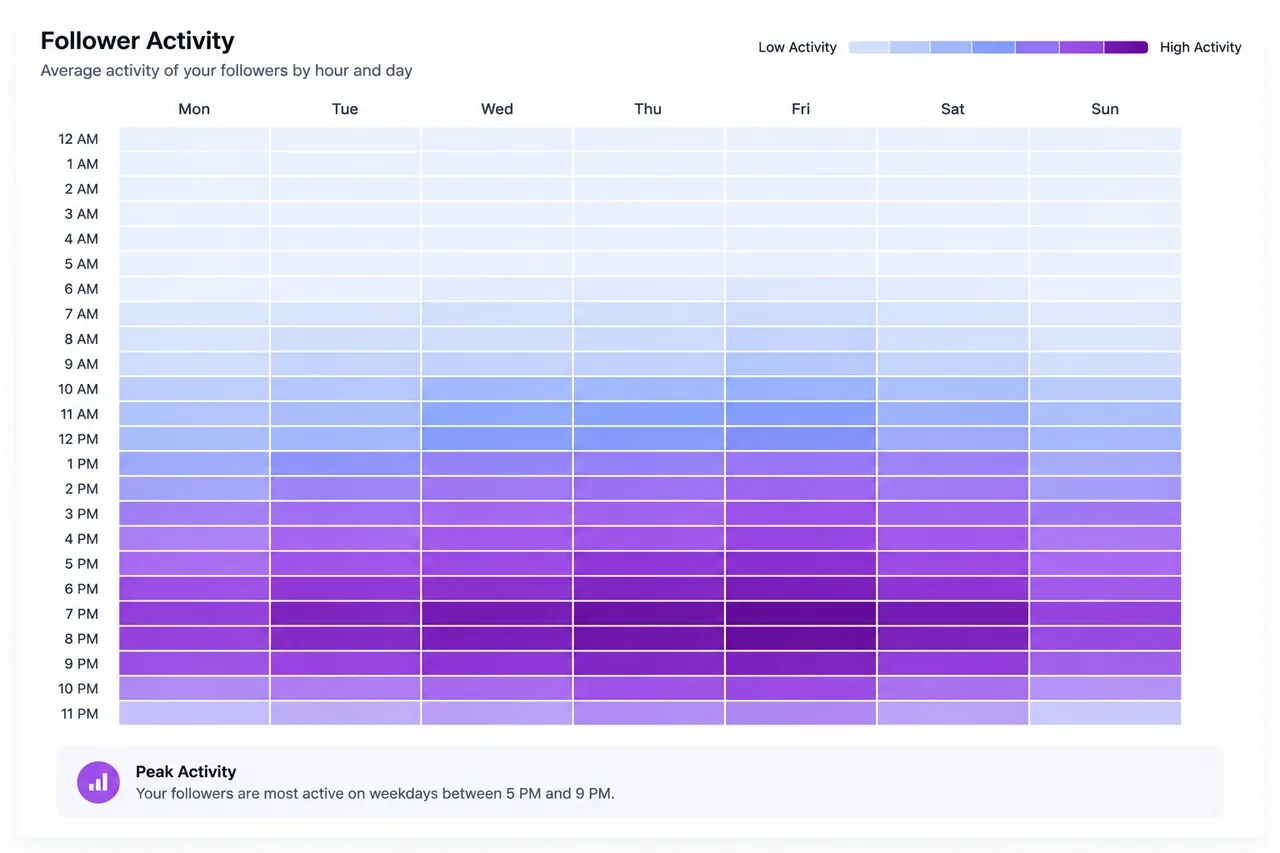
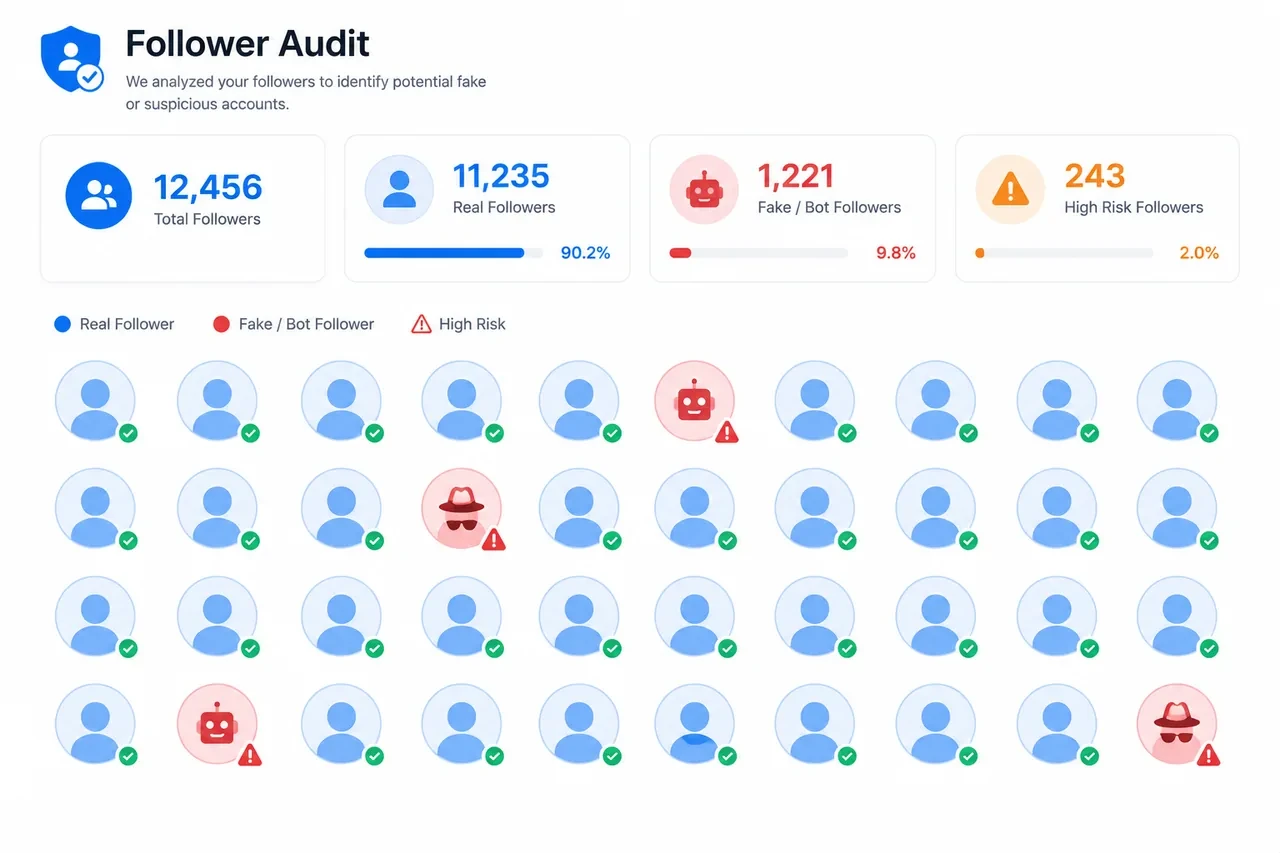
The platform helps you see who unfollowed you, identify inactive accounts in your following list, detect fake or bot followers, and review accounts that may be weakening your audience quality. It also generates reports on your followers’ interests, language distribution, and when they’re most active.
Audience cleanup is Circleboom’s main strength. Over time, any account accumulates followers who are suspended, inactive, or clearly bot-operated. These accounts drag down your engagement rate without contributing anything, and Circleboom’s paid plans focus on finding and removing them.
Where it falls short: There is no permanent free plan, and the follower tracking features are paid. Who-followed and who-unfollowed tracking only works for accounts with up to 25,000 followers. It also requires OAuth access to your account, so it’s not the right choice if you’re concerned about third-party permissions.
Free tier: No permanent free plan is listed, only a free demo. Follower tracking, unfollower alerts and fake-follower detection start on the Pro plan at $23.99/month billed yearly ($31.99 billed monthly, up to 25K followers), with prices rising by account size. See Xholic vs Circleboom for how the two compare.
Best for: Account cleanup, bot detection, fake follower removal, audience quality management.
7. SocialDog (Free Tier)
SocialDog is a full X management suite with a free plan. It covers scheduling, follower analytics, and account monitoring in a single dashboard.
On the follower tracking side, SocialDog lists new followers, accounts that don’t follow back, and inactive accounts as part of its ongoing monitoring. It doesn’t require you to manually trigger a scan, it runs in the background and surfaces changes when you log in. Free-plan data collection pauses if you don’t log in for 14 days.
You can segment your follower list by activity level, following-to-follower ratio, profile completeness, and other signals that help you understand the quality distribution of your audience. Paid plans (Professional and up) add CSV export, which is useful for anyone who wants to run their own analysis or keep records outside the platform.
The scheduling integration is a bonus that most pure follower trackers don’t include. If you’re managing content and analytics in the same tool, SocialDog’s free plan covers a meaningful portion of that workflow.
Where it falls short: Some of the deeper follower analytics, like detailed growth history and advanced audience demographics, are available only on paid plans. The free tier is a useful introduction to the platform rather than a complete solution.
Free tier: Available with feature limits. Paid plans add deeper history and more scheduled posts.
Best for: Creators who want scheduling and follower tracking in one place, small business accounts.
How to Build a Mostly Free Tracking Stack
You can get a solid tracking setup almost entirely from free tools. The one paid step below (a Circleboom audit) is optional. Here’s how to combine them:
-
For live public count checks: Start with Xholic Live Twitter Follower Count when you need a fast no-signup read on a public profile. Use it during launches, collaborations, interviews, or any moment where you want to watch a public follower count without opening a full dashboard.
-
For tweet performance + basic follower trends: Add X Analytics. Check it every Monday. Take five minutes to look at which posts drove profile visits, engagement, and follower movement that week. If you want a broader measurement workflow, pair this with a Twitter follower analytics review.
-
For public profile research: Use X Profile Analytics and X Profile Audit when you want visible account signals beyond a raw follower count, such as profile quality, recent public performance, or positioning issues.
-
For audience quality (optional, paid): Once your account reaches a few hundred followers, consider a Circleboom audit (paid Pro plan) to check for fake or inactive accounts. A clean follower list means your engagement rate actually reflects reality, which matters if you’re ever trying to demonstrate audience value to a brand or partner.
-
For unfollower tracking: Unfollr, which runs locally in your browser. If you want follower monitoring (new followers and accounts that don’t follow back) bundled with scheduling and management, add SocialDog.
-
For deeper audience understanding: Once you have a few thousand followers and want to understand who they are beyond a count, Followerwonk gives you the demographic and behavioral breakdowns that make your growth data actionable.
-
For tool discovery beyond follower tracking: Use this list for tracker-specific jobs, then use the free Twitter analytics tools guide when you need a wider stack for engagement, scheduling, content review, and reporting.
FAQ: What People Are Actually Asking
Does Twitter have a free follower tracker built in?
Yes, but it’s limited. X’s built-in post analytics are free per post; the account analytics dashboard needs X Premium. It shows how your content is performing and gives you follower movement for your own account. It does not show individual unfollowers, does not provide no-login public lookup, and does not replace a dedicated audience-quality audit. For most beginners, it is a fine starting point. For follower quality, public count checks, or specific unfollower tracking, you need another tool.
How do I track Twitter follower growth over time?
For your own account, review X Analytics every week and write down follower movement beside your highest-performing posts. For public profiles, use a no-login live counter such as Xholic Live Twitter Follower Count or Livecounts.io during moments you want to monitor. For deeper interpretation, use a repeatable review process like the one in the live follower count guide.
Can I track Twitter followers and unfollowers for free?
Yes, but usually with tradeoffs. X Analytics can show net movement, but not individual unfollowers. Unfollr can identify unfollowers through local browser snapshots without OAuth. SocialDog’s free plan lists new followers and accounts that don’t follow back. Circleboom’s unfollower tracking is on its paid Pro plan.
How do I see who unfollowed me on Twitter for free?
The cleanest free option in 2026 is Unfollr (browser extension, no OAuth, fully private). Circleboom shows who unfollowed you on its paid Pro plan. X itself doesn’t provide this information natively.
Can I track someone else’s Twitter follower growth for free?
You can check someone else’s public follower count for free with tools like Xholic Live Twitter Follower Count and Livecounts.io. For deeper comparison, Followerwonk offers some account-comparison and audience-research features. Full historical growth tracking for third-party accounts depends on the tool’s current X data access, so verify the feature before building a workflow around it.
Is there a Twitter follower tracker that doesn’t require login?
Yes. Xholic Live Twitter Follower Count and Livecounts.io do not require a login for public follower-count checks. Unfollr requires a browser extension install but no OAuth connection to your X account. Most deeper analytics tools require either an X login or OAuth authentication to access your personal follower data.
Why is my Twitter follower count dropping?
Common reasons follower counts drop: X removes locked, spam and suspended accounts from follower counts; your content shifted in a direction that didn’t match your existing audience; you had a post that attracted a wave of follows that didn’t stick; or a competitor entered your niche and drew away part of your audience. A good tracker helps you correlate timing with your posting history to figure out which of these is most likely.
How often should I check my Twitter follower tracker?
I’d check weekly. Follower counts move a little every day for reasons that have nothing to do with your content, so daily checks rarely give you enough to act on. A weekly review is enough to spot real trends without reacting to single-day swings.
What’s the difference between a follower tracker and a follower growth tool?
A follower tracker shows you what’s happening with your audience, who follows, who unfollows, and how growth trends move over time. A follower growth tool helps you take actions that cause growth, such as better content, smarter reply strategy, more consistent posting, and stronger positioning. You need both: this list covers tracking, while Xholic AI is the action layer for turning signals into daily growth work.
Common Mistakes People Make With Follower Tracking
-
Checking too often. Daily numbers are noisy. Weekly trends are much easier to read.
-
Treating follower count as the main success metric. It’s tempting to optimize for raw follower growth because it’s the most visible number. But a smaller account whose followers reply and click is often more useful, to brands and to your own goals, than a much larger account nobody engages with. Track engagement rate alongside follower count.
-
Ignoring the unfollower data. It’s easy to track who followed and ignore who left. The unfollower signal can be more actionable. A wave of unfollows after a specific type of post is direct feedback on what your existing audience doesn’t want more of.
-
Not connecting content actions to outcomes. The tools give you the data. The analysis is on you. Make a habit of noting which posts went out in the days before a follower spike or drop. Over a few months, these patterns become predictive.
-
Skipping the quality audit. If a large share of your followers are bots or inactive accounts, the total overstates your real audience. If you use a paid audit tool like Circleboom, run it every few months to keep your audience quality numbers honest.

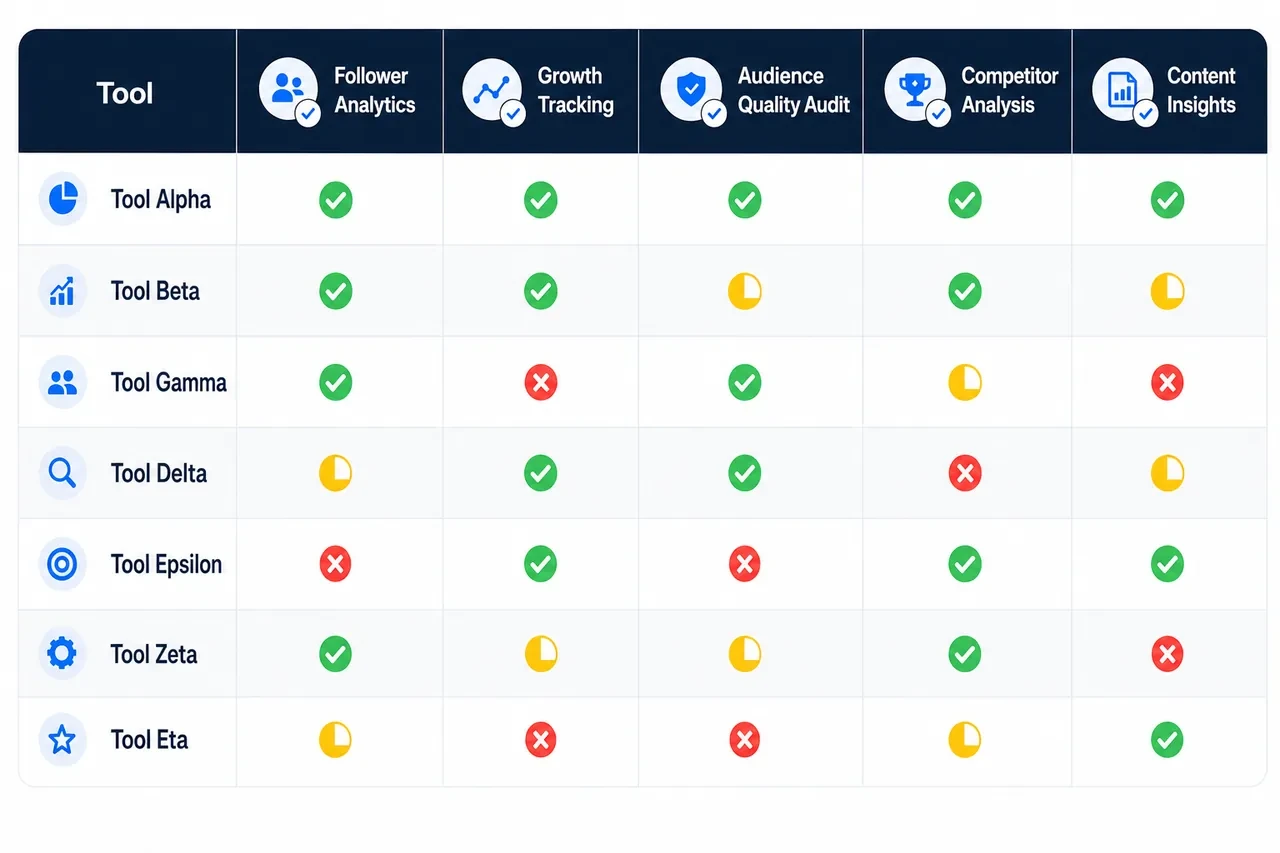
Quick Comparison Table
| Tool | Best Feature | Requires Login | Unfollower ID | Public Account Lookup | Audience Quality |
|---|---|---|---|---|---|
| Xholic Live Twitter Follower Count | Live count + 90-day history | No | No | Yes | No |
| X Analytics | Post performance + own follower movement | Yes (your account) | No | No | No |
| Livecounts.io | Live-style public counter | No | No | Yes | No |
| Followerwonk | Audience demographics and comparison | Yes (OAuth) | Yes | Limited | Yes (bot audit) |
| Unfollr | Privacy-first unfollower tracking | Browser extension only | Yes | No | No |
| Circleboom | Fake and inactive follower detection | Yes (OAuth) | Yes | No | Strong |
| SocialDog | Scheduling plus follower monitoring | Yes (OAuth) | No (lists accounts that don’t follow back) | No | Moderate |
Once Tracking Shows What Is Happening, Use Xholic AI to Act on It
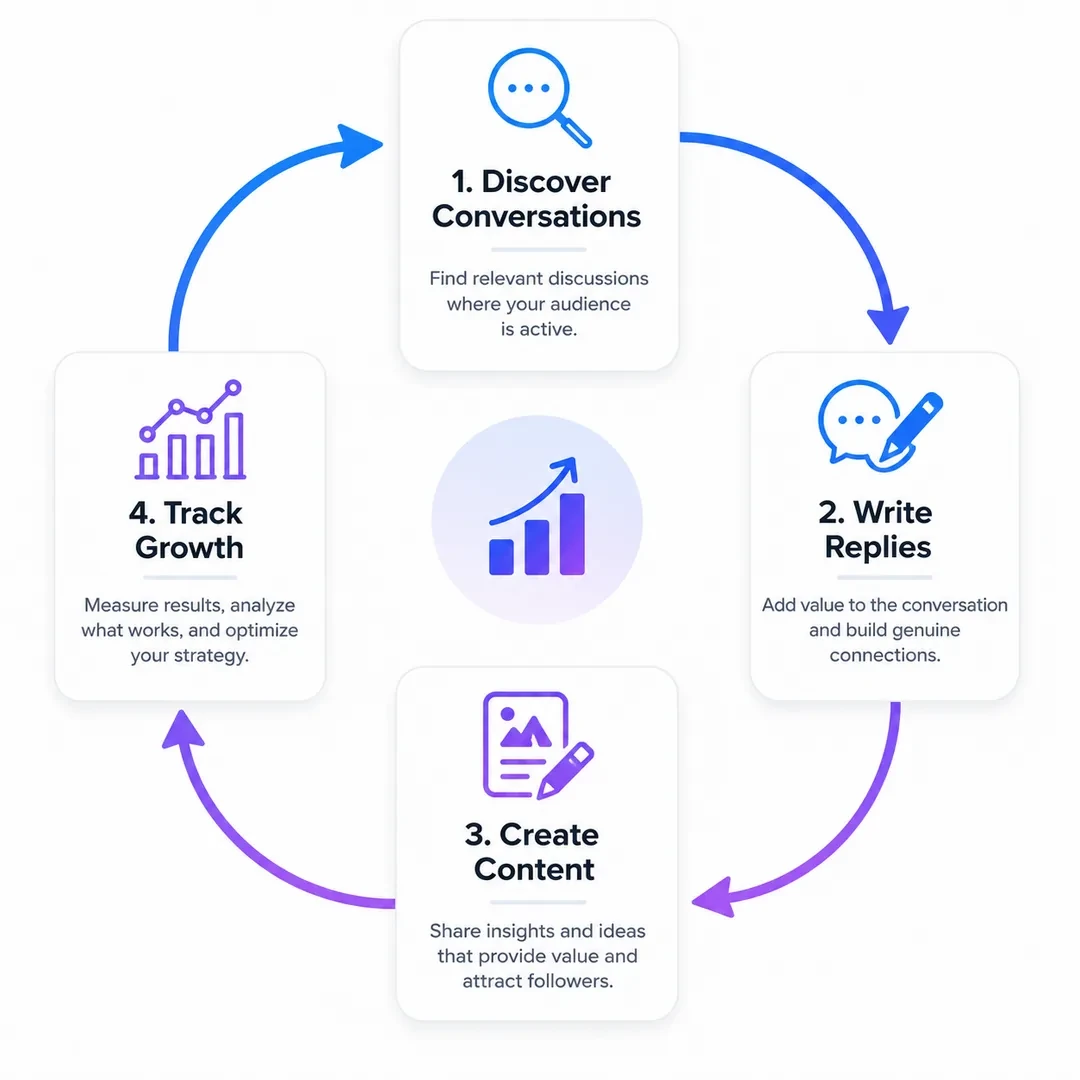
The tools above help you see the follower signal. Xholic AI is where that signal becomes daily action: finding high-momentum conversations, writing replies in your voice, remixing proven post structures, saving ideas, and keeping your content habit consistent.
This is why Xholic AI is not listed as one of the seven follower trackers. It is not trying to replace a live counter, an unfollower tool, or a follower audit dashboard. It is the growth workflow you use after the tracker shows you what needs to change.
The Chrome extension keeps that workflow inside X, so you can turn follower insights into replies, posts, and research without jumping between tabs.
For the wider measurement framework, use the complete Twitter Analytics guide. The Live Follower Count Guide covers short-window monitoring, while the explanation of Twitter profile visits helps connect follower movement to deeper account interest.
The Bottom Line
The best Twitter follower tracker for you depends entirely on what you’re trying to learn.
If you want a fast public count check, start with Xholic Live Twitter Follower Count or Livecounts.io. If you want to watch your own growth trend alongside post performance, X Analytics is enough to start. If you care about who unfollowed you specifically, Unfollr fills that gap, and SocialDog adds follower monitoring to a broader management suite. When you’re ready to understand your audience more deeply, Followerwonk’s demographic analysis is worth the time. And when your follower list needs a quality audit to clear out the bots and inactive accounts, Circleboom’s paid plans cover it.
Most of these cost nothing to start, and they can be layered together without conflicts.
But there’s one thing all of them share: they’re observation tools. They tell you what’s happening. They don’t tell you what to post, when to join a conversation, how to write a reply that sounds like you, or how to build the kind of daily consistency that turns a stagnant account into a growing one.
That’s where Xholic AI fills the gap. It’s not trying to replace the trackers. It’s the tool you use to act on what the trackers show you.
Knowing your follower count is falling is useful. Knowing what to do about it is what moves the number.
Track Follower Quality, Not Just the Total
A follower tracker becomes useful when it explains why the number moved. Record these signals together:
- Net follower change over a consistent daily or weekly window.
- Which posts were published during the change.
- The topics and formats that attracted profile visits.
- Whether new followers match the audience the account is trying to reach.
- Unfollow spikes after promotions, topic changes, or unusually frequent posting.
Use the live counter for short windows such as launches and events, then use a weekly log for strategic decisions. A smaller increase from relevant creators, customers, or peers is usually more valuable than a large burst of unrelated or inactive accounts.