You’re staring at a profile visit chart that keeps wobbling, and the key question isn’t “Who looked at my profile?” It’s “What made enough people curious to click through in the first place?” On X (formerly Twitter), profile visits are the cleanest signal that a post, reply, or pinned tweet pushed someone past casual scrolling and into evaluation. They don’t reveal identities, but they do tell you when your content is creating interest that feels worth checking out.
What Twitter Profile Visits Measure
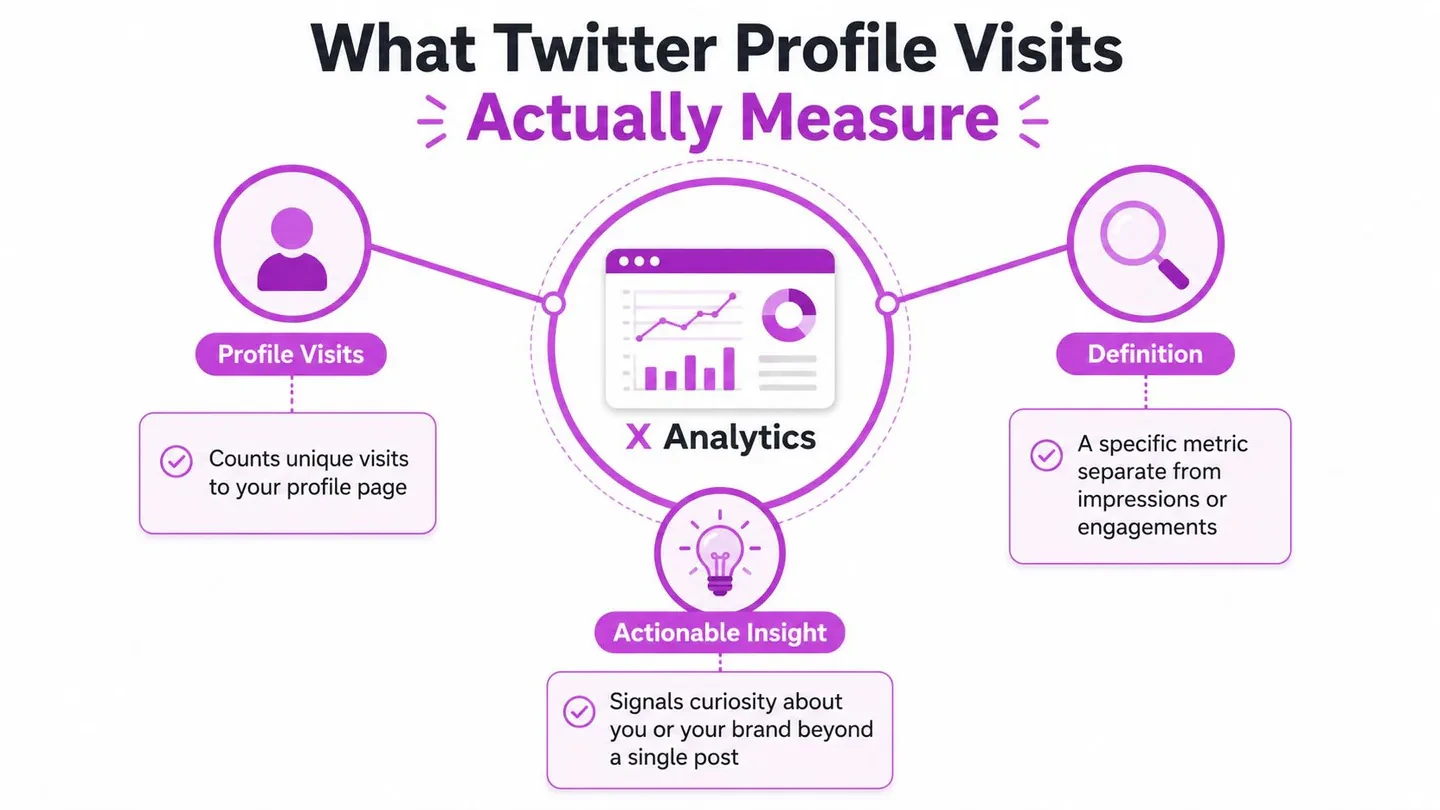
A dashboard spike can look encouraging, but profile visits are easy to misread if you treat them like a vanity metric. In X Analytics, they are an aggregate, anonymous count of profile page loads, not a list of named viewers. That privacy-first setup also means third-party tools can describe traffic patterns, but they cannot tell you who visited your profile TweetBinder, TwitterAPI.io.
The metric also lives inside a rolling 28-day window, and that changes how you should read it. You are not looking at a lifetime total. You are watching a short-horizon intent signal that shifts with recent posts, replies, and profile changes. I have seen accounts hold steady for days, then jump after one strong reply thread or a pinned post that finally matched what the audience wanted to check next Social Dog.
Why this metric matters more than it looks
Impressions tell you whether people saw a post. Profile visits tell you whether enough of them wanted context to click through and inspect the account behind it. That is a different signal, closer to curiosity and evaluation than reach.
A post can earn plenty of impressions and still leave profile visits flat. Usually that means the post traveled, but it did not create enough intrigue, relevance, or trust to pull people out of the feed. I have also seen the reverse, a smaller post that did not spread widely, but still drove useful traffic because it spoke directly to the right audience and made the profile worth checking.
The practical way to read it is to pair profile visits with follows and link clicks, then ask what changed at the source. If visits rose but follows and clicks stayed flat, the post probably sparked curiosity without enough profile relevance to convert. If visits and follows moved together, the post likely matched the promise of the profile and gave people a reason to stay.
Before adjusting the bio or pinned tweet, reverse-engineer the post that caused the bump. Was it a sharp reply under a larger conversation, a contrarian take, a useful thread, or a pinned post that kept sending people back to the profile? That sequence matters more than the number itself, because it tells you what kind of attention you are getting. For a broader dashboard read, start with how to interpret X analytics and then layer profile visits into that view, or use this X analytics dashboard guide to connect the profile signal with the rest of the account data.
Practical rule: treat profile visits as an intent signal, not proof of growth. They are most useful when they move with follows, website clicks, or DMs.
For founders, creators, and marketers, that distinction changes the question you ask. You are not just asking whether a post performed. You are asking whether it made the right people want to know more about the account behind it.
Reading Profile Visit Data in X Analytics
A sudden jump in profile visits usually means something on the timeline pulled people one step closer to the account. The native dashboard shows that movement, but the useful read comes from pairing visits with follows and link clicks, then tracing the bump back to the post, reply, or Space that started it. X Analytics can surface profile visits tied to specific tweets, replies, images, videos, or Spaces, and tools like TrackMyHashtag are useful when you want to compare that activity against what happened on the profile itself.
If the spike shows up without a matching rise in follows or clicks, the post probably created interest without enough profile fit to convert that interest into action. If visits, follows, and clicks all move together, the source post likely matched the account promise and gave people a reason to keep going. That is the pattern worth studying first, before changing the bio or pinned tweet.
For a fuller read of the dashboard, start with how to interpret X analytics and then place profile visits inside that broader view. The point is to treat profile visits as a 28-day rolling intent signal, not a vanity metric. A bump that does not lead to follows, DMs, or website clicks usually means the post earned curiosity, but not enough trust or relevance to carry the visit forward.
The habit that makes spikes readable
When a spike appears, identify the source post or reply, the day it happened, and the conversation it joined. That sequence shows whether the lift came from a standalone post, a reply inside a larger thread, or a topic that was already getting attention when your account entered it.
Then check what happened after the visit. Did follows rise? Did link clicks rise? Did people send a DM or ask a product question? If those outcomes stayed flat, the profile likely did not give visitors a strong enough reason to continue the relationship, even if the post itself drew attention.
A common error is to celebrate impressions while profile visits barely move. That pattern usually points to one of three things. The hook was broad but not relevant. The topic drew attention but missed the audience you want. Or the profile did not match the promise the post made.
| Metric | What it signals | Healthy pattern | Warning sign |
|---|---|---|---|
| Profile visits | Curiosity about the account | Rises after a relevant post or reply | Flat while impressions climb |
| Impressions | Reach and distribution | Grows with qualified traffic | High reach, low profile interest |
| Follows | Account-level trust | Follows rise after visit spikes | Visits without new followers |
| Link clicks | Deeper intent | Clicks move with clear positioning | Visits rise, clicks stay weak |
For a broader workflow, the guide on mastering your Twitter analytics dashboard in 2026 helps connect post-level movement with profile-level behavior, especially when you are comparing a spike in visits against the posts that caused it.
Aligning Your Bio and Pinned Tweet With Profile Visits
A profile visit only matters if the landing page closes the loop. Your bio and pinned tweet should work like one surface, not two separate boxes. If the bio says five different things, visitors leave confused. If the pinned tweet introduces a totally different angle, they don’t get a clean reason to follow.
Narrow positioning beats crowded positioning
One useful pattern is to make the bio answer the question, “Who is this account for?” and the pinned tweet answer, “Why should I believe this account is worth following?” When those two pieces line up, profile visits turn into clearer intent.
That’s exactly what happens when an account stops trying to be software, SaaS, AI, SEO, and X growth all at once, and instead narrows to one visible focus. In practice, that shift tends to make incoming questions more specific. Visitors stop asking what the account even does, and start asking about the process, the experiments, or the product workflow behind it.
Here’s a simple rewrite template:
- Who you help. State the audience or problem clearly.
- What you’re focused on now. Make the current project obvious.
- Proof in the pin. Point visitors to a real experiment, useful insight, or product workflow.
The pinned tweet should not introduce a new topic. It should answer the promise the bio created. If the bio says you’re building in public around X growth, the pin should show the journey, the lesson, or the proof, not a random product announcement.
Useful test: if someone lands on your profile from a reply, can they understand your focus in five seconds without reading every post?
The most useful profile pages feel consistent with the content that drove the visit. That’s where a strong pinned tweet becomes more than a placeholder. It becomes the evidence that justifies the click.
Reply Strategy That Drives Day-to-Day Profile Visit Spikes
For smaller accounts, replies are often the most dependable source of day-to-day profile visits. Standalone posts matter, but distribution is usually limited when the account is still small. A thoughtful reply under a larger creator’s post can place your perspective directly in front of the audience you want to reach.
The reply patterns that actually moved the number
The replies that pulled visits were rarely generic agreement. “Great post” does almost nothing. “I agree” usually does even less. The replies that worked did one of three things. They added a practical example. They challenged a specific part of the original argument. Or they introduced a different angle that made the conversation more useful.
That’s the core advantage of replies. You’re borrowing attention, but you still have to earn curiosity. If the reply reads like filler, nobody clicks. If it sounds like someone who has worked the problem, the profile visit rate tends to improve because the reply itself becomes a signal of competence.
A few reply shapes that are worth testing:
- Practical example: “I’ve seen this break when teams optimize for volume before they have a clear positioning statement. The posts get reach, but the profile doesn’t convert.”
- Specific challenge: “That works for broad education content, but it falls apart when the account is selling a product. The profile has to do more of the trust work.”
- Different angle: “The hidden variable isn’t just the post topic, it’s whether the bio makes the click feel relevant once the user lands.”
The search step matters too. Look for posts that are already attracting the audience you want. Then add something grounded enough that someone reading the thread thinks, “I want to see what else this person writes.” If you want help finding those conversations faster, the workflow around AI Twitter reply extensions is useful because it keeps the focus on relevance instead of scrolling for hours.
Scheduling, Posting Times, and Formats That Surface Your Profile
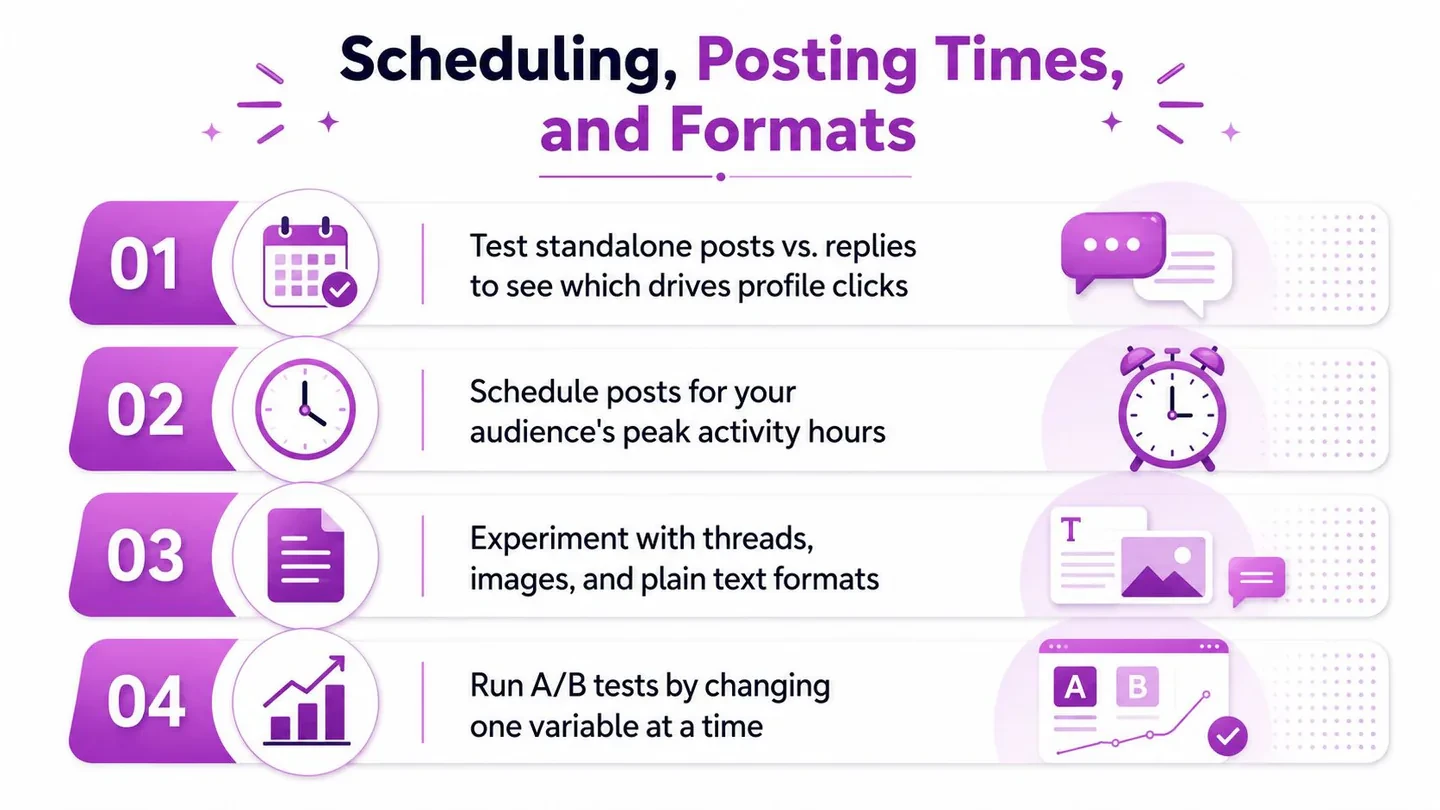
A post can pull profile visits for the wrong reason, so I treat timing and format as a way to read intent, not just reach. If one reply thread sends people to the profile and the next one only drives impressions, the difference usually sits in the post itself, the audience it reached, or the moment it went live. Over a rolling 28-day window, compare profile visits per impression with follows and link clicks, then trace the lift back to the source post before you touch the bio, pinned tweet, or anything else.
What to test first
Start with one idea and one variable. Keep the topic steady, change the posting time, then hold the time steady and change the format. That gives you a cleaner read on what made people curious enough to click through.
Three formats are usually worth testing first:
- Problem-first posts: open with the exact problem you are working through.
- Behind-the-scenes numbers posts: show the constraint, process, or trade-off behind the result.
- Pinned journey posts: turn the profile into a sequence people want to keep reading.
The calendar matters because a good post should keep working after the first wave passes. A scheduling system that supports drag-and-drop planning and delayed auto-retweet options makes it easier to bring strong posts back without manual chasing. For a practical timing reference, the best time to post on Twitter is a useful starting point before you run your own tests.
Three rules that keep the data clean
- Change one variable at a time. Do not test a new hook, a new format, and a new time slot in the same post.
- Track the source post. If profile visits spike, identify the post that started it so you can repeat the pattern with purpose.
- Keep the profile stable. Avoid rewriting the bio after every temporary bump, or the results will blur.
A pinned journey post can do a lot of the heavy lifting here. New visitors land on a profile that feels active and specific, then follow a path instead of staring at a static card. In practice, that often turns the same visit into a better signal than a random burst of impressions, especially when the post they clicked from already matched the story on the profile.
If you also publish outside X, a separate workflow like ShortGenius AI ad generator can help keep the message aligned across channels without forcing every post to do the same job.
Scaling the Workflow With Context and Engage
The manual process works, but it gets messy fast when you’re trying to stay consistent week after week. That’s where Xholic’s Context settings become useful, because they hold the user’s style guide, About You, products, and rules, and replies also learn from past posts and edits, so the suggestions stay relevant instead of generic.
Turning research into repeatable decisions
Engage helps surface conversations worth joining instead of forcing you to scroll until you find something useful. That matters because profile visit spikes usually come from being in the right conversation, not from posting more often. When a strong post appears, send it to Ask Xholic to break down the hook, structure, tension, and payoff before you adapt the pattern for your own account.
Tweet Remixer is the bridge between inspiration and originality. It helps rebuild a strong idea for your own context instead of copying the surface form. That fits the profile-visit workflow well, because the same logic applies to replies, pinned tweets, and standalone posts. The goal is not to imitate a successful post, it’s to make your own positioning clearer.
Important boundary: this only works when the user reviews, edits, approves, or rejects suggestions before publishing. The system should support judgment, not replace it.
If you’re also building content beyond X, a separate workflow like ShortGenius AI ad generator can help with video and ad concepts, but the profile-visit playbook still starts with relevance, context, and a clean profile landing page. The useful part of the system is not automation for its own sake, it’s having a memory of what made people click in the first place.
Profile visits make more sense when read alongside the complete Twitter Analytics guide and a consistent Twitter follower tracker. Together, those views help separate temporary curiosity from sustained account growth.
A 28-Day Checklist and Profile Visits FAQ
Your next 28 days
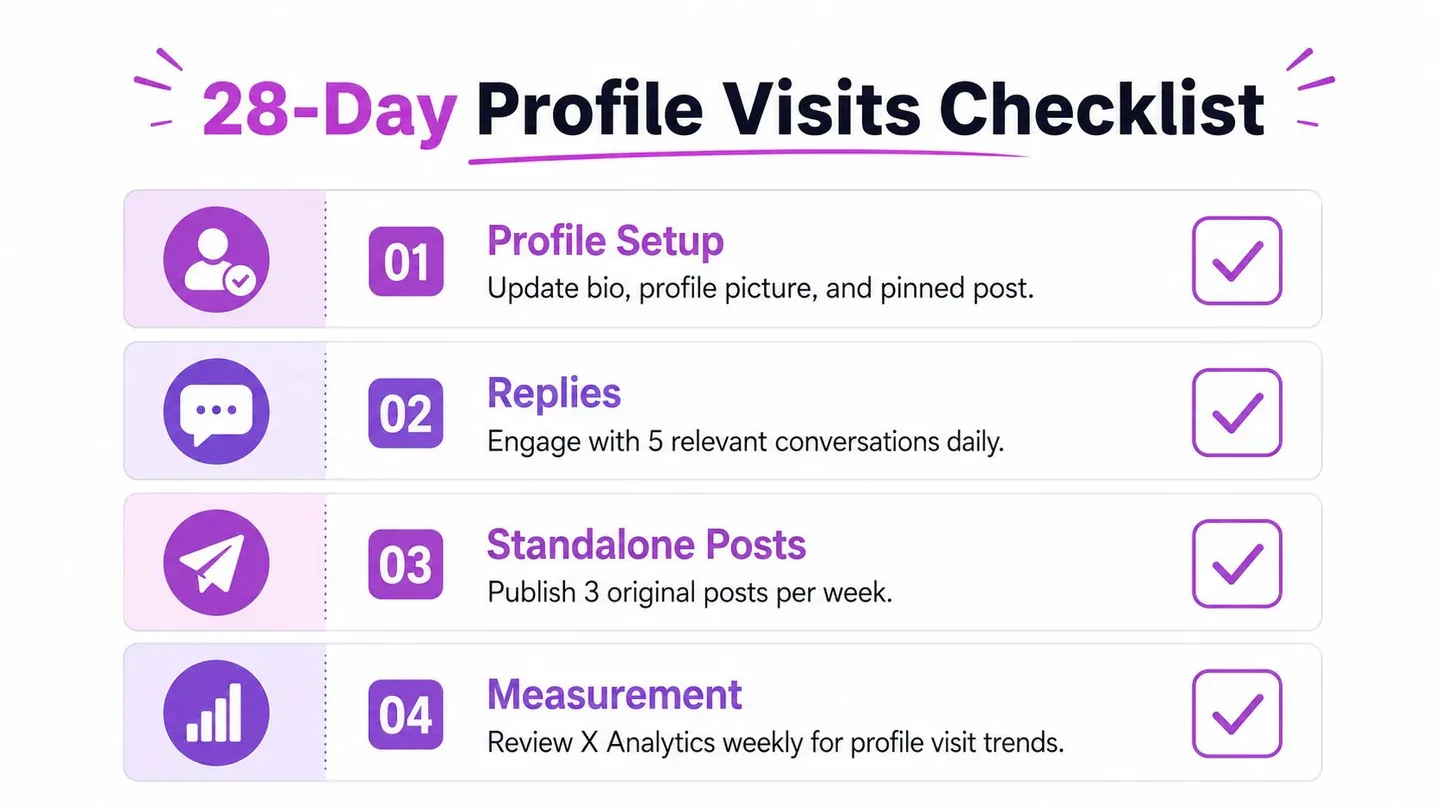
- Profile setup: tighten the bio, refresh the profile image if needed, and make sure the pinned tweet matches the content you want to be known for.
- Replies: join a small set of relevant conversations every day, and write replies that add evidence, a practical example, or a sharper angle.
- Standalone posts: publish original posts that lead with a problem, a lesson, or a clear point of view.
- Measurement: review X Analytics weekly, then compare profile visits with follows and link clicks so you can see whether curiosity turned into action, or whether people bounced after the click into your profile.
FAQ
Does X show who visited my profile?
No. X shows an aggregate profile visits count, not a named list of viewers, as noted earlier.
Do profile visits guarantee follower growth?
No. They sit upstream of follows and link clicks. A visit means curiosity, while a follow or click shows the person was ready to act.
How long do profile visits take to show up?
See the rolling 28-day window explained above. The useful question is not whether a single day moved, but whether visits, follows, and clicks moved together after a specific post or reply.
Can third-party tools reveal visitor identities?
No legitimate tool can recover individual viewer names from X, because that data is not exposed through the API.
If you want to turn those visits into something useful this week, start with your profile landing page, then review the last five replies that drew the best attention. Rebuild the source post before you change the profile itself. In practice, that means asking which reply, pinned post, or standalone post brought the visit spike, then adjusting the bio or pinned tweet to match the intent already showing up in the dashboard.
A visit only matters when it fits the rest of the signal. I watch the 28-day profile visit trend alongside follows and link clicks, then look backward to the post that started the chain. That usually reveals whether the problem was the reply angle, the pinned post, or a profile page that did not match the promise of the content.