A pinned tweet is a post you manually select to stay at the very top of your X profile, and it can generate up to 600% more engagement than a regular tweet in your timeline because it’s the first thing profile visitors see. It acts like your profile’s headline. Not just a trophy post, but the clearest place to explain who you are, what you’re building, and what someone should do next.
A lot of people waste that slot.
They pin the tweet with the most likes, the funniest joke, or a post that was only relevant for a weekend. That can work for vanity, but it often fails for growth. If you want followers, leads, product interest, or better audience fit, your Twitter pinned tweet should behave like the second half of your bio.
The bio says who you are. The pinned tweet should show why someone should care.
On X (Twitter), that usually means choosing a post that tells a story, proves you understand a problem, or gives visitors a reason to follow your journey. For founders and creators, I’ve found that a public challenge or useful evergreen post often does more than a polished product announcement because it gives people something to join.
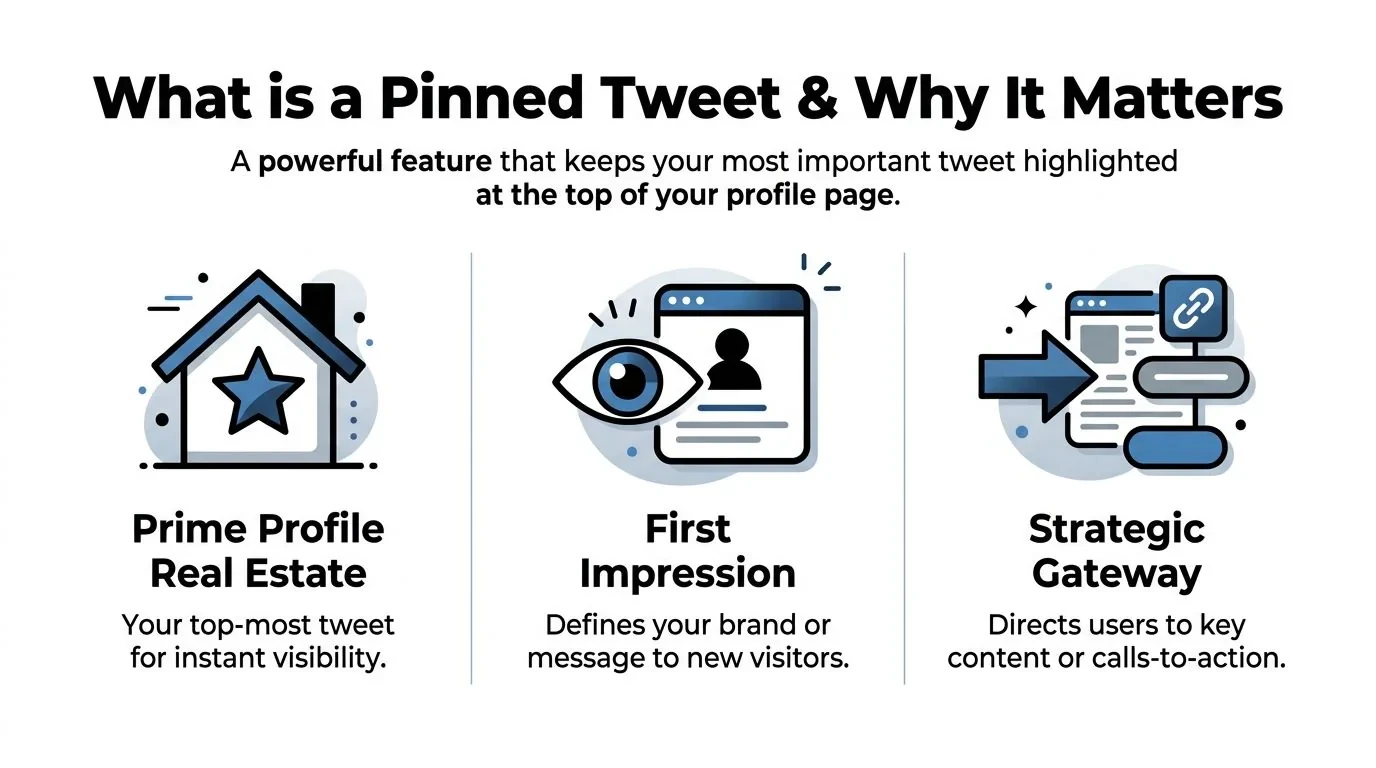
What Is a Twitter Pinned Tweet and Why It Matters
A Twitter pinned tweet is a post you manually place at the top of your profile so it stays there regardless of when it was originally published. Technically, it overrides the normal chronological rendering of your profile and forces that one post to appear first when someone lands on your page, as explained in this overview of how pinned tweets work on Twitter.
Here’s the simplest way to think about it. Your pinned tweet is your profile homepage hero.
Why the top slot matters more than most creators think
Pinned tweets on X can generate up to 600% more engagement than regular timeline tweets because visitors see them first when they open a profile, according to Tweet Archivist’s guide to pinned tweet examples. That doesn’t mean every pinned tweet will magically perform. It means the slot gets premium attention.
That attention is useful only if the post does a job.
If someone clicks through after seeing one of your replies, a viral post, or a quote tweet, they’re trying to answer a fast question: should I follow this person? Your pinned tweet helps answer that faster than almost anything else on the page.
Practical rule: Treat the pinned tweet as the second half of your bio. The bio explains who you are. The pin explains why the account is worth following.
If you care about Twitter impressions and what they actually mean, this distinction matters. High visibility is useful, but the core question is whether the top profile slot turns curiosity into the right kind of action.
What a good pinned tweet actually does
A strong pinned tweet usually handles one or more of these jobs:
- Clarifies your value: It tells visitors what you talk about, build, or solve.
- Aligns the audience: It filters for the specific people you want, not just anyone who likes broad hot takes.
- Directs next action: It gives a clear path, such as follow, reply, read a thread, or click through.
- Stays understandable later: It still makes sense weeks after publication.
Weak pinned tweets usually fail for the opposite reasons. They’re too trend-dependent, too vague, too self-congratulatory, or too disconnected from what the account currently represents.
A post can have strong engagement and still be the wrong pin. That’s the main mistake.
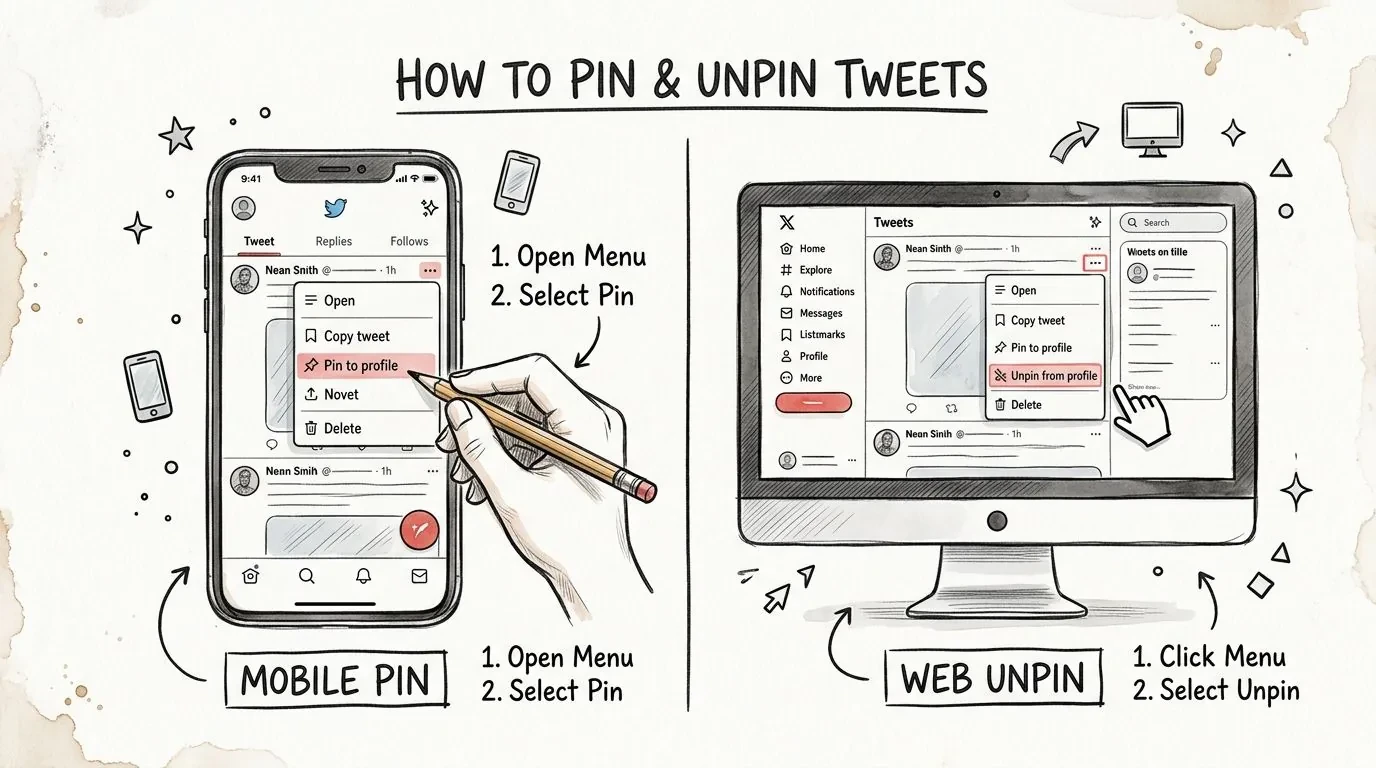
How to Pin and Unpin a Tweet on Web and Mobile
Pinning a tweet is simple, but many people still miss one detail: you can only pin a post after it has already been published, and you can only pin your own tweet from your own feed through the tweet menu, as noted in this walkthrough on pinning tweets.
Pin a tweet on mobile
On mobile, the workflow is straightforward:
- Open the tweet you want to pin.
- Tap the three-dot menu on that tweet.
- Select Pin to your profile.
- Confirm when X warns that the new pin will replace the current one.
That exact mobile flow is shown in this video walkthrough of the pinning menu on X.
A good habit is to pause before you confirm. Ask whether the tweet still matches your bio, current offer, and recent posting direction. A tweet can be strong on its own and still be wrong for your profile.
Pin or replace a tweet on desktop
Desktop works almost the same way:
- Go to your profile.
- Open the tweet card you want to feature.
- Click the three-dot menu in the top-right corner.
- Choose Pin to your profile.
- Confirm the change.
You don’t need X Premium for this feature. The confirmation step matters because the platform allows only one active pin at a time, so changing it affects the first impression every visitor gets.
This visual demo helps if you want to see the flow before doing it yourself.
How to unpin a tweet
Unpinning uses the same menu.
- Open the pinned tweet: Go to your profile and click the tweet currently fixed at the top.
- Use the same menu: Tap or click the three-dot menu.
- Select unpin: Confirm the removal.
If you pin a new tweet instead, X automatically replaces the old one. You don’t need to manually clear the slot first.
A pinned tweet should be easy to change, but not changed impulsively.
That’s where most creators go wrong. They swap it after one slow day, which makes it hard to judge whether the post is helping profile visits, link clicks, or follower quality.
The Pinned Tweet Strategy Playbook for Growth
The hardest part isn’t learning how to pin a tweet. It’s deciding what deserves the slot.
X allows exactly one tweet at a time in that position, and any new pin replaces the old one. That’s why it helps to think of the slot as a rotating homepage hero, not a permanent archive choice. The recommendation to keep a pinned tweet live for roughly 30 to 90 days before rotating comes from this video explanation of the one-pin constraint and timing.
Choose the pin based on the job
The right pinned tweet depends on what you need now.
If your goal is follower growth, pin a post that makes your topic and angle obvious. If your goal is product interest, pin a post that shows the problem, the build, and the next step. If your goal is authority, pin a thread opener or lesson that proves expertise without sounding like an ad.
Here’s the decision filter I’d use:
| Current goal | Better pinned tweet type | Usually weaker choice |
|---|---|---|
| Attract relevant followers | Educational post or public challenge | Broad opinion post |
| Generate leads | Story-driven product post with CTA | Feature list |
| Build trust | Honest problem-first post | Over-polished brand copy |
| Support a launch | Clear launch post tied to current context | Old viral thread unrelated to the offer |
A lot of creators overvalue impressions here. A broad opinion can travel far and still attract the wrong people.
For sustainable organic Twitter growth, the better signals are usually profile visits, relevant new followers, link clicks, replies from likely customers, and whether people already understand what you do when they message you.
The metrics that matter more than impressions
I wouldn’t automatically pin the highest-impression tweet.
A better pinned tweet often does these things better:
- Drives profile understanding: Visitors immediately get who you help or what you’re building.
- Brings qualified follows: The new followers care about your niche, not just one take.
- Creates useful replies: People ask informed questions instead of generic praise.
- Sends better traffic: Clicks come from people who already understand the offer.
What works: a pinned tweet that remains clear several weeks later.
What fails: a post tied to a short-lived joke, event, or trend.
What has worked better than a product announcement
A founder-style public challenge often beats a standard announcement because it gives people a story to join.
One effective example is a post built around a challenge to grow an account from around 50 followers to 10,000 while building an X growth product in public. That format works because visitors quickly understand the mission, the product context, and what they’ll learn if they stick around.
The hook isn’t “here’s my tool.” The hook is “here’s the problem, here’s the challenge, and here’s the journey.”
A structure like this usually lands better:
- Real problem: “My product and my X account have the same problem. People don’t trust them yet.”
- Specific challenge: “I’m trying to grow from around 50 followers to 10,000 while building in public.”
- What’s being built or learned: “I’m sharing what works, what flops, and what changes.”
- Reason to follow: “Follow if you want the playbook in real time.”
That feels alive. A feature list rarely does.
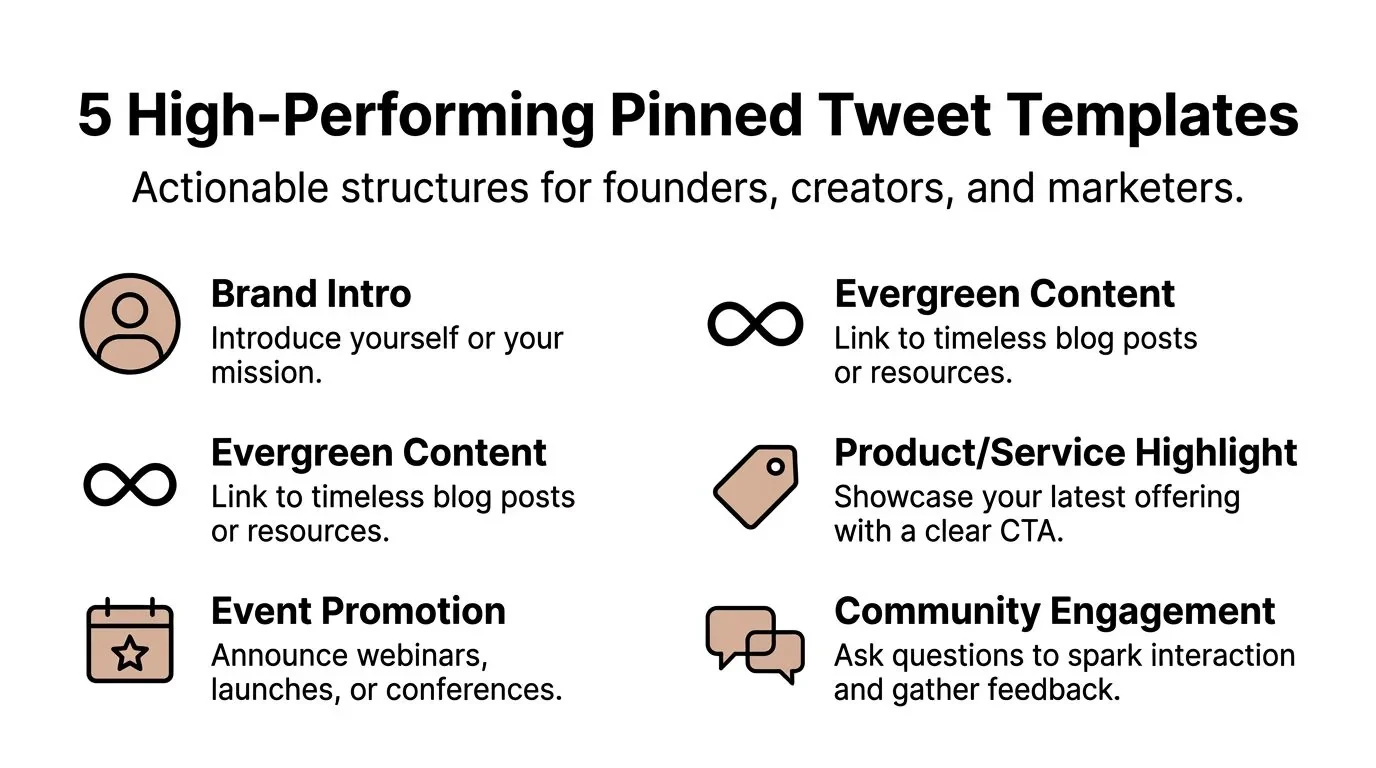
5 High-Performing Pinned Tweet Templates and Examples
The best pinned tweets are short, clear, and built around one job. A source on pinned tweet templates claims that a concise pinned post with a clear CTA and 2–3 relevant hashtags can improve profile engagement by up to 25% on tested profiles, especially when the first line leads with a value hook instead of cluttered setup, according to this pinned tweet template article.
That doesn’t mean you should cram hashtags into every pin. It means the structure matters.
If you manage multiple accounts, this guide for social media managers is useful for building a repeatable drafting process before you choose what deserves the top slot.
1 Public challenge story
Before
“Building an AI tool for Twitter. Check it out.”
After
“I’m trying to grow this account from around 50 followers to 10,000 while building a product for X growth in public. I’ll share what works, what fails, and the systems behind it. Follow if you want the playbook as it happens.”
Why it works: it creates an open loop and gives visitors a reason to come back.
2 Social proof showcase
Before
“Our users love the product.”
After
“Creators kept asking the same question: how do you find strong post ideas without living inside the feed? I built a workflow around that problem, and the replies to this thread taught me more than any landing page ever did. If you’re trying to post consistently without sounding generic, start here.”
Why it works: it grounds the pitch in a real problem and audience response.
3 Educational thread hook
This is one of the safest options if you already have a thread that keeps helping the right people.
Before
“Here’s a thread on content strategy.”
After
“Most creators don’t need more content ideas. They need a better filter for which ideas are worth posting. Here’s the framework I use to choose posts that attract the right audience instead of random impressions.”
Why it works: it promises a result, not just a topic.
For more patterns like this, these tweet examples that actually work are useful to study before rewriting your own.
4 Lead magnet funnel
Before
“Download my free resource.”
After
“I turned my X posting workflow into a simple checklist for founders who want to stay consistent without posting all day. Reply ‘checklist’ and I’ll send it, or use the link below if you want the full version.”
Why it works: it gives a clear next action and lowers friction.
5 Founders vision post
Before
“We’re building the future of social media tools.”
After
“I’m building this because most growth advice assumes you have a team, a content calendar, and hours to spare. I wanted a workflow that helps a solo founder find better ideas, write faster, and stay consistent without turning into a full-time creator.”
Why it works: it explains the why behind the product.
The strongest pinned tweets usually start with the real problem, then move to the mission, then the invitation.
Advanced Pinned Tweet Workflows and FAQs
The deeper questions start after the basics. Can you pin someone else’s tweet? Should you pin a quote tweet? What about a reply? And how do you build a system so you’re not guessing every month?
Best practices and common mistakes
You can’t directly pin someone else’s original tweet to your profile. If you want to feature another person’s post, you first need to turn it into your own feed item by quote reposting it, as explained in this guide to pinning someone else’s tweet through a quote post.
That creates an important trade-off. Technically, a quote post is pin-eligible. Strategically, it may be weaker than an original post if the profile visitor leaves with more memory of the other creator than of you.
There’s also a common workaround for pinning retweets with comments. It’s possible, but there is no public data confirming that pinned retweets with comments perform as well as original tweets, and using non-original content in that top slot can weaken perceived authority, according to this breakdown of pinning retweets with comments and the limits of the available data.
Common mistakes usually look like this:
- Pinning borrowed authority: A viral quote tweet can signal taste, but it often doesn’t explain your value.
- Using the slot for an expired campaign: If the launch is over, the pin should move.
- Writing for likes instead of alignment: Funny or broad posts can attract the wrong audience.
- Overstuffing the post: The top line matters most. If it takes too long to understand, visitors bounce.
Non-original content can work in edge cases, but your own high-momentum post is usually the safer strategic asset.
FAQ
Can you pin more than one tweet on X
No. X only allows one active pinned tweet at a time, so every new pin replaces the old one.
Can you pin a reply
If the reply is your own post and appears on your profile, it can be pin-eligible. The primary question isn’t technical. It’s whether a profile visitor can understand the reply without needing missing context. Most replies fail that test.
Should you pin your most-liked tweet
Usually no. Pin the tweet that best explains your value, current story, or next step.
How long should a pinned tweet stay up
A practical window is 30 to 90 days if the tweet still matches your goal and you’re still collecting useful signal from profile visits, clicks, and relevant follows. That timing guidance was noted earlier in the playbook section.
Can analytics tools detect pinned tweets automatically
Not reliably through public APIs. According to the earlier cited Tweet Archivist source, public APIs don’t support detecting or setting pinned tweets directly, which limits automation. If you want a cleaner decision process, a dedicated Twitter analytics dashboard workflow helps you compare what happened before and after a pin change even if the pin itself isn’t surfaced as a first-class metric.
A repeatable workflow for choosing the next pin
If you want this to stop being random, use a simple review cycle.
-
Start with your goal
Decide whether the slot should optimize for followers, leads, product understanding, or authority. -
Pull candidate tweets
Gather a small set of posts that already proved they can attract the right kind of attention. -
Score each candidate qualitatively
Ask:- Clarity: Can a new visitor understand it instantly?
- Relevance: Does it match your current bio and recent content?
- Durability: Will it still make sense weeks later?
- Action: Does it create a clear next step?
-
Pin and leave it alone long enough to learn
Track date, current engagement, and what business goal it supports. -
Review after enough signal
Look for better profile visits, stronger replies, clearer inbound questions, and more relevant follows.
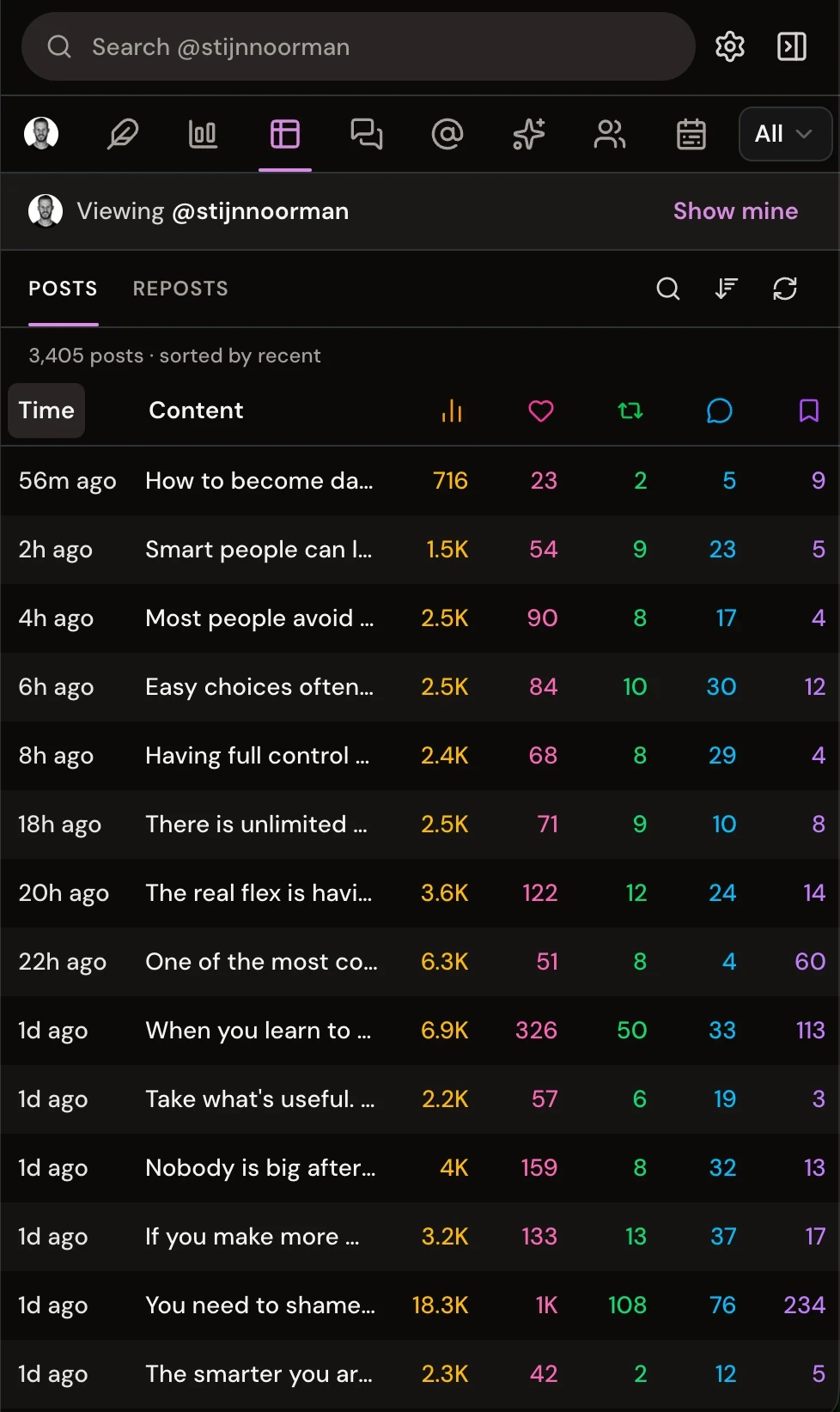
This is also where a real workflow helps. Instead of digging through old posts manually, it’s easier to save potential candidates as you publish, organize them by campaign or angle, and review them when your goal changes.
The strongest creators do this well. They don’t treat the pinned tweet as decoration. They treat it like a live conversion surface.
If you want a faster way to turn that into a repeatable system, try Xholic AI. It helps you discover high-momentum posts, save likely pin candidates, remix proven structures into your own voice, draft replies without leaving the X feed, and stay consistent with scheduling, streaks, and organized collections.