X’s image sizes are spread over several help pages and its developer documentation, and plenty of size guides still repeat numbers from years ago. We checked every figure below against X’s own pages on 16 October 2026. Where X doesn’t publish a number, we say so instead of guessing.
If you just want to resize an image, the free Twitter image size tool has the same table plus a resizer that runs in your browser.
The short answer
| Image | Size | Limits |
|---|---|---|
| Header (banner) | 1500 × 500 px, 3:1 | JPG, PNG or GIF, no animation |
| Profile picture | 400 × 400 px, 1:1 | JPG, PNG or GIF, no animation, up to 2 MB |
| Post photo | No published pixel size | Up to 5 MB; single photos between 2:1 and 3:4 show in full |
| Animated GIF | Up to 1280 × 1080 recommended | 5 MB on mobile, 15 MB on the web |
| Video (no Premium) | 1280 × 720, 720 × 1280 or 720 × 720 recommended | 140 seconds and 512 MB per X’s help center |
Sources: X Help Center pages on customizing your profile, uploading a profile photo, posting photos and GIFs and videos, and X’s developer media best practices.
Twitter header size
X recommends 1500 × 500 pixels for the header, also called the banner. That’s a 3:1 ratio. JPG, PNG and GIF files are accepted, but animated GIFs aren’t supported for headers. X’s help pages don’t give a file-size limit for headers.
Two things crop the header after you upload it:
- Screen size. X’s help center says up to 60 pixels at the top and bottom can be cropped depending on the monitor and browser.
- Phones. On phone-sized screens the header keeps its height and loses the sides. Our measurements on x.com found roughly 300 pixels cut from each side of a 1500 × 500 header at 360 px wide.
Keep text and logos in the middle of the image and away from the lower left, where the profile picture overlaps. The Twitter banner maker guide has the full crop measurements and a safe-area diagram.
Twitter profile picture size
X recommends 400 × 400 pixels for profile pictures, as JPG, PNG or GIF, with a 2 MB maximum. Animated GIFs aren’t supported. X shows the picture as a circle, so anything in the corners disappears; center faces and logos.
Our profile picture size article covers cropping and contrast in more detail.
Image sizes for posts
X doesn’t publish a recommended pixel size for post photos. What it does say:
- Photos can be up to 5 MB. GIF, JPEG and PNG are accepted (the API also accepts WEBP); BMP and TIFF aren’t.
- A single photo with an aspect ratio between 2:1 and 3:4 displays in full in the timeline. Taller or wider images get a cropped preview and show in full when tapped.
- A post can have up to 4 photos, or one GIF, or one video.
- Photos and GIFs don’t count toward the character limit.
So the ratio matters more than the pixel count. These are our suggested sizes, wide enough to stay sharp on high-density screens and comfortably under 5 MB as JPGs:
| Ratio | Suggested size | In the timeline |
|---|---|---|
| 16:9 | 1600 × 900 | Shown in full |
| 1:1 | 1200 × 1200 | Shown in full |
| 4:5 | 1200 × 1500 | Shown in full |
| 3:4 | 1200 × 1600 | Shown in full (the tallest that is) |
| 2:3 | 1200 × 1800 | Cropped preview |
| 9:16 | 1080 × 1920 | Cropped preview |
GIF and video limits
GIFs: up to 5 MB on mobile and 15 MB on the web, according to X’s help center. X’s developer docs recommend 1280 × 1080 or smaller and no more than 350 frames, and warn that larger GIFs can fail when posting even if they upload.
Video: X’s two sources disagree, so here are both:
- Help center: without Premium, up to 140 seconds and 512 MB. With Premium, up to 4 hours and 16 GB, at 1080p (720p for videos over 2 hours).
- Developer docs: 20 minutes and 8 GB without Premium, 125 minutes and 16 GB with it.
Either way, the recommended formats are the same: 1280 × 720 landscape, 720 × 1280 portrait or 720 × 720 square, H.264 video with AAC audio, up to 60 fps, and an aspect ratio between 1:3 and 3:1.
Link preview card images
X’s developer site no longer includes its Cards documentation, so there’s no current official size for link preview images. Older versions of those pages described a 2:1 image under 5 MB for large-image cards; we couldn’t re-check that. A 1200 × 600 image is a safe choice. Paste your link into a draft post to see how the card looks before you publish.
How to resize an image for X
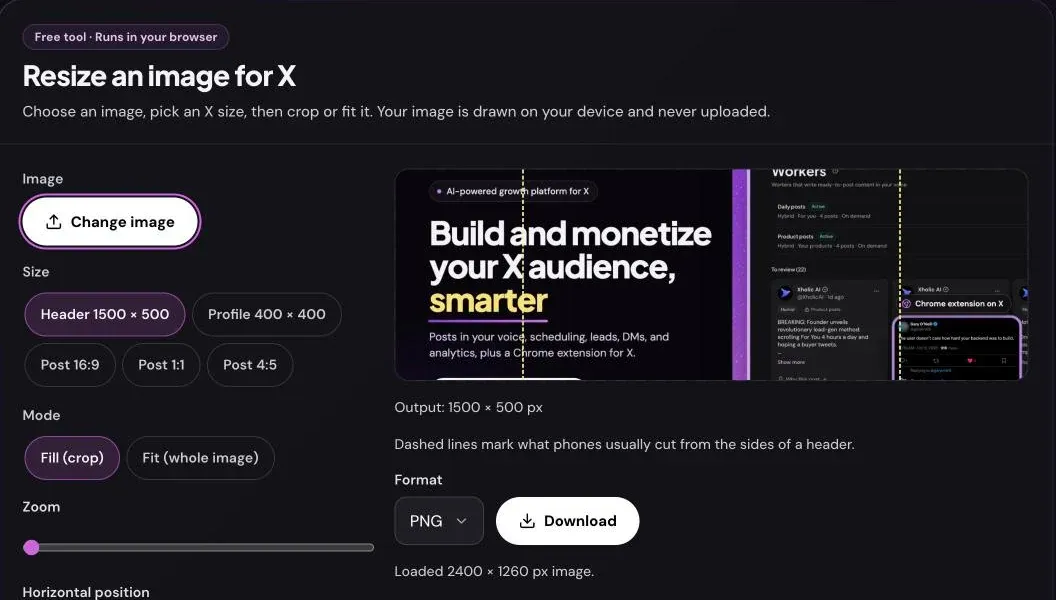
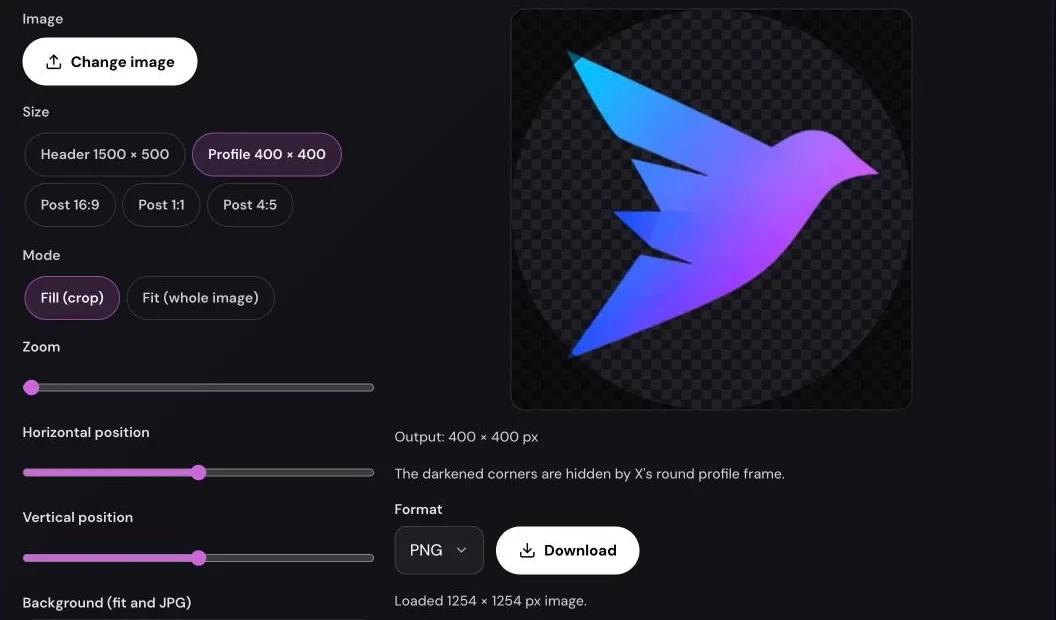
The Twitter image size tool does this without uploading anything:
- Choose an image. JPG, PNG, WebP or GIF up to 25 MB. It’s read by your browser.
- Pick a size. Header 1500 × 500, profile 400 × 400, or a post size in 16:9, 1:1 or 4:5.
- Fill or fit. Fill crops the image to cover the frame; fit keeps the whole image and fills the gaps with a background color you choose.
- Adjust. Use the zoom and position sliders to move the crop. The header preset shows dashed lines where phones cut the sides; the profile preset darkens the corners the circle hides.
- Download. Save a PNG, or a JPG for a smaller file. The status line shows the file size so you can check it against X’s limits.
Frequently asked questions
What is the Twitter header size in 2026?
1500 × 500 pixels (3:1), as a JPG, PNG or static GIF. Keep text near the center because screens can crop the top and bottom and phones cut the sides.
What size should a Twitter profile picture be?
400 × 400 pixels, JPG, PNG or static GIF, under 2 MB.
What is the best image size for a Twitter post?
X doesn’t publish one. Use a ratio between 2:1 and 3:4 so the image shows in full, such as 1600 × 900, 1200 × 1200 or 1200 × 1500.
Why does X crop my photo in the timeline?
It’s taller than 3:4 or wider than 2:1, or it’s one of several images in a grid. People still see the whole image when they tap it.
What’s the maximum image file size on X?
5 MB for photos, 2 MB for profile pictures, and 5 MB (mobile) or 15 MB (web) for animated GIFs.
Can I upload an animated GIF as my header or profile picture?
No. X accepts GIF files for both, but not animated ones.
Related tools and guides
- Twitter banner maker: design a 1500 × 500 header with safe-area guides.
- Twitter banner maker guide: measured header crops on desktop and phones.
- Twitter profile picture downloader: save an account’s current profile picture and header.
- Blank tweet template: a post-shaped PNG for slides and graphics.