Image quality and generation capabilities
Photorealism, typography, layouts, visual reasoning, instruction following, resolution, and model artifacts.
46%
Best tweets about AI Image Generation
Discover the best tweets about AI image generation, covering models, prompting, workflows, visual consistency, design experiments, and commercial use.
AI image models, prompt techniques, editing workflows, visual results, consistency, licensing, and professional use.
Original Xholic analysis
Across 50 posts, AI image generation discussion is predominantly supportive (68%) and media-led (45 posts; 90%). The largest theme is image quality and generation capabilities (46%), followed by model releases and comparisons (30%). Professional design and advertising workflows (22%), control and editing (20%), and multimodal creative tools (20%) are also recurring topics. Posts include both enthusiastic capability claims and cautions about artifacts, model-specific workflows, and image-remixing or likeness concerns.
68% of posts
All-time engagement
56% of posts
Published in 90 days
Conversation map
Photorealism, typography, layouts, visual reasoning, instruction following, resolution, and model artifacts.
46%
Announcements, hands-on tests, rankings, and capability comparisons for new image models.
30%
High-volume ad production, product imagery, presentation and social design, and creative-production workflows.
22%
Composition controls, reference-guided generation, character consistency, conversational edits, and layer-based postproduction.
20%
Image generation connected to video, code, canvases, storyboards, games, and end-to-end creative workspaces.
20%
Prompt recipes, structured creative briefs, LLM-assisted prompt development, and iterative direction.
18%
Diffusion pipelines, classifier-free guidance, ControlNet, retrieval-grounded generation, and foundational model concepts.
10%
Open-weight models, ComfyUI support, LoRA training, licenses, local requirements, and inference tooling.
10%
Tone and stance
Performance benchmark
Posts with media make up 90% of this collection. Their median all-time score is 15.5, compared with 2.60 for text-only posts.
Format mix
Consensus and debate
Shared view
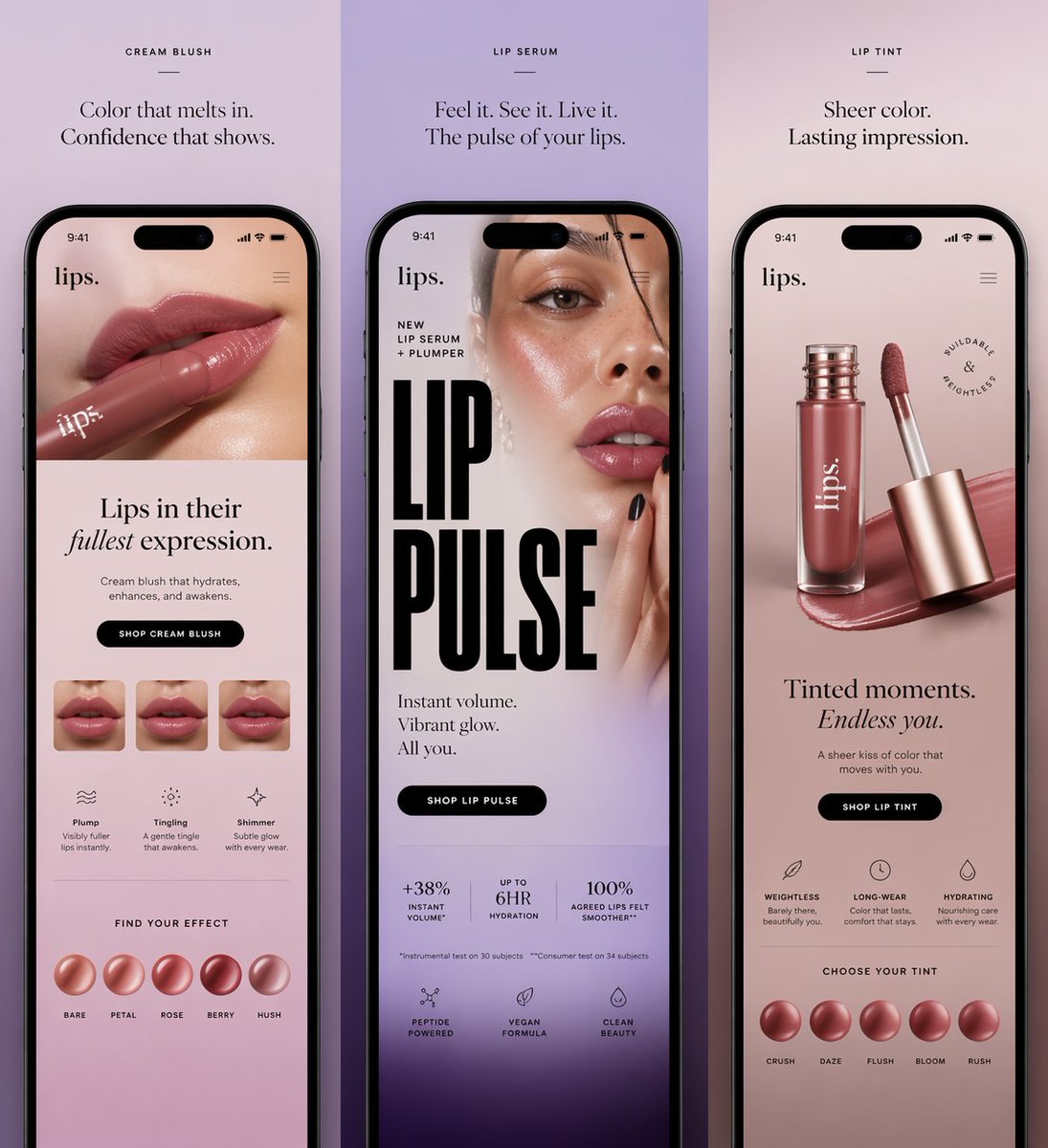
Posts describe scaled ad creation, product-ad storyboards, and AI-assisted anime preproduction. This aligns with the advertising and professional design workflow theme, which represents 11 posts (22%).
Shared view
Posts about Ideogram 4.0, ERNIE-Image, GPT-Image-2, and an ERNIE-Image test emphasize text rendering, structured layouts, multilingual output, and instruction following. Image quality and generation capabilities are the dataset’s largest theme, at 23 posts (46%).
Shared view
Posts describe composition control, automated layer separation, conversational refinement, and the need to convert generated designs into editable formats. Control, consistency, and editing account for 10 posts (20%).
Shared view
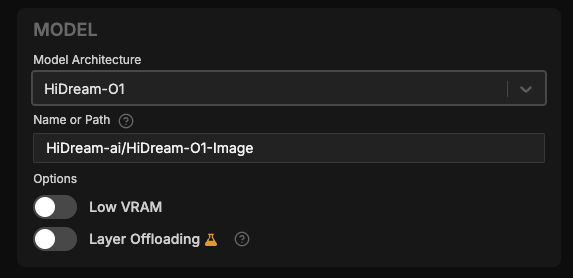
ComfyUI posts announce support for Ideogram 4.0 and ERNIE-Image, while other posts discuss Apache-2.0 licensing, local VRAM requirements, and LoRA training support. Open models, ComfyUI, and custom training represent 5 posts (10%).
Open debate
One post argues that stronger models reduce the importance of prompt engineering. Other posts recommend detailed creative briefs, LLM-assisted prompt development, and learning the different behaviors of individual models.
Open debate
Some posts praise photorealism, text rendering, and visual reasoning. Others point to a malformed generated ad, generic clip-art-like AI imagery, and the need to account for model-specific inconsistency and failed attempts.
Open debate
Posts raise concerns about reuse of public photos, likeness alteration, possible misrepresentation, and whether creators have notice or opt-out controls. These are cautions raised by the posts, not independently verified policy assessments.
What performs
Media appeared in 45 of 50 posts (90%). The media-post median all-time score was 15.511, versus 2.596 for text-only posts. The three largest score outliers were visual workflow demonstrations.
The Nano Banana 2 and Claude Code ad-generation tutorial had an all-time score of 1025.87, and the Arcads product-ad workflow had 510.13. Both exceeded the dataset median all-time score of 15.23.
The Ideogram 4.0 and ERNIE-Image ComfyUI announcements had all-time scores of 101.36 and 96.43, respectively. They were the dataset’s fourth- and fifth-largest listed outliers.
Statistical standouts
Creator landscape
The five most represented creators account for 20% of the selected posts.
1. Simon Smith
@_simonsmith
2 posts
2. BURKOV
@burkov
2 posts
3. ComfyUI
@ComfyUI
2 posts
4. Abhishek
@HeyAbhishek
2 posts
5. Mark Kretschmann
@mark_k
2 posts
6. ModelScope
@ModelScope2022
2 posts
The two ComfyUI posts cover native or platform support and describe model availability, open-weight or open-source status, licensing, and capabilities such as layout control or multilingual text rendering.
The top three listed outlier posts describe concrete workflows: generating 40 static ads from a brand URL, creating a product-shot grid and commercial, and turning an AI-generated storyboard into an animated scene.
Posts from design-oriented voices discuss format conversion and editing, automatic layer separation, and documenting reusable prompt, settings, and reference-image combinations.
Since the previous snapshot
Themes, sentiment, stance, and post format are classified per tweet. All counts, shares, medians, creator concentration, freshness, and performance comparisons are then calculated directly from the published snapshot.
Xholic's all-time score compares engagement while accounting for reach, post age, and creator consistency. It is used for relative comparisons within this collection.
This report analyzes the exact 50-post snapshot shown below. AI identifies editorial categories and drafts explanations; all statistics are calculated from the snapshot, and every narrative claim is checked against cited posts before publication.
Best AI Image Generation tweets
Ranked 01–50
@mikefutia ·
Nano Banana 2 + Claude Code can generate 40 static ads in one shot. You just paste in a brand URL and let it rip. 00:00 Intro 00:34 Setting up the project 02:17 Building the skill file 05:01 Adding 40 ad templates 06:32 FAL AI image generation setup 10:47 Running the full workflow 15:23 Results & final outputs 17:17 Where to get the full Playbook 👇
@EHuanglu ·
this AI workflow can create 100s of product ad a day just upload a product photo, it generates 9 shots grid storyboard and studio level product commercial in mins on arcads here's how to create + prompts:
@HeyAbhishek ·
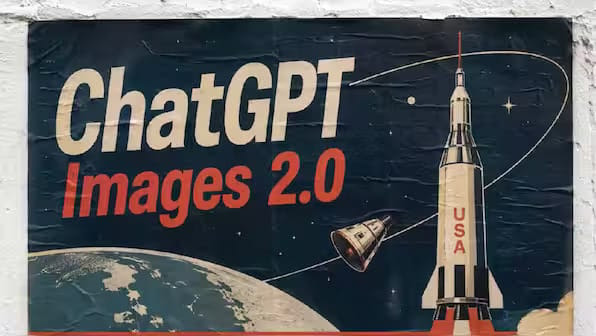
creating anime with AI is crazy now I used ChatGPT Image 2.0 to design a full anime short film storyboard. Then Seedance 2.0 turned it into a cinematic animated scene in minutes. step by step tutorial with prompts: 👇
@ComfyUI ·
Ideogram 4.0 is now natively supported on ComfyUI @ideogram_ai v4.0 is an open-weight 9.3B text-to-image foundation model. It is exclusively trained on structured JSON caption datasets for precise scene description. It features flawless text rendering, professional layout control, customizable color palettes, and bounding box adjustment. Both open-sourced and API node versions are supported in ComfyUI
@ComfyUI ·
ERNIE-Image is now in ComfyUI An open-source 8B DiT text-to-image model from @ErnieforDevs, licensed under Apache-2.0. Key highlights: - Open-source under Apache-2.0 license - Precise multilingual text rendering (EN, ZH, and more) - Complex instruction following — multi-object, knowledge-intensive prompts - Structured outputs (comics, multi-panel scenes) - Realistic to cinematic aesthetics
@goyalshaliniuk ·
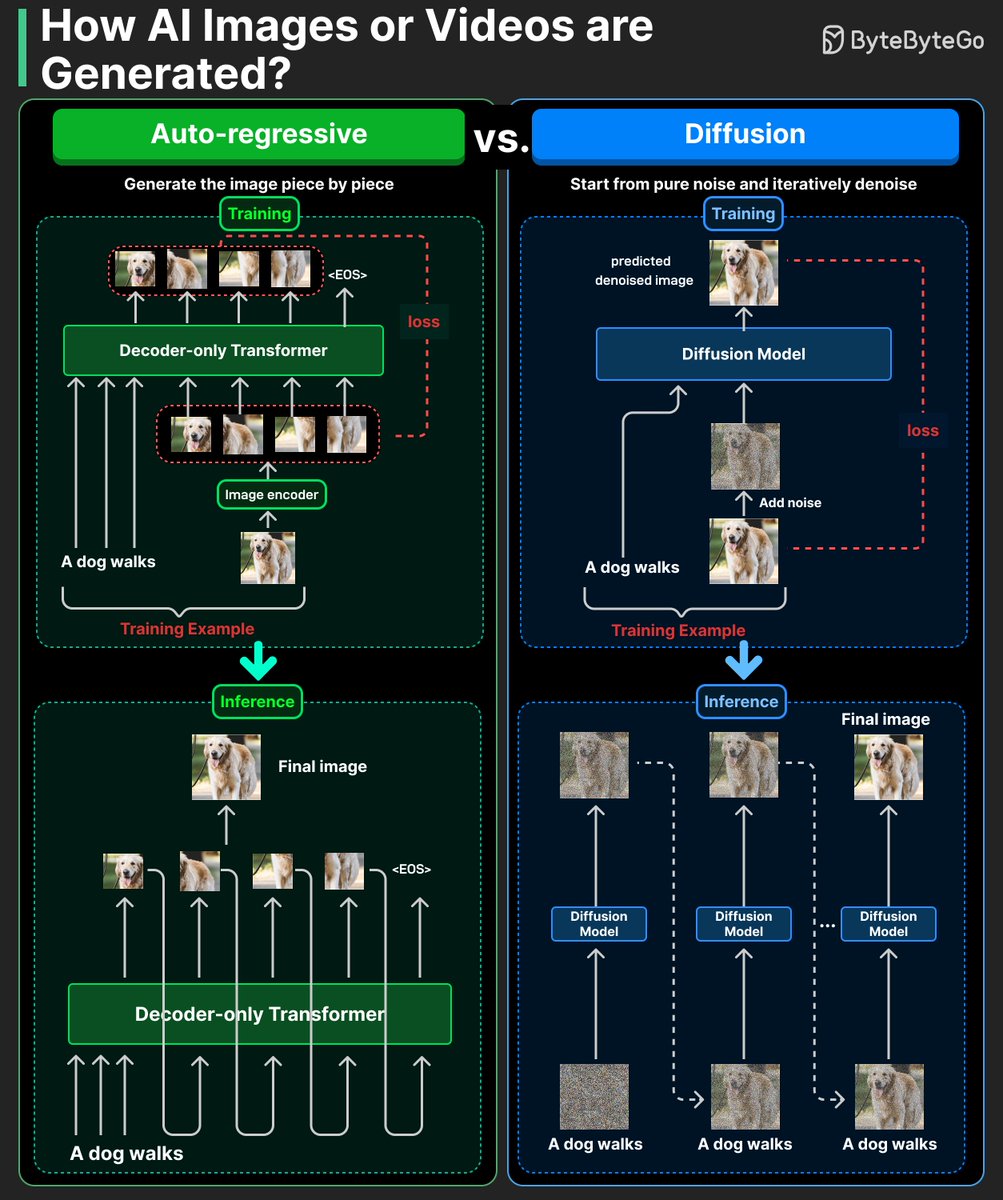
Generative AI is not magic, it is math that creates. From generating art and code to simulating human creativity, every GenAI model works differently, but with one shared goal: creation from data. Here is a simple breakdown of the five major types of Generative AI models shaping today’s AI revolution 👇 1. Diffusion Models Learn by adding and removing noise from data to create realistic outputs. Used in image and art generation tools like DALL·E 3, Stable Diffusion, and Midjourney. 2. GANs (Generative Adversarial Networks) Use two neural networks - a generator and a discriminator, that compete to produce lifelike data. Power deepfake videos, face synthesis, and AI art. 3. Variational Autoencoders (VAEs) Compress data into a compact representation and decode it to generate new versions. Used in image reconstruction, anomaly detection, and creative design. 4. Autoregressive Models Predict the next word, note, or pixel based on previous ones in a sequence. Used in text generation, music composition, and time-series forecasting. 5. Transformers Use self-attention to understand relationships across sequences for highly contextual generation. Power modern AI systems like GPT, Claude, and Gemini for text, code, and image generation. Generative AI Is Redefining Creativity Each model type brings a new layer of intelligence, from reasoning to imagination. Learn how these models work, and you’ll understand the core of AI’s creative power.
@ihteshamali ·
🚨BREAKING: A Chinese top university and UC Berkeley just trained an AI that searches the internet before generating images, and the results are insane. Every AI image model today is working from frozen memory. Ask it to generate a portrait of the 2024 Pritzker Prize architect with his name on a desk placard, and it either hallucinates or fails entirely. The knowledge cutoff makes visual accuracy impossible for anything current. Their fix is called Gen-Searcher, and the core idea is wild: instead of prompting a model to generate directly, they trained an agent that goes and searches the web first. Multi-hop deep search. Text retrieval. Image retrieval. Webpage browsing. All before a single pixel gets generated. Here's how it actually works: → You give it a prompt requiring real-world knowledge — a celebrity, a landmark, a game character with specific stats, a chemical compound with exact values → Gen-Searcher reasons through what it needs, fires off multi-step web searches, pulls reference images for visual grounding, and browses pages when snippets aren't enough → It composes a fully grounded prompt plus reference images and hands both to the image generator → The image generator finally has what it needs to get things right The training setup is equally clever. They built 16K samples from scratch because this data doesn't exist anywhere. Gemini 3 Pro generated search-intensive prompts across 20 categories, then acted as the search agent to produce agentic trajectories, then Nano Banana Pro synthesized the ground-truth images. The reward design is what makes the RL stage work. Pure image reward is too noisy because even correct information can fail with a weak generator. Pure text reward ignores whether the gathered evidence actually produces good images. They split the difference with a dual reward combining both signals at 50/50, and the ablation proves neither works alone. The numbers are brutal for every baseline: → Qwen-Image baseline: 14.98 K-Score on KnowGen → Qwen-Image + Gen-Searcher: 31.52. That's a 16-point gain. → Nano Banana Pro baseline: 50.38 → Nano Banana Pro + Gen-Searcher: 53.30 The wildest part? Gen-Searcher was trained with Qwen-Image as the rollout generator, but transfers directly to Seedream 4.5 and Nano Banana Pro at test time with zero additional training. The search-and-grounding policy generalizes across backends. Every image model right now is generating from memory. Gen-Searcher is the first trained agent that goes and looks things up first.
@ModelScope2022 ·
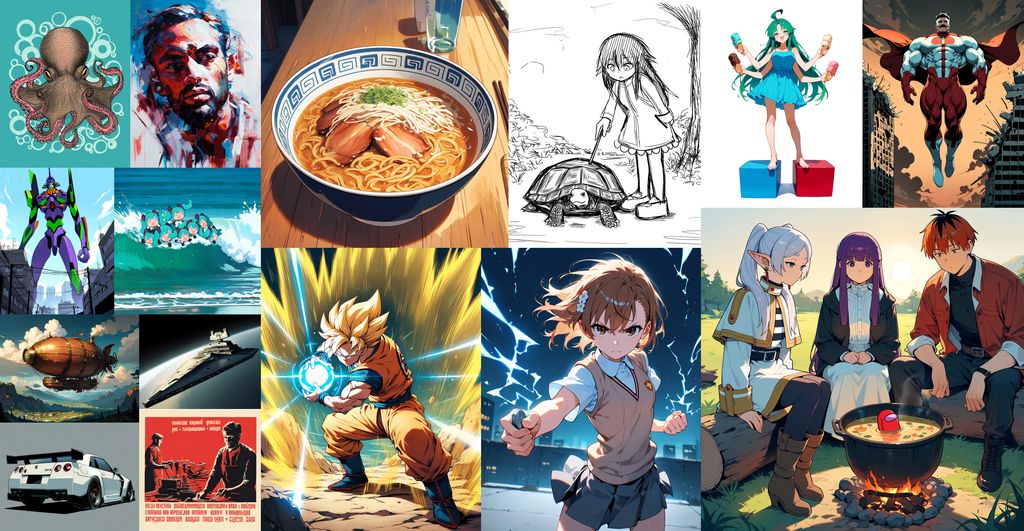
Anima Preview3 is here 👏👏👏 2B anime/illustration text-to-image model by CircleStone Labs! 🎨 Trained on millions of anime images + ~800k non-anime art images. No synthetic data. ✅ Danbooru tags, natural language, or mixed — all work ⚡ Preview3: extended 1024 high-res training, expanded rare artist dataset vs Preview2 🛠️ DiffSynth-Studio supported for inference and training. Drop-in ComfyUI workflow included. Note: It's still training. This is a mid-checkpoint. 🤖 https://t.co/wj4XC2DFXh
@_simonsmith ·
Just had Codex redesign a presentation slide-by-slide using GPT Image 2, generating an entire image for each slide, then packaging the images into a new deck. The result is gorgeous and incorporates text, logos, and visuals from the original deck perfectly. I think OpenAI’s bet that creating visual assets will start with image generation is the right one. Visual ideation shouldn’t be constrained by implementation details. Those should come later. That’s how it’s long worked in the creative professions with which I’m most familiar. The trick now is flawless recreation of generated images in any desired format, be it HTML/CSS, SVG, InDesign, whatever. And also easy editing of generated images. Those two things could drive more use of Codex and GPT models. If I could generate any design and then convert that to any arbitrary format, it would address a lot of design use cases, perhaps most.
@internetfreedom ·
Your Instagram photos may now be training someone else’s AI. Meta has enabled its new Muse AI image generator for users by default. It allows people to generate AI images of you by using your public Instagram handle, with no notification when your photos are used and no way to remove images created before you opt out. To opt out: Profile → Menu → Sharing and reuse → Turn off the reuse options under “Allow people to reuse your content on Instagram and with AI features at Meta.”

@DanielSmidstrup ·
I ran a small experiment: AI images in my posts. It cost me up to half my reach. For ~2 weeks I attached more images than usual, many of them AI art, added for fun. So I pulled my last 100 posts. 43 had an image. Avg impressions, image vs. text-only (outliers removed): All posts: 3,640 vs. 4,623 (-21%) Generic posts: 2,328 vs. 4,461 (-48%) One-liners: 2,206 vs. 6,276 (-65%) Stories with real proof: 6,130 vs. 3,436 (+78%) One row wins. It's the one where the image was a REAL screenshot (payout, chart, record). Almost every AI illustration underperformed. A few did pop, but those were the outliers, not the baseline. You can't build a posting strategy on outliers. The lesson: Fun to me isn't value to the reader. An image that adds nothing new is just noise. But the rule isn't "don't use images." Only attach an image when the image IS the evidence, or extra value. PS: I was about to build AI image generation into ClimbX. This experiment killed the feature before I wrote a line of code. Measure first. Build second.
@ModelScope2022 ·
🎨 ERNIE-Image is now open source! 8B DiT text-to-image from PaddlePaddle, two variants. 🚀 ✅ ERNIE-Image (50-step): GENEval SOTA (0.8856). Strong on dense text, complex layouts, structured generation. ⚡️ ERNIE-Image-Turbo (8-step via DMD + RL): strongest open-source model at 8-step inference. GENEval 0.8667, LongTextBench 0.9655. Prompt Enhancer included. Runs on 24GB VRAM. 🤖 https://t.co/Ryw3AXlNDg 🌍 https://t.co/kVmvtKIPJX
@Ubermenscchh ·
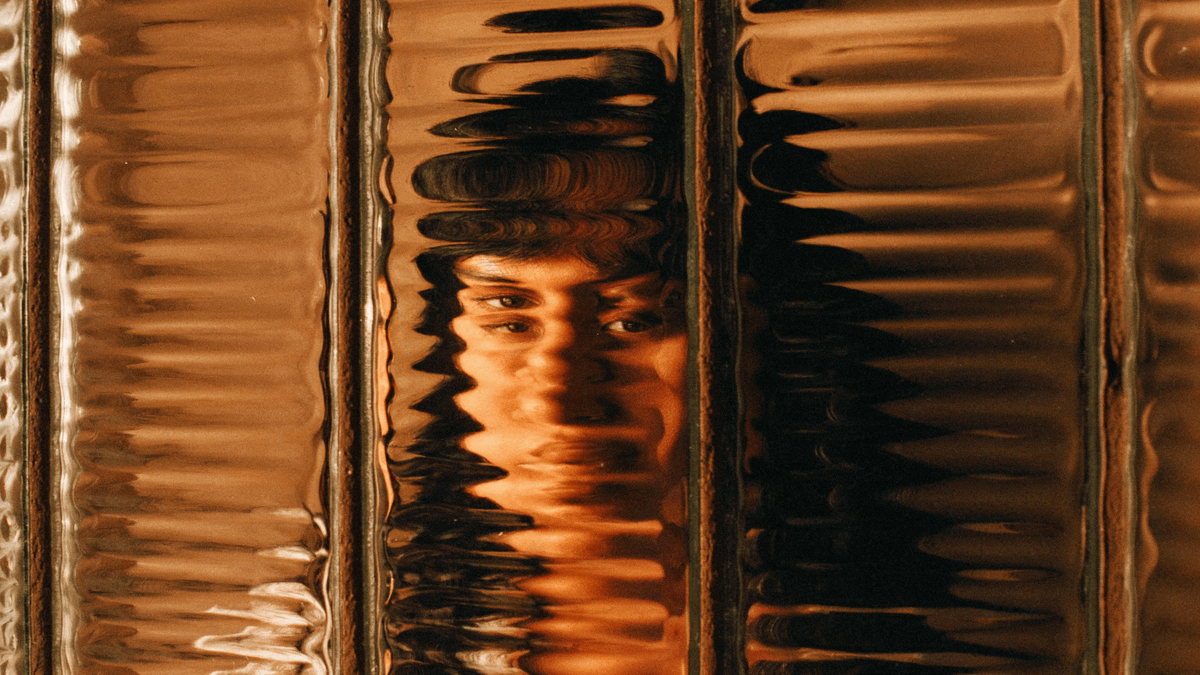
Uni-1 by @LumaLabsAI just raised the bar quietly. Other models guess what you want. This one thinks before it creates. You can see it in how it handles reflections, textures, and depth. Nothing feels faked. This is reasoning to image, not text to image. Honestly surprised more people aren't talking about this yet :
@BenjaminDEKR ·
Am I the only one not impressed by this? It makes perfect sense that AI image generation should be able to do "fake screenshots" well. There are millions (potentially unlimited) examples to train on, desktop apps are standard and all follow known patterns, icons always look the same. It would be weird if AI *couldn't* do this.
@thetripathi58 ·
I tested Uni-1 by @LumaLabsAI and I’m impressed. It’s not just text-to-image, it feels like reasoning-to-image. The Uni-1 actually thinks through the composition instead of just generating pixels. You can see it in details like glass refraction. It’s more about clear thinking than clever prompts, and it’s already ahead of NB Pro and GPT Image 1.5.
@aliscodes ·
If you're using AI image generators and you're not using Magic Layers by Canva yet, let me put you on. You can take the images that AI creates, plug them into Canva, and actually separate all the items inside of the image. You can even change the text color, move elements, delete objects, full control. Here's how: - Take the AI-generated image - Paste it into Canva - Click Edit → Magic Layers - Wait a few seconds - Voila, all items are detached Every element becomes editable. Text, objects, backgrounds, all separate layers. It's like having Photoshop layers but automated in 10 seconds. Game changer for AI-generated content that needs tweaks.
@Ubermenscchh ·
I described a feeling. Uni-1 lit the scene. I gave Luma's new Uni-1 model one prompt. No retries. No edits. This is what it understood on its own: → A24 film language → Tungsten vs moonlight contrast → Spatial depth across a 30-foot table → Emotion in a single expression This isn't text-to-image. This is reasoning-to-image. The prompt engineering era is ending. Made with @lumalabsai Uni-1
@shushant_l ·
I'm shocked most people use AI image generators without knowing what actually happens behind the scenes. Here's how AI turns a simple text prompt into a stunning image step by step. --- 📂 AI Image Generation ┃ ┣ 📂 Big Idea ┃ ┣ 📂 Learn From Billions Of Image Text Pairs ┃ ┣ 📂 Understand Visual Patterns ┃ ┣ 📂 Encode Relationships ┃ ┣ 📂 Start From Random Noise ┃ ┗ 📂 Generate Brand New Images ┃ ┣ 📂 Complete Pipeline ┃ ┣ 📂 Text Prompt ┃ ┣ 📂 Text Encoding ┃ ┣ 📂 Latent Representation ┃ ┣ 📂 Random Noise ┃ ┣ 📂 Iterative Denoising ┃ ┣ 📂 Image Refinement ┃ ┣ 📂 Decoder ┃ ┗ 📂 Final Image ┃ ┣ 📂 Prompt ┃ ┣ 📂 Subject ┃ ┣ 📂 Action ┃ ┣ 📂 Environment ┃ ┣ 📂 Lighting ┃ ┣ 📂 Camera ┃ ┣ 📂 Style ┃ ┣ 📂 Mood ┃ ┗ 📂 Colors ┃ ┣ 📂 Text Understanding ┃ ┣ 📂 CLIP ┃ ┣ 📂 T5 ┃ ┣ 📂 Multimodal Encoders ┃ ┣ 📂 Semantic Embeddings ┃ ┗ 📂 Prompt Interpretation ┃ ┣ 📂 Latent Space ┃ ┣ 📂 Compressed Representation ┃ ┣ 📂 Faster Processing ┃ ┣ 📂 Lower Memory Usage ┃ ┣ 📂 Better Scalability ┃ ┗ 📂 Higher Image Quality ┃ ┣ 📂 Image Creation ┃ ┣ 📂 Start With Random Noise ┃ ┣ 📂 Predict Noise ┃ ┣ 📂 Remove Noise ┃ ┣ 📂 Reveal Shapes ┃ ┣ 📂 Form Objects ┃ ┣ 📂 Add Textures ┃ ┣ 📂 Apply Lighting ┃ ┗ 📂 Generate Fine Details ┃ ┣ 📂 Denoising Model ┃ ┣ 📂 U-Net ┃ ┣ 📂 Diffusion Transformer (DiT) ┃ ┣ 📂 Noise Prediction ┃ ┣ 📂 Progressive Refinement ┃ ┗ 📂 Image Reconstruction ┃ ┣ 📂 Cross Attention ┃ ┣ 📂 Match Words To Regions ┃ ┣ 📂 Align Prompt With Image ┃ ┣ 📂 Focus On Important Details ┃ ┣ 📂 Preserve Context ┃ ┗ 📂 Improve Accuracy ┃ ┣ 📂 Guidance ┃ ┣ 📂 Classifier Free Guidance ┃ ┣ 📂 Prompt Following ┃ ┣ 📂 Creativity Control ┃ ┣ 📂 Stronger Prompt Adherence ┃ ┗ 📂 Output Variation ┃ ┣ 📂 Decoding ┃ ┣ 📂 Convert Latents To Pixels ┃ ┣ 📂 Restore Colors ┃ ┣ 📂 Recover Textures ┃ ┣ 📂 Rebuild Shadows ┃ ┗ 📂 Produce Final Image ┃ ┣ 📂 Training ┃ ┣ 📂 Billions Of Image Text Pairs ┃ ┣ 📂 Add Noise ┃ ┣ 📂 Predict Removed Noise ┃ ┣ 📂 Compare With Ground Truth ┃ ┣ 📂 Update Parameters ┃ ┗ 📂 Repeat Billions Of Times ┃ ┣ 📂 Generation Modes ┃ ┣ 📂 Text To Image ┃ ┣ 📂 Image To Image ┃ ┣ 📂 Inpainting ┃ ┣ 📂 Outpainting ┃ ┣ 📂 Style Transfer ┃ ┗ 📂 Reference Guided Generation ┃ ┣ 📂 Modern Improvements ┃ ┣ 📂 Better Prompt Understanding ┃ ┣ 📂 More Realistic Anatomy ┃ ┣ 📂 Improved Typography ┃ ┣ 📂 Better Lighting ┃ ┣ 📂 Higher Image Quality ┃ ┣ 📂 Stronger Composition ┃ ┣ 📂 More Consistent Characters ┃ ┣ 📂 Faster Generation ┃ ┗ 📂 Better Image Editing ┃ ┣ 📂 Common Mistakes ┃ ┣ 📂 Ambiguous Prompts ┃ ┣ 📂 Poor Spatial Reasoning ┃ ┣ 📂 Incorrect Object Counting ┃ ┣ 📂 Weak Text Rendering ┃ ┣ 📂 Unrealistic Physics ┃ ┗ 📂 Limited World Knowledge ┃ ┣ 📂 Applications ┃ ┣ 📂 Graphic Design ┃ ┣ 📂 Marketing ┃ ┣ 📂 Advertising ┃ ┣ 📂 Social Media ┃ ┣ 📂 Product Visualization ┃ ┣ 📂 Concept Art ┃ ┣ 📂 Game Development ┃ ┣ 📂 Film Production ┃ ┣ 📂 Architecture ┃ ┣ 📂 Interior Design ┃ ┣ 📂 Fashion ┃ ┣ 📂 Education ┃ ┗ 📂 E-commerce ┃ ┗ 📂 Simple Analogy ┣ 📂 Start With Random Noise ┣ 📂 Reveal Basic Shapes ┣ 📂 Form Objects ┣ 📂 Add Lighting ┣ 📂 Apply Textures ┣ 📂 Refine Fine Details ┗ 📂 Finish The Complete Image
@Parul_Gautam7 ·
Your AI images look stunning… until you zoom in. Most AI tools max out at 1-2K. That's fine for a tweet, useless for printing, selling, or client work. Here's how creators use @WeArtguru to turn blurry AI generations into crisp, deliverable assets 🧵
@riyazmd774 ·
AI image editing just changed completely. I gave an AI a rough image. Then I kept refining it through a conversation. No exporting. No switching tools. No starting over. Just one creative workflow from idea → final asset. Here's what happened 👇
@alexgoughcooper ·
This is the first time I've seen Meta's AI image generator make static variations that look good enough to launch. They're not all good ads, but they're significantly better than what we saw two months ago. This reinforces the idea of persona-based advertising for me. AI will soon handle your visual swings - Meta wants us to focus on message testing, as that's what can unlock true scale.
@burkov ·
Generating an image from a sentence used to require a separate classifier trained on noisy images just to steer the output toward the prompt. This paper from OpenAI shows you can drop that. The core idea is classifier-free guidance: during training the text caption is sometimes replaced with an empty one, so a single model learns to predict image noise both with and without text; at generation time you take the difference between the text-conditioned and unconditioned predictions and exaggerate it, which sharpens how closely the image follows the caption with no extra classifier. The authors built a 3.5 billion parameter diffusion model around this, and human evaluators preferred its output to DALL-E (OpenAI's then-main system at twelve billion parameters) about 87% of the time for photorealism, even when DALL-E was allowed to generate many candidates and keep the best; they also finetuned the same model to fill erased image regions from a prompt, with matching shadows and reflections, making text-driven editing practical. Classifier-free guidance went on to become standard and is still used in the systems leading the field in 2026 (FLUX.2, later Stable Diffusion, the models behind DALL-E 3 and Imagen). Read with an AI tutor; https://t.co/c6zqRqaPCD PDF: https://t.co/sp7MZljI1X
@shushant_l ·
Here's how to create your post-impressionism style portrait: 1. Go to Google Gemini 2. Select 'Pro' model 3. Select 'Create Image' tool 4. Add your image 5. Add this prompt: Create a post-Impressionism style portrait of the person in the provided image. Preserve the subject’s facial features and identity while reinterpreting them with bold brushstrokes, vivid non-naturalistic colors, and expressive textures inspired by Vincent van Gogh and Paul Gauguin. Use thick impasto, visible strokes, and strong color contrasts. Keep the composition focused on the face with a softly abstracted background, emphasizing emotion and artistic expression over realism 6. Submit 7. AI generates it Note-1: You can try on other AI image generation models too Note-2: You can try with Google Nano Banana Pro in other AI image generation tools too
@arena ·
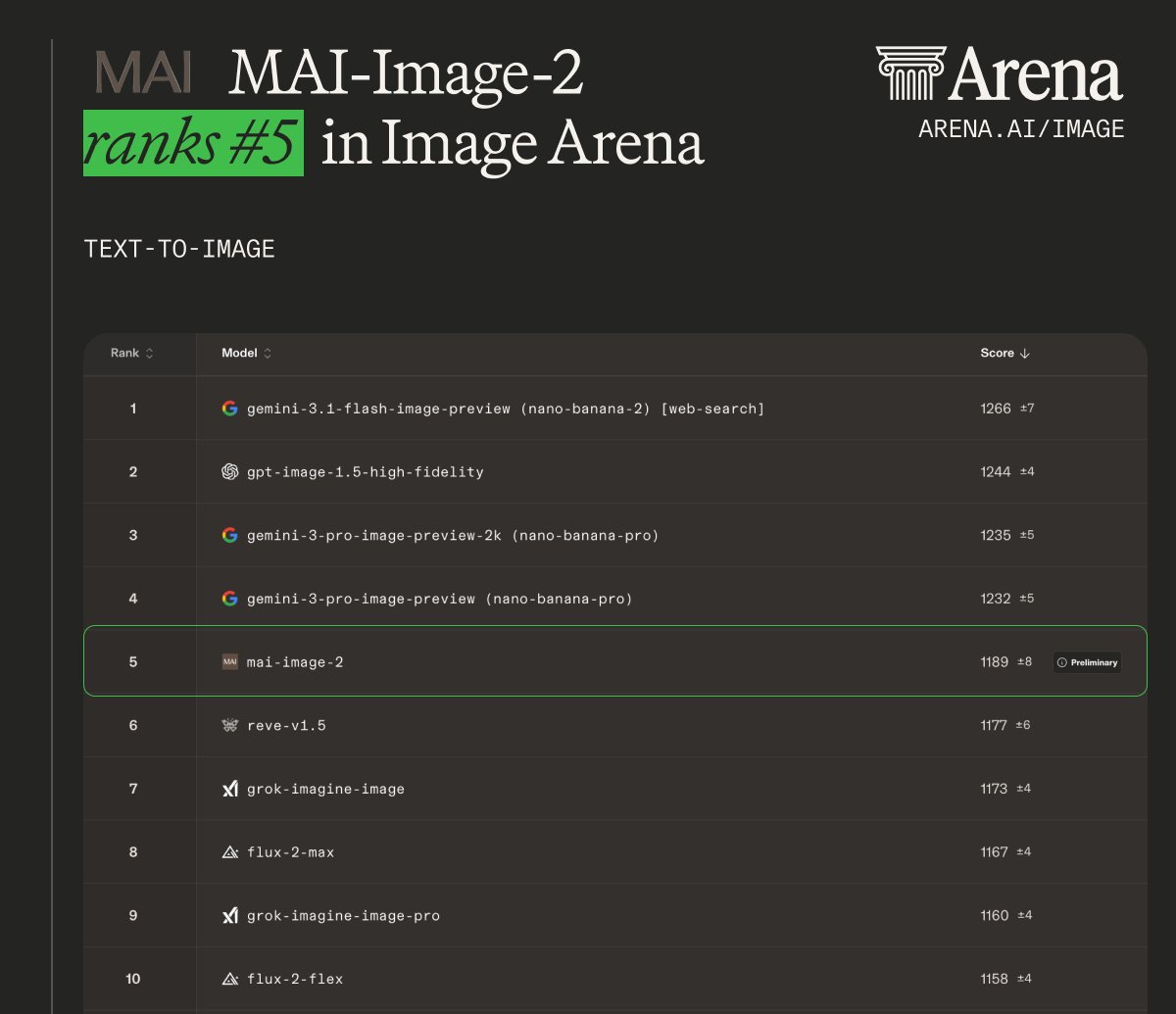
MAI-Image-2 debuts at #5 in the Image Arena! Highlights: - #5 in Text-to-Image overall - #5 for 3D Imaging & Modeling, Cartoon, Anime & Fantasy, Photorealistic & Cinematic Imagery, Art and Portraits - #6 for Product, Branding & Commercial Design Congrats to the @MicrosoftAI team on this milestone!
@HeyAbhishek ·
wow.. this AI trend is everywhere people are using AI to appear in those viral Korean Baseball League (KBO League) audience-cam videos with just: → ChaGPT Image 2.0 → Kling 3.0 and the results look too realistic. here’s how i created it on a canvas:
@damianplayer ·
Google and OpenAI have been trading #1 on text-to-image all year. gpt-image-2 just pulled ahead. xAI is the dark horse. give it 3-6 months and this list changes.
@eric_seufert ·
Advantage+ Creative generated an ad for REI featuring a bike with two sets of handlebars. Creative Enhancements are turned on by default in Advantage+, so incidents like these are to be expected (we've seen similar cases with True Classic, Kirruna, and Lectric). The inevitability of generative image hiccups like this -- which, to be fair, are amusing anecdotes and not particularly significant -- was one of the motivations for building DeCANT for creative variant pre-testing. For a variety of reasons, advertisers will want to own their creative production process.
@maxwellfinn ·
GPT Image Gen 2 is really impressive. First thing I made with the most basic prompt possible: “Create an infographic for Instagram post about how advertisers can use cognitive biases” A year ago we were excited if these models spelled the few words of text we told it to use correctly…
@FellMentKE ·
Baidu has open-sourced ERNIE-Image, a new text-to-image model. I tested it by generating a simple four-panel poster to see how it handles layout, specific text, and instruction following. Prompt used: Create a 4:5 infographic with a clean 2x2 grid, pastel backgrounds, rounded borders, and clear sans-serif text. Top header: ERNIE-Image Open Source. Top left: Instruction Following, two characters interacting, label “multiple subjects”. Top right: Text Rendering, show the word “hello” translated into three languages (English, Japanese, Chinese), each on its own line. Bottom left: Structured Layouts, small comic-style poster with title “How To”. Bottom right: My Quick Take, include: Prompt control: strong, Text accuracy: good, Layout: clean. Keep all text large, clear, and readable. No extra or random text. Quick reflection: It was easy to generate a structured layout. I mainly looked at whether the text came out clean and accurate, since that’s often where image models struggle. The model responded well to layout constraints and handled key text elements more reliably than others I’ve used.
@edmundtian ·
Stop using “Plain English” to prompt AI. If you want studio-quality visuals, you don't need a better prompt. You need an LLM to turn your vision into technical direction. You need an AI Art Director. First photo: "make me a vogue model" Second photo: "Studio Vogue fashion portrait of the person in the reference image. Neutral gray backdrop. Soft diffused key light. High-end editorial styling. Photography inspired by Annie Leibovitz and Peter Lindbergh. Clear skin detail, elegant expression, subtle shadows. Minimal color tones, refined and tasteful." Most people don't have the technical knowledge to direct "soft diffused key light." Even if you do, why would you waste your time typing all that out yourself? Use your free AI Art Director. Here's the 3 step workflow to campaign-ready visuals: 1. Creative exploration > Stop talking to the image generator directly. Give your raw thoughts to an LLM (your Art Director). Ask for 3 distinct creative directions. 2. The 3x Sprint > Run all 3 prompts concurrently in Nano Banana Pro. Since modern platforms run concurrent generations, it takes the same time to generate 3 images as it does 1. You just cut your feedback loop by 67%. 3. The Feedback Loop > Review the results. Don't touch the prompt. Go back to your AI Art Director and give it "Director Language" feedback: "I like the lighting in #1 but the composition of #3. Refine the prompt to combine them." Repeat this process until you're happy with the result. You have the access to an entire creative agency at your fingertips. It's time to use it.
@RileyRalmuto ·
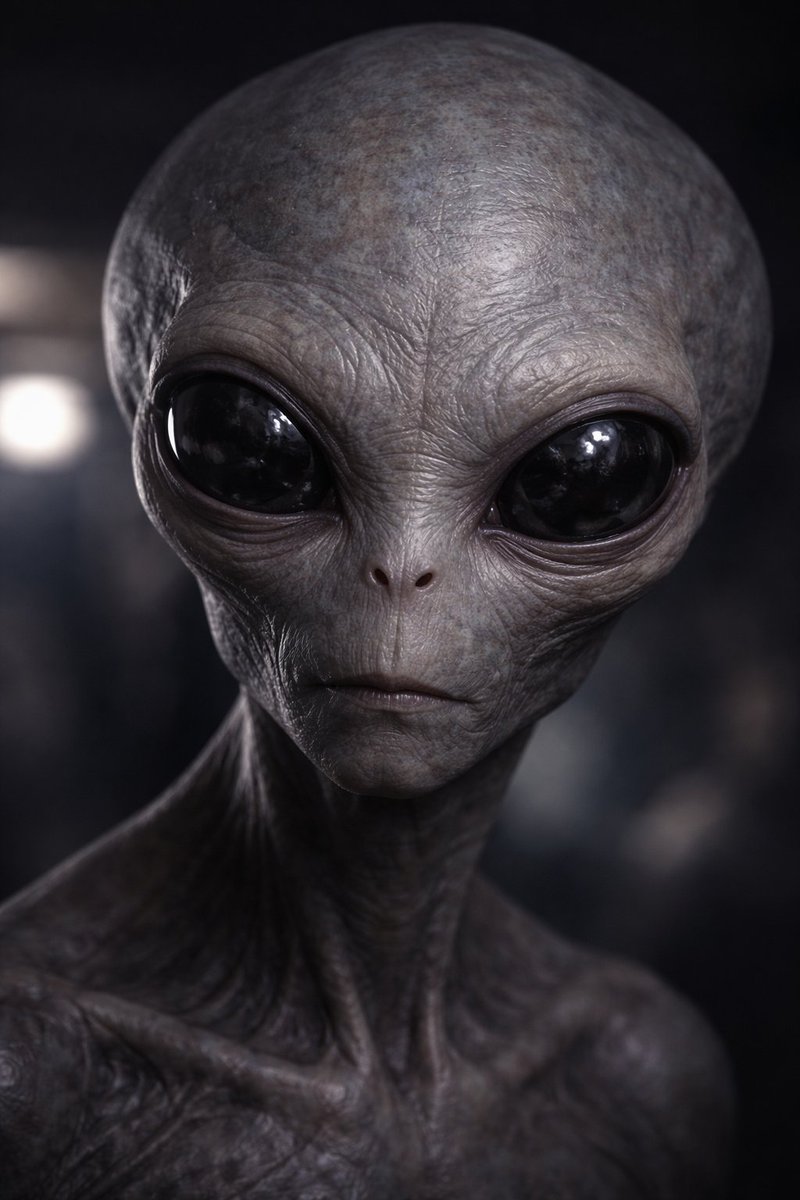
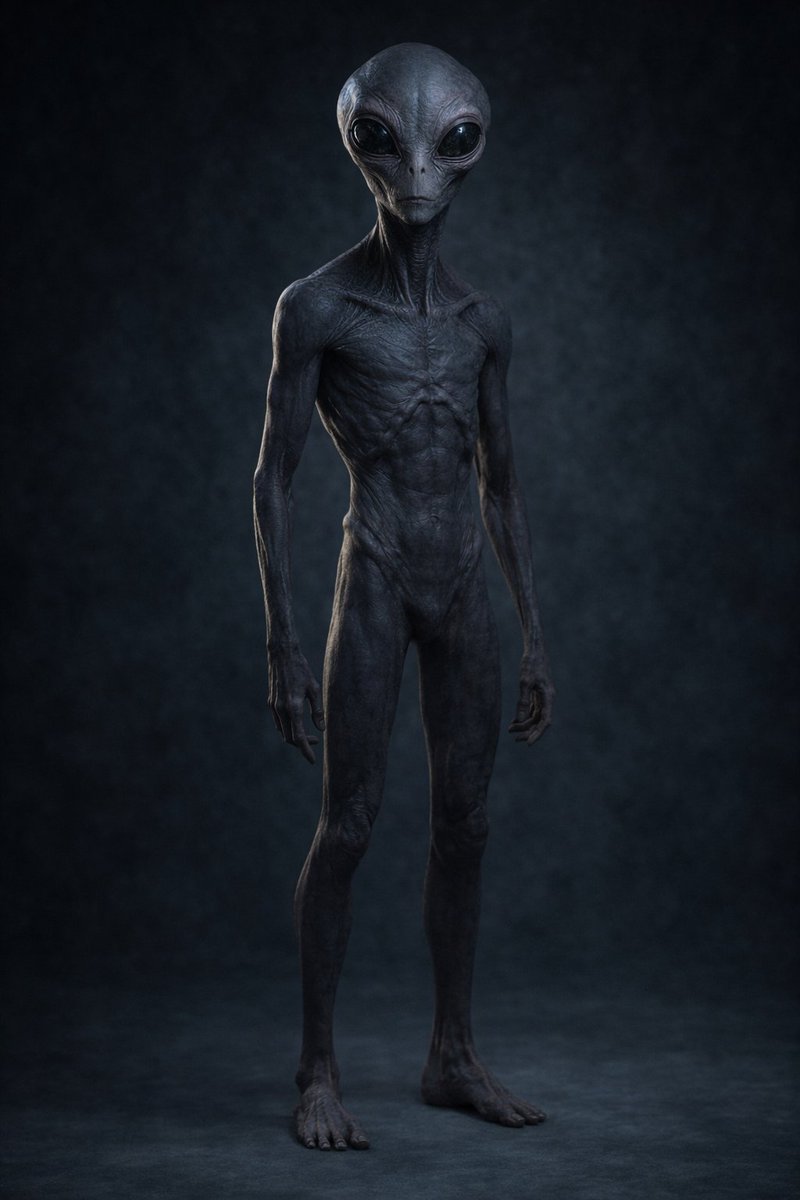
my favorite activity to do when i need a brain break is pick a model and ask it to generate an image using the same prompt (i have done this with this prompt since gpt-4o, using the same prompt): "hey friend, will you generate the most realistic depiction of an alien you can possibly depict?" alternatively: "hey friend, will you generate the most realiztic depiction of a non-human intelligence you can possibly depict?" i do this with zero context or priming. just a new chat, first message. its the most fun that way, in my opinion. here's what 5.4 + image 1.5 gave me.
@rahulnanda86 ·
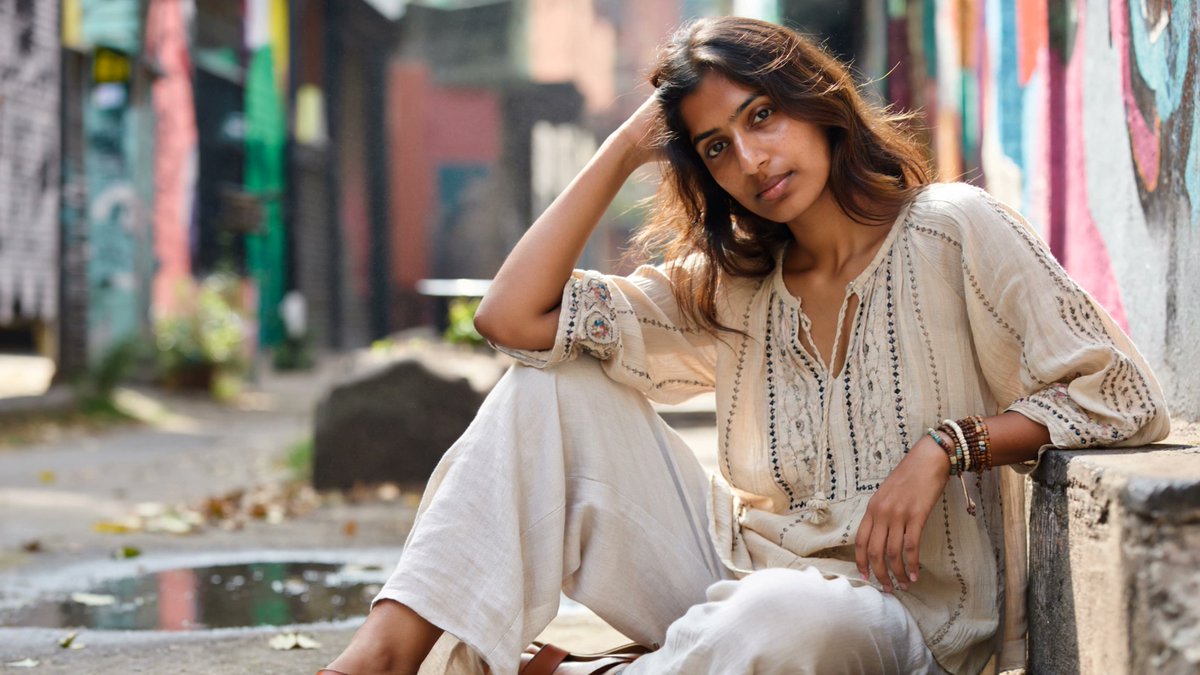
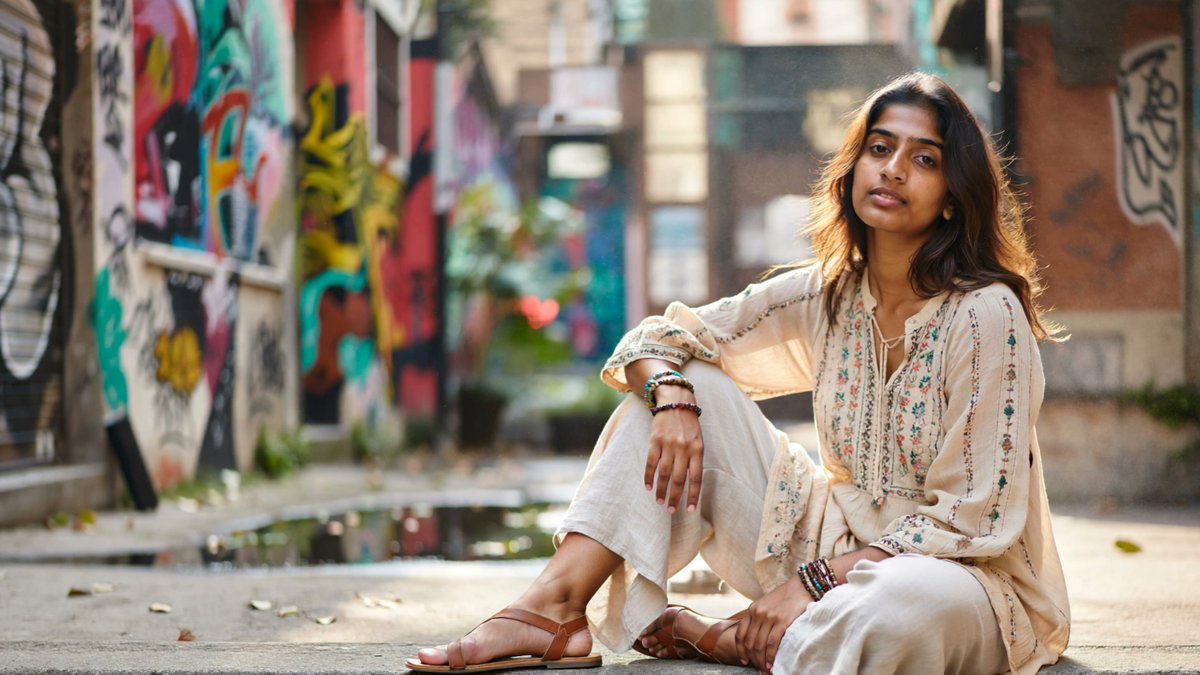
Just tried ImagineArt 2.0 - Text to image. Blown away by the how real it has gotten!! Prompt - Ultra-realistic editorial portrait of a South Asian woman in her mid-20s, seated casually on a low wall in front of a vibrant graffiti mural in an urban alley. Outfit: flowy boho-chic blouse with delicate embroidery, loose linen trousers, layered beaded bracelets, and leather sandals. Pose: relaxed yet elegant, one leg bent, elbow resting on knee, head slightly tilted, direct calm gaze into camera. Hair: naturally wavy, soft flyaways catching light, mid-brown with subtle warm highlights. Skin realism: healthy, luminous, slightly warm undertone, freckles preserved, subtle oil sheen on nose and cheekbones, no smoothing or retouching, soft blush from natural light. Environment & background: urban alley with bright graffiti murals and wall textures, slight street grit, scattered leaves, muted reflections on wet pavement, soft depth blur separating subject from background. Lighting: natural daylight filtered through overhead urban structures, soft shadows, warm highlight on face, realistic ambient bounce from nearby walls, volumetric dust/light haze subtly catching sunlight. Camera & optics: medium telephoto portrait, shallow depth of field (eyes sharp, background creamy), slight perspective compression for flattering proportions, handheld natural feel. Color & tone: vibrant but realistic colors, skin tones true-to-life, fabrics and graffiti saturated without looking artificial, gentle contrast with lifted shadows, subtle film-like grain for tactile quality. @ImagineArt_X @imagineart_creo
@_simonsmith ·
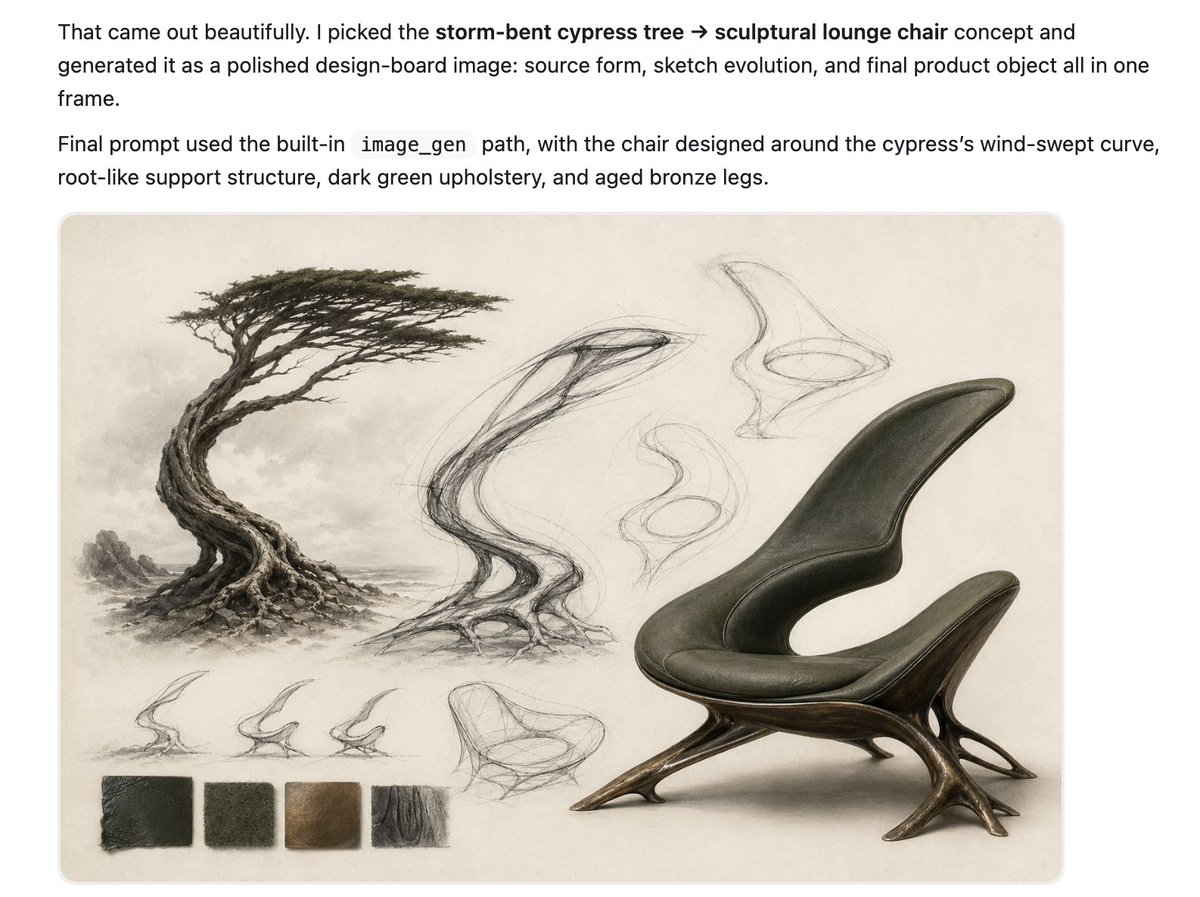
I'm really loving this trend of having GPT Image 2 create nature-inspired objects. For this one I had Codex (5.5) spin up subagents to brainstorm ideas, pick its favorite, then visualize it. I feel like with some minor tweaks you could make this chair surprisingly comfortable. I also feel like this is a more generalizable approach with AI that lets us explore new design ideas that we'd never try before, in part because most of us don't have the requisite skill even if we have the desire. It's like vibe industrial design.
@VaibhavSisinty ·
AI just entered Minecraft. And it's exactly as wild as it sounds. 🤯 Higgsfield just dropped a Minecraft mod. You craft a Supercomputer block inside the game, type a prompt, and it generates stuff directly into your world. Want the Statue of Liberty? Type it. It builds itself. Want a painting on your wall? Text-to-image. Done. Want to restyle how your world looks? Snap a screenshot, image-to-image. Want a video inside Minecraft? Text-to-video. From a block you crafted. This is AI generation happening INSIDE a game. Not a separate app. Not a website. Inside Minecraft. Install the mod. Type /higgsfield auth. Start creating. The line between gaming and creating just disappeared.
@RoundtableSpace ·
GROK JUST TURNED IMAGE GENERATION, WRITING, AND VIDEO CREATION INTO ONE AI WORKSPACE. The new Agent Mode lets users brainstorm, edit visuals, and generate videos from a single infinite canvas without switching tools.
@gracepace_ ·
Had a great time at @upscaleconf conference by Magnific in San Francisco last week! My takeaways as a designer & creator: AI is shifting creative work from execution to direction. On prompting: Treat your prompts like briefs. Be as specific about mood, reference, texture, and intent as you would be briefing a photographer or illustrator. Also use artistic words. Save your best prompts as a skill/template Invest time in inputs with better references, deeper research, stronger concepts. And describe what you don’t want and change one variable at a time Think in worlds, not outputs. —— On staying yourself: Use AI for research, variation, production polish, and iteration, not the part that makes the work yours. Lean into the most specific, personal, or culturally particular things in your creative work. Document your best AI workflows as you build them. Even a simple prompt + settings + reference image combo is reusable. Start building a personal library. But don't make AI your identity. Thank you @joseflorido and the @magnific team for inviting me!! What other takeaways would you add about AI x creativity? Would love to learn from you in the comments
@Chinwe_Owanta ·
AI image generation is not a walk in the park. You’d have to observe and learn the patterns of each model to know which fits in best for your desired outcome. What works on one model can completely flop on another. Same prompt, totally different output, totally different energy. And that’s before you even get to style consistency, aspect ratios, failed attempts and multiple variations before settling on the perfect one. It’s an entire learning curve that doesn’t get talked about enough.
@glenngabe ·
How are people feeling about this?? I now get why YouTube expanded its likeness detection to all users... Creators can opt-out of visual remixing -> YouTube adds new AI remix feature to Shorts "Using Google’s new Omni AI image generation tools, YouTube users will now be able to easily generate alternate versions of Shorts videos (other people's Shorts)." "Though it may also lead to misrepresentation, which is very likely why YouTube has now expanded its likeness detection tools to all users. The capacity to change the context of Shorts may also lead to misuse, and YouTube is hoping to limit this by ensuring that creators are aware of any remix of their content, while also alerting users to any depictions of their image." https://t.co/7Bz5hM7zDW
Best Tweets by Topic