Quick answer: Paste the link of any public tweet that contains an image, and the tool fetches the full-resolution photo for you to download. Works for single images and multi-image posts, with no login or app install required.
What Is It?
The Twitter Image Downloader is a free tool at xholic.ai. Paste the link of any public tweet that contains an image, and the tool fetches the full-resolution photo for you to download. Works for single images and multi-image posts, with no login or app install required.
Open the Twitter Image Downloader Tool.
Who Uses It and Why
| Who Uses It | What They Use It For |
|---|---|
| Anyone wanting to save a photo from a tweet | A tweet with a great photo, meme, or screenshot they want to keep |
| Researchers & journalists | Archive visual evidence or reference images from public posts for legitimate reporting use |
| Designers & content creators | Save reference images for mood boards or content inspiration (respecting creator rights) |
| Social media managers | Quickly pull approved client images shared on Twitter for repurposing with permission |
How to Use It - Step by Step
It takes under a minute. Here’s exactly what to do:
Step 1: Find the tweet
Open the tweet on Twitter/X that contains the image you want to save.
Step 2: Copy the tweet URL
Click the share icon or the three dots on the tweet, then choose ‘Copy link to Tweet’.
Step 3: Paste the link
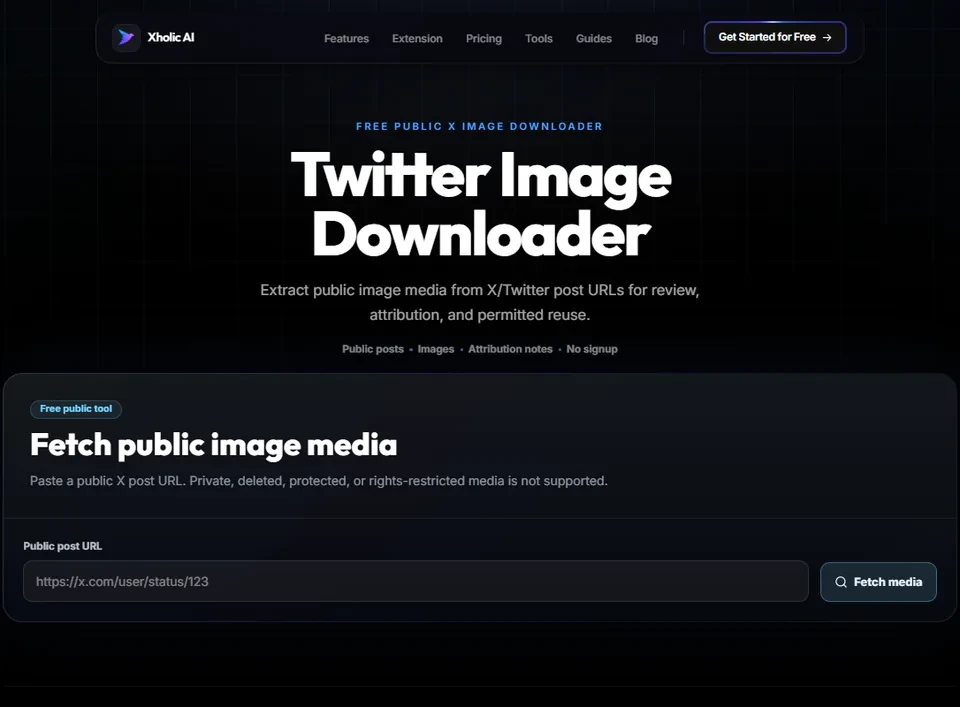
Go to Twitter Image Downloader Tool and paste the URL into the input box.
Step 4: Fetch the image
Click the fetch button. The tool retrieves all images attached to that tweet, up to four if it’s a multi-image post.
Step 5: Download
Click the download button under each image to save it to your device in its original quality.
Pro tip: If a tweet has multiple images, the tool shows each one separately with its own download button - you don’t have to download them all at once if you only want one specific photo from the post.
Real Example
A journalist is writing an article referencing a viral tweet that includes a photo of a public event. They paste the tweet’s URL into the Image Downloader, save the photo at full resolution for their reference files, and credit the original poster when including it in their article, keeping clear attribution throughout.
Good to Know
Heads up: Always check who owns the image and whether you have the right to reuse it before publishing it elsewhere. Downloading a photo doesn’t grant you usage rights - the original creator retains copyright. This tool is for personal saving and properly licensed reuse, not for republishing others’ content without permission.
Frequently Asked Questions
Do I need to log into Twitter to use this?
No. You only need the public tweet URL, no Twitter login or account connection required.
Can I download images from a private account’s tweet?
No. The tool only works with public tweets. Private account content is not accessible.
What if the tweet has more than one image?
The tool detects all images attached to the tweet (Twitter allows up to four) and gives you a separate download option for each one.
What resolution does it download at?
The tool fetches the original resolution image as uploaded to Twitter, not a compressed thumbnail version.
Is it legal to download images from Twitter?
Saving an image for personal use is generally fine. Republishing or using someone else’s photo commercially without permission can violate copyright, regardless of how you obtained the file. Always check usage rights before reusing content.
Related Xholic Tools
These tools work well alongside this one:
- Twitter Video Downloader - Save videos from tweets the same way
- Twitter GIF Downloader - Save looping GIF clips from tweets
- Fake Tweet Generator - Create your own tweet mockup with custom images
- Twitter Banner Maker - Design your own header image instead of downloading one