Quick answer: Paste the link of any public tweet containing a GIF, and the tool fetches the underlying MP4 file behind it. Twitter has encoded GIFs as MP4 video since 2014, so this is the file format you’ll actually receive, ready to convert to a true .gif if needed.
What Is It?
The Twitter GIF Downloader is a free tool at xholic.ai. Paste the link of any public tweet containing a GIF, and the tool fetches the underlying MP4 file behind it. Twitter has encoded GIFs as MP4 video since 2014, so this is the file format you’ll actually receive, ready to convert to a true .gif if needed.
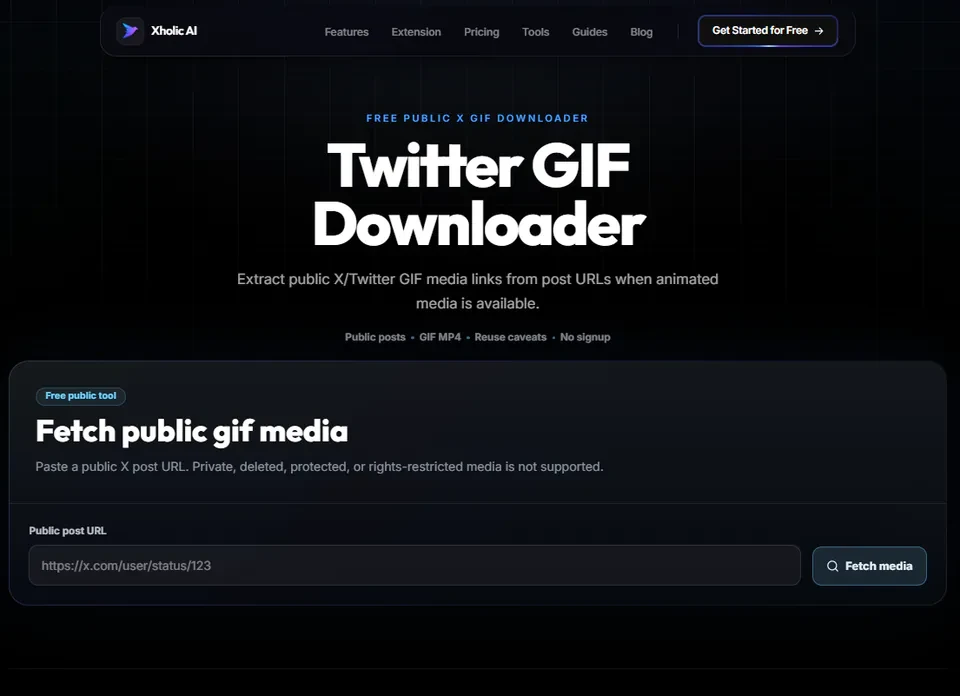
Open the Twitter GIF Downloader Tool.
Who Uses It and Why
| Who Uses It | What They Use It For |
|---|---|
| Anyone wanting to save a reaction GIF | Found a perfect reaction GIF in a tweet and wants to keep it for future use |
| Content creators | Reuse GIF clips in their own content, with appropriate rights and attribution |
| Meme archivists | Save GIFs they want to reference or reuse later |
| Chat and messaging users | Want to save a GIF from Twitter to use in messaging apps that support video clips |
How to Use It - Step by Step
It takes under a minute. Here’s exactly what to do:
Step 1: Find the GIF tweet
Open the tweet containing the GIF, it will have a small ‘GIF’ badge in the corner of the media.
Step 2: Copy the tweet link
Click the share icon or three dots on the tweet, then ‘Copy link to Tweet’.
Step 3: Paste it into the tool
Go to Twitter GIF Downloader Tool and paste the URL.
Step 4: Fetch the file
Click the fetch button. The tool retrieves the underlying MP4 file that Twitter uses to display the GIF.
Step 5: Download and convert if needed
Save the MP4 directly, or convert it to a true .gif file afterward using any free online or device-based converter if your destination requires the .gif format specifically.
Pro tip: If you need a true .gif file (not MP4) for a specific platform or use case, download the MP4 first, then run it through a free MP4-to-GIF converter. This two-step process produces a higher-quality result than tools that convert automatically and compress heavily.
Real Example
Someone finds a perfect reaction GIF in a tweet thread and wants to save it for future replies. They copy the tweet link, paste it into the GIF Downloader, and get the MP4 file. They keep it as MP4 since most modern apps support video clips directly, no conversion needed.
Good to Know
Heads up: Twitter has not hosted real .gif files since 2014, every ‘GIF’ you see on the platform is actually a small looping MP4 video. This means the file you download will always be .mp4 format, which is normal and not an error with the tool.
Frequently Asked Questions
Why did I get an MP4 file instead of a GIF?
Twitter converts all ‘GIF’ uploads into looped MP4 video files for better performance. This has been the case since 2014. The MP4 is the actual file behind every Twitter GIF, there’s no separate true .gif version to download from the platform.
Can I convert the MP4 to a real .gif?
Yes. Once you’ve downloaded the MP4, you can use any free MP4-to-GIF converter to create a true .gif file if a specific destination requires that exact format.
Is the MP4 lower quality than a GIF would be?
No, it’s actually higher quality. MP4 video compression produces better results than the .gif format, which is why Twitter (and most platforms) use MP4 under the hood even when displaying it as a ‘GIF.‘
Do I need to log into Twitter?
No. Only the public tweet URL is needed, no login or account connection required.
Can I download a GIF from a private account?
No. The tool only works with publicly visible tweets.
Related Xholic Tools
These tools work well alongside this one:
- Twitter Video Downloader - Save standard video clips from tweets
- Twitter Image Downloader - Save still photos from tweets
- Reply Chain Generator - Build your own thread mockup with custom media
- Fake Tweet Generator - Create a tweet mockup with your own GIF or image