X analytics that show what grows your account
See which posts brought followers, how your replies perform and what's taking off, all judged against your own normal, with what to try next.
Demo needs no sign-up. Trial needs no card.
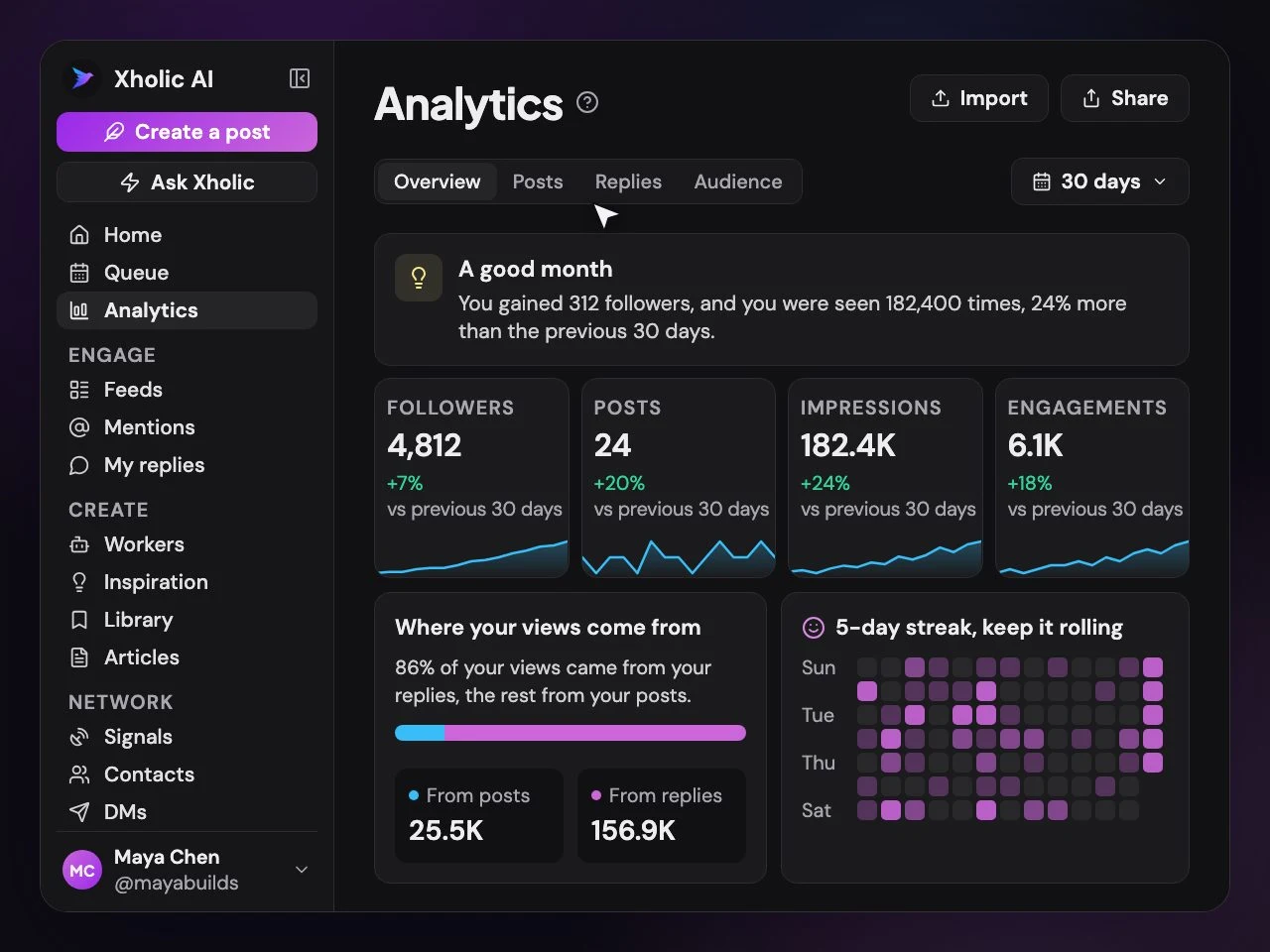
Answers, not just numbers
The questions behind your numbers
What you actually want to know about your account, and where Xholic answers it.
| You want to know | Xholic shows | Where |
|---|---|---|
| Which posts brought me followers? | Posts that brought followers: an estimate that matches each day's new followers to the posts and replies people saw | Analytics |
| Are my replies worth the time? | How your replies are doing: views by the size of the account and by how fast you replied | Analytics |
| Is this post taking off? | Taking off?, which compares a new post's views with your usual at the same age | Analytics |
| Where do my views come from? | Where your views come from: how much came from your posts and how much from your replies | Analytics |
| Who are my regulars? | Your regulars, plus people worth another try | Analytics |
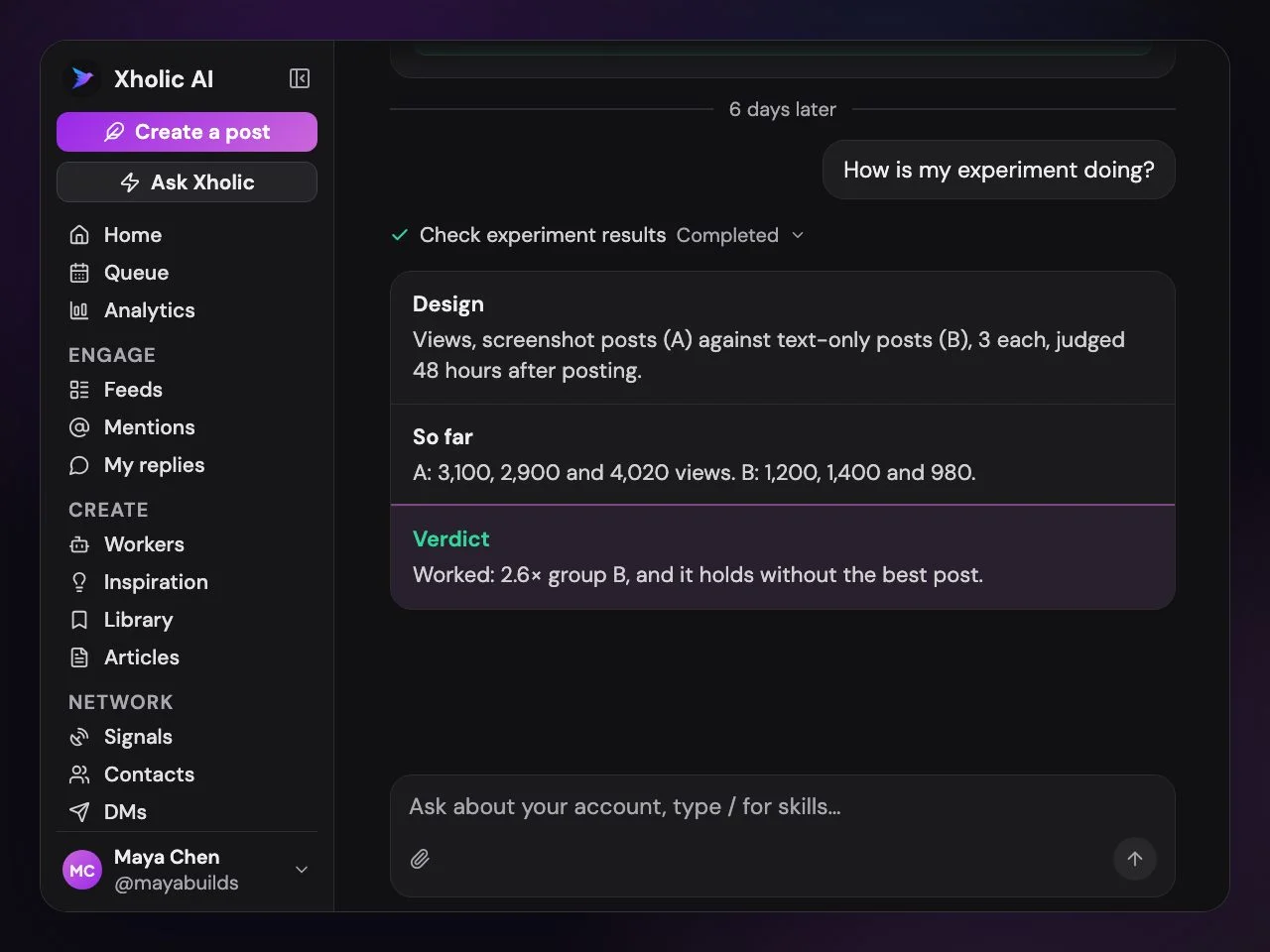
| What should I try next? | Tips from your own results, and experiments with an honest verdict | Analytics and Ask |
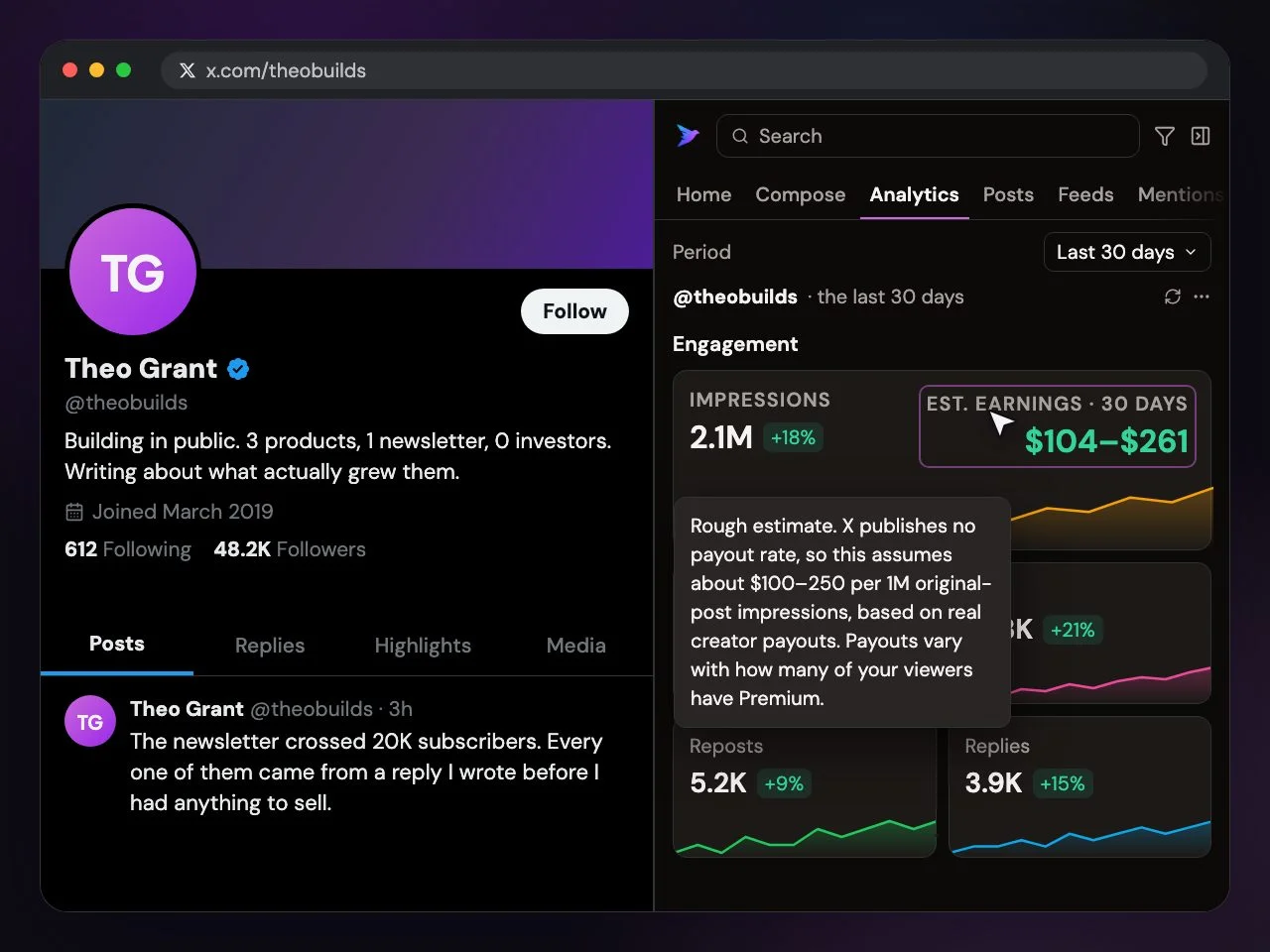
| How is another account doing? | Any public profile's analytics and estimated earnings, right on X | Chrome extension |
Every post is judged against your own normal, not against accounts ten times your size.
How it works
From numbers to the next move
Your own analytics, honest tests, and a look at any account on X.
An estimate that matches each day's new followers to the posts and replies people saw, so you know what to do more of.
See Analytics in the live demo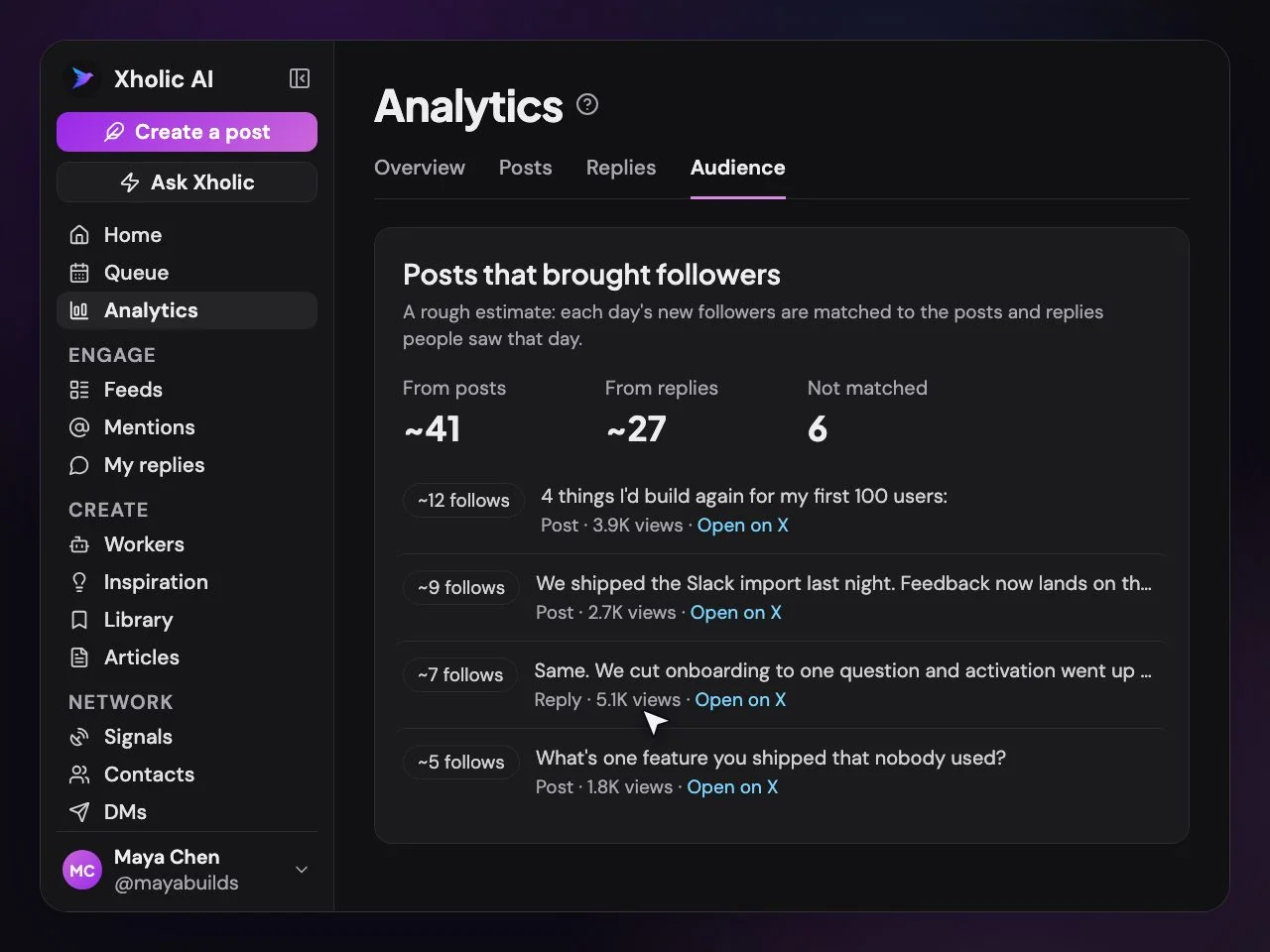
Followers, impressions and engagement over time, your best posts, where your views come from and a posting streak.
See Analytics in the live demo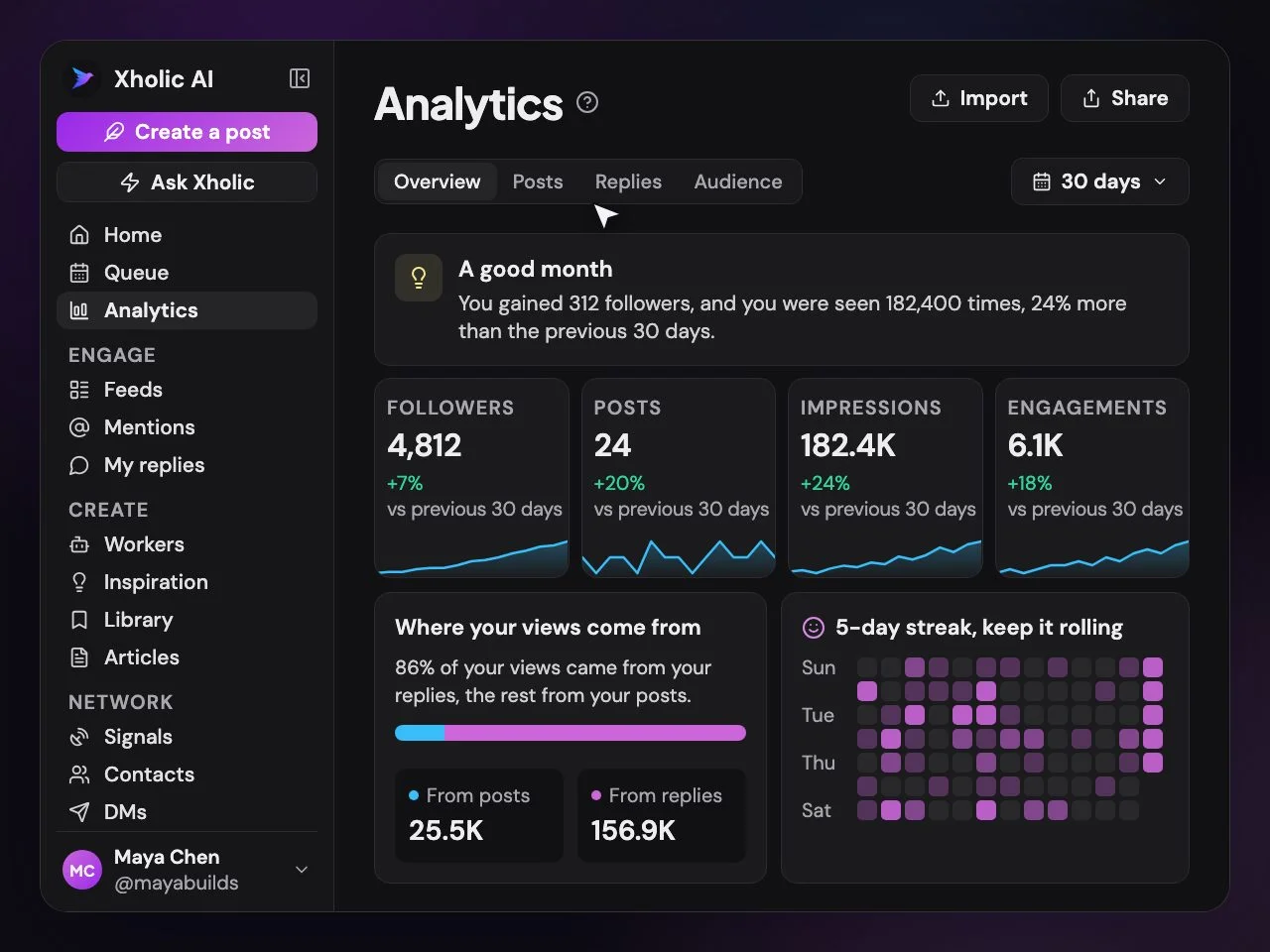
Try a format or a posting time, post as usual, and Xholic tells you whether it beat your normal.
Open any public profile on X to see its numbers, best times and estimated earnings, up to 40 profiles a day.
From your AI
Ask about your numbers in plain words
Connect Xholic to Claude, ChatGPT or Grok, and your AI reads the same analytics.
Which replies worked?
Reply performance by account size and by how fast you replied.
Is this post taking off?
A new post's views against your usual at the same age.
Where do followers come from?
The posts and replies that brought them, and the growth funnel.
How do I compare?
Accounts around your size, for a fair benchmark.
When should I post?
Your best times, from how your own posts did.
Who engages most?
Your top engagers, ready to reply to or add to a list.
FAQs
Analytics
What it shows, how it judges posts and where you see it.
What does Xholic's analytics show?
Your followers, impressions and engagement over time, your best posts and a posting streak, plus the questions behind them: which posts brought followers, how your replies perform by the size of the account and how fast you replied, which posts are taking off, where your views come from, and who your regulars are.
What does "against your own normal" mean?
Xholic compares each post with your usual results instead of with big accounts. A post that gets twice your normal replies is a winner for you, even if the raw number looks small, so the advice fits an account your size.
Does it tell me what to do next?
Yes. The overview suggests up to three things to try from your own results, and you can run an experiment to test an idea, such as a format or a posting time. When enough posts are in, you get a verdict with the posts and numbers behind it. The growth loop
Can I see analytics for other accounts?
Yes. In the Chrome extension, open any public profile on X to see its followers, impressions and engagement, a posting heatmap, its best times to post and estimated creator earnings. Chrome extension
Can I ask Claude or ChatGPT about my numbers?
Yes. Connect Xholic and ask in plain words, like "which replies got me followers?" or "is my last post doing well?". Your AI reads the same analytics: reply performance, post velocity, follower sources, the growth funnel, peers your size and top engagers. Connect your AI
Is analytics included in every plan?
Yes. Analytics is part of every plan and the free trial. Compare plans
Know what's working this week
Connect your X account and see which posts and replies are really growing it.
No card needed · Nothing to cancel
See the growth loopLive demo: no sign-up or login needed · takes about 2 minutes
Keep reading
Go deeper
- Twitter analytics guideHow to read your numbers and act on them.
- Twitter analytics metricsWhat each number means, and which ones matter.
- A Twitter analytics dashboardWhat to put on it, and how often to check.
- Free X profile analyticsCheck any public profile, no sign-up.
- The growth loopHow Xholic turns your numbers into next week's plan.
- Xholic for ChromeAny profile's analytics, right on X.