FLUX model releases and variants
Announcements and hands-on notes about FLUX.2 Klein, KV-cache variants, Flux 3, model sizes, open weights, and capabilities.
38.5%
Best tweets about Flux AI
Discover the best tweets about Flux AI, covering Black Forest Labs image models, prompts, fine-tuning, LoRAs, releases, benchmarks, and visual workflows.
Black Forest Labs FLUX image models, prompting, fine-tuning, LoRAs, releases, benchmarks, integrations, and demonstrated visual results.
Original Xholic analysis
Discussion was predominantly supportive (76.9%) and focused most often on FLUX model releases and variants (38.5% of posts), alongside optimization, controllable generation, and visual demonstrations. The four highest supplied outliers covered a FLUX.1-based 3D-world workflow, Flux 3 historical-footage output, FLUX.2 Klein KV-cache editing, and a Klein LoRA for 3D-view repair. [2039997609163833650, 2081948871882911999, 2032133741175611408, 2015473467416580602]
84.6% of posts
All-time engagement
80.8% of posts
Published in 90 days
Conversation map
Announcements and hands-on notes about FLUX.2 Klein, KV-cache variants, Flux 3, model sizes, open weights, and capabilities.
38.5%
FLUX availability through platforms and apps such as Diffusers, Ollama, Draw Things, Firefly Boards, MLX, and self-hosted setups.
30.8%
FLUX for multi-reference editing, in-app editing, UI/product visuals, component placement, and creative design iteration.
26.9%
Acceleration techniques, reduced-step inference, KV caching, quantization/compilation, edge deployment, and Apple Silicon performance.
26.9%
Custom LoRAs, ControlNet training, specialized repairs, virtual try-on, move/resize controls, and experimental model training.
26.9%
Demonstrated outputs from detailed prompts, including historical footage, cinematic scenes, horror trailers, and style exploration.
19.2%
FLUX used as a component in text/image-to-3D worlds, Gaussian splatting pipelines, face generation, and image-to-scene workflows.
15.4%
Live img2img, gesture or tracking-driven transformations, fast web demos, and generative interfaces for creative exploration.
15.4%
Tone and stance
Performance benchmark
Posts with media make up 92.3% of this collection. Their median all-time score is 42.7, compared with 39.1 for text-only posts.
Format mix
Consensus and debate
Shared view
Posts describe KV caching, post-hoc calibration, compilation, and edge-oriented deployment for FLUX. Reported examples include up to 2.5× faster multi-reference editing for Klein 9B-KV, a FLUX reduction from 30 to 15 steps in a calibration post, and optimization for consumer GPUs. [2032133741175611408, 2037618945566400629, 2033955108736708774, 2036300599915077992]
Shared view
Examples include ControlNet training for image-to-sketch and sketch-to-image, a LoRA for repairing ml-sharp 3D views, a virtual try-on LoRA, and an in-progress move-and-resize LoRA. [2029253666914615436, 2015473467416580602, 2026430916713918880, 2036443582350205310]
Shared view
The supplied posts place FLUX.1 or FLUX.2 Klein in a text/image-to-3D world pipeline, live tracking-driven img2img experiments, and an image-editing product workflow, rather than only describing standalone prompt-to-image use. [2039997609163833650, 2042140688503206183, 2025747161602818326, 2078288491884970097]
Open debate
One comparison post characterizes Midjourney as strongest for world-building and style experimentation; Flux Klein 9B as faster and cheaper than Nano Banana 2.5 via API; and Nano Banana 2.5 as stronger for multi-subject scenes, text rendering, complex layouts, and prompt understanding. These are the author’s comparative assessments, not benchmark results in the supplied data. [2041191485509648603]
Open debate
Individual posts praise Flux 3 for historical-footage-like output, a complex cinematic prompt result, and AI-horror trailers. The supplied evidence does not provide a shared benchmark for these claims. [2081948871882911999, 2082339882031026392, 2082285208876065027]
What performs
The WorldGen post, which describes a pipeline using FLUX.1 to create a panorama before 3D Gaussian splatting, recorded an all-time score of 483.24—11.31 times the overall median score of 42.72. It is the highest supplied outlier. [2039997609163833650]
The next supplied high-scoring outliers include a Flux 3 historical-footage demonstration (334.07), the Klein 9B-KV release (232.89), and a Klein LoRA for 3D-view repair (232.38). [2081948871882911999, 2032133741175611408, 2015473467416580602]
Twenty-four of 26 posts (92.3%) included media. Their median all-time score was 42.72, compared with 39.12 for text-only posts. This is a descriptive comparison and does not establish that media caused higher scores. [2081948871882911999, 2028237875083366902, 2011868937630240967]
Statistical standouts
Creator landscape
The five most represented creators account for 38.5% of the selected posts.
1. Cyril Diagne
@cyrildiagne
2 posts
2. Linoy Tsaban
@linoy_tsaban
2 posts
3. Ostris
@ostrisai
2 posts
4. Hugues Bruyère
@smallfly
2 posts
5. Justine Moore
@venturetwins
2 posts
6. Wildminder
@wildmindai
2 posts
Cyril Diagne shared a Klein 9B LoRA for repairing ml-sharp 3D views and a separate fast web demo for FLUX.2 Klein. [2015473467416580602, 2011868937630240967]
Linoy Tsaban posted about the Klein 9B-KV release for faster multi-reference editing and an in-progress move-and-resize LoRA. [2032133741175611408, 2036443582350205310]
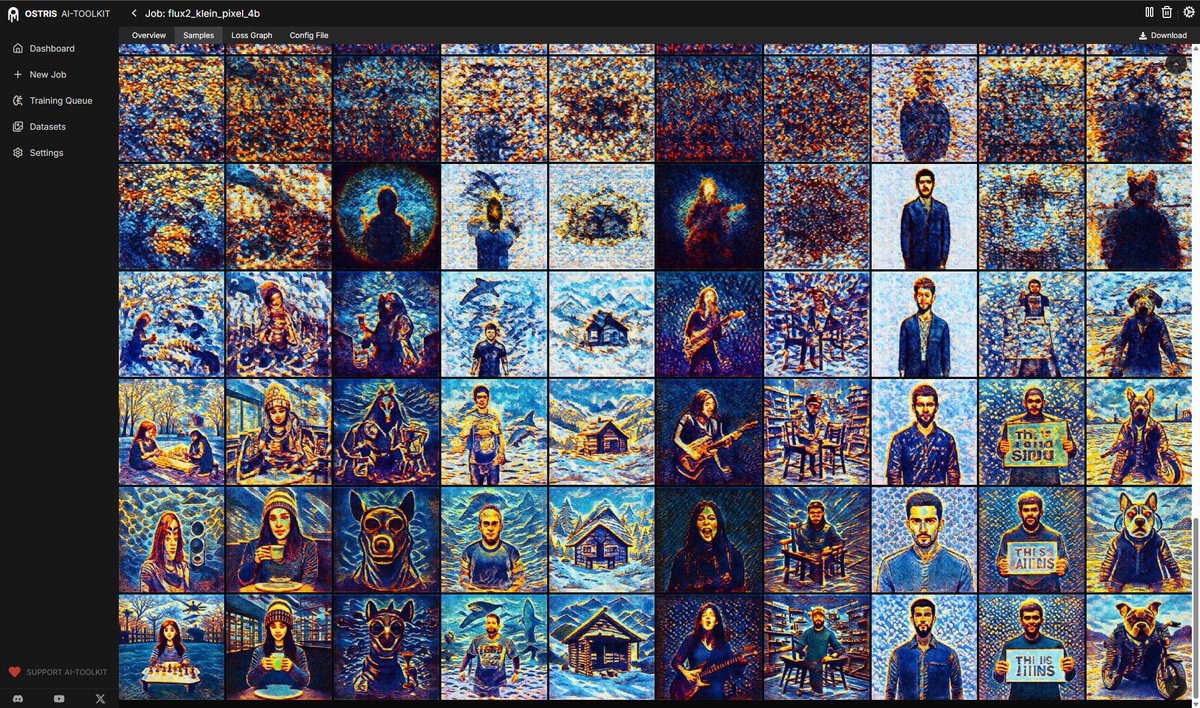
Ostris shared a tutorial for training a ControlNet with Klein 4B and a separate experiment training a pixel-space Klein 4B variant. [2029253666914615436, 2037704064834924757]
Since the previous snapshot
Themes, sentiment, stance, and post format are classified per tweet. All counts, shares, medians, creator concentration, freshness, and performance comparisons are then calculated directly from the published snapshot.
Xholic's all-time score compares engagement while accounting for reach, post age, and creator consistency. It is used for relative comparisons within this collection.
This report analyzes the exact 26-post snapshot shown below. AI identifies editorial categories and drafts explanations; all statistics are calculated from the snapshot, and every narrative claim is checked against cited posts before publication.
Best Flux AI tweets
Ranked 01–26

@aiwithjainam ·
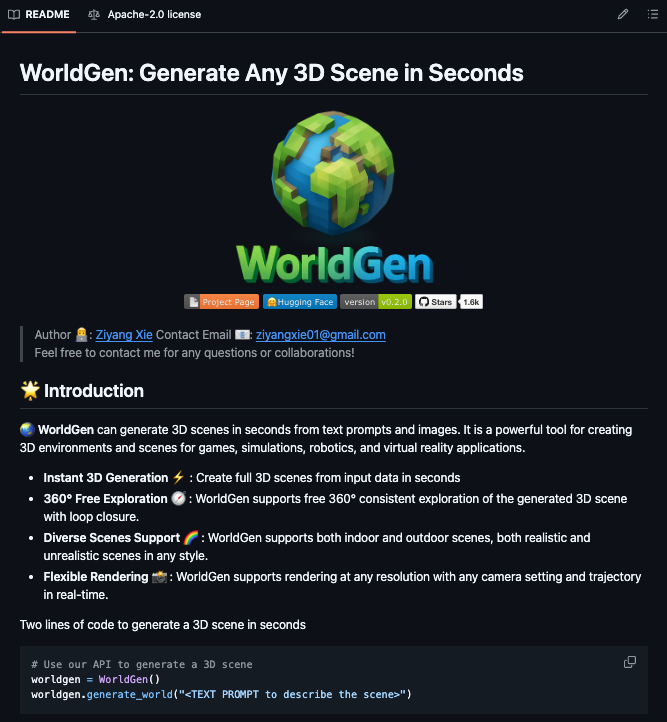
🚨BREAKING: A developer just open-sourced a tool that turns any text prompt or image into a fully navigable 3D world in seconds. It's called WorldGen. You type a scene description, and within seconds you're walking through it in a browser 360° free movement, consistent geometry in every direction, real-time rendering at any camera angle you want. The technical approach is genuinely clever. Instead of trying to generate 3D geometry directly from text, WorldGen first creates a 360° panorama using FLUX.1, then lifts that panorama into a 3D Gaussian splatting representation using UniK3D. The result is a spatially consistent world you can actually explore, not just a static image with fake depth. What makes it actually usable: → Two lines of Python to generate any scene from a prompt → Image-to-scene mode turns any photo into a walkable 3D environment → Mesh generation mode for better geometry than splat output → Low VRAM mode for GPUs with less than 24GB → Background inpainting fills invisible regions as you explore → Saves output as .ply files for any standard 3D viewer 1.6k stars. Growing fast. 100% Open Source. Apache 2.0 License.

@venturetwins ·
Turns out that Flux 3 is exceptional at generating historical footage... like elementary school students in the '90s predicting how we'll use computers. (the last girl is my favorite!)
 Watch video
@linoy_tsaban ·
My favorite editing model, FLUX.2 [klein] 9B, just got 2x faster: Meet FLUX.2 [klein] 9B-KV 😍💨 > Using KV-Cache Optimization to reduce computation & speed up inference by up to 2.5 times for multi-reference editing love how well it edits "around" the bullets
 Watch video
@cyrildiagne ·
ml-sharp 🤝 FLUX.2 klein Inspired by @dx8152, I’ve trained a LoRA for klein 9b that can repair 3D views from ml-sharp, fixing geometry issues and restoring original details. Weights: https://t.co/NVGQc4DJIb I will share the demo + inference code soon!
 Watch video
@sukh_saroy ·
🚨Two lines of code. A full explorable 3D scene generated in seconds from a text prompt. It's called WorldGen -- an open source system that converts text or images into navigable 3D scenes using Gaussian Splatting, with 360° free exploration and loop closure. Here's the full API: ```python worldgen = WorldGen() worldgen.generate_world("A beautiful landscape with a river and mountains") ``` Here's what makes it different from other text-to-3D tools: → Full 360° exploration -- generate a scene and walk through it in any direction, not just a static render → Loop closure -- the scene stays consistent as you move through it, no visual artifacts or seams → Indoor and outdoor support -- cozy bedrooms, mountain landscapes, city streets, fantasy environments → Image-to-scene mode -- upload a photo and get a walkable 3D version of it → Mesh output -- generates actual geometry you can export and use in game engines → Low-VRAM mode -- works on GPUs with as little as 10GB VRAM → Real-time rendering at any resolution with custom camera trajectory Here's the wildest part: You can give it a painting -- a flat 2D image -- and it generates a fully explorable 3D scene from it. Built on FLUX.1, Gaussian Splatting, UniK3D depth estimation, and OneFormer for segmentation. Visualized in your browser via Viser. 1.6K GitHub stars. Apache 2.0 License. 100% Open Source. (Link in the comments)

@emollick ·
Flux 3 is pretty darn impressive. This is what it produced with the prompt: "tracking shot that follows a female astronaut with her helmet open as she walks through a regency dance in a traditional manor, with a mural on the wall painted by Rothko. Pushing people out of the way to make room in the crowd, she then turns a corner and walks into a room paneled with hammered tin tiles and pauses as a knight and ninja fight each other without weapons. the knight is wearing brightly enameled green and white armor, she looks up and we follow her POV to a stained glass window depicting a flower and serpent, intertwined."
 Watch video
@smallfly ·
New iteration on Parallel Timelines (working title). FLUX.2-Klein 4B now runs at a satisfactory real-time speed, balancing performance and visual quality. Hand tracking controls the split, letting me define where the transformed output appears; a more gestural and playful approach than the previous eye-tracked version. #ai #realtime #realtimeai #StableDiffusion
 Watch video
@ostrisai ·
Tutorial: How to Train a ControlNet in AI Toolkit In this tutorial we train a modern controlnet using Flux.2 klein 4b. We train an image to sketch generator and a sketch to image generator. Links and more in 🧵


@Theta_Network ·
Flux & Llama 3 now run on thousands more community edge nodes across Theta EdgeCloud. The team optimized these models to run on consumer GPUs like the RTX 3090 and 4090, hardware that wouldn't normally have enough memory for this kind of AI workload. 🧵

@multimodalart ·
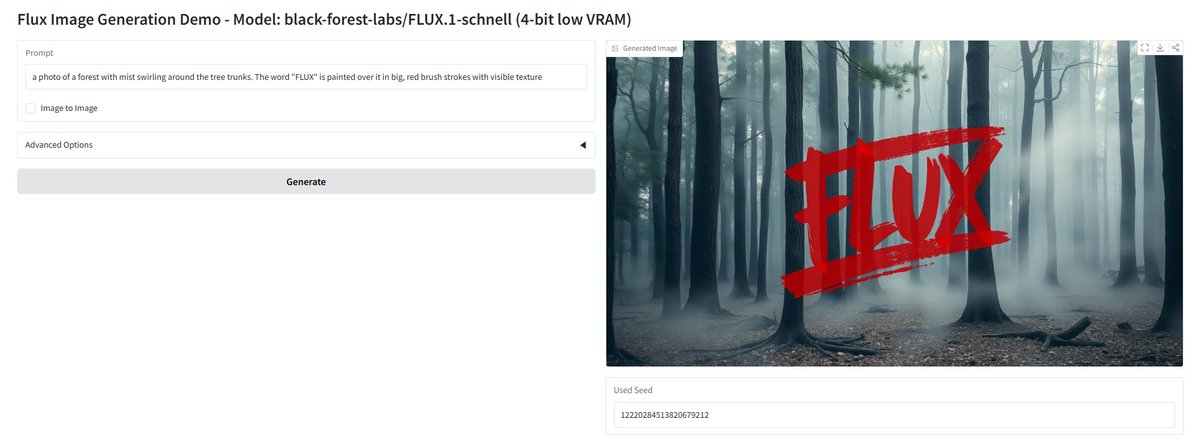
new open weights FLUX model is out @bfl_ml 🔥 FLUX.2 Klein 9B KV optimizes, kv cache of the model radically to deliver way faster edits in high quality Klein 9B always had a soft spot in my heart, with this new speed, it's now extremely useful with day 0 diffusers 🧨 & Spaces 🤗 support



@wildmindai ·
Calibri. Ultra-lightweight post-hoc calibration for DiTs. - 2x speedup (FLUX 30 -> 15 steps). - 3x for Qwen (100 -> 30). - Zero extra compute or params; - Enhances text-prompt alignment, visual fidelity; - No memory and inference overhead. https://t.co/XnHsh8SZZa



@OdinLovis ·
Virtual try-on with a single LoRA Open weight, no preprocessing, no masks, just 3 images in → dressed character out. Made with @fal Built on Flux Klein 9B. Open weights. Playground: https://t.co/99sB1a2AC2 Workflow fal with llm: https://t.co/KPMycTCmpO HuggingFace: https://t.co/PGcFCBi9v2
 Watch video
@ciguleva ·
Flux vs. Nano Banana vs. Midjourney: When to Use What Midjourney: world-building, new styles, aesthetic experimentation. If that's the task, Midjourney isn't just the best option, it's the only option. Flux Klein 9B: faster and cheaper than NB 2.5 via API, wider style range than NB 2.5 (though significantly lower than Midjourney) for more experimental creative ideas. Both Flux Klein 9B and NB 2.5 have APIs; Midjourney doesn't. NB 2.5: API access, multi-subject scenes, text rendering, complex layouts, and better prompt understanding, especially for non-human characters. The downside: NB 2.5 tends to make everything too polished and plastic.
@linoy_tsaban ·
working on a new move&resize LoRA for FLUX.2 klein 🌶️
 Watch video
@venturetwins ·
I’ve started making trailers for AI horror movies with Flux 3 This one is called “Contaminated”
 Watch video
@wildmindai ·
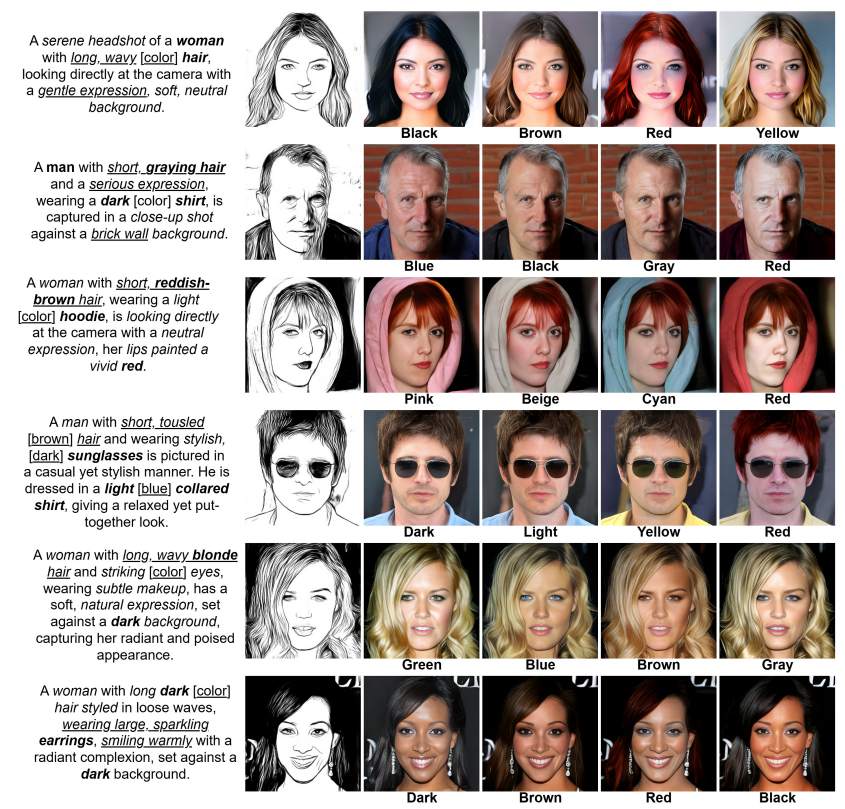
Need some AI faces? MMFace-DiT - high-fidelity multimodal face generation via dual-stream DiT. - 1.3B DiT + FLUX VAE; - Mask and sketch conditioning; - 9.14 FID on sketch-to-face; - fuses modalities via Shared RoPE. https://t.co/Tf1cimFJP8

@ostrisai ·
Experimenting training a FLUX.2 klein 4B pixel space version. I am just doing patch 16 directly from the pixel space into the model. I trained just the in/out layers for 24 hrs. I just unfroze the img stream of the first block and the linear layers of the last. Converging fast.

@RisingSayak ·
Last year, I got to collaborate on a number of serious projects at the intersection of Diffusers x optimization ⚡️ First, NONE of them were bootstrapped with any AI agents but pure domain knowledge and expertise. So, besides just feeling good, it's also very reassuring to me to know how important those two traits are. Now, coming to the projects that I think are worth mentioning: * `flux-fast`: Showing a combination of `torch.compile` + unscaled FP8 FA3 + no CPU-GPU sync + dynamic FP8 is great for accelerating Flux.1-*. https://t.co/Fagw9bkFPA * `torch.compile` x Diffusers: What does it take to get the most out of `torch.compile` in Diffusers across different user workloads? https://t.co/J8bPgBFK1y * `lora-fast`: How to hotswap LoRAs into compiled models without incurring (slow) recompilation issues? How to set it up for success? https://t.co/FhY8ATz4c0 * `zerogpu-brrr`: How to optimize a ZeroGPU HF Space with AOT + FA3 and other goodies? This helps save 💰 and improve the user experience of your ZeroGPU applications. https://t.co/DdPsS6O5Ky Hopefully, this will make you realize there's still a LOT that you can do (preferably pairing with AI) if you're curious and deeply invested in stuff you care about.

@shshnkp ·
With Xcode 26.4 and Neural Accelerator profiling counters, its cool to see Neural Accelerator Utilization when running your favorite MLX models. Here's Neural Accelerator Utilization running FLUX on a MacBook Pro with M5. (Example: https://t.co/jhP782MO7F) Video walkthrough: https://t.co/hlAnocXKlo

@smallfly ·
Starting a new series of real-time img2img diffusion explorations. First experiments combining FLUX.2-Klein with MediaPipe for live tracking-driven transformations. #ai #realtime #realtimeai #stablediffusion
 Watch video
@icreatelife ·
A lot of people don’t know that the best part of Firefly Boards is that you can edit images right inside it using the latest AI models. You’ll find editing models like Flux, Nano Banana 2, GPT Image 2, and Firefly Image 5 all in one place. Plus, you have Generative Fill built in, so you can iterate without leaving your workflow.

@cyrildiagne ·
Had a lot of fun building this fast web demo for FLUX.2 [klein], with extreme speed and glimpses of generative UI. Checkout how fast and intuitively we're able to explore visual ideas with this model. The video is at 1x speed. With the fact that it's open weights, I'm 100% sure that it will unlock an entire new class of generative UX for creatives.
 Watch video
@drawthingsapp ·
🔄 You may not have noticed our latest two updates — the newest version is Draw Things v1.20260323.0. In addition to Lightning Draft, we’ve made many detailed fixes and improvements, such as: 🔹 Updated LTX-2.3 x2 spatial upscaler to v1.1, along with improved Hires Fix logic specifically for LTX-2.3, making it more automatic in selecting x2 or x1.5 resolutions. 🔹 Support for exporting video as HEVC. 🔹 Improved performance on M5 by 2% to 10% through various optimizations to Neural Accelerator usage. 🔹 New history view with more log-like behavior. 🔹 Fixed crash for FLUX.2 [klein] 9B KV when batch size > 1 or text guidance ≠ 1. 🔹 Further fixes for video VAE speed issues at large resolutions or long frame counts.


@WesRoth ·
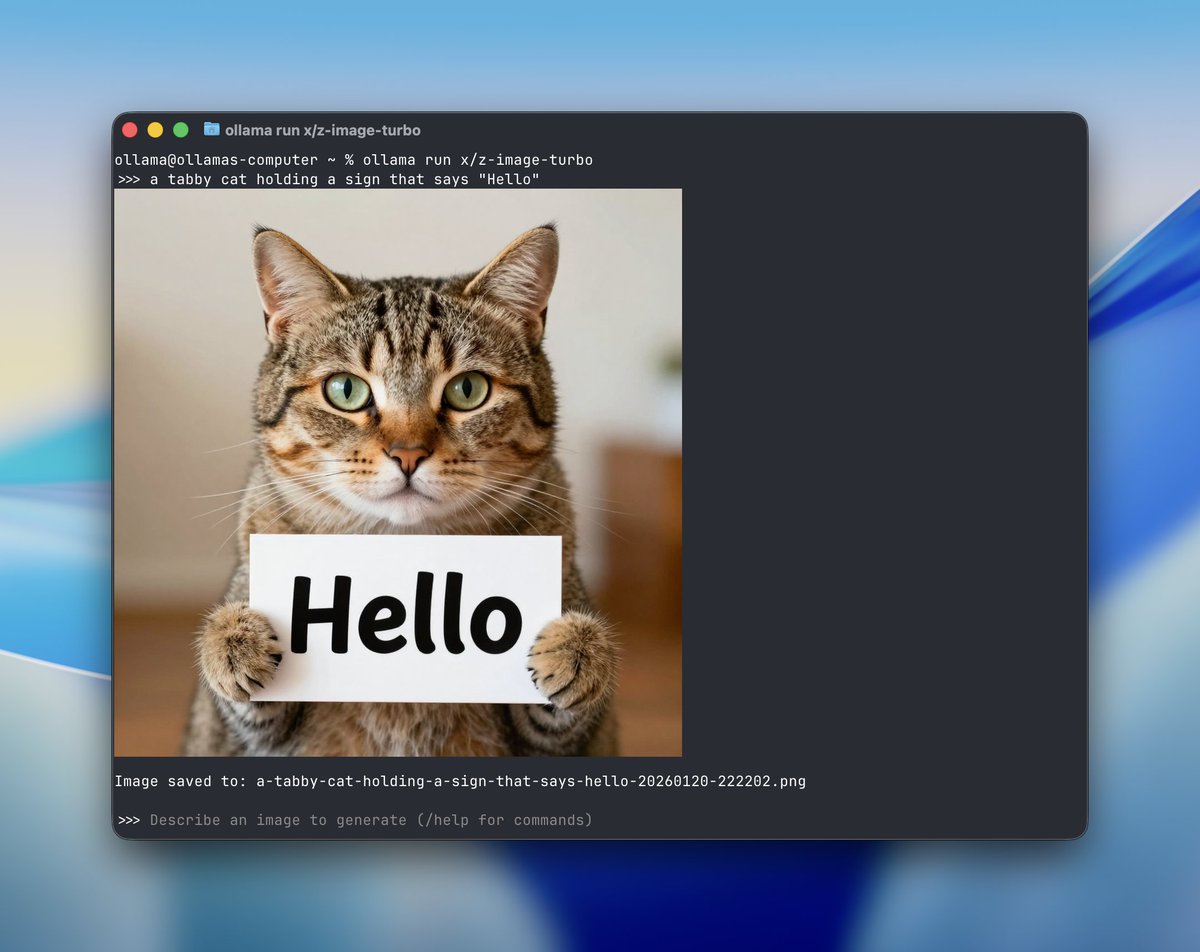
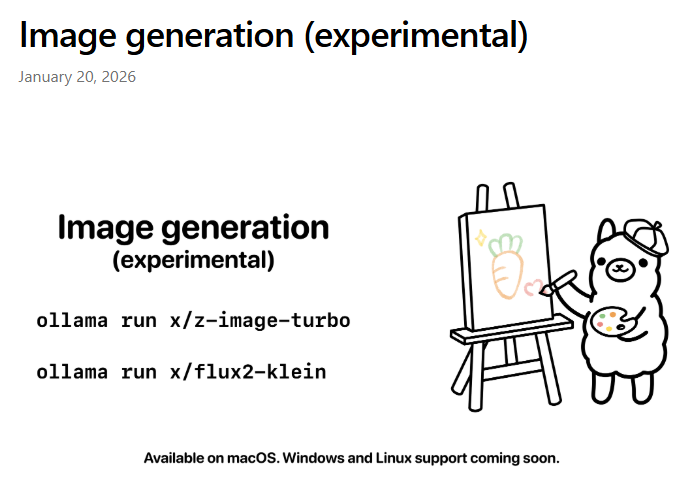
Ollama has officially added image generation capabilities now live for macOS, with support for Windows and Linux coming soon. Users can generate photorealistic or stylized images right from their terminal using models like: Z-Image Turbo (from Alibaba’s Tongyi Lab): great at realism, bilingual text rendering (English + Chinese), and open for commercial use (Apache 2.0). FLUX.2 Klein (by Black Forest Labs): excels at text in images, UI mockups, and product visuals. Comes in 4B (open) and 9B (non-commercial) versions. Customization options include image size, random seed, number of steps, and negative prompts. Images save locally and even render inline in supported terminals like iTerm2 and Ghostty.

@Amank1412 ·
SOMEONE JUST BUILT AI COMPONENT PLACEMENT IN FLUX. it can lay out an entire board in real time. first tool to actually pull this off and this is just day one.
 Watch video
@willkurt ·
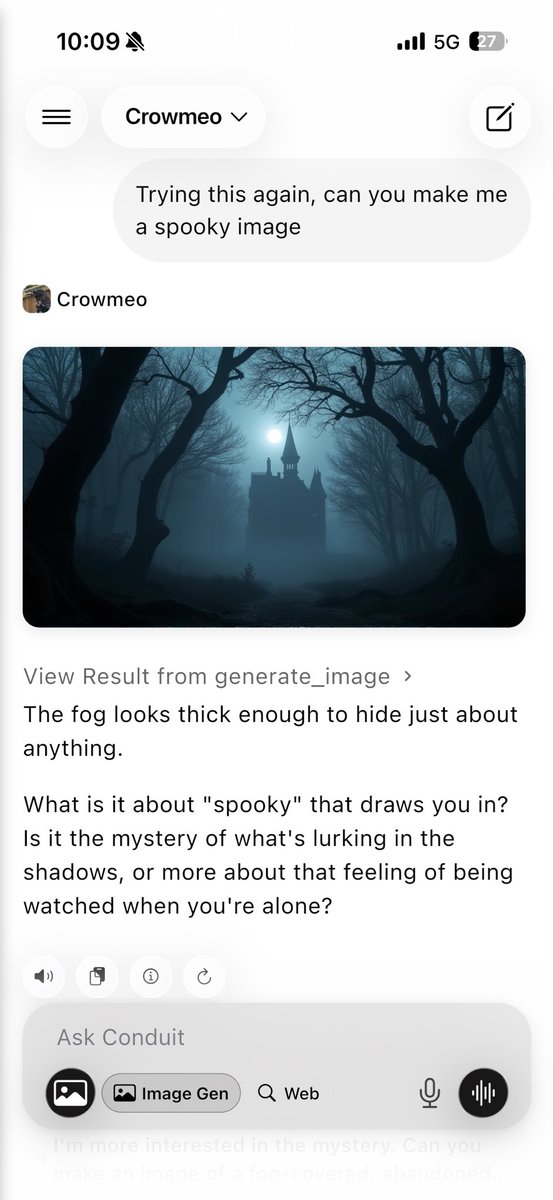
Okay this is cool! Totally open model for both image gen and chat running on my own hardware but available with an app-native mobile experience! - Gemma 4 26b running on an mbp - Flux running on my desktop (rtx4090) - Open Web UI to tie them all together! - Tailscale means this runs mobile anywhere!
Best Flux AI tweets
Xholic studies what works in your niche, drafts posts in your voice and schedules them for the hours your audience is online.
$0 today · Cancel anytime
Browse all tweet collectionsKeep exploring