The best Twitter CRM tools depend on the workflow, not the size of your follower list. Xholic AI is the strongest fit for personalized engagement and growth, while Sprout Social, Agorapulse, Hootsuite, Zoho, Audiense, Sprinklr, Khoros, Zendesk, and Nimble serve different team, sales, support, publishing, and audience-management needs.
Which Twitter CRM tool fits your X workflow when mentions, replies, DMs, contacts, follow-ups, and audience insight are scattered across separate tabs? A social inbox can organize conversations, but it may not remember why a relationship matters. A sales CRM can preserve contact history, but it may not help you decide which conversation deserves a thoughtful reply. An audience intelligence platform can reveal useful segments, while an enterprise care suite can route urgent customer issues to the right agent.
That’s why this comparison treats X, formerly Twitter, CRM tools by the job they perform. Some are personal growth systems. Others are shared inboxes, sales handoff layers, audience research platforms, publishing suites, or customer-care environments. The practical criteria include conversation tracking, contact records, tagging, integrations, automation, collaboration, analytics, pricing transparency, and intended user.
The category sits inside a broader CRM market estimated at USD 79.98 billion in 2025, with one forecast projecting USD 157.50 billion by 2034 according to Gartner’s cited market data. Social CRM is also forecast to grow from $8.2 billion in 2025 to $18.7 billion by 2033, with cloud deployments representing 71% of volume in 2025 and projected to reach 84% by 2033 in the DataHorizzon Research market summary. That expansion makes X CRM more than an inbox question. It’s a question of where social context belongs in your operating system.
If you’re evaluating X as a serious demand channel, you may also want to apply for Crypto Banter jobs and see how professional crypto teams use social workflows.
1. Xholic AI
Best for personalized engagement, audience growth, and human-reviewed X workflows
Xholic AI is built around a different CRM problem: not just recording who contacted you, but helping you decide what to say next and which conversations are worth joining. It’s a personal AI growth agent for creators, founders, indie hackers, marketers, analysts, startup operators, crypto and Web3 builders, and other X power users.
At the center is Xholic’s Context settings, which hold your style guide, About You, products, interests, and rules, while replies also learn from your real past replies and posts and the edits you make. That context gives the system a relationship-memory layer that generic AI writing tools lack. It can support replies, post ideas, remixes, and recommendations without forcing every interaction into the same promotional template.
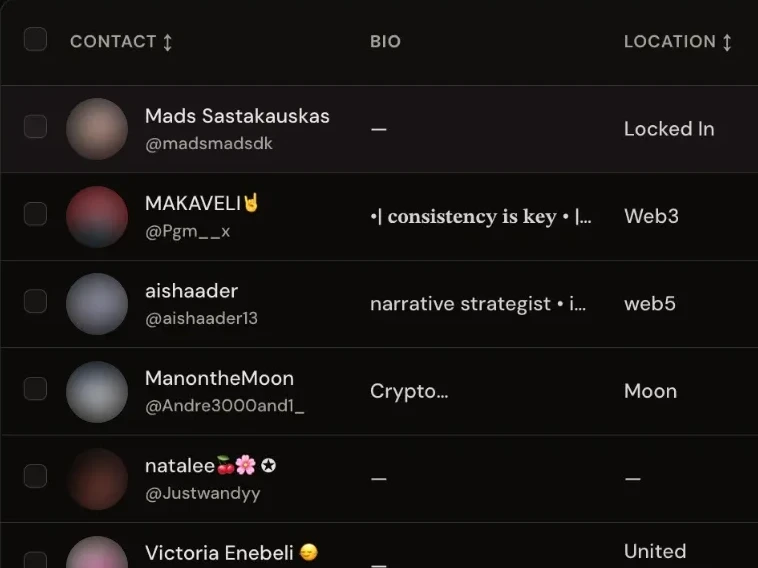
The Xholic Chrome extension works directly inside X. Its reply wand writes a context-aware draft into X’s own reply box, and you press Reply yourself. An Add to Contacts button on X profiles and a Contacts tab let you keep lists of people, including followers, repliers, and reposters pulled from X. Engage feeds help surface conversations connected to your expertise, audience, product, or industry, reducing the need to scroll through an unfiltered feed. The workflow is especially relevant because average X post impressions fell from 2,864.78 in 2024 to 2,711.29 in 2025, while median engagement remained 0.015% across industries, according to the Sprinklr customer care report published through X’s partner resources. In that environment, prioritization matters as much as drafting.
Where Xholic fits best
Xholic’s research and writing tools are connected rather than isolated:
- Inspiration Library: Search more than 12 million indexed tweets for hooks, formats, creators, topics, and ideas.
- Ask Xholic: Send a post to the assistant to examine its hook, tension, structure, flow, and payoff.
- Tweet Remixer: Rebuild an underlying idea in your own voice and context instead of copying it.
- Product profiles: Give founders and marketers relevant product context for useful, non-forced replies.
- Collections and Smart Scheduler: Save research, organize ideas, and plan approved drafts with a drag-and-drop calendar.
- Streak heatmap: See in Analytics whether occasional posting is becoming a repeatable operating habit.
Xholic is human-in-the-loop. It doesn’t automatically publish unreviewed AI content. You review, edit, regenerate, approve, or reject each suggestion. That control matters because Gartner-based CRM reporting says 45% of CRM leaders say their data isn’t ready for advanced AI use cases, while 48% of businesses report that data silos prevent a consistent customer experience in this CRM statistics analysis. More automation isn’t automatically better if the underlying context is stale or disconnected.
The trade-off is that replies improve with use, so the system needs your past replies, posts, and edits to become more specific. Advanced capabilities also require higher-tier plans, and readers should verify current pricing on the pricing page. Xholic is the best fit when your primary CRM question is, “How do I build better relationships and make more intentional decisions on X?”
2. Sprout Social
Best for team-based social CRM and contact context at reply time
Sprout Social is a strong choice when your X workflow starts with a shared inbox and ends with a coordinated team response. Its Smart Inbox brings mentions, replies, and DMs into a central queue, while social CRM contact views can show prior interactions before an agent or social manager responds.
That contact context changes the quality of triage. A team member can distinguish a first-time question from a recurring customer issue, a partner relationship, or an influential account that needs a more careful response. Sprout also supports publishing, analytics, approvals, team workflows, and optional listening, so the platform can serve both marketing and customer-facing teams.
The operational fit
Sprout’s value is strongest when several people manage the same X presence. Filtering, routing, assignments, approvals, and conversation history help prevent duplicate replies and reduce the chance that a valuable message sits unanswered. Integrations with support and CRM systems can extend that context beyond the social inbox.
The limitation is cost structure and feature packaging. Per-seat pricing can become expensive as teams grow, and advanced listening or analytics may require add-ons. That makes Sprout less compelling for a solo creator who mainly needs help finding relevant conversations or maintaining a personal voice.
For measurement, teams should define the metrics they need before buying a broad suite. An X/Twitter analytics dashboard can be useful for separating basic visibility signals from deeper workflow questions, such as which conversations create qualified follow-up or which content themes attract the right audience.
Choose Sprout when the central job is shared conversation management with reliable contact context, not personalized creator-style growth.
3. Agorapulse
Best for lightweight relationship tracking inside a unified social inbox
Agorapulse sits between a social media manager and a traditional CRM. Its unified Inbox helps teams handle X mentions and DMs alongside other networks, while user profiles, internal notes, labels, assignments, and filters add practical relationship context.
That combination works well for a small marketing or communications team that needs to remember who someone is without implementing a large sales or service platform. A team can label a contact, record an internal note, assign the message to a colleague, and use those labels in reporting. The workflow is simple enough for day-to-day follow-up, but structured enough to avoid relying on individual memory.

Where it earns its place
Agorapulse’s Salesforce and HubSpot integrations make it more useful when social conversations need to move into an existing CRM. For example, a marketer can identify a relevant X user, attach context through labels or notes, and pass that relationship into a sales workflow rather than leaving it in a social inbox.
Its reporting can also incorporate labels, which helps teams compare categories of interaction rather than viewing all replies as equivalent. That’s a meaningful distinction for founders and marketers who want to separate product questions, partnership conversations, customer feedback, and general engagement.
The trade-off is that some X monitoring capabilities may be more limited than those available in specialized listening or enterprise platforms. Per-user pricing can also add up as more collaborators join. Agorapulse makes the most sense when you want quick setup, recognizable contact context, and basic CRM connectivity without turning X management into a full enterprise implementation.
4. Hootsuite
Best for broad social operations, publishing, and mature team governance
Hootsuite is designed for organizations managing X as one part of a larger social portfolio. Its Advanced Inbox, also known as Inbox 2.0, brings DMs, comments, and mentions into a structured workspace with threaded views, assignments, collision detection, routing, and analytics.
The distinction is important. Hootsuite’s strongest use case isn’t personal relationship memory. It’s operational control across networks, accounts, teams, and approval processes. Marketing, communications, and care teams can work from a shared environment while maintaining permissions and governance.
A useful publishing and care layer
Hootsuite supports X publishing, analytics, inbox workflows, and a large integrations ecosystem. The platform can connect with tools such as Zendesk and third-party X insight products, giving larger teams a path from social activity to customer support or reporting systems.
The official X documentation confirms that X supports scheduling posts, threads, and content calendars, along with metrics, historical search, post counts, and topic annotations in its developer guidance. Hootsuite’s value is in wrapping those platform mechanics inside a broader workflow with review and collaboration controls.
Teams should test specific X chat and DM requirements before committing. Reported gaps in particular workflows mean the broad feature list shouldn’t replace a hands-on test with representative conversations. Pricing can also rise as seats, networks, analytics, and governance features are added.
For teams comparing publishing workflows, this guide to the best social media scheduling tools provides useful context. Choose Hootsuite when your main problem is coordinating social operations at scale, not building a personalized memory of every relationship.
5. Zoho Social and Zoho CRM
Best for turning X activity into sales records
Zoho Social becomes substantially more useful when it’s connected to Zoho CRM. Instead of treating a mention or retweet as a conversation that ends in the social dashboard, teams can add X users as leads or contacts and map social activity into CRM records.
That makes Zoho a practical choice for small and mid-sized businesses that already use the Zoho ecosystem or want a direct path from social discovery to sales follow-up. A marketer can identify a relevant account, capture it as a lead, preserve social context, and let sales handle the next step inside a familiar pipeline.
The handoff is the product
Zoho Social supports publishing, monitoring, and reporting across social channels. Its important feature here is the connection between social activity and structured customer data. Rules can be mapped around activity such as mentions or retweets, allowing teams to define which interactions deserve CRM treatment rather than manually copying every social event.
That workflow supports a more disciplined version of Twitter lead generation. The goal isn’t to classify every reply as a sales opportunity. It’s to create a clear threshold for moving a public conversation into a record where ownership, status, and follow-up can be managed.
The downside is administrative setup. Teams need to configure both Zoho Social and Zoho CRM, decide which activity should create or update records, and maintain field mappings. Advanced listening is lighter than what enterprise platforms offer, so Zoho works best when the primary job is clean sales capture from X, not broad audience intelligence or complex customer care.
6. Audiense Connect
Best for X-native audience intelligence and segmentation
Audiense treats X as an audience research environment rather than a publishing channel. Connect focuses on follower management, community analysis, custom cohorts, campaign targeting, collaborator dashboards, and targeted outreach.
That makes it particularly useful for marketers, analysts, agencies, and founders who need to answer questions such as: Which communities overlap with our topic? Which accounts influence a niche? Which audience segment should receive a campaign message? Which followers deserve closer attention?

Audience CRM rather than inbox CRM
Audiense is strongest when segmentation comes before engagement. You can build cohorts for research, advertising, or outreach, then use those groups to inform messaging and prioritization. It can help map influencers and identify high-intent audiences, but it isn’t intended to replace a full publishing or support suite.
That distinction prevents a common buying mistake. A platform can be excellent at telling you who matters while offering limited help with what to say, how to route a DM, or how to preserve a service case. Audiense is an intelligence layer, not a universal answer to every X workflow.
The trade-off is plan complexity and potentially higher cost than generalist social tools. Pricing varies by plan and add-ons, so teams should request a configuration that reflects their audience research, collaboration, and campaign needs.
For teams comparing listening and research options, this overview of Twitter listening tools can help clarify the difference between monitoring keywords and building actionable audience segments. Choose Audiense when your central question is which people and communities deserve attention.
7. Sprinklr
Best for enterprise customer experience and high-volume social care
Sprinklr is an enterprise CX and social CRM suite for organizations that need customer service, brand operations, governance, analytics, and inbound social handling in one environment. Its platform supports 25 or more channels, including X, according to the product description supplied for this comparison.
The practical difference from a creator-focused tool is case handling. Sprinklr is designed to preserve context as conversations move through queues, agents, escalation paths, and service processes. It can centralize social messages, support unified case management, and connect with other enterprise systems.
Why implementation matters
Large support organizations may benefit from Sprinklr’s routing, analytics, integrations, governance, and AI-assisted care tooling. Those features become relevant when X is one source of a broader customer conversation and when managers need visibility into how agents handle cases.
AI deserves careful governance here. CRM reporting cited in the brief projects that 40% of agentic AI CRM projects will fail or stall by 2028 because of data quality rather than AI itself in the referenced CRM tools analysis. That projection reinforces a practical rule for enterprise buyers: validate identity resolution, knowledge sources, permissions, and escalation controls before turning on AI-assisted care.
Sprinklr’s weaknesses are the mirror image of its strengths. Quote-based pricing, heavier implementation, and operational overhead can make it unsuitable for smaller teams. Choose it when X customer care must fit inside a complex, governed, omnichannel service operation.
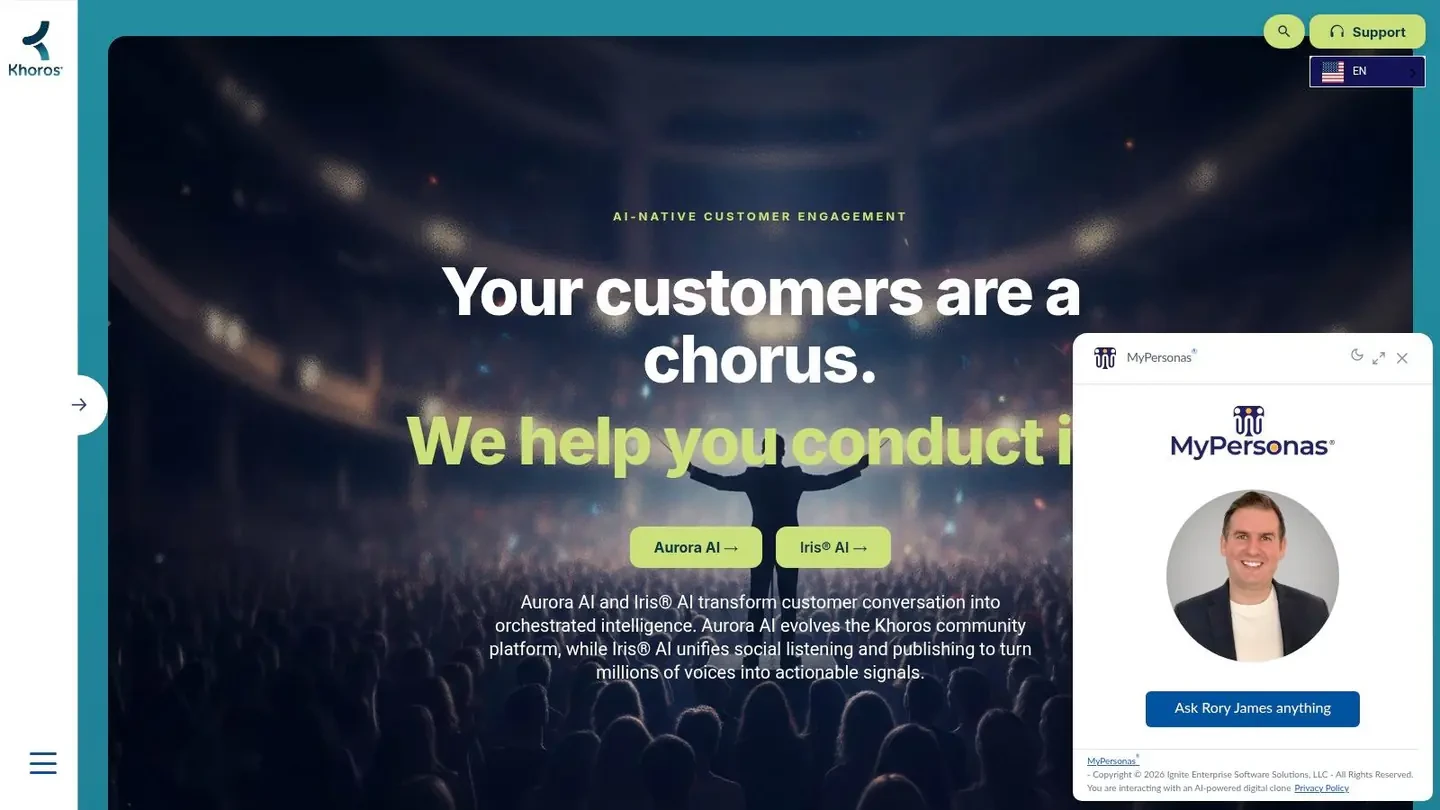
8. Khoros Care
Best for structured enterprise queues and integrated digital care
A public X complaint becomes a support obligation the moment an agent must own, route, and resolve it. Khoros Care is built for that handoff. Its workspace supports queues, automations, analytics, and integrations with external CRM and case systems. For X, buyers should verify support for public replies, private messages, and any required search or conversation-history functions rather than assume coverage from a general social inbox.
A typical workflow starts with a customer replying publicly about a failed order. Khoros can bring the interaction into a care queue, assign it to an agent, and preserve the case as the conversation moves from a public response to a private exchange. The agent can confirm identity, review the customer record through the connected system, resolve the issue, and close the case with an auditable status. Test whether quote posts, attachments, routing rules, escalations, and identity matching behave as your service process requires.
What buyers should test
Khoros Care’s integration model suits organizations that already have established CRM and case systems. The care workspace can connect with those systems instead of making the social platform the only home for customer records. That separation supports shift changes and keeps X work aligned with email, chat, and other service channels.
The trade-off is procurement effort. Feature coverage and pricing are quote-based, so an enterprise sales cycle is part of implementation. Evaluate the platform as a care system whenever an X message can create a support obligation. That criterion separates Khoros from tools aimed at content ideas, publishing, or creator replies.
Khoros fits teams that define Twitter CRM as social customer care with accountable case management.
9. Zendesk Support with the X channel
Best for keeping X customer care inside the helpdesk
Zendesk fits organizations that treat customer relationships as support cases. Its Support product can turn X mentions and DMs into tickets, giving agents a shared record while they respond from the helpdesk. A public reply, quote post, or private message can therefore enter the same service workflow, with the original channel context available for review.
From X interaction to accountable case
For a public complaint, teams can preserve the threaded exchange as the ticket develops, then continue privately through a DM when the issue requires account details. The case record can show how the interaction moved from an @-mention or direct reply into private support. That context helps supervisors audit what was promised publicly and what the agent resolved privately.
Zendesk can support multiple X accounts and traffic-handling configurations within Support or Suite. Agents may reply as threaded X responses where the setup allows it, while ticket fields, ownership, status, and escalation rules keep service work consistent with email and chat.
The trade-off is scope. Zendesk is a customer-care and ticketing layer, not a full X publishing, listening, audience research, or creator-analytics platform. Marketing teams needing campaign calendars or audience intelligence will likely need a separate tool.
Zendesk is a strong fit when an X message must become an accountable support record. Existing Zendesk teams gain a shorter path from social contact to triage, resolution, and audit history, without maintaining a separate social inbox.
10. Nimble
Best for lightweight contact enrichment and relationship-based selling
Nimble is a people-centered social CRM for small businesses that attach X context to contacts, companies, emails, and calendars. It enriches records with social profile information, including X, and connects with Google Workspace and Microsoft 365.
Nimble’s job is relationship memory, not full-scale publishing or monitoring. A salesperson, founder, recruiter, consultant, or partnership lead can keep the people behind business conversations connected across channels. Its browser and inbox extensions can show recent tweet activity, follower count, and notes the team has added to the contact record while someone works in email or another supported workflow.
A good fit for relationship continuity
Nimble suits workflows where X is one signal among several. A founder may notice a prospect’s post, exchange replies, and continue later through email. Linking those interactions to one contact record gives the next conversation more context than a standalone X thread.
Implementation is relatively light for small teams that do not need enterprise routing or a social command center. That makes it useful for relationship-led selling, recruiting, consulting, and partnerships, where remembering prior interactions matters more than managing a high-volume queue.
The trade-off is limited social depth. Nimble is not a full publishing or listening product, and available information depends on connected accounts and permissions. A team tracking a viral conversation across multiple contacts may need another tool to follow every reply, identify the broader audience, and analyze why a post spread. Nimble can preserve selected relationship notes, but it is not built to coordinate that live conversation.
Nimble fits contact enrichment and relationship memory across email, calendar, and social signals, rather than high-volume X engagement or campaign management.
Top 10 Twitter CRM Tools, Feature Comparison
| Product | Core features | Quality & usability (★) | Price & value (💰) | Target audience (👥) | Unique features (✨) |
|---|---|---|---|---|---|
| Xholic AI 🏆 | Context settings, context-aware replies (Chrome ext), 12M+ Inspiration Library, Ask Xholic/Remix, Engage feeds, Scheduler & Library | ★★★★☆, human‑in‑loop; learns from your edits | 💰 Pro $29/mo · Max $29/mo launch price (normally $49/mo) · Ultra $149/mo (as of October 2026, see pricing) · 3-day trial on every plan | 👥 Founders, creators, indie hackers, marketers, Web3 builders | ✨ Persistent personalization; product-aware replies; in-context Chrome workflow |
| Sprout Social | Smart Inbox (mentions/DMs), social CRM views, publishing, analytics, team workflows | ★★★★☆, mature UX for teams | 💰 Per-seat pricing; tiered plans (can scale costly) | 👥 Mid–large marketing teams, agencies | ✨ Unified contact views + routing; CRM integrations |
| Agorapulse | Unified Inbox, user profiles with notes/labels, Salesforce/HubSpot integrations, reporting | ★★★★☆, quick to set up, intuitive | 💰 Mid-tier per-user pricing; add-ons | 👥 Small–mid marketing teams | ✨ Labeling that flows into reporting; fast CRM-like setup |
| Hootsuite | Inbox 2.0 (threaded view, collision detect), posting, analytics, wide integrations | ★★★★☆, robust cross-network workflows | 💰 Seat-based; scales with seats/features | 👥 Agencies, enterprise marketing teams | ✨ Deep cross-network coverage; clear enterprise upgrade path |
| Zoho Social + CRM | Sync social to CRM, map mentions→leads, publishing & monitoring | ★★★★☆, affordable but needs setup | 💰 Affordable entry; CRM bundle pricing | 👥 Small teams wanting social→sales handoff | ✨ Native CRM tie-in for direct lead capture |
| Audiense (Connect) | X-native audience intelligence, segmentation, custom cohorts, dashboards | ★★★★☆, strong X-first insights | 💰 Plan/add-on pricing; premium for advanced features | 👥 Community managers, growth & ads teams | ✨ Granular cohorting & X-focused audience targeting |
| Sprinklr | Omnichannel care, unified case handling, analytics, enterprise governance | ★★★★★, enterprise-grade CX tooling | 💰 Quote-based enterprise pricing | 👥 Large enterprises & CX operations | ✨ Scalable enterprise governance + AI-assisted care |
| Khoros Care | Agent workspace, queues, automations, analytics, CRM integrations | ★★★★☆, built for structured case handling | 💰 Quote-based enterprise | 👥 Enterprise customer service teams | ✨ Flexible integration patterns for service stacks |
| Zendesk (Support + X) | Convert mentions/DMs to tickets, reply from helpdesk, multi-account support | ★★★★☆, strong helpdesk audit trail | 💰 Support-tier pricing; channel add-ons | 👥 Support teams using helpdesk-centric CRM | ✨ Keeps social care inside primary support system |
| Nimble | Social profile enrichment, unified contacts, inbox/browser extensions | ★★★★☆, simple, people-centric UX | 💰 Lower-cost SMB plans | 👥 Small businesses, sales-focused teams | ✨ Contact enrichment tied to email/calendar workflows |
Choose the CRM Layer Your X Strategy Actually Needs
The right choice starts with the job you want the system to perform. Calling every platform a Twitter CRM tool hides the most important difference between them. Xholic AI helps a person decide what to say and where to engage. Sprout Social, Agorapulse, and Hootsuite help teams manage shared conversations and publishing. Zoho moves social activity toward sales records. Audiense helps marketers understand and segment audiences. Sprinklr and Khoros handle enterprise care. Zendesk turns X activity into support tickets. Nimble keeps social context attached to individual contacts.
Use this buyer’s checklist before you commit:
- Define the primary job: Decide whether you need personalized growth, shared inbox management, sales capture, audience segmentation, customer support, contact enrichment, or publishing.
- Verify X coverage: Test mentions, replies, DMs, quote posts, historical context, and the specific account permissions your team needs.
- Inspect the record model: Confirm whether the platform stores contact history, tags, internal notes, cases, leads, or only message threads.
- Test collaboration: Check assignments, routing, approvals, collision detection, escalation paths, and user permissions with real team members.
- Review integrations: Map the path from X to your CRM, helpdesk, analytics system, advertising workflow, or product database.
- Check automation controls: Ask what can run automatically, what requires approval, and how the system handles stale or incomplete context.
- Validate analytics: Separate publishing metrics from conversation quality, lead progression, service outcomes, and audience intelligence.
- Confirm commercial limits: Review current pricing, seats, account limits, add-ons, usage allowances, support terms, and implementation costs directly with each provider.
- Run a representative workflow: Use a real mention, DM, lead, support issue, and follow-up before signing a contract.
The market context supports a cloud-first evaluation. Social CRM deployments are described as cloud-led, with cloud volume forecast to rise from 71% in 2025 to 84% by 2033 in the DataHorizzon Research summary. That means your test should include access controls, data portability, integrations, and how different teams share context, not just whether the interface looks clean.
For creators, founders, and marketers, Xholic AI is the most focused option when growth depends on better prioritization and more relevant participation. Engage feeds surface conversations, Context settings hold your voice and product context, and the Inspiration Library helps you study ideas without copying them. Ask Xholic breaks down hooks and structure, while Tweet Remixer adapts an underlying pattern to your own product, experience, and audience. Collections preserve research, and Smart Scheduler turns approved drafts into a consistent publishing workflow.
For larger teams, Xholic may complement rather than replace a support or sales system. A care platform can own the case, a CRM can own the pipeline, and Xholic can support the research-to-reply-to-scheduling layer for the people building authority and demand on X. The important boundary is human control. Xholic doesn’t publish unreviewed AI content, so users retain responsibility for judgment, tone, relationships, and final publication.
Start by documenting one complete workflow from discovery to outcome. If your team can’t explain where an X conversation begins, who owns it, how context is preserved, and what action follows, adding another dashboard won’t solve the underlying problem.
Xholic AI helps you find worthwhile conversations with Engage feeds, keep your voice and product context in Context settings, study proven ideas in its Inspiration Library, break down posts with Ask Xholic, remix patterns with Tweet Remixer, and schedule approved content with Smart Scheduler. If that research-to-reply-to-publishing workflow matches how you use X, explore Xholic AI and build a more focused, human-reviewed system for your next conversation.