Trying to grow on X (Twitter) manually gets old fast. You write posts one by one, forget to publish at the right time, miss good reply opportunities, and end up treating growth like a side quest instead of a system. The best Twitter automation tools fix that by handling scheduling, discovery, drafting, monitoring, and repeatable workflows so you can spend more time on positioning and less time on busywork.
Quick answer: if you’re a solo creator or founder, start with a tool that helps you find ideas, draft faster, and schedule approved posts. If you’re managing clients or multiple channels, use a broader publishing suite. The right choice depends less on “best overall” and more on the job you need done right now.
1. Xholic AI

Xholic AI is the tool I’d put in the “all-in-one growth” category, not the “just schedule my tweets” category. That distinction matters. Many individuals don’t need more buttons for posting. They need a workflow that helps them find better conversations, write faster, save what works, and stay consistent without living in the feed all day.
Its strongest advantage is that the workflow starts inside X itself. The Chrome extension lets you reply, remix, save tweets, build templates, and track activity without bouncing between tabs. That sounds small until you use it for a week and realize context switching is where most momentum dies.
Why Xholic AI stands out
The best part of Xholic isn’t one single feature. It’s the loop. Smart Home gives you one place to see drafts, Daily Pack ideas, saved posts, streaks, and next actions. Inspiration helps you search a large tweet library by meaning, not just keywords. Engage surfaces relevant conversations so you’re not manually hunting for posts worth engaging with.
For creators, founders, and marketers, that’s a better stack than pure scheduling.
- Discovery-first workflow: You can find high-momentum tweets, study structures, and jump into conversations before they’re saturated.
- Stronger drafting help: Tweet Remixer and Steal the Structure are useful when you know the angle you want but need a cleaner hook or tighter format.
- Safer automation model: Smart Scheduler is built around approved posts and user-controlled rules. It doesn’t encourage blind autoposting.
Practical rule: If your tool only helps you publish, it won’t fix your content problem. If it helps you discover, draft, and publish, it can.
A practical setup looks like this: use Inspiration to find posts in your niche that already have traction, save them to Collections, break down the structure, draft your version with product context, then queue approved posts in Smart Scheduler. If you want a broader publishing playbook, this guide on using social media management tools to go viral on Twitter X is worth reading.
Best fit and real trade-offs
Xholic makes the most sense for people who treat X as a growth channel, not just a broadcast channel. That includes indie hackers building in public, B2B founders, audience-first creators, and marketers who want to reply consistently instead of posting into a void.
The trade-off is simple. The best experience is desktop-first because the Chrome extension is central to the workflow. Also, full automation is intentionally limited. You still review what goes out. I see that as a feature, not a flaw. Bad automation usually starts when people stop reviewing.
2. Postwise
Postwise is for people who want AI help without turning their workflow into a complicated social media operating system. It feels lighter than a full suite and more focused than a broad enterprise scheduler. If your main bottleneck is turning rough ideas into clean posts and threads, Postwise proves its worth.
What I like most is the speed. You can move from half-formed thought to publish-ready draft quickly, which is exactly what busy creators need. It also suits people who plan content weeks ahead and want a queue that keeps moving even when they’re heads-down building.

Where it works best
Postwise is strongest when your strategy is simple: write useful posts, batch them, and keep the pipeline full. It doesn’t try to be your listening dashboard, CRM, or giant multi-network command center.
That focus is a strength.
- Fast drafting: Good for creators who want help writing hooks, punchier threads, and cleaner promotional tweets.
- Simple scheduling: Better for planned publishing than live engagement workflows.
- Multi-account support: Useful if you manage a personal brand and a company handle.
The downside is that it isn’t the tool I’d choose for agencies or teams that need broader orchestration. Also, if your strategy depends heavily on advanced analytics or social listening, you’ll probably outgrow it.
A founder example: draft three content pillars on Sunday. One customer lesson, one product build update, one opinion thread. Load them into Postwise, space them across the week, then spend the rest of your time replying manually. That’s a sensible setup if you want low-friction consistency.
3. Tweet Hunter
Tweet Hunter is built for growth-minded creators who care about reach, lead capture, and repeatable posting systems. It combines inspiration, AI writing, scheduling, and some aggressive growth features in one X-focused package. If your whole content machine lives on X, that focus is useful.
Its standout angle is the viral-post library mindset. You can study what already works, adapt the format, and publish faster. For people who learn by examples, that’s a big shortcut.
What it does well
Tweet Hunter shines when you want to build a repeatable creator pipeline. Draft, schedule, track, plug your offer, repeat. It also appeals to people using X as a top-of-funnel channel for newsletter growth, consulting, or SaaS discovery.
I wouldn’t call every automation inside it a good idea, though.
- Great for inspiration: The library of proven tweets helps when you’re stuck on hooks or angles.
- Useful for creator monetization: Features tied to lead capture and promotion can support an audience business.
- Single-network depth: It feels made for X users rather than social media generalists.
Some automation features can work against you if your account already feels over-optimized. If every reply, DM, and plug feels scripted, people notice.
That’s the main trade-off. Tools like Auto DM and auto-plug need restraint. Used carefully, they save time. Used badly, they make the account feel transactional. I like Tweet Hunter best for creators who already have judgment and just want an advantage.
4. Typefully
Typefully is what I recommend to people who care about writing quality first. It feels more like a clean editor than a traditional social dashboard, and that changes how you work. If clunky interfaces kill your output, Typefully can help just by getting out of the way.
The drafting experience is the product here. You write, preview, refine, and schedule in a calm environment that doesn’t feel overloaded with widgets.
Why writers like it
Typefully is especially strong for threads, solo operators, and small teams where the content itself is the competitive edge. The previews are polished, collaboration is solid, and cross-posting support helps if you’re also publishing to LinkedIn or other channels.
That makes it a writing-first scheduler, not a full growth engine.
- Clean editor: Excellent for long threads, educational content, and punchy solo-brand posts.
- Good collaboration: Helpful when an editor, founder, or assistant needs to review drafts.
- Strong previews: You can catch formatting issues before the post goes live.
The trade-off is straightforward. It doesn’t do as much for discovery and market listening as more growth-oriented tools. If your bottleneck is “I don’t know what to post,” Typefully won’t solve that by itself. If your bottleneck is “I have ideas but need a better writing and scheduling environment,” it absolutely can.
5. Hypefury

Hypefury is for creators who want automation to actively push distribution and promotion, not just queue posts. It leans hard into repurposing, evergreen systems, and monetization workflows. If your content strategy includes list-building, product plugs, and repeat promotion, Hypefury fits that model well.
It also maps well to a creator business that doesn’t stop at X. Cross-posting successful content to other platforms is one of its more practical strengths.
Best use case
Hypefury is best when you already know your offers and content lanes. It’s less about discovering your voice and more about squeezing more mileage from posts that already work.
A strong setup is to keep your original writing in one place, then use Hypefury for distribution and recycling. Timing matters here because consistent scheduling only helps if the queue hits active windows. Early scheduling tools were already built around follower activity instead of guesswork. For example, Tweriod analyzed the last 200 tweets from a user’s followers and supported reports for accounts with up to 5,000 followers on paid plans and 1,000 on the free plan, which shows how long timing optimization has been part of this category (Tweetfull’s roundup of Twitter automation tools).
- Evergreen queues: Useful when you have timeless educational or promotional content.
- Cross-posting: Good if you want one post idea to travel beyond X.
- Growth automations: Helpful, but easy to overdo.
The downside is the interface can feel busy, and some automations can slide into “sales-first account” territory fast. If you’re not careful, the feed starts looking like a machine. I like Hypefury most for creators who already know where the line is.
If you’re still figuring out timing, this guide on the best time to post on Twitter for engagement pairs well with a queue-based setup.
6. Buffer
Buffer is still one of the easiest Twitter automation tools to recommend because it knows what it is. It’s a scheduler first. It doesn’t pretend to be a growth guru, and that’s why a lot of people stick with it.
If you manage a few accounts and want a calm, reliable publishing workflow, Buffer does the job. The interface is approachable, thread scheduling is simple, and the learning curve is low enough that you can get productive quickly.
Why it’s still a solid pick
Buffer makes sense for freelancers, solo founders, and small teams that care more about consistency than complexity. You can queue posts, map a basic calendar, and avoid overbuilding your stack too early.
That’s its appeal.
- Easy setup: Good for people who don’t want to spend a day configuring a dashboard.
- Reliable queueing: Practical for weekly batch scheduling.
- Accessible entry point: Useful when you’re testing whether a scheduling habit will stick.
The trade-off is that Buffer isn’t the deepest tool for analytics, inbox management, or advanced workflows. If you’re managing lots of clients, you’ll likely want something stronger later.
A simple weekly workflow works well here: draft five posts, schedule two threads and three shorter tweets, then use the rest of the week for manual replies. If you want the nuts and bolts, this walkthrough on how to schedule tweets on Twitter is a good companion to Buffer-style queueing.
7. Sprout Social
Sprout Social sits in a different category from creator tools. This is enterprise software for teams that need publishing, approval flows, engagement workflows, and reporting in one place. If you’re a solo builder, it’s probably too much. If you’re running brand accounts with stakeholders, it’s the kind of “too much” that becomes useful.
This category matters because X has become a large enough platform that operational complexity is the primary challenge for many teams. One industry roundup described X as having 450 million active monthly users by 2026 and highlighted how automation evolved from simple posting into broader workflow management such as scheduling threads, tracking hashtags, filtering messages, monitoring mentions, and generating analytics (IFTTT’s roundup of X automation tools).
What enterprise teams get
Sprout is strongest when multiple people touch the account. Marketing wants scheduling. Support wants monitoring. Brand wants approvals. Leadership wants reports. Sprout is built for that reality.
It also reflects where automation has moved overall. Not bots. Systems.
- Approval workflows: Important for larger brands and regulated teams.
- Reporting depth: Better for stakeholders who need performance readouts, not just posting logs.
- Unified management: Useful when paid and organic social need to coordinate.
For bigger teams, the problem usually isn’t “how do we post?” It’s “how do we keep everyone aligned without creating chaos?”
The main downside is cost and complexity. Sprout is hard to justify if your only requirement is scheduling a thread twice a day. But for organizations that need process, governance, and advanced analytics, it makes sense. If reporting is your main bottleneck, this guide on Twitter analytics is a useful starting point before you commit to a heavier suite.
8. Hootsuite
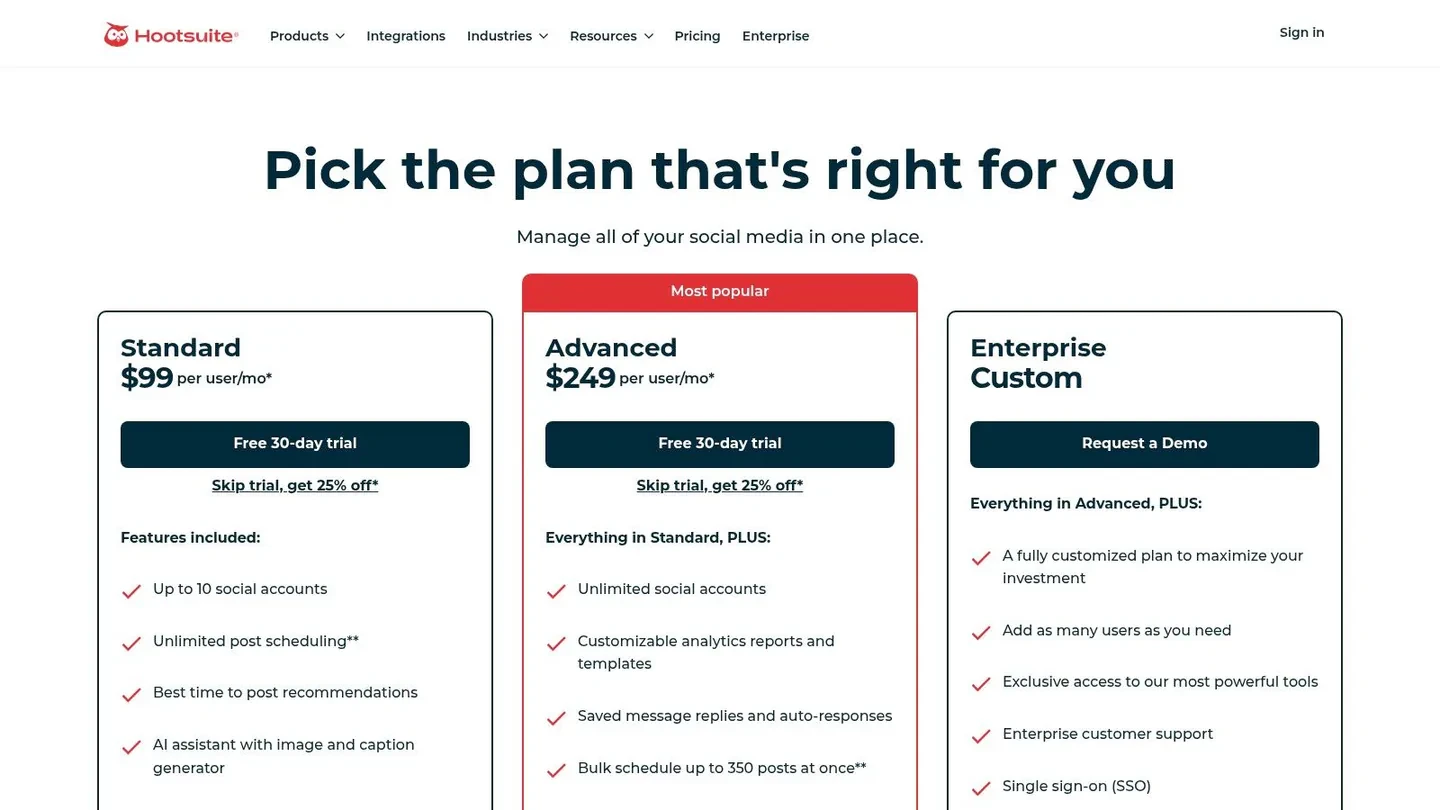
Hootsuite fits a specific job. It is for teams running X alongside several other social channels, with a lot of publishing to coordinate and very little patience for jumping between tools.
That distinction matters. If your growth system is X-first and built around idea discovery, thread writing, and fast iteration, Hootsuite will feel heavy. If your real problem is operational control across brands, regions, or client accounts, the weight starts to make sense.
Hootsuite is less about helping a founder find what to post next and more about keeping a content machine organized once the plan already exists. That makes it a different category from tools such as Xholic AI or Postwise. I would put it in the cross-network management bucket, not the creator-growth bucket.
Where Hootsuite earns its keep
The core value is scale across channels. One team can manage calendars, approvals, scheduled posts, and reporting from a single system instead of stitching together separate tools for every network. For agencies and in-house social teams, that reduces handoff mistakes and keeps publishing consistent.
A practical setup looks like this: use a discovery tool to spot strong X angles, draft and refine the posts in a writing-focused tool, then push approved campaign assets into Hootsuite for coordinated distribution across X, LinkedIn, Instagram, and the rest of the schedule. That is the right way to judge Hootsuite. As the execution layer in a broader stack.
- Multi-network publishing: Best for teams where X is one channel, not the whole strategy.
- Bulk scheduling: Useful for launches, seasonal campaigns, and client content calendars built in batches.
- Team controls: Helpful when several people need access without turning the account into a mess.
The trade-off is speed at the creator level. Hootsuite is not the tool I would pick to test ten tweet hooks in an afternoon or build a tight personal-brand workflow. The interface is built for coordination, not creative momentum.
For agencies, larger marketing teams, and brands managing social at scale, that trade-off is reasonable. For solo operators and X-native creators, it usually is not.
9. SocialPilot
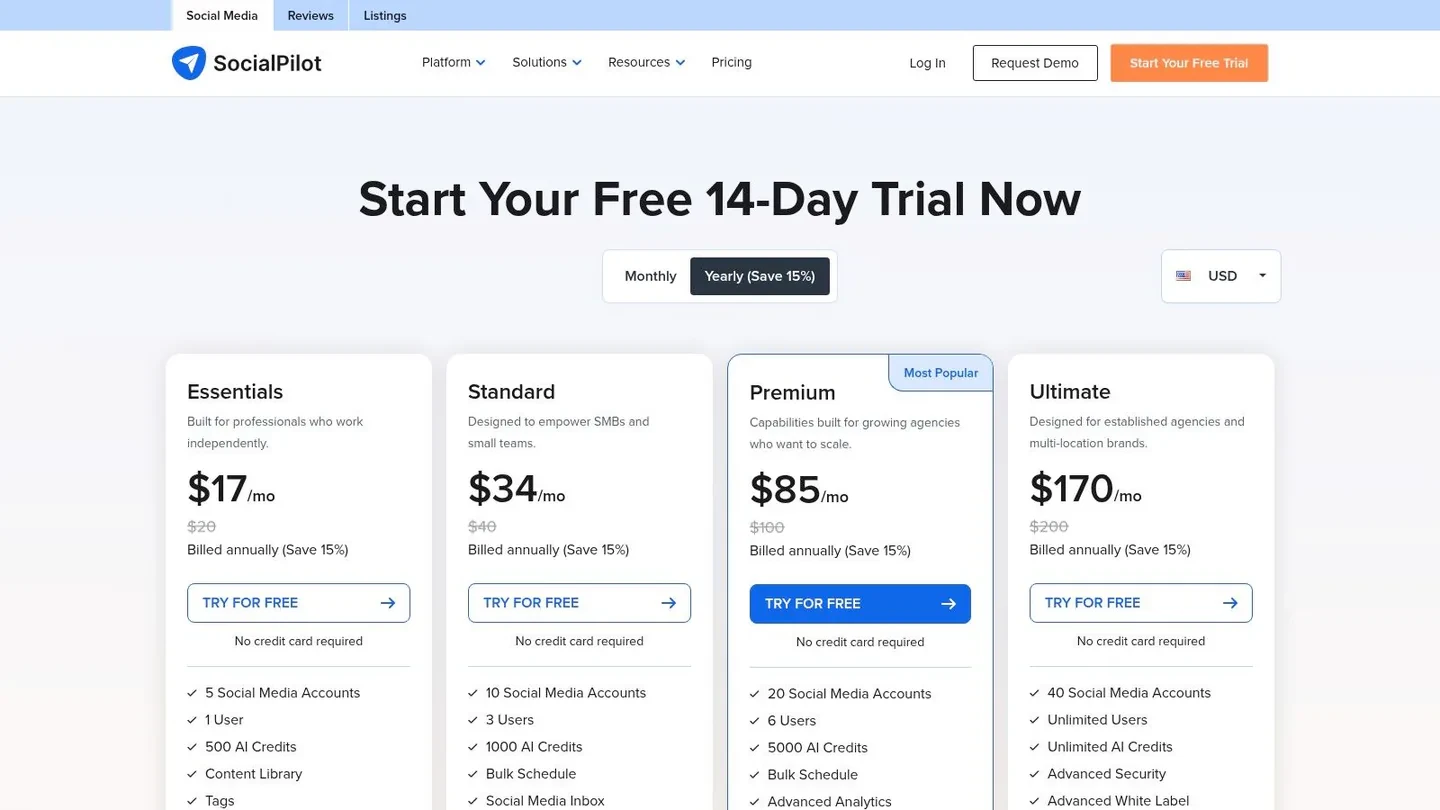
SocialPilot fits a very specific job. It is for agencies, consultants, and small marketing teams that need to publish across client accounts without paying enterprise software prices.
I put it in the agency execution bucket, not the X-first growth bucket. That distinction matters. If your real problem is writing stronger posts, finding winning angles, or building a creator workflow around X, SocialPilot will feel limited. If your real problem is keeping six client calendars organized, getting approvals, and pushing content out on time, it makes a lot more sense.
The appeal is simple. SocialPilot handles repetitive publishing work well. Bulk uploads, account management, basic collaboration, and client reporting are the reasons to buy it.
Where SocialPilot earns its keep
A small agency can use Xholic AI to find topics and post patterns that already have traction on X, draft the content in a writing tool, then load approved posts into SocialPilot for scheduled delivery across client accounts. That is the best way to use it. As the distribution layer in a broader system.
SocialPilot is strongest when operations matter more than creative finesse:
- Bulk scheduling: Useful for campaign batches, client queues, and repeatable weekly publishing.
- Client management: Better suited to multi-account work than creator-focused tools built around one personal brand.
- Reporting: Good enough for client check-ins without forcing you into a heavier enterprise platform.
- Price-to-function ratio: Strong option for teams that need capability without Hootsuite or Sprout-level overhead.
There are trade-offs. The interface is functional, not especially polished, and the writing experience is not why anyone picks this tool. It also does less for native X growth than tools built around ideation, thread writing, or post optimization.
That is why I would recommend SocialPilot to agencies first, then to service businesses with multiple brands. Solo creators can use it, but they usually get more value from tools that help them write, test, and iterate faster on X itself.
10. Publer
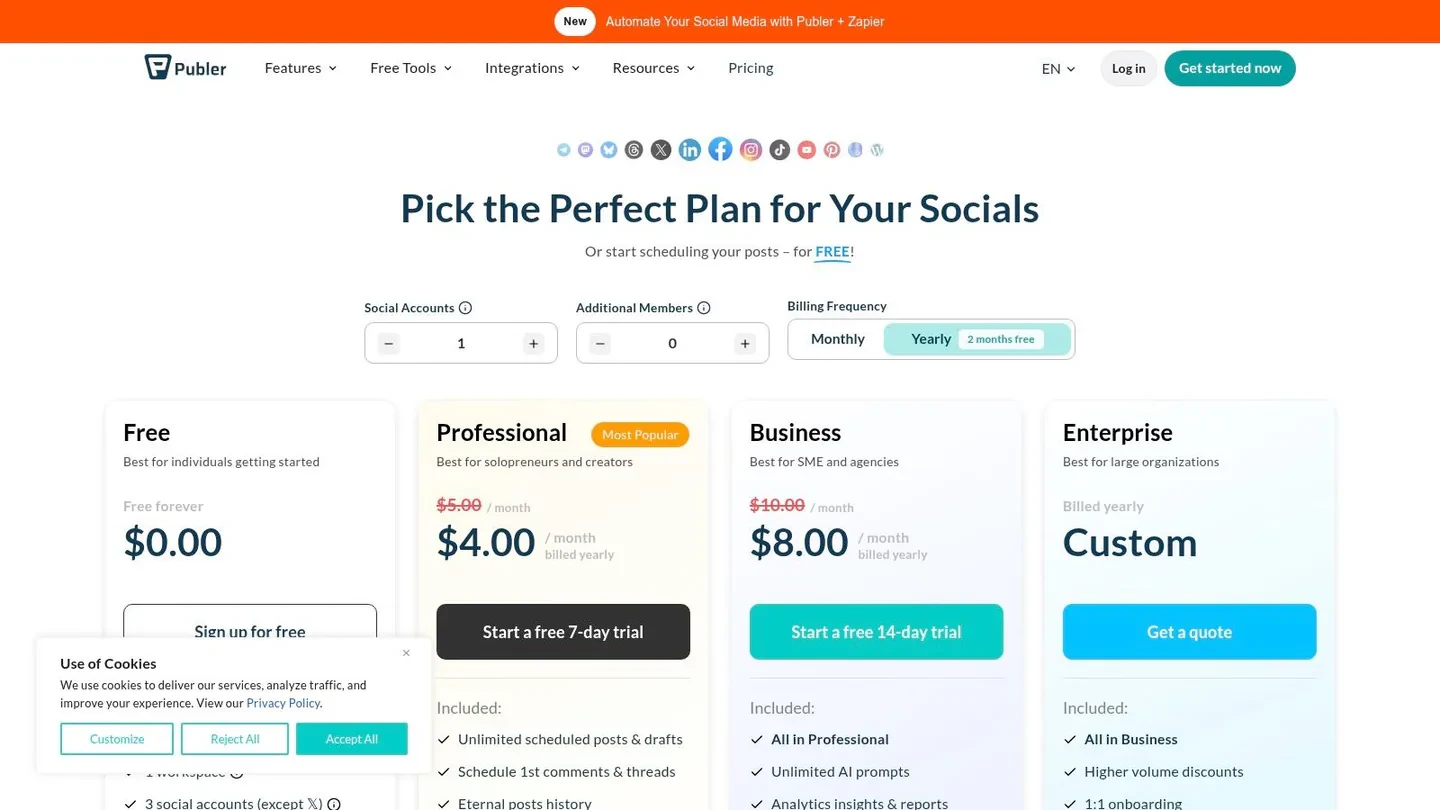
Publer is for people who like automation knobs. Recycling, bulk upload, workspaces, approvals, content variations. It packs a lot into the product, and if you enjoy setting up repeatable systems, you’ll probably like it.
I think of Publer as the “tinkerer’s scheduler.” It offers flexibility that can be powerful when you know your publishing rhythm and want content to keep moving without daily manual intervention.
When Publer makes sense
Publer is a good fit for small teams, consultants, and creators with recurring content formats. If you’re running weekly prompts, republishing evergreen posts, or coordinating several channels, its automation options become useful fast.
That said, flexibility has a cost. The pricing structure and feature layout can feel less straightforward than simpler tools. And because X access isn’t part of its free setup, it’s not the first tool I’d recommend to someone just testing the waters.
The more automation options a tool gives you, the more discipline you need. Recycling content is useful. Recycling lazy content is how feeds go stale.
A concrete use case: a consultant creates three educational posts, one testimonial post, and one CTA thread each week. In Publer, they build recurring slots for each content type, recycle evergreen educational posts with edits, and keep client approvals inside the same workspace. That’s not flashy, but it’s efficient.
Top 10 Twitter Automation Tools, Features & Pricing
| Product | Core features | UX / Quality | Value | Target audience | Unique selling points |
|---|---|---|---|---|---|
| Xholic AI | Discovery engine, semantic search, Engage, AI composer, Chrome extension | 5/5 | Mid, all-in-one toolkit | Founders, creators, marketers, power users | Always-on discovery, voice-learning AI, Tweet Remixer, Daily Pack, streaks |
| Postwise | AI-first drafting, scheduler, content queue, analytics | 4/5 | Mid, clear tiers, generous AI quotas | Creators and small teams | Strong AI drafts and long-horizon scheduling |
| Tweet Hunter | Viral tweet library, AI writing, scheduling, automations, light CRM | 4/5 | Mid | Creators focused on growth and lead capture | Inspiration library plus Auto DM and list-building automations |
| Typefully | Clean editor, collaborative workflow, polished previews, scheduler | 5/5 | Low to mid, free plan available | Writers, teams, creators who prioritize writing | Distraction-free editor with exact X previews |
| Hypefury | Evergreen queues, repurposing, auto-plugs, cross-posting | 4/5 | Mid | Creators focused on promotion and email lists | Evergreen reposting plus automation for list-building |
| Buffer | Scheduler, simple calendar, AI assistant, basic analytics | 4/5 | Affordable, strong free tier | Individuals and small teams | Easy onboarding and cost-effective per-channel pricing |
| Sprout Social | Publishing, engagement, analytics, social listening, governance | 5/5 | High, premium enterprise pricing | Large organizations and enterprise teams | Reporting, approvals, and security |
| Hootsuite | Publishing, recommended times, paid and organic management, training | 4/5 | High | Agencies and multi-network teams | Broad network coverage and mature ecosystem |
| SocialPilot | Bulk scheduling, AI captions, unified inbox, white-label reports | 4/5 | Affordable, agency-friendly | SMBs and agencies | White-label reporting plus bulk CSV scheduling |
| Publer | Content recycling, bulk uploads, AI assistance, team approvals | 3/5 | Mid | Teams that love automation | Rich recycling automations and Threads Composer |
From Automation to Growth System
A founder blocks 30 minutes to schedule posts for the week, loads up a queue, and still sees flat results. The problem usually is not publishing. It is idea quality, timing, reply coverage, and whether the tool fits the job.
The useful way to choose from this list is by job-to-be-done, not by feature count. Buffer and Publer fit simple scheduling. Typefully fits writers who care about drafting and clean previews. Postwise and Tweet Hunter fit creators who want AI help and faster iteration. Hypefury fits promotion-heavy accounts that repost winners and push offers. Sprout Social, Hootsuite, and SocialPilot fit teams that need approvals, reporting, and client or brand management.
That distinction matters because X growth is rarely driven by scheduling alone. Strong accounts run a system. They collect ideas from the feed, turn those ideas into original posts, queue the right content, then stay active in replies where attention converts into follows, leads, and partnerships. Analysts at Business of Apps Twitter statistics report that X still has a large active user base and meaningful revenue, which is enough reason for founders, operators, and creators to treat it like a live acquisition channel instead of a side habit.
The best setup is often two tools, sometimes three. One tool helps you find what is gaining traction. Another handles writing or scheduling. For larger teams, a third layer covers approvals and reporting. Trying to force one app to do everything usually means accepting weak discovery, clunky writing, or analytics that do not answer real business questions.
A practical stack looks like this:
- Discovery: Track strong posts, themes, and active conversations in your niche.
- Creation: Draft original posts and replies based on patterns that already earn attention.
- Scheduling: Publish approved content at consistent times without living in the app all day.
- Review: Check which topics earn replies, profile visits, and downstream actions.
- Manual engagement: Keep live replies and relationship-building hands-on so the account still sounds human.
For a solo founder, the weekly workflow can stay simple:
Monday: save five high-signal posts from your niche and tag them by topic. Tuesday: turn those patterns into three original posts and a handful of replies. Wednesday: schedule two posts for dead time slots and publish one manually. Thursday: spend 20 minutes replying to active threads instead of adding more queued content. Friday: review which angles drove replies, profile clicks, or inbound DMs, then build next week around those topics.
That is the shift from automation to a growth system.
If the goal is just to keep an account active, almost any scheduler works. If the goal is growth, pick tools based on the bottleneck. Founders usually need faster research and better idea selection first. Creators usually need stronger writing flow and reuse of winning formats. Teams usually need approvals, visibility, and reporting. Choose the stack that matches that constraint, then keep the posting engine and the engagement layer connected.