Model compatibility and selection
Running and comparing open models and formats in LM Studio, including Qwen, Gemma, Nemotron, GLM, GGUF, MLX, quantizations, and MoE variants.
50%
Best tweets about LM Studio
Browse the best tweets about LM Studio, featuring local LLM setup, model downloads, hardware performance, local servers, APIs, and private AI workflows.
Specific LM Studio setup, local inference, model compatibility, hardware performance, APIs, troubleshooting, and releases.
Original Xholic analysis
LM Studio discussion centers on accessible local setup, model choice, and integrations, while practical posts also note hardware limits, quality trade-offs, and configuration friction.
73.1% of posts
All-time engagement
73.1% of posts
Published in 90 days
Conversation map
Running and comparing open models and formats in LM Studio, including Qwen, Gemma, Nemotron, GLM, GGUF, MLX, quantizations, and MoE variants.
50%
Token-speed results, memory constraints, and trade-offs across Macs, RTX GPUs, DGX Spark, Framework systems, AMD hardware, and laptops.
46.2%
Using LM Studio's local server or OpenAI-compatible endpoint with OpenClaw, Hermes Agent, Claude Code, Codex, Raycast, AnythingLLM, and routing layers.
42.3%
Installing LM Studio, downloading a first model, choosing model size for available RAM, and enabling private offline chat.
30.8%
Keeping data on-device, avoiding subscriptions and API charges, working offline, and retaining control over model access.
30.8%
Hermes and OpenClaw setups, persistent agent skills and memory, coding agents, sandboxing, and delegating lower-priority tasks to local models.
23.1%
Serving models from a more powerful desktop to laptops and other devices over Tailscale or a local network.
15.4%
Issues with vision models, broken model runs, custom skills, MCP integrations, LM Studio settings, and eGPU or hardware setup problems.
7.7%
Tone and stance
Performance benchmark
Posts with media make up 69.2% of this collection. Their median all-time score is 14.0, compared with 81.5 for text-only posts.
Format mix
Consensus and debate
Shared view
Guides position LM Studio as a starting point for local models: select a model for available hardware, download it, and configure a local API for agent workflows.
Shared view
Posts present local inference as a way to keep workloads on personal hardware, avoid cloud API keys in some setups, and retain control over model access.
Shared view
The discussion covers Gemma, Qwen, and Nemotron, alongside GGUF and MLX variants; model size, quantization, and active-parameter counts are recurring considerations in deciding what to run.
Shared view
LM Studio is presented as a local server for OpenClaw, Hermes Agent, Raycast, AnythingLLM, and coding-agent workflows—not only as a standalone chat app.
Open debate
Some posts advocate broad local adoption, while others limit local models to smaller or lower-priority work because quality, speed, and agent reliability can fall short.
Open debate
Posts describe laptop and remote-desktop use cases, but also report slow large models, consumer-GPU memory limits, a broken 31B laptop run, and issues with an eGPU setup.
Open debate
Alongside beginner-oriented setup guidance, users report vision issues in LM Studio and ask how to add custom skills or integrations after getting a model running.
What performs
List-format posts had a median all-time score of 744.116, versus 17.22 for announcement-format posts. The cited list examples are local-setup and model-selection guides.
The five highest all-time-score outliers cover local setup, Gemma guidance, OpenClaw integration, Hermes Agent setup, and a Qwen GPU workflow.
Reported results range from about 1.4–5 tok/s for Qwen 3.5 9B on a ThinkPad P14s to more than 40 tok/s for Qwen3.5-35B-A3B on an M2 Max; another post reports 28T/s for Gemma 4 12B.
Statistical standouts
Creator landscape
The five most represented creators account for 26.9% of the selected posts.
1. Alex Finn
@AlexFinn
2 posts
2. Rimsha Bhardwaj
@heyrimsha
2 posts
3. AshutoshShrivastava
@ai_for_success
1 post
4. andrew chen
@andrewchen
1 post
5. Beto
@betomoedano
1 post
6. Francesco Di Donato
@did0f
1 post
Alex Finn authored two evidence posts with a 1295.77 median all-time score. Both combine advocacy for local models with LM Studio and agent-API setup steps.
Fahd Mirza’s post covers Hermes Agent with Qwen3.5 and LM Studio, while other posts describe LM Link remote inference and GGUF-based Qwen workflows on RTX GPUs and DGX Spark.
Hands-on posts document laptop throughput, MLX and GGUF comparisons, vision limitations, and questions about skills and MCP-style integrations.
Since the previous snapshot
Themes, sentiment, stance, and post format are classified per tweet. All counts, shares, medians, creator concentration, freshness, and performance comparisons are then calculated directly from the published snapshot.
Xholic's all-time score compares engagement while accounting for reach, post age, and creator consistency. It is used for relative comparisons within this collection.
This report analyzes the exact 26-post snapshot shown below. AI identifies editorial categories and drafts explanations; all statistics are calculated from the snapshot, and every narrative claim is checked against cited posts before publication.
Best LM Studio tweets
Ranked 01–26

@AlexFinn ·
I don't care what computer you have, you should be running local models It will save you a money on OpenClaw and keep your data private Even if you're on the cheapest Mac Mini you can be doing this Here's a complete guide: 1. Download LMStudio 2. Go to your OpenClaw and say what kind of hardware you have (computer and memory and storage) 3. Ask what's the biggest local model you can run on there 4. Ask 'based on what you know about me, what workflows could this open model replace?' 5. Have OpenClaw walk you through downloading the model in LM Studio and setting up the API 6. Ask OpenClaw to start using the new API Boom you're good to go. You just saved money by using local models, have an AI model that is COMPLETELY private and secure on your own device, did something advanced that 99% of people have never done, and have entered the future. There are some amazing local models out there too right now. Nemotron 3 and Qwen 3.5 are fantastic and can be ran on smaller devices Own your intelligence.

@EXM7777 ·
here's how to run Gemma 4 locally in under 5 minutes: option 1 (phone): > download Google AI Edge Gallery from the Play Store > select Gemma 4 E2B or E4B > it downloads and runs entirely offline > no account, no API key, no internet needed option 2 (laptop): > install Ollama or LM Studio > pull gemma-4-27b (the MoE version, only 3.8B active params) > runs on a MacBook with 16GB RAM option 3 (developer): > open Google AI Studio > select Gemma 4 31B > use the function-calling API for agentic workflows > or deploy on Vertex AI for production the 26B MoE is the sweet spot for most people i think
@AlexFinn ·
I don't care what kind of hardware you have, you should be running local models Governments are now banning models. They’re determining what technology you can and can’t use With local models, you are free and nobody can control you Even if you're on the cheapest Mac Mini you can be doing this Here's a complete guide: 1. Download LMStudio 2. Go to your OpenClaw/Hermes and say what kind of hardware you have (computer and memory and storage) 3. Ask what's the best local model you can run on there (probably will be Gemma 4 or Qwen. if you have a big computer, it will be GLM) 4. Ask 'based on what you know about me, what workflows could this open model replace?' 5. Have OpenClaw walk you through downloading the model in LM Studio and setting up the API 6. Ask OpenClaw to start using the new API Boom you're good to go. You just saved money by using local models, have an AI model that is COMPLETELY private and secure on your own device, did something advanced that 99% of people have never done, and have entered the future. If you are on smaller hardware you probably are not going to replace all your AI calls with this, but you could replace smaller workflows which will still save you good money Own your intelligence.


@fahdmirza ·
💥 Hermes Agent is now running locally with Qwen3.5 + LM Studio ⚕ ♠ and this is the cleanest local self-improving agent setup I've done yet 🚀 🔹 Zero cloud, zero API keys — everything runs on your own hardware 🔹 LM Studio makes model loading and serving dead simple 🔹 Hermes Agent creates skills from experience and remembers you across sessions 🔹 Closed learning loop in action — fresh session, still knows who you are 🔹 Full setup from scratch — AppImage install, model download, agent config, all of it 🔥 Full setup guide below 👇

@NVIDIARTXSpark ·
Run the latest @Alibaba_Qwen 3.5 models at blazing speeds on RTX GPUs & DGX Spark using @UnslothAI's GGUF quantizations. 💬 Chat instantly in @LMStudio 🤖 Drive local coding agentic workflows with Codex & Claude Code (via llama.cpp @ggerganov & @Ollama) ⚙️ Fine-tune efficiently via Unsloth Guide 👉 https://t.co/fWtiiz3XyS

@Forgework_ ·
Join us in setting up a fully local Hermes Agent using Qwen3.5 on the extremely powerful Framework Desktop! I go over LM studio settings, Tailscale, Hermes Agent setup, and how to sandbox the agent in a raspberry pi. @lmstudio @Alibaba_Qwen @NousResearch @FrameworkPuter
 Watch video
@andrewchen ·
playing around with local AI models after I recently built out my home lab (DGX spark, mac mini, 5090 eGPU, strix halo framework, jet KVM etc). Running both Openclaw and Hermes Agent now. It’s super fun, def recommend! Lets you geek out, learn about AI, and also buy lots of gadgets lol a few observations: - it’s great for learning about AI. Now I actually care and will try out all the new models as they come out - Qwen 3.6, Gemma 4, etc. When there’s new tech like TurboQuant and DFlash, you can run them on your machine and see how it changes the performance profile - the software stack is interesting. You can use ollama/LM studio to just dabble, but over time I have things set up with LiteLLM (as a local router for LLM queries, depending on their complexity) going to VLLM. I have a faster model (35B MoE) and then a better model (122B) depending on what I’m using it for - the “big” local models (120B+ parameter) are slow unless you have a souped up GPU card. And not as good as the cloud LLMs. So as you tune your setup for maxing out tokens/s to make it as usable and responsive, you get a much better sense for all the tradeoffs - context window, KV cache, mem usage, mem bandwidth, parameter size, TTFT, etc - for those (like me) coming from SOTA cloud LLMs, you can’t help but compare. The open weight models are all about a year behind, but even then, as a consumer, you are generally running much smaller versions of the best local models. You probably won’t use anything bigger than a ~120B parameter model (GPT OSS 120B or Qwen 3.6 122B). Local AI models running on consumer hardware have 1/100th the size, are much slower (often 30-50 tok/s versus 100+ to be usable) - but because it’s been ~1year behind, it seems remarkable to think that we might be able to run Opus level local models in 2027. The latest open weight models are already pretty usable (just look at Qwen 3.6 27B dense) but its remarkable that it’ll keep improving - the hardware side is interesting. I started out with a Mac Mini, then a Nvidia DGX Spark. I also have a gaming rig. It turns out that the Mac hardware stack (particularly Mac Studios) are really good since they have pretty high bandwidth and large amounts of unified memory so you can run big models. (BUT GOOD LUCK GETTING A MAC STUDIO!). Shortages like crazy, and memory size cuts left and right. GPU cards are very fast, but only run much smaller models (24GB and 32GB are the popular consumer sizes for graphics cards), plus you have to put them in a big PC box. I got a 5090 eGPU but lots of issues with it :(. The new GB10/DGX Spark family of devices have big memory but relatively low memory bandwidth (so not the fastest tok/s) but you get CUDA and the whole ecosystem there - the biggest use case I’ve found with my local AI setup has been simple: lots of summarization and analysis. I’ve dumped all my personal emails and blog posts and google data and created detailed month-by-month markdown files that can then be queries. Every article I bookmark or every YouTube channel I subscribe to is summarized. for me the sweetspot has been low-ish priority, asynch, and where the problem doesn’t require SOTA You could argue that this is a lot of effort and $ for something that could probably be covered by my monthly GPT/Claude subscription. And that’s true! But the learning is the point :) so what’s a good way to start? I think you start with whatever you have. Ideally a nice Mac M5 laptop or a gaming PC that already has a good GPU. Just set it up so it stays on, and then point some set of Openclaw jobs at it. Or if you want to invest in a new piece of hardware, the DGX Spark or Strix Halo systems are nice to be able to try out bigger models, or you can go down the rabbit hole setting up racks with GPUs etc. Either way, super fun- highly recommend

@simonw ·
Pelicans for Gemma 4 E2B, E4B, 26B-A4B and 31B - the first three generated on my laptop via LM Studio, the 31B was broken on my laptop so I ran it via the Gemini API instead https://t.co/MEa6O7VzdB




@FrameworkPuter ·
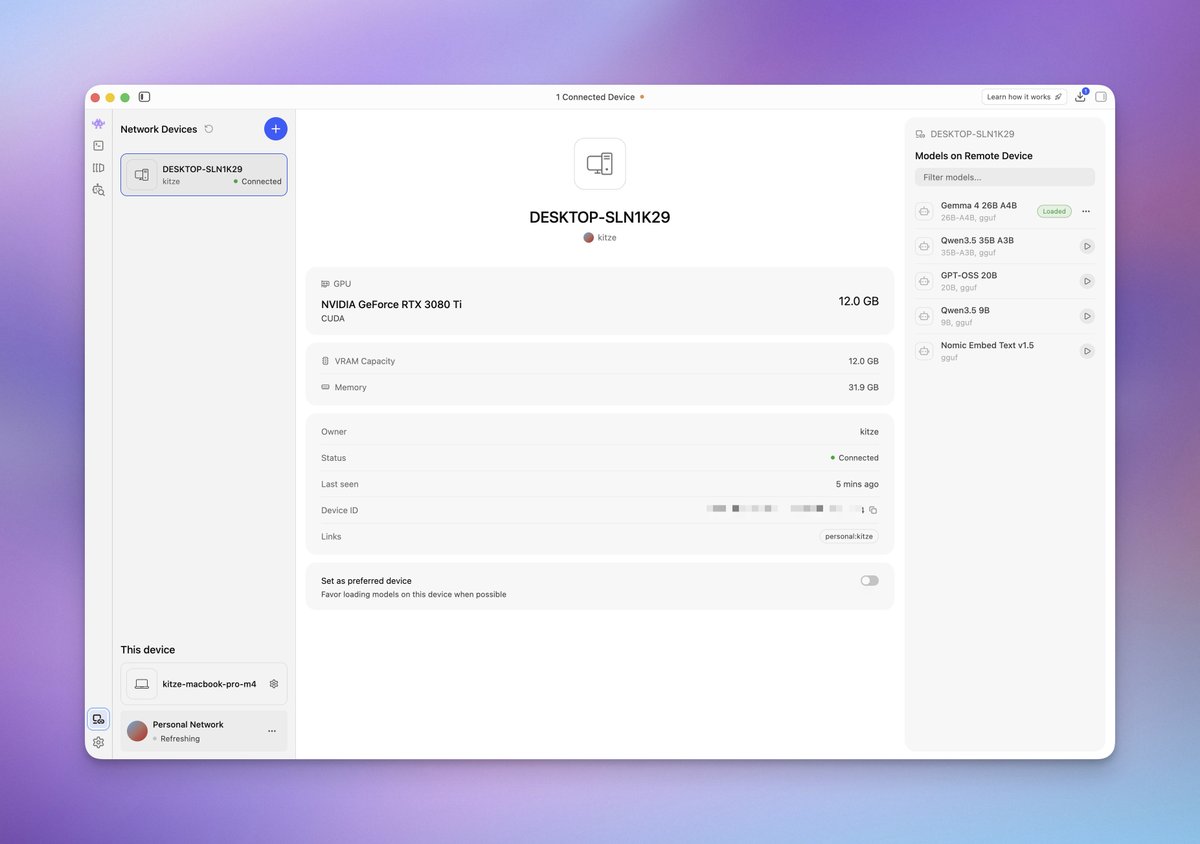
One of the coolest uses of @lmstudio and @AIatAMD is using LM Link to have a Framework Desktop be a remote inference server for a laptop, including something little like Framework Laptop 12. It feels native on the laptop, but gets the desktop’s performance.
 Watch video
@heyrimsha ·
A software engineer in Sofia, Bulgaria wrote 4,000 lines of C++ in March 2023 that made it possible to run Meta's leaked Llama model on a MacBook without a GPU. Within a week every AI engineer on Earth was running his code. 3 years later the project has 115,000 GitHub stars with powers most of the local AI ecosystem and just joined Hugging Face. He had never worked at a major AI lab in his life. His name is Georgi Gerganov and most people just call him ggerganov. Here is the story because almost nobody outside the open-source AI world knows what one engineer in Bulgaria has built. Georgi lives in Sofia. He works from a home office in a country that has no frontier AI lab, no NVIDIA partnership, no Silicon Valley. He had been writing low-level C and C++ for years before LLMs became the center of the universe. He was known in niche corners of the internet for an odd project called kbd-audio, a program that could figure out what someone typed by listening to the acoustic signature of their keyboard. In September 2022 he started working on something called GGML. It was a tensor library written in pure C with no dependencies. The inspiration was Fabrice Bellard's LibNC. The goal was simple. Run machine learning models on regular hardware with no Python, no PyTorch, no CUDA, no cloud. The first real test was whisper.cpp, his port of OpenAI's Whisper speech recognition model. It ran on a laptop. It ran on a phone. It needed nothing but a C compiler. The open-source community started noticing. Then in late February 2023 Meta released Llama, the first serious open-weight large language model. Within a week the weights leaked on 4chan and started spreading across the internet. The catch was that almost nobody could run it. You needed expensive GPUs and a Python environment. The most powerful open model in the world was effectively locked behind hardware most developers did not have. On March 10, 2023, Georgi pushed the first commit to a new repository called llama.cpp. It was an implementation of Llama inference in pure C and C++ with zero dependencies. It ran on CPU. It ran on a MacBook Air. It ran fast. The repository exploded. Within days it had thousands of stars. Within weeks it became the default way to run open-source LLMs on any computer. Quantization support came next, letting you run a 7 billion parameter model in 4GB of RAM. Then a 13 billion parameter model on a phone. Then a 70 billion parameter model on a single high-end consumer card. Today llama.cpp is the inference backbone of the local AI movement. Ollama runs on it. LM Studio runs on it. GPT4All runs on it. Most "run AI on your laptop" tutorials you have ever seen are running Georgi's code underneath. The repository has 115,000 GitHub stars. The community has added Vulkan, OpenCL, Metal, CUDA, and RPC-distributed inference. The K-quant compression methods alone changed how the entire ecosystem thinks about model size. In 2023 Georgi founded ggml AI in Sofia with pre-seed funding from Nat Friedman, the former GitHub CEO, and Daniel Gross. He stayed in Bulgaria. He kept the company small. He kept the code MIT licensed and free forever. In February 2026 Georgi and his core team, including Xuan-Son Nguyen and Aleksander Grygier, joined Hugging Face full-time. The deal was framed as a partnership to scale local AI as a serious alternative to cloud inference. The code stays open. Georgi still answers GitHub issues personally. He still posts releases without press releases. His personal website is a flat page. He still plays semi-professional basketball for a club in his hometown in Bulgaria on the side. A guy in Sofia who had never worked at OpenAI, Google, or Meta wrote the code that runs most local AI on the planet. He did it in a few weeks.


@ai_for_success ·
Running Gemma 4 12B locally at 28T/s. Facing issues with vision in LM Studio, but text performance is quite solid. Asked it to create a landing page for a tech event. Video is fast forwarded for the demo.
 Watch video
@thekitze ·
LM Link is such a dope feature of LM Studio i can use my gaming pc for running local models on any device on my tailscale network 🤓 my mbp cpu basically sleeping CAN U SMELL THE BIG MODEL FREEDOM ANON tinker tinker 🛠️

@betomoedano ·
Playing around with local AI 🤓 qwen3.6-27b runs smoothly thanks to @lmstudio and MLX. It generates decent results, I'm surprised. Video dropping soon! 🔜
 Watch video
@sharbel ·
Anthropic's API can run $1000+/month at heavy Claude Code usage. Someone built Free Claude Code: A proxy that lets Claude Code talk to free or local model providers instead. It's called free-claude-code. 7,300+ stars on GitHub. Set two environment variables (ANTHROPIC_BASE_URL, ANTHROPIC_AUTH_TOKEN), point Claude Code at the proxy, done. The CLI and VSCode extension keep working, but behind the scenes you're hitting a different model, not Claude. What it supports: → Routes to NVIDIA NIM's free tier (rate-limited). → OpenRouter, including free model tiers. → DeepSeek direct API. → LM Studio / llama.cpp for fully local inference. → Per-model routing: different provider per Claude model tier. → Thinking-token parsing into Claude thinking blocks. → Heuristic tool-call parser for models without native tool use. → Discord / Telegram bot for remote coding sessions. Real trade-offs to know: - Quality drops. Backing models are not Claude. Tool use is less reliable (that's why the heuristic parser exists). Agentic tasks that Sonnet or Opus nail will fail more often on free tiers. - Free tiers aren't permanent. NIM / OpenRouter / DeepSeek quotas and pricing can change. - Data path changes. Your prompts and code now flow through whichever provider you route to, with their retention policy, not Anthropic's. Worth it for tinkering, offline work, or non-sensitive side projects. Not a drop-in replacement for paid Claude on client code or serious engineering. If your actual goal is "pay less for Claude Code at full quality," the Claude Pro sub ($20/mo) or Max tier ($100-200/mo) includes Claude Code usage directly, no API key needed. MIT licensed. 100% open source.


@tonysimons_ ·
Big upgrade for local model users in @NousResearch Hermes Agent: @lmstudio integration is here! Local models are now much easier to run, test, and actually use inside Hermes workflows. Run: hermes update


@KSimback ·
The “AI maxxing” setup: > Run SOTA open models at home on consumer hardware (multiple options: Mac Mini 64GB, pc with 3090/4090/5090) > Run Tailscale or LM Studio with Tailscale for secure remote access > Access models via phone/laptop anywhere for private free inference

@lemire ·
AMD is coming up with its small AI PC (AI Halo). It will compete against NVIDIA DGX Spark. Both look a bit like a mac Mini. Just a tiny box. The AI Halo should cost US$4000, so it is accessible to hobbyists and small IT departement. Set it up with LM Studio with its llama.cpp backend and you got yourself a 'ChatGPT-like' experience from your own network. Both the AI Halo and the Spark have 128GB of 'unified' RAM (meaning that the memory is shared between CPU and GPU). It is the same type of memory you get on your macBook (LPDDR5X), so it is not the fancy high-bandwidth memory you get on GPU cards... but it is good enough. So I played with llama.cpp and I was running open source models last year. It is pretty cool getting this silly little C++ program (llama.cpp) that answers you back when you ask questions... right there on your machine. But I think that most people will be somewhat disappointed in practice. It is close to Big AI models, but still obviously inferior to even the cheap commercial offerings. If you have US$4000 to burn, you are better off spending it on tokens from an AI provider. That's short term. Long term... Who knows? Linux started out as a toy. It is now running the Internet. Give it 5, 10, 20 years and maybe these little boxes could be everywhere.


@heyrimsha ·
The strongest open-weights coding model on Earth just got announced GLM-5.3 from Zhipu. Weights drop in two weeks after the safety review finishes Here's the wild part: same base model as 5.2. All they did was pour more post-training compute in And they had to slow the release because the cyber capability showed up faster than they planned for This confirms something I've been saying for months. The open-weights war is over and China won it in a landslide Qwen. DeepSeek. Kimi. Now GLM. Every meaningful open coding release in the last year came out of a Chinese lab Meta abandoned Llama. Mistral went quiet. Nobody in the US is even trying to compete on open weights anymore If you're not already routing your cheap coding tasks to a local model, this is your wake up call Here's what I'd do the day the weights land: 1. Pull GLM-5.3 down through LM Studio or vLLM 2. Point Codex or Claude Code at the local endpoint 3. Route the easy 70% of your tasks there and keep Fable for the hard ones 4. Watch your token bill collapse Free intelligence keeps getting smarter. The people building on top of it are eating. Don't sleep on this drop.


@SaiyamPathak ·
Yesterday in the video I took - the qwen32B which was a dense 32B and all active parameters for every token whereas for the MLX version it was A3B - active 3B. this morning I ran some tests again: - Qwen3.5 (NVFP4, MLX): 23.11 tok/s decode - Nemotron (GGUF, llama.cpp): 21.70 tok/s decode So not that much of a difference - maybe llamacpp already good for M1 type - I need to test it across all architectures though. Interestingly I tested the LMstudio as well that had the MLX support for quite some time now. results are pretty interesting and I tried kind of similar models although its not apples to apples. LM Studio - MLX - Qwen3.5-35B-A3B-4bit - 33.82 tok/s Ollama - MLX - qwen3.5:35b-a3b-coding-nvfp4 - 23.11 tok/s the 4-bit quantization is different here for both models. Can you share your benchmarks? anything anyone tested.


@frog_omo ·
you can run chatgpt on your laptop without internet. no subscription. no API. no data leaving your machine. here's the 15-minute setup: step 1: download an app pick one: → LM Studio (recommended for beginners) → Jan → GPT4All → Ollama + Open WebUI (if you want browser interface) step 2: download a model start with one of these: → Llama 3.2 3B — best all-rounder for laptops → Qwen 2.5 3B — great for writing → Gemma 2 2B — fastest, smallest → Mistral 7B — best quality (needs 16GB RAM) step 3: start chatting that's it. no account. no API key. what "3B" and "7B" mean: 3B = 3 billion parameters = runs on 8GB RAM 7B = 7 billion parameters = needs 16GB RAM smaller = faster but less capable larger = smarter but slower what local models handle: ✓ summarising documents ✓ drafting emails ✓ brainstorming ideas ✓ explaining code ✓ everyday writing what they don't handle: ✗ complex reasoning ✗ current events (no internet) ✗ tasks requiring GPT-4 level thinking why run AI locally: → privacy — nothing uploaded anywhere → offline — works on planes, bad wifi, anywhere → free — no monthly subscription → unlimited — no rate limits my recommendation: download LM Studio → install → search "Llama 3.2 3B" → download → chat fifteen minutes from now you'll have a private AI assistant that works offline. your data never leaves your laptop.

@jonoringer ·
Gemma4 on @lmstudio as a server to @AnythingLLM on an M5 is pretty amazing … next stop: gemma4 as local model for my 🦞 and Hermes agents.

@TheCraigHewitt ·
Getting local AI models set up is easier than you think. In this video I compare Ollama to LMStudio as well as explore the newest open weight models like Gemma 4 and Qwen 3.5. Local models are just getting really good, and I think can replace 50% of what you're doing with frontier models like Opus 4.6 and GPT 5.4 And they're just getting better, getting smaller, and easier to run.
 Watch video
@userluke_ ·
You can run local AI directly inside Raycast 🤯 Just set up Gemma 4 E2B via LM Studio on localhost:1234/v1 Using custom YAML providers: base_url: http://127.0.0.1:1234/v1 models: [{ id: "gemma-4-e2b-it" }] You’ll need Raycast Pro for custom providers (free plan = Ollama only)


@jurajmasar ·
qwen3.5-35b-a3b with LM studio now exceeds 40tokens/s on 2 year old M2 Max 🤯 Local inference is here!


@did0f ·
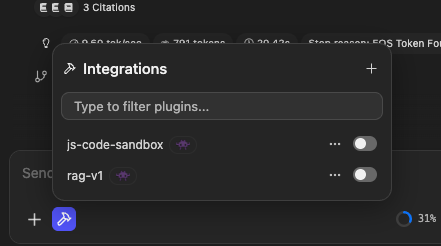
I need help with LM Studio 🛟 Just tested Gemma 4 12B OBLITERATED via LM Studio on my M1 16GB. It works. It is fast enough. I can use it for some tasks. How can I provide custom skills? What about integrations? Are they simple MCPs?

@WellerOlaf ·
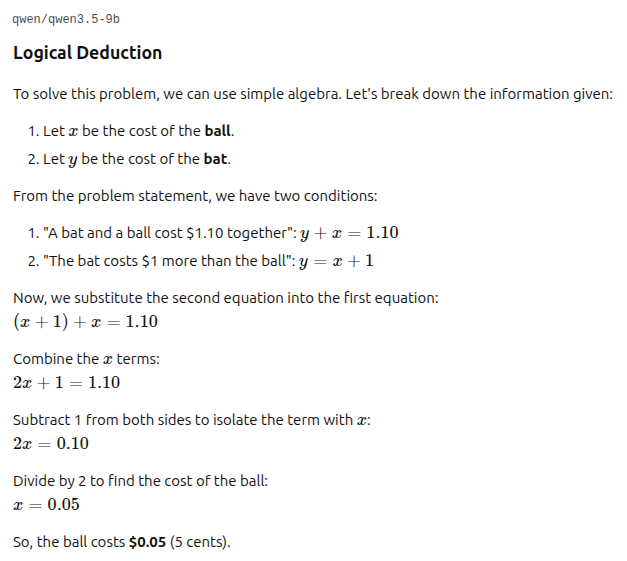
Running Qwen 3.5 9B locally on my ThinkPad P14s (Quadro T500) via LM Studio. Pretty impressive what open-source models can do on a laptop now. Speed I’m seeing: ~5 tok/s for simple prompts ~1.4 tok/s for harder reasoning tasks Test prompt: A bat and a ball cost $1.10 together. The bat costs $1 more than the ball. How much does the ball cost? Explain your reasoning.
Best LM Studio tweets
Xholic studies what works in your niche, drafts posts in your voice and schedules them for the hours your audience is online.
$0 today · Cancel anytime
Browse all tweet collectionsKeep exploring