A blank Twitter post template usually means one of two things. It’s either a visual layout for mockups and graphics, or a text framework for writing posts faster on X (Twitter). It’s common to mix those up, then pick the wrong tool for the job. If you need a tweet-shaped image for a deck, use a visual template. If you need better posts that drive replies, profile visits, and follower growth, use a reusable writing structure and test it against your own analytics.
The useful approach isn’t collecting random templates. It’s building a system: find patterns that already work in your niche, adapt them to your voice, post them consistently, and retire the formats that stay flat.
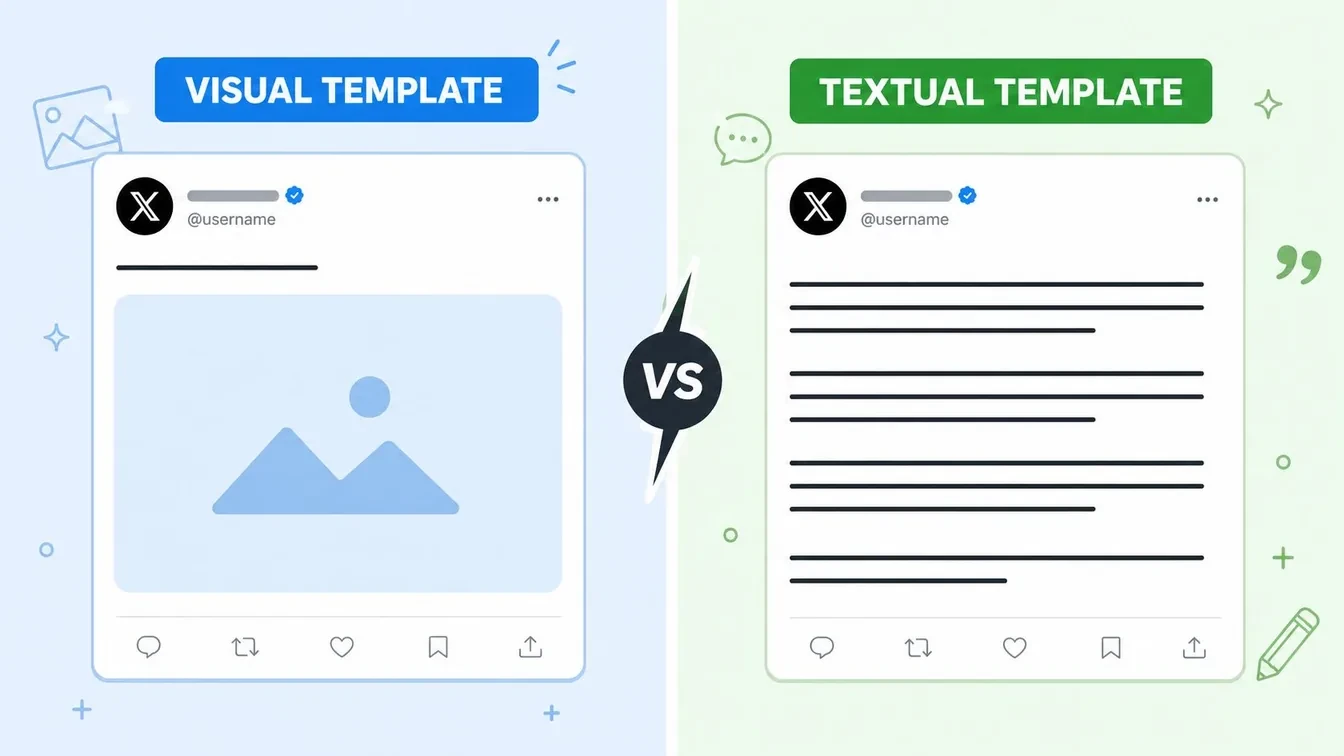
Visual vs Textual The Two Types of X Post Templates
Teams often say “blank Twitter post template” when they mean two different assets. That confusion slows production. One asset helps you present a post. The other helps you write one.
When you need a visual template
A visual template is a tweet-shaped canvas or social graphic layout. You use it for client approvals, launch assets, ad concepts, lesson slides, media kits, and polished image posts.
That’s the right choice when the job is visual communication. If your post needs brand colors, product screenshots, type hierarchy, or a realistic tweet mockup, a visual template removes formatting friction.
Good use cases include:
- Campaign review: show stakeholders how the post will look before anyone publishes.
- Educational graphics: turn a short idea into a skimmable card.
- Mockups for presentations: use a realistic tweet image in a deck or landing page.
- Internal planning: compare hook options in tweet format without posting publicly.
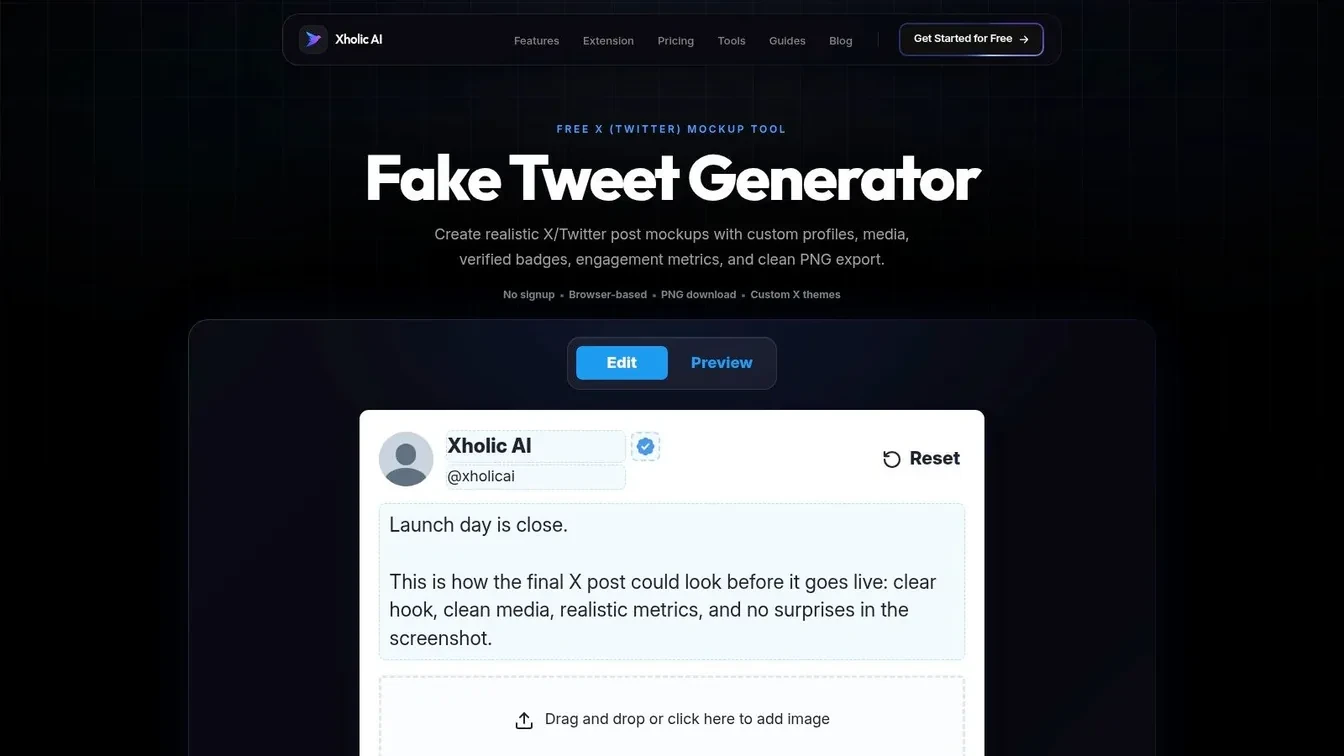
If your main need is mockup creation, a dedicated tool often works better than a general editor. A realistic tweet renderer such as a fake tweet mockup workflow saves time because the layout already looks native.
When you need a text template
A text template is a reusable post structure. It’s not the final copy. It’s the skeleton behind the copy.
Examples:
- Hook + lesson + proof + CTA
- Contrarian statement + explanation + example
- Problem + mistake + fix
- Personal observation + insight + takeaway
Practical rule: If the bottleneck is “I don’t know what to say,” use a text template. If the bottleneck is “I know what to say but need it to look right,” use a visual template.
Text templates matter more for long-term growth because they solve the blank-box problem repeatedly. They’re also easier to test. You can run the same structure across different topics, offers, and audience segments, then see which format keeps pulling replies and engagement.
That’s why experienced operators treat visual templates as packaging and textual templates as a resource. Packaging helps presentation. Structure improves throughput.
How to Create Visual Mockups with Blank Templates
The fastest way to make a clean visual post is to decide whether you need a designed graphic or a native-looking tweet screenshot. Those are different outputs, and they’re built differently.
Use a design canvas when branding matters
If you’re building a branded image post in Canva, CapCut, or a similar editor, start with the right canvas. The CapCut Twitter post template guide notes that the blank template works as a pre-sized canvas at 1200 x 675px with safe zones mapped to help prevent text cropping across devices.
That matters because many posts look fine in the editor and then break in-feed. Long lines get clipped. Logos sit too close to the edge. Key copy gets buried under poor hierarchy.
A simple workflow looks like this:
- Start with the correct canvas size.
- Keep the main claim short. One idea per image.
- Place important text in the safe area.
- Use brand elements consistently. Same logo treatment, colors, and fonts.
- Export and preview on mobile before scheduling.
CapCut also emphasizes visual appeal and concise messaging. In practice, that means vibrant contrast, readable fonts, and images that match the campaign. Swapping text into a random template without adjusting the image or goal is where teams lose cohesion.
If you’re polishing a screenshot, portrait, or product image before placing it in a post, it also helps to discover AI photo editing online so the media looks intentional instead of dropped in.
Use a tweet mockup generator when speed matters
If the goal is realism, skip the blank canvas and use a generator that already knows the tweet layout. A tool like the X post mockup generator lets you edit the name, handle, profile image, post copy, media, and visible engagement metrics, then export a PNG.
That’s useful for:
- comparing tweet concepts in a deck
- building social proof visuals for a landing page
- showing a client what a sponsored post could look like
- testing quote tweet or reply-chain concepts before publishing
Responsible use matters here. Mockups are fine for planning, education, design review, and product marketing examples. They shouldn’t be used to impersonate real people, fabricate evidence, or mislead viewers. If there’s any chance of confusion, label the mockup clearly.
A quick walkthrough helps if your team hasn’t used this type of tool before:
For many teams, the trade-off is simple. A design editor gives you more brand control. A tweet generator gives you more speed and native accuracy.
Unlocking Growth with Reusable Text Frameworks
Visual templates make posts look finished. Text frameworks make posting repeatable.
That distinction matters because X rewards clarity, timing, and structure more than decorative polish. Many creators stall because they treat every post like a one-off act of inspiration. That doesn’t scale. A reusable framework does.
Why generic fill in the blank posts fail
The weak version of a template is a Mad Libs prompt. It tells you where to insert a topic, but not how to shape tension, credibility, or payoff. The result sounds generic because the structure has no strategic intent.
That problem gets worse when people use the same wording for every audience. The Twitter Business resource highlights an underserved issue here: 68% of B2B marketers report that generic templates fail to generate qualified leads because tone and audience expectations don’t match.
That tracks with what shows up in real content reviews. B2C posts often work with curiosity, speed, and broad relatability. B2B posts usually need sharper stakes, clearer proof, and a lower-friction CTA.
A founder buying software doesn’t respond to the same post shape as someone scrolling for entertainment.
A generic template ignores that. A useful framework changes the emphasis. It decides where the proof goes, how specific the hook should be, and whether the CTA asks for a reply, a click, or a profile visit.
For teams experimenting with AI copy, a drafting tool can help produce versions faster, but it still needs human review. That’s the difference between “written quickly” and “written well.” If you want examples of how drafting tools fit into the process, this guide to an AI tweet generator workflow is a useful reference.
What a real framework looks like
A real framework is built from parts you can reuse without cloning the final post. Think in layers:
| Layer | What it does | Example |
|---|---|---|
| Hook | Stops the scroll | “Most launch tweets fail before the second line.” |
| Tension | Creates a reason to keep reading | “They announce features, but never frame the problem.” |
| Payoff | Delivers the insight | “Lead with the pain, then show the feature as relief.” |
| CTA | Tells the reader what to do next | “Want the launch format we use? Reply ‘launch’.” |
That structure can support many topics. The words change. The architecture stays.
A sample post using that framework:
Most onboarding posts flop because they explain the product before the reader feels the pain.
Better sequence: problem first, friction second, fix third.
That one change makes your product easier to understand.
Reply “onboarding” if you want a version for SaaS.
That’s what turns a blank Twitter post template into a content system instead of a one-time prompt.
Finding and Adapting Proven Tweet Frameworks
A good framework rarely appears out of nowhere. You usually find it by studying posts that already perform well, then stripping away the topic so you can see the structure underneath.
The manual workflow
The manual route is slower, but it teaches pattern recognition fast.
Start with creators in your niche whose posts consistently drive replies, saves, and discussion. Save the posts that clearly outperform their usual feed. Then break each one into four parts:
- Opening angle: what made you stop scrolling
- Narrative move: how the post kept attention
- Proof or specificity: what made it believable
- End behavior: what the reader was nudged to do
After you do this a few dozen times, repeat formats become obvious. You’ll notice things like short first lines, delayed reveal, “mistake then fix” sequencing, or hard-earned observations that lead into a soft CTA.
Twitter Search API workflows also help when you’re researching patterns. A common process is exact query matching, filtering for freshness and volume, then feeding the results into dashboards, alerts, or AI analysis pipelines for social listening and content strategy, as outlined in this tweet search API workflow guide.
The faster workflow with AI support
Manual breakdown works. It just takes time. AI can reduce the mechanical parts if you already know what good output looks like.
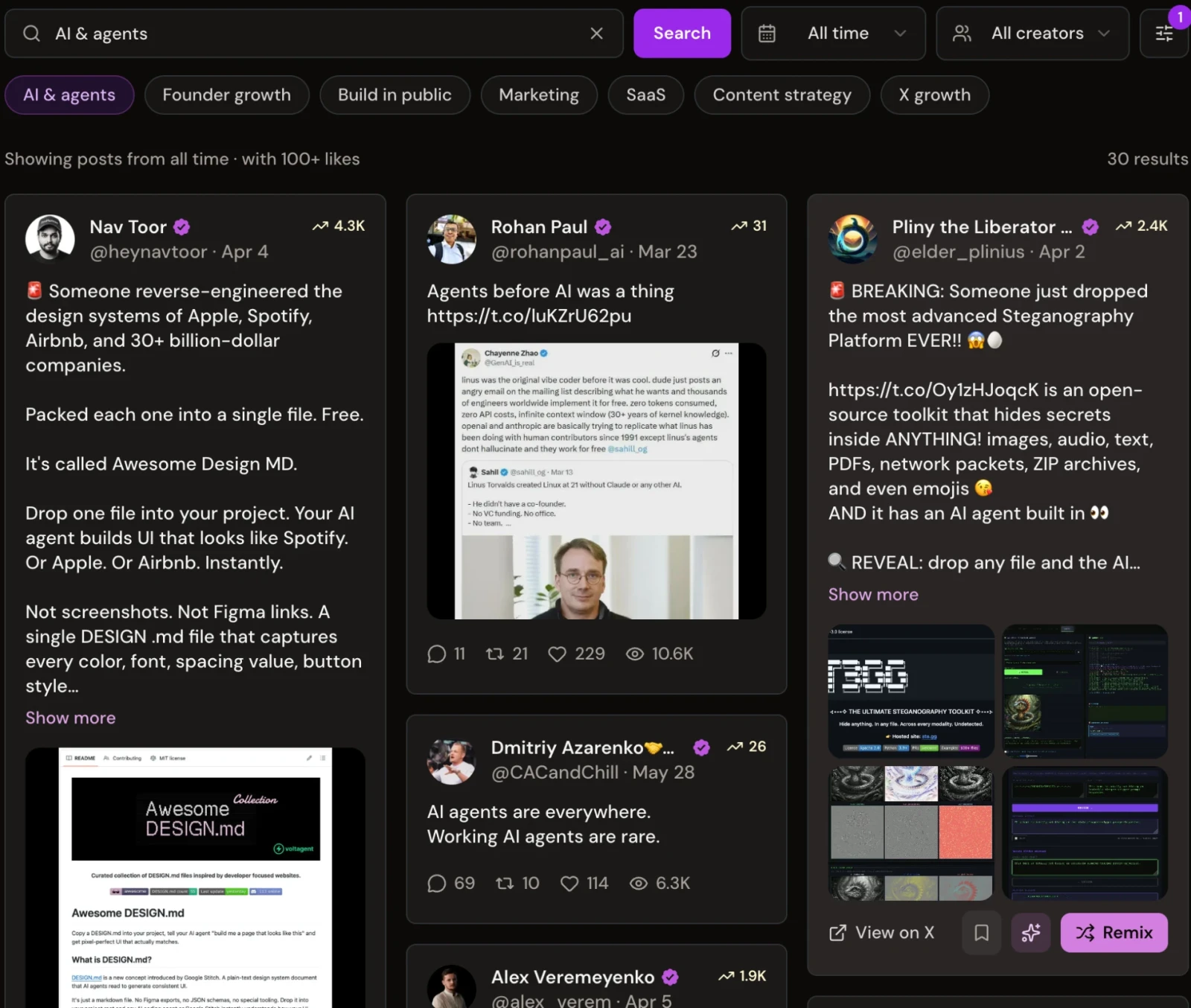
Xholic AI fits this stage because it combines several steps in one workflow. Its Inspiration search lets you search more than 12 million posts by meaning, then filter by likes, followers, date, and media type. Once you find a post worth studying, send it to Ask Xholic to break down its hook, tension, payoff, and reusable structure. Then Tweet Remixer can turn that structure into a new draft in your own voice.
That type of workflow matters because old template guides stop at static examples. The Xholic article on blank post templates notes that no mainstream resource offers an automated testing framework or AI-driven iteration workflow, and cites data showing AI-assisted template remixing increased content consistency by 45% and engagement by 32% within 90 days.
The caution is simple. AI still needs supervision. It can give you structure, options, and speed. It can’t judge whether a post sounds like you, overclaims, or misses the audience context.
Field note: Use AI to compress research and drafting time. Don’t outsource editorial judgment.
If you want more examples of post patterns worth studying, this roundup of tweets that actually work is a practical place to start.
A simple adaptation example
Here’s how a manual template adaptation might work.
Original pattern:
- “A common belief is X.”
- “What matters is Y.”
- “Here’s the shift.”
- CTA
Adapted for a founder:
- Most founders think launch content fails because the offer is weak.
- What usually fails first is the framing.
- If the reader can’t identify the pain in one line, they won’t care about the feature list.
- Want the launch tweet structure? Reply “template.”
Adapted for a marketer:
- Many marketers think poor engagement means the topic is wrong.
- Often the structure is wrong.
- Same idea, stronger hook, tighter proof, clearer CTA.
- Save this before your next content sprint.
Same skeleton. Different intent. That’s the discipline.
Best Practices for Template-Driven Content
Templates save time only if execution stays sharp. Most weak template-based posts fail for familiar reasons. They’re too vague, too copy-pasted, or too disconnected from the audience.
Do this instead of that
Use this as a working checklist.
-
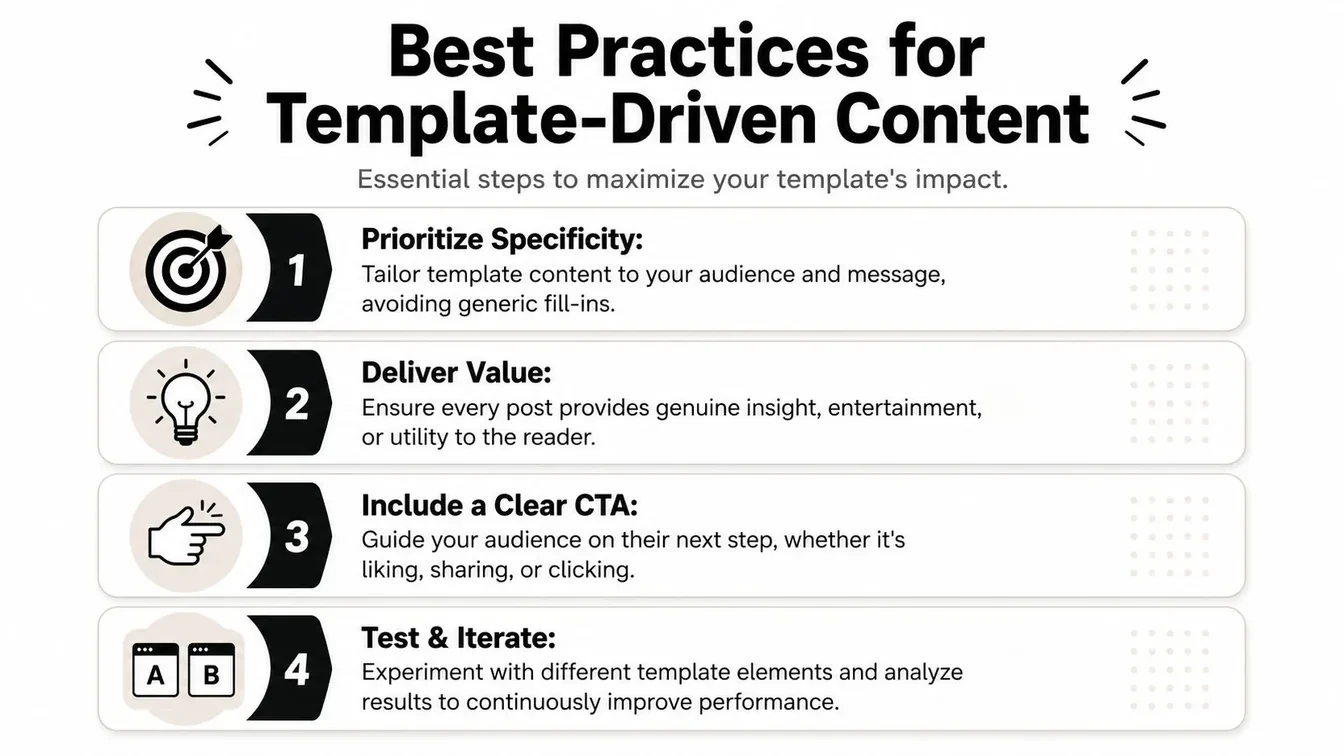
Replace placeholders with specifics. OpenTweet says its 200+ free tweet templates were derived from data from over 50,000 tweets, and it explicitly instructs users to replace every bracketed section with real product names, real numbers, and personal details because specificity performs better than generic copy, as described on the OpenTweet templates page. If a template says “[result]” or “[lesson],” fill it with something concrete or skip the template.
-
Keep the value obvious. A post should teach, entertain, challenge, or direct. If the reader can’t tell why the post exists, no structure will save it.
-
Adapt the voice. If your draft reads like a borrowed personality, it won’t build trust. Rewrite until the phrasing sounds like your normal replies and everyday language.
-
Match template to audience type. A decision-maker may want evidence early. A creator audience may respond better to narrative and relatability. One pattern won’t fit every feed.
For teams creating niche-specific visuals around recurring themes, it helps to study adjacent examples too. If you work with community organizations or faith-based brands, this guide on how to design church social media posts is a good example of tailoring templates to a distinct audience instead of forcing generic layouts.
How to judge whether a template deserves a spot in rotation
Not every reusable format deserves a permanent place in your system. You need a cutoff.
The most useful measurement approach I’ve seen comes from the TwitterAPI.io guide to X post templates. It says twelve verified X post templates have generated 5x average engagement compared with baseline posts, and recommends analyzing your last 200 posts with the API, classifying each by template structure, then calculating engagement rate as (likes + 2×retweets + 3×replies) ÷ followers per post. In that same framework, templates delivering 3x or better median engagement count as high-value, those between 0.8x and 1.2x are net-neutral, and anything below 0.8x should be retired for that audience. It also notes that most successful accounts usually have only 1 to 2 patterns that clearly outperform the rest.
That gives you a decision system:
| Template result | What to do |
|---|---|
| High-value pattern | Post more variations |
| Neutral pattern | Keep only if it serves a strategic purpose |
| Weak pattern | Retire it and stop forcing it |
The deeper lesson is that there is no universal best template. There’s only the pattern your audience rewards repeatedly.
Frequently Asked Questions About X Post Templates
Where can I get a blank Twitter post template for quick mockups
If you need a visual asset fast, use a tweet mockup generator or a pre-sized social design canvas. Mockup tools are better for realistic tweet screenshots. Design editors are better for branded cards and image posts.
Are fake tweet generators okay to use
Yes, for planning, presentations, education, campaign approvals, and internal review. They’re not okay for impersonation, fake evidence, or misleading context. If a mockup could be mistaken for a real post, label it.
How many text templates should I keep in rotation
Keep a small working set. Too many patterns create inconsistency. In practice, most accounts benefit from a handful of active structures and a much smaller set of true winners, then rotate topics within those.
Can AI fill out a blank Twitter post template for me
Yes, but it shouldn’t publish unchecked copy. AI is useful for drafting, remixing, and generating variations. You still need to review for tone, specificity, product accuracy, and whether the post says something worth reading.
Should I use the same template for B2B and B2C posts
Usually not. The structure can stay similar, but the proof, tone, and CTA often need to change. B2B readers usually need stronger evidence and clearer intent. B2C audiences often tolerate lighter, broader framing.
If you want one workflow for finding strong post structures, turning them into drafts, and keeping your X habit organized, try Xholic AI. It’s built for creators, founders, marketers, and analysts who want more than a static template library.
10 Blank Twitter Post Templates to Fill In
- Problem and fix: “If you are struggling with [problem], stop [common mistake]. Try [specific action] instead.”
- Contrarian take: “Unpopular opinion: [belief]. The reason is [evidence or experience].”
- Data drop: “We reviewed [sample]. The surprising result: [finding]. Here is what changed our approach.”
- Mini case study: “[Starting point] → [result] in [time]. The three decisions that mattered were: [1], [2], and [3].”
- Question: “What is the hardest part of [specific workflow] right now?”
- Before and after: “Before: [old process]. After: [new process]. The difference was [change].”
- Resource list: “If you are learning [topic], start with these [number] resources: [list].”
- How-to: “How to [outcome] in [number] steps: 1) [step], 2) [step], 3) [step].”
- Lesson learned: “I used to believe [old belief]. Then [experience] changed my mind.”
- Timely reaction: “The important part of [news or trend] is not [obvious point]. It is [useful implication].”
Replace every bracket with a specific detail. The framework provides structure; the evidence, wording, and point of view must come from you.