Here’s a situation almost everyone running an X account has found themselves in at least once.
You post consistently for three weeks. The engagement feels okay, a few likes, maybe a retweet or two, and then you check your follower count and realize you’ve actually lost followers compared to where you started. No idea when it happened, no idea which content triggered it, no idea who left. Just a number that’s lower than you expected.
That’s the problem with not tracking. You’re reacting to results that are already weeks old.
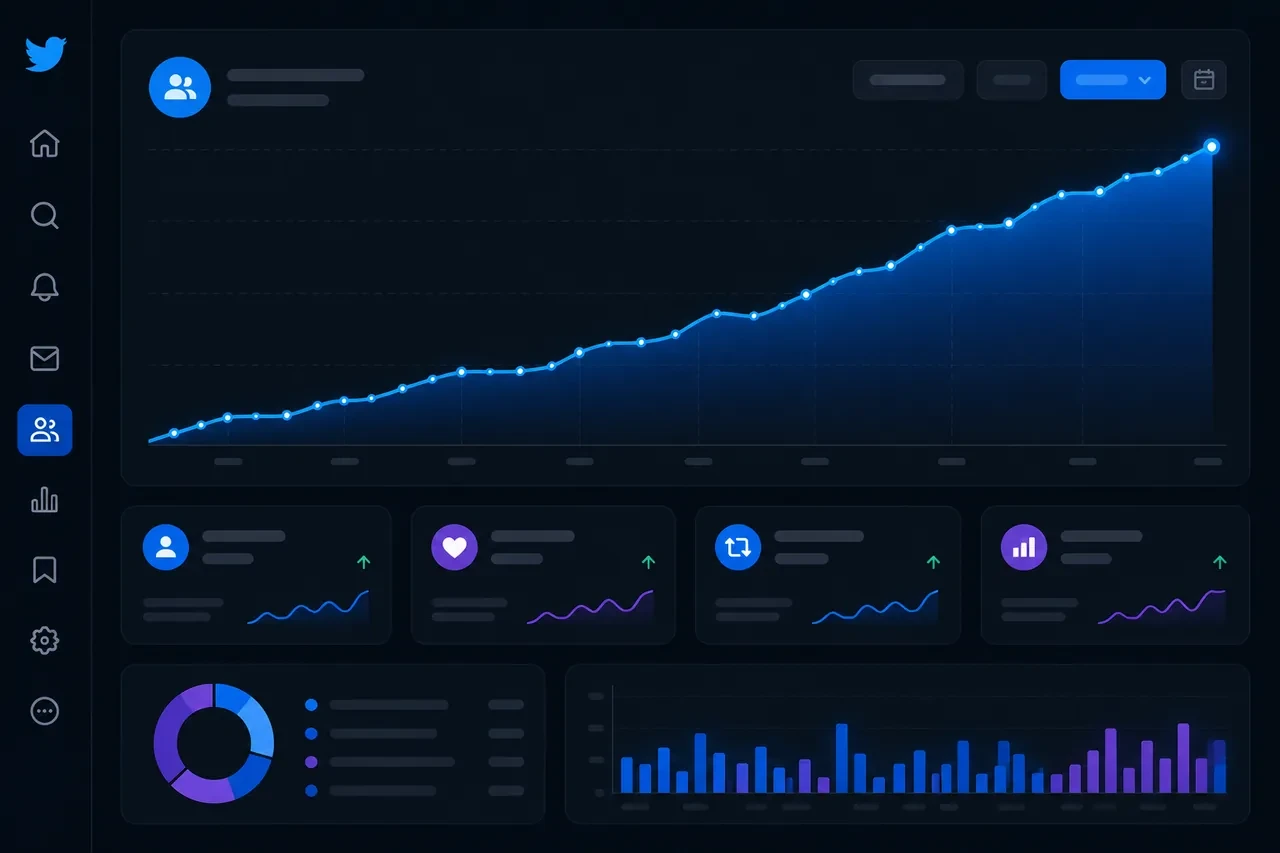
The right Twitter follower tracker changes this entirely. Instead of stumbling across bad news after the fact, you’re watching trends as they develop, and more importantly, connecting those trends to your actual content so you understand why numbers move, not just that they moved.
In 2026, there are enough free tools in this space to build a genuinely solid tracking setup without spending anything. This guide covers the seven best options, what each one actually does well, what it doesn’t do, and how to pick the right combination for where you are right now.
Quick Answer: Best Free Twitter Follower Tracker by Use Case
If you want the shortest path to the right tool, start here:
-
Live public follower count: Xholic Live Twitter Follower Count for a no-signup public follower counter with short caching and a live-style refresh.
-
Native post and follower correlation: X Analytics for seeing how your own posts, profile visits, engagement, and follower movement connect.
-
Unfollower tracking: Unfollr for privacy-first unfollower checks without OAuth.
-
Audience quality: Circleboom for fake, inactive, and suspicious follower signals.
-
Audience research: Followerwonk for follower demographics, bio patterns, activity timing, and account comparison.
-
All-in-one scheduling plus monitoring: SocialDog for follower monitoring alongside scheduling and account management.
Why Your Follower Count Is More Than a Vanity Metric
Before jumping into the tools, it’s worth being clear about what follower tracking is actually for, because most people underestimate how much information is hiding inside these numbers.
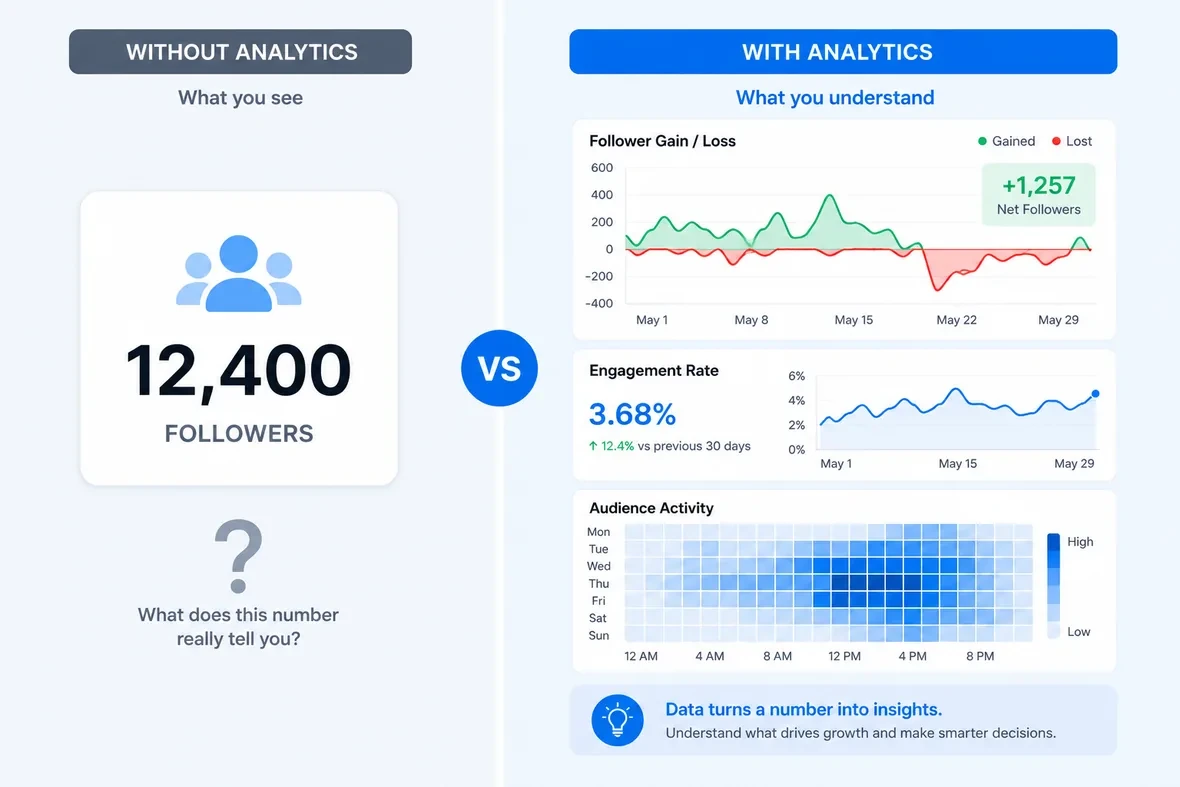
Your follower count isn’t just a score. It’s a signal. Every time someone follows you, they’re saying your content made enough of an impression that they want to see more. Every time someone unfollows, something shifted, either their interests moved on, or your content stopped matching their expectations, or you posted something that didn’t land.
The problem is that raw numbers tell you nothing about which of these things happened. That’s what a follower tracker helps you figure out.
When you track follower growth over time, correlated with your posting activity, patterns start to emerge. A spike in follows after a particular thread. A quiet bleed of unfollows during a week where your content shifted in tone. A competitor gaining momentum in your niche right around the same time your numbers dipped. None of this is visible when you’re just glancing at your profile once a week.
There’s also the audience quality dimension. Five hundred engaged followers who reply, share your content, and click your links are worth more than five thousand passive followers who scroll past. A good tracker helps you separate these two groups, not just watch the total number move up or down.
What to Actually Look for in a Twitter Follower Tracker
Not all tools in this category are tracking the same things. Here’s the shortlist of what actually matters before you commit to anything:
-
Follower gain and loss over time. This is the baseline. You need to see not just your current count but how it’s changed day by day, week by week. Ideally with enough historical data to spot seasonal patterns.
-
Unfollower identification. Knowing your net count dropped is useful. Knowing who unfollowed you, and when, is far more useful. Some tools give you this, some don’t.
-
Audience quality signals. Fake follower detection, inactive account flagging, bot identification. A follower count padded with ghost accounts gives you false confidence in your reach.
-
Competitor benchmarking. How are your numbers moving relative to similar accounts in your niche? This context is often more meaningful than your raw numbers in isolation.
-
No auto-posting or automation. This is a safety point worth stating. Any tool that connects to your account and takes automated actions, posting, following, unfollowing, is a liability. The tools on this list are trackers, not bots.
-
Privacy and security. Understand what access you’re granting when you connect any tool to your X account. OAuth connections give third-party apps varying levels of permission. The safer tools are upfront about exactly what they access.
The 7 Best Free Twitter Follower Trackers in 2026
How We Evaluated These Tools
This list was last checked on June 10, 2026. The goal was not to collect every analytics product with a Twitter feature. The goal was to recommend tools that help you answer a clear follower-tracking question without forcing a paid subscription first.
We prioritized free access, direct relevance to follower tracking, no unsafe automation requirement, privacy and OAuth posture, public-account support, follower or unfollower visibility, audience-quality signals, and usefulness for creators who need to turn tracking into better decisions. If a tool is mainly a growth workflow rather than a tracker, it belongs later in the action section, not in the ranked tracker list.
1. Xholic Live Twitter Follower Count (Free)
Xholic Live Twitter Follower Count is the simplest choice when the job is fast public lookup. Enter a public X handle and the page returns a short-cached follower count with a live-style refresh while the page is visible. No signup, no account connection, no dashboard setup.
That matters because a lot of people searching for a Twitter follower tracker do not want a full analytics suite yet. They want to check a profile during a launch, a media mention, a viral post, a creator collaboration, or a campaign window and see whether the follower count is moving.
What it does well: It matches the immediate “check this account now” intent. It is fast, public, and lightweight, which makes it a good first stop before you decide whether you need deeper analytics.
Where it falls short: It is not an unfollower tracker, it does not identify individual followers, and it is not meant to replace a full historical analytics dashboard. Use it for quick public count checks, then layer in other tools when you need trend analysis or audience quality.
Free tier: Fully free public tool. No signup required.
Best for: Public follower-count checks, launches, collaborations, live campaigns, and quick creator research.
2. X Analytics (Native — Free)
There’s a reason to start here, and it’s not because X’s built-in analytics is the most powerful option on this list. It’s because it’s the baseline every account already has access to, and most people still aren’t using it properly.
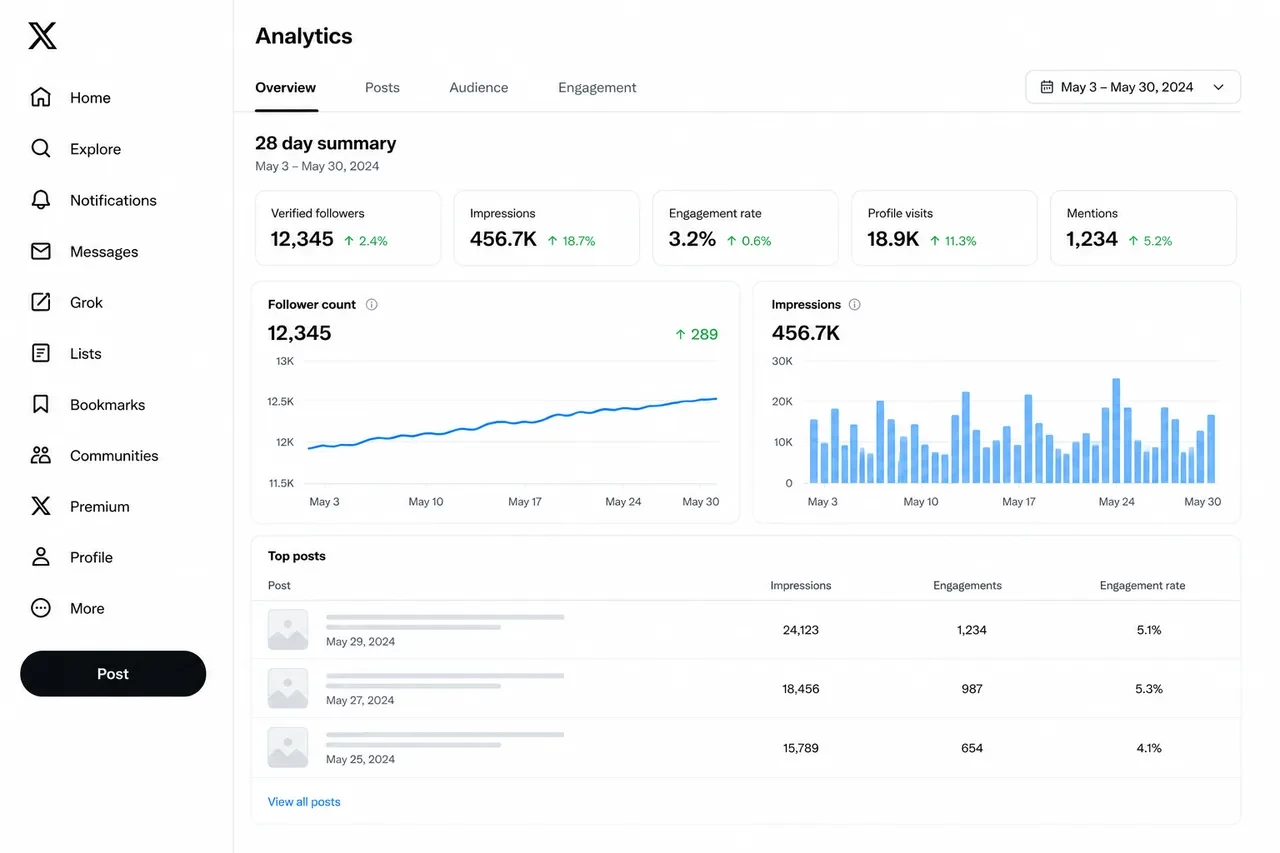
X Analytics, available through X’s analytics experience, gives you post-level data: impressions, engagements, link clicks, profile visits, and more for content you’ve published. The follower tracking specifically shows you net follower changes over a recent window, along with daily breakdowns.
What it does well: The tweet performance data is genuinely good. You can look at any single post and understand its reach and engagement in real terms. Correlating this with your follower movements gives you a feedback loop that’s easy to act on.
Where it falls short: X Analytics doesn’t tell you who followed or unfollowed you. It shows the net change, not the individual accounts. It also has no competitor analysis, no audience demographics beyond basic location data, and no historical data beyond 28 days. For a quick pulse check, it’s enough. For anything more serious, you’ll need to layer in something else.
Free tier: Fully free. No credit card, no limits on your own account data.
Best for: Beginners, smaller accounts, anyone who wants a zero-setup starting point.
3. Livecounts.io (Free)
Livecounts.io is another simple live-style follower counter for public X accounts. It is built for the same immediate-use case: type a handle, watch the count, and avoid connecting your own account.
What it does well: It is easy to understand, especially for monitoring public accounts during short windows where follower count changes matter. If you want a second public counter to compare against your primary tool, it is useful.
Where it falls short: It is a counter, not a full follower tracker. It does not show who followed, who unfollowed, audience quality, or content-level drivers. Treat it as a quick public lookup tool, not a complete analytics workflow.
Free tier: Free public counter.
Best for: No-login public count checks and short-window monitoring.
4. Followerwonk (Free Tier)
Followerwonk has been around long enough to earn a permanent spot in any serious list of Twitter analytics tools, and the free tier is genuinely useful, especially for understanding who your followers are rather than just counting them.
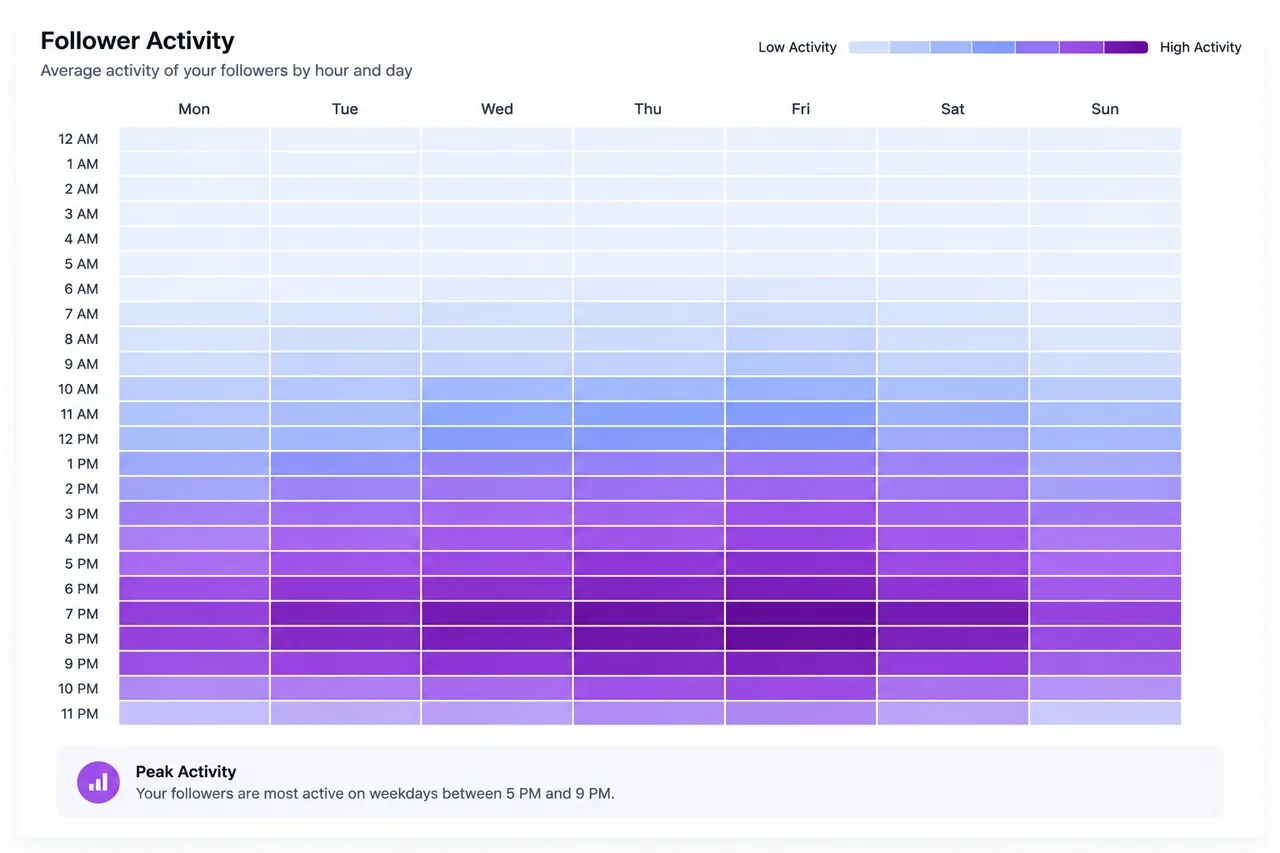
The core feature is audience analysis. Connect your X account and Followerwonk breaks down your followers by location, the words they use most in their bios, when they’re most active online during the day, and relative influence signals. None of this is available through X’s native analytics.
The activity-time data is particularly practical. If you’re writing quality content but posting it at 6 AM when none of your followers are online, Followerwonk can show you that — and show you when the bulk of your specific audience actually opens the app. That’s a scheduling insight you can act on immediately.
Followerwonk also allows basic competitor comparison on the free plan. You can compare your follower base against another account’s, looking at overlap and divergence in audience interests and demographics.
Where it falls short: The free plan has limits on how many analysis runs you can do per month, and some of the deeper features, like full follower/unfollower history and advanced bio search, are behind the paid tier. It is best used for audience research, not quick no-login follower-count checks.
Free tier: Available with usage limits. No credit card required for basic features.
Best for: Audience research, optimal posting time discovery, creator-to-creator comparison.
5. Unfollr (Free)
Unfollr is one of the more interesting tools to emerge in this category recently, specifically because of how it works. Rather than connecting to your account via OAuth, which gives a third-party app permission to read and sometimes act on your account data, Unfollr runs as a browser extension. It reads your follower list locally, stores comparison snapshots, and identifies unfollowers without ever sending your data to an external server.
For privacy-conscious users, this is a meaningful distinction. You’re not trusting a startup you’ve never heard of with OAuth access to your X account. You’re running analysis locally in your own browser.
The core functionality is straightforward: install the extension, run a scan, and it shows you who unfollowed you since your last scan. It also identifies non-followers, accounts you follow that don’t follow you back, and tracks changes between snapshots over time.
The extension works across Chrome, Edge, Brave, Opera, Arc, and other Chromium-based browsers.
Where it falls short: Because it’s browser-based rather than continuously synced, it only captures changes between the times you actively run a scan. If someone followed and unfollowed you between two scan sessions, you might miss it. It’s also Twitter/X-only, no multi-platform support.
Free tier: Fully free. No subscription, no OAuth, no account required beyond the browser installation.
Best for: Privacy-conscious users, anyone uncomfortable connecting third-party apps via OAuth, simple unfollower tracking.
6. Circleboom (Free Plan)
Circleboom is one of the more comprehensive Twitter management platforms with a free entry point, and it covers more ground than a pure follower tracker.
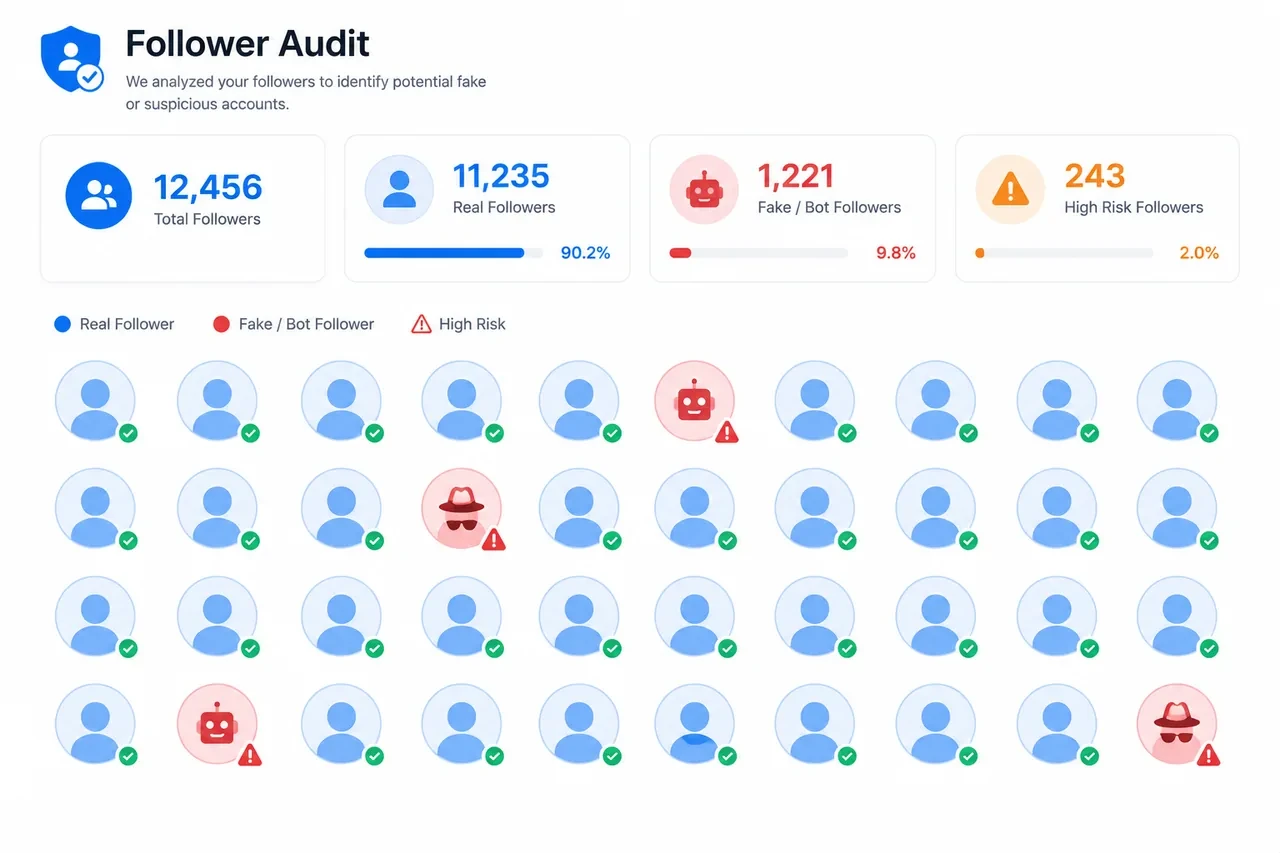
The platform helps you see who unfollowed you, identify inactive accounts in your following list, detect fake or bot followers, and review accounts that may be weakening your audience quality. It also generates reports on your followers’ interests, language distribution, and when they’re most active.
One feature that stands out is the verified unfollowing system. Circleboom cross-checks accounts before classifying them as fake or inactive, which reduces false positives, something that matters if you’re making decisions about who to keep following based on that data.
The audience cleanup angle is where Circleboom genuinely shines. Over time, any account accumulates followers who are suspended, inactive, or clearly bot-operated. These accounts drag down your engagement rate without contributing anything. Circleboom’s tools for identifying and removing them are among the most thorough in the free tier.
Where it falls short: The free plan is limited in terms of how many actions you can take per day and how much historical data you can access. The full power of the platform is behind the paid tiers. It also requires OAuth access to your account, so it’s not the right choice if you’re concerned about third-party permissions.
Free tier: Available with daily action limits. Paid plans unlock deeper analytics and bulk operations.
Best for: Account cleanup, bot detection, fake follower removal, audience quality management.
7. SocialDog (Free Tier)
SocialDog bills itself as a full Twitter management suite, and the free plan is one of the more generous ones in this category. It covers scheduling, follower analytics, and account monitoring in a single dashboard.
On the follower tracking side, SocialDog automatically tracks new followers, unfollowers, and inactive accounts as part of its ongoing monitoring. It doesn’t require you to manually trigger a scan, it runs in the background and surfaces changes when you log in.
The filtering capabilities are noteworthy. You can segment your follower list by activity level, following-to-follower ratio, profile completeness, and other signals that help you understand the quality distribution of your audience. You can also export follower data as a CSV file, which is useful for anyone who wants to run their own analysis or keep records outside the platform.
The scheduling integration is a bonus that most pure follower trackers don’t include. If you’re managing content and analytics in the same tool, SocialDog’s free plan covers a meaningful portion of that workflow.
Where it falls short: Some of the deeper follower analytics, like detailed growth history and advanced audience demographics, are available only on paid plans. The free tier is genuinely useful but designed to be an introduction to the platform rather than a complete solution.
Free tier: Available with feature limits. Paid plans add deeper history, more scheduled posts, and priority support.
Best for: Creators who want scheduling and follower tracking in one place, small business accounts.
How to Build a Free Tracking Stack (Without Paying Anything)
You don’t need to pay for a single tool to get a solid tracking setup. Here’s how to combine what’s available for free:
-
For live public count checks: Start with Xholic Live Twitter Follower Count when you need a fast no-signup read on a public profile. Use it during launches, collaborations, interviews, or any moment where you want to watch a public follower count without opening a full dashboard.
-
For tweet performance + basic follower trends: Add X Analytics. Check it every Monday. Take five minutes to look at which posts drove profile visits, engagement, and follower movement that week. If you want a broader measurement workflow, pair this with a Twitter follower analytics review.
-
For public profile research: Use X Profile Analytics and X Profile Audit when you want visible account signals beyond a raw follower count, such as profile quality, recent public performance, or positioning issues.
-
For audience quality: Once your account reaches a few hundred followers, run a Circleboom audit to check for fake or inactive accounts. A clean follower list means your engagement rate actually reflects reality, which matters if you’re ever trying to demonstrate audience value to a brand or partner.
-
For unfollower tracking: If privacy matters to you, Unfollr. If you want it bundled with scheduling and management, SocialDog. Either one fills this gap.
-
For deeper audience understanding: Once you have a few thousand followers and want to understand who they are beyond a count, Followerwonk’s free tier gives you the demographic and behavioral breakdowns that make your growth data actionable.
-
For tool discovery beyond follower tracking: Use this list for tracker-specific jobs, then use the free Twitter analytics tools guide when you need a wider stack for engagement, scheduling, content review, and reporting.
FAQ: What People Are Actually Asking
Does Twitter have a free follower tracker built in?
Yes, but it’s limited. X Analytics shows how your content is performing and gives you follower movement for your own account. It does not show individual unfollowers, does not provide no-login public lookup, and does not replace a dedicated audience-quality audit. For most beginners, it is a fine starting point. For follower quality, public count checks, or specific unfollower tracking, you need another tool.
How do I track Twitter follower growth over time?
For your own account, review X Analytics every week and write down follower movement beside your highest-performing posts. For public profiles, use a no-login live counter such as Xholic Live Twitter Follower Count or Livecounts.io during moments you want to monitor. For deeper interpretation, use a repeatable review process like the one in our Master Your Twitter Follower Count guide.
Can I track Twitter followers and unfollowers for free?
Yes, but usually with tradeoffs. X Analytics can show net movement, but not individual unfollowers. Unfollr can identify unfollowers through local browser snapshots without OAuth. SocialDog and Circleboom can also surface follower and unfollower signals, but their free plans may limit history, actions, or deeper reporting.
How do I see who unfollowed me on Twitter for free?
The cleanest free options in 2026 are Unfollr (browser extension, no OAuth, fully private) and the free tier of SocialDog. Circleboom also shows unfollowers on its free plan, though with some daily limits. X itself doesn’t provide this information natively.
Can I track someone else’s Twitter follower growth for free?
You can check someone else’s public follower count for free with tools like Xholic Live Twitter Follower Count and Livecounts.io. For deeper comparison, Followerwonk offers some account-comparison and audience-research features. Full historical growth tracking for third-party accounts depends on the tool’s current X data access, so verify the feature before building a workflow around it.
Is there a Twitter follower tracker that doesn’t require login?
Yes. Xholic Live Twitter Follower Count and Livecounts.io do not require a login for public follower-count checks. Unfollr requires a browser extension install but no OAuth connection to your X account. Most deeper analytics tools require either an X login or OAuth authentication to access your personal follower data.
Why is my Twitter follower count dropping?
There are four main reasons follower counts drop: X periodically purges spam, bot, and suspended accounts (sometimes in large batches); your content shifted in a direction that didn’t match your existing audience; you had a post that attracted a wave of follows that didn’t stick; or a competitor entered your niche and drew away part of your audience. A good tracker helps you correlate timing with your posting history to figure out which of these is most likely.
How often should I check my Twitter follower tracker?
Weekly is usually the right cadence. Daily checks create anxiety without enough data to act on, follower counts fluctuate naturally every day. Weekly reviews give you enough signal to spot real trends without obsessing over single-day swings.
What’s the difference between a follower tracker and a follower growth tool?
A follower tracker shows you what’s happening with your audience, who follows, who unfollows, and how growth trends move over time. A follower growth tool helps you take actions that cause growth, such as better content, smarter reply strategy, more consistent posting, and stronger positioning. You need both: this list covers tracking, while Xholic AI is the action layer for turning signals into daily growth work.
Common Mistakes People Make With Follower Tracking
-
Checking too often. Daily follower count checking is a trap. Natural fluctuation makes daily numbers meaningless. Weekly trends are where actual signal lives.
-
Treating follower count as the main success metric. It’s tempting to optimize for raw follower growth because it’s the most visible number. But a 1,000-follower account with a 10% engagement rate is typically worth more, to brands, to algorithms, to your own influence, than a 10,000-follower account with 0.5% engagement. Track engagement rate alongside follower count.
-
Ignoring the unfollower data. Most people track who followed them and ignore who left. The unfollower signal is often more actionable. A wave of unfollows after a specific type of post is direct feedback on what your existing audience doesn’t want more of.
-
Not connecting content actions to outcomes. The tools give you the data. The analysis is on you. Make a habit of noting which posts went out in the days before a follower spike or drop. Over a few months, these patterns become predictive.
-
Skipping the quality audit. A follower count with 30% bots or inactive accounts isn’t real. Run a Circleboom audit every few months to keep your audience quality numbers honest.

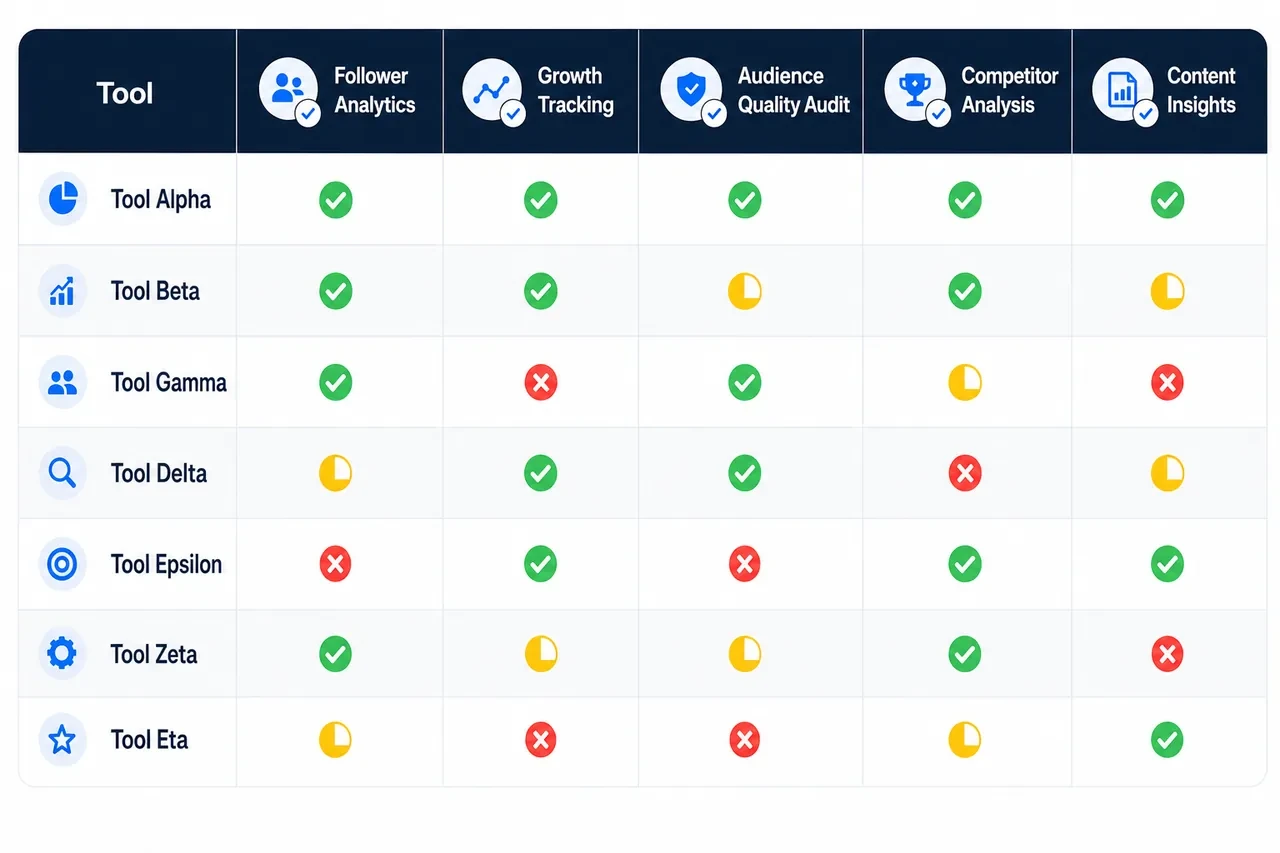
Quick Comparison Table
| Tool | Best Free Feature | Requires Login | Unfollower ID | Public Account Lookup | Audience Quality |
|---|---|---|---|---|---|
| Xholic Live Twitter Follower Count | Live-style public follower count | No | No | Yes | No |
| X Analytics | Post performance + own follower movement | Yes (your account) | No | No | No |
| Livecounts.io | Live-style public counter | No | No | Yes | No |
| Followerwonk | Audience demographics and comparison | Yes (OAuth) | Limited | Limited | Moderate |
| Unfollr | Privacy-first unfollower tracking | Browser extension only | Yes | No | No |
| Circleboom | Fake and inactive follower detection | Yes (OAuth) | Yes | No | Strong |
| SocialDog | Scheduling plus follower monitoring | Yes (OAuth) | Yes | No | Moderate |
Once Tracking Shows What Is Happening, Use Xholic AI to Act on It
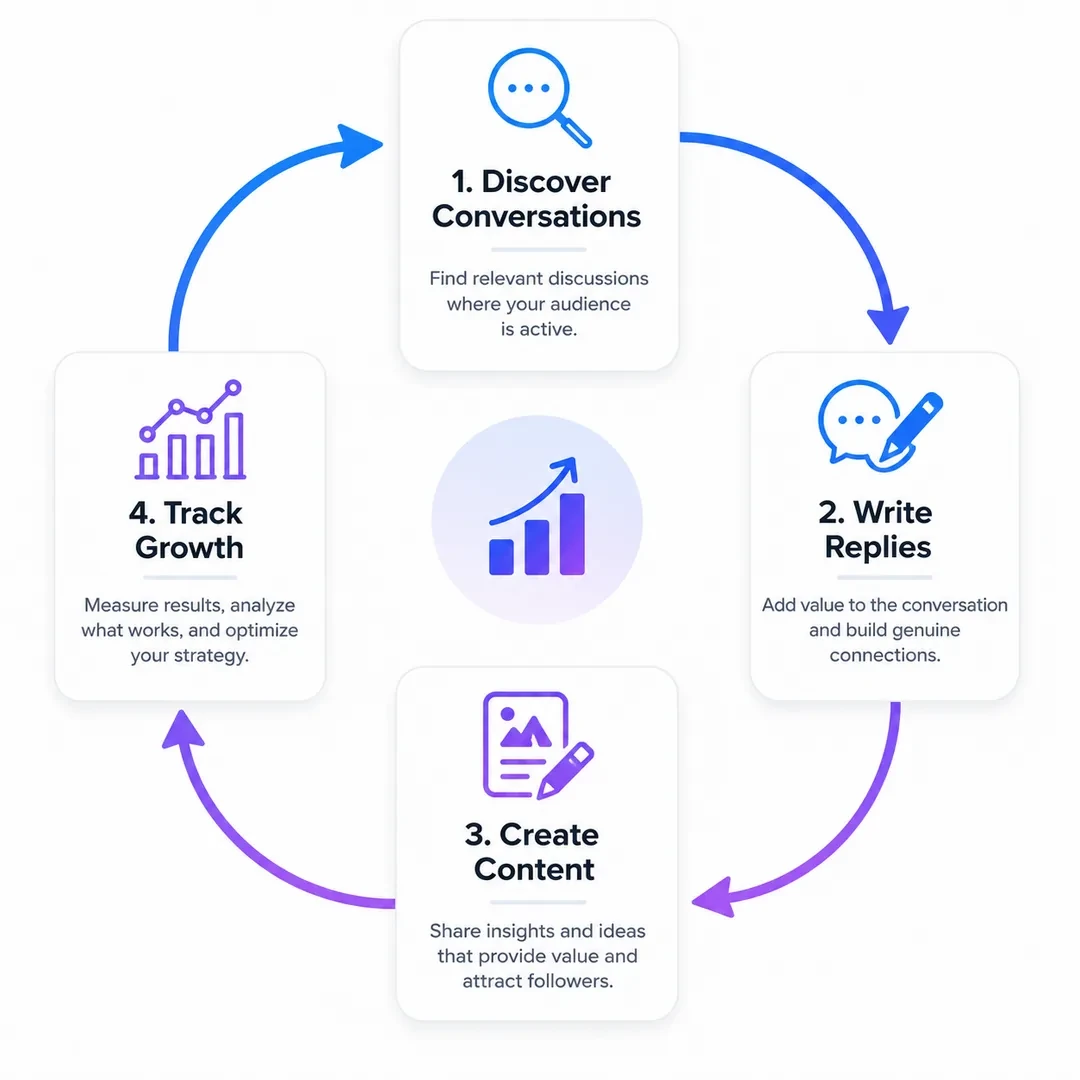
The tools above help you see the follower signal. Xholic AI is where that signal becomes daily action: finding high-momentum conversations, writing replies in your voice, remixing proven post structures, saving ideas, and keeping your content habit consistent.
This is why Xholic AI is not listed as one of the seven free follower trackers. It is not trying to replace a live counter, an unfollower tool, or a follower audit dashboard. It is the growth workflow you use after the tracker shows you what needs to change.
The Chrome extension keeps that workflow inside X, so you can turn follower insights into replies, posts, and research without jumping between tabs.
For the wider measurement framework, use the complete Twitter Analytics guide. The Live Follower Count Guide covers short-window monitoring, while the explanation of Twitter profile visits helps connect follower movement to deeper account interest.
The Bottom Line
The best Twitter follower tracker for you depends entirely on what you’re trying to learn.
If you want a fast public count check, start with Xholic Live Twitter Follower Count or Livecounts.io. If you want to watch your own growth trend alongside post performance, X Analytics is enough to start. If you care about who unfollowed you specifically, Unfollr for privacy or SocialDog for the broader management suite fills that gap. When you’re ready to understand your audience more deeply, Followerwonk’s demographic analysis is worth the time. And when your follower list needs a quality audit to clear out the bots and inactive accounts, Circleboom is the right call.
None of these cost anything to start. Most can be layered together without conflicts.
But there’s one thing all of them share: they’re observation tools. They tell you what’s happening. They don’t tell you what to post, when to join a conversation, how to write a reply that sounds like you, or how to build the kind of daily consistency that turns a stagnant account into a growing one.
That’s where Xholic AI fills the gap. It’s not trying to replace the trackers. It’s the tool you use to act on what the trackers show you.
Knowing your follower count is falling is useful. Knowing what to do about it before it falls further, that’s what actually matters.
Track Follower Quality, Not Just the Total
A follower tracker becomes useful when it explains why the number moved. Record these signals together:
- Net follower change over a consistent daily or weekly window.
- Which posts were published during the change.
- The topics and formats that attracted profile visits.
- Whether new followers match the audience the account is trying to reach.
- Unfollow spikes after promotions, topic changes, or unusually frequent posting.
Use the live counter for short windows such as launches and events, then use a weekly log for strategic decisions. A smaller increase from relevant creators, customers, or peers is usually more valuable than a large burst of unrelated or inactive accounts.