Stop Staring at a Blank Tweet Composer
You know you need to post consistently on X (Twitter), but the hard part usually isn’t typing. It’s deciding what to say, how to say it, and whether the draft will sound like you or like a generic AI assistant. A good tweet generator fixes that. It helps you find angles faster, draft stronger posts, repurpose ideas, and reply without losing your whole afternoon inside the feed.
Just want a tweet written right now? Our free AI Tweet Generator turns an idea into three ready-to-post tweets, and the AI Thread Generator does the same for threads. No signup needed.
Quick answer: the best tweet generator depends on your workflow. If you want an all-in-one X growth system, use Xholic AI or Tweet Hunter. If you mainly want writing and scheduling, Typefully and Buffer are stronger fits. If you need quick repurposing from articles or source text, Writesonic and Tweetify It are simpler. The list below breaks down the 10 best options by actual use case so you can choose the one that matches how you work.
1. Xholic AI
Monday morning on X usually breaks in one of two ways. You either stare at a blank composer, or you burn 30 minutes scrolling for an angle that is already working. Xholic AI is built for the second problem. It gives active X users a tighter workflow for finding patterns, drafting posts and replies, and scheduling without splitting that work across three or four tools.
What separates it from pure writing tools is where the product starts. Xholic puts discovery first, then turns that research into drafts, reply ideas, saved examples, and a posting queue. Semantic search by meaning is the practical advantage here. Search for a topic like customer support pain points for SaaS founders, and you can surface related posts even when the phrasing changes. That is more useful in day-to-day content work than a basic keyword match.
Why it stands out
The Chrome extension is the part power users will care about. It keeps the workflow inside the X feed, where ideas, replies, and post structure show up. You can generate replies in any reply box, remix posts you open, compose and schedule posts, and check analytics on any profile without constant tab switching.
That changes how the tool fits into a real posting habit.
A lot of tweet generators still act like isolated prompt boxes. Enter prompt, pick tone, get output, paste into X, then edit the draft to sound like a person. Xholic is closer to an all-in-one growth setup for creators who treat X as an active channel, not a side task. If you want a direct tool comparison before committing, this roundup of Hypefury alternatives for X, including Xholic and Tweet Hunter, is worth reading.
Best for
Xholic fits best in three use cases:
- All-in-one X growth workflow: Good for creators and marketers who want research, drafting, replying, and scheduling in one place.
- Reply-led growth: Strong fit if your account grows through smart replies and conversation participation, not just scheduled posts.
- Pattern-based writing: Useful for people who study proven post formats, save examples, and rebuild ideas in their own voice.
A practical workflow looks like this: run a search in Inspiration, save a handful of strong posts, send them to Ask Xholic to break down the structure or Remix them to draft variations, add one concrete detail from your own experience, then schedule the final version. That is a better fit for operators who post frequently than for casual users who only need occasional one-off tweets.
The trade-off is clear. Xholic is strongest when X is a primary channel and the browser extension becomes part of your daily routine. If you only need cleaner writing or light scheduling, simpler tools later in this list may be enough. If you want one system for discovery, replies, and output, Xholic has a stronger day-to-day workflow than most standalone generators.
For founders building that broader workflow around AI content, Bazzly helps founders with AI marketing.
2. Tweet Hunter
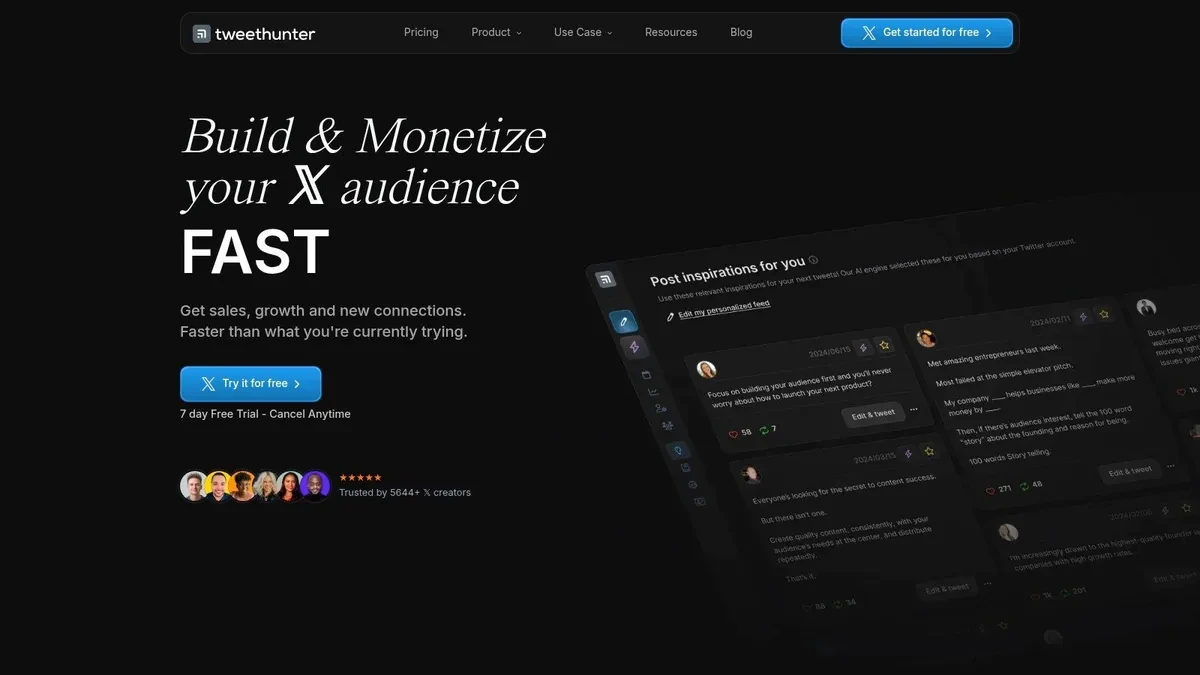
Tweet Hunter is still one of the strongest options for creators who want idea discovery, AI drafting, scheduling, and engagement workflows in one product. It feels more like a creator operating system than a simple writing tool.
Its big appeal is the blend of a viral post library, AI writer, scheduling, analytics, and CRM-style engagement lists. If you post often and like working from proven examples, it reduces friction fast. You can move from inspiration to draft to scheduled post without rebuilding the process yourself.
Where it fits
Tweet Hunter is best for creators who want one dashboard for daily posting. It’s also a good fit if you like studying formats and keeping relationship-building activity close to your content workflow.
What works:
- Integrated workflow: You can go from research to writing to scheduling in one tool.
- Good for regular posting: Daily creators tend to benefit most from its setup.
- More than a generator: The engagement and list features help if you treat X as a relationship channel, not just a publishing channel.
What doesn’t:
- Feature density: New users can get overwhelmed.
- Some advanced value lives higher up the stack: If you need heavier automation, you’ll feel the product pushing you toward bigger plans.
If you’re choosing between the big all-in-one platforms, this comparison of Tweet Hunter alternatives is useful. For founders trying to connect tweet workflows to broader content systems, Bazzly’s guide to AI in marketing is also worth reading.
3. Typefully
Typefully is the cleanest writing environment on this list. If you care about composing, revising, and polishing threads more than you care about growth hacks, Typefully especially stands out.
A lot of tweet generator tools feel like prompt boxes attached to schedulers. Typefully feels like an editor first. That’s a better fit for operators who think in outlines, thread structure, and revision passes.
Why writers like it
The AI Writing Assistant sits inside a strong composition experience. That matters. Instead of dumping rough drafts into a blank box and hoping for miracles, you can iteratively reshape hooks, tighten phrasing, and improve cadence while staying inside the editor.
It’s also one of the better choices for teams. Collaboration, comments, approvals, and multi-platform support make it useful if one person drafts while another edits or signs off.
Sample use case for a founder thread:
Launch note: We cut onboarding confusion by turning our top support questions into a 5-part setup flow.
The old version looked clean. The new version gets people to value faster.
Here’s what changed and what we learned. (thread)
That kind of post usually needs editing more than generation. Typefully is good at that stage. The trade-off is that it isn’t as X-native in discovery or reply workflows as the more specialized growth tools. See Xholic vs Typefully for a side-by-side view.
4. Postwise

Postwise fits a specific workflow. You already know what you want to say, but you do not want to spend 20 minutes shaping every post by hand.
That makes it a good pick for creators and solo operators who publish often and need a fast draft machine with scheduling built in. Postwise is less about strategy and more about throughput. Drop in an idea, get several versions, pick one, clean it up, queue it, done.
Where Postwise fits best
In this list, Postwise lands in the writing and packaging bucket. It is strongest when the raw material already exists:
- Notes from a call
- A product update
- An article summary
- A lesson from yesterday’s work
- A rough thread idea that needs better hooks
Postwise’s drafting feature is useful for that middle layer between idea and publishable post. It can turn a messy thought into a cleaner draft fast, and it usually gives enough variations to test different angles without a lot of prompt work.
The trade-off is obvious after a few sessions. Postwise helps with speed, but it does not do the job of having something specific to say. If you publish the raw AI draft, the post often reads fine and performs flat. Posts on X need texture. A concrete result, a sharp opinion, a number from your own work, or a sentence that sounds like a real person instead of a model.
A practical workflow looks like this:
- Generate three to five versions from one idea.
- Keep the draft with the best structure or hook.
- Replace at least one generic line with a detail from your own experience.
- Schedule it or drop it into your queue.
If your process depends on batching and queue management, this Twitter scheduler workflow guide is useful context for where Postwise fits versus broader publishing tools.
My read as a power user: Postwise is a good choice if your bottleneck is turning raw ideas into enough publishable drafts each week. If your bottleneck is positioning, audience research, or finding growth opportunities on X, other tools in this list go further.
5. Buffer
Buffer isn’t an X-first growth tool. It’s a mature cross-platform publishing system with an AI Assistant attached. That distinction matters before you buy it.
If your real job is managing multiple social channels and X is just one of them, Buffer makes a lot of sense. If your main job is audience building on X specifically, it can feel broad.
Best use case
Buffer works best for marketers and social teams that need scheduling, repurposing, analytics, and a reliable publishing workflow across channels. Its AI Assistant helps shorten, expand, and rephrase posts, but it behaves more like a generalist writing assistant than an X-native strategist.
That’s still valuable for channel adaptation. A team can turn one product update into:
- An X thread
- A LinkedIn post
- A shorter reply-style teaser
- A scheduled week of supporting posts
The main trade-off is specialization. You won’t get the same level of in-feed reply generation, momentum-based discovery, or growth-focused remixing that dedicated X tools provide. If you’re comparing queueing tools and approval flows, this guide to a Twitter scheduler workflow gives the right context for where Buffer fits, and Xholic vs Buffer compares the two directly.
6. Anyword
Anyword fits teams that run X like a marketing channel, not a daily creator habit. If the workflow starts with messaging goals, brand rules, and approval, Anyword makes more sense than an X-native growth tool.
Its value is controlled variation. You can take one product message and generate several angles, compare them side by side, and tighten tone before anything gets scheduled. That matters for SaaS marketing teams, in-house brand teams, and agencies managing accounts that cannot afford off-brand posts.
Best for messaging tests and brand-safe drafts
A practical use case is a launch post that needs multiple versions for different intents:
- A straightforward product announcement
- A pain-point-led version
- A curiosity hook
- A more personal founder-style draft
That workflow is useful when X is one distribution channel inside a bigger campaign. It is less useful when your day-to-day depends on fast replies, thread building, idea capture from the feed, or queue management inside an X-first system.
That trade-off is the whole story with Anyword. It helps teams improve copy quality before publishing, but it does not do much for the native rhythm of posting on X.
For readers comparing tools by workflow instead of feature lists, this breakdown of X growth tools for different posting styles and team setups gives the right context. Anyword belongs in the writing and editing bucket, not the all-in-one growth bucket or the repurposing bucket.
7. Writesonic

Writesonic is the easiest recommendation for people who don’t need a full X platform. You just want quick tweet variations, rewrites, and simple repurposing from larger pieces of content.
That’s why it’s useful for marketers repackaging blog posts, founders summarizing launch notes, or creators testing hooks before moving drafts into another scheduler. It’s more writing utility than full workflow system.
Best for repurposing
Writesonic works well when your source material is long and your output needs to be short. Take a blog intro, product update, webinar summary, or research note, then spin out tweet versions.
Here’s a practical pattern:
Source material: “We turned support tickets into onboarding prompts and reduced confusion in setup.”
Tweet version: “One of the best content prompts is sitting in your support inbox. We turn support tickets into post ideas because customer confusion usually reveals what the market actually cares about.”
That’s the kind of compression task Writesonic handles well. The downside is that it’s not built for X engagement workflows. No focused feeds and mentions workspace, no semantic inspiration built around strong post patterns, and no serious X-specific scheduling stack. If you’re comparing broader toolsets around idea generation and execution, this roundup of Twitter growth tools helps frame where Writesonic sits.
8. Tweetmonk
Tweetmonk still earns a place because it stays focused. It’s for people who write threads often and don’t want the overhead of a larger social suite.
That narrower scope is a feature, not a bug. Plenty of creators don’t need a giant all-in-one system. They need a thread editor, basic scheduling, lightweight analytics, and some AI help when they’re stuck.
Why thread writers still like it
Tweetmonk is useful when your posting style is thread-heavy and fairly disciplined. You probably already know your themes, keep research elsewhere, and just want a better drafting and publishing environment for Twitter content.
Its strengths are straightforward:
- Thread-centric workflow: Better fit for educational and story-based accounts.
- Lighter than full suites: Less setup, less dashboard clutter.
- Reasonable for solo operators: Especially if you don’t need team workflow complexity.
Its limitations are just as clear. You won’t get deep discovery, richer CRM-like engagement tooling, or a complete research-to-reply-to-schedule loop. If your X strategy depends on getting into the right conversations early, Tweetmonk won’t carry that part for you.
9. Tweetify It
Tweetify It is the specialist on this list. Paste in a URL or source text, get tweet-ready summaries and variations back. That’s it. For the right user, that’s enough.
Researchers, curators, analysts, and content marketers often don’t need another full platform. They need to turn source material into compact, readable posts fast. Tweetify It does that job cleanly.
Fastest workflow for source-to-tweet
This is the simplest workflow in the article:
- Paste a URL or text
- Choose a tone or preset
- Generate several tweet options
- Edit and publish elsewhere
It’s especially useful if your content engine starts with external material such as reports, essays, product announcements, or internal notes. The limitation is obvious. There’s no native scheduling layer, no analytics depth, and no engagement workflow.
Still, if your job is mostly turning research into social-ready snippets, a narrow tool can be better than a bloated one.
10. Hypefury (no longer supports X)

Hypefury used to be the tool I’d put in the “posting machine” category for X. It was less about discovery than Xholic or Tweet Hunter, and more about publishing consistently, recycling strong content, and automating routine distribution.
That changed in 2026. Hypefury’s own pricing FAQ now says it no longer supports X. X support was removed between May and July 2026, and queued X posts and X automations stopped working. It still schedules to Bluesky, Threads, LinkedIn, Instagram, and TikTok, so it can make sense if those are your main channels. For an X tweet generator or scheduler, pick one of the tools above instead.
Top 10 Tweet Generator Comparison
Choosing from this list gets easier once you sort the tools by job, not by raw feature count. A creator posting ten times a day on X needs a different setup than a marketing team scheduling across five channels, and both need something different from a researcher turning articles into threads.
This comparison is built for that reality. The table highlights where each tool fits best in a daily workflow: all-in-one growth, writing and editing, or repurposing source material.
| Product | Best fit | Core features | UX and quality | Value and price | Standout trade-off |
|---|---|---|---|---|---|
| Xholic AI (top pick) | All-in-one X growth | Focused feeds, Signals, Workers, semantic search, Tweet Remixer, analytics, Chrome extension | 4/5 - Built for in-feed execution, with voice-aware drafting | Pro $19/mo; Max $29/mo (normally $49/mo); Ultra $99/mo (as of October 2026, see pricing); every plan includes a 7-day trial, with quarterly and yearly discounts | Strongest for people who live inside X. Less relevant if you mainly manage multiple social platforms |
| Tweet Hunter | All-in-one X growth | AI writer, inspiration library, X CRM, scheduling | 4/5 - Polished idea-to-publish system | Discover $29/mo, Grow $49/mo, Enterprise $199/mo; 7-day trial | Good for creators who want one dashboard. Heavier and more systemized than lighter writing tools |
| Typefully | Writing and editing | Writing-first editor, AI assistant, threads, team collaboration, API | 4/5 - Best drafting experience for thread-heavy work | Free plan (10 posts/month); Creator $99/yr; Business $18/mo per social set, billed yearly | Excellent editor. Weaker choice if discovery and audience research are your bottleneck |
| Postwise | High-volume AI drafting | AI drafting, high monthly generation, thread scheduling | 4/5 - Fast first drafts at scale | Generous AI allowances; 7-day trial | Fits high-output operators. Draft quality still needs human filtering |
| Buffer (AI + scheduler) | Cross-platform publishing | Channel-aware AI assistant, scheduling, analytics, community tools | 4/5 - Mature multi-channel workflow | Free (3 channels); Essentials $6/mo per channel; Team $12/mo per channel | Reliable cross-posting and team scheduling. Less specialized for native X growth loops |
| Anyword | Performance-focused marketing copy | Tweet mode, tone control, predictive performance scoring | 4/5 - Strong for variant testing | Seat-based pricing; best value annually | Better for marketers optimizing messaging than for creators building a daily X habit |
| Writesonic (Tweet Generator) | Repurposing and variation | Tweet generator, rewrite and shortening tools, long-form suite | 3/5 - Fast idea generation, broad toolset | Free tools + paid plans for heavy use | Flexible for mixed content work. Less focused than X-native tools |
| Tweetmonk | Lightweight thread workflow | AI thread/tweet editor, scheduling, basic analytics | 3/5 - Clean, narrow thread workflow | Affordable tiers; limited public pricing | Good value for thread writers who do not need a full growth stack |
| Tweetify It | Source-to-tweet repurposing | URL/text to tweet summaries, presets, Topic Explorer | 3/5 - Very fast source conversion | Pay-as-you-go credits (GBP pricing) | Best for turning articles and notes into posts. You will need another tool for scheduling and analytics |
| Hypefury | No longer supports X as of 2026 | Scheduling for Bluesky, Threads, LinkedIn, Instagram, TikTok | Not rated for X | From $6/mo per channel; 7-day trial | X support was removed in 2026. Only relevant if you publish to other networks |
The practical split is simple.
If X is your primary channel and growth depends on finding angles, replies, and trends fast, Xholic AI and Tweet Hunter are the strongest all-in-one options. If your bottleneck is writing quality, Typefully and Tweetmonk are easier to live in every day. If your workflow starts with existing content, such as blog posts, reports, or internal notes, Writesonic and Tweetify It are better fits.
Buffer and Anyword sit slightly outside the creator-first X stack. Buffer works best for teams running a broader social calendar. Anyword is better suited to campaign-driven marketers who care about message testing more than building an in-feed habit.
That distinction matters more than feature lists. The right tool is the one that removes the slowest step in your current workflow.
How to choose the right tweet generator
The wrong way to choose is by counting features. Most tools can generate text. That’s not the hard part anymore.
The question is where your bottleneck lives. For some users it’s ideation. For others it’s editing, scheduling, repurposing, or replying fast enough to relevant conversations.
Pick by workflow, not by feature list
Choose based on your daily operating style:
- All-in-one X growth: Xholic AI, Tweet Hunter
- Scheduling and publishing cadence: Buffer
- Writing and editing quality: Typefully, Tweetmonk
- High-volume AI drafting: Postwise
- Marketing copy variation: Anyword
- Repurposing source material: Writesonic, Tweetify It
A fast decision framework:
- You post and reply directly in X all day: pick a Chrome extension and discovery-heavy tool.
- You manage several social channels: pick Buffer.
- You publish threads more than short posts: pick Typefully or Tweetmonk.
- You want AI to generate lots of first drafts: pick Postwise.
- You work from articles, reports, or long text: pick Writesonic or Tweetify It.
Most people don’t need the most powerful tool. They need the tool they’ll actually open every day.
Best practices for using a tweet generator
You open X, know you need to post, and still burn 20 minutes polishing a draft that says nothing new. A tweet generator helps most at that moment. It speeds up the first 80 percent. The last 20 percent still decides whether the post gets ignored, bookmarked, or replied to.
Treat the tool as part of your workflow, based on its job. All-in-one tools help with volume and cadence. Writing-focused tools help tighten phrasing and thread structure. Repurposing tools help turn existing material into usable drafts. The mistake is expecting one click to handle all three well.
A few practices consistently produce better posts:
- Start from raw inputs, not vague prompts: Use meeting notes, customer questions, sales objections, product updates, test results, or a point you argued in a Slack thread.
- Generate options with different intents: Ask for one version built for replies, one for clicks, one for authority, and one for a thread opener.
- Rewrite for your actual voice: AI can copy tone markers, but it rarely gets your judgment right on the first pass.
- Add one specific detail: A number, constraint, mistake, timestamp, or real observation usually separates a useful post from generic AI copy.
- Cut anything that sounds polished but empty: If a sentence could apply to any founder, creator, or marketer, remove it.
- Check timing and context before publishing: A strong draft posted into the wrong conversation cycle often underperforms.
The practical workflow is simple. Pull from source material, generate several versions, choose the one that fits the post goal, then edit hard. I usually delete the smartest-sounding line and keep the most concrete one.
That last edit matters more on X than in longer-form content. Short posts have no place to hide. If the draft feels generic, overexplained, or detached from real experience, people scroll past it in seconds.
FAQ
What is the best tweet generator for X growth
For full X growth workflow, Xholic AI and Tweet Hunter are the strongest fits. If you mainly want writing and scheduling, Typefully and Buffer may fit better.
Are AI tweet generators good for replies
Yes, but only when the tool has context. Generic reply generators often produce flat responses. Contextual systems that work inside the feed and reference the actual post are more useful.
Can a tweet generator help with content ideas
Yes. Some tools focus on generation from prompts, while others help you find proven tweet structures, semantic matches, or high-momentum conversations to join early.
Do I still need to edit AI-generated tweets
Yes. The best output still needs voice matching, fact checking, and one specific detail that reflects your real experience.
Which tool is best for turning articles into tweets
Writesonic and Tweetify It are the clearest fits for article-to-tweet repurposing. They’re simpler than the all-in-one platforms and faster for source-to-post workflows.
Build Your X Content Engine
Posting on X breaks down the same way for a lot of serious creators and marketers. The hard part is rarely coming up with ten drafts. The hard part is picking the one worth posting, shaping it so it sounds like you, and keeping the pipeline full enough to publish consistently.
The cleanest way to choose a tweet generator is by bottleneck, not by feature list.
If the job is running your full X workflow in one place, Xholic AI and Tweet Hunter make the most sense. They fit operators who want idea discovery, drafting, reply support, and execution tied together. If your ideas are already clear and the problem is tightening copy, formatting threads, and scheduling on time, Typefully, Buffer, and Tweetmonk are usually better fits. If your raw material starts somewhere else, such as articles, newsletters, podcasts, or research notes, Writesonic and Tweetify It save more time because repurposing is the main job.
That split matters in daily use.
A founder posting between sales calls needs speed, context, and drafts that can be edited fast. A marketer managing a brand account usually cares more about approvals, queue management, and steady output. A consultant or analyst often gets the highest return from turning long-form thinking into short posts without rewriting from scratch.
Good workflow beats more output.
Start with real source material. Generate a few angles. Pick the one that matches the goal, add one concrete detail from experience, then schedule or publish. AI is strongest in the messy middle of the process, where you need options and structure. It is much less useful as a substitute for judgment.
The difference shows up in the draft itself. “Talking to users improves your product” is too generic to earn attention. “We kept seeing the same setup question in support tickets, turned it into an onboarding checklist, and then used that checklist as our next content topic” gives people something specific to react to, save, or argue with.
That is the decision framework behind this list. Choose an all-in-one tool if the whole X loop is fragmented. Choose a writing-first tool if your bottleneck is polish and consistency. Choose a repurposing tool if you already publish elsewhere and need faster conversion into posts people will read.
For people who spend a lot of time inside the feed, Xholic AI remains one of the strongest fits here because it covers the practical jobs power users care about. Finding live conversations, drafting replies with context, saving research, remixing high-performing post patterns, and moving from idea to scheduled thread without constantly switching tools.
How to Use an AI Tweet Generator Without Sounding Generic
Treat generated posts as structured drafts. Give the tool a concrete audience, a single point, a real example, and a tone constraint. Then edit the result in three passes:
- Remove claims or details you cannot personally support.
- Replace generic openings with the actual observation or tension behind the post.
- Read the post aloud and remove phrases you would never say naturally.
Generate several angles from the same idea rather than publishing the first output. One version can lead with a result, another with a mistake, and another with a contrarian observation. This keeps the tool focused on exploration while you retain editorial judgment. For conversation mockups and multi-post reply flows, use the Reply Chain Generator guide instead of forcing reply intent into a standalone tweet workflow.