
Never Run Out of Ideas Again
Staring at a blank content calendar is a universal pain for creators, founders, and marketers on X (Twitter). You know you need to post consistently to grow, but ideas don’t fail because you’re not creative. They usually fail because your workflow is weak. The best content ideation tools solve that in three ways: they show what your audience wants, surface what’s gaining attention now, and help you turn raw signals into posts faster.
If you want the short answer, use a stack instead of one tool. Pair audience research, trend spotting, and AI drafting so you can move from signal to post without guessing. If you need a broader growth system around ideation, this guide on how to get social media clout is a useful companion. Below are the 10 tools worth knowing if your goal is a repeatable X workflow, not just another list of random apps.
1. Xholic AI
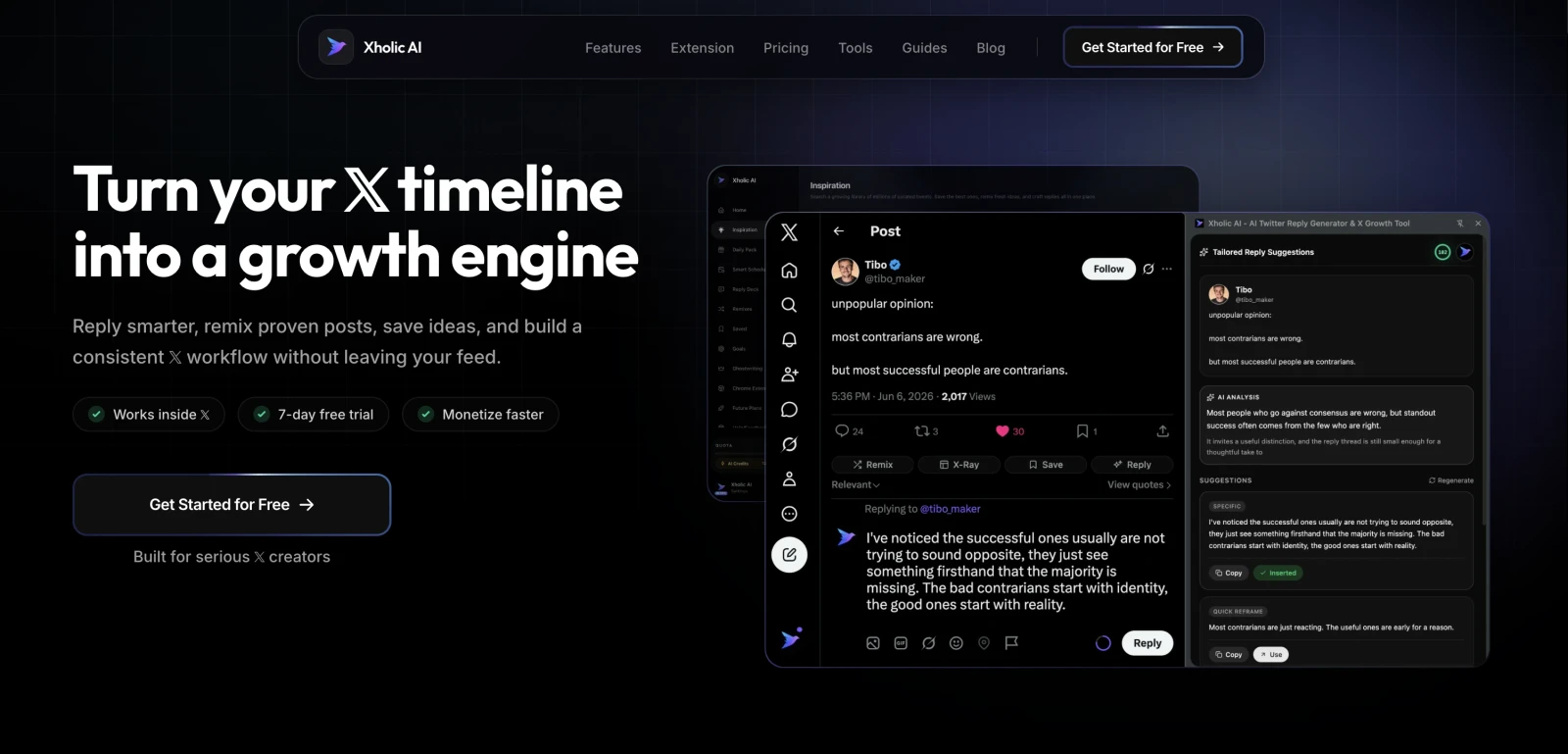
You open X to find one idea for the day, save six promising posts, draft two replies, and still publish nothing. That is the primary bottleneck for a lot of creators on X. The problem usually is not idea volume. It is turning raw inspiration into a repeatable posting workflow.
Xholic AI is built for that loop. It helps you find momentum early, collect patterns worth studying, remix formats that already work on X, and move those ideas toward actual posts. For this article’s workflow-first angle, that matters more than a long feature list.
The strongest part is discovery. Xholic’s Inspiration search lets you find indexed tweets by meaning instead of exact wording. That makes it more useful for X, where strong posts often spread because of framing, tension, and structure rather than one keyword. You also get Engage for finding conversations to join, Tweet Remixer for rewriting proven posts in your voice, Steal the Structure for breaking a post into hook, tension, and payoff, and Daily Pack for producing drafts you can edit and ship.
Why it works well for X
The Chrome extension is what I would start with. Working inside the X feed is faster than copying links into docs, then bouncing into a scheduler later. You can save posts, draft replies, remix angles, and keep your research close to the place where you publish.
That changes the quality of your workflow. Good X growth usually comes from speed plus judgment. If your process has too many handoffs, you save more ideas than you ever use.
Smart Home is useful for the second half of the job, which is consistency. It pulls drafts, scheduled posts, streaks, packs, and next actions into one place, so your pipeline is visible instead of scattered across tabs and notes.
Practical rule: If a tool helps you collect inspiration but does not help you act on it where you post, your backlog grows and your output stalls.
Xholic also includes browser-based mockup tools for planning and approvals. If you need examples for decks, client reviews, or internal feedback, the Fake Tweet Generator, Quote Tweet Generator, and Reply Chain Generator are useful. Use them carefully. Mockups should be labeled when needed, and they should never be used to impersonate people or manufacture evidence.
Best fit and tradeoffs
Xholic AI fits creators, founders, marketers, and analysts who treat X as a real growth channel and want one system for discovery, replying, remixing, and scheduling. It is a weaker fit if you only need a lightweight blog topic generator or broad multi-channel research.
The upside is clear:
- X-native workflow: You can move from discovery to reply to saved ideas to scheduled posts in one system.
- Better pattern research: Semantic search gives you stronger inputs than plain keyword matching when you are studying why posts spread on X.
- Lower execution friction: Daily Pack, Saved & Collections, and the extension make it easier to turn an interesting post into something publishable.
There are tradeoffs too. Pricing details are not publicly listed, and AI-generated drafts still need editing. That is normal with tools in this category, but it matters more on X because weak phrasing is obvious fast. I would treat Xholic as the center of an ideation workflow, then pressure-test final posts with your own voice and timing judgment.
If you want examples of social post formats you can adapt inside that workflow, this list of social media content suggestions for 2026 is a practical next read.
2. BuzzSumo
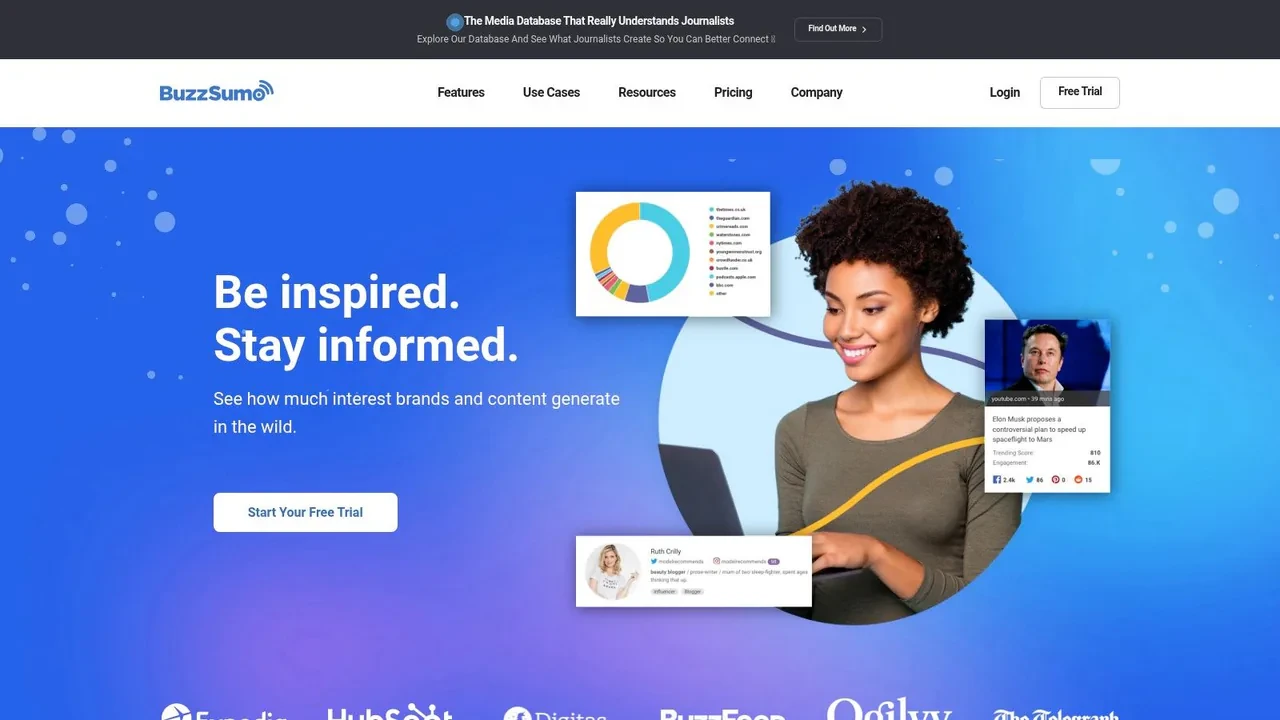
BuzzSumo is still one of the easiest tools for answering a simple question: what’s already getting attention in my niche? That’s valuable if your X strategy depends on reacting quickly to stories, angles, and talking points that already have proof behind them.
Its strength is breadth. You can search by topic, domain, or competitor, then look at content ideas, trending feeds, question mining, and influencer discovery in one place. For creators who also run newsletters, blogs, or PR campaigns, that overlap is helpful.
Where BuzzSumo earns its keep
BuzzSumo is especially good when your content process starts with competitor benchmarking. If a founder in your space keeps getting traction on pricing breakdowns, hiring lessons, or product teardown posts, BuzzSumo helps you spot those recurring themes faster.
This fits the broader shift toward data-backed ideation. Industry analysis says keyword research tools that identify top-performing competitor content and social sharing popularity are used by over 90% of professional content teams in the US and EU markets. That change reflects how most serious teams now validate ideas before publishing, rather than brainstorming in a vacuum.
BuzzSumo is less about inventing brilliance from scratch and more about reducing bad bets.
The tradeoff is cost and fit. If you only post on X and don’t care about articles, journalists, or broader media trends, it may feel heavier than you need. But if your workflow includes research, comms, and editorial planning, BuzzSumo is one of the more useful content ideation tools on this list.
3. AnswerThePublic
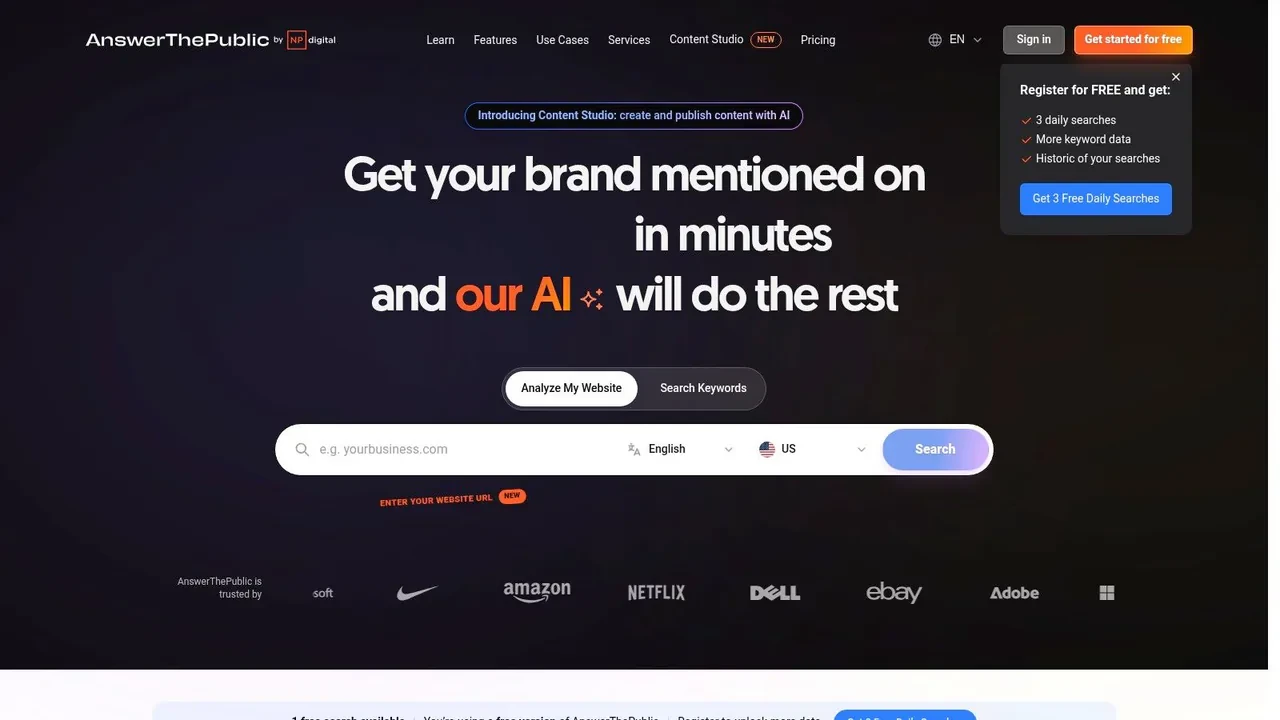
You sit down to write an X post, open your draft tab, and realize your angle came from your own vocabulary, not your audience’s. AnswerThePublic fixes that fast. Enter a seed term and it returns the questions, comparisons, and modifiers people search for.
That matters because good X posts often start as a clear answer to a specific frustration. Search phrasing gives you that frustration in plain language. If you post about SaaS onboarding, cold email, deliverability, or bootstrapping, the tool helps you spot the wording people use before they are ready for a polished article or thread.
Where it fits in an X workflow
AnswerThePublic works best in the middle of the process. Use Xholic AI to spot themes getting traction on X, then use AnswerThePublic to turn that broad topic into tighter angles people already care enough to ask about. After that, bring the strongest questions back into your posting workflow as hooks, objections, replies, and thread prompts.
I use it less for trend detection and more for phrasing. That distinction matters. It will not tell you what is breaking on X today. It will help you write posts that sound closer to your audience’s real questions and farther from creator jargon.
For a topic like “cold email,” that usually leads to better raw material:
- Hook-driven post: “Your cold email usually fails before the body copy. The offer is unclear.”
- Myth-busting post: “Prospects do not hate cold email. They ignore irrelevant cold email.”
- Reply prompt: “What part of outreach feels hardest to write without sounding robotic?”
The tradeoff is coverage versus context. AnswerThePublic gives you breadth around one search term, but it does not rank ideas by social momentum or tell you which angle fits your voice on X. You still need judgment. That is why it works well as one layer in a repeatable workflow, not as the whole system.
If your goal is consistent posting, this tool is good at filling the gap between a broad topic and a usable post draft. The platform itself is AnswerThePublic.
4. AlsoAsked
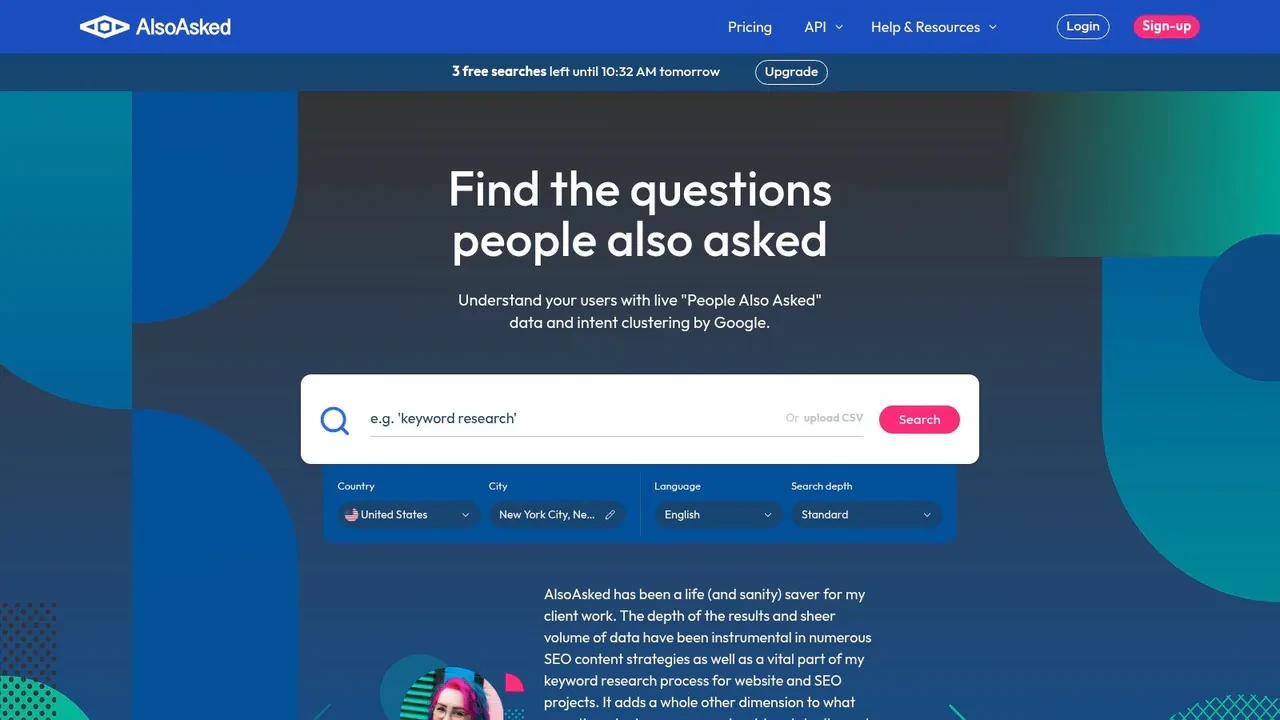
AlsoAsked maps Google’s People Also Ask data into branching trees. That makes it better for structure than for volume. When you need to understand how curiosity expands from one core question into several follow-ups, it’s extremely useful.
For X, this is great if you write educational threads, explainers, or sequences where one post naturally leads to another. It helps you see the order in which people tend to ask things.
When to pick it over AnswerThePublic
Pick AlsoAsked when you already know the topic and want subtopics. Pick AnswerThePublic when you want broader phrasing and ideation from a seed term.
AlsoAsked is especially good for creators who turn one idea into multiple assets:
- Thread planning: Break one topic into logical tweet steps.
- Reply preparation: Pre-write concise answers to common follow-up questions.
- Content clusters: Build a week of related posts from one root question.
- FAQ mining: Turn recurring concerns into saved templates.
The tradeoff is obvious. It isn’t a trend tracker and it isn’t a social listening tool. It won’t tell you what’s hot on X today. It will help you avoid shallow takes and thin threads. For that job, AlsoAsked is solid and easy to teach to a team.
5. SparkToro
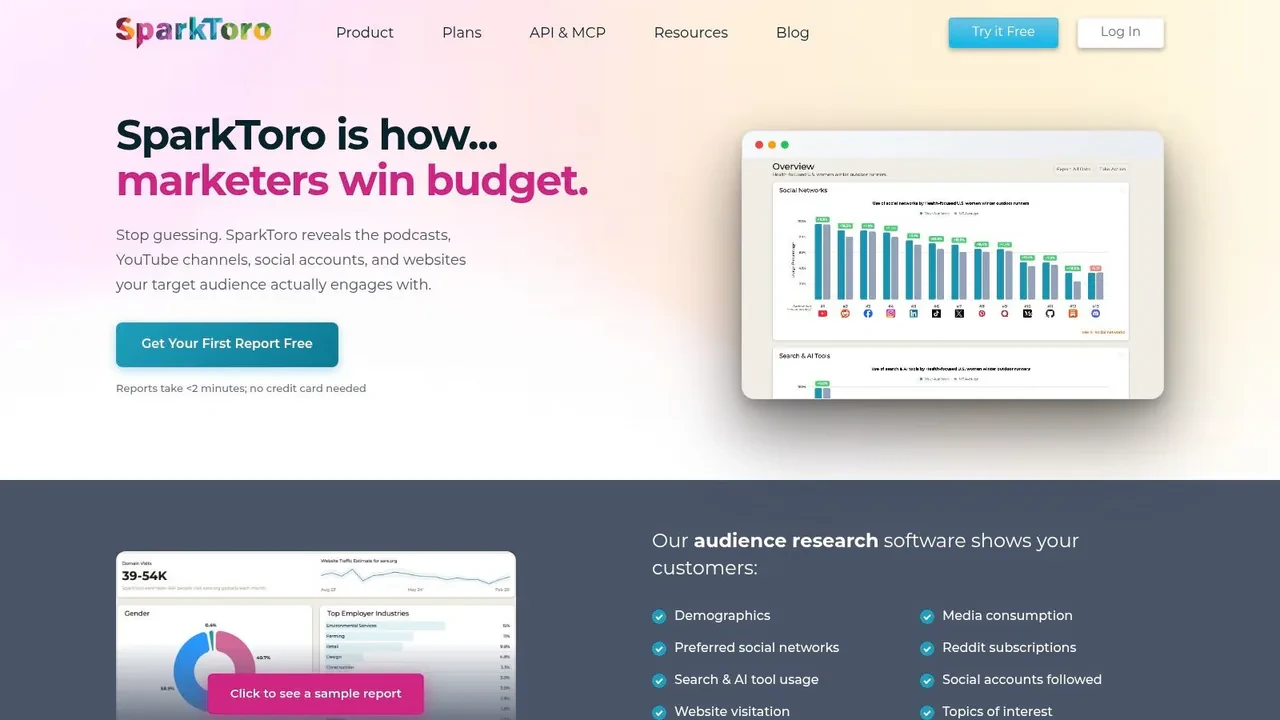
SparkToro solves a different problem than most content ideation tools. It helps you understand where your audience pays attention. That sounds less exciting than AI drafting, but it’s often the missing piece behind weak X growth.
If your posts feel polished but don’t land, the issue may not be writing quality. It may be topic-market fit. SparkToro helps you see what accounts, websites, podcasts, channels, and themes your audience already follows, which gives you better raw material for content ideas.
What it gives you that keyword tools do not
Keyword tools tell you what people search. SparkToro helps you infer what they absorb, repeat, and cite. That matters on X because the platform rewards familiarity with the conversation, not just familiarity with keywords.
I like SparkToro most for three workflows:
- Source building: Find accounts and publishers worth monitoring daily.
- Voice calibration: Study “Words in Bio” and adjacent interests to sharpen tone and framing.
- Conversation mapping: Build a list of creators whose ideas shape the niche.
This is a research tool first. You’ll still need something else to draft, schedule, and publish. But for creators who keep posting into the void because they’re talking about the wrong things, SparkToro can fix the upstream problem.
6. Exploding Topics
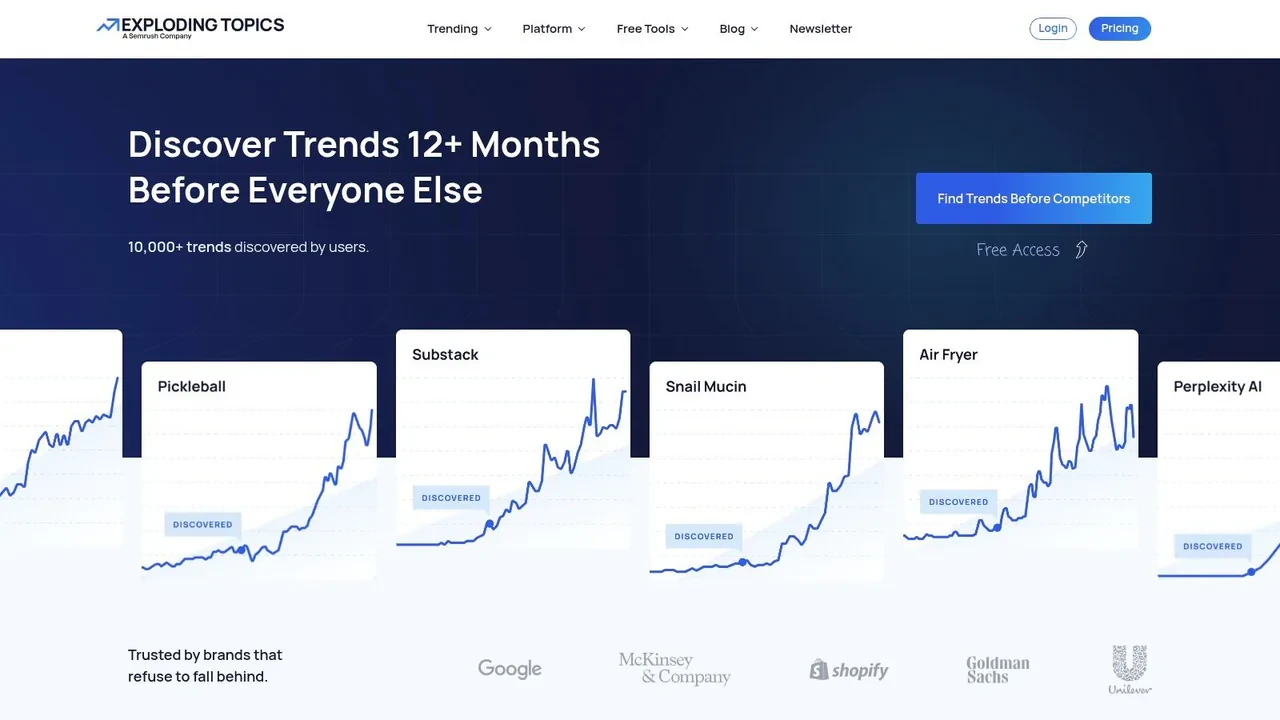
You open X, see the same new term everywhere, and feel pressure to post before the window closes. That urgency is exactly why trend research goes wrong. Exploding Topics is useful because it helps you spot rising themes early, before they turn into obvious takes and crowded threads.
The catch is fit.
For an X workflow, I would not use Exploding Topics as a raw idea generator. I would use it as a filter for timing. Start with your core content pillars, then check whether any adjacent topics are climbing fast enough to deserve a post, thread, or quote-post angle this week. That keeps your feed coherent while still letting you join conversations early.
How to use it without chasing noise
The best use case is adjacent trend detection. If you write about startup operations, creator monetization, AI workflows, or B2B growth, look for themes that sharpen your existing niche instead of pulling you into a different one.
A simple process works well:
- Scan for rising topics inside categories that already match your audience.
- Save only the ones you can explain from experience or connect to a repeatable point of view.
- Check search interest with Google Trends as a sanity check, as noted earlier.
- Turn the survivors into X-native formats such as a sharp opinion post, a short thread, or a reply angle.
That last step matters more than people think. A trend by itself is rarely enough. What performs on X is a clear interpretation of the trend, preferably with a strong stance, a practical example, or a contrarian lesson.
The best trend is one your audience was already ready to care about.
Exploding Topics gives you early motion. You still need judgment. If you already use Xholic AI elsewhere in your workflow, then the pairing makes sense. Use Exploding Topics to spot a rising subject, then use Xholic’s discovery and remixing flow to shape that subject into posts that match your voice and the conversations already happening on X.
For platform-specific timing, it also helps to compare broader trend movement with what is getting attention on X right now. The product site is Exploding Topics.
7. Ahrefs Content Explorer
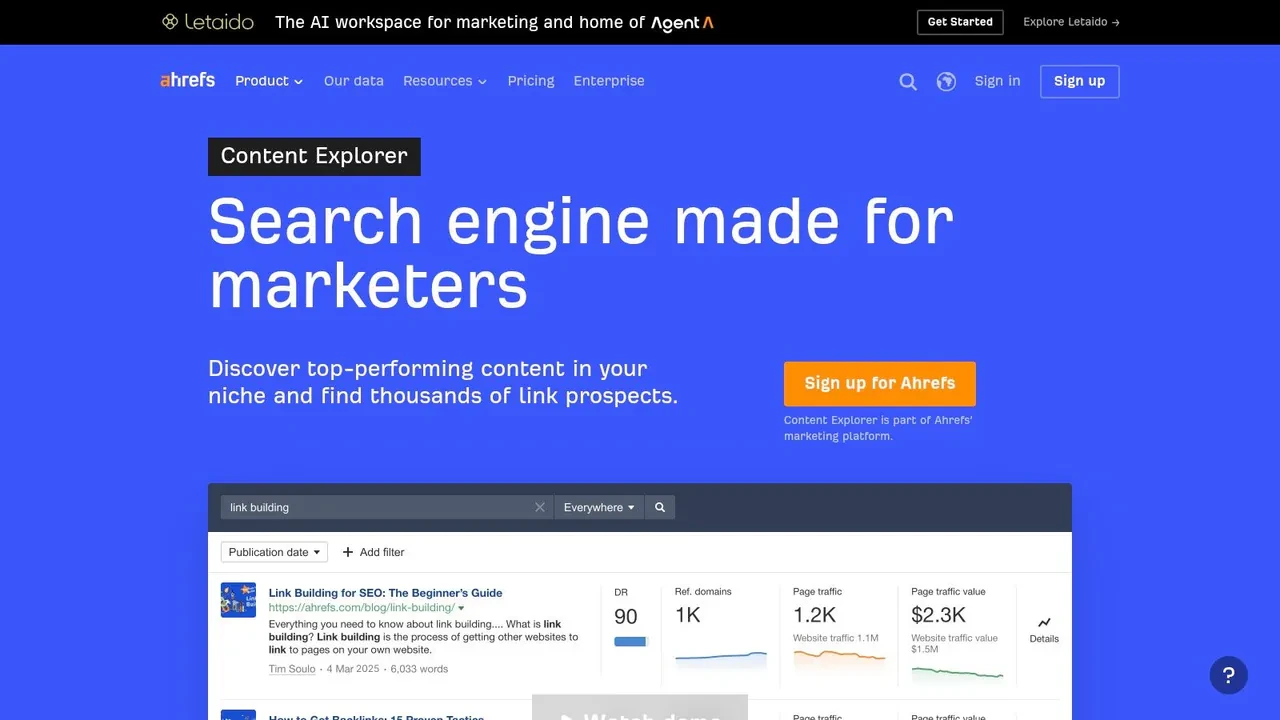
Ahrefs Content Explorer is one of the best options when you want proof that a topic already attracts attention across the web. It’s less about social chatter and more about performance-led topic selection.
For X, that makes it valuable if your posts are tied to SEO, demand capture, or long-form content. You can find themes with traction, identify evergreen angles, and turn those into shorter posts, threads, and replies.
Best use case
This tool shines when you run a search-led content machine and want X to amplify it. Search gives you durable topic demand. X gives you distribution and faster feedback.
Two Octobers notes that prioritizing monthly search volume and keyword difficulty is central to deciding what to create now versus what needs a broader content hub. That logic also helps on X. If a topic is high-value but hard to rank for in search, you can still build authority around it on social through repeated posts, examples, and commentary.
The downside is fit. If you don’t need broader SEO tooling, Ahrefs can feel like using a full workshop to tighten one screw. But if content and search already matter to your business, Ahrefs Content Explorer is one of the stronger research engines available.
8. Semrush Topic Research
Semrush Topic Research is a practical choice for teams that already live in the Semrush ecosystem. It generates subtopics, questions, related searches, and headline angles, then feeds those ideas into briefs and downstream content workflows.
That connection is what makes it useful. The ideation step doesn’t sit in isolation. You can move from topic selection to optimization more smoothly than with disconnected tools.
Who should use it
This is best for marketing teams that need process, not just inspiration. If you’re managing content across search and social, having ideation attached to briefs and templates saves time.
Brafton notes that free tools like Google Trends or AnswerThePublic can be enough for smaller teams, while larger teams often need platforms such as Semrush, Ahrefs, or BuzzSumo for scale. That’s the appropriate fit here. Semrush isn’t the most charming option on the list, but it’s useful if you want your idea generation tied to the rest of your content operations.
There’s another reason it shows up often in serious workflows. Industry analysis cited in the verified data says the Semrush Topic Research tool has become a standard requirement for SEO-focused content clusters. If your X content supports broader search visibility, Semrush Topic Research deserves a look.
9. Tweet Hunter
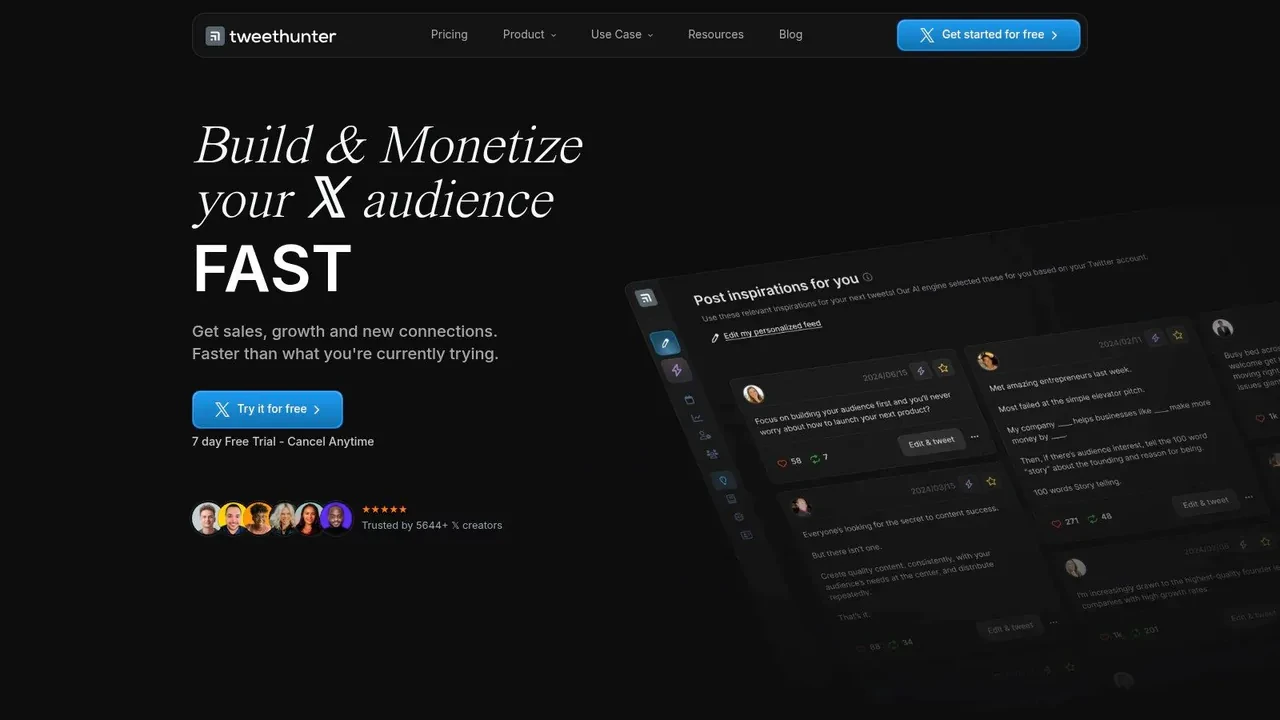
Tweet Hunter is one of the better-known X-first tools for building daily output. It combines a viral tweet library, AI writing help, scheduling, and automation features in one product, which makes it appealing if your biggest problem is consistency.
The benefit is speed. If you need inspiration, a draft, and a queue quickly, it gives you all three. For many users, that’s enough to break a posting slump.
Where it helps and where it can go wrong
Tweet Hunter works best for creators who already know their niche and want help maintaining cadence. It is less reliable if you expect it to produce original strategy for you. A big library of successful tweets is useful, but it can also tempt you into copying patterns too closely.
That’s why voice matters. Verified data says a common question in AI-assisted ideation is how to automate without losing authenticity, and it points out that many creators worry about voice dilution when tools optimize for output instead of phrasing consistency. On X, generic “viral style” writing gets old fast.
If you want alternatives in the same category, this roundup of Twitter marketing tools is worth scanning. For Tweet Hunter itself, visit Tweet Hunter.
10. Typefully
Typefully is the cleanest writing environment on this list. If some tools feel like growth dashboards with a text box attached, Typefully feels like a writing tool first. That makes it a strong fit for creators who care about sentence rhythm, thread structure, and drafting quality.
It supports X, LinkedIn, and Threads, so it also helps if your content starts on one platform and gets adapted to others. The previewing and scheduling experience is polished, and the editor stays out of your way.
Why writers like it
Writers usually pick Typefully because it reduces friction. You can draft quickly, review formatting, preview threads, and schedule without wading through too many extra layers.
It’s best when your ideation problem is light, but your execution problem is real. If you already have a source of ideas from search, audience research, or saved examples, Typefully gives you a clean place to turn them into posts. The tradeoff is that it isn’t a serious discovery or research tool. It’s more drafting room than radar system.
If your workflow is “research elsewhere, write here,” Typefully is easy to like.
Top 10 Content Ideation Tools Comparison
| Tool | Core features / capabilities | Unique selling point | Quality | Ideal users | Pricing / value |
|---|---|---|---|---|---|
| Xholic AI | Always-on discovery, semantic inspiration search, Engage, AI Reply Composer, Daily Pack, Tweet Remixer, Chrome extension, Saved Collections | Momentum scoring plus semantic search to spot viral hooks early; end-to-end X workflow | 4/5 | Founders, creators, indie hackers, marketers, analysts, power users | Contact for pricing; free mockup tools; paid growth toolkit |
| BuzzSumo | Content and social index, trending feeds, brief generator, influencer discovery | Deep index plus PR and influencer signals for editorial planning | 4/5 | PR teams, content marketers, agencies | Paid, powerful but pricey for solo creators |
| AnswerThePublic | Question maps, preposition/comparison wheels, AI Search Results, exports | Fast way to mine real user phrasing for headlines and FAQs | 3/5 | SEOs, copywriters, content strategists | Free limited; paid tiers for exports and alerts |
| AlsoAsked | Google People Also Ask trees, bulk searches, CSV/PNG export, API | Visual branching of People Also Ask to build outlines and subtopics | 3/5 | Writers, SEOs, small teams | Affordable paid plans |
| SparkToro | Audience research, top accounts, sites, podcasts, demographics, Words in Bio | Shows where your audience hangs out and who influences them | 4/5 | Marketers, researchers, product teams | Paid with limited free/demo data |
| Exploding Topics | Trends database, forecasting, channel breakdowns, trending products/startups | Surfaces topics just starting to break so you can plan timing and narratives | 4/5 | Product teams, content planners, founders | Paid subscriptions for trend access |
| Ahrefs Content Explorer | Large pages database, traffic/link/freshness filters, competitor cadence | SEO-backed performance data to find proven, linkable ideas | 4/5 | SEOs, content marketers, agencies | Paid, requires Standard+ plan |
| Semrush Topic Research | Subtopic cards, top headlines/questions, content template integrations | Ideation that feeds directly into SEO briefs and writing workflows | 4/5 | SEO/content teams, agencies | Paid, best value on Guru/Business tiers |
| Tweet Hunter | Viral tweet library, AI writing, scheduling, growth automations, X CRM | Purpose-built X library plus automation for scaling tweet growth | 4/5 | Creators, growth marketers, social teams | Paid, creator/growth plans |
| Typefully | Writing-first editor, AI suggestions, thread previews, calendar scheduling | Clean UX focused on thread quality, cadence, and best-time posting | 4/5 | Writers, creators prioritizing craft and scheduling | Paid with trials; check current tiers |
How to Build a Content Ideation Workflow
Many individuals don’t need more tools. They need a sequence. The mistake is using content ideation tools as isolated idea vending machines instead of connecting them into one repeatable system for X growth.
A good workflow has five stages: audience signal, trend validation, pattern research, draft creation, and publishing. If one stage is missing, the whole thing gets weaker. You either post generic content, publish late, or save ideas you never turn into tweets.
A simple weekly workflow for X
Here’s a practical stack that works:
- Audience research first: Use SparkToro, AnswerThePublic, or AlsoAsked to find what your audience talks about, asks, and follows.
- Trend check second: Use Exploding Topics or Google Trends to see whether the theme is gaining interest.
- Pattern research third: Use Xholic Inspiration or a tweet library to study how top creators frame the idea.
- Draft and remix fourth: Turn the idea into several post formats, such as one short tweet, one thread hook, one reply angle, and one contrarian version.
- Queue approved posts last: Schedule the drafts you want to publish, and leave room for real-time replies.
This matters more now because AI has become central to ideation. Verified industry data says 74% of content marketers now use AI specifically for content ideation, according to SQ Magazine’s AI marketing statistics. Its primary advantage isn’t that AI writes for you. It’s that it shortens the path from raw signal to first draft.
A sample X content idea pipeline
Say you’re a founder building a B2B SaaS product.
Start with audience language from AnswerThePublic. Pull a question like “why do users stop onboarding halfway.” Check trend direction with Google Trends or Exploding Topics. Then search Xholic Inspiration for tweets about onboarding friction, churn reasons, or activation mistakes. Save strong posts into a collection called “Onboarding pain.”
Now create four assets:
“Most onboarding problems aren’t UX problems. They’re expectation problems.”
- Short post: One sharp opinion with a clear stance.
- Thread opener: “3 reasons users quit before activation, and none are your tooltip design.”
- Reply template: “A lot of teams diagnose this as a UI issue, but the actual problem is unclear payoff in the first session.”
- Scheduled follow-up: A customer-story style post later in the week.
That’s a real workflow. Research, validate, study, remix, publish, then review analytics. On Xholic, you can do most of that loop through Smart Home, Saved & Collections, Tweet Remixer, Engage, and Smart Scheduler for approved posts.
Best Practices for Using These Tools
The tool doesn’t matter if your habits are sloppy. Most weak ideation workflows fail because people chase quantity, save too much, or automate before they understand their voice.
Here are the practices that hold up best on X:
- Use multiple inputs: Search data, social momentum, and audience questions should all shape your content ideas. Verified data notes that the average professional uses at least three distinct tools to validate search volume, analyze SERP data, and benchmark competitor performance.
- Save patterns, not just topics: A topic tells you what to say. A pattern shows you how to package it. Save hooks, reply styles, and post structures.
- Write in native platform language: Don’t turn blog headers into awkward tweets. X rewards compression, tension, specificity, and clean phrasing.
- Review AI output before posting: This is essential. Strong AI output still needs human review for context, voice, and accuracy.
- Track what drives decisions: Impressions matter less than whether a post led to replies, profile visits, follows, or useful conversations.
One more issue deserves attention. Verified data highlights an adoption-measurement gap: 67% of content marketers use AI tools daily for ideation and execution, but only 19% track AI-specific KPIs, according to Digital Applied’s 2026 content marketing statistics. That’s exactly why many creators feel “busy but not growing.”
Common mistakes are usually predictable:
- Over-automating replies: Generic AI replies damage trust faster than they save time.
- Copying viral structures too exactly: Borrow the pattern, not the personality.
- Ignoring user questions: Verified data says adding forums like Quora and Reddit into ideation workflows has increased content that directly addresses user pain points. That’s a clue. Real questions still outperform clever filler.
- Letting drafts pile up: If your system creates ideas but doesn’t move them into a schedule or a live reply workflow, it isn’t complete.
Frequently Asked Questions
What are the best content ideation tools for X growth?
If X is your main platform, the most useful mix usually includes one audience research tool, one trend tool, and one X-native execution tool. Xholic AI, BuzzSumo, AnswerThePublic, SparkToro, Exploding Topics, and Tweet Hunter all fit different parts of that stack.
Which tool is best for finding tweet ideas fast?
For fast idea generation, Xholic AI, Tweet Hunter, and Typefully are the quickest to move from idea to draft. If you need better angles instead of faster writing, AnswerThePublic and AlsoAsked are often more useful.
Do I need AI for content ideation?
You don’t need it, but it’s increasingly part of the workflow. Verified data says non-AI methods for blog creation dropped from 65% in previous years to 5% in 2026, reflecting how heavily ideation has shifted toward AI-assisted workflows. The practical takeaway is simple: use AI for acceleration, not for replacing judgment.
How do I avoid generic AI tweets?
Give the model context, examples of your voice, your audience’s pain points, and the post format you want. Then edit aggressively. Tools that support voice preservation and contextual replies are more useful than generic post generators.
Are free content ideation tools enough?
Sometimes. If you’re early, tools like Google Trends and AnswerThePublic can cover a lot. If you’re running a larger content operation, platforms like Semrush, Ahrefs, BuzzSumo, or an X-native workflow tool make execution easier and more organized.
Your Next Post Is Waiting
You open X with thirty minutes blocked for writing. An hour later, you have eight tabs open, three bookmarked threads, a half-written draft, and nothing scheduled. The problem usually is not effort. It is the lack of a system that turns raw signals into posts you can publish.
Good ideation tools fix that by giving structure to the messy part of content creation. Instead of waiting for inspiration, you can collect demand signals, spot rising conversations, test angles, and turn those inputs into a repeatable workflow for X. That is the core advantage. Better inputs, faster decisions, and less wasted time between research and posting.
The strongest setup for X is usually a stack, not a single app. Use one tool for audience questions, one for trends, and one X-native tool for execution. In practice, that might mean pulling pain points from AnswerThePublic or AlsoAsked, validating momentum with BuzzSumo or Exploding Topics, then using Xholic AI, Tweet Hunter, or Typefully to turn those ideas into drafts, replies, and scheduled posts.
Keep it lean if you are early. A founder posting three times a week does not need a bloated stack. But if X is a real growth channel for your business, the workflow has to cover more than idea generation. You need a place to save examples, revisit patterns that worked, write in context, and maintain a posting cadence without rebuilding your process every week.
This is the trade-off I see all the time. Creators collect inspiration, but they do not build a pipeline. Screenshots pile up. Bookmarks disappear. Strong ideas never make it into a draft queue.
A usable X workflow handles five jobs well. It finds conversations worth joining. It helps you choose an angle instead of repeating what everyone else already said. It turns proven post structures into original drafts. It supports consistent publishing. It gives you feedback you can use, such as which posts earned replies, profile visits, or follower growth.
That is why Xholic AI matters in this list. It connects discovery, saving, remixing, replying, and scheduling in one working loop. You can search for high-momentum tweets, organize examples into collections, draft contextual replies directly from what you found, remix strong formats into your own voice, and keep posting without switching between disconnected tools. For X creators, that matters more than having the longest feature list.
Your next post is probably already hiding in the signals you have been skimming past. The win comes from turning those signals into a workflow you will actually use every week.
If you want one toolkit that helps you find high-momentum conversations, draft better replies, remix proven posts, organize research, and stay consistent on X, try Xholic AI. It is built for creators, founders, marketers, and power users who want a practical growth workflow instead of a pile of disconnected tools.
Build an Idea Engine, Not a Bookmark Pile
Use research tools in a repeatable sequence:
- Collect recurring audience questions from search, replies, sales calls, and communities.
- Group them by underlying problem rather than copying the exact wording.
- Add evidence you can contribute: an example, data point, process, opinion, or mistake.
- Turn each problem into several formats such as a checklist, teardown, story, comparison, and short answer.
- Publish, measure qualified response, and return the winning topics to the idea library.
AI can expand angles and formats, but the source insight should remain traceable to a real audience problem. That is what separates a durable content system from a list of generic prompts.