A dedicated fake tweet maker saves time when a team needs an X post mockup for a client deck, product launch review, investor presentation, or media literacy lesson. Instead of rebuilding the interface in design software, you can generate a realistic post image in minutes, adjust the visible details, and share it for feedback without publishing anything to a live account.
That distinction is important. These tools are for planning, design review, and education, not for posting.
In practice, the best fake tweet makers let you edit the parts stakeholders react to: profile name, handle, avatar, verification badge, timestamp, theme, media, and engagement counts. Good tools also support related mockups such as replies, quote posts, block screens, and suspension screens, which makes them useful beyond a single static tweet image. If your team also needs starting layouts for concept work, these blank Twitter post templates for 2026 can speed up early drafts before you move into a generator.
There is a trade-off, though. The more realistic the output looks, the more carefully it needs to be used. Label mockups when the context is not obvious. Do not use these tools to impersonate real people, fabricate evidence, or create fake social proof. Used properly, a fake tweet maker is a practical content and presentation tool. Used badly, it creates trust problems fast.
1. Fake Tweet Generator | Create Realistic X Twitter Mockups Free, Xholic AI
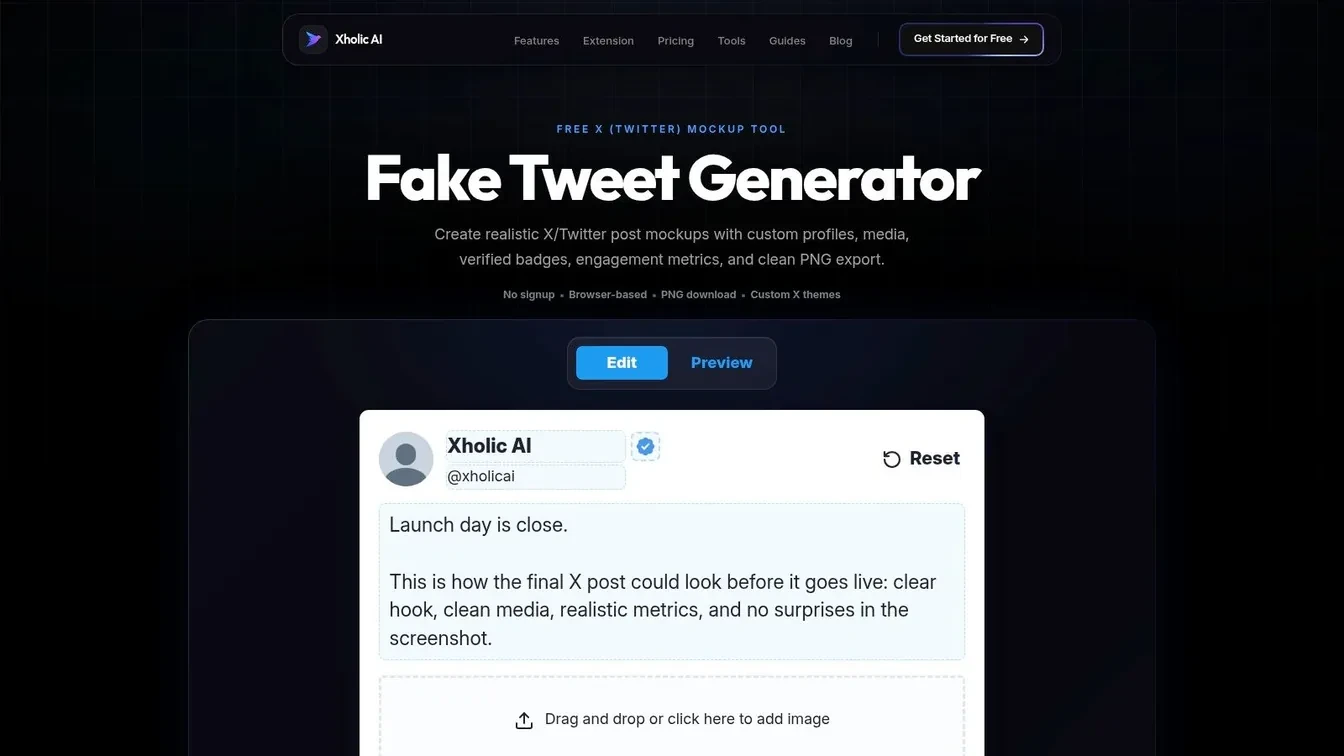
A product marketer is building tomorrow’s launch deck. Legal needs a screenshot for training. A founder wants to show what a feature announcement could look like on X before anyone posts a live tweet. That is the primary job for a fake tweet maker, and it is why this tool belongs in a professional workflow, not just a meme folder.
Xholic AI’s fake tweet generator is a strong first pick for creators, founders, and social teams that need realistic X mockups fast. It runs in the browser, does not require a live X account, and gives direct control over the details that usually matter in review: profile image, display name, handle, badge, timestamp, tweet copy, media, theme, and engagement counts.
Why it works in real workflows
The main advantage is consistency across related mockups. If a team needs more than one static post, it can build a quote tweet, reply chain, block screen, or suspension screen in the same visual style. That matters in decks and product documentation, where mixed templates make a concept feel sloppy even when the idea is sound.
I use tools like this for three common jobs:
- Approval decks: Show stakeholders the exact post format before copy goes live.
- Product mockups: Place realistic tweet UI into launch pages, app previews, or onboarding flows.
- Training and education: Demonstrate good posts, bad posts, replies, and moderation scenarios without using a real account.
The tradeoff is straightforward. A realistic mockup can help a team align faster, but it also creates room for misuse if nobody labels drafts clearly. Add “Mockup,” “Concept,” or “Internal Review” somewhere in the slide, filename, or surrounding context. That small step prevents avoidable confusion later.
A simple workflow looks like this:
- Write the tweet first: Keep the copy short and native to X.
- Build the visual second: Adjust layout, media, and engagement only after the wording feels right.
- Export the image: Drop it into slides, specs, classroom material, or stakeholder docs.
- Review before publishing: If the idea is approved, move it into your actual scheduling and publishing process.
Teams that workshop post ideas before publishing should also study formats that already read well on the platform. These examples of tweets that actually work in 2026 are useful for shaping the copy before turning it into a mockup.
The practical rule is simple. Use a fake tweet maker to test presentation, context, and stakeholder reactions. Use your publishing stack to decide whether the post should go live at all.
2. TweetsGen – Fake Tweet Generator
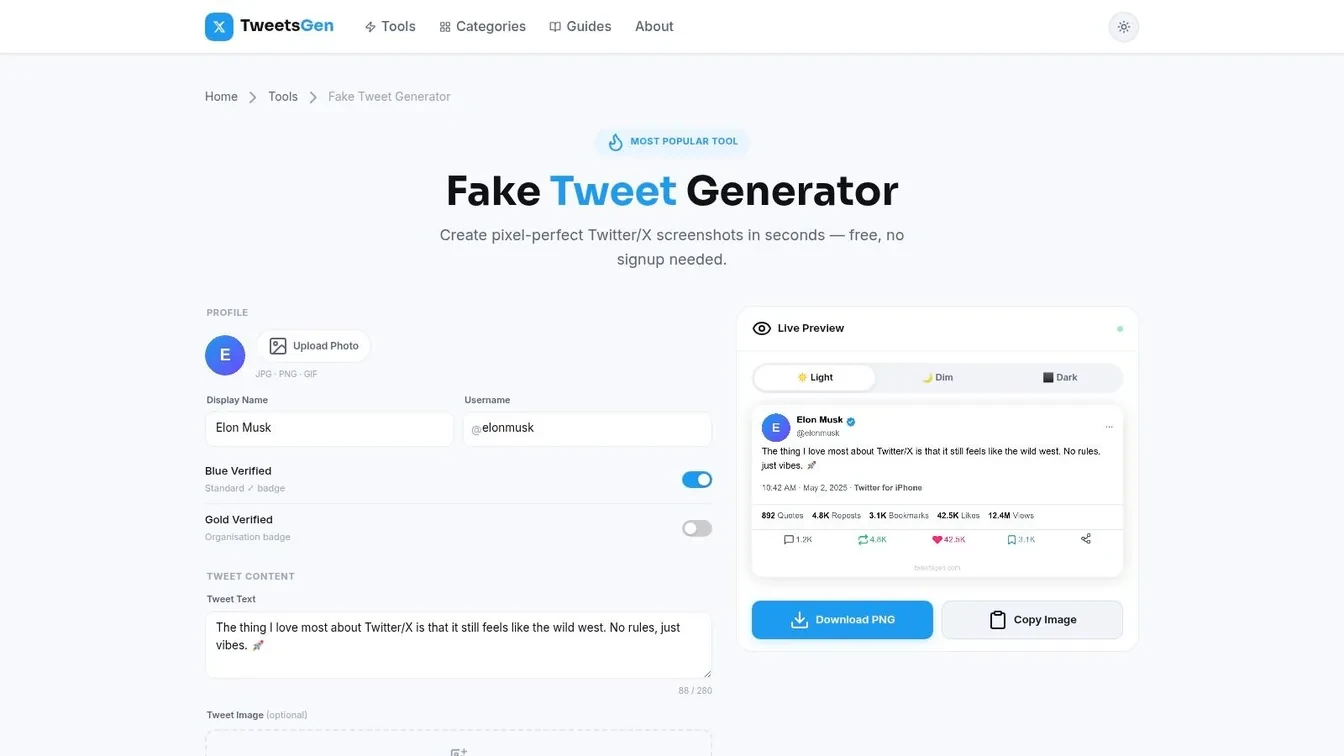
TweetsGen is a good middle-ground tool. It keeps the core fake tweet maker workflow simple, but it gives you enough control over names, handles, avatars, badges, timestamps, and engagement counts to make a screenshot feel believable.
I like it for quick marketing drafts and creator assets. You can mock a tweet, tweak the theme, export a PNG, and move on without getting buried in settings.
Best use case
TweetsGen becomes more useful if you need connected visuals, not just one post. Its companion tools make it easier to assemble broader tweet-style assets, especially when you’re trying to present a conversation rather than a single card.
That makes it a decent fit for:
- Approval decks: Mock the original post and supporting follow-ups.
- Educational examples: Show how a post and replies appear together.
- Creator planning: Test hooks and visual layouts before publishing for real.
The tradeoff is that it feels more utility-first than workflow-first. You get speed, but not much guidance on responsible use or stakeholder presentation.
Keep a mockup tool and a growth tool separate in your head. One creates the image. The other decides whether the idea deserves to become a real post.
If you’re using mockups to improve actual content, pair the screenshots with a research habit. Study strong hooks, save examples, then remix the idea in your own voice. This collection of tweets that actually work is a useful place to sharpen that instinct before you build visuals around it.
3. Zeoob – Fake Tweet Generator
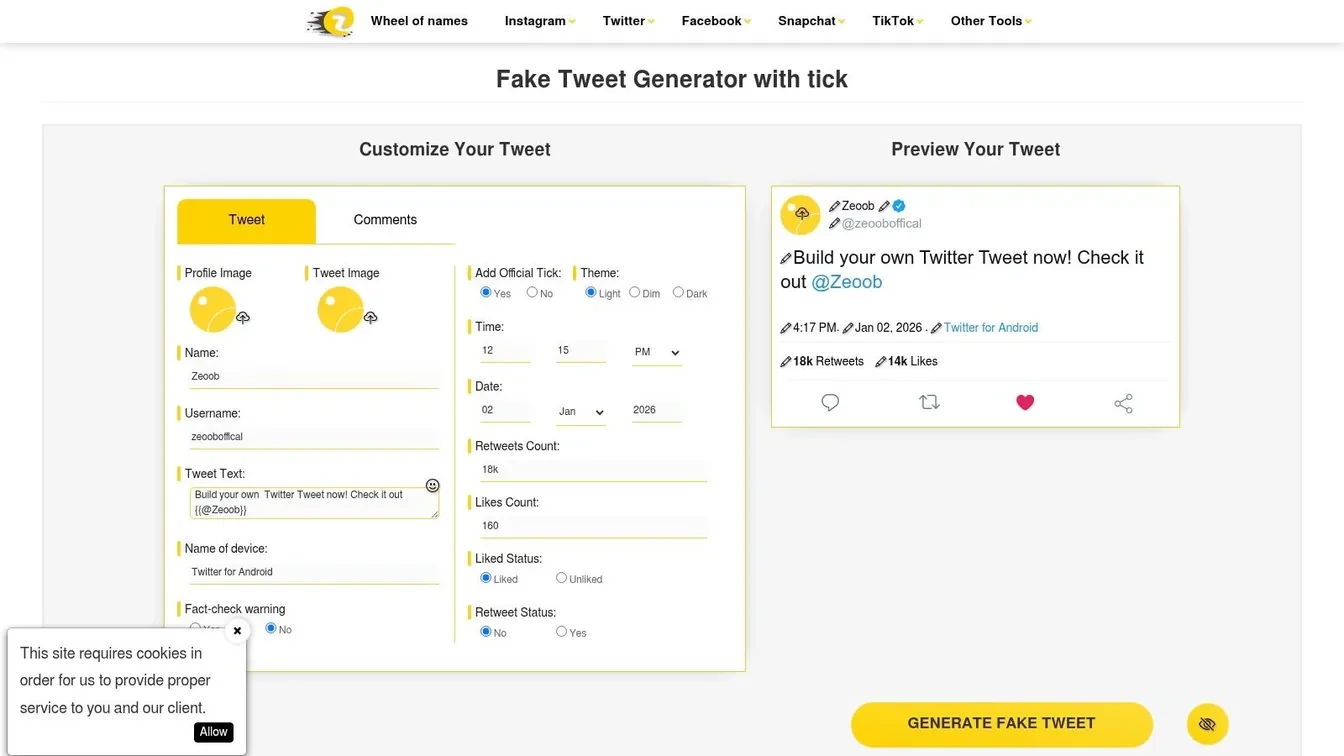
Zeoob has been around long enough that a lot of educators and social teams already know it. The interface is busier than some newer tools, but that’s also why it’s capable. You can build tweet visuals with comments, replies, themes, timestamps, and more layered mockup scenarios.
If your job involves media literacy, classroom demos, or internal trust-and-safety training, Zeoob is one of the more practical choices because it supports richer conversation layouts.
Where Zeoob stands out
The differentiator isn’t just the tweet card. It’s the surrounding context. If you want to show how misinformation spreads through replies or how a fake endorsement can look more convincing once comments pile on, Zeoob gives you more room to simulate that flow.
That matters because the ethical gap is real. One reviewed source argues that current fake tweet tools focus heavily on customization while lacking built-in ethical framing, and cites concerns about user confusion and misuse in political or scam contexts in TryMyPost’s discussion of responsible use.
Zeoob isn’t perfect. Large uploads can slow things down, and the interface can feel cluttered if you only need a one-line meme. But if your main use case is teaching people how deceptive screenshots work, the extra controls are worth it.
For a practical setup process, this fake tweet generator guide gives a sensible way to build mockups without losing realism.
4. FakeTweet.com – Fake Tweet Generator
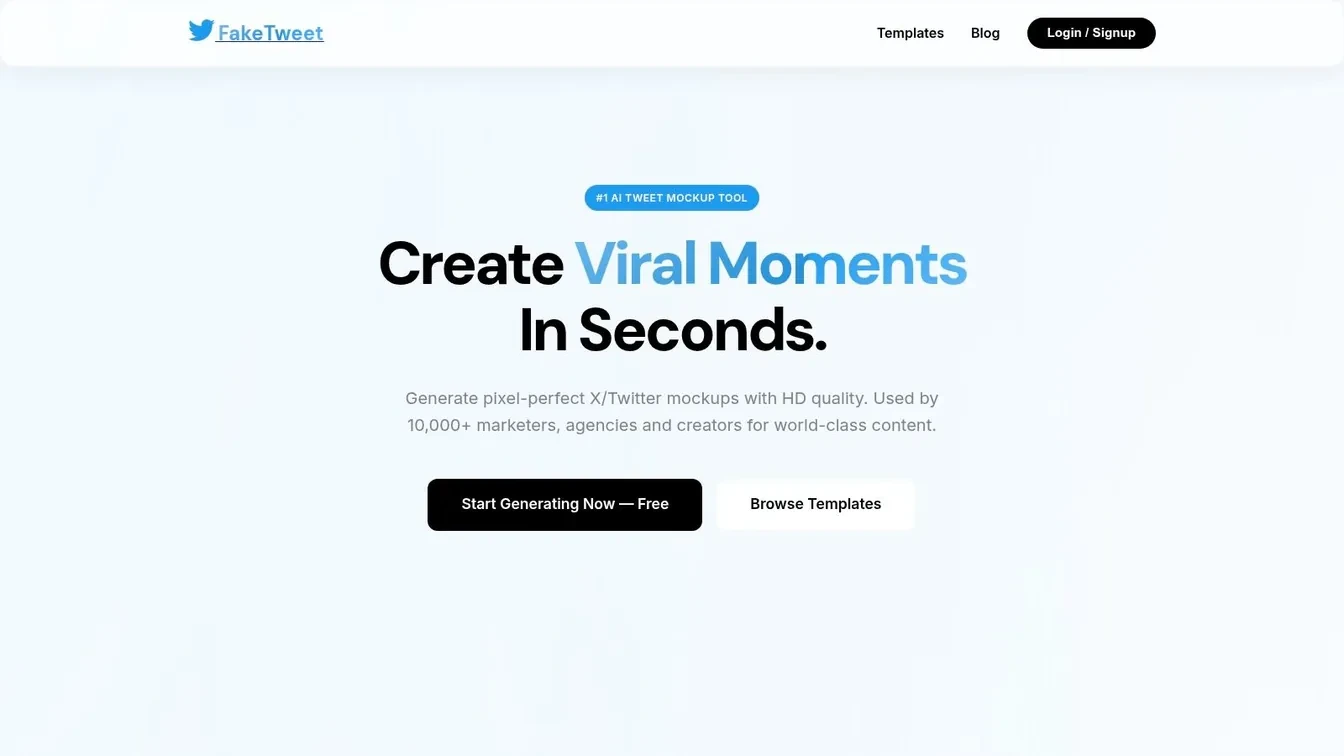
FakeTweet.com goes deeper into current X interface details than most lightweight generators. If you’re the kind of person who notices whether a bookmarks count is missing, or whether the badge type matches the scenario, you’ll probably like it.
It supports modern UI details like multiple verification badge types, reply labels, views, quotes, and bookmarks. That’s helpful when you’re building product visuals or trying to match a very specific post state.
Who should pick it
This is a strong choice for designers and product marketers who care more about visual completeness than setup simplicity. If your screenshots are going into a polished client deck or a launch page concept, the extra details help.
The main downside is friction. Some features are gated, and the free experience includes more compromise than the most generous browser tools.
Still, detail matters when realism matters. If you’re mocking a high-attention launch tweet, every visible element changes how credible the image feels.
- Best for precise UI matching: Good for modern X card details.
- Less ideal for rapid ideation: Better once the concept is already approved.
- Useful for product storytelling: Especially if you need views, bookmarks, and badge context visible.
If your end goal is growth, don’t confuse polished visuals with validated messaging. A slick mockup can support an idea, but it can’t prove the post would perform. This guide on how to make a tweet go viral is a better reference for the actual content side of that problem.
5. PostMock – Tweet X Post Generator
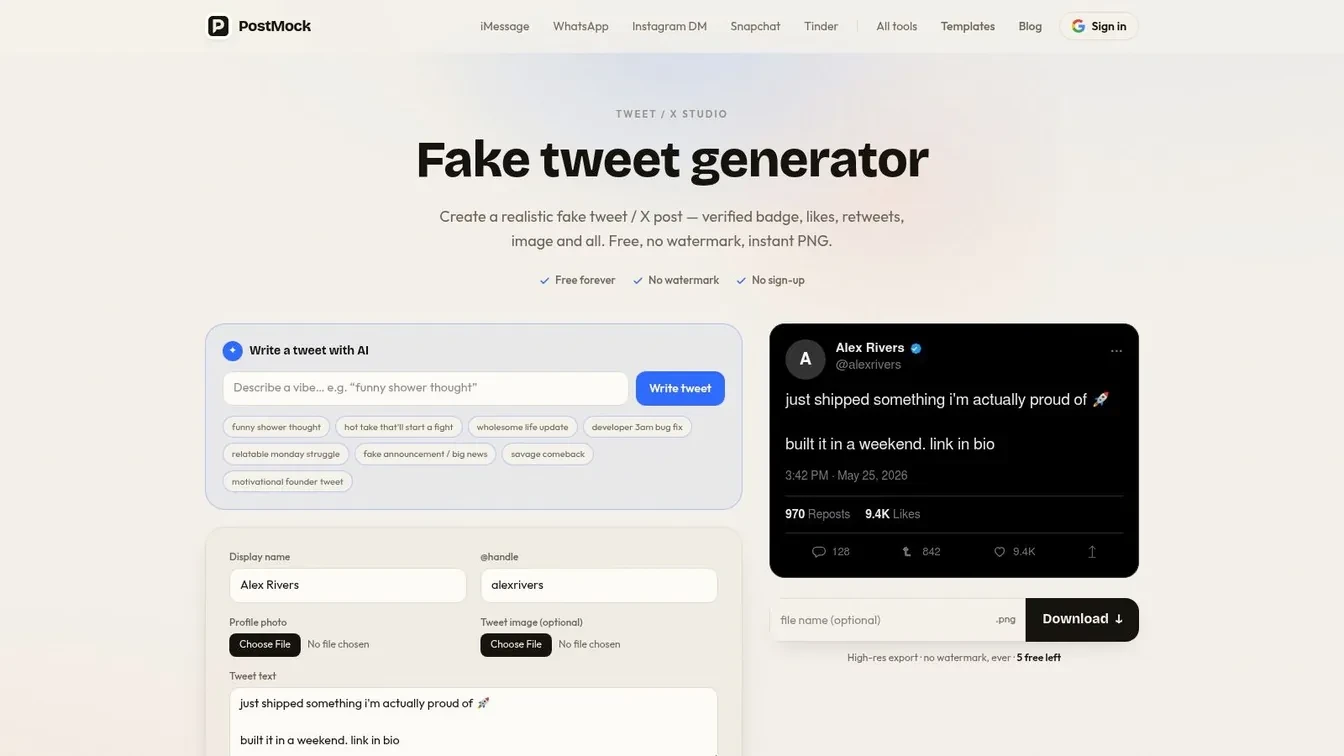
PostMock appeals to a different kind of user. It’s for people who care about privacy and speed more than they care about a giant settings panel.
Its client-side rendering approach is the draw. If you don’t want to think about uploading assets to a server just to make a screenshot, that’s a legitimate reason to choose it.
When PostMock makes sense
PostMock works well for solo creators, indie hackers, and consultants who need a fast tweet visual but don’t need built-in thread logic. It covers the basics, exports without a watermark, and stays out of your way.
It also gives some realism and legal-use guidance, which is useful because mockups often get mistaken for proof. That’s a real problem. One reviewed analysis highlights that users often ask whether fake tweet screenshots can verify authenticity, even though these tools are only visual simulations with editable badges and metrics, as discussed in Brandbird’s overview of fake tweet confusion and verification risks.
PostMock falls short when the screenshot itself is only one piece of a bigger narrative. No native quote tweet builder means more manual work, and threads require stacking separate assets yourself.
A fake tweet image can support a concept. It can’t authenticate a conversation, prove a post was sent, or verify an account.
6. MocklyApp – Tweet Generator
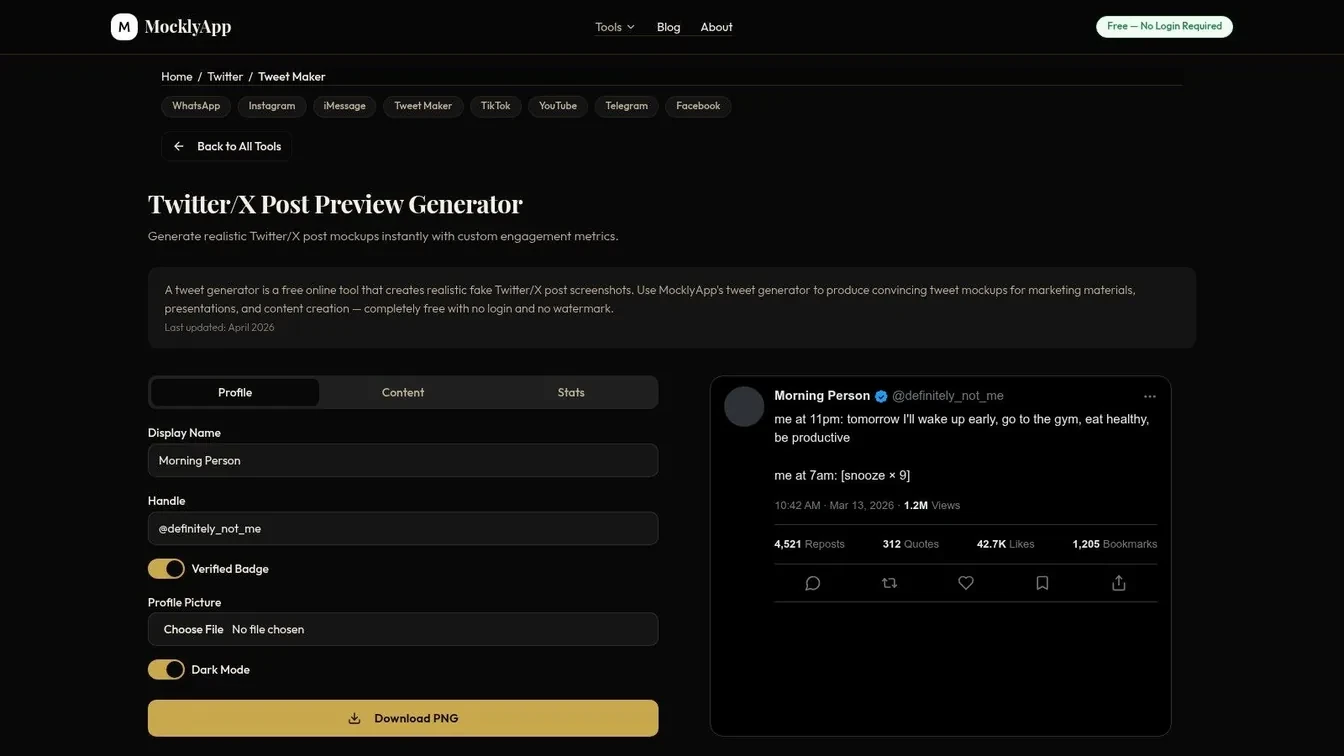
MocklyApp is less of a pure X tool and more of a multi-platform content mockup suite. That’s either a strength or a distraction depending on your workflow.
If you work across X, WhatsApp, iMessage, and short-form video screenshots, having one environment for all of them can simplify campaign planning. You can mock the social post, then the follow-up message, then the broader cross-channel creative without switching tools.
Best for cross-platform teams
MocklyApp secures its position. Brand teams and agencies often need a fake tweet maker that fits into a larger visual system, not a tool that only does tweets.
The tradeoff is specialization. Dedicated X tools usually give you more tweet-specific control. MocklyApp gives you broader flexibility instead.
A good use case looks like this:
- Campaign concepting: Mock the X teaser, then matching screenshots for other channels.
- Product walkthroughs: Show the tweet, then the support message or DM-style follow-up.
- Creative review: Keep all visual examples in one tool family.
For pure X operators, it’s not my first pick. For mixed-channel teams, it can be the most efficient one.
7. Postel – Free Fake Tweet Generator
Postel’s fake tweet generator is built for speed. Click-to-edit fields, simple theme switching, quick exports, and a clean interface make it useful when you need a believable tweet screenshot in minutes.
This is the kind of tool I would use during a live review call. Someone asks, “Can we see this hook in dark mode with a verified badge and four images?” Postel gets you there quickly.
Best fit
Postel is strongest for creators and small social teams who want minimal friction. It also pairs nicely with a broader writing and scheduling environment if you already use the rest of its platform.
Its limits show up when you need advanced scenarios. Quote tweets and more complex chains can require workarounds, so it’s better for straightforward post cards than story-heavy mockups.
There’s another reason to keep it in the shortlist. The overall fake tweet generator space is crowded with free browser-based tools that offer similar core features without requiring login or payment, including 10015 Tools, TryMyPost, tweethunter, Typefully, and Tweetgen, according to Tweethunter’s market overview. Postel fits that same practical lane: accessible, fast, and useful if your requirements are clear.
8. HeyFake – Fake Social Media Post Generators Twitter X Included
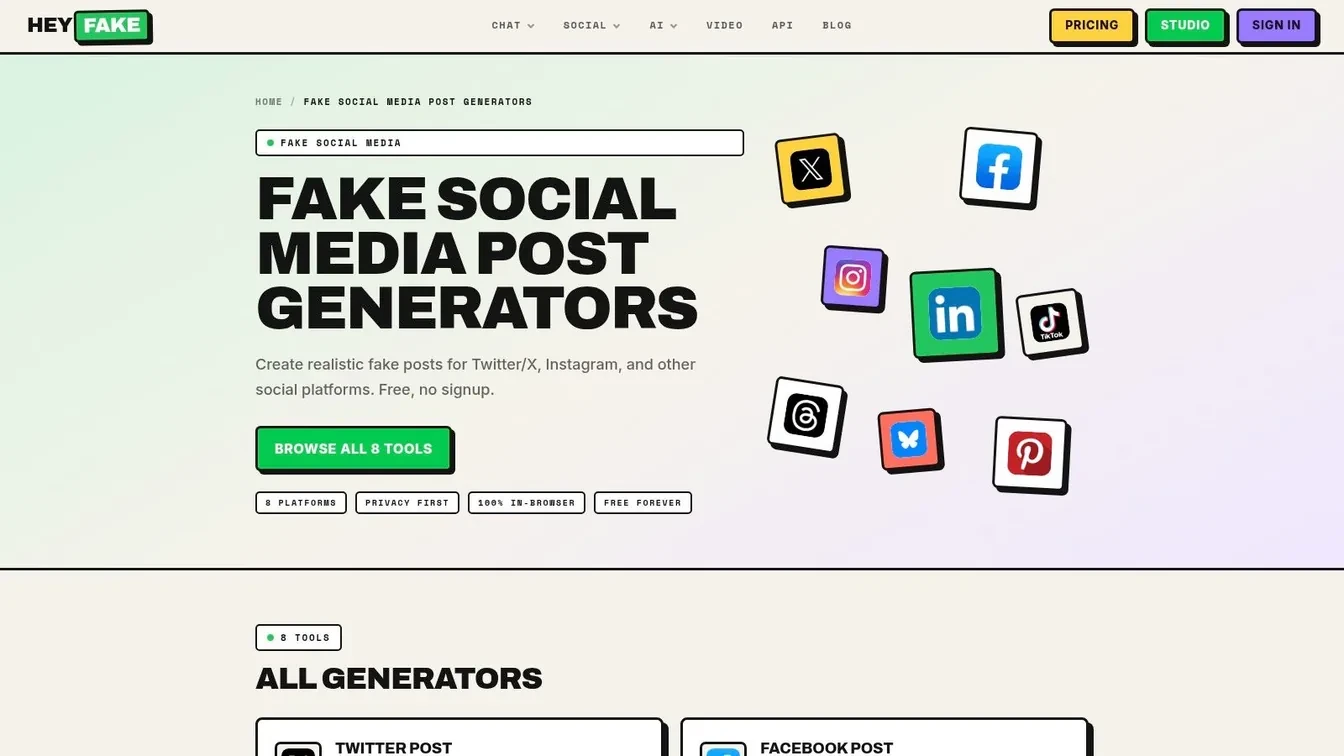
HeyFake is another multi-generator suite, but it feels more creator-friendly than some broader mockup libraries. If your work regularly jumps between X screenshots, TikTok-style visuals, and other social formats, that flexibility matters.
The in-browser approach is also reassuring. For users who want quick exports without accounts or server-side storage worries, HeyFake keeps the process lightweight.
When to use it
I wouldn’t choose HeyFake when X is your entire job. A more specialized fake tweet maker will usually give you tighter control over tweet-specific layouts and states.
I would choose it when your mockup is one piece of a bigger creator package:
- Course material: Show examples from several platforms in one deck.
- Campaign concepts: Build side-by-side platform previews.
- Design review: Test visual consistency across social formats.
Its weakness is the obvious one. Breadth usually beats depth in these products. That’s fine if you know that going in.
9. Mediamodifier – Twitter X Mockup Generator
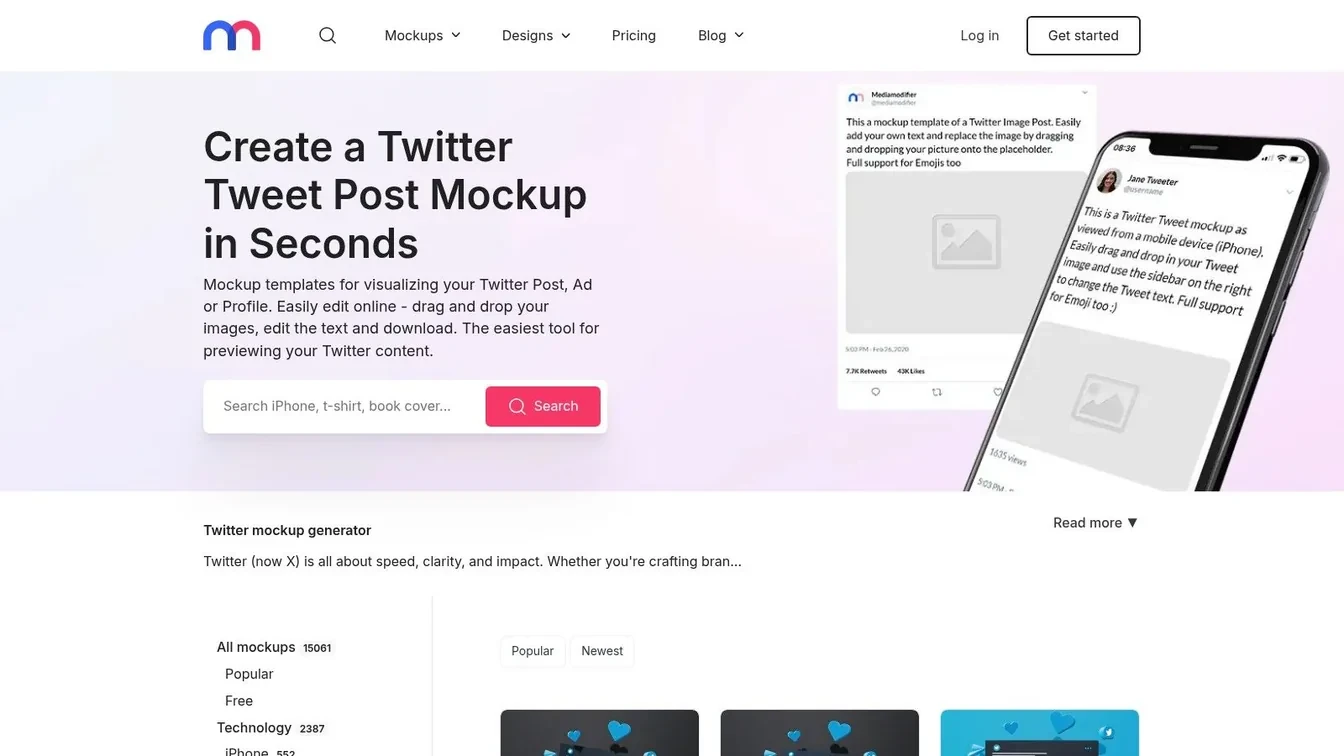
Mediamodifier’s Twitter/X templates aren’t just for raw tweet cards. They’re better thought of as presentation assets. If you’re building ad concepts, investor slides, app store screenshots, or launch pages, those extra scene and device-frame options can make the mockup look more finished.
That’s the main distinction. This isn’t the fastest fake tweet maker for rough drafts. It’s a stronger option when the final image has to sell an idea visually.
Where it fits
Use Mediamodifier when screenshot realism isn’t enough on its own. If you need a tweet inside a phone frame, inside a landing page concept, or inside a campaign board, it’s useful.
The compromise is simplicity. It can feel heavier than specialist tweet generators because it isn’t trying to be only that.
A polished design mockup is often the right move for:
- Client presentations
- Paid social concepts
- Product marketing visuals
- Website hero images
If your team wants pure tweet composition, use a dedicated tool first and a design platform second. If you already know the asset belongs in a polished scene, Mediamodifier is the better starting point.
10. XJumper – X Fake Tweet Generator
XJumper is the lightweight option on this list. It handles the essentials: name, username, text, verified toggle, theme, and visible engagement counters.
That makes it useful for quick demos, tutorials, or rough internal examples where the screenshot only needs to communicate the concept.
Good enough for fast drafts
The biggest reason to use XJumper is low friction. You don’t need a large feature set when you’re trying to answer, “Would this post layout work in the deck?” or “Can we show this onboarding example as a tweet?”
Its biggest limitation is also obvious. The workflow looks more screenshot-based than export-optimized, and there isn’t much support for richer scenarios like quote tweets or threads.
Still, simple has value. When you’re moving quickly, a fake tweet maker that does the core job cleanly can be enough.
Top 10 Fake Tweet Generators Comparison
| Tool | Core features | UX & Quality (★) | Value & Price (💰) | Target Audience (👥) | Unique Selling Points (✨) |
|---|---|---|---|---|---|
| Fake Tweet Generator, Xholic AI 🏆 | Pixel-faithful mockups; quote/chain/block templates; instant watermark-free PNGs | ★★★★★ | 💰 Free, no signup | 👥 Founders, creators, marketers, product & edu teams | ✨ Integrates with Xholic discovery/remix tools; professional presets |
| TweetsGen – Fake Tweet Generator | Editable profile/badges, themes, PNG export; companion reply-chain tools | ★★★★☆ | 💰 Free (ad-supported) | 👥 Creators, marketers, designers | ✨ Reply Chain builder + simple, fast editor |
| Zeoob – Fake Tweet Generator | Thread/comment support; themes; fact-check ribbon & disclaimers | ★★★★☆ | 💰 Free | 👥 Educators, marketers, researchers | ✨ Educational guidance & optional fact-check ribbon |
| FakeTweet.com – Fake Tweet Generator | Full X UI fields, template library, HD/4K export | ★★★★☆ | 💰 Free w/ watermark → paid unlock for HD/features | 👥 Professionals needing pixel accuracy & high-res exports | ✨ 4K export + broad verification badge support |
| PostMock – Tweet/X Post Generator | Client-side rendering, PNG export no watermark, built-in AI writer | ★★★★☆ | 💰 Free; privacy-forward | 👥 Privacy-conscious creators, mockup-heavy workflows | ✨ Client-side rendering + AI tweet-writer & legal guidance |
| MocklyApp – Tweet Generator | Multi-platform (70+) generators; no-login, watermark-free PNGs | ★★★★ | 💰 Free, unlimited usage | 👥 Agencies, social teams doing cross-platform campaigns | ✨ Fast cross-platform mockups (many platforms in one place) |
| Postel – Free Fake Tweet Generator | Click-to-edit fields, up to 4 images, PNG/clipboard export | ★★★★ | 💰 Free; integrates with Postel scheduling/AI | 👥 Creators & teams needing quick approvals/memes | ✨ Inline editing speed + scheduling/AI integration option |
| HeyFake – Fake Social Media Post Generators | Eight social generators incl. X; in-browser rendering; custom metrics | ★★★★☆ | 💰 Free, privacy-forward | 👥 Designers, creators needing multi-site mockups | ✨ Clear docs + consistent cross-platform comparisons |
| Mediamodifier – Twitter/X Mockup Generator | Post/profile templates, device frames, presentation scenes, PSD options | ★★★★ | 💰 Freemium → Pro for advanced assets & licensing | 👥 Agencies, designers, client presentations | ✨ Presentation-grade scenes & commercial licensing |
| XJumper – X Fake Tweet Generator | Simple X card editor, 280-char content, theme & metric controls | ★★★☆ | 💰 Free | 👥 Quick demos, tutorials, basic mockups | ✨ Very fast, focused modern X look for demos |
How to use a fake tweet maker in a professional workflow
A product marketer needs a launch deck by 3 p.m. The copy is still in review, legal wants to see the exact on-platform context, and the founder wants to know how the post, quote tweet, and replies will read as a sequence. That is a good use case for a fake tweet maker.
Used well, these tools speed up approval. They let teams test framing, layout, tone, and thread structure before anyone publishes a real post. Used poorly, they create confusion because the mockup starts looking like evidence instead of a concept.
My standard workflow is simple:
- Define the job first. Pick one goal: pitch deck visual, campaign review, training slide, classroom example, or UI mockup.
- Draft the copy in plain text. Get the wording right before touching the visual editor. This avoids wasting time tweaking a screenshot built around weak copy.
- Choose the right post type. A single post works for headline testing. Quote tweets, replies, and moderation screens work better for storytelling, support flows, and trust-and-safety examples.
- Set believable context. Match the handle, avatar style, timestamp, device theme, and engagement numbers to the scenario. Small details make approval faster because stakeholders are reacting to something that feels close to the final environment.
- Export for the audience in front of you. PNG is usually enough for decks and docs. If the mockup could be mistaken for a real screenshot, label it clearly as a concept or training example.
There is also an operational line teams should keep clear. Fake tweet makers are for visual planning. Publishing, scheduling, reply management, and social listening belong in the execution stack.
A simple example
Say a founder wants sign-off on a launch sequence before the social team schedules anything.
Build the workflow in order:
- a main announcement post for the product reveal
- a quote tweet from the brand account adding positioning
- a short reply chain answering the first two customer objections
- a moderation or block-screen mockup if the training deck also covers trust-and-safety scenarios
This gives stakeholders one review package instead of scattered comments across docs, chat, and slide notes. Once the visuals are approved, the team can move from visual approval to execution.
The trade-off is speed versus fidelity. Fast generators are fine for early ideas. For client presentations, board decks, or training material, spend the extra few minutes to match formatting and context so reviewers focus on the message, not the mockup errors.
Best practices and common mistakes
The biggest mistake is treating a mockup like evidence. The second biggest is making the screenshot look too perfect.
Here are the rules that keep these visuals useful instead of risky:
- Label clearly when the audience might be confused: In decks, training docs, and public-facing examples, say it’s a mockup.
- Don’t use editable badges or metrics as proof: They are visual fields, not authentication.
- Keep engagement believable: Inflated numbers make screenshots look fake faster than typography errors do.
- Match voice to identity: A corporate-looking profile with slang-heavy copy usually breaks realism.
- Use the right tool for the job: Single-tweet tools are fine for drafts. Story-based visuals need quote tweet or reply-chain support.
One more caution matters beyond aesthetics. Research on the fake follower market found that fake accounts used the web for 98% of their updates, were five times younger than real accounts, had one-tenth the follower count, and that the cost per thousand fake Twitter followers dropped by 60% over the last year from $18k to $11k, according to MarTech’s report on the fake Twitter follower market. That context is exactly why internal teams should separate concept visuals from real social proof.
If a screenshot could influence a buying decision, a reputation dispute, or a public claim, label it as a mockup. Every time.
FAQ
What is a fake tweet maker
A fake tweet maker is a browser-based tool that creates editable screenshots of X posts without publishing anything live. Common controls include profile pictures, names, handles, badge types, text, timestamps, themes, media, and engagement metrics.
Can a fake tweet maker post directly to X
No. These tools function as visual generators, not publishing tools. They create images and don’t connect to your account for posting.
Can fake tweet screenshots prove a tweet was real
No. A mockup image can’t verify that a message was sent, that an account is authentic, or that engagement happened on X.
Which fake tweet maker is best for reply chains and quote tweets
Xholic AI is a strong pick if you want a broader set of X-specific mockup formats in one workflow. TweetsGen and Zeoob are also useful when reply-focused visuals matter.
Are fake tweet makers only for memes
No. They are commonly used for campaign approvals, product mockups, educational content, presentations, and media literacy examples.
Final Thoughts
A fake tweet maker earns its place in a professional workflow when it helps a team review ideas faster, present them clearly, and avoid posting half-formed concepts on X. This is its core application. Product marketers use these tools for launch mockups. Social teams use them for stakeholder approvals. Trainers and educators use them to show how platform mechanics work without relying on live posts that can disappear or change.
Tool choice matters, but fit matters more. Xholic AI stands out for teams that need several X-style formats in one place, especially if the job includes quote tweets, reply chains, moderation-style screens, or other platform-specific mockups. TweetsGen works well for quick single-post drafts. Zeoob is useful when the visual needs more conversation context. Mediamodifier is a better pick when the output needs to sit inside a polished slide, ad concept, or presentation scene.
The better workflow is simple. Start with the communication goal. Build the mockup around the exact audience and format. Export it for review, label it clearly as a concept or example, then decide whether it should become a real post, a reply sequence, or just a visual for internal use.
That last step matters because realism cuts both ways. A convincing mockup can save review time and improve decision-making. It can also create trust problems if someone strips out the context or presents it as evidence. Clear labels, review checkpoints, and sensible access controls reduce that risk. Teams that already care about social media reputation management should treat tweet mockups the same way they treat brand voice or community replies. As a governed asset, not a throwaway image.
If your team works on X every week, keep the stack tight. Use one tool for mockups, one system for approvals and scheduling, and one shared standard for labeling, storage, and sign-off. That keeps creative review fast without creating legal or brand problems later.