Best tweets about GitHub Copilot
50 Best Tweets About GitHub Copilot (2026)
Find the best tweets about GitHub Copilot, from coding workflows and agent features to reviews, limitations, and developer productivity. Updated weekly.
Specific Copilot workflows, releases, comparisons, and engineering lessons from active developers.
- Creators
- 40
- Updated
Best GitHub Copilot tweets
Top GitHub Copilot tweets from 40 creators
Ranked 01–50
- 01
- 02
@HedgieMarkets ·
🦔GitHub Copilot switched to token-based billing this morning and users are already out of credits. Pro+ subscribers paying $39 a month are reporting 60% of their credits gone in two hours of normal use. One user lost 20% of their allowance from a single file review with no code changes. Another hit their monthly cap before the calendar even flipped to June. Orgs with shared token pools have no way to see individual usage, so entire teams get cut off when one person runs a heavy prompt. Users are canceling and moving to Claude Code and Codex. GitHub community forums are on fire. My Take Flat-rate AI subscriptions were always subsidized. Everyone in the industry knew it. Today the subsidy ran out for a few million developers at once. The problem is a lot of companies already restructured around these tools. They cut headcount and told remaining engineers to lean on Copilot instead of building skills internally. Those companies now depend on a tool whose cost just became unpredictable and whose usefulness completely changes when you have to ration prompts to stay under budget. The developers moving to Claude Code and Codex will hit the same wall eventually. Every AI provider faces the same unit economics. Anthropic filed its S-1 this morning, and the durability of its revenue depends on whether customers stick around once real pricing kicks in everywhere. If a $39 subscriber cancels after one day because the tool became unusable, multiply that across millions of seats and the churn risk becomes very real. Today showed what happens when AI pricing meets reality. The companies that built their workflows around cheap tokens just discovered the tokens aren't cheap anymore and the people who knew how to do the work without them are already gone. Hedgie🤗
- 03
@satyanadella ·
Super excited GPT-5.5 is rolling out to GitHub Copilot, M365 Copilot, Copilot Studio, and Foundry today. With deeper reasoning, stronger multistep execution, and better performance across long, complex tasks, GPT-5.5 helps you go from idea to execution faster with fewer iterations to get to the right outcome. It’s all about helping you choose the right model, or models, for the right task across your workflow.
- 04
- 05
@satyanadella ·
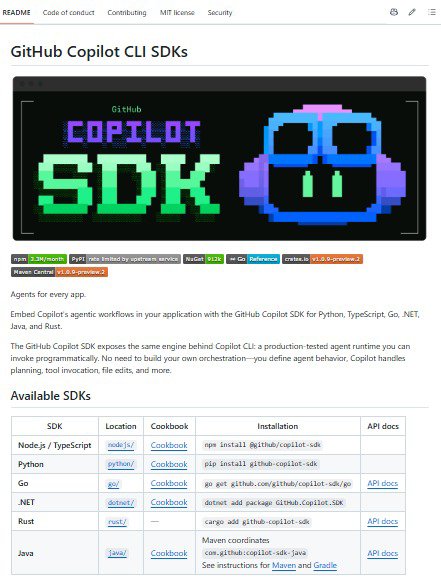
A new developer workflow and app paradigm is emerging, with an agentic execution loop at the core. With the GitHub Copilot SDK, you can embed the same production-tested runtime behind Copilot CLI—multi-model, multi-step planning, tools, MCP integration, auth, streaming—directly into your apps. https://t.co/RamJvw2U9D
- 06
@figma ·
Github Copilot to Figma: Roundtrip between code and canvas through the Figma MCP server
Watch video
- 07
@lemire ·
My programming setup (2026) I use VS Code as my main text editor: It works the same everywhere I care about (macOS, Windows, Linux). It is fast enough. It has useful features like the ability to mount a remote Linux system and work on my MacBook as if I were directly on the remote machine. It has GitHub Copilot. I’m not an advanced VS Code user. I use few extensions — the fewer, the better. I don’t do fancy editing (like multi-cursor editing). I don’t customize shortcuts. I could probably save a few seconds here and there, but I don’t care. I waste more time making coffee than I do editing files suboptimally. I spend little time on Windows. I have one Windows laptop with VS Code preconfigured. It has a shell that can compile C/C++ using CMake. I never remember exactly how it works, but I set it up once each time I update the machine. I use Windows only to debug and benchmark. Although I started programming professionally with Borland and Microsoft tools in a debugger-heavy style, these days I rarely use a debugger. I prefer to write more tests. People are often surprised at how many tests I write and run. I use continuous integration fanatically. I use different programming languages: C, C++, Go, Java, C#, Python, and JavaScript. I try to keep everything under VS Code so I don’t have to learn different tools when switching languages. I use the command line a lot. I also use AI heavily. I like Claude CLI and GitHub Copilot. Grok is available by way of GitHub Copilot and it works well. These are great tools. I ask the AI to build tools, create tests, and more. For example, I recently asked AI to create a tool that checks whether my new function is branch-free by compiling the code, disassembling it, and analyzing the instructions. It is quite clear that I will be building more and more custom tools with AI, to help me. One great use of AI are reviews. Instead of using AI to generate more code faster, I get AI to slow me down, review my code more carefully, throw in more tests. In many instances, quality matters more than volume. I love how AI lets me quickly test ideas: “What if we did it this way instead?” AI really nails down the standard optimizations, letting me concentrate on original techniques. It allows me to up my game. I don't trust the AI, but Iet it try things for me. If the AI can make something work, then I explore further. For profiling, I like perf under Linux. When needed, I use Xcode Instruments on macOS. I prefer to profile under Linux. For building websites for my projects, I default to Hugo. The core idea is that you write content in Markdown and it generates static HTML. No backend required. I adopted Hugo years ago for my homepage (https://t.co/o5rjMo5NV3). My blog itself runs on WordPress. After 20+ years, it is a highly tuned (though imperfect) setup. Migrating it would be too much work. I don’t like typing content directly in WordPress. So I write my posts in Markdown using VS Code, convert them to HTML, and copy/paste into WordPress. Yeah, there are MarkDown plugins but none of them work well enough. I don’t understand Substack. I will never charge for my blog content or put ads on it. You can still subscribe by email (no ads, ever). I like staying in control. I love MarkDown. I wrote an entire book using Markdown in VS Code: Mastering Programming: From Testing to Performance in Go (https://t.co/IjvE8303nm). I convert it to LaTeX and then to PDF. I make generous use of Docker containers — for example, to run old versions of Hugo or exotic compilers. I avoid system-specific dependencies whenever possible. I have a few web services and I use AWS Lightsail for them. Build a container, deploy, and forget. Ready to use.
- 08
@akshay_pachaar ·
There's an interesting study by GitHub on coding agents! They analyzed 2,500+ custom instruction files across public repos to understand what separates effective agent setups from weak ones. Effective setups give agents a specific persona, exact commands to run, defined boundaries, and examples of good output. Weak ones are vague helpers with no clear job description. This points to the core friction with coding agents today, which is that they don't have a capability problem but rather a context problem. A raw agent can write code, but it doesn't know the team's naming conventions, the specific linting setup, or preferred framework patterns. Without that context, the first PR is often off-target and requires multiple rounds of correction. Getting this right requires structured context, and GitHub Copilot implements a smart, layered customization system that does exactly this. > At the repo level, a `.github/copilot-instructions .md` file defines project-wide rules like coding conventions, naming standards, security defaults, and prohibited patterns. The agent reads this before generating any code. > For granular control, instruction files in .github/instructions/ can target specific file paths using applyTo frontmatter. A TypeScript-specific instruction file only activates when the agent works on .ts files. > The most interesting addition is custom agents. These are `.agent .md` files in `.github/agents/` that define specialized personas with their own tool access and MCP server connections. For instance, a security auditor agent can be configured with only read access and run linters before flagging issues. A test writer agent can follow specific testing patterns defined by the team. Each agent has defined boundaries for what it can and cannot do. These custom agents can also be defined at the organization level in a .github-private repo and inherited across all repositories. Frontend conventions, backend patterns, and security policies apply everywhere without duplicating config files. But the customization doesn't stop at DIY setups. There's more 👇
Watch video
- 09
@Pirat_Nation ·
GitHub Copilot added promotional messages to more than 11,000 pull requests on GitHub. A developer asked Copilot to fix a simple typo in a pull request. Copilot made the fix but also added this line to the description: "Quickly spin up Copilot coding agent tasks from anywhere on your macOS or Windows machine with Raycast." GitHub called it a programming logic issue.
- 10
@cb_doge ·
BREAKING: Grok 4.5 is now available in GitHub Copilot Built for fast agentic coding and complex multi-step workflows, it offers a massive 500,000-token context window, image support and adjustable reasoning effort. Available across VS Code, Copilot CLI, JetBrains, Xcode & more. https://t.co/m1zLFnzPDl
- 11
@johncrickett ·
GitHub Copilot will beat Claude Code. Not because it's better. Because Copilot is the new IBM. It checks the enterprise box. Microsoft is already a preferred supplier. And if it under-delivers, well everyone else bought it too. "You won't get fired for buying X" really means "you won't get blamed for buying X." There's a big difference between not getting blamed and making the right call.
- 12
@_Evan_Boyle ·
Copilot CLI can now write and hot reload it's own typescript extensions! Here the agent wrote it's own snake extension that only lets me play while copilot is busy, and pauses the game when I need to provide input. Available today in /experimental mode v1.0.3
Watch video
- 13
@freeCodeCamp ·
Autocomplete speed matters more than you may realize when you're coding all day. In this article, Balajee shares what happened when he replaced GitHub Copilot with Claude Code on his Python and React projects. He discusses where Claude Code felt smarter, where latency hurt productivity, and why using both tools worked better in the end. https://t.co/ys29jcPcn0
- 14
- 15
@HedgieMarkets ·
🦔 GitHub Copilot has been injecting ads into pull request descriptions at scale. Over 1.5 million pull requests on GitHub now contain some form of Copilot advertisement, with more than 1,000 injections per day over the past ten days promoting tools like Raycast, Jira, Linear, VS Code, and JetBrains. A GitHub team member confirmed the practice on Hacker News and said they have now disabled it. It is not yet clear whether this was an intentional monetization test or something that got out of hand. My Take A pull request is a developer's technical contribution to a software project. It is not an ad unit. Microsoft tested injecting promotional content into 1.5 million of them without announcement and only stopped when it went public. That sequence is the part worth paying attention to. Microsoft is having its worst start to a year this century, froze hiring in cloud and sales last week, and is carrying billions in OpenAI losses that need to be offset somewhere. When the core product starts looking for ad revenue inside developer workflows, that is not a sign of confidence in the underlying business model. The more pointed question, raised by several developers already, is straightforward. If Copilot is already comfortable modifying the metadata of your pull requests without telling you, what else is it comfortable modifying without telling you. Hedgie🤗
- 16
@martinwoodward ·
Hey folks, had some conversations about this today so thought it would be helpful to be clear. GitHub does not and does not plan to include advertisements on the platform. We recently identified a programming logic issue in the GitHub Copilot coding agent that caused a 'product tip', including a third-party suggestion, to appear incorrectly in a pull request comment. This issue was introduced on March 24 during a rollout that expanded Copilot’s ability to contribute to any pull request when requested to by a developer. As a result, a third-party link was mistakenly displayed in a way that could be interpreted as a promotion. Our goal was to share novel ways to use Copilot coding agent, and in this case, we highlighted our integration with Raycast as part of a broader set of product tips, but this was surfaced more frequently than intended alongside other feature suggestions. We have removed Copilot agent tips from all pull requests moving forward. We appreciate the community flagging this and apologize for the error.
- 17
@DanWahlin ·
The GitHub Copilot App is now GA and it has a canvas feature that's amazing! 🚀 Here's how I integrated Agent Arcade into it. 🕹️ GitHub Copilot App: https://t.co/JQ6dNFcWX9 Canvas Documentation: https://t.co/4hs46lKLic Agent Arcade Repo: https://t.co/LG9S23vz6k Agent Arcade Canvas Extension on Awesome Copilot: https://t.co/0JqgDvIsuv Shoutout to @spboyer for the initial PR!
Watch video
- 18
@pvergadia ·
NEW: 5 @github Copilot CLI shortcuts that save hours. Most devs don't know they exist. Copy these now: → -p "fix this bug": one-shot prompt, no interactive session, perfect for scripts → Shift+Tab: toggle autopilot mode. Agent runs without asking permission. Every. Single. Time. → /compact: context window filling up? Summarize history and keep going. No restart. → preToolUse hook: intercept any tool call before it fires. Modify args. Block writes. Live. → !COMMAND: run raw shell mid-session without breaking context My full GitHub Copilot CLI Cheatsheet 👇
- 19
@WindowsLatest ·
Microsoft denies rolling out Copilot ads on GitHub after pull requests were found with ad-like notes, causing outrage. In a statement to Windows Latest, Microsoft confirmed that the Copilot-powered ad-like notes were not paid advertisements, but the result of a logic issue. Microsoft has also confirmed it won’t add ads to GitHub. "GitHub does not and does not plan to include advertisements in GitHub," Microsoft told Windows Latest. "We identified a programming logic issue with a GitHub Copilot coding agent tip that surfaced in the wrong context within a pull request comment. We have removed agent tips from pull request comments moving forward."
- 20
@lemire ·
AI as an ‘IDE’ and what to watch for Since the early days of programming, there has been a feeling that programming needed to be ‘supported’. It could not just be typing text in an editor. And so we got integrated development environments like Turbo Pascal, Visual Studio, and so forth. I estimate that most software programmers work within an IDE. I certainly got serious with programming by using an IDE. With a system like Visual Basic, you could, in a few hours, build an entire desktop application even if you did not know programming very well. We got autocompletion so that you did not need to remember function names or read the documentation. It is obvious to me that AI agents like GitHub Copilot or Claude CLI are just a form of IDE. And I think that they need to be used accordingly. One of my favourite games lately has been to ask an AI to give me the assembly code of a function and to document it. If you accept my premise that AI is like an IDE, then many of my observations regarding IDEs apply. Many years ago, a company tried to recruit me to run their software division. When I learned (accidentally) that it was built on Visual Basic, I immediately got cold feet. There is nothing wrong per se with Visual Basic. You can write solid software with it. But the psychological effect of a tool like Visual Basic is that you tend to spend little time on actual engineering and more time adding features. Thus, it scales poorly. “Being easy” is not always the feature you think it is. And I would react similarly today if I were asked to lead a software team… and I learned that their entire stack was vibe coded (coded entirely by AI). You might say that it is unfair. You have stopped coding by hand months ago and your code has never been better. Maybe it is. And, to be fair, remarkable pieces of software were written using powerful tools that made programming easier. « The medium is the message » said McLuhan. And it is true. I look at Java, a great programming language. The community quickly became very IDE-centric (as opposed to the Unix tradition of command-line tools). Some of the most important systems today are built with Java. But you can feel the struggle to remain relevant, because the pain points are hidden behind a graphical interface; people just get it. « Do not look behind the curtain! » Here is what you want, ideally: Bad engineering should be physically painful. When you are doing things wrong, you should get headaches. Tooling powerful enough to make bad engineering ‘work’ might cause more harm than good.
- 21
@ttunguz ·
GitHub Copilot pioneered AI coding assistance. First to market. 20 million users. Then Claude Code & OpenAI Codex launched in mid-2025. Within six months, Copilot's daily installs peaked & declined while competitors surged past 100,000 combined. The sword didn't fall on a laggard. It cut the early leader. If Microsoft can lose share in six months, no one is safe. I analyzed 374 quarterly NDR observations from 25 public software companies. For years, the decline looked gradual. Net dollar retention fell from 125% in 2022 to 112% in 2025. Quarter by quarter. No cliff when ChatGPT launched. No acceleration when enterprises adopted Copilot. Then came 2026. The 25th percentile fell from 106% to 101% in a single quarter, now touching the breakeven line. The weakest companies are bleeding first. Zoom sits at 98%. Asana at 96%. The bottom quartile is now contracting. The companies in the bottom quartile face different threats, but they share one trait: products simple enough to replace. https://t.co/l7TNzZXCWI (94% NDR) serves SMBs depressed by macro conditions. Zoom (98%) faces near-free alternatives in Teams & Google Meet. Asana (96%) offers task workflows that competitors & AI agents can replicate. Macro pressure. Commoditization. Competition. AI. Each blade cuts differently. The bottom quartile will see accelerating losses. Some may tip into outright contraction. The sword of Damocles hangs by a single horsehair. For simpler products in competitive categories, that horsehair is fraying. https://t.co/YYjmOqCpvb

- 22
@tiagonbotelho ·
The new /pr command in the Copilot CLI handles the parts of SDLC that nobody enjoys. Fixing failing CI, addressing review feedback, resolving merge conflicts. Now you can just focus on shipping 🐿️
Watch video
- 23
- 24
@DanWahlin ·
Skip context-switching and let AI build stuff right in your shell! ✨ In this video you'll learn how to get started with GitHub Copilot CLI - from quick 'Hello World' scaffolds to planning & building a weather app that gets live data from an API. 🎥 https://t.co/eRCcRySxi2 Want even more? 👇
- 25
@tiagonbotelho ·
The team's been cooking with this one. You can now filter and reference Issues and PRs straight from the Copilot CLI✨
Watch video
- 26
- 27
- 28
@itsafiz ·
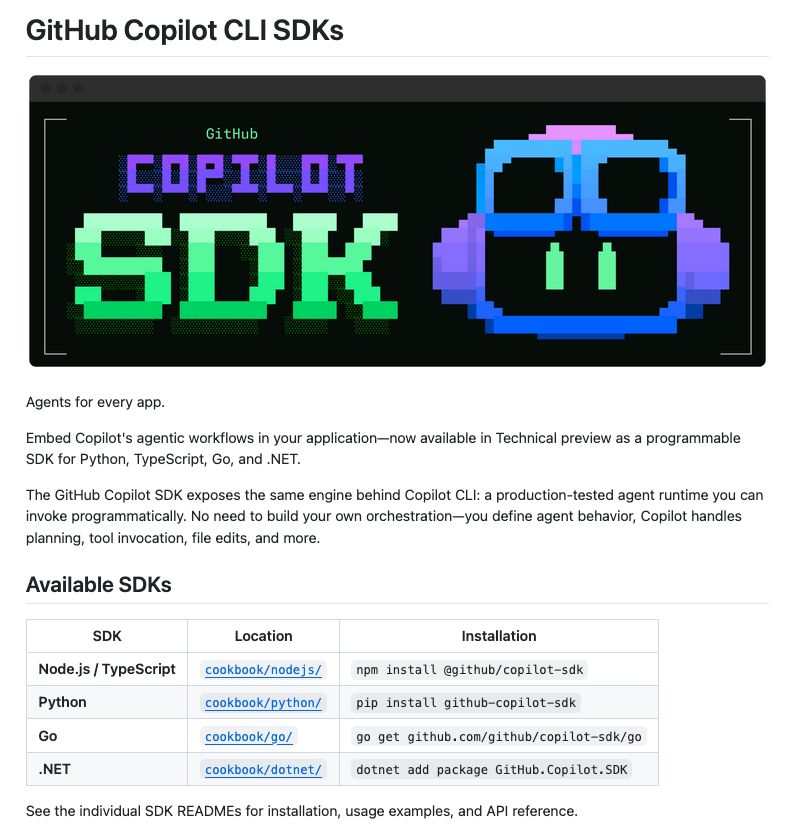
This is huge news! GitHub Copilot SDK made it easy to add agents to your application. The GitHub Copilot SDK is now available in Technical preview as a programmable SDK. Python, TypeScript, Go, and .NET It exposes the same engine behind Copilot CLI: a production-tested agent runtime you can invoke programmatically. No need to build your own orchestration—you define agent behavior, Copilot handles planning, tool invocation, file edits, and more.
- 29
@_vmlops ·
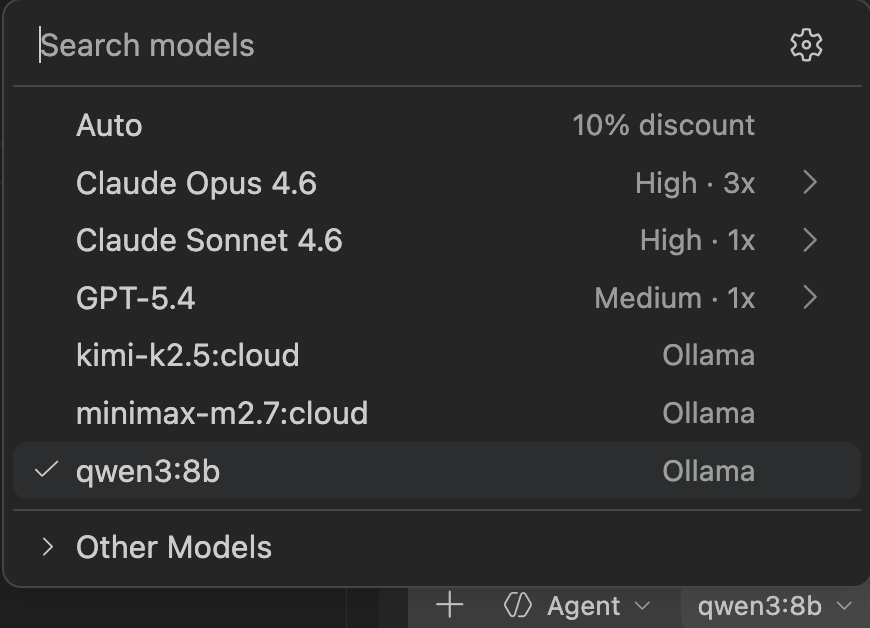
LOCAL AI MODELS INSIDE COPILOT CHAT This vs code extension just changed the game run deepseek, llama, qwen locally via ollama all through github copilot chat no api keys...no cloud...no switching tabs inline completions, tool & mcp support, vision, model switching without ever leaving the editor copilot chat just became a local ai playground
Watch video
- 30
- 31
- 32
@pvergadia ·
GitHub studied 2,500+ coding agent instruction files and found something that flips the narrative. Agents don't have a capability problem. They have a context problem. → Weak setups: vague helpers with no job description → Strong setups: specific persona, exact commands, defined scope, output examples → GitHub Copilot's fix: a layered system — repo-level rules, path-specific instructions, custom agent personas → A .github/copilot-instructions.md file runs before the agent touches a single line → .agent.md files create specialists: a security auditor with read-only access, a test writer locked to team patterns The first PR is always off-target when the agent doesn't know your naming conventions. Raw capability is now a commodity. The teams that ship clean code with agents aren't running smarter models — they're writing better context files.
- 33
@vlad_mihalcea ·
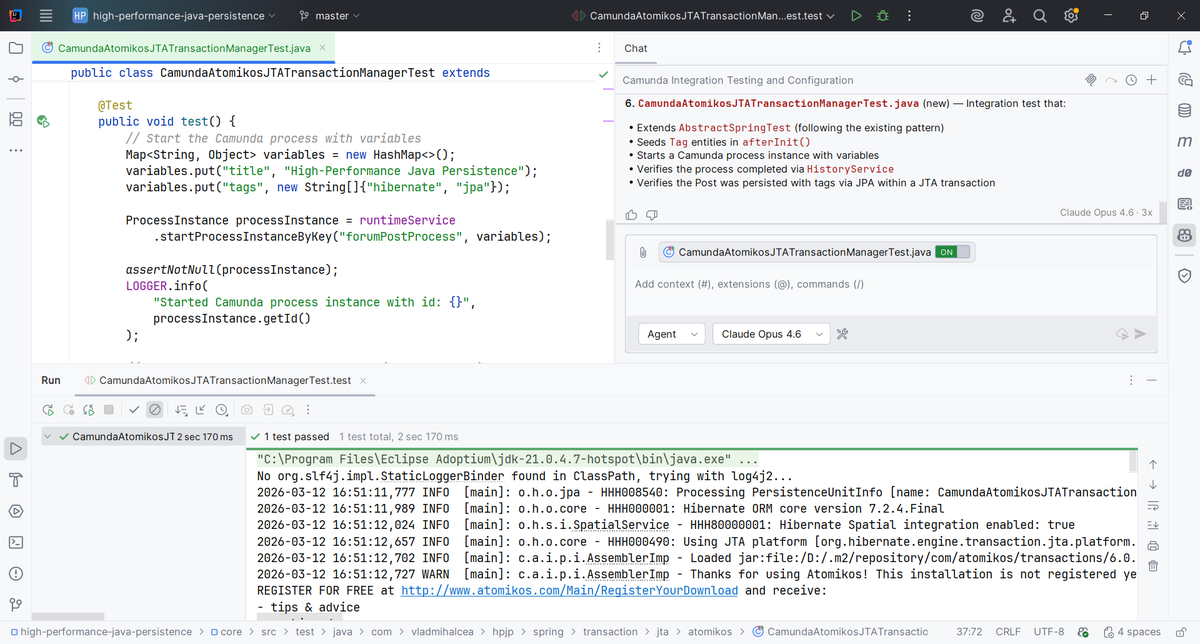
Thanks, @brunoborges, for the GitHub Copilot Pro subscription. It works like a charm. While I use Claude Code for my PhD research, I don't use it for coding as I'd quickly run out of tokens. However, Copilot can also use Opus, and the quota is much larger than for Claude Code. For example, I told Copilot to create an integration test for Camunda (this is a new dependency in this repo, and there is no example to use as a reference) with JTA and Spring, while reusing the DataSourceProvider mechanism employed by all tests in my High-Performance Java Persistence repository. One prompt, and job done. I didn't have to intervene at all, and the test works like a charm. Awesome!
- 34
@Layton_Gott ·
You can run coding agents with zero limits… A lot of people do. Yet they get shocked by the cost because they used it recklessly. Limitless setups are insanely powerful but only when used right otherwise you’ll be spending a fortune. So here's the cost saving breakdown: Start with a hard spend cap per task. GitHub now lets you set a per session credit limit on Copilot CLI and SDK jobs. The cap covers the model calls, the subagents, and the background stuff. So an agent physically cannot spend past the number you set. If your tool has this, turn it on. If it doesn't, build your own tool that watches the spending. Every autonomous task should have 6 limits: • Max spend • Max time • Max retries • Which tools it's allowed to touch • When it stops • When it asks you before continuing Next, approve the plan, not every action. Anthropic built Plan Mode for exactly this. Instead of clicking approve on forty tiny steps, the agent shows you the whole plan first and you approve the strategy once. But not everything should get the same trust level. Set it up like this: • Reading files, run automatically • Reversible local changes, approve the plan • Anything that talks to the outside world, approve it directly • Production changes, approve it directly • Payments or deleting things, separate confirmation on its own The mistake is giving a delete-database action the same easy approval as reading a file. This trick I’ve found to be the most cost saving: Don't load every tool and skill into the agent at once. Every tool you attach eats context and adds another thing that can go wrong. Big skill collections are spreading everywhere right now, and most of them are dead weight. They sit in context, cost tokens on every call, and rarely get used. The fix is on demand tool discovery. The agent pulls the tool it needs for the task instead of carrying all of them all the time. GitHub already has a version of this. It ranks and loads only what fits the current job. Test every skill you add with one question. Does it improve the completion rate enough to justify the tokens and the risk. If it doesn't, cut it. Last one: Stop measuring agents like chatbots. Message count means nothing for a long running agent. Anthropic literally had to rebuild their own research pipeline because chat transcripts stopped capturing how people actually use these things. The numbers that matter now: • Completed tasks • How often you had to step in • Accepted outputs • Tool errors • Cost per finished result • Rollbacks A model that looks cheap per token can be your most expensive one once you count the retries and the corrections. Put it together and the picture is simple. You wouldn't give a new hire unlimited spend, every key in the building, and no one checking in. Don't give an agent that either.
- 35
@trikcode ·
Microsoft just confirmed Copilot Cowork no longer offers unlimited monthly access. Now you pay per use. GitHub Copilot is getting the same treatment. Instead of unlimited access, developers now get a monthly credit allotment. Heavy users are about to see bigger bills. Microsoft says agentic AI tasks use too much compute for flat pricing to make sense. We went from buying software once, to paying monthly, to now paying every time the AI actually does something.
- 36
- 37
@Techjunkie_Aman ·
This is big. GitHub Copilot will train on your data. By default. Starting April 24: • Prompts + code you type • Suggestions (accepted, edited, rejected) • File context + repo structure • How you interact with the tool This isn’t about stored repositories. It’s about your real-time workflow while coding. That data is used to improve models and make suggestions more context-aware. Default is ON. You have to manually opt out. How to opt out (takes ~10 seconds): • GitHub → Profile → Copilot settings • Find: “Allow data for AI training” • Set it to Disabled If you don’t see it, you’re likely on a Business/Enterprise plan. Important: • Starts April 24, 2026 • Only affects interaction data (not stored repo code) • You can change it anytime Most people won’t check this. Will you?
- 38
@shawnchauhan1 ·
GitHub Copilot tried to put promotional content inside your code reviews this week. Developers noticed immediately. The feature was pulled within days. This tells you something important about where AI tools are heading. The free-to-cheap pricing phase was always temporary. The question was never whether monetization would come - it was where they would hide it. Burying ads inside a developer's most trusted workflow is the answer Microsoft tested. The backlash tells you the trust cost of that answer.
Watch video
- 39
@apoorv03 ·
AI Nuggets from $MSFT earnings: 1) Azure is ~$86B ARR growing 39% annually! Incredible growth at scale. Delivering venture-like performance in public markets... 2) Family of Copilot apps >100 million MAUs 3) Software Engineering: 20m Github copilot users (~50% of total!), 90% of Fortune 100 use GH Copilot, with 75% q/q increase in enterprise customers. They haven't disclosed revenue since 1y ago (300m ARR) but it's probably >$1b ARR by now? 4) Healthcare: breakout year for Dragon Copilot! 13m physician patient encounters, up 7x annually. What is Dragon? It's real-time dictation, ambient note-taking + GPT-4 + some integrations. Basically next-gen Nuance.
- 40
- 41
@martinwoodward ·
Being able to seamlessly pick up GitHub Copilot CLI sessions in VS Code and bounce between the two just feels like magic. One of those 'well of course it works like that' experiences that are so incredibly hard to pull off in how invisibly it all just works.
Watch video
- 42
@NeekeGAO ·
GitHub Copilot assisted in generating 46% of the code. The ability to write code is no longer a rare skill. So what will be valuable next? What counts is "being recognized". After AI levels the playing field for skills like coding, designing, copywriting, and video editing, the market will no longer pay a premium for "knowing how to do it". Instead, it will pose another question: Why you? Skills can be replicated, templates can be replicated, and workflows can be replicated. But the spot you occupy in others' minds cannot be copied. To put it bluntly: In the future, the least valuable thing will be "I can do it". The most valuable thing is "the market thinks of you first". An IP is not about whether you can do something, but about why it has to be you.
- 43
- 44
@akaclandestine ·
Starting April 24, 2026, GitHub Copilot will begin using, by default, interaction data from users on the Free, Pro, and Pro+ plans to train and improve its artificial intelligence models. This change does not apply to customers on Business and Enterprise plans. The data covered includes: user inputs, generated outputs, code snippets, and the associated interaction context. Primary Official Source: https://t.co/phyfWE1Pz5 Complementary Update in GitHub Changelog: https://t.co/RtYeASf3Nw Recommended Mitigation Actions (Immediate Action Advised): 1. Access your GitHub account settings. 2. Navigate to Copilot > Privacy (direct link: https://t.co/T7yHP5jSNu). 3. Disable the option: “Allow GitHub to use my data for AI model training”. #GitHubCopilot #InformationSecurity #DataPrivacy #LGPD #GDPR #ArtificialIntelligence #IntellectualProperty #InfoSec #CyberSecurity #SecureDevelopment
- 45
- 46
- 47
@crustdata ·
GitHub Copilot will train on your code by default starting April 24 - and vibe coding might be one of the reasons. Despite this growth, the monthly web traffic has remained relatively flat, mostly in the ~480M to ~540M range. So it seems pretty clear that most of this growth is not coming from a large wave of new users. It is much more likely coming from the same users generating significantly more activity than before. Which raises an important question: How long can GitHub sustain this?
- 48
- 49
@Afruturist ·
According to the JetBrains AI Pulse Survey of 11,000 developers worldwide (January 2026), GitHub Copilot leads AI coding tool adoption at 29%, followed by ChatGPT used for coding at 28%. Claude Code and Cursor are tied in second place at 18% each, while Gemini, Claude Chat, Google Antigravity, and OpenAI Codex trail behind at 8%, 7%, 6%, and 3% respectively. Important - As developers commonly use multiple tools simultaneously, figures exceed 100%.
- 50
Best Tweets by Topic