Framework comparisons and migrations
Comparisons or moves between Next.js and Vite, TanStack Start, React Router, Framer, Webflow, and vinext, especially for SaaS dashboards and developer workflow tradeoffs.
36%
Best tweets about Next.js
Discover the best tweets about Next.js, covering App Router, Server Components, caching, rendering, performance, deployments, releases, and architecture.
Specific Next.js features, App Router behavior, rendering, caching, performance, deployment, debugging, architecture, and production tradeoffs.
Original Xholic analysis
Next.js discussion combines release and deployment updates with practitioner-reported tradeoffs in rendering, SEO, debugging, security, and developer experience. High-scoring outliers include posts about Next.js 16.2, a Turbopack memory-efficiency improvement, and Railway’s frontend migration.
46% of posts
All-time engagement
28% of posts
Published in 90 days
Conversation map
Comparisons or moves between Next.js and Vite, TanStack Start, React Router, Framer, Webflow, and vinext, especially for SaaS dashboards and developer workflow tradeoffs.
36%
Runtime speed, Core Web Vitals, bundle and asset optimization, Turbopack memory use, build times, hot reload, dev startup, HMR, and production benchmarks.
36%
SSR, SSG, ISR, client rendering tradeoffs; Server/Client Component data flow; Server Actions; React Server Components; and use cache behavior.
24%
Deploying Next.js across Vercel, AWS Amplify, Cloudflare, Kubernetes, Docker, VPS/Dokku, Aspire, adapters, and environment-specific build configuration.
20%
New Next.js capabilities including 16.2 improvements, View Transitions, Link transition types, instant navigation, prefetching, Adapter API, root params, and App Router patterns.
16%
Critical vulnerabilities, route and parameter traversal issues, auth enforcement, environment secrets, Vercel incidents, and dependency or platform security concerns.
16%
Hydration and error diagnostics, Sentry observability gaps, cache debugging, runtime-specific failures, React Compiler compatibility, and memory leaks.
10%
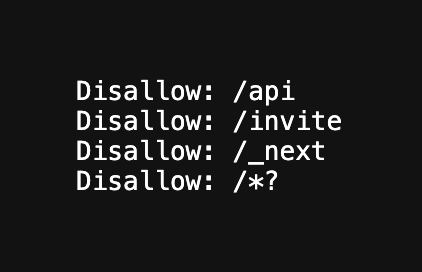
Ensuring Next.js and JavaScript sites expose server-rendered or static HTML to search engines and LLM crawlers, including robots.txt and rendering diagnostics.
8%
Tone and stance
Performance benchmark
Posts with media make up 52% of this collection. Their median all-time score is 27.5, compared with 10.2 for text-only posts.
Format mix
Consensus and debate
Shared view
Posts highlight Link transition types for View Transitions, reported rendering and dev-startup improvements, and improved Server Function logging and hydration/error diagnostics in Next.js 16.2.
Shared view
One author argues against defaulting SaaS routes to SSR. Other posts recommend selecting rendering approaches by route needs and using SSG, SSR, or ISR where rendered output and crawlability matter.
Shared view
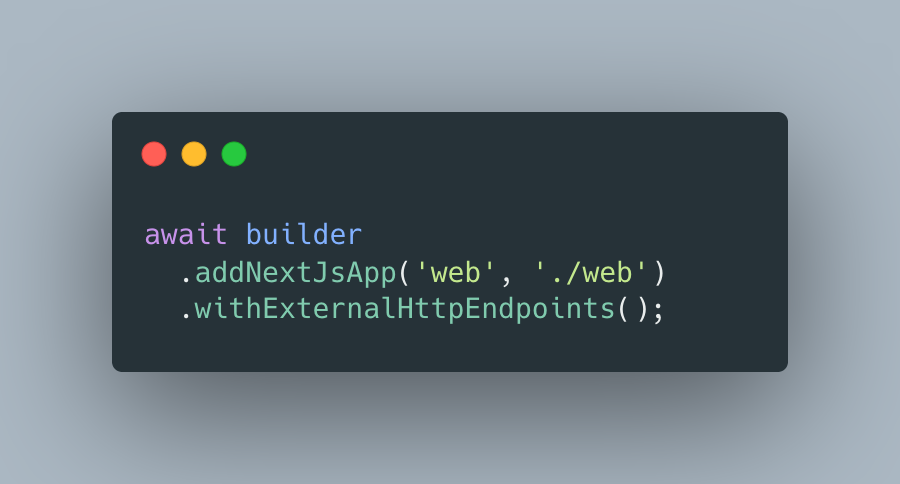
Next.js describes its Adapter API as stable and developed with multiple infrastructure providers. Other posts demonstrate deployment paths using AWS Amplify, Kubernetes via Aspire, and self-hosted Dokku.
Open debate
Migration and opinion posts favor Vite or TanStack Start for some client-heavy dashboards, citing their reported build, startup, HMR, or memory experiences. Another post positions Next.js for public, SEO-oriented surfaces.
Open debate
Next.js 16.2 announces up to roughly 60% faster rendering and up to roughly 400% faster dev startup, while migration posts report faster builds or lower memory use after moving elsewhere. A separate benchmark post says identical-app comparisons were run at 1,000 req/s on AWS EKS, but does not include the results in the tweet.
Open debate
Posts describe route and parameter decoding behavior, a reported vulnerability, cache-debugging gaps, observability challenges, and a production-only interaction between React Compiler and Motion. These are reported experiences and claims in the cited posts, rather than a quantified incidence rate.
What performs
Deterministic analytics report 26 posts with media (52%). Their median all-time score is 27.47, versus 10.22 for text-only posts. Cited outliers include release, optimization, and migration posts.
Announcements and case studies each account for 14 posts (28%). Their median all-time scores are 38.9 and 25.23, respectively. Cited examples cover Next.js 16.2, a Turbopack optimization, and a frontend migration.
The releases-and-features theme has the highest reported theme median all-time score, at 157. Its cited examples cover View Transitions, diagnostics, and experimental root-params use with the use cache directive.
Statistical standouts
Creator landscape
The five most represented creators account for 20% of the selected posts.
1. Aurora Scharff
@aurorascharff
2 posts
2. Christian Nwamba
@codebeast
2 posts
3. Critical Thinking - Bug Bounty Podcast
@ctbbpodcast
2 posts
4. David Fowler
@davidfowl
2 posts
5. Daniel Foley Carter
@foley_seo
2 posts
6. Next.js
@nextjs
2 posts
Among 43 creators, Next.js, Aurora Scharff, and Christian Nwamba each appear twice in the top-voice list. Their cited posts cover release updates, caching experimentation, and AWS Amplify deployment guidance.
Railway’s migration post has an all-time score of 532.02 and is listed as an outlier. Alex Barashkov’s cited migration post reports moving an app from Next.js to TanStack Start and describes lower memory use and faster startup in that setup.
Critical Thinking - Bug Bounty Podcast appears twice in the top-voice list. Its cited posts discuss parameter traversal and server-side implications in hybrid frameworks, including Next.js.
Since the previous snapshot
Themes, sentiment, stance, and post format are classified per tweet. All counts, shares, medians, creator concentration, freshness, and performance comparisons are then calculated directly from the published snapshot.
Xholic's all-time score compares engagement while accounting for reach, post age, and creator consistency. It is used for relative comparisons within this collection.
This report analyzes the exact 50-post snapshot shown below. AI identifies editorial categories and drafts explanations; all statistics are calculated from the snapshot, and every narrative claim is checked against cited posts before publication.
Best Next.js tweets
Ranked 01–50
@aurorascharff ·
View Transitions just got simpler with Next.js 16.2. <𝙻𝚒𝚗𝚔> now has a 𝚝𝚛𝚊𝚗𝚜𝚒𝚝𝚒𝚘𝚗𝚃𝚢𝚙𝚎𝚜 prop. Tag your navigation with a type, and <𝚅𝚒𝚎𝚠𝚃𝚛𝚊𝚗𝚜𝚒𝚝𝚒𝚘𝚗> picks the right animation.
@rauchg ·
Fable just found a 15-30% memory efficiency improvement in Turbopack / Next.js, nearly autonomously. @tobi asked me today: what have been your “holy s***” moments with AI? My answer was: it’s every single week. And it’s accelerating. In fact, “WTFs/day” might just be my favorite metric for AI progress. It’s one thing to read benchmarks or stories online. It’s another to watch these machines pull engineering feats every day. 3 days ago? Sol helped us find novel vulnerabilities in some of the most audited code in the world. Today? Fable helps us ship this large optimization of a very complex Rust codebase. I just saw some results of work we’ve done to shrink binaries by 10-20x. List goes on.
@prasenx ·
Next.js just got its worst vulnerability ever, CVSS 8.6. → affects versions 13.4.13+, 14.x, 15.x, and 16.0.0–16.2.4 → attackers can access your internal services, cloud credentials, API keys, and admin panels → no authentication needed → one crafted request is all it takes → roughly 79,000 instances are exploitable right now → vercel-hosted apps are safe, self-hosted are not upgrade to 15.5.16 or 16.2.5 immediately.
@asidorenko_ ·
transitionType prop for Links in Next.js 16.2 (requires additional setup for <ViewTransitions />)
@nextjs ·
Next.js 16.2 introduces a stable Adapter API, built with Netlify, Cloudflare, OpenNext, AWS, and Google Cloud. But the API is only part of the story. Next.js is used by millions of developers across every major cloud, and making it work well everywhere is on us. Here are our commitments. https://t.co/ylGpJG3WpZ
@alex_barashkov ·
okay, now I get the TanStack Start hype. moved our app from the latest Next.js over the weekend, and the dev experience improved dramatically: 30GB RAM down to 2GB, much faster startup, and almost instant page loads even from a cold run. after spending the last few weeks trying to optimize our Next.js setup with AI and getting nowhere, i ended up using fewer tokens on the migration than we did on unsuccessful debugging/optimisation.
@jaydwivedi_ ·
Kree8 website will NOT lag now! Just ditched Framer and we'll be coding our future client websites - glad we took another risk of trying something new No-code tools are great… until you care about performance. I was so shocked to see how our website worked on Safari, and I have a MacBook Pro (M4 Max) 💀 Switched to code (Next.js) and suddenly everything feels instant. 👇With Framer With NextJS👇
@Tristan0x ·
Claude Code is a huge productivity unlock. As a career backend dev (with minimal React experience), I spent just a few hours on Sunday optimizing our frontend performance and our app now loads 75% faster! The beautiful thing is its able to run its own lighthouse tests, as well as perform chrome browser automation (`claude --chrome`) to validate/quantify results, then iteratively improve. Easy wins it picked up: * Convert all pngs to webp * Preload fonts with fallback * Inline icon SVGs for less network requests * Optimized imports and tree shaking using Nextjs optimizePackageImports for heavy deps * Lazy-loaded large SDKs and certain modals * Defer GraphQL client initialization until used * Create slick loading animations for charts and skeleton loaders for data fields Crazy to think how we could speed up the majority of web applications on the internet for the cost of a few dollars per site.
@foley_seo ·
Optimizing your site for SEO & for LLMS? It's CRUCIAL that user-agents / bots are actually able to see the rendered output. Not all tech stacks are suitable out of the box - JS tech stacks are notorious for: 1. Not being easy to render even for Googlebot which can render JS but isn't overly efficient at it 2. Not being suitable for LLMs to crawl / ingest content Want to know if your site is? 1. Visit a page on your website, hit F12 and open DevTools 2. Press CTRL + SHIFT + P 3. Type Javascript and click Disable Javascript 4. Click NETWORK in the header menu of devtools 5. Ensure Preserve Log and Disable Cache are set 6. Now on your website URL append ?test and hit enter 7. On your network tab, click DOC (shown with red box in image) 8. Where it says NAME you should see ?test, click it 9. Click on RESPONSE tab (shown with red box in image) This will show you the OUTPUT of what an LLM would see. Google CAN render Javascript but, not all Javascript tech stacks are the same - if you want to see the RAW TEXT OUTPUT, do the following: In the bottom half of DevTools you will see menu items "Console, Issues, Coverage" etc. click on CONSOLE (selected by default). Click the CLEAR icon (circle with line through it) Copy and paste this command into console and hit ENTER: const text = document.body.innerText; for (let i = 0; i < text.length; i += 1000) { console.log(text.slice(i, i + 1000)); } This will show you the RAW, NON JS output of your URL. THIS is the content that LLMS will see, and potentially Google/other search engines if there are any issues with SSR. IF YOU ARE USING JS based tech stacks you SHOULD consider SSG (static site generation) or pre-render. Effectively you want to MAXIMISE the output of RAW TEXT/HTML in the dom post JS processing before that document output is served. The amount of SITE OWNERS who have these fancy tech stacks are often oblivious to the risks/issues with using JS for a web app / site framework. Here are some solutions based on common platforms: React Next.js – [SSG + SSR + ISR] Most popular for React, supports hybrid static rendering and server-side rendering Gatsby Fully static, React-based. Uses GraphQL for data and pre-renders everything at build time Astro Partial hydration. You can use React components but ship less JS by default Vue Nuxt Offers static site generation (nuxt generate) as well as server-side rendering VitePress Lightweight Vue-based SSG, ideal for docs and content-driven sites VuePress Vue-powered static site generator, originally designed for documentation Svelte SvelteKit Can be configured for full SSG, SSR, or hybrid deployment. Excellent for fast, SEO-friendly output Elder.js Performance-focused SSG for Svelte apps (less common now but still useful) Angular Scully The go-to SSG for Angular. Pre-renders Angular apps into static HTML Analog.js Newer project aiming to bring Next.js-like DX to Angular with SSR and SSG #seo #seo2025 #aiseo
@ctbbpodcast ·
@xssdoctor's CSPT research covers eight frameworks: https://t.co/fM5TAY3xa5 React Router's .replace(/%2F/g, "/") in matchPath has no i flag, so double-decode only works when the F in %252F is uppercase. This was reintroduced after a previous fix and is still in the codebase. Splat routes (path="files/*") match with (.*) instead of ([^\\/]+), so ../../admin works with zero encoding. Next.js uses the same await params API in page components and route handlers but they do opposite things. Page components re-encode through getParamValue(), route handlers fully decode through getRouteMatcher(). The traversal lands server-side. Ember's normalizePath() re-encodes % after decoding, which accidentally kills double-encoding. Wildcard params skip the final decodeURIComponent entirely, so they need literal ../ instead of encoded payloads. SvelteKit's param matchers reject bad values at the routing level before any load function even runs. Server load functions in +page.server.ts bypass hooks.server.ts, so auth middleware won't protect you. Nuxt's island component payload revival (revive-payload.client.js) is a stored CSPT sink. If you can poison window.__NUXT__, the key traverses the $fetch URL. (CVE-2025-59414)
@ctbbpodcast ·
Query params have a structural advantage over path params for CSPT because path params get split on / during route matching, so your payload has to survive inside a single segment, while query params have no segment boundary and the entire string ../../api/internal/users lands as one decoded value. Boowsers don't normalise ../ in query strings the way they do in paths either, so /dashboard/stats?widget=../../attachments/malicious sends exactly that to the JavaScript runtime without any encoding needed. This matters most on SolidStart, where path params are safe because the router never calls decodeURIComponent and the entire CSPT attack surface shifts to useSearchParams(), but even on frameworks where path params are the primary vector, query params are often the easier path because you skip the encoding dance entirely. The hash fragment is worth checking too since window.location.hash is never encoded or decoded by the browser and whatever is after # goes straight into the JS as is. On hybrid frameworks like Next.js, SvelteKit, and Nuxt, the same traversal can land server-side because a decoded query param that flows into a server load function or route handler doesn't just hit the public API, it can reach internal services the client was never supposed to talk to. https://t.co/fM5TAY3xa5
@southpolesteve ·
vinext is one month old today! It's a Vite plugin that reimplements the Next.js API surface. Your existing Next.js app, running on Vite. Deploy to Cloudflare Workers, Vercel, Netlify, AWS, or any Node.js server. It's just a Vite plugin, so `vite start` is all you need to ship to production. One of the biggest questions I got was "how will you maintain this?" The project was always about pushing the limits of what AI can do, and maintaining it has been no different. We use AI to triage, fix issues, review, merge PRs. The numbers over the last month: 395 merged PRs. 52 contributors. 34 releases in 27 days. It's been awesome to see a community form around this. Huge thanks to @James_Elicx, @Divkix, @hyoban_cc, @jokull, @Dayifour, @yunus25jmi, and everyone else who jumped in and shipped real code https://t.co/zGvTui0HGN
@freeCodeCamp ·
Next.js apps are split between Server and Client Components, and it isn't always obvious how they should work together. In this tutorial, @webmekanic_ teaches you simple ways to pass data from Server Components to Client Components. You'll also learn which props can be passed safely, how to share data with Context and React.cache, and how to avoid environment poisoning. https://t.co/CuNrN2DLy1
@tomilola_ng ·
Vite is better than Next.js, for most SaaS dashboards Next.js is great when you need public pages, SEO, content, landing pages, blogs, and marketing routes. But for an authentication-gated SaaS platform? You probably don’t need half of what Next.js brings. Most SaaS dashboards are heavy client-side apps: Charts, Tables, Filters, Modals, Multiple State management, Role-based UI, Realtime updates, Admin workflows, Settings pages ... That is Vite territory. For me, the better setup is simple: -> Next.js for the marketing website. -> Vite + React for the actual SaaS dashboard. I use the right tool for the right surface, the UI below is still just a shell, but I’m building my SaaS one step at a time. #Pabbi is coming
@Hartdrawss ·
Just hit these numbers on a client Next[.]js build today ??!! LCP 0.40s. CLS 0.06. INP 8ms. heres exactly how i got there: [ step 1 — rendering strategy ] - most devs default everything to SSR and move on completely - that's poor strategy tbh; every route needs a decision. does this page change per user? - we mapped every route before writing a single component - this alone cuts your server response time significantly and it's quite a difference [ step 2 — nothing blocks the fold ] - went through every script loading above the fold like tracking scripts, font loaders, analytics - the browser should paint the page before it does anything else - Hard re-work but was able to clean it up; lazy loaded all of them so they only fire after the page fully paints [ step 3 — SEO infrastructure on day one ] - schema markup, OG tags, sitemap, robots.txt done and knocked out before any feature - crawl structure mapped properly so that google can actually index the right pages [ step 4 — assets compression ] - every image converted to webp, sized for the containers and a s3 integration - fonts subset to only the characters being used - videos compressed hard before the first commit TLDR; performance and SEO aren't a sprint you run before handoff but rather the foundation everything else sits on. if your site isn't ranking or loading slow on mobile don't blame the content !
@BradfordHuber4 ·
Some more thoughts on @webflow & why I've started building with Claude Code on a custom stack. I see a lot of people talking about how this kind of stack is only good for developers & technical people. If I believed that was true I'd still be building on @webflow . Ultimately I think AI + a custom stack can solve the original problem that Webflow set out to solve. To democratize the web and allow non technical users to build. A huge focus for me at Amply was building sites that could fulfill this promise in the best way possible - where clients wouldn't need us after the build was complete. That started with using client first - a class framework built to be more friendly to clients and non technical users. This was a huge improvement on what was there before, but we still noticed issues clients would have. Even with solid training in place, we'd still have clients go into Webflow & break classes & layouts on accident. So we started building more with components. Components set more clear guardrails where clients could build pages without needing to understand classes and how they work. We adopted a "Component-First" approach where we built everything in Webflow with components. When Webflow released slots, variables, and component variants, this made this approach even more powerful, and frameworks like Lumos really popularized this as well. As we rolled this out with clients, this was really powerful and we saw an overall great response from clients, but at the same time, I could see things that weren't perfect. The complexity of these projects rose dramatically in order to create super powerful components that could span tons of use case. Lots more custom code The amount of components in larger projects was pretty staggering - could see as many as 200 components in a project. This led to a learning curve in and of itself as clients had to learn the components and all their ins and outs. To me this approach created a split - on the one hand clients had more power than ever to build without needing to understand code on the other hand it increased the learning curve for a client when they needed to edit a component or go beyond what the components were capable of. Most clients still would come back to us to help manage there site at high level for bigger changes. What I'm seeing with AI is that ultimately I can create the ultimate system that fulfills @webflow 's original mission. I can build a site in Next.js + Sanity with components, create a design.md file outlining the design system, components, and how they should be used. A client doesn't need to understand the system in depth. A client can upload a google doc of their page copy and AI can assemble the page with preexisting components and styles. And if a component doesn't exist? The client can work with AI to build net new layouts & pages that still fit with in the core styles and design system. This is the vision I'm building for at @thenativeagency.
@TosinOlugbenga ·
Using the MCP Server is the most powerful tool you can give to your AI. Wired up an application with Lovable which uses Vite + React. Connected the code to GitHub and cloned it to my IDE. And then asked my AI agent to use next-dev MCP to convert the app from react vite to NextJS app (because I need some server actions functionality) And this happened in 4 minutes, deployed to Vercel and app is ready for use. No bug, no error, no issues. What a time to be a developer…. @hackSultan , help with the LinkedIn version of this career exploit.
@sadkatwt ·
What should you choose? Fullstack or a decoupled approach which is basically seprate frontend and backend. Choosing your app architecture depends on your specific goal - Option A - Separate Frontend and Backend This is the standard for professional, scalable apps where the UI and logic are decoupled and communicate via API. Ideal for - Startups, teams with specialists, and multi-platform apps (Web + Mobile). Pros - Better scalability and easier to swap technologies later. Cons - Higher initial complexity and setup time. Option B - Full-Stack Monolith Everything lives in one codebase using frameworks like Next.js or Tenstack etc. Ideal for - Solo developers, MVPs, and internal tools. Pros - Maximum speed to market and simpler deployments. Cons - Harder to separate or add native mobile apps later. The Result Is- If you need to scale and support mobile, separate them. If you need to launch a prototype fast, go full-stack.
@ldo_dev ·
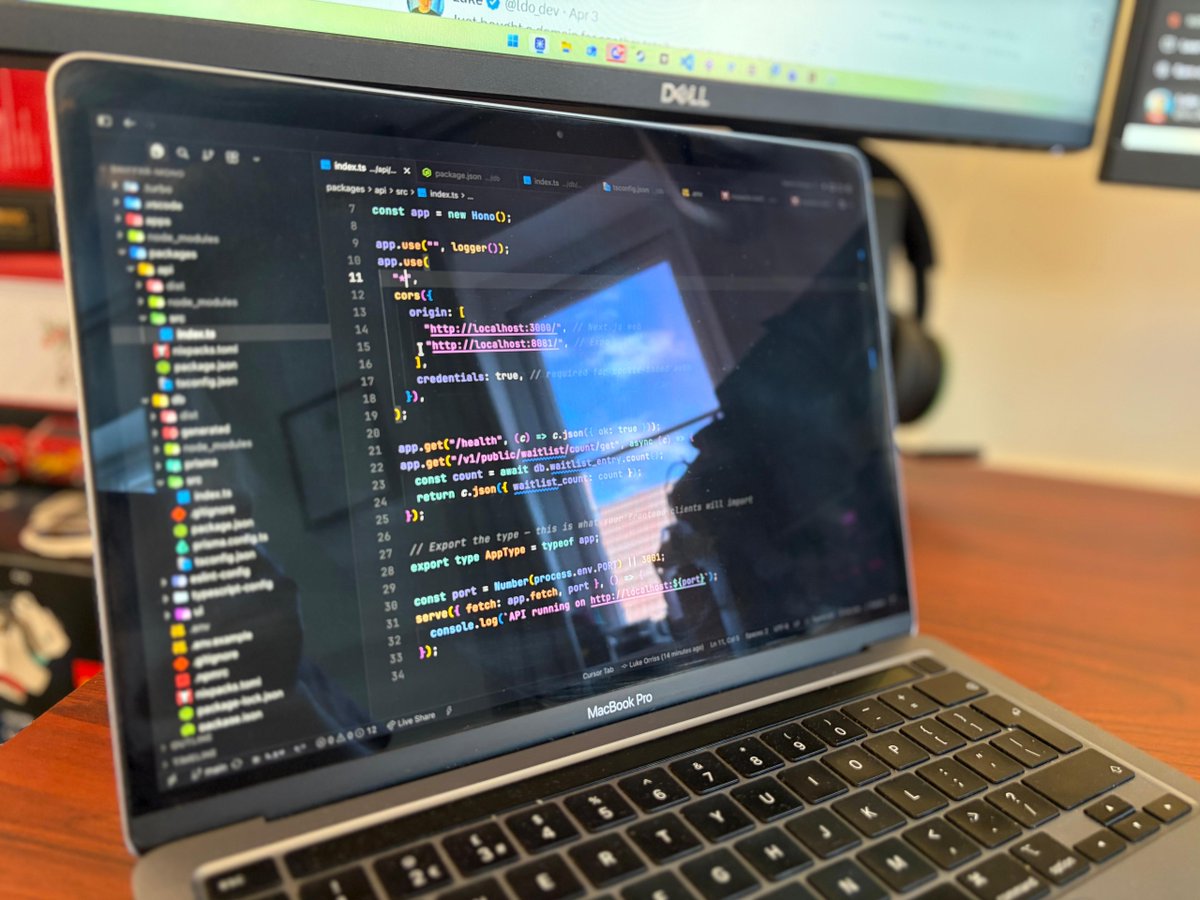
My brain is fried but I'm grinning like a fool 😆 Yesterday I had only built web apps and now I've got a monorepo running two front ends with Next.js for web and Expo for mobile. Both apps share the same Prisma ORM setup and they share the same Hono API endpoints. One database, one API, multiple front ends. The best bit about this is that the technology is starting to make sense I can't wait to share what breaks next 🫡
@tempoimmaterial ·
Last month, a Cloudflare engineer rebuilt 94% of Next.js in a week for $1,100 in tokens. If your code can be regenerated by a better model next quarter, your Git history was never your moat. But then last week, another Cloudflare fork of a Vercel project hit... but the clone stripped security-critical code from the original. AI made code cheap. It didn't make understanding cheap. Here's what actually becomes valuable when implementation difficulty collapses. https://t.co/nf3Cxc7GKG
@foley_seo ·
A HUGE amount of the web is becoming less accessible to AI and search engines because a HUGE amount of vibe coders are not understanding that VIBE CODING produces APPS by default. Apps do not need to be indexed, so they aren't built for "SEO" or "indexability" they're built for performance and functionality. So - there's a good chance if you vibe coded a website prior to 2026 that you've got a REACT SHELL that Google (and AI bots) cannot render/index/access properly. I've tested them all: ✅ Lovable ✅ Cursor ✅ Bolt ✅ Claude Code ✅ Codex and their DEFAULT out of the box configurations are MOSTLY NEXT.JS based - some are REACT/VITE. Nearly ALL produce websites as apps (CLIENT SIDE RENDERED) and that is abysmal for SEO. Google is one of the few BOTS that supports JAVASCRIPT rendering but, even so, Googlebot DOES NOT interact with JS elements and therefore if any of your websites content is CTA based - you can kiss that goodbye in terms of accessibility. I've seen ENTIRE websites uncrawlable because the NAV and FOOTER were JS event based - even with a Sitemap Google gave up. If you VIBE CODE websites - take a read of this: https://t.co/N2yh4E7jYE It's all well and good chasing after rankings and AI CITATIONS, no good if bots cannot actually access any of your website content. Long story short - Avoid CLIENT SIDE RENDERING Avoid using REACT SHELLS Avoid using JS loaded content / JS event triggers Yeah - all looks good on paper when pages load super quick, no good when Google can't index anything.
@mauricekleine ·
how is a nextjs app on vercel with the whole stack in the same region still so laggy? my tanstack start app with a hono backend on AWS and a postgres database absolutely FLIES there are ZERO skeletons or spinners in the tanstack app... ...on a throttled 4G network no server components no cache components no opaque non-standard APIs no security mistakes that LLMs make all the time (auth only in layout.tsx and not in child page.tsx? it's safe bro!! (it's NOT)) just react and oRPC routers boggles the mind
@MaheshPawaar ·
vercel got hacked. a threat actor claiming to be shinyhunters is selling stolen data for $2 million on breachforums. vercel confirmed unauthorized access to internal systems on april 19, 2026. here's everything you need to know. > how it happened: the entry point wasn't a zero-day exploit. wasn't sophisticated malware. it was context[.]ai – a third-party ai productivity tool used by a vercel employee – compromised via a google oauth app. attackers used that access to pivot into vercel's internal systems and read environment variables from a limited number of customer configs. > what the attackers claim to have: employee accounts, github tokens, npm tokens, internal database, and source code. they've already leaked 580 employee records as proof. asking price on breachforums – $2 million. > why this is bigger than vercel: vercel maintains next.js. if the attacker's claims about github + npm tokens are real, the risk is a potential supply chain attack. one breach at this level doesn't just affect vercel's customers – it could ripple across millions of apps built on top of their infrastructure. > what's confirmed safe (per CEO guillermo rauch): next.js codebase – no malicious code injected. turbopack and all open source projects – confirmed safe. vercel services – fully operational. mandiant is in. law enforcement notified. limited customers are being contacted directly. > the real lesson: we keep concentrating the modern web into fewer and fewer platforms. vercel + github + npm = the backbone of millions of production apps. one compromised productivity tool connected via oauth is all it took to get inside. the fix isn't panic – it's least-privilege access. every tool gets only what it actually needs. nothing more. > if you're on vercel, do this now: rotate your env variables and secrets, audit all third-party oauth apps on your google workspace, enable vercel's sensitive variable encryption feature, and keep an eye on vercel[.]com/kb/bulletin for updates. stay sharp.
@sentry ·
Next.js gives you SSR, routing, and edge runtimes for free, but its three-runtime architecture means errors hide, DB queries disappear behind ORMs, and server actions swallow useful messages before they hit the browser. Our latest blog post covers the specific observability gaps and how to close them with Sentry 😌 https://t.co/bvK3BRtozY
@saurra3h ·
if you're using @motiondotdev with the React Compiler in Next.js disable auto-compilation for motion components the compiler memoizes renders, but framer needs to re-run on every render to track element positions for layout and layoutId animations everything works locally but silently breaks in prod fix: reactCompiler: { compilationMode: "annotation" } and opt-in with "use memo" only on non-motion components let me know if any of you found better solution
@wickedguro ·
Something I don't understand how to do on Next.js Happy to hear from the next experts. My next config has images remotePatterns. It's all good if you just deploy next and have the env variables during the build. But what if I have a pre-built Docker with a Next app? How can I add the .env variables there, since this file is only used at build time? For now, I just changed all my <Image /> to <img /> because I don't see any solution.
Best Tweets by Topic