Research across curated sources
Query, compare, cite, and synthesize user-selected documents; discover relevant material and turn large source collections into usable knowledge.
41.3%
Best tweets about NotebookLM
Explore the best tweets about NotebookLM, including source-grounded research, audio overviews, study workflows, prompts, and practical use cases.
Specific NotebookLM workflows, features, research methods, source handling, and product updates supported by firsthand examples.
Original Xholic analysis
NotebookLM examples center on curated sources: targeted legal retrieval, question-led reading, research slides, and personalized audio. Official posts document mobile and cinematic-video releases, while Canvas and connectors remain reported tests. Enthusiasm is tempered by user reports of timeouts and errors in generated slides.
87% of posts
All-time engagement
41.3% of posts
Published in 90 days
Conversation map
Query, compare, cite, and synthesize user-selected documents; discover relevant material and turn large source collections into usable knowledge.
41.3%
Use Gemini, Drive, coding agents, CLIs, and other tools to move sources and findings between notebooks, applications, and automated research-to-build pipelines.
37%
Turn source material into personalized podcasts and explanatory videos, including interactive audio and customizable visual formats.
34.8%
Shipped releases, featured notebooks, mobile capabilities, subscription limits, and reported tests of Canvas, connectors, memory, and new overview formats.
30.4%
Transform research into slide decks, mind maps, infographics, timelines, and other visual explanations or presentation materials.
23.9%
Upload lectures, notes, books, and papers to map concepts, frame reading questions, find gaps in understanding, and prepare for exams or discussions.
21.7%
Analyze recorded customer conversations and reusable research documents to refine pitches, develop content, and keep outputs aligned with source updates.
6.5%
Load cases, briefs, and other legal records to locate excerpts, identify contradictions, develop counterarguments, and prepare case materials.
6.5%
Tone and stance
Performance benchmark
Posts with media make up 65.2% of this collection. Their median all-time score is 16.7, compared with 17.8 for text-only posts.
Format mix
Consensus and debate
Shared view
Research across curated sources accounts for 19 tweets (41.3%). Firsthand examples include asking NotebookLM and ChatGPT Work the same question using the same 70+ files, and loading Westlaw or Lexis cases for targeted excerpt retrieval. The legal user explicitly identifies supplying the cases as a tradeoff.
Shared view
Gleeson uploads a book’s contents, introduction, and reviews to frame questions before reading, then checks whether the book answered them. Frogomo splits books into chapter sources, asks for each chapter’s framework, and then examines connections and weaknesses across the book. These are reported practices, not validated learning gains.
Shared view
Users describe explaining research papers with slides, decoding private-equity jargon with videos, and turning articles, a website, and a customer profile into personalized audio with live questions. These examples illustrate distinct reported uses of the output formats.
Shared view
Firsthand builds include Claude Code skills spanning Obsidian, Readwise, and NotebookLM CLIs, plus an Antigravity workflow that creates a notebook and sends its audio overview to a private podcast. A separate project post explicitly labels notebooklm-py an unofficial API and CLI.
Open debate
A legal user reports solid excerpt accuracy with supplied sources, but another user reports NotebookLM timing out while reading papers. A speaker found its talk-to-slides summary useful yet planned corrections where it was wrong. These accounts qualify broad reliability claims.
Open debate
Official posts announce cinematic video for Ultra users in English and mobile customization for infographics and slide decks, alongside mobile video generation. TestingCatalog describes Canvas and connectors as spotted or hidden features; Glenn Gabe describes Personal Intelligence as testing. Those testing reports should not be treated as confirmed general availability.
What performs
CASE_STUDY has a median all-time score of 84.28, versus 23.493 for ANNOUNCEMENT, 19.488 for OPINION, and 13.69 for TUTORIAL. The context-stacking account is the largest supplied outlier at 4196.39, or 251.88 times the median; this does not validate its educational claims.
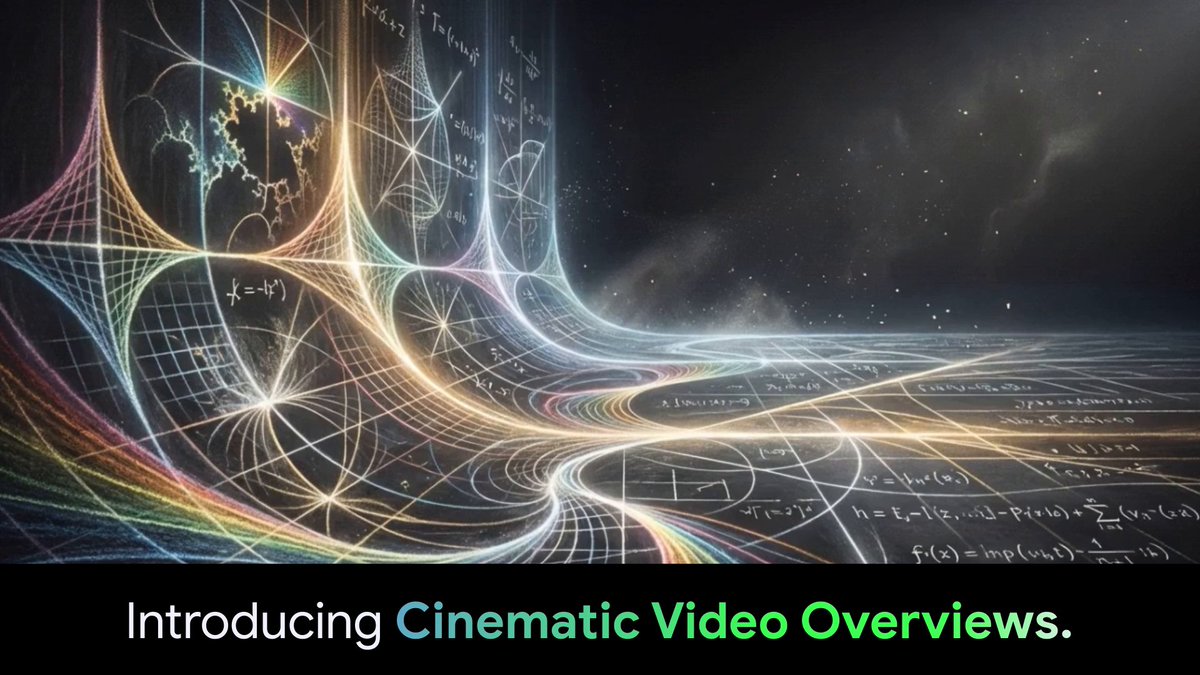
Features, access, and product direction has a median all-time score of 50.25, compared with 13.929 for research across curated sources. The cinematic-video announcement is an outlier at 2210.37, or 132.68 times the median. These are descriptive scores, not evidence of feature effectiveness.
Statistical standouts
Creator landscape
The five most represented creators account for 21.7% of the selected posts.
1. Louis Gleeson
@aigleeson
2 posts
2. Amit | Frogomo | AI 🐸
@frog_omo
2 posts
3. Gemini Notebook
@Gemini_Notebook
2 posts
4. Glenn Gabe
@glenngabe
2 posts
5. Ihtesham Ali
@ihteshamali
2 posts
6. Julian Goldie SEO
@JulianGoldieSEO
2 posts
Ihtesham Ali’s two student-workflow accounts have a supplied creator median score of 2219.54, but describe students’ reported experiences. Gleeson’s reading setup and Frogomo’s chapter-by-chapter method explicitly describe their own use, offering clearer firsthand workflow evidence.
Gemini_Notebook and Sundar Pichai document rollout scope, including English-language Ultra access for cinematic video and subscriber-first Gemini notebooks on the web. TestingCatalog supplies previews of possible Canvas and connector features, supporting discussion of reported product direction rather than confirmed availability.
Since the previous snapshot
Themes, sentiment, stance, and post format are classified per tweet. All counts, shares, medians, creator concentration, freshness, and performance comparisons are then calculated directly from the published snapshot.
Xholic's all-time score compares engagement while accounting for reach, post age, and creator consistency. It is used for relative comparisons within this collection.
This report analyzes the exact 46-post snapshot shown below. AI identifies editorial categories and drafts explanations; all statistics are calculated from the snapshot, and every narrative claim is checked against cited posts before publication.
Best NotebookLM tweets
Ranked 01–46

@ihteshamali ·
A MIT student figured out how to compress an entire semester of lecture content into one 90-minute study session. He calls it "context stacking," and it's the most unfair thing I've seen done with NotebookLM. I asked him to walk me through it. He did. I haven't studied the same way since. Here's exactly what he does. Two days before each lecture, he uploads everything into NotebookLM. The assigned readings, the previous week's slides, 3 or 4 related papers he finds himself, and any problem sets that are still open. Most students wait for the lecture to explain the material. He walks in having already built a mental model of it. That's step one. But it's not the move that makes it unfair. The first prompt he runs across all of it: "What are the 5 core concepts this week's content is built on, and how do they connect to what I studied last week?" Not summarize. Not define. Connect. NotebookLM pulls threads across everything he uploaded simultaneously. It surfaces relationships between ideas that would take a normal student weeks of review to notice. He gets that map before the lecture even starts. Then he runs the prompt that does most of the work. "What would I need to genuinely understand about this material to be able to teach it to someone with zero background in this subject?" That question is doing something most students never force themselves to do. It exposes exactly where his understanding is solid and exactly where it's hollow. The gaps show up immediately, and he spends the rest of the 90 minutes filling only those gaps. Not reviewing what he already knows. Only fixing what he doesn't. The final prompt is the one that separates context stacking from every other study method I've heard of. "What question could a professor ask about this material that would expose a student who understood the surface but missed the underlying logic?" He's not studying for the exam he expects. He's studying for the exam designed to catch people who only think they understood it. By the time he sits in the lecture hall, the professor is not teaching him anything new. The professor is confirming what he already mapped, filling in a few details, and occasionally surprising him with something he didn't anticipate. That surprise is the only thing he writes down. Most students leave a lecture hoping the material will eventually click. He walks in with it already clicked, and uses the lecture to find out what he missed. That's not a study hack. That's a completely different relationship with learning.


@Gemini_Notebook ·
Introducing Cinematic Video Overviews, the next evolution of the NotebookLM Studio. Unlike standard templates, these are powered by a novel combination of our most advanced models to create bespoke, immersive videos from your sources. Rolling out now for Ultra users in English!
 Watch video
@GoogleLabs ·
Woah. It’s been a little over 2 months since the start of 2026. Here's what we’ve dropped so far: 🚀 @FlowbyGoogle: Our biggest update yet. We’ve redesigned the interface, bringing image generation to the forefront, making it easier to manage assets, and giving you more precise control over your images and videos. We also made improvements to Veo 3.1 and welcomed Nano Banana 2 to the model lineup for even more expressive and consistent outputs. (Also, come say hi on Instagram: @ flowbygoogle!) 🚀 @JulesAgent: A major speed boost, all Jules free-tier users have been upgraded from Gemini 2.5 Pro to Gemini 3 Flash. 🚀 SynthID: We've added the ability to check whether audio is Google AI-generated (in addition to image and video). Generative media content made with Labs products can be uploaded to the Gemini app to see if they've been generated using Google AI. Simply type @ SynthID and ask "Is this AI?" 🚀 @StitchbyGoogle: We leveled up the MCP ecosystem. Users can now get step-by-step MCP client instructions and grab their API key directly from the Exports panel. We also joined the Antigravity MCP store and added new tools, like a coding agent that can ask to edit screens and generate screen variants. 🚀 Project Genie: Introducing an early research prototype powered by @GoogleDeepMind’s Genie 3 model, Project Genie lets users create and explore infinitely diverse worlds. Available to AI Ultra subscribers in the US. 🚀 @NotebookLM: A massive month for mobile. Users can now add customization prompts to Infographics and Slide Decks directly and generate video overviews on the mobile app. Plus, NotebookLM partnered with @Zillow to launch a featured notebook pre-loaded with their extensive home buying resources. Be on the lookout for other exciting partnerships to come! 🚀 Pomelli: Launched ‘Photoshoot,’ allowing users to take a single image of their product and easily create high quality, customized product shots to elevate their marketing. 🚀 Opal: Introduced a new agent step that analyzes a goal, determines the next best step, and automatically calls models and tools to finish a the task, such as Veo for video or web search for research. 🚀 @Producer_AI: Welcomed ProducerAI to Labs! ProducerAI is a creative collaborator, whether writing lyrics, refining a melody, or inventing entirely new genres. What a start to the year. 2026 is just getting warmed up. Explore all of our experiments at: https://t.co/TcBfiPohNK

@sundarpichai ·
Some helpful updates from across Google this week, lots more to come! 🧵 @NotebookLM is introducing Cinematic Video Overviews for Ultra users in English. Distill complex information into amazing visual deep dives - take a look 👇
Watch video@ihteshamali ·
A Harvard Law student showed me how he uses NotebookLM to destroy his own arguments before his professor can. He doesn't do this after he finishes a brief. He does it while he's still writing one. His workflow breaks something I thought I understood about legal preparation. Most law students write their argument, polish it, submit it, and find out what's wrong with it when the professor tears it apart in class. He finds out before he ever hands it in. The moment he has a rough draft, he uploads it into NotebookLM alongside the 5 most relevant cases in the area. Then he runs one prompt. "You are opposing counsel with a PhD in this area of law. Identify every weakness in this argument. Do not be gentle. Rank the vulnerabilities by how much damage they would do in front of a judge." NotebookLM doesn't just flag surface-level issues. Because it has the actual cases loaded, it finds the places where his argument quietly contradicts a precedent he cited. It finds the assumptions he made that opposing counsel would attack in the first 30 seconds of oral argument. Then comes the move that makes the workflow unfair. He asks: "What is the strongest version of the counterargument? Write it as if you are the best litigator alive and you have 3 minutes to destroy my brief." He reads that counterargument carefully. Then he rewrites his original argument specifically to survive it. His professors started noticing something. His briefs had an unusual quality they called "anticipatory." He would address objections before they were raised. He would preempt the counterargument in the structure of his own analysis, not in a footnote. One professor asked him directly how he was doing it. He showed her the NotebookLM session. She asked him to slow down so she could write the prompts down. What 3 years of moot court practice is supposed to teach you how to think from both sides of a room simultaneously he was doing inside a single workflow in an afternoon. The best lawyers don't just build arguments. They attack their own arguments until only the parts that can't be broken are left standing. He just found a way to do that before the courtroom does it for him.

@sundarpichai ·
Nothing quite like the blank pages of a fresh notebook! Notebooks are now rolling out in the @Geminiapp. Organize conversations, notes, and other sources related to a single project (and easily go back and forth between @NotebookLM to go deeper). Rolling out today, starting with Google AI Ultra, Pro + Plus subscribers on the web.
 Watch video
@emollick ·
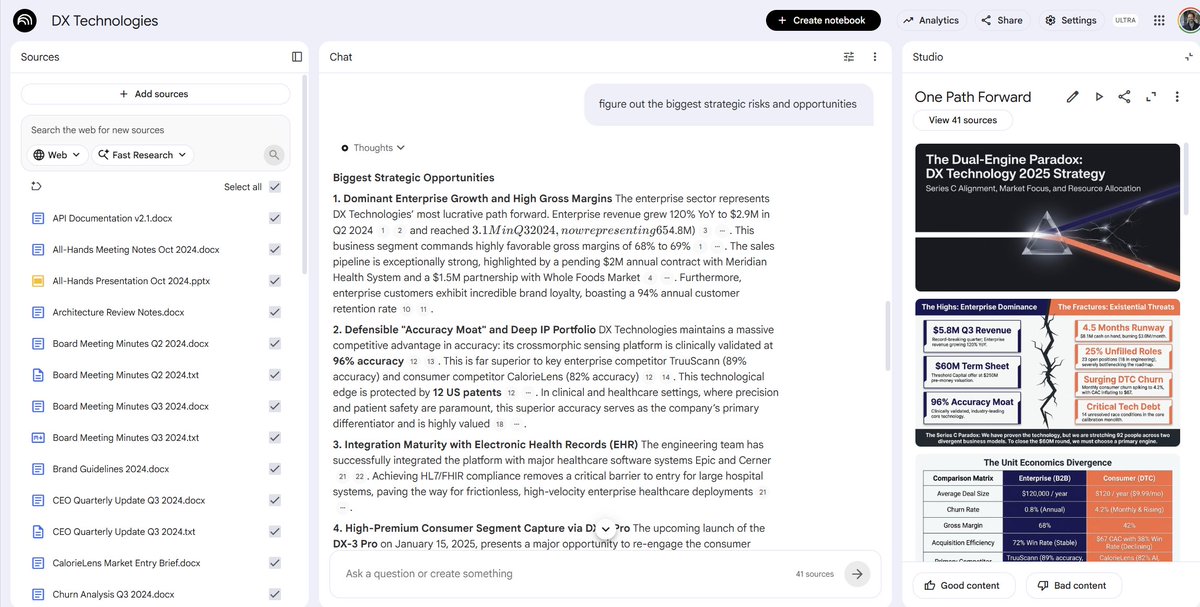
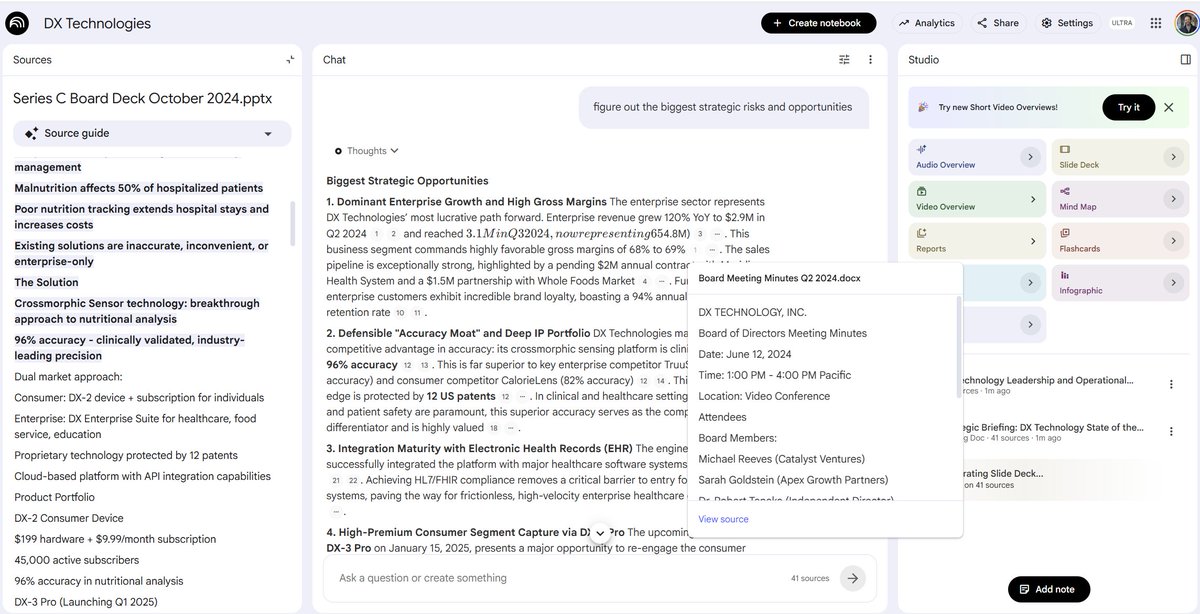
I've been going on about how ChatGPT Work (and Cowork) are missed opportunities for knowledge workers, and to illustrate that take a look at Google's NotebookLM answering the same question as ChatGPT Work, with the same 70+ files. It centers process & sources, not just outputs.


@testingcatalog ·
NotebookLM will be overpowered 👀 > Google is working on a new Canvas experience and Connectors support for NotebookLM. > Canvas mode lets users generate any visual representation of the data from notebook sources. > A new Connectors option has been added to the settings menu recently (currently hidden). > Looks like at Google I/O, we will see a new NotebookLM with Canvas, Connectors, and Personal intelligence support.

@Gemini_Notebook ·
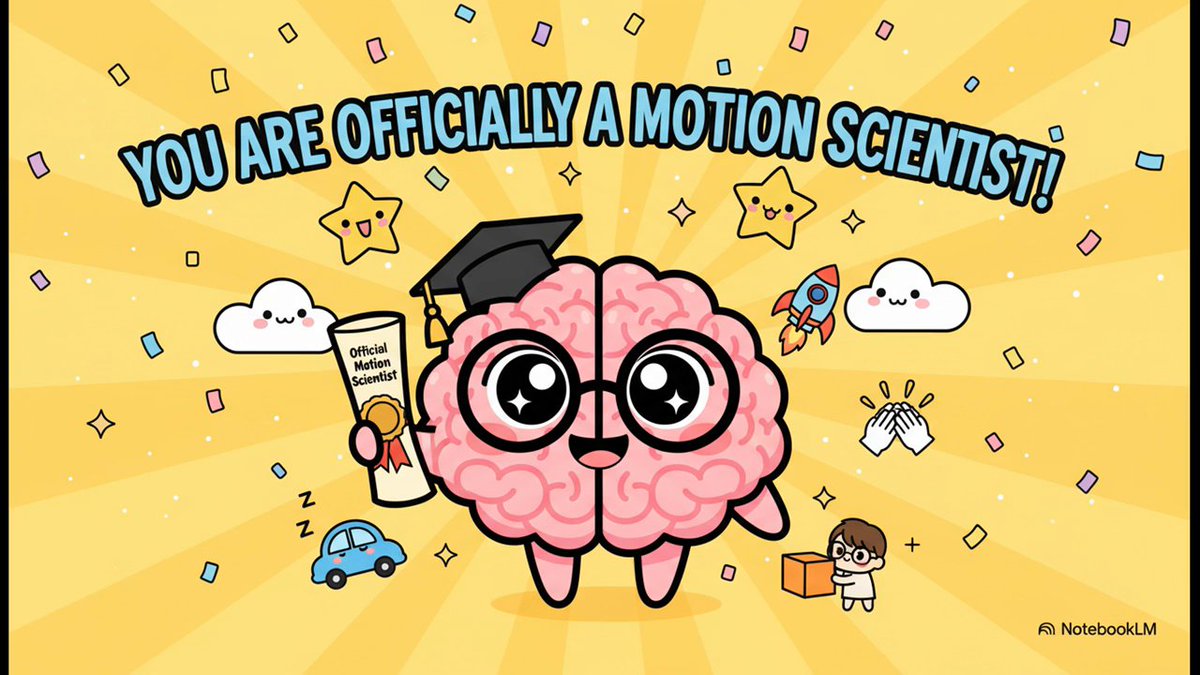
Also, you can now customize your video overviews in the NotebookLM mobile app! We're all watching videos on our phones anyway... might as well make them educational, grounded in your sources, (and kawaii!) 💕
 Watch video
@SejalSud ·
NotebookLM is such an underrated tool. I was reading a book on Private Equity, it created a series of videos that actually made it easy to understand a list of jargons.
@testingcatalog ·
ICYMI 👀: Top 3 things to expect from NotebookLM soon. 1. A new Canvas artifact, allowing users to visualize information from their sources as a web artifact. 2. Personal Preferences, grounding across past conversations, artifacts, and customization instructions 3. Connectors, with other Google services and potentially external apps as well. * All these features have been spotted earlier, just testing a recap format.


@GithubProjects ·
notebooklm-py is an unofficial Python API and CLI that gives developers and AI agents programmatic control over NotebookLM, including features the web UI doesn't expose. - Full Python, CLI, and agent integration for Claude Code, Codex, and OpenClaw - Generate and download audio overviews, videos, slide decks, and study guides - Batch downloads and export of quizzes, flashcards, and mind map JSON - Automate research pipelines with web and Drive research agents Explore it here: https://t.co/7rbjE9fCJc


@EXM7777 ·
you're sitting on your most valuable data source and not using it... if you run an agency, every call with a lead or customer should be recorded here's what i do: > record every single interaction > dump it into NotebookLM > let it analyze patterns in objections, questions, language they use then i use that to: - sharpen my pitch using Gemini's insights - refine my offer around real pain points i missed - create content google meet will automatically take notes for you but chances are you'll never read that instead, build a video database of customer intelligence that compounds over time + it's always fun to look at yourself 10y later...

@goyalshaliniuk ·
NotebookLM just became much more agentic. 1. It can now run Deep Research agents that discover, evaluate, and organize sources, then turn them into structured reports. 2. Chat gets stronger reasoning, 1M-token context, longer memory, and goal/persona-based behavior. 3. It now creates reusable outputs like reports, tables, mind maps, flashcards, quizzes, slides, infographics, audio, and video overviews. 4. Google AI Ultra unlocks the biggest limits: larger notebooks, more collaborators, priority Gemini models, deeper research, and watermark-free visual artifacts. NotebookLM is moving from “AI note assistant” to a full research OS.
 Watch video
@nikunj ·
Random models that are so good and yet still somewhat underrated.. > Gemini 3 Flash for long context and structured outputs. For the cost, this thing is so freaking good. Even Claude was like yeah one shot it bro, this multi agent orchestration is unnecessary. I have agents running this continuously and I barely spend any money. > GPT 5.4 Pro for problems that require really hard thinking. The latency sucks, only available on ChatGPT but the output is beautiful. No model comes close to how smart it is and how human like the reasoning output is. API wen!? > NotebookLM for slides. The ability for it to compress huge number of sources into beautiful slides is unparalleled. I use it regularly to explain research papers. It uses nano banana under the hood so you get a frontier model mostly for free. > Open source - If you didn’t know, open router has a bunch of free models and inference. It’s fun to try them just to we what shape each model has and where it’s good. Minimax 2.5 and GLM (both not free) are quite incredible for the price. I’m excited for DeepSeek 4 and Kimi’s next models. If there’s a model and use case that has surprised you, drop it here!

@ordonez_adan ·
Been using Notebook LM more than CoCounsel. I think it's better at finding the "needle in the haystack." If you load your own sources, it's more accurate than most RAG-based legal tools I've tested. You ask it a specific question and it pulls the right excerpt with pretty solid accuracy. The tradeoff is that you have to give it the sources yourself. It's not connected to a legal database. My current workflow is: find your cases in Westlaw or Lexis, load them into Notebook LM, then ask your targeted questions there. I've found that combination works better than relying on either tool alone.

@juliarturc ·
The enshittification of AI has begun. This girl is just trying to read two measly papers. > NotebookLM: has been timing out over the past two days, doesn't respond at all > Claude app: Sorry can't upload files over 30mb > ChatGPT app: Technically works but a vomit of emojis and sentimentalities even on technical papers. Grateful for no goblins yet.

@GrammarHippy ·
NotebookLM is wild. My new preferred method of learning. Take a resource (book/video/article) and feed it to NotebookLM. Then listen to a podcast that’s automatically created around that topic. I’M LOVING THIS! What other uses does it have that you’d suggest me trying?

@joshwoodward ·
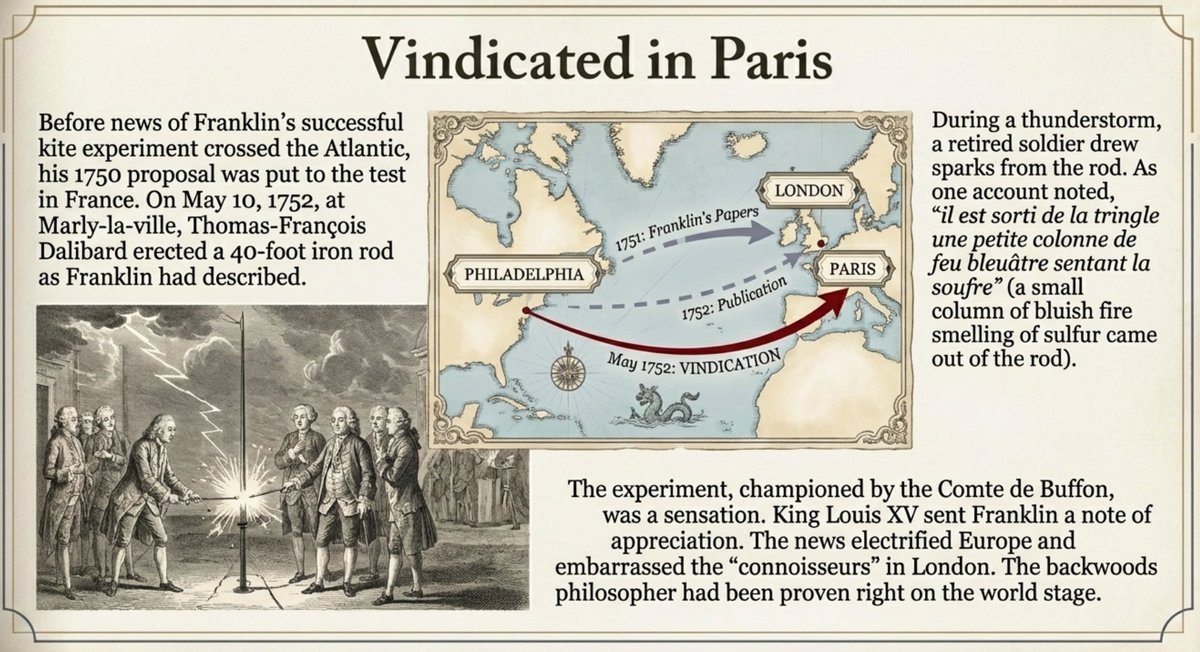
New in NotebookLM: The Science Of Ben Franklin, a first-of-its-kind featured notebook This featured notebook was made in collaboration with The Royal Society, the oldest scientific academy in continuous existence. This one features some of Franklin's original papers, letters, and contemporary sources. Featured notebooks allow you to learn from curated collections of high-quality sources. Enjoy!

@aigleeson ·
A Stanford researcher ran a 15-minute experiment that lifted students' exam scores by a third of a letter grade. Not by making them study more. By making them ask better questions before they started. Her name is Patricia Chen. She's a psychologist who kept meeting the same student after every exam. Smart. Worked hard. Completely blindsided by the grade. The effort was real. The strategy wasn't. Here's what she found. Most students treat studying like a sprint. Open the book, read until it's time to stop, close it. No frame going in. No target to aim at. Just motion. Chen tested what happened when students spent 15 minutes before studying answering three questions. What do I already know about this. What do I actually need to learn. Which resources will get me there fastest. Scores went up by a third of a letter grade across the board. Same students. Same material. Same amount of time studying. Just 15 minutes of strategic thinking at the start. The brain does not absorb information randomly. It absorbs it by hooking it onto something already there. Walk into a book with no question and the information has nowhere to attach. Walk in with a specific question and every page is either answering it or it isn't, which is itself useful information. Chen called it a strategic mindset. The orientation of asking yourself what you need before you start pouring effort in. Most people skip this entirely because starting feels like progress. It isn't. I read her research and immediately rebuilt my reading workflow inside NotebookLM around the same principle. Here's what I do now before I open chapter one of anything. I upload the table of contents, the introduction, and a couple of reviews of the book. Then I run this before I read a single page: "Based on what this book claims to cover, what are the 5 most important questions a serious reader should walk in trying to answer? What would I need to believe going in for this book to actually shift how I think?" That's it. That's the 15 minutes. Then I read. When I'm done I come back and run: "Did the book actually answer those questions? Where did it deliver and where did it dodge?" Chen's research says the framing before you start is doing more cognitive work than most people give their entire reading session. NotebookLM generates the frame in 30 seconds. Most people are still opening chapter one cold. The questions you ask before you read determine almost everything you take away from it.

@free_ai_guides ·
Two free Google tools most people use separately: → NotebookLM (AI research assistant) → Antigravity (AI agent that builds things) Connected, they form a loop: research feeds the build, the build references the research. Here's the setup and 3 workflows worth trying: 👇


@Angaisb_ ·
I feel like I have a massive advantage with AI For example when studying, I watch my classmates spend hours doing the same thing I do, simply because every time they get something wrong they start searching through hundreds of pages of notes, find it, and sometimes don’t understand it so they waste more time asking and waiting for an answer When I get something wrong I just go straight to NotebookLM with my notes and in a minute or less I have the explanation And even when I give them the tool they say they don’t trust AI for studying because of hallucinations, because the only AI they know is the free ChatGPT from a year ago

@scottbelsky ·
absolutely wild how helpful NotebookLM is in taking a draft essay of your perspective (in this case a builder’s perspective on macro narrative ahead) and posing a mind map of how to think about it. good example of AI making us smarter.


@VaibhavSisinty ·
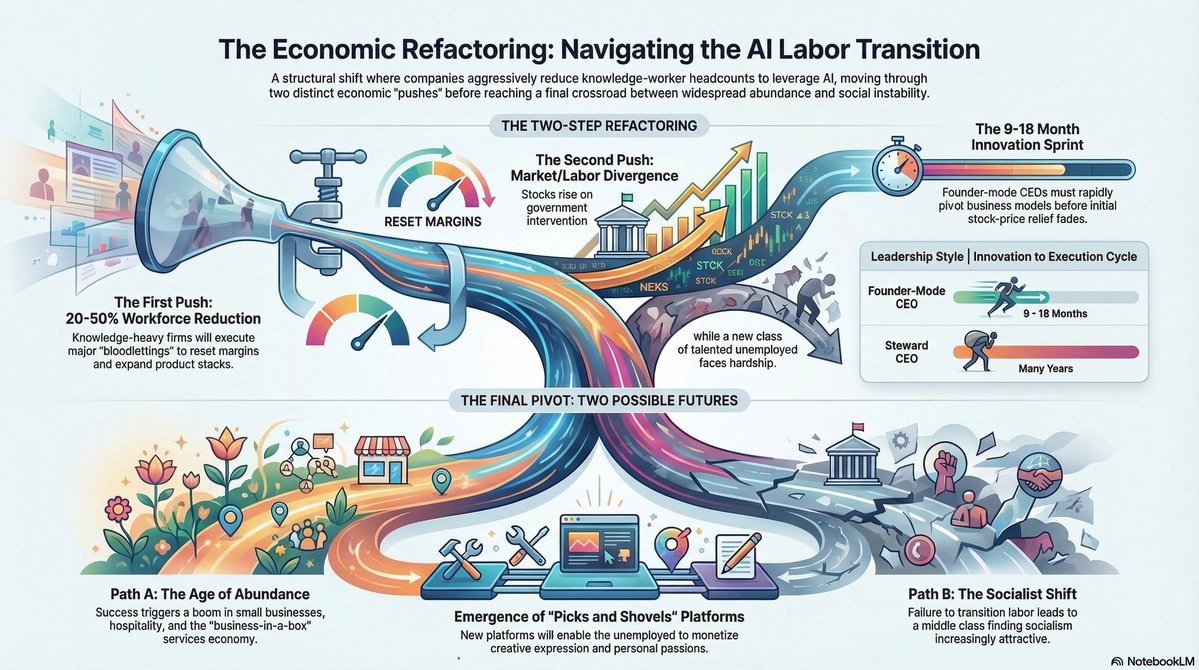
A MIT student figured out how to make NotebookLLM do the thinking before the lecture even starts.🤯 His professors don't teach him anything new. They confirm what he already built. He calls it "context stacking." It is the most unfair study method I've come across. Here's exactly what he does :point_down::skin-tone-2: Two days before every lecture, he uploads everything into NotebookLM. The assigned readings, last week's slides, 3-4 related papers he finds himself, and any open problem sets. Most students wait for the lecture to explain the material. He walks in having already built a mental model of it. But that's not the move that makes it unfair. The first prompt he runs across all of it: "What are the 5 core concepts this week's content is built on, and how do they connect to what I studied last week?" NotebookLM pulls threads across everything he uploaded simultaneously. It surfaces relationships between ideas that would take a normal student weeks of review to notice. He gets that map before the lecture even starts. Then he runs the prompt that does most of the work. "What would I need to genuinely understand about this material to be able to teach it to someone with zero background?" That one question exposes exactly where his understanding is solid and exactly where it's hollow. The gaps show up immediately. He spends the rest of the session filling only those gaps. Not reviewing what he already knows. Only fixing what he doesn't. The final prompt is the one that separates context stacking from every other study method. "What question could a professor ask about this material that would expose a student who understood the surface but missed the underlying logic?" He's not studying for the exam he expects. He's studying for the exam designed to catch people who only think they understood it. By the time he sits in the lecture hall, the professor is confirming what he already mapped. Filling in a few details. Occasionally surprising him with something he didn't anticipate. That surprise is the only thing he writes down. The lecture was never the learning. It was always the confirmation.
@aigleeson ·
NotebookLM can now research case law like a junior associate. Now upload 20 cases, court opinions, contracts, or deposition notes. It turns legal chaos into summaries, timelines, arguments, contradictions, and prep notes in minutes. Here're 9 ways lawyers can actually use it:


@PrajwalTomar_ ·
Gemini + NotebookLM + AntiGravity is a ridiculous stack. You can create knowledge bases in NotebookLM, chat with them in Gemini, then push the output directly to AntiGravity to build working apps. The whole Google ecosystem talks to itself now. If you're already deep in the Google workspace, this integration is worth testing. Everything connects without switching tools. Not switching my entire workflow yet but definitely adding Canvas for fast client presentations and concept validation.

@PromptLLM ·
fav thing to do at the moment is downloading pdfs of all the religious texts put them into NotebookLM and ask what the overlaps between all of them are and what do they all preach and then ask Claude how I can incorporate that into my life / routine highly reccomend

@Scobleizer ·
You can't read 25,000 posts a day, synthesize them into a web site. Then make a podcast automatically. Mine can: https://t.co/8L5xphk0qQ There is a Notebook LM button at the bottom. It will put a script into your memory. Go over to @NotebookLM and paste it in and click "create." (No additional prompt needed). A few minutes later this podcast, mind map, slide deck, and shortly a video, pops out: https://t.co/8J7YscA8bS It is a podcast completely created by you here on X.

@0xAmberCT ·
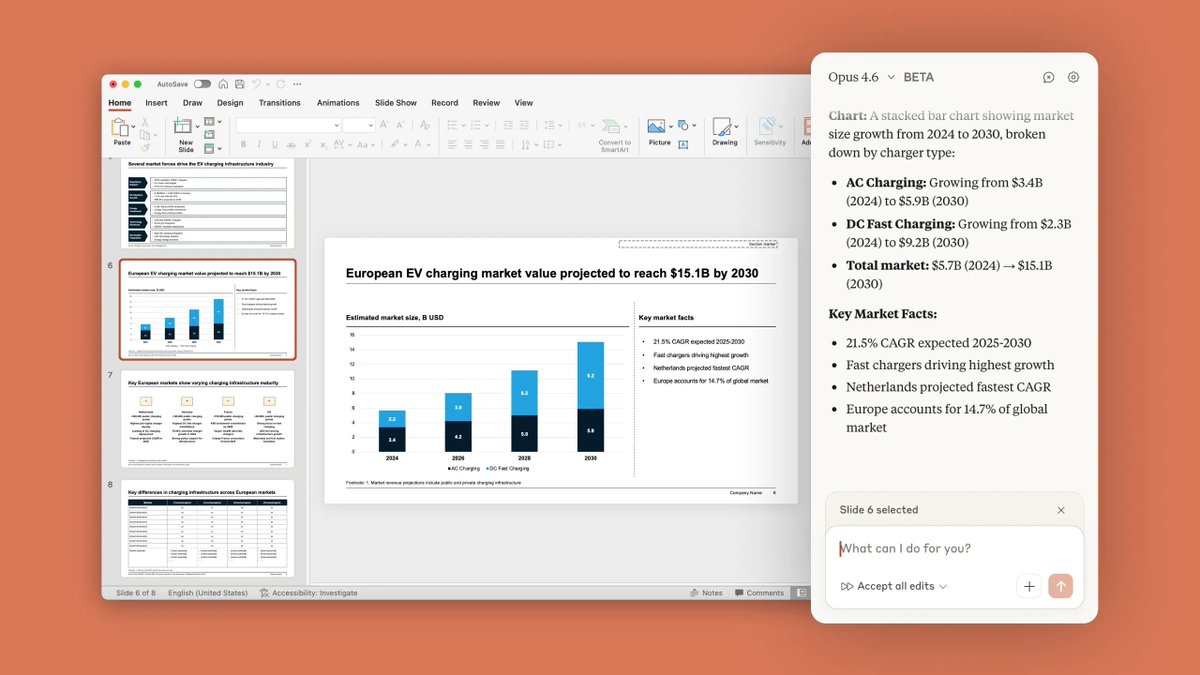
Top ways to build fantastic slideshows: - PowerPoint + your own skill set - Canva + your own skill set - NotebookLM + your data + prompt - PowerPoint + in-app Claude Having a cool slide is becoming more important as you propose to a client. What you should prepare is to leave the slideshow to the agent and prepare for your speech, because that part cannot be done by the agent.

@IamEmily2050 ·
The interview between the two legends, Jeff and Bill, was one hour long, so I used the NotebookLM video overview to capture the key details. In a collaborative discussion, Google's Jeff Dean and Nvidia's Bill Dally examine the rapid evolution of machine learning and its future hardware requirements. They highlight the transition from simple task based models to autonomous agents capable of executing long term, complex workflows. To support these advances, the experts emphasise the need for low latency inference and innovative chip architectures that minimise data movement to conserve energy. The conversation also explores how AI driven design is currently accelerating the creation of more efficient semiconductors at both companies. Finally, they reflect on the profound societal benefits of these technologies, particularly through the potential for personalised healthcare and individualised educational tutors.
 Watch video
@pauliusztin_ ·
Andrej Karpathy calls it an LLM Knowledge Base. I've been building one on my own notes for months without knowing that was the name for it. I use Obsidian for notes, Readwise for reading, and NotebookLM for research. No AI reaches across all three. Generic tools like Perplexity and Gemini Deep Research only search the public web. Everyone gets the same sources. The real edge is your own curated thinking. I built three Claude Code skills (/research_create, /research_search, /research_distill) running on the obsidian, readwise, and NotebookLM CLIs. No vector database. No RAG pipeline. Just the filesystem, Markdown, YAML, and progressive disclosure via index.yaml.


@TimHaldorsson ·
google has an AI tool that turns 50 articles into a custom 20 minute podcast i fed it my articles, my website, and my customer profile it built a fully personalised podcast that sounds completely human the craziest part — you can join in live and ask the hosts questions mid episode no more hoping a podcast covers what you need just build your own in minutes with NotebookLM
 Watch video
@nurijanian ·
you should be NotebookLM-maxxing i use an agent that generates divergent questions based on the book A More Beautiful Question, which then talks to any NotebookLM via notebookLM cli (wrapped with a skill) you can use this for a few things: - fill your local notes with ideas from Notebooks that fit your context. for instance, I have all of Andrew Huberman's podcast episodes in a notebook, and I use them to improve my health notes - train skills on any topic and validate them against the source. i've written about this before: https://t.co/RrWUjfUSHV - expand your agent's in-chat knowledge with unique context that would have consumed lots of tokens and context on grokking pdfs and transcripts if used directly - read books with AI by asking hyper-specific deep questions from the book that map to your life - feed agents user research notes inline and much more comes part of my PM OS (link in bio if you want)

@stokfredrik ·
It’s never been this easy to consume information and scale your game! It feels like cheating. But it works. Mad times. Needed some offscreen time. So spent the day outside stacking wood. All while listening to customized ai generated notebooklm podcasts, prompt tuned to my learning style, vibe and taste. Based on things that interest me, right now, in the offensive ai space,. All while my personal ai infrastructure scully orchestrated a swarm, did research, performed code reviews and hunted for bugs.
 Watch video
@yaroslavvb ·
NotebookLM education videos are becoming really good looking, here is one I got asking to explain Thompson's Area-time complexity for VLSI
 Watch video
@JustinThomasAI ·
Google just merged Gemini + NotebookLM. You can now use Gemini to chat with your notebooks, find sources, and add them directly. Every answer it gives you is grounded only in the sources you have approved, so you are getting answers pulled directly from your own curated knowledge base.
 Watch video
@glenngabe ·
Using NotebookLM? -> Google tests Whiteboard Animation format in NotebookLM (and a new "Short" format) "A standalone whiteboard animation format would likely produce an entirely different video structure, mimicking the hand-drawn, progressively illustrated style that made the RSA Animate series a viral educational phenomenon in the early 2010s." https://t.co/zLAzhX8Jol


@onenewbite ·
Just did something incredible: created a skill/workflow for @antigravity so that it will automatically create a new notebook in @NotebooLM , generate the audio overview, and then push it to my private podcast! (Yes, I also create my own private podcast platform…). Will share more details in a future video.



@RajaXg ·
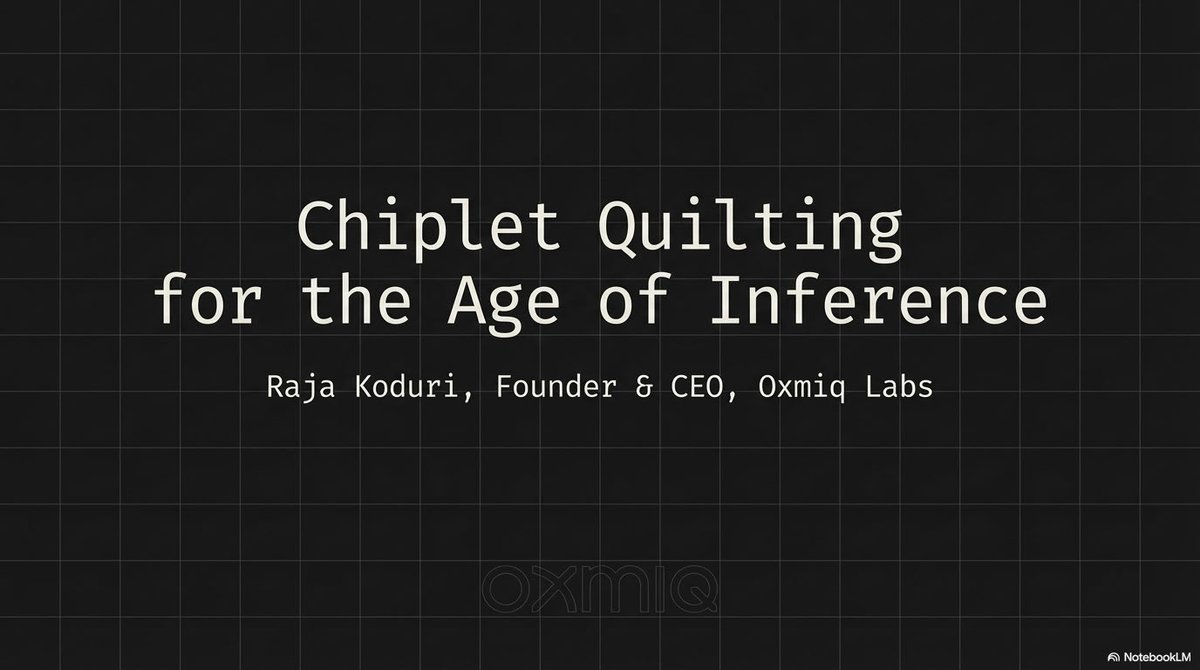
NotebookLM did a decent job summarizing my EETimes talk into a set of slides. I will post them in the this thread and make some clarifications where it got wrong

@RoundtableSpace ·
NotebookLM just merged with Gemini. Your notebooks now live inside the Gemini app and your Gemini chats can become notebook sources instantly. Google's research and reasoning tools are becoming one thing.
 Watch video
@frog_omo ·
10 notebookLM features most people miss: → index trick: ask it to index sources into topics, then explain each → cross-doc comparison: "where do these disagree?" → audio overview: podcast-style, can call in to ask questions → citations: click any claim, jump to source → flashcards/quizzes: one click from any PDF → auto timelines: pulls chronological events → "explain it like i'm 10": rewrites dense language → web pairing: research in perplexity, feed sources back in → notebookLM inside gemini: files + live web

@JulianGoldieSEO ·
NotebookLM gives you the research. Google Antigravity turns that research into something real. Here’s the workflow: → Upload your sources into NotebookLM. → Ask it to analyze the idea. → Generate a technical build prompt. → Paste that prompt into Antigravity. → Let the agents create the files, code, and structure. → Upload the finished build back into NotebookLM. → Ask for improvements, security fixes, and design feedback. That’s the loop. Research. Build. Review. Improve. Launch.
 Watch video
@JulianGoldieSEO ·
Google just turned NotebookLM into an SEO content machine. One tiny update eliminates one of the biggest content workflow bottlenecks. What's New: → Google Drive Auto-Sync updates NotebookLM the moment you edit Docs, Sheets, or Slides. → No more uploading the same file over and over. → Your research, SOPs, and content briefs always stay current. Why This Matters: ✓ Turn one research document into a YouTube outline, newsletter, LinkedIn post, and community post. ✓ Build a knowledge base that answers questions using only your trusted documents with citations. ✓ Keep every piece of content aligned with the latest version of your research. The biggest takeaway: NotebookLM isn't just a research tool anymore. It's becoming a live content workspace where one document powers your entire content system.
 Watch video
@frog_omo ·
Yesterday, I watched my 7-year-old nephew do homework. He had a 40-page reading assignment. A whole chapter book due Monday. He looked at it, sighed, and said, "I can't read all this." His mom did something I didn't expect. She took the book and put sticky notes between each chapter. Five sections. Maybe 8 pages each. Then she said, "You don't have to read the whole book. Just read to the first sticky note." He finished in two hours. Asked if he could start the next book. I sat there, realising I'd been doing something stupid for years. I have 23 unfinished nonfiction books on my shelf. Each one I started with excitement. Read a couple of chapters. Then never touched again. I kept thinking I was bad at reading. Bad at focus. Bad at finishing things. Turns out I was just looking at 300 pages and letting my brain quietly give up before I started. I was missing the sticky notes. So I built my own version. With NotebookLM. Here's what I do now: I split the book into chapters first. Each chapter becomes its own source in a dedicated notebook. Now, a book isn't 300 pages. It's twelve 25-page sections. My brain doesn't panic. It just sees the next chapter. For each one I ask: → "What's this chapter actually trying to say?" → "What's the main framework here?" → "Give me 5 bullets and a mental model" I keep the book open on one side, NotebookLM on the other. Read a bit, ask a question, keep going. At the end, I zoom out: → "How do these chapters connect?" → "Where's the argument weakest?" → "Turn this into a 30-minute workshop" The shift that changed everything: I stopped trying to "finish books." I just finished the chapters. And somehow, I finish more books now than when I was trying to finish books. My nephew figured this out at 7. Took me years and a shelf full of abandoned books. The whole book is overwhelming. The next chapter is doable. That's it. That's the whole trick.
@glenngabe ·
Personal Intelligence in NotebookLM -> Google NotebookLM is testing Personal Intelligence and AI note editing options, hinting at upcoming feature releases "The first, Personal Intelligence, would give NotebookLM a better memory. It would draw context from past conversations, retain it, and lean on it later, with controls to turn it off and inspect what has been stored. This version looks bound: it appears to learn only from activity inside NotebookLM rather than reaching across Gmail, Docs, or other Google surfaces, a deliberate limit suited to the privacy expectations of researchers and enterprise teams. It has appeared in testing before, at both the account level and per notebook, and its return suggests Google is edging it toward release." https://t.co/hBmzO5cCZa

@Creator_Toolbox ·
Google @NotebookLM added push notifications for finished notebooks. This lets you leave a page and be pinged when they are ready.
 Watch video
Best NotebookLM tweets
Xholic studies what works in your niche, drafts posts in your voice and schedules them for the hours your audience is online.
$0 today · Cancel anytime
Browse all tweet collectionsKeep exploring