Quick answer: Create a full reply chain or thread mockup with multiple editable tweets stacked together, then export the entire stack as one clean image. Useful for previewing threads before posting or building content examples.
What Is It?
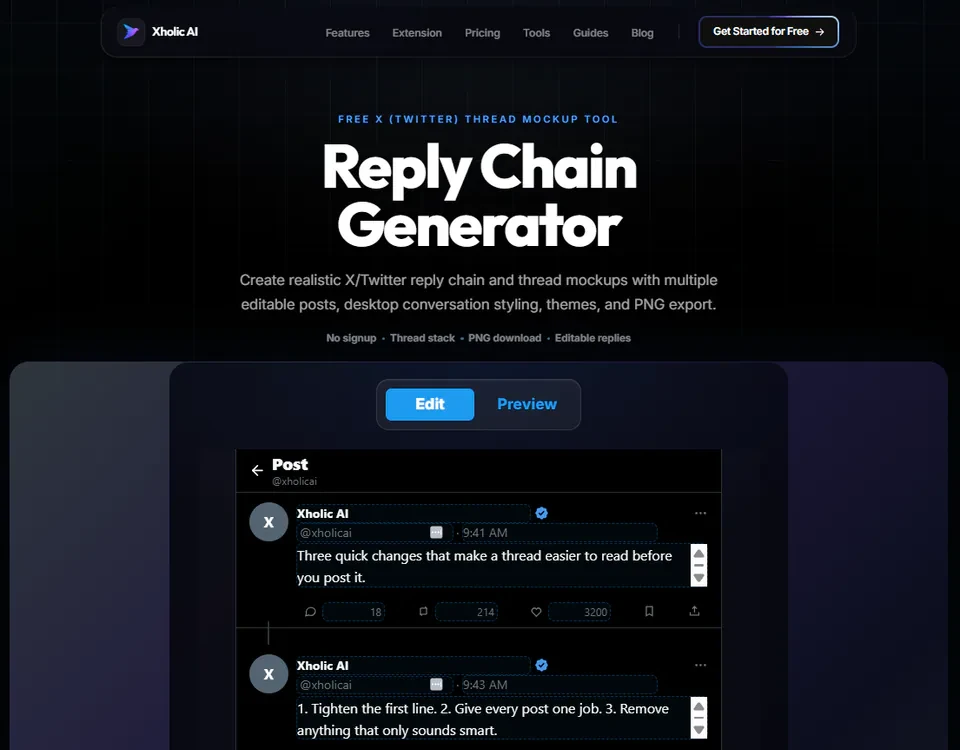
The Reply Chain Generator is a free tool at xholic.ai. Create a full reply chain or thread mockup with multiple editable tweets stacked together, then export the entire stack as one clean image. Useful for previewing threads before posting or building content examples.
Open the Reply Chain Generator Tool.
Who Uses It and Why
| Who Uses It | What They Use It For |
|---|---|
| Thread writers | Preview how a multi-tweet thread will actually look stacked together before posting |
| Content planners & agencies | Show clients a mockup of a proposed reply chain or conversation flow |
| Educators | Create example reply chains for teaching how Twitter conversations or threads work |
| Designers | Prototype a Twitter conversation UI for a presentation or product mockup |
How to Use It - Step by Step
It takes under a minute. Here’s exactly what to do:
Step 1: Open the tool
Go to Reply Chain Generator Tool in your browser.
Step 2: Add your first tweet
Fill in the name, handle, avatar, and text for the first tweet in the chain.
Step 3: Add reply tweets
Click Add Tweet to stack additional replies underneath. Each can have its own author details, or keep the same author for a self-reply thread.
Step 4: Edit each tweet individually
Click into any tweet in the stack to adjust its text, metrics, or media.
Step 5: Export the full stack
Click Download to export the entire reply chain as one clean PNG image.
Pro tip: Use this to proofread a thread before posting. Threads often look different stacked together than they do one tweet at a time in the compose box, seeing the full visual flow helps you catch awkward breaks or repetitive phrasing.
Real Example
A creator drafts a 6-tweet thread about productivity tips. Before posting, they paste each tweet into the Reply Chain Generator to see the full visual flow. They notice tweet 4 repeats a phrase from tweet 2 and tighten the wording before actually publishing on Twitter.
Good to Know
Heads up: This tool creates a visual mockup only. It doesn’t post anything to Twitter or connect to any real account, what you build here stays as an image until you choose to actually post the content yourself on Twitter.
Frequently Asked Questions
Does this post to Twitter automatically?
No. It only creates a visual mockup image. You still need to copy your finalized text and post it yourself on Twitter.
How many tweets can I stack in one chain?
There’s no fixed limit, add as many tweets as your thread or conversation needs.
Can each tweet have a different author?
Yes. You can use the same author for a self-reply thread, or different authors to mock up a multi-person conversation.
What format does it export in?
A single PNG image showing the full stacked reply chain, ready to share or save.
Is this the same as the Quote Tweet Generator?
No, Quote Tweet Generator shows one post quoting another (nested). Reply Chain Generator shows a vertical stack of sequential replies, like a thread.
Related Xholic Tools
These tools work well alongside this one:
- Quote Tweet Generator - Create a nested quote tweet mockup instead of a reply chain
- Twitter Character Counter - Check each tweet’s length before adding it to your chain
- Fake Tweet Generator - Create a single standalone tweet mockup
Plan Fast Replies Without Sacrificing Context
Fast replies matter most when a relevant conversation is still active, but speed should not remove substance. Draft the first reply around one useful addition: a concrete example, a clarifying question, a counterpoint, or a next step.
Use the reply-chain preview to check whether each message makes sense in sequence, whether pronouns still have a clear reference, and whether the final reply adds something new instead of repeating the opening post. The tool creates a planning mockup; it does not publish the conversation to X.