Quick answer: Generate a realistic-looking Twitter/X suspended account screen with editable name, handle, and visual details, then export it as a clean PNG. Built for content, education, and mockup use, not for misrepresenting real accounts.
What Is It?
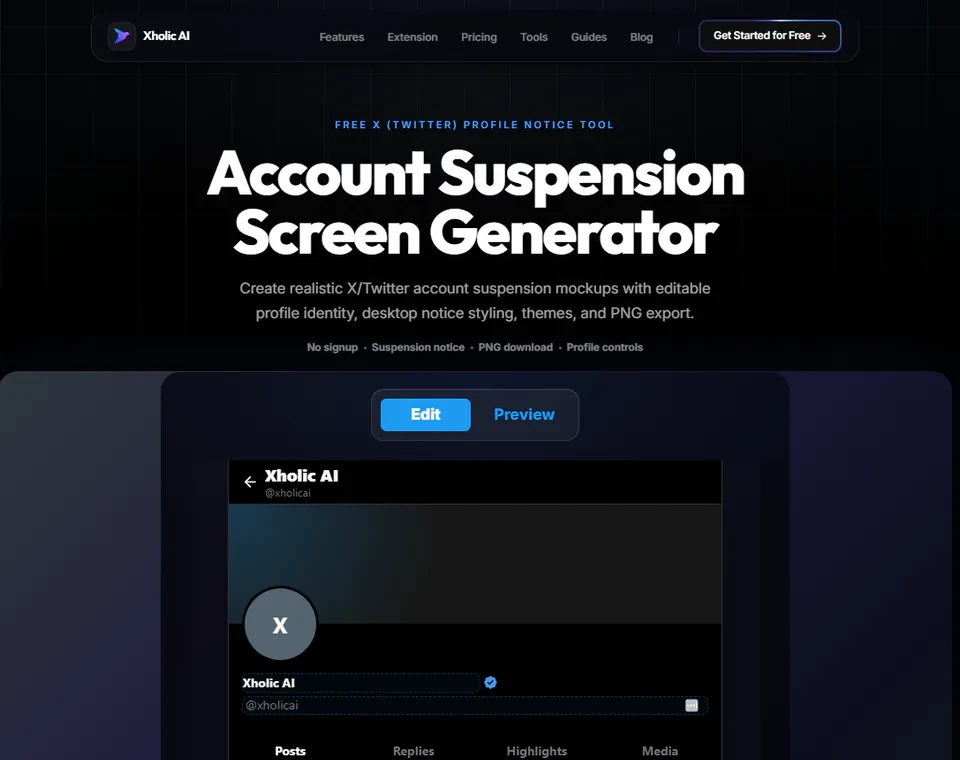
The Account Suspension Screen Generator is a free tool at xholic.ai. Generate a realistic-looking Twitter/X suspended account screen with editable name, handle, and visual details, then export it as a clean PNG. Built for content, education, and mockup use, not for misrepresenting real accounts.
Open the Account Suspension Screen Generator Tool.
Who Uses It and Why
| Who Uses It | What They Use It For |
|---|---|
| Content creators & meme makers | Create illustrative ‘account suspended’ content for commentary or humor |
| Educators | Show students or trainees what a suspension screen looks like as part of platform policy lessons |
| Journalists & bloggers | Illustrate articles about account suspensions or platform moderation without needing a real screenshot |
| Designers | Mock up restricted-state UI screens for a presentation or prototype |
How to Use It - Step by Step
It takes under a minute. Here’s exactly what to do:
Step 1: Open the tool
Go to Account Suspension Screen Generator Tool in your browser.
Step 2: Enter profile details
Add a display name, handle, and optionally an avatar for the suspended profile mockup.
Step 3: Adjust the visual details
Customize any additional visible elements to match the look you need.
Step 4: Preview live
The mockup updates in real time as you edit.
Step 5: Export as PNG
Click Download to save a clean, high-resolution image.
Pro tip: For any mockup that might be shared publicly, use a clearly fictional name and handle. This keeps the image obviously illustrative rather than something that could be mistaken for a real account’s actual suspension.
Real Example
A platform policy educator is building a training deck about account moderation. They use the tool to mock up a suspension screen with a fictional handle, export the PNG, and use it as a clean visual aid in their slides, without needing to find or recreate a real suspended account.
Good to Know
Heads up: This is a visual mockup tool only, it has no connection to Twitter’s actual platform and cannot suspend, flag, or affect any real account. Don’t use this to create content suggesting a real public figure’s account was suspended when it wasn’t; that could be misleading.
Frequently Asked Questions
Does this actually suspend any account?
No. It’s a visual mockup only and has no connection to Twitter or X’s platform. It cannot affect any real account.
Can I use a real person’s name?
It’s best to use fictional names, especially for anything shared publicly, to avoid any suggestion that a real account was actually suspended.
What’s the difference between this and the Block Screen Generator?
The Block Screen Generator shows the ‘you’re blocked’ view when viewing someone who blocked you. This tool shows the ‘account suspended’ error screen, which is a different platform state entirely.
What format does it export in?
A high-resolution PNG, ready for presentations, articles, or social content.
Is this free to use?
Yes, completely free with no limit on how many mockups you create.
Related Xholic Tools
These tools work well alongside this one:
- Block Screen Generator - Create a blocked-profile screen mockup
- Fake Tweet Generator - Create a single tweet mockup
- Quote Tweet Generator - Build a quote tweet screenshot
- Reply Chain Generator - Create a full thread or conversation mockup