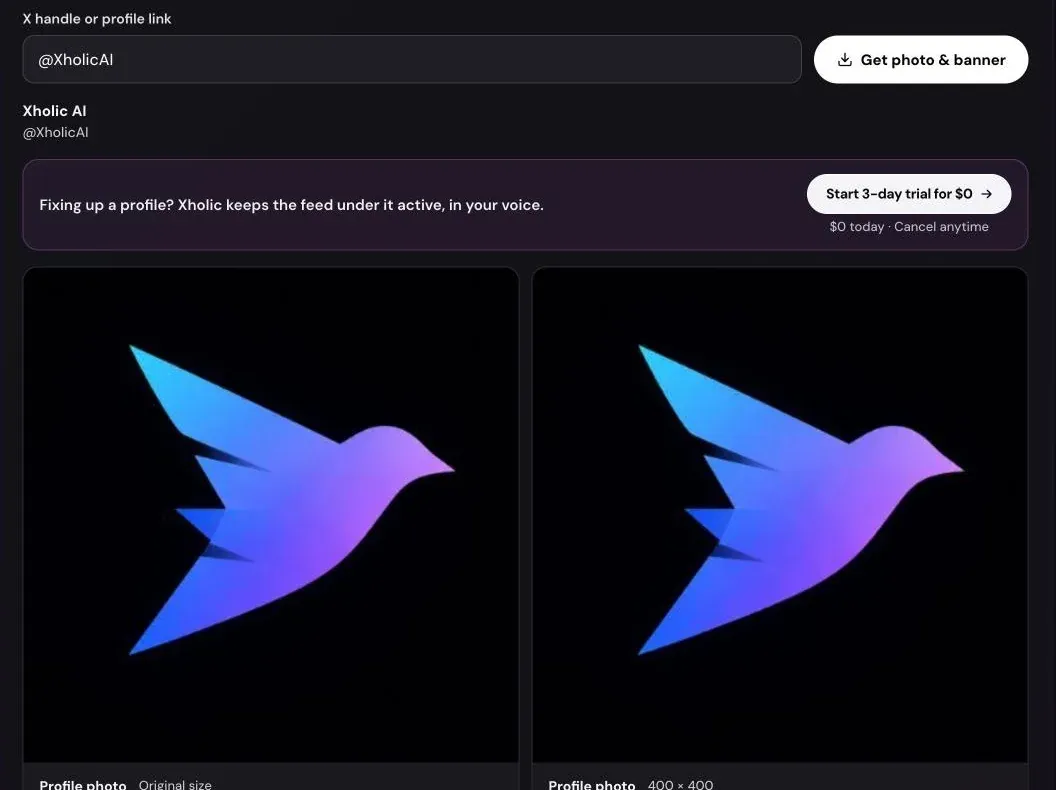
Right-click a profile picture on X and you usually save a small copy: the round photo on a profile is served at 200 or 400 pixels, and in the timeline it can be as small as 48. The original file the person uploaded is still on X’s servers, just at a different address.
This guide shows how to get that original with Xholic’s free Twitter Profile Picture Downloader, what sizes you get, and what to do if a lookup fails.
Why right-click gives you a small image
X stores each profile picture at several sizes and picks one for each place it appears. The size is written into the image address as a suffix:
| Suffix | Size | Where X uses it |
|---|---|---|
_mini |
24 × 24 | Tiny avatars |
_normal |
48 × 48 | Timeline and replies |
_bigger |
73 × 73 | Older layouts |
_200x200 |
200 × 200 | Profile pages on some screens |
_400x400 |
400 × 400 | Profile pages |
| no suffix | The uploaded size | Not shown directly |
The downloader removes the suffix to request the original file, and also builds the _400x400 address for a copy at X’s recommended size. Older accounts sometimes uploaded small photos, so the original isn’t always bigger than 400 × 400, but it’s never smaller than any copy X shows.
Step 1: Enter a handle or profile link
Type the handle with or without the @ (@xholicai or xholicai), or paste a profile link like https://x.com/xholicai. Extra parts of the link, such as /media or tracking parameters, are ignored.
Step 2: Fetch the images
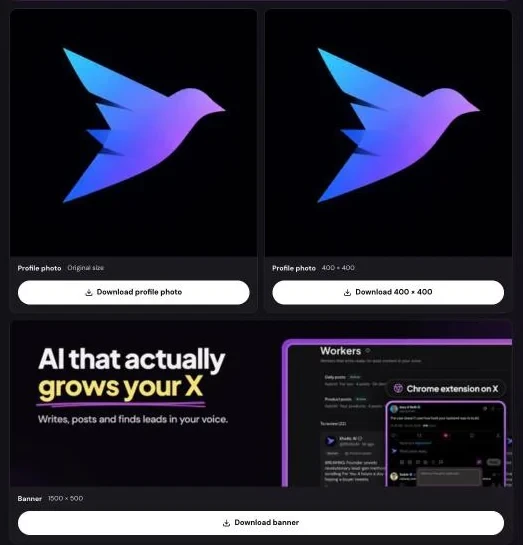
Press Get photo & banner. The tool reads the public profile and shows up to three cards:
- Profile photo, original size: the file as it was uploaded.
- Profile photo, 400 × 400: X’s recommended size, useful for checking how a photo looks after X resizes it.
- Banner, 1500 × 500: the header image, when the account has one.
The page address updates with the handle (for example ?handle=xholicai), so you can bookmark or share the lookup.
Step 3: Download
Press the download button on the card you want. Files are named after the handle, such as xholicai-avatar.jpg, xholicai-avatar-400x400.jpg and the banner file. Profile pictures are usually JPG; some are PNG.
On iPhone: the file goes to Files → Downloads. Open it, tap Share, then Save Image to add it to Photos. On Android: the file goes to your Downloads folder.
If your browser blocks the download, the card shows a link to open the image in a new tab, where you can save it.
If the lookup fails
- “No public account called @name”: check the spelling. The handle may have changed; the X ID converter can look up an account by its permanent ID.
- Suspended or deactivated: there’s no public profile to read.
- Protected account: this works. X shows profile pictures and headers to everyone even when posts are protected. The posts themselves stay private.
- “This account has no header image”: the account never set one. The profile picture still downloads.
- Busy message: the free tools share a daily lookup budget. If it’s used up, the message says when lookups are available again.
Downloading from a post instead
To save photos from a tweet rather than a profile, use the Twitter image downloader. Paste a post link and it saves every photo at original resolution. Its “Profile photo & banner” tab runs the same lookup as this page.
Use profile pictures responsibly
A profile picture is often a photo of a real person or a company’s logo. Ask before republishing one, credit it when you use it, and never use someone else’s photo on an account of your own. Saving a real account’s picture to compare with an impersonator before reporting it is a good use. Xholic AI is not affiliated with X Corp.
Frequently asked questions
How do I download someone’s Twitter profile picture in full size?
Enter their handle in the profile picture downloader and download the original-size card. It’s the uploaded file, not the small copy shown on X.
What size is an X profile picture?
X recommends uploading 400 × 400. The original-size download is whatever the owner uploaded, which is often larger.
Will the person know I downloaded their profile picture?
No. X doesn’t notify anyone when their public profile picture is viewed or saved.
Can I download a profile picture from a private account?
Yes, as long as the account exists. Profile pictures and headers are public on X even when an account’s posts are protected. The posts and their photos stay private.
Can I get the header image too?
Yes. The 1500 × 500 header appears next to the profile picture when the account has one.
Is it free?
Yes. No signup, no login and no watermark.
Related tools and guides
- Twitter image downloader guide: original-quality photos from posts.
- Twitter image sizes: header, profile picture and post sizes with sources.
- Twitter banner maker: design your own 1500 × 500 header.
- How to download videos, GIFs and photos from Twitter: which downloader fits each kind of media.