:··Views
Free X (Twitter) mockup tool
Free fake tweet generator for realistic X post mockups
Mock up an X post in seconds: pull a real profile or post, pick any badge, draft the text with AI, and export a watermark-free PNG at up to 4x.
- Real profile autofill
- AI drafts
- 4x PNG, no watermark
- No signup
Start from a real account or post
Or edit the sample below directly. Public data only, nothing is posted.
Theme:
Realistic tweet mockups
A fake tweet maker that starts from real X data
Most fake tweet generators make you rebuild a profile by hand: save an avatar, retype the display name, guess which badge to use. This one can fill all of that from a public X handle, or load the text of an existing post from its URL, so you start from an accurate card and only change what you need.
Everything visible is editable inside the card itself: name, handle, avatar, badge, timestamp, post text, image, theme and the views, replies, reposts, likes and bookmarks row. When the copy is the hard part, ask for three AI drafts and edit the one you like. The finished post exports as a PNG at 1x, 2x or 4x, or copies straight to your clipboard, without a watermark.
People use it to preview launch posts for clients, put sharp posts in decks, practice rewriting hooks, teach students how easily screenshots are faked, and make obvious parody. It is not for putting words in a real person's mouth. The responsible use section below explains where the line is.
If you are comparing options before choosing a workflow, read our guide to the best fake tweet generator tools for a side-by-side look at free X/Twitter mockup editors, tweet screenshot generators, and no-watermark exports.
- 4x
- Maximum PNG export scale, with no watermark
- 3
- X themes: light, dim and dark
- 4
- Badge options: blue, gold, gray or none
Example outputs
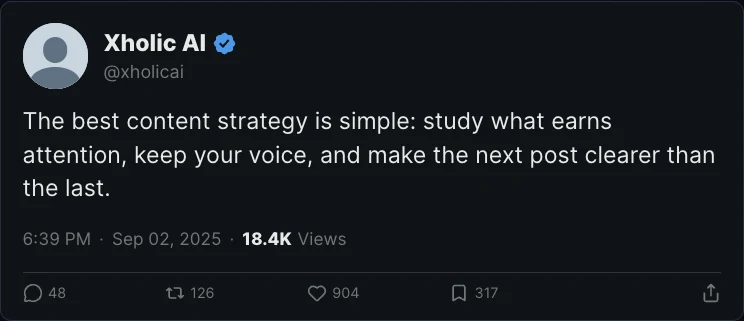
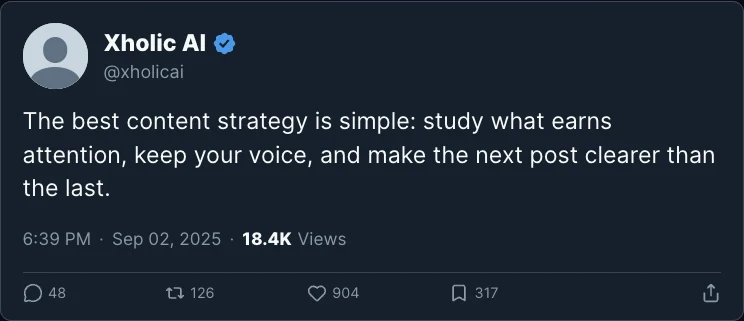
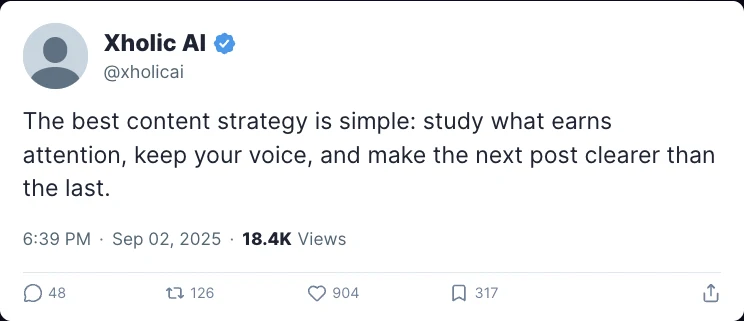
Preview the same tweet in every X theme
These PNG examples were exported from the live generator. Choose the theme that fits your deck, content review, or educational example.
How it works
Make a polished fake tweet screenshot in five steps
You edit the post in place, so what you see in the card is exactly what the PNG will contain.
Start from a real account or post
Type an X handle to fill the display name, avatar and verification badge from the public profile, or paste a post URL to import its text. Skip this step to start from a blank card.
Write the post or draft it with AI
Edit the text directly inside the card, with line breaks, emoji and mentions intact. If you need a starting point, describe the idea and pick one of three AI drafts.
Set the badge, timestamp and metrics
Choose a blue, gold, gray or no badge, set the date and time, then adjust views, replies, reposts, likes and bookmarks to fit the scenario.
Add media and pick a theme
Upload an image for the post and switch between X's light, dim and dark themes. Preview mode hides the editing controls so you can check the final card.
Export at 1x, 2x or 4x
Download a PNG at the scale you need, or copy it straight to the clipboard for a doc, slide or chat. The image has no watermark.
What you can customize
What this fake Twitter post generator can do
The controls cover the details people notice first in a post screenshot: who posted it, the badge, the copy and the numbers.
Profile autofill from X
Enter a public handle and the generator pulls the real display name, profile photo and badge type, so you don't have to screenshot and crop an avatar.
Import a post by URL
Paste a link to a public post to load its text into the card, then edit it for a before-and-after comparison, a rewrite exercise or a redesign mockup.
Every badge type
Switch between the blue checkmark, the gold organization badge, the gray government badge and no badge, each drawn to match X's current shapes.
AI drafts in three options
Describe what the post should say and get three short drafts to choose from. Every draft lands in the editable card, so you can still change any word.
Light, dim and dark themes
Preview the same post in all three X display themes and export whichever one matches your slide background or brand guide.
Sharp 4x PNG, no watermark
Export at 1x, 2x or 4x for crisp text on retina screens and print, or copy the image to the clipboard. No watermark, no signup and no X login.
Use cases
Good reasons to make a fake tweet
A mockup is useful whenever someone needs to see a post before it exists, or needs to learn how a screenshot can mislead.
Launch and campaign previews
Show a founder, client or team exactly how an announcement will read on X before the copy is final, including the badge and media crop.
Pitch decks and landing pages
Drop a crisp 4x post into a deck or a product concept instead of a blurry phone screenshot with a status bar and notifications.
Copywriting practice
Import a high-performing post, rewrite the hook, and compare both versions side by side in the same layout.
Teaching media literacy
Demonstrate in a classroom or workshop how quickly a convincing screenshot can be made, and why a screenshot alone is not proof.
Parody and memes
Make clearly satirical posts for comedy, as long as the context makes the joke obvious and nobody could mistake it for a real statement.
UI and design research
Test how post length, media and engagement numbers change the way people read a post, without publishing anything to a live account.
Responsible use
Mockups and parody are fine. Impersonation is not.
Profile autofill and post import make realistic mockups easy, which is exactly why the line matters. Use the generator for drafts, design, teaching and parody that is obviously parody. Don't use it to put words in a real person's mouth, fabricate evidence in a dispute, fake endorsements or testimonials, or run a scam. Those uses can be defamation or fraud, and they break X's rules on impersonation and misleading media. If a mockup of a real account leaves a private draft, label it as a mockup.
FAQ
Fake tweet generator questions
Answers about legality, real-account imports, export quality and what the tool does with your data.
What is a fake tweet generator?
It's a tool that creates an image of an X (Twitter) post that was never published. With Xholic's version you edit the text, name, handle, avatar, badge, timestamp, media, theme and engagement numbers in the card, then download the result as a PNG.
Is it legal to make a fake tweet?
Making a mockup for drafts, design, teaching or obvious parody is generally fine. Using one to impersonate a real person, defame someone, fabricate evidence, run a scam or mislead people can break the law and X's rules. This isn't legal advice; if you plan to publish a mockup of a real person, label it clearly or don't publish it.
Can I make a fake tweet from a real account?
Yes. Type a public handle and the generator fills in that account's display name, profile photo and badge. Use this for previews and education, and don't present the result as something the person actually posted.
Can I import a real tweet and edit it?
Yes. Paste the URL of a public post to load its text into the editor. You can then change the copy, metrics or theme, which is useful for rewrite exercises and redesign mockups.
Does the downloaded image have a watermark?
No. Exports have no watermark or Xholic branding, and you don't need an account to download them.
What resolution is the PNG export?
Choose 1x, 2x or 4x of the on-screen card size. Use 2x for most slides and docs and 4x when the image will be cropped, zoomed or printed. You can also copy the image to your clipboard instead of downloading it.
Does this tool post anything to X?
No. It never connects to your X account or publishes anything. Profile and post imports only read public data to fill the editor.
Is Xholic AI affiliated with X or Twitter?
No. Xholic AI is not affiliated with, endorsed by, or sponsored by X Corp. The tool is an independent mockup generator for visual planning and educational use.
See the full app
This tweet generator is one small part of Xholic
Click through a sample creator's account in the real app. No sign-up, nothing to install.
- Posts written in your voice and scheduled for your best hours
- Buyers found on 𝕏, with a reply drafted for each one
- Analytics that show which posts grow you
Try the live demoTake a 2-minute tour of a sample account in the real app. No sign-up or login needed.Start 3-day trial for $0
No sign-up or login needed · Takes about 2 minutes
From mockups to real growth
Need real posts after the mockup is approved?
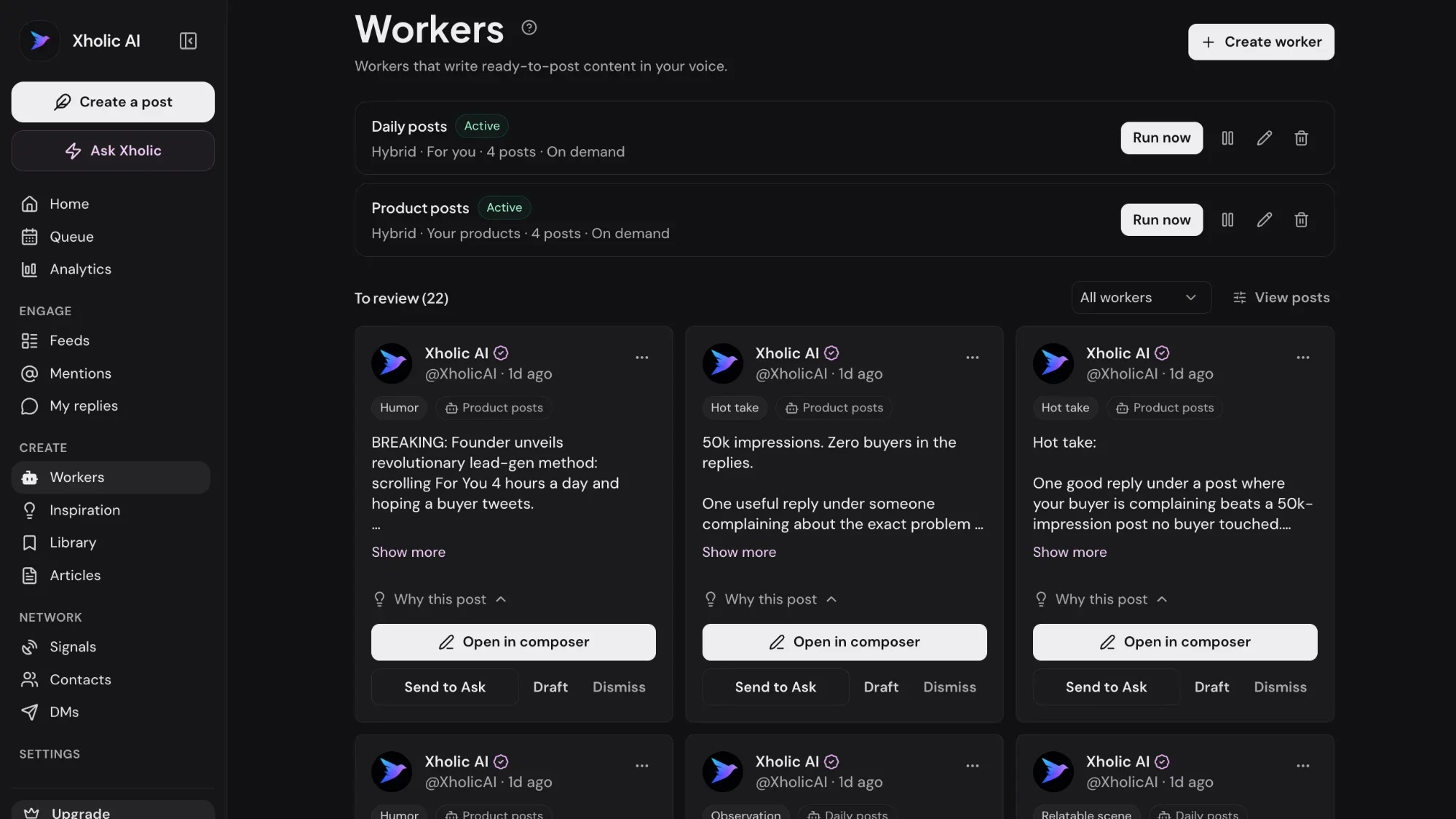
Xholic finds proven post formats in your niche, drafts them in your voice, and schedules the ones you approve, so the real post performs as well as the mockup looked.
Start 3-day trial for $0Try the live demoTake a 2-minute tour of a sample account in the real app. No sign-up or login needed.
$0 today · Card required · Cancel anytime
Explore product featuresLive demo: no sign-up or login needed · takes about 2 minutes
Keep exploring
From the blog
- The Best Fake Tweet Generators, ComparedWe tried the popular fake tweet makers - accuracy, dark mode, engagement counts, watermarks and price. Here is which one to use for what.
- 10 Reply Chain Ideas Twitter Users Can TryExplore 10 reply chain ideas Twitter users can adapt for growth, networking, research, marketing, and building in public on X.
- Fake Social Media Posts Explained and How to Spot ThemLearn what fake social media posts are, why they spread faster than the truth on X, a five-step spotting workflow, and how brands should respond to impersonation.
Best tweets on this topic
- Best tweets about StorytellingBrowse the best tweets about storytelling, from hooks and narrative structure to tension, clarity, brand stories, personal writing, and memorable examples.
- Best tweets about Content CreationA curated collection of the sharpest, most-shared X posts about content creation—saved so you do not have to dig through the timeline yourself. Updated every two weeks.