“Fake tweet generator” sounds like a tool built for pranks, and plenty of people do use it that way. But look at how product teams, marketers, educators, and designers use these tools in practice, and a different picture emerges. A tweet mockup generator is a fast way to visualize how a piece of text looks inside one of the internet’s most recognizable interfaces. That creates a surprisingly wide range of legitimate use cases, most of which have nothing to do with impersonation.
This guide covers practical ways to use Xholic’s fake tweet generator for product demos, pitch decks, marketing mockups, UX testing, memes, and more. It also explains the disclosure practices that keep each use case on the right side of creative work instead of misinformation. If you are new to the tool, start with the fake tweet generator guide for a walkthrough of its controls.
1. Product and Feature Mockups
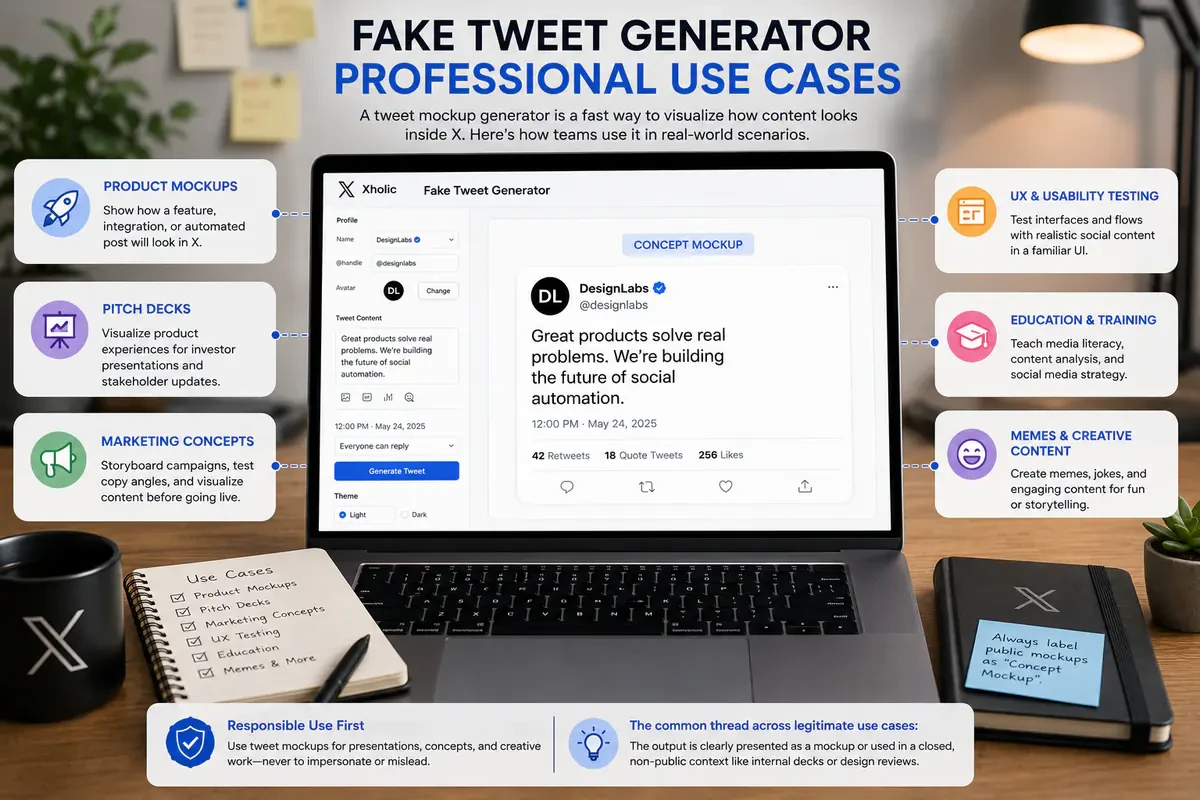
If you are building a product that integrates with, posts to, or displays content from X, you need to show stakeholders what that integration will look like before it is built. Instead of waiting for a working prototype, product and design teams use tweet mockup tools to visualize:
- What an automated post from the product would look like once published
- How a social share button generates a preview
- How a customer testimonial from X could appear on a landing page
- UI states for a social media management dashboard before the backend integration exists
This is standard product-design practice for the same reason designers use placeholder copy, fake avatars, and mock notification badges in early design work. A realistic tweet mockup communicates a concept to engineers and stakeholders faster than a text description alone.
For teams doing this regularly, pairing the fake tweet generator with the quote tweet generator covers standalone-post and quoted-post states. Add the reply chain generator when the feature needs a multi-post conversation.
Best practice: Keep product mockups inside design files, decks, or prototypes. If one appears in a public launch post or case study, add a visible “Concept mockup” or “For illustration purposes” label directly to the image.
2. Pitch Decks and Investor Presentations
Startups building social scheduling, analytics, content, or community products often need to show investors what the finished experience could look like before it exists. A founder pitching a new X dashboard or content-repurposing tool benefits from showing, not merely describing, the resulting post inside the target interface.
The context of a pitch deck usually makes it clear that investors and internal stakeholders are looking at a concept rather than a live screenshot. Even so, a small “Concept” label prevents ambiguity when slides are forwarded or separated from the original presentation.
Founders building in the X ecosystem can also use the reply chain generator to mock up threaded replies, customer-support flows, and community interactions.
3. Marketing Campaign Concepts
Before a marketing team spends budget on an ad or publishes an organic campaign, it often needs to see how the idea will look in-platform. A tweet mockup generator can help a team:
- Storyboard a launch-day campaign across several mock posts
- Show a client or stakeholder how a sponsored-post concept could look
- Compare copy angles visually instead of keeping them in a spreadsheet
- Build concept boards around posts that could earn attention
Agencies use this during campaign concepting, well before anything reaches a real ad account. If the idea needs a reaction format, the quote tweet generator guide covers the quoted-post layout.
Best practice: Label client-facing mockups as drafts or concepts in the surrounding deck. Treat them like any other preliminary campaign asset that has not gone live.
4. UX and Usability Testing
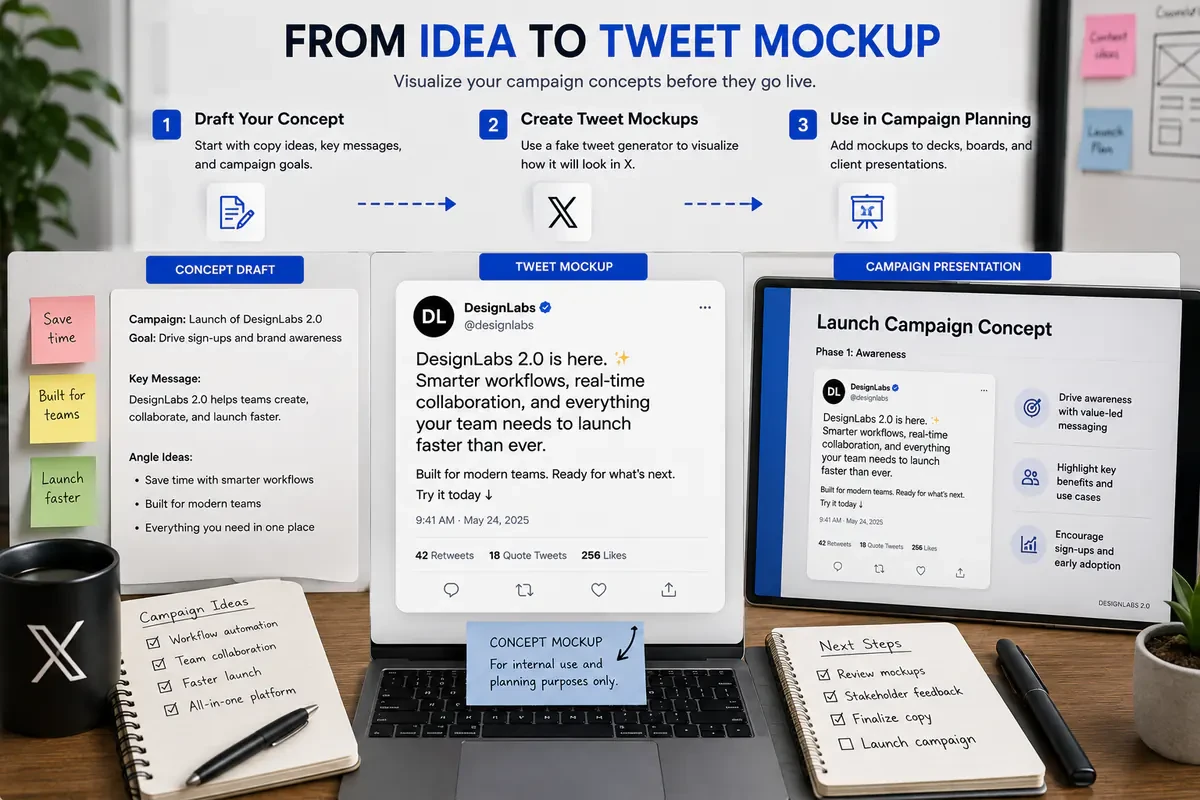
Teams testing an interface that displays social content, such as a content aggregator, listening dashboard, or customer-feedback wall, need realistic sample data. Obvious placeholder text like “Sample tweet 1” changes how participants react and can make a prototype feel less credible.
A tweet generator creates representative fictional content without borrowing a real person’s post. Teams can use clearly fictional names and handles, realistic copy, and plausible engagement counts while avoiding the privacy concerns that come with real user data.
5. Media Literacy and Education
Teachers, journalism programs, and media-literacy educators can use tweet mockups to demonstrate how easy it is to create convincing social screenshots. The point is to teach verification: check the account, search for the original post, inspect the source, and look for corroborating coverage before believing a screenshot.
This use case belongs in a clearly framed classroom or training context. The mockup is the subject of the lesson, not something presented as authentic. For a comparison of available tools through a transparency lens, see our review of the best fake tweet generators.
6. Memes and Satire
Memes and satirical posts about public figures, brands, and internet culture are among the most common creative uses for tweet generators. A satirical mockup can work like an editorial cartoon or comedy sketch when the surrounding context makes the joke clear.
Intent and context matter. A post shared by an obvious parody account with a humorous caption is different from a fabricated screenshot presented without context as a genuine statement from a real person. The latter can mislead viewers and create reputational, legal, and platform-policy risks.
For moderation-themed humor, the block screen generator and account suspension screen generator are companion tools. Apply the same disclosure rule whenever an output could be mistaken for a real screen.
7. Design Portfolios and Case Studies
Designers building portfolio pieces around social campaigns, app concepts, or content strategy need polished, representative mockups, even when the concept was never published. A social-media rebrand case study, for example, might show how a brand’s new voice would translate into an X post without using a live client account.
This is similar to mocking up a billboard, magazine spread, or app screen. Present the work as a concept and make the status visible wherever the portfolio can be viewed without its original explanation.
8. Social Proof and Testimonial Concepts
Landing-page teams sometimes prototype a social-proof section before genuine customer posts exist. A mockup can help designers evaluate layout, spacing, and visual weight during review, with the explicit plan to replace it with authorized, real customer content before launch.
Treat this as temporary placeholder content. A fabricated testimonial should never be published as genuine social proof, and a real customer’s post should not be reused without the permissions appropriate to the intended context.
What to Avoid
Every responsible use case above makes the fictional nature of the content clear through its setting, a visible label, or an obviously satirical format. Avoid presenting a fabricated post as an authentic, unedited screenshot of something a real person or organization published.
X’s Authenticity policy allows manipulated or out-of-context media shared in non-deceptive ways, while prohibiting deceptive fabricated or misleading content that can cause serious harm or widespread confusion. Platform policy is only one layer. Local laws, contracts, intellectual-property rights, publicity rights, and client requirements may also apply.
The practical line is simple: use mockups to explain, test, teach, or entertain. Do not use them to fabricate evidence or deceive people about what someone said.
Choosing the Right Tool for Your Use Case
Not every mockup needs the same layout:
- Standalone post mockups for product demos and campaign concepts: Fake Tweet Generator
- Reaction or commentary formats with a quoted post: Quote Tweet Generator
- Conversation and thread mockups for support or community flows: Reply Chain Generator
- Moderation-themed meme formats: Block Screen Generator or Account Suspension Screen Generator
For a side-by-side comparison with other products, read our review of the best fake tweet generators.
Internal Mockups vs. Public-Facing Content
The farther a mockup travels from its original internal context, the more explicit its labeling should become.
| Context | Audience | Disclosure needed | Example |
|---|---|---|---|
| Internal design file | Designers, PMs, engineers | Usually minimal because the context is understood | Feature UI-state mockup |
| Pitch or investor deck | Investors and internal leadership | Small concept label recommended | Product demo slide |
| Client presentation | Client stakeholders | Clear draft or concept label | Campaign concept board |
| Internal usability test | Test participants | Verbal framing at the start | Realistic fictional content |
| Public blog post or case study | General public | Visible label on the image itself | “Concept mockup” tag |
| Meme or satire account | General public | Clear parody or satire context | Joke thread |
| Fabricated statement attributed to a real person | General public and the person depicted | Avoid | Not applicable |
A Practical Workflow for Product and Marketing Teams
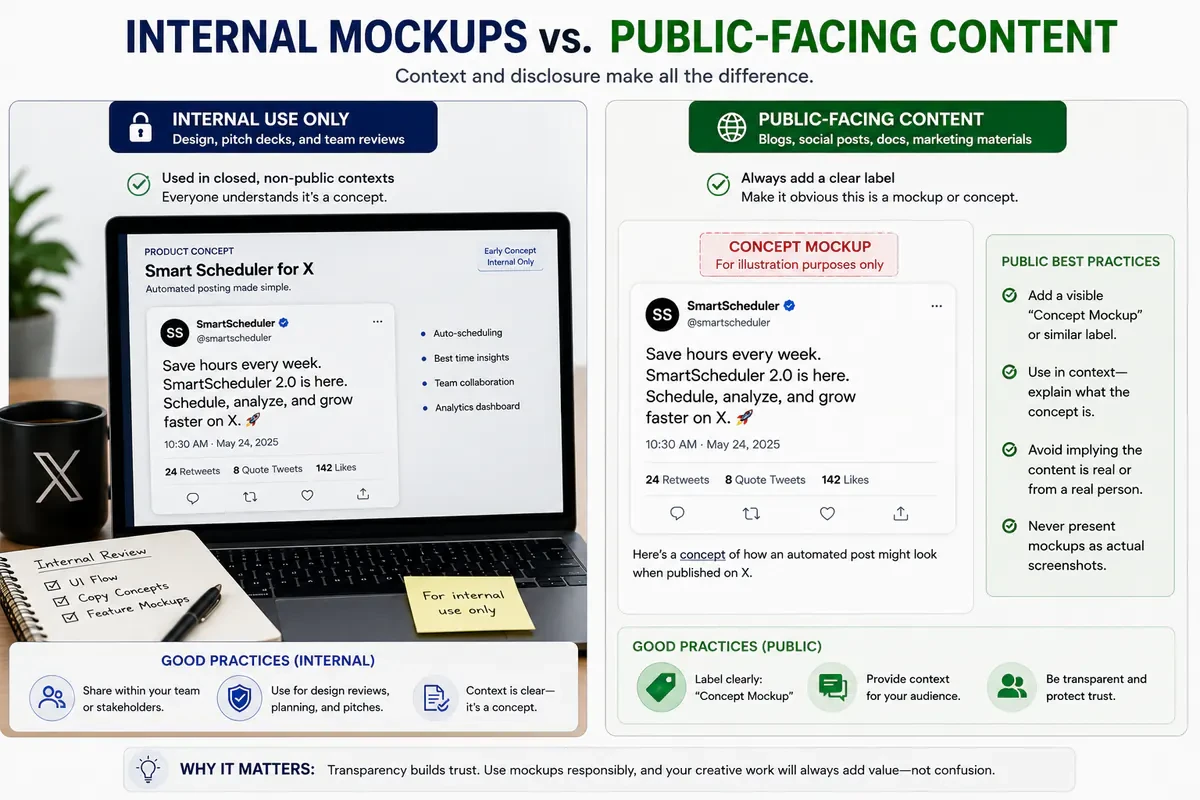
If your team creates mockups regularly, a simple process keeps the output consistent and unambiguous:
- Start with the goal. Decide whether you need a standalone post, quoted-post format, or reply chain before opening a generator.
- Use fictional identities by default. Generic names and handles reduce confusion in product mockups and usability tests.
- Label the output before it leaves an internal context. A design-file mockup may be self-explanatory; the same image in a public post needs a visible label.
- Organize source files by campaign or feature. Use descriptive names such as
feature-name-mockup-v1so old concepts do not get confused with approved work. - Review every external asset. Give client-facing and public outputs a second check for attribution, disclosure, permission, and context.
Why Teams Use a Generator Instead of Manual Design
Without a dedicated mockup tool, teams usually recreate the X interface in a design app or edit a real screenshot. Manual recreation is slow and easy to get subtly wrong. Editing a real screenshot starts with another person’s content and creates more room for misuse.
A purpose-built generator solves both problems. It provides a current X-style layout without requiring a manual rebuild, and it starts from original fictional content rather than an authentic post. That makes the result faster to produce and safer to manage as a concept asset.
UI accuracy matters in product demos and usability tests. If the spacing, typography, or engagement formatting feels wrong, participants and stakeholders may focus on the mockup’s flaws instead of the idea being tested. Xholic’s fake tweet generator keeps the common controls in one browser workflow so teams can focus on the concept and its disclosure.
Frequently Asked Questions
Is it legal to use a fake tweet generator?
It depends on how the output is used and which laws apply. Product demos, labeled concepts, education, and obvious satire are different from fabricating evidence or attributing a false statement to a real person. This article is not legal advice. For public, political, commercial, or high-risk uses, review the applicable laws, client requirements, permissions, and X’s Authenticity policy, and seek legal advice when needed.
Can I use a fake tweet generator for a client’s campaign?
Yes, teams commonly use tweet mockups to concept and pitch content before it is published. Mark the assets as drafts or concepts, get the client’s approval, and replace or update the mockup before presenting anything as a real live post.
What is the difference between a fake tweet generator and a screenshot editor?
A generator builds an original fictional post from editable profile, text, media, theme, and metric fields. A screenshot editor modifies an existing image, often one based on real content. Starting from a fictional template makes the asset’s concept status easier to control.
Do these tools work for platforms besides X?
Xholic’s fake tweet generator is purpose-built for the X post layout. Other platforms use different typography, controls, aspect ratios, and engagement patterns, so use a platform-specific mockup tool when the target is not X.
How realistic do tweet mockups look?
Quality depends on the generator and its current UI template. A good tool reproduces the recognizable layout, spacing, icon placement, and metric formatting closely enough for demos and testing. Realism makes clear labeling more important whenever the image leaves a closed team context.
Can I customize likes, reposts, and replies?
Yes. Xholic’s generator lets you set engagement metrics, profile details, verification badges, themes, timestamps, and media so the mockup fits a presentation, test, or campaign concept.
What format does Xholic export?
Xholic exports the finished mockup as a PNG that can be placed in decks, design files, and web content. Check the tool’s current terms and your rights to any uploaded assets before using the result commercially.
Ready to build a mockup? Open the Fake Tweet Generator or follow the complete formatting guide.