Tired of posting manually, losing good ideas in notes, and then realizing you missed the one time your audience was online? That’s where the search for the best social media scheduling tools often begins. The short answer is simple: if you mainly need X (Twitter) growth, use a tool built around X workflows; if you manage multiple brands across many networks, pick a broader platform with approvals and reporting; if you’re visual-first, choose a planner that’s strongest on Instagram and short-form video. Scheduling tools are mainstream for a reason. HubSpot reports that 56% of marketers use social media tools for scheduling or benchmarking content, and 67% use them for publishing as part of a broader workflow (HubSpot’s social media scheduler guide).
1. Xholic AI
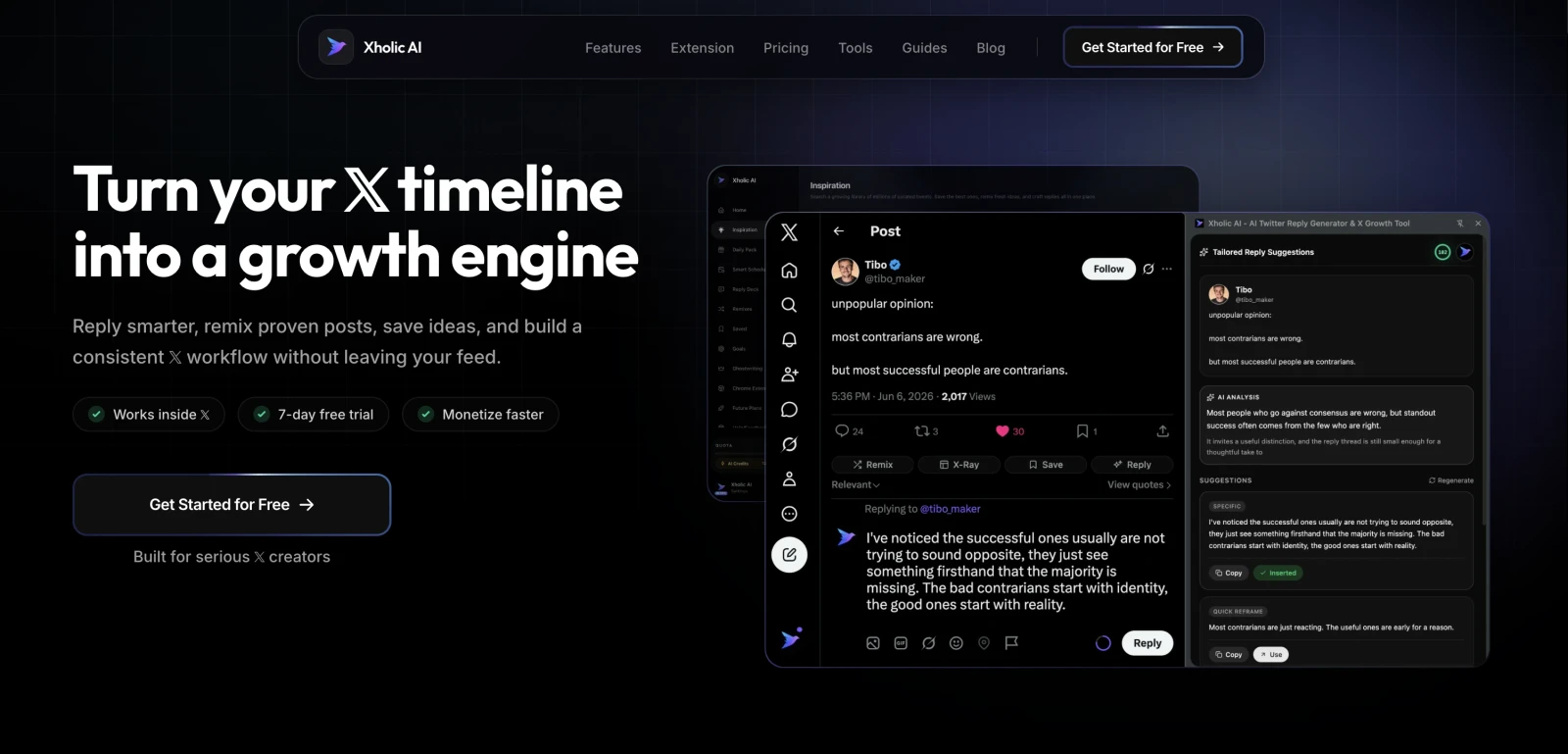
You spot a strong post on X, mean to reply while the conversation is hot, save it for later, and then lose the window. That is the gap Xholic AI is built to close.
Xholic AI is the most X-focused tool in this list. This distinction is important because most schedulers prioritize cross-platform publishing, while growth on X usually comes from fast idea capture, timely replies, and posting while attention is still building.
If your process starts inside the feed, not inside a weekly calendar, Xholic will feel closer to how X creators and founders work. It combines discovery, saving, remixing, AI drafting, reply workflows, scheduling, and consistency tracking in one workflow instead of splitting them across separate tools.
Why it stands out on X
The key advantage is workflow fit.
A lot of social media tools help you publish finished posts. Xholic is stronger earlier in the process, when you are collecting raw material, shaping an angle, and deciding whether to post, reply, or save the idea for later. For X, that trade-off matters. Good growth often comes from reacting well, not just posting on schedule.
A practical loop looks like this:
- Find momentum early: Use Inspiration and Reply Deck to catch conversations that are still active.
- Draft with context: Use AI Reply Composer or Tweet Remixer to turn a useful idea into a post or reply that matches your voice.
- Organize ideas: Save tweets into Collections by topic, campaign, or format so strong ideas do not disappear into bookmarks.
- Publish with intent: Push approved drafts into the scheduler instead of letting them sit unfinished.
Practical rule: X scheduling works better when discovery comes first and calendar placement comes second.
Xholic also solves a common execution problem on X. Ideas, replies, drafts, streaks, and scheduled posts usually live in different places, which creates friction if you post often. Smart Home pulls those next actions into one dashboard, so it is easier to keep momentum without bouncing between tabs.
Its own guide to a Twitter scheduling workflow shows that X-first approach clearly. Pairing that with a clear sense of the best time to post on Twitter for engagement gives creators a more useful system than a basic queue alone.
Best fit and trade-offs
Xholic fits founders, creators, indie hackers, analysts, and marketers who treat X as a growth channel, not just another destination for scheduled content. It is especially useful if replies are part of the strategy and you want one place to move from idea to response to scheduled post.
The trade-off is focus. Teams that mainly need broad multi-platform planning, approvals, and reporting may prefer a more general scheduler. Xholic is more compelling when X is the priority channel and speed inside the feed matters.
It is also a Chrome-first experience, and the AI outputs still need editing before publishing. That is normal for AI writing tools. They save time on first drafts, but they do not replace judgment, timing, or taste.
Good X tools help you act while attention is forming. Generic schedulers mainly help you post on time.
2. Buffer
Buffer is still one of the easiest tools to recommend when someone wants a clean scheduler without a lot of operational overhead. It covers major networks, keeps the interface simple, and doesn’t force an enterprise-style workflow on solo creators or small teams.
What Buffer does well is reduce friction. You open the calendar, add posts, customize per channel, and move on. For a lot of brands, that’s enough.
Where Buffer works well
Buffer is strongest for creators, small businesses, and lean marketing teams that need straightforward multi-platform scheduling. Its visual calendar, queueing, first-comment support, lightweight AI help, and Start Page cover the basics without making the app feel heavy.
The trade-off is that Buffer is more of a scheduling-first tool than an idea engine. That lines up with the way the category has matured. Industry roundups in 2026 highlight Buffer as a scheduling-first option while positioning Sprout Social as a more premium management platform, which shows how the market now segments by capability rather than basic posting alone (TechnologyAdvice’s 2026 scheduler roundup).
For X specifically, Buffer is fine if your priority is consistent posting. It’s less compelling if your growth depends on reply timing, live conversations, and rapid reaction content. If timing is your main concern, it helps to pair your scheduler with a sharper posting strategy, like this guide on the best time to post on Twitter for engagement.
- Best for: Simple multi-platform scheduling
- Works less well for: Reply-heavy X growth
- Direct site: Buffer pricing and plans
3. Hootsuite
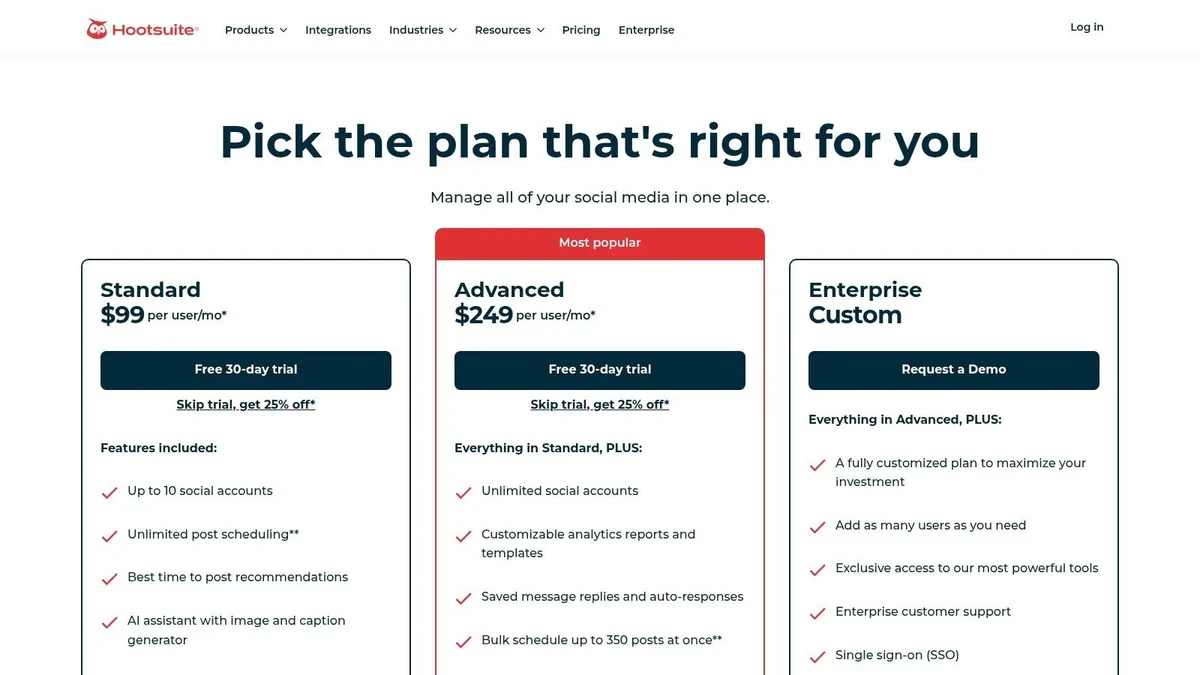
Hootsuite sits in the “big platform” category. If you need publishing, inbox management, reporting, assignments, integrations, and governance in one system, it’s one of the established options people still shortlist.
This is not the tool I’d hand to a solo founder who only wants to grow on X. It’s more useful when several people touch the same accounts and someone needs visibility into all of it.
Who should pick Hootsuite
Hootsuite makes sense for established teams that care about centralized control. The unified inbox, assignment flows, bulk publishing, and reporting are more valuable when content, support, and approvals all live in the same operation.
The market context matters here. A large independent benchmark of top-reviewed social media management products includes Hootsuite alongside Sprout Social, Buffer, Later, Agorapulse, and Planable, which suggests leading tools now compete less on basic queueing and more on approvals, analytics, and collaboration (Planable’s benchmark summary of top-reviewed tools).
That’s also Hootsuite’s trade-off. You’re paying for a management suite, not just a scheduler. If your needs are lighter, it can feel like too much system for the job.
- Best for: Larger teams and multi-account operations
- Watch out for: Higher complexity and premium pricing
- Direct site: Hootsuite plans
4. Sprout Social
Sprout Social is usually the tool people move to when reporting quality is paramount. If clients, executives, or department leads expect polished exports and clean stakeholder-ready views, Sprout is one of the strongest options.
It’s a premium platform, and it behaves like one. You don’t choose it because you only need a queue. You choose it because publishing, approvals, inbox management, and reporting all need to hold up under team pressure.
Where Sprout earns the premium
Sprout’s strongest use case is teams that need serious reporting and collaboration. The scheduling tools are solid, but its main value is how well the platform supports approvals, analytics depth, asset management, and shared workflows.
For X-focused creators, that often means Sprout is more tool than necessary. For brand teams and agencies, it can save a lot of operational mess. If reporting is the bottleneck in your workflow, Sprout usually makes more sense than trying to stack lighter tools together.
If your main question is what to do with the reporting once you have it, this guide to the Twitter analytics dashboard is a useful companion.
Scheduling gets easier when one person owns the account. Reporting gets harder the moment multiple stakeholders want answers.
- Best for: Reporting-heavy teams and larger organizations
- Works less well for: Solo creators who only need X scheduling
- Direct site: Sprout Social
5. Later
Later is the tool I’d point visual-first brands toward before I’d point them toward X-first tools. Its strength is planning media-rich content in a way that feels intuitive, especially for Instagram, TikTok, Pinterest, and short-form workflows.
If your brand lives on visuals, grid planning, creator campaigns, and link-in-bio traffic, Later has a clear advantage over more text-heavy schedulers.
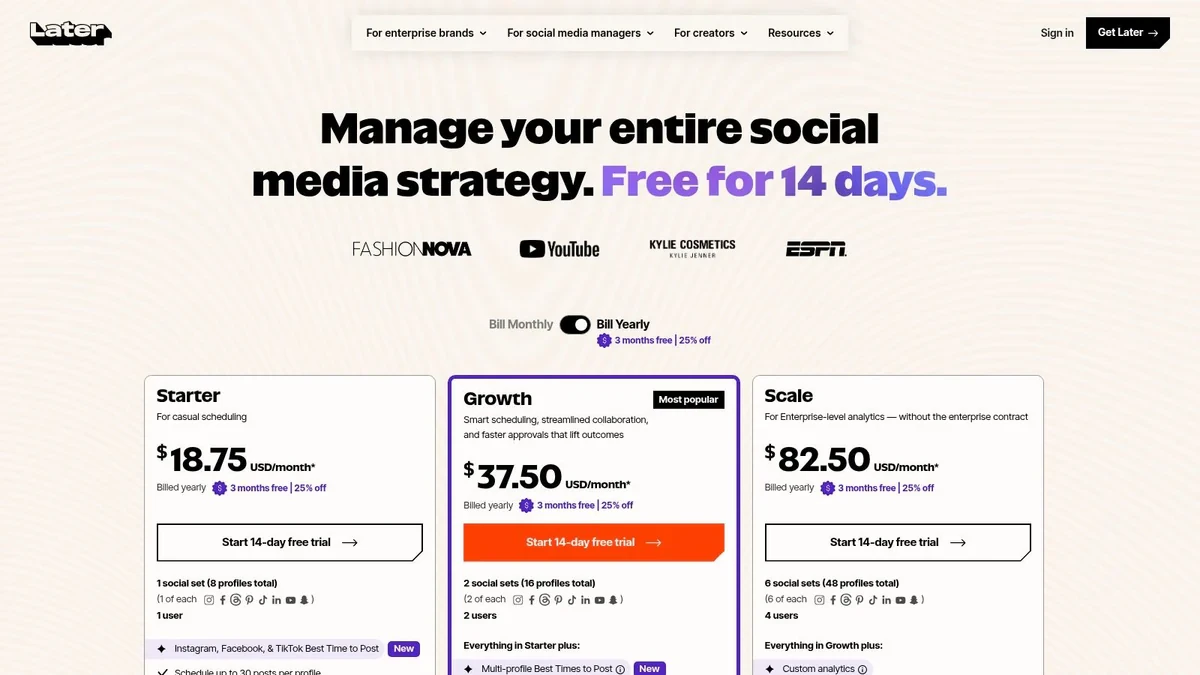
Best use case for Later
Later works best when the content calendar starts with assets. You upload visuals, plan campaigns, review approvals, and shape the feed. That’s different from X, where you often start with an idea, a hook, or a conversation.
For mixed-platform creators, Later can still work. Just don’t expect it to solve X-specific growth problems on its own. It’s more calendar-and-asset oriented than conversation-and-reply oriented.
A simple way to use it well is to run your visual channels in Later and keep a separate system for X ideation. If you need help filling that broader calendar, these social media content suggestions for 2026 can help you map topics faster.
- Best for: Visual-first creators and brands
- Watch out for: Some advanced workflows sit on higher tiers
- Direct site: Later pricing
6. Loomly
Loomly is for people who like structure. The interface revolves around calendars, approvals, roles, and a predictable publishing process. Agencies and internal teams often like it because it’s easier to show who needs to review what, and when.
It’s less flashy than some competitors, but that’s part of the appeal. Loomly tends to feel process-first.
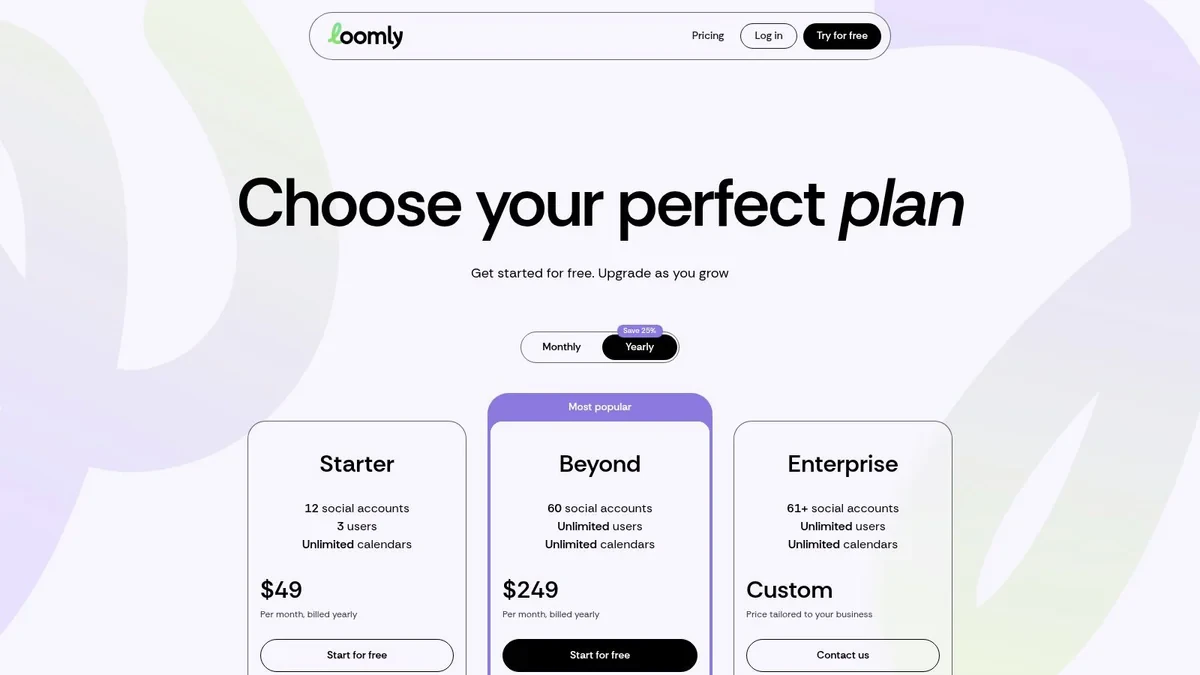
Why teams like Loomly
Loomly fits organizations that need content governance without jumping to an enterprise platform. Custom roles, workflow steps, analytics, and asset management give teams enough control to stay organized.
On X, that means it’s better for approved brand publishing than for fast creator-style growth. If your posts need stakeholder review, Loomly works. If your strategy depends on reacting fast to a live thread, it’s not as naturally suited to that rhythm.
- Best for: Teams with structured approval workflows
- Works less well for: Fast-moving X conversation strategy
- Direct site: Loomly pricing
7. Agorapulse
Agorapulse sits in a practical middle ground. It combines scheduling, inbox management, team workflows, and reporting without feeling quite as enterprise-heavy as the biggest suites.
A lot of teams choose tools like this when they want one platform for publishing and engagement, but can’t justify paying top-tier enterprise pricing.

Where Agorapulse fits
Agorapulse is a good fit for agencies, growing brands, and social teams that want a balanced setup. The scheduler is useful, the inbox matters, and the reporting is strong enough for routine client or team reviews.
For X users, the main question is whether your priority is management or growth. If you want one dashboard for multiple profiles and engagement handling, Agorapulse is solid. If you mainly want to find high-momentum conversations and draft faster replies, a more X-native workflow will feel sharper.
- Best for: Teams that need publishing plus engagement management
- Watch out for: Some features depend on tier or add-ons
- Direct site: Agorapulse
8. SocialBee
SocialBee is a strong choice when consistency is the problem and category-based scheduling is the solution. It’s known for evergreen queues, content recycling, workspaces, and relatively approachable pricing.
That makes it useful for solopreneurs, coaches, consultants, and small teams that want a posting engine they can feed over time.
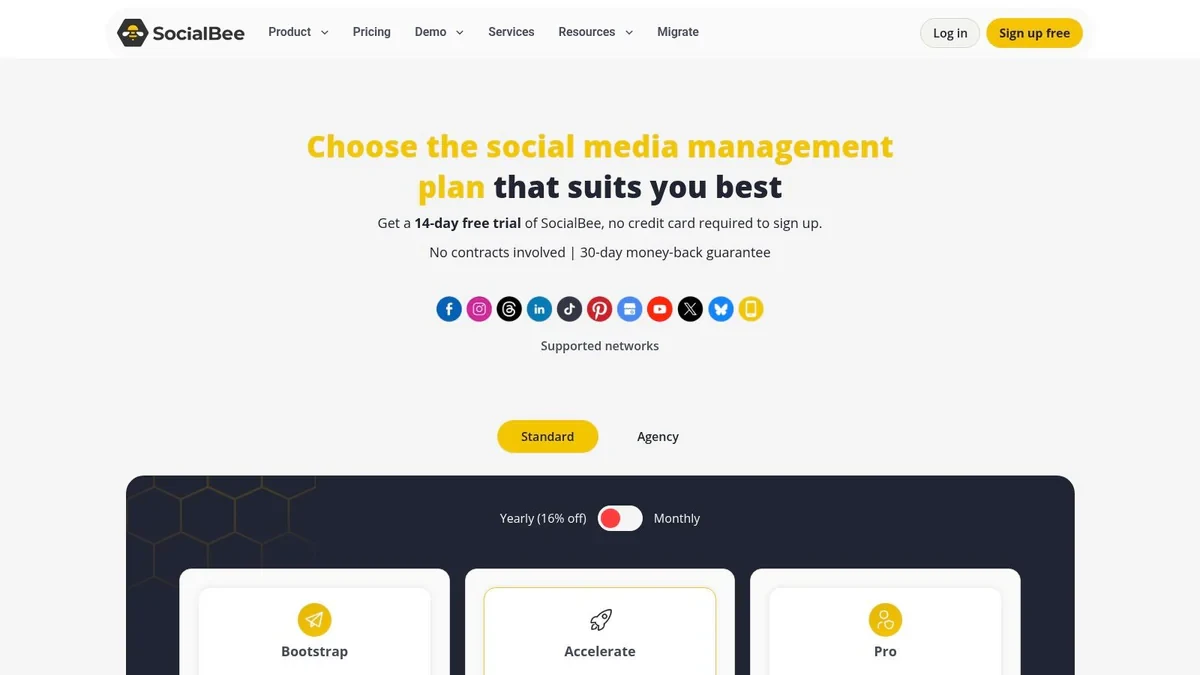
When SocialBee makes sense
SocialBee works best when your content can be organized into repeatable buckets. Think thought leadership, product education, testimonials, clips, lead magnets, and curated posts. Once that system is built, you spend less time deciding what to post every day.
That model works decently on X for evergreen opinions and recurring educational threads. It works less well for live reactions and reply-driven growth. X often rewards timing and context more than rigid category recycling.
- Best for: Evergreen content and category-based scheduling
- Works less well for: Real-time X engagement strategy
- Direct site: SocialBee pricing
9. Publer
Publer is one of the better value picks in this category. It gives freelancers and smaller agencies flexible pricing, bulk tools, recycling, and workspace support without pushing them into expensive team software right away.
If your main filter is “I need something capable, but I don’t want to overspend,” Publer deserves a look.

Why budget-conscious teams pick Publer
Publer’s biggest advantage is flexibility. You can scale accounts and members more gradually than with some all-in-one suites, and the bulk scheduling tools are useful if you batch content often.
The main caveat for X users is platform support economics. Some lower-tier or free experiences across the category limit X access because of API costs, so always check the live plan details before committing.
- Best for: Freelancers and small agencies watching costs
- Watch out for: X access may depend on paid tiers
- Direct site: Publer
10. Metricool
Metricool is a good pick when analytics matter almost as much as publishing. It combines scheduling, reporting, competitor views, and cross-channel ad tracking in a way that appeals to data-focused marketers.
If you run several brands and need one place to compare organic and paid performance, Metricool is often easier to justify than buying separate reporting layers.
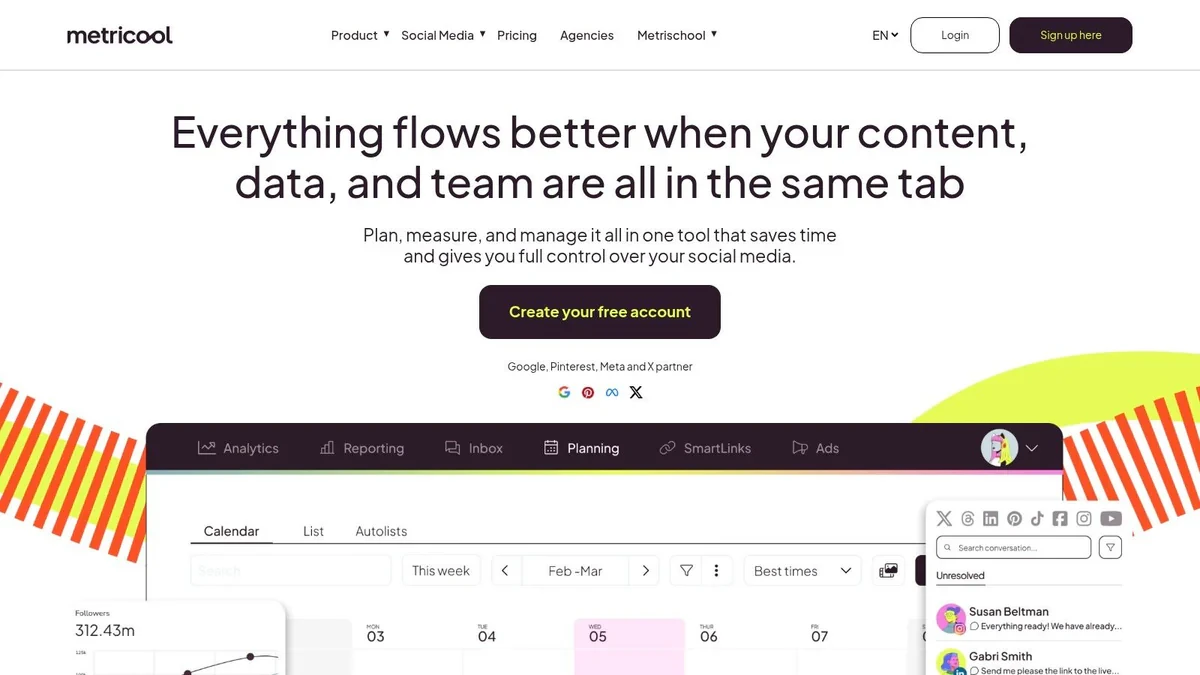
Best for reporting-heavy workflows
Metricool shines when you need answers after publishing. Which channels are driving results, which campaigns deserve more budget, what content themes keep working, and where effort is getting wasted.
For X growth alone, that’s useful but not sufficient. Analytics tell you what happened. They don’t always help you find the next good post or reply. That’s why some X-heavy creators use Metricool for reporting and a separate tool for ideation and scheduling.
- Best for: Multi-brand reporting and analytics-heavy teams
- Works less well for: X-native discovery and reply workflows
- Direct site: Metricool
Top 10 Social Media Scheduling Tools Comparison
| Tool | Core features | UX & Quality (★) | Value & Pricing (💰) | Target audience (👥) | Unique selling point (✨) |
|---|---|---|---|---|---|
| Xholic AI 🏆 | Discovery (12M+ tweets), semantic search, Reply Deck, Tweet X‑Ray, Remixer, Daily Pack, Chrome extension | ★★★★☆, context‑aware AI, learns voice | 💰 Pro $39/mo; Max $39/mo offer (normally $49/mo); Ultra $199/mo; 7‑day trial | 👥 Founders, indie hackers, creators, marketers, analysts, power users | ✨ Early-opportunity discovery + in‑feed AI replies & remixing; end‑to‑end X growth loop |
| Buffer | Multi‑platform scheduler, visual calendar, AI assistant, link‑in‑bio | ★★★☆☆, simple, reliable UX | 💰 Free tier; affordable per‑channel plans | 👥 SMBs, creators, solo marketers | ✨ Easy multi‑network publishing + clean UX |
| Hootsuite | Unlimited scheduling, unified inbox, analytics, paid boost | ★★★☆☆, feature‑rich but complex | 💰 Higher enterprise pricing | 👥 Large teams, agencies, enterprises | ✨ Governance, deep reporting, ad boosting |
| Sprout Social | Advanced scheduling, approvals, deep exportable analytics, inbox | ★★★★☆, polished reporting & collaboration | 💰 Premium pricing for enterprise reporting | 👥 Teams needing stakeholder‑grade analytics | ✨ Best‑in‑class reporting & team workflows |
| Later | Visual calendar, Social Sets, basic AI captions, link‑in‑bio | ★★★★☆, excellent visual planning UX | 💰 Creator‑friendly tiers | 👥 Instagram/TikTok creators, visual brands | ✨ Visual‑first planning & creator workflows |
| Loomly | Calendar‑centric scheduling, approvals, roles/permissions | ★★★☆☆, structured calendar UX | 💰 Mid‑tier pricing; scales with seats | 👥 Teams & agencies needing governance | ✨ Strong approvals & role controls at accessible tiers |
| Agorapulse | Publishing, unified inbox, reporting, mobile apps | ★★★★☆, balanced and user‑friendly | 💰 Generally lower than top enterprise suites; 30‑day trial | 👥 Agencies, SMBs managing engagement | ✨ Solid mix of publishing + engagement + analytics |
| SocialBee | Category/evergreen queues, multi‑workspace, CSV import | ★★★☆☆, efficient for repeat posting | 💰 Competitive, transparent pricing | 👥 Solopreneurs, coaches, small teams | ✨ Category‑based recycling for steady output |
| Publer | Unlimited workspaces, bulk scheduling, media library | ★★★☆☆, flexible & pragmatic UX | 💰 Very granular pay‑for‑accounts pricing | 👥 Freelancers, small agencies | ✨ Pay‑as‑you‑use model + generous workspace limits |
| Metricool | Scheduling, competitor tracking, organic + ads reporting | ★★★★☆, analytics‑forward UX | 💰 Accessible pricing; usable free tier | 👥 Data‑driven marketers & agencies | ✨ Combined organic + ad performance reporting |
The Right Tool Makes Consistency Effortless
The biggest mistake people make when choosing among the best social media scheduling tools is buying for features instead of buying for workflow. Almost every tool on this list can schedule content. That isn’t the hard part anymore. The main question is what happens before and after the post is scheduled.
For a founder trying to grow on X, the winning workflow usually starts with discovery, fast drafting, and consistency. For an agency, it starts with approvals, shared calendars, and reporting. For a visual brand, it starts with assets and layout planning. The right tool removes friction from the part you struggle with most.
That broader shift shows up in how the category evolved. Industry roundups in 2026 consistently describe scheduling software as mature workflow infrastructure rather than simple queue tools, with different products serving lightweight and enterprise use cases across planning, reporting, approvals, and multi-account coordination (Statusbrew’s look at scheduling tool gaps and workflows). In plain terms, the scheduler is no longer just a posting button.
There’s also a practical reason businesses keep adopting these tools. ScheduleWave cites a 2026 benchmark showing social media managers using scheduling tools save an average of 6.3 hours per week versus manual posting, or about 328 hours per year (ScheduleWave scheduling statistics). That’s why scheduling moved from “nice to have” to basic infrastructure.
How to Choose Your Tool
Use this quick framework:
- Choose Xholic AI if X is your main channel and you care about discovery, replies, remixing, scheduling, and posting consistency in one workflow.
- Choose Buffer if you want simple multi-platform scheduling with low setup friction.
- Choose Hootsuite or Sprout Social if you manage teams, approvals, inboxes, and stakeholder reporting.
- Choose Later if visual planning is the center of your strategy.
- Choose Loomly if approvals and role-based workflows matter more than growth experimentation.
- Choose Agorapulse if you want a balanced tool for publishing plus engagement handling.
- Choose SocialBee if evergreen category scheduling is how you maintain output.
- Choose Publer if budget flexibility is a deciding factor.
- Choose Metricool if analytics and reporting are central to your workflow.
Best fit test: Pick the tool that solves the bottleneck you hit every week, not the one with the longest feature list.
An X Scheduling Workflow in Action
Here’s a simple X workflow that works well for founders, creators, and marketers using Xholic AI.
Find a conversation worth joining
Start in Inspiration or Reply Deck. Look for a tweet from a relevant creator that’s gaining attention and has room for a useful reply. This matters on X because generic scheduling advice often misses the platform’s live, conversation-led nature. Broad scheduling roundups usually focus on calendars, approvals, cross-platform support, and bulk posting, which leaves a gap for people who mainly want to time posts and replies around fast-moving X attention cycles.
Draft the reply inside the feed
Use the Chrome extension while you’re in X. Instead of opening a separate app, generate a contextual draft, then edit it until it sounds natural and specific.
A weak reply looks like this:
Great insight. Totally agree.
A better reply is specific:
Most founders schedule posts but ignore replies. The faster win is often joining the right thread early, then turning the best reply into tomorrow’s standalone post.
That kind of reply can later become a scheduled top-level tweet.
Turn a proven format into an original post
Use Steal the Structure or Tweet Remixer on a high-performing post you saved earlier. Keep the shape, change the substance.
Example draft:
- Hook: Content isn’t typically the problem.
- Tension: They have a workflow problem.
- Payoff: Good ideas die in drafts when there’s no system to capture, polish, and schedule them.
Add it to your schedule
Move the approved version into Smart Scheduler. Use recurring slots for consistent posting, but don’t automate blindly. Drafting, queueing, scheduling, and automation aren’t the same thing:
- Drafting: Writing and saving ideas
- Queueing: Adding posts to preset slots
- Scheduling: Picking exact times or calendar placements
- Automation: Letting approved rules handle parts of the workflow after setup
The practical win is that you don’t need to decide everything at once. You can discover now, draft now, and schedule once the post is ready.
Frequently Asked Questions
Can scheduling hurt my engagement?
It can, if scheduling becomes a substitute for participation.
On X, a scheduled post is only the starting point. Reach often depends on what happens in the next hour. Do you reply fast, join the right side conversations, and give the post a second life through follow-ups? Teams that only fill a queue usually plateau. Teams that schedule and stay active after posting keep momentum longer.
What’s the difference between queueing and scheduling?
Queueing fills recurring time slots. Scheduling assigns a specific post to a specific date and time.
That difference matters in practice. Queues are useful for steady output, especially if you publish opinions, educational posts, or recurring formats several times a week. Direct scheduling is better for launches, live events, timely commentary, and any post that depends on a precise window.
Are all social media scheduling tools good for X?
No. Many are built for coverage across channels, not for the pace and feedback loop that drive growth on X.
That is the key filter in this guide. A broad scheduler can be a good fit for a marketing team managing LinkedIn, Instagram, Facebook, and X from one calendar. A founder or creator using X as a primary growth channel usually needs something different. Faster drafting, easier iteration, better handling of threads, and a workflow that supports replies and post ideas in the same place.
What should founders look for in a scheduler?
Start with the bottleneck. If the problem is coordination across a small team, choose a tool with approvals, shared calendars, and reporting. If the problem is posting consistently on X without losing speed, choose a tool that reduces friction between idea capture, writing, and publishing.
I usually look for three things first. Can it help you ship posts quickly? Can it support the way you write on X, including threads and reactive posts? Can you keep using it every week without adding admin work you will resent by month two?
Do I need a separate tool for mockups and planning?
Sometimes. Approval workflows, training docs, stakeholder reviews, and campaign planning often benefit from mockups before anything goes live. Xholic also offers free tools like the Quote Tweet Generator.
Use mockups carefully. Label them clearly when context matters, and do not use them to impersonate people, fake proof, or mislead viewers.
The right tool is the one your team keeps using. Broad schedulers help when the job is multi-platform coordination. X-focused tools are stronger when the main work happens inside X itself, where good posts often come from live interaction, quick rewrites, and turning strong replies into tomorrow’s scheduled content.
If your goal is X growth, use that standard to make the decision. Generic feature lists are not enough. Workflow fit is what determines whether a tool becomes part of your publishing habit or another tab you stop opening.
X-Specific Scheduling Options Worth Comparing
The broader comparison above covers cross-platform schedulers. X-focused teams should also consider four narrower workflows:
- Typefully for drafting threads, collaborating on X content, and maintaining an X-first writing queue.
- Hypefury for evergreen queues and creator-oriented X publishing workflows.
- Tweet Hunter for ideation, writing, and scheduling centered on X growth.
- X Pro for native multi-column monitoring and account workflows without adding another publishing network.
Choose these only when their X-specific workflow is the priority. A cross-platform team may be better served by one broader calendar than by a separate scheduler for every network.