You’re posting on X (Twitter), checking impressions, likes, and follower growth, and still not getting a clear answer to the only question that matters: what should you do next? That’s the main problem with most twitter metrics tools. They surface data, but they don’t always help you make better posting, reply, and timing decisions.
The best tools split into three camps. Native analytics gives you the cleanest first-party baseline. Social suites help teams report across channels. Creator-focused tools are better when you need faster feedback loops inside the feed itself. This guide gets straight to the shortlist and shows which tool fits which job, with practical trade-offs instead of padded feature lists.
1. Xholic AI
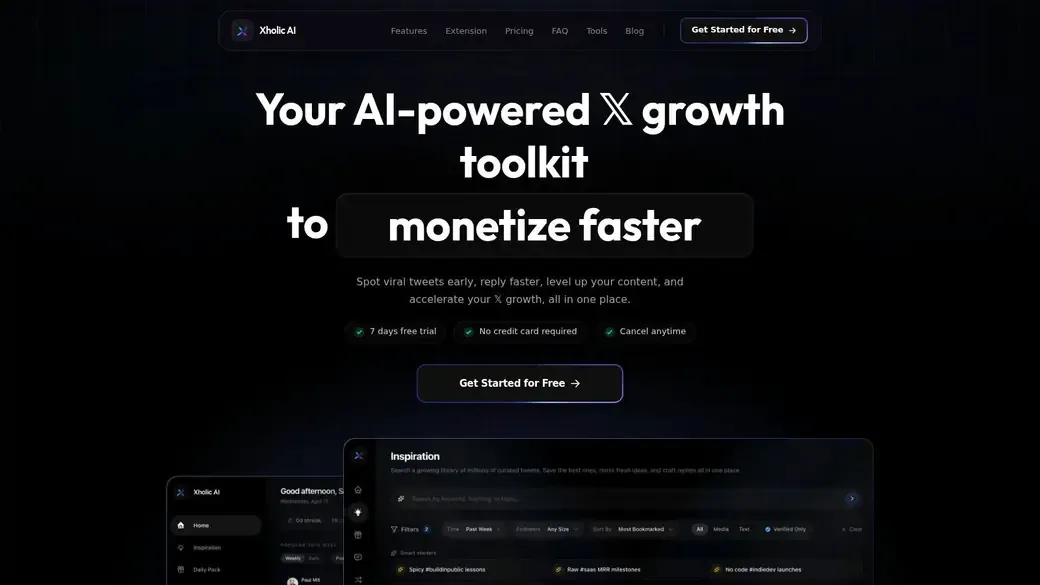
Most twitter metrics tools tell you what already happened. Xholic AI is better when your real job is to spot traction early, write faster, and keep a consistent growth loop running. That makes it closer to a growth operating system than a pure analytics dashboard.
The product is built around discovery, reply execution, content remixing, research organization, and consistency tracking. That matters because the market has moved beyond reporting-only products. Current coverage shows advanced users increasingly want analytics plus discovery, filtering, and execution, not just dashboards, as noted in Sprout Social’s overview of Twitter analytics tools.
Why it stands out
Xholic AI is strongest when you care about momentum, not just historical totals. You can search semantically for post ideas, find high-momentum conversations, save useful posts into collections, draft replies in your own voice, and remix proven tweet structures into original drafts. The Chrome extension is a big part of the appeal because it keeps the workflow inside X instead of forcing you to bounce between tabs.
A practical example: say you track founders talking about product launches. Instead of checking impressions after your post underperforms, you use Reply Deck to find active threads from relevant creators, score which discussions are heating up, then draft a reply that adds a product lesson or contrarian angle before the thread peaks. That’s a very different workflow from opening a dashboard the next day.
Practical rule: If the tool helps you decide where to reply and what to say next, it will usually drive more value than a prettier chart.
Best for
Xholic AI fits creators, founders, indie hackers, solo marketers, and power users who live or grow on X. It’s also a good fit for people who want one tool for discovery, drafting, reply workflows, saved research, and streak tracking rather than a stack of separate apps.
What works well:
- Discovery before saturation: High-momentum conversation tracking is more useful than static post reports when you want to join threads early.
- In-feed execution: The Chrome extension reduces friction. That matters more than people think.
- Voice-aware drafting: Reply Composer, Tweet Remixer, and structure-based rewriting are useful when you want speed without sounding generic.
- Habit support: Goals, streaks, collections, Daily Pack, and Smart Scheduling support consistent publishing instead of one-off bursts.
Trade-offs to know:
- Team depth is lighter: If you need multi-seat governance or enterprise reporting, you’ll likely want a different stack.
- Scheduler focus: Smart Scheduling is live for drafts, queued posts, recurring slots, and configured automation rules. Dedicated enterprise schedulers may still be better if multi-seat approvals or cross-channel calendars are your top priority.
Pricing is simple: a free trial, then one paid plan. For many creators, that simplicity is a feature.
If you also build visual examples for posts or campaigns, Xholic’s fake tweet generator, quote tweet generator, and reply chain generator are useful for mockups, planning, presentations, and approvals. They should be used responsibly for design and education, not to mislead people.
2. X Twitter Premium Analytics native
X Premium Analytics is still where I’d start if you want the cleanest baseline for your own account. First-party data usually gives you the fastest read on post performance, profile activity, and audience behavior without sync delays or connector issues.
This option is best when you need truth before interpretation. It won’t give you the deepest reporting stack, but it does give you the core numbers directly from the platform.
Where it fits
X Business says its analytics helps users see “what’s working, and what’s not” so they can optimize future campaigns, and that’s the right mental model for native analytics. Use it for post-level checks, profile trends, and quick validation before you trust any third-party layer. You can review that directly in X Business analytics.
The limitation is depth. Third-party roundups consistently frame native analytics as basic compared with broader business reporting, competitor analysis, and workflow tooling. If you’re trying to decide between native and external tools, this guide on free Twitter analytics tools gives a useful starting point.
Native analytics is your source of record. It usually shouldn’t be your only source of action.
What works:
- First-party visibility: Best starting point for your own account metrics.
- No setup friction: No extra data connection or learning curve.
- Fast validation: Useful when you want to sanity-check impressions, engagement, and audience movement quickly.
What doesn’t:
- Basic exports: Reporting is lighter than specialist tools.
- Limited workflow support: It won’t help much with discovery, competitor tracking, or content operations.
- Premium gating: Full desktop analytics access is tied to Premium or Premium+.
If you’re a solo creator, native analytics plus one creator workflow tool is often enough. If you’re reporting to clients or executives, it usually isn’t.
3. Sprout Social
Sprout Social is the kind of tool you buy when analytics has to survive a leadership meeting. The charts are polished, the reporting is broad, and the cross-channel rollups make sense for teams that don’t want X sitting in a silo.
Sprout is not the best option for a solo builder trying to move fast inside replies. It is a strong option for marketing teams, agencies, and brand managers who need clean reports and one system for publishing, engagement, and analytics.
Who should buy it
Sprinklr frames X analytics around 13 essential metrics across follower, engagement, content performance, brand awareness, and campaign ROI categories, including items like follower engagement, reposts, link clicks, and conversions. That standardized measurement model is exactly why platforms like Sprout work well for teams. They turn social performance into a repeatable reporting language instead of a pile of screenshots.
You can see the practical gap between basic native reporting and deeper business reporting in this walkthrough on how to see Twitter analytics. That’s where Sprout earns its price.
What works well in practice:
- Executive-ready reporting: Better than most tools when stakeholders want neat exports.
- Cross-network context: Useful if X is just one part of your social mix.
- Team usability: Easier for multiple people to work from one analytics and publishing system.
Trade-offs:
- Pricing pressure: This is not a casual purchase for solo users.
- Feature breadth can be overkill: If all you need is X-specific growth feedback, it may feel heavy.
- Workflow focus is managerial: Better for reports and governance than for creator-style iteration speed.
If you manage a brand account and need confidence in reports, Sprout is one of the safer buys on this list.
4. Hootsuite
Hootsuite remains a practical all-rounder. It’s not the sharpest specialist tool for X alone, but it’s one of the easiest platforms to justify when one team needs scheduling, inbox management, collaboration, and analytics in the same place.
I usually think of Hootsuite as a process tool first and an insight tool second. That’s not a knock. For many teams, operational consistency matters more than squeezing every bit of edge out of one platform.
Best use case
If your team needs templated reports, multi-network publishing, and benchmark views in one system, Hootsuite does the job. The value is less about novelty and more about maturity. People know how to onboard to it, managers know what reports they’ll get, and social teams can run a weekly cadence without improvising.
According to recent benchmark coverage, the repeated measurement set across major tools includes engagement rate, impressions or reach, follower growth, audience demographics, video metrics, trend tracking, and posting-time optimization. Hootsuite fits that standard toolkit well, even if it’s not the most creator-native option. If you need to improve the weak spots those metrics expose, this playbook on how to increase Twitter engagement is a useful companion.
- Good fit for teams: Publishing, reporting, and workflow are tightly connected.
- Benchmark-friendly: Helpful when you want comparative context, not just raw post stats.
- Scales reasonably: Suitable from smaller teams up to larger operations.
The trade-off is cost creep. Seats and advanced functionality can add up, and some teams end up paying for breadth they don’t fully use.
Hootsuite is a strong operations buy. It’s a weaker buy if your main goal is creator growth on X specifically.
5. Agorapulse
Agorapulse is one of the more manager-friendly tools in this category. The interface is clean, onboarding is straightforward, and the reporting is usually easy enough to hand off to a client or internal team without much cleanup.
Where it tends to win is day-to-day usability. Some platforms have more bells and whistles, but Agorapulse often feels less cluttered.

What it does well
Agorapulse works best for social managers who need inbox, scheduling, reporting, and team workflows without buying into a heavier enterprise stack. It’s especially useful when your reporting needs are regular but not extensively custom.
The product also suits agencies that need to move quickly between accounts. You can get enough signal from post performance and team workflows without making setup a project of its own.
Useful strengths:
- Clear reporting flow: Easier to use than many enterprise-leaning tools.
- Unified inbox: Helpful when engagement management is part of the job.
- Low-friction onboarding: Good for teams that want fast adoption.
Limitations:
- Seat-based pricing: Gets less attractive as teams grow.
- X depth can vary by plan: Check plan details before assuming every capability is included.
- Less differentiated for pure analytics buyers: If reporting is all you need, there may be narrower options.
Agorapulse is a solid middle-ground choice. Not the cheapest. Not the deepest. Often one of the easiest to live with.
6. Rival IQ
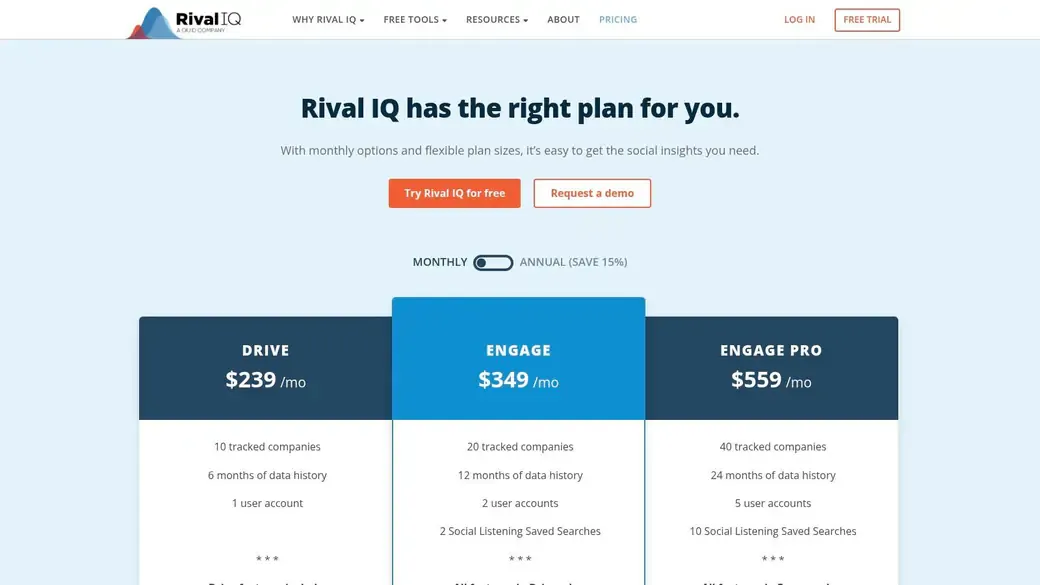
Rival IQ is one of the clearest picks if your real question is not “How did we do?” but “How did we do relative to them?” That’s a different buying criteria, and a lot of tools blur it.
I’d put Rival IQ in the competitive analysis bucket first. If benchmarking against peers, spotting breakout content, and producing client-ready comparisons matter most, it deserves a look.
Where it wins
The strongest use case is agency reporting and brand benchmarking. You can compare performance against competitors, review top content patterns, and package insights without rebuilding the report manually every week.
This also aligns with a growing need in X analytics. The market has shifted away from simple vanity metrics toward benchmark-driven optimization and competitive intelligence. If you’re trying to understand another account’s performance patterns, this guide on Twitter analytics for another account is relevant.
What works:
- Competitive benchmarking: One of the better options for comparing brands side by side.
- Breakout post detection: Useful when you want to study what outperformed normal baseline behavior.
- Scheduled reports: Helpful for agencies and recurring stakeholder updates.
What to watch:
- Private metric access constraints: X data limitations can affect historical depth.
- Less useful for creator workflow: It’s not built around in-feed execution or reply strategy.
- Higher-tier pricing: Better suited to teams that monetize reporting or benchmarking directly.
If your boss or client always asks, “How do we compare?” Rival IQ answers that faster than most tools.
7. Metricool

Metricool is one of the better value plays on this list. It balances scheduling, cross-platform reporting, and X analytics without forcing you into enterprise pricing from day one.
Small teams and freelancers tend to like tools like this because the return is obvious. You get enough reporting to make decisions, enough publishing support to stay consistent, and enough export flexibility to show your work.
Why small teams like it
Metricool is a practical pick if you manage X alongside other networks and want one dashboard for the whole mix. It also works for consultants who need branded reports and straightforward exports without spending enterprise money.
Its biggest strength is ratio, not specialization. You’re buying a lot of utility for the cost, even if it doesn’t go as deep as the most advanced reporting or audience intelligence platforms.
- Strong value: Good analytics-to-price balance.
- Cross-platform visibility: Useful for teams spreading effort across channels.
- Simple reports: Client-friendly without much cleanup.
Trade-offs to expect:
- X access may vary: Some plans or regions treat X features as add-ons.
- Lighter collaboration depth: Not ideal for complex enterprise approval structures.
- Less creator-native: Better for dashboards and reporting than in-feed growth work.
If you’re a small business or agency that wants one sensible platform without overbuying, Metricool is easy to shortlist.
8. Audiense Connect Audience Insights
Audiense is what you buy when performance metrics alone stop being enough. If you need to understand who your audience is, how segments differ, and what those groups care about, Audiense sits in a different category from the average scheduling dashboard.
That’s why it’s more strategy tool than day-to-day publishing tool. It helps answer audience questions that a standard analytics panel usually can’t.
When to use it
Use Audiense when your team is refining positioning, messaging, partnerships, or content strategy around specific audience clusters. It’s especially useful for publishers, media brands, and marketers who need persona-level insight rather than just post-level summaries.
The broader analytics conversation increasingly points in this direction. Standard X guides often focus on impressions, engagements, profile visits, and follower growth, but they rarely help users interpret metrics by context or content type. Tools that bring segmentation into the workflow close some of that gap.
Better audience insight changes what you post. Better post metrics only tell you how the last post landed.
Strengths:
- Deep segmentation: Better for persona discovery and audience research.
- Strategic use cases: Helpful for messaging, targeting, and campaign planning.
- Programmatic options: API access matters for custom workflows.
Weaknesses:
- More complex buying decision: Plans and modules can be harder to evaluate.
- Not the simplest daily tool: Overkill for creators who just want better tweet decisions.
- Separate products: Full audience intelligence and account management are not the same purchase.
If you need to know your audience better, not just your metrics better, Audiense is one of the strongest choices.
9. Brandwatch Consumer Intelligence Social Media Management
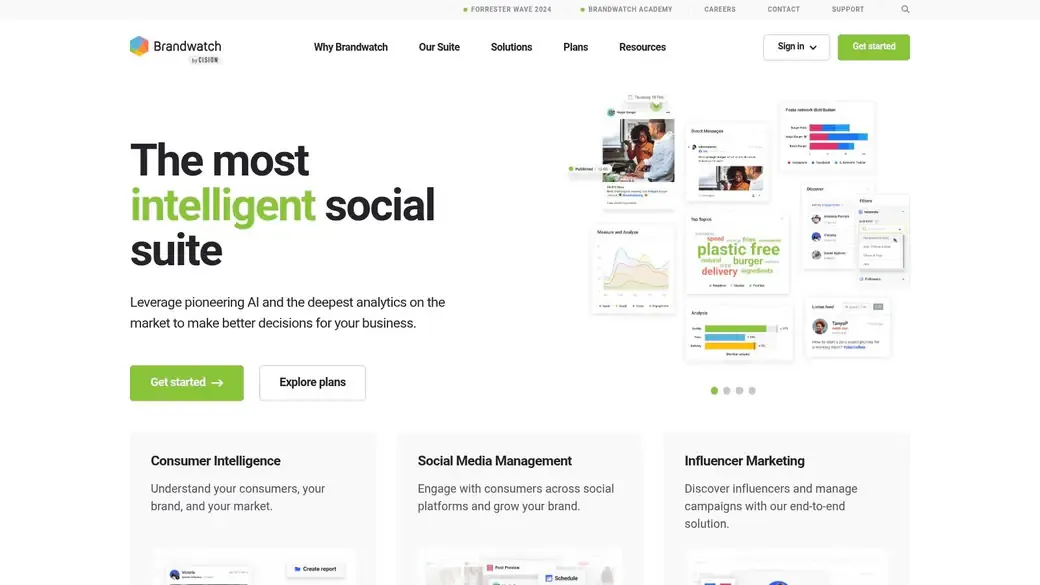
Brandwatch is not a casual buy. It’s built for organizations that need large-scale listening, conversation analysis, governance, and enterprise-grade reporting across brands or regions.
That usually means global brands, insights teams, and agencies handling serious monitoring volume. If your needs are narrower, Brandwatch can feel like using an industrial machine to slice one apple.
Who it is for
Brandwatch is strongest when the job is not just measuring your own account but understanding the broader conversation around your brand, market, or category. That includes trend detection, sentiment monitoring, influencer identification, and long-horizon consumer insight.
Recent expert roundups consistently place Brandwatch in the enterprise-grade tier for consumer insights and broad conversation analysis. That’s the right lens. You buy it for listening and strategic intelligence at scale, not because you want a nicer X dashboard.
What works best:
- Broad listening capability: Better for market and reputation monitoring than most SMB tools.
- Complex program support: Multi-brand and multi-region teams can standardize workflows.
- Serious data handling: Strong fit for insights-heavy organizations.
What doesn’t:
- Custom pricing: Often too expensive for smaller teams.
- Longer onboarding: Teams need time and process to use it well.
- Poor fit for creator growth: Too heavy if your main job is posting and replying on X.
Brandwatch is excellent for the right buyer. It’s just a different buyer than the average creator or startup marketer.
10. BlackMagic.so
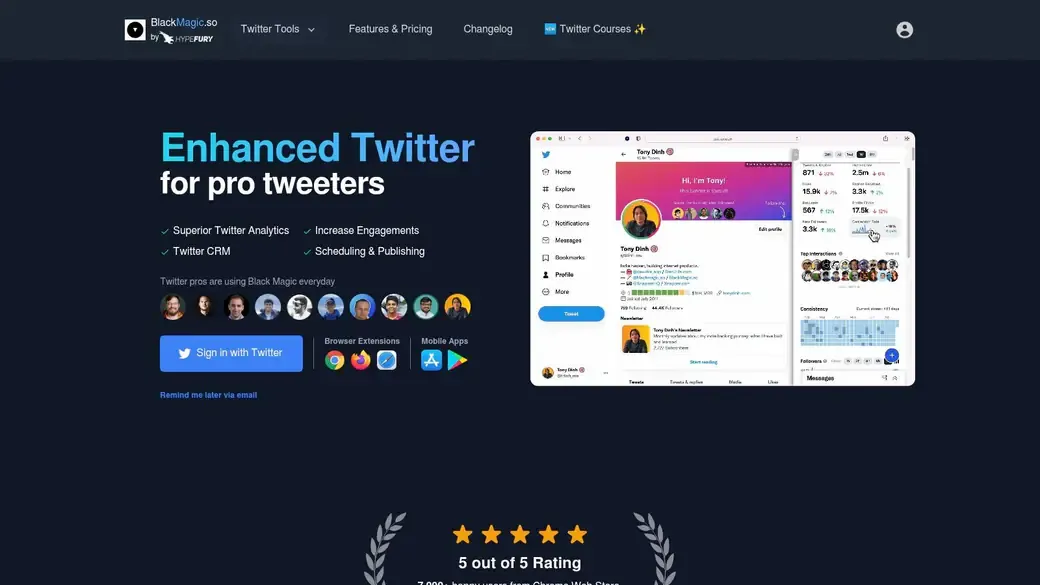
BlackMagic.so is a creator-first tool. It combines X analytics with what’s basically a Twitter CRM, which is more useful than it sounds if you build your growth through relationships, recurring interactions, and in-feed engagement.
This kind of product makes sense for power users who don’t want a corporate social suite. They want post analytics, consistency tracking, profile context, and reminders right where they work.
Creator fit
BlackMagic.so works well for solo creators, ghostwriters, and people who actively network on X. The relationship layer matters because not every growth opportunity comes from a fresh tweet. A lot of growth on X still comes from smart replies, repeated interactions, and knowing who you’ve already talked to.
It also reflects a gap in most X analytics coverage. Many tools still center on dashboard metrics, while advanced users increasingly need workflow analytics that connect posting, replies, remixing, and research into one system.
Useful strengths:
- In-feed workflow: Strong for users who spend time engaging directly on X.
- Relationship tracking: Helpful if networking is part of your growth strategy.
- Creator pricing posture: More approachable than enterprise suites.
Limitations:
- Single-network focus: Less useful if you need a broad social stack.
- Reporting is creator-oriented: Fine for personal growth, weaker for enterprise stakeholders.
- Narrower scope: If you need deep listening or executive reporting, look elsewhere.
For creators who grow through conversation, BlackMagic.so is one of the more relevant specialized options.
Top 10 Twitter Metrics Tools Comparison
| Product | Core features | Unique selling points | UX / Quality | Price / Value | Target audience |
|---|---|---|---|---|---|
| Xholic AI | Always-on discovery, semantic search, Reply Deck with AI Reply Composer, Tweet Remixer, Daily Pack, Smart Scheduler, Chrome extension, Saved Collections | Early momentum signals, voice-matched drafting, in-feed execution, “Steal the Structure” templates, scheduled publishing | 5/5, fast, chrome-integrated | $29/mo (7-day trial; launch $24.65 first month) | founders, creators, indie hackers, marketers, analysts, influencers, power users |
| X (Twitter) Premium Analytics (native) | Post/profile metrics, audience insights, integrated Premium features | First-party data & fastest access to platform metrics | 4/5, accurate but gated | Included with X Premium/Premium+ | creators, brands, in-platform analysts |
| Sprout Social | Enterprise analytics, cross-channel reporting, publishing, AI insights | Polished, presentation-ready reports for teams | 4/5, robust, enterprise polish | Premium/enterprise pricing (contact sales) | agencies, marketing teams, enterprise social managers |
| Hootsuite | Scheduling, X analytics, benchmarks, consolidated inbox, collaboration | Benchmarks + workflow in one place | 4/5, mature, scalable | Tiered pricing; seats/add-ons increase cost | teams, social managers, agencies |
| Agorapulse | X analytics & reporting, unified inbox, scheduling, competitor tracking | Clear UI, quick onboarding, responsive support | 4/5, manager-friendly | Per-user pricing; 30-day trial | managers, small teams, agencies |
| Rival IQ | X analytics, competitive benchmarking, breakout post detection, reporting | Best-in-class competitor analysis & live benchmarks | 4/5, analytics-first, exportable reports | Higher-tier pricing for advanced features | competitive analysts, agencies, brands |
| Metricool | Scheduler, full X analytics, competitor & ads reporting, integrations | Strong analytics-to-price ratio | 4/5, simple, value-oriented | Affordable tiers; good value for creators | creators, small teams, freelancers |
| Audiense (Connect + Insights) | Audience segmentation, best-time dashboards, API access | Research-grade audience personas & segments | 4/5, deep audience intelligence | Complex/segmented pricing (premium) | researchers, brands, media planners |
| Brandwatch | Deep listening, sentiment & trend detection, influencer ID, enterprise workflows | Enterprise-scale consumer intelligence & governance | 4/5, powerful but complex | Enterprise pricing (custom quotes) | enterprises, insights teams, large programs |
| BlackMagic.so | Real-time tweet tracking, Twitter CRM, notes/reminders, scheduling, extensions | In-feed Twitter CRM + creator workflow | 4/5, creator-focused, fast | Approachable pricing for solo creators | creators, power users, solo operators |
How to choose a twitter metrics tool
Many buyers choose the wrong tool because they purchase for features instead of the specific job-to-be-done. Start with the workflow you need to improve.
Choose by job to be done
If you’re a creator or founder, prioritize tools that help you act inside X. That means reply workflows, content discovery, consistency tracking, and fast post analysis. Xholic AI and BlackMagic.so fit that pattern better than broad enterprise suites.
If you run a team and need reporting that leadership will trust, look at Sprout Social, Hootsuite, or Agorapulse. These tools make more sense when your work includes exports, approvals, cross-channel reporting, and collaboration.
If you care most about audience research or market intelligence, Audiense and Brandwatch are in a different class. Rival IQ sits between those worlds by focusing heavily on comparative performance and benchmarking.
What to test before you commit
Don’t compare tools on homepage promises. Test them on a real workflow.
- Check metric clarity: Can you quickly find engagement, impressions, follower movement, content performance, and audience breakdowns?
- Check decision support: Does the tool help you choose what to post, when to post, or where to engage next?
- Check workflow friction: If you have to export, reformat, or switch tabs constantly, adoption will slip.
- Check reporting quality: If clients or managers need updates, see how much cleanup exported reports require.
- Check fit by content style: Some tools are better for brand campaigns. Others are better for replies, threads, or creator cadence.
A simple test workflow works well here. Pull your last month of posts. Mark original posts, replies, quote tweets, and threads separately. Then ask whether the tool helps you interpret each format differently. If it doesn’t, you’ll end up with lots of numbers and weak decisions.
Common mistakes when using twitter metrics tools
A common failure pattern looks like this: the dashboard shows a post with big impressions, the team calls it a win, and next week they repeat the format. Then nothing compounds because the post reached people without producing clicks, replies, follows, or any clear next action. Good measurement starts by defining what the post was supposed to do.
The biggest mistake is using one success standard for every job. A reply meant to start conversations should be judged differently from a thread meant to earn follows or a link post meant to drive traffic. If your tool lumps all post types together, you get messy averages and weak content decisions.
I also see teams buy a reporting tool before they fix their operating rhythm. That is usually backward.
Common mistakes include:
- Scoring every engagement the same way: Replies, reposts, profile clicks, link clicks, and video views reflect different intent.
- Reading raw totals without context: A high-impression post can still be a poor business result.
- Comparing unlike formats: Original posts, replies, quotes, promos, and threads need separate benchmarks.
- Ignoring distribution variables: Timing, topic fit, and account activity affect reach before content quality even enters the picture.
- Skipping period-over-period review: One spike can distract from a month of flat performance.
- Choosing the wrong tool category: Creators often need faster idea-to-post workflow support. Larger teams often need exports, approvals, and stakeholder reporting.
The fix is a simple decision framework. Match the metric to the job, then match the tool to the workflow. Creator-growth setups should help you find patterns worth repeating fast. That is where tools with an execution layer, including Xholic AI, can be more useful than a heavier dashboard that mainly summarizes results after the fact. Enterprise teams have the opposite problem. They usually need clean reporting, governance, and cross-team visibility.
One practical example: a founder posts a product update that gets wide reach but almost no replies or profile visits. That post created exposure, not momentum. On the same week, a short reply under an industry conversation gets lower reach but strong reply depth and new follower activity. If the goal is audience growth, the second pattern deserves more investment. If the goal is awareness ahead of a launch, the first post may still matter. The mistake is treating both outcomes as the same kind of win.
FAQ
What are the most important metrics in twitter metrics tools
Start with the metric that matches the job.
For creator growth, I watch impressions, engagement rate, profile visits, follows gained, link clicks, and replies. That mix shows whether a post got attention, pulled people deeper, or actually started conversation. For brand and campaign reporting, add conversion-oriented click data and video retention if video is part of the content mix. For research and competitive work, trend lines and share of voice matter more than any single post metric.
A practical rule helps here. Reach metrics tell you how far a post traveled. Action metrics tell you what people did next.
Are native X analytics enough
They are enough for basic post reporting and quick checks on what happened yesterday or this week.
They usually fall short once the workflow gets more demanding. Teams that need competitor benchmarking, cleaner exports, stakeholder reporting, approval flows, or cross-account views will outgrow native analytics fast. Creators can hit a different limit. Native data shows performance, but it does less to help with the next move, such as finding repeatable topics, spotting reply opportunities, or turning post patterns into a publishing system.
Which tool is best for creators on X
Choose based on how you grow.
Creators who win through speed, conversation, and consistent publishing usually need more than a dashboard. They need a workflow that helps them spot opportunities, draft faster, and reuse what is already working. Xholic AI fits that use case well because it sits closer to execution, not just reporting. BlackMagic.so makes more sense if the priority is contact management, relationship tracking, and a creator CRM style setup.
Which tool is best for brands and agencies
Start with the reporting job and team size.
Sprout Social and Hootsuite are strong fits for teams that need shared dashboards, approvals, and stakeholder-ready reporting. Agorapulse works well for agencies that care about day-to-day social operations and client management. Rival IQ is the better starting point if competitive benchmarking is the main reason you are buying a tool. Large research-heavy brands usually need Audiense or Brandwatch because audience segmentation and market analysis matter more than post-level reporting alone.
Stop Tracking, Start Growing
A week of X reporting can leave two very different teams with the same problem. One creator sees a few strong posts but still has no clear publishing system. One marketing lead has plenty of charts but still cannot answer a basic stakeholder question about what changed and why.
That is why the right tool starts with the job, not the dashboard.
If the goal is creator growth, pick software that helps you act while the signal is still fresh. Reporting alone will not help much if your real bottleneck is finding better topics, writing stronger replies, or turning winning posts into a repeatable workflow. In that case, a tool closer to execution will usually create more value than a tool built mainly for exports and approval chains.
If the goal is team reporting, buy for coordination. Shared views, scheduled reports, approval flows, and cleaner benchmarking matter more than AI drafting or post remixing. Sprout Social, Hootsuite, Agorapulse, and Rival IQ all fit that use case better than creator-first products.
Research-heavy brands have a different buying lens. They often need audience segments, sentiment patterns, category monitoring, and broader market context. Audiense and Brandwatch earn their place when post-level optimization is only one small part of the decision.
A simple filter helps:
- Choose creator growth tools if you need faster content decisions and a tighter publish-learn-repeat loop
- Choose team reporting suites if multiple stakeholders need consistent dashboards, exports, and workflow control
- Choose intelligence platforms if audience research and market analysis drive budget and strategy
The mistake I see most often is buying too much software for the wrong problem. A solo operator does not need an enterprise reporting stack to post more consistently. A brand team with weekly reporting pressure should not rely on a lightweight creator tool and hope exports will somehow work later.
Xholic AI stands out in this guide for one specific reason. It connects analytics to action for X-first operators who want help with discovery, reply workflow, post remixing, saved research, and publishing consistency. That makes it a practical fit for creators and lean teams that care less about building presentations and more about building momentum.
If that is your use case, Xholic AI is worth a closer look.