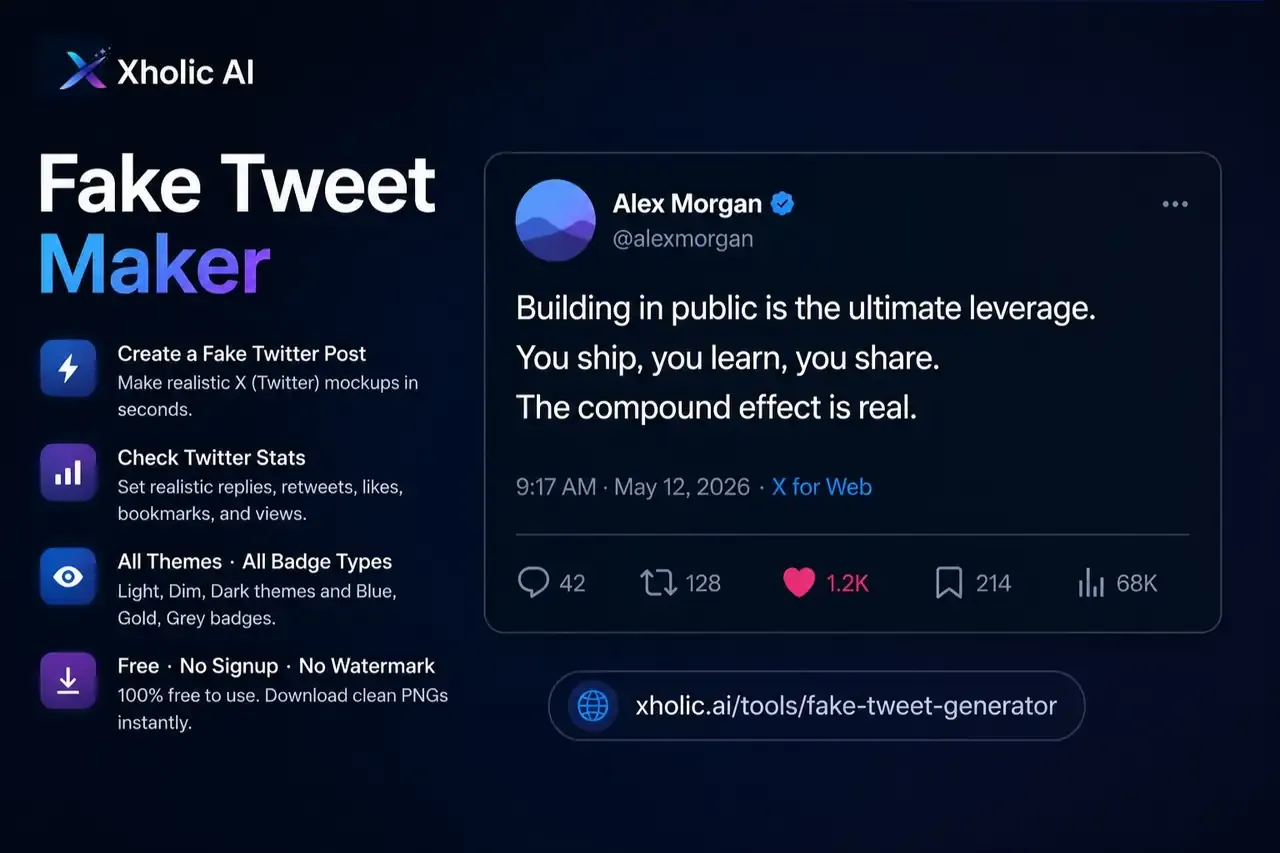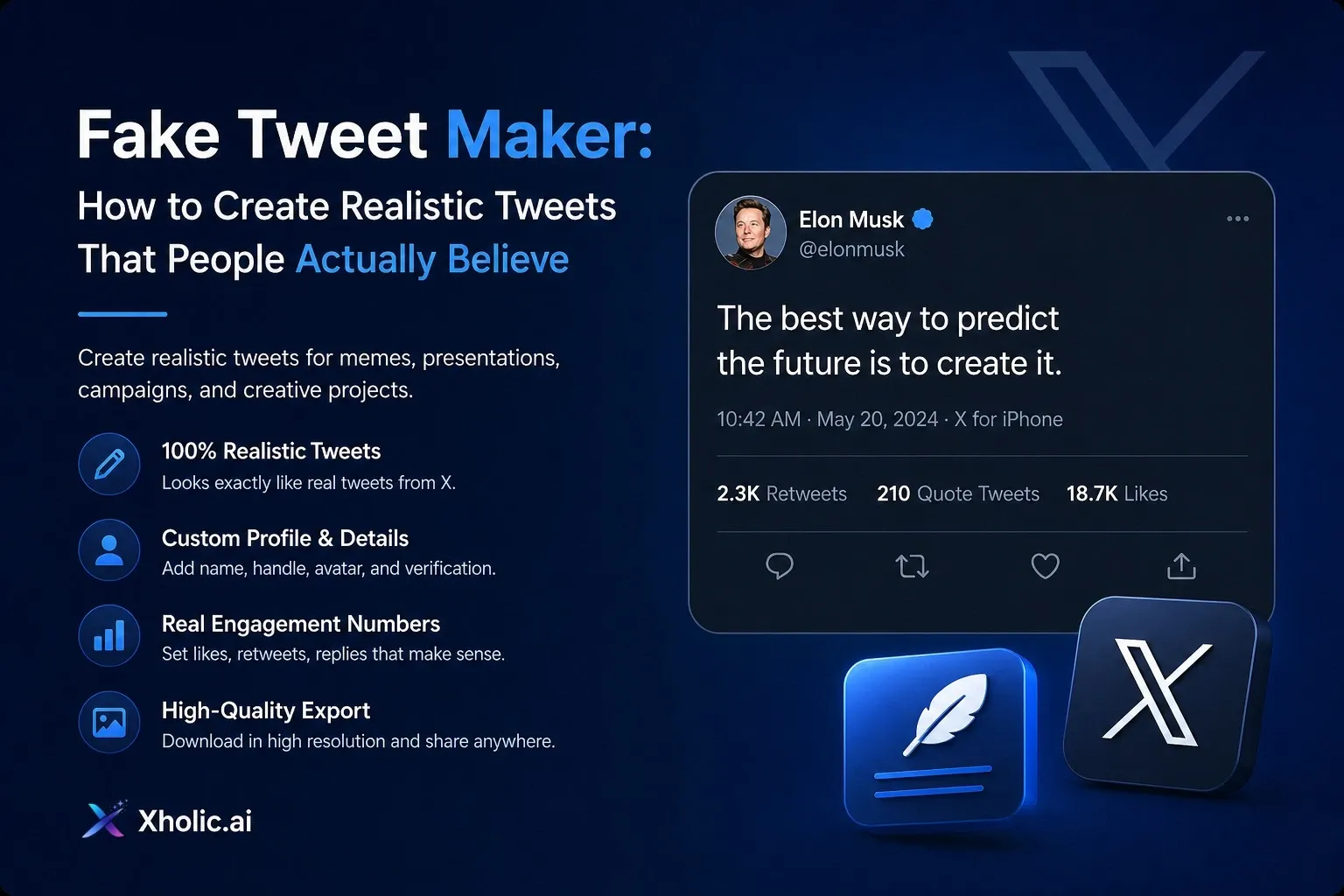
Free. No signup. No watermark. Dark mode and all badge types.
Xholic AI: xholic.ai/tools/fake-tweet-generator
If you are still comparing tools, start with our tested guide to the best fake tweet generator options.
What Is a Fake Tweet Generator?
A fake tweet generator is a free browser tool that lets you design a realistic-looking X (Twitter) post without logging in or publishing anything live. You fill in the name, handle, badge, tweet text, engagement stats, and theme, then download a clean PNG in seconds. Nothing connects to your real account. Xholic’s fake tweet maker is completely free, requires no signup, and exports without a watermark.
Introduction
There are two types of people who search for a fake tweet generator. The first type wants something quick, a tweet mockup for a presentation, a draft they need to visualize before going live, or a concept they are pitching to a client. The second type has spent twenty minutes already on tools that either watermark the export, hide the dark mode theme behind a paywall, or only offer one verified badge type when they specifically need the gold one for a brand account.
We built Xholic’s fake tweet generator for both of them. Fast enough for the first. Complete enough for the second.
This guide covers everything: what the tool does, how to use it step by step, how to make your mockup look genuinely convincing, who actually uses this type of tool and why, the legal question that comes up every time, and a thorough FAQ section that answers the things people search for most often in this space.
If you just want the tool, it is at xholic.ai/tools/fake-tweet-generator. If you want to get the most out of it, keep reading.
How to Use the Xholic Fake Tweet Generator - Step by Step
The editor is designed around the finished tweet card. You edit directly on the mockup rather than filling out a side form and watching a separate preview update. What you see while editing is what you get when you export. Here is the full process.
Step 1 - Open the Tool
Go to xholic.ai/tools/fake-tweet-generator. No account creation. No email address. No payment information. The editor opens immediately in your browser. It works on Chrome, Safari, Firefox, and Edge. Desktop gives you the most comfortable editing experience, but the tool is fully functional on mobile browsers too.
Step 2 - Set the Profile Name and Handle
Click the display name directly on the tweet card and type whatever you need. The display name can include spaces, capitalization, and standard punctuation, exactly as X display names appear. Then click the username field and update the handle. X usernames follow strict rules: letters, numbers, and underscores only. No spaces. No hyphens. No dots. The @ symbol is formatted automatically, so you only need to type the handle itself.
If you are mocking up a real account, make sure the handle matches exactly. If you are inventing a fictional account, keep the format realistic even if the name is invented, an invalid handle format is one of the first things that makes a professional mockup look generated rather than genuine.
Step 3 - Upload a Profile Picture
Click the avatar circle and upload an image file. Square images crop most cleanly into the circular avatar format X uses. If your image is not square, the tool will crop it, so if the framing matters, a logo that needs to be centred, a headshot where the face should not be cut off, crop it to a square before uploading.
Step 4 - Choose the Verified Badge
This is where we differ from most tweet generators. We support all three verified badge types that X currently uses.
Blue badge - for X Premium subscribers. Any individual who pays for X Premium can have this. It is the most common badge and the one most people expect to see on a personal account.
Gold badge - for verified organisations. This badge is reserved for brands, companies, and institutions on X’s business verification programme. If your mockup is for a brand account, this is the correct badge, not the blue one.
Grey badge - for government and multilateral accounts. Official government agencies, politicians in official capacities, and multilateral organisations like the UN or WHO get this badge.
No badge - the most realistic option for any account that would not qualify for verification or has simply not applied for it.
Using the wrong badge type is one of the fastest ways to make a professional mockup look sloppy. A personal account with a gold badge does not exist on X. A small startup with a grey badge does not make sense. When in doubt, no badge is more realistic than the incorrect one.
Step 5 - Write the Tweet Text
Click the tweet body and type your content. Line breaks, hashtags, mentions, and standard punctuation all render correctly inside the card. If this is a draft of something you plan to publish, this is an excellent moment to see how the copy actually looks in context.
Reading tweet copy inside a real-looking tweet card with a real profile and badge is a different experience from reading it in a document. The line breaks land differently. The hook reads differently when you see it the way a follower will see it. Things that felt fine in a doc sometimes feel wrong in the card. That feedback, before the post goes live, is one of the most practical reasons to use a tool like this.
Step 6 - Set the Date and Time
Timestamps are easy to overlook and easy to get wrong. For professional mockups, avoid placeholders, no midnight timestamps, no perfectly round times like 12:00 PM or 3:00 PM exactly. Real posts happen at 7:34 AM and 9:17 PM and 2:53 in the afternoon. A timestamp that looks hand-typed rather than auto-generated is a small detail that adds up.
If your mockup is tied to a specific campaign launch date, set that date. If it is a general example, pick a time in the middle of a working day in the relevant time zone.
Step 7 - Set the Engagement Numbers
We built a randomized metrics button into the tool for one specific reason: most people default to two bad options when setting engagement numbers manually. They set everything to zero, which makes the tweet look like it just went live and got no traction at all. Or they set everything to round, implausibly high numbers - 100,000 likes, 50,000 reposts, that look generated rather than real.
The Randomize button gives you a plausible starting point based on a mid-tier account. From there, adjust to match the realistic scale of whatever account you are depicting. A small creator with a few thousand followers might see 30 to 80 likes on a solid tweet. A mid-size brand with 20,000 followers might see 150 to 400 likes. A major publication might hit 2,000 to 8,000. A celebrity or viral post sits in the tens of thousands.
The fields you control: replies, reposts, likes, bookmarks, and views. That covers every engagement metric currently visible on an X post.
Step 8 - Choose Your Theme
We support all three visual themes X currently uses. Light is the white background mode - the default for many desktop users and the cleanest option for documents and presentations with white backgrounds. Dim is X’s default dark mode for most mobile users, a dark blue-grey that feels natural on a phone screen. Dark is true black, common on OLED screens and desktop dark mode.
Pick the theme that fits where the mockup is going. A light tweet card dropped onto a dark slide background looks out of place. A dark tweet card in a white Google Doc stands out awkwardly. Five seconds choosing the right theme is worth it.
Step 9 - Add an Image (Optional)
If the tweet you are mocking up would include a visual, drag and drop an image into the media area or click to upload. Single-image tweets are fully supported. For product launch mockups and campaign concepts where the visual is doing significant communication work, adding the real image rather than imagining how it will look, often changes how the surrounding copy reads and whether the overall tweet feels balanced.
Step 10 - Preview and Download
Toggle to Preview mode from the top bar. The editing interface disappears and you see the clean tweet card exactly as it will export. Use this moment to check everything: a typo in the handle, an engagement number that is too round, a badge that does not fit, and a timestamp that looks like a placeholder. These are invisible when you are focused on editing and obvious the moment you look at the finished export.
When it looks right, click Download. The file exports as a high-resolution PNG - no watermark, no Xholic branding in the image itself, no subscription required. The file is yours.
How to Make a Fake Tweet Look Real
There is a functional fake tweet, and there is a convincing fake tweet. The mechanics are the same. The gap is in the details. Here is what separates a mockup that reads as genuine from one that reads as generated.
1. Get the username format exactly right
X usernames are strict. Letters, numbers, and underscores only. No dots. No hyphens. No spaces. @sarah.jones cannot exist on X. @sarah-jones cannot exist on X. Anyone who uses the platform regularly spots this instantly. Even for fictional accounts, keep the formatting real.
2. Match the engagement numbers to the account tier
You do not need to know any actual account’s engagement rate. You need the numbers to feel proportionate. Nano creator under 1K followers: single-digit to low double-digit likes. Small creator 1K to 10K: 30 to 200 likes. Mid-tier 10K to 100K: 100 to 1,500 likes. Large brand or creator 100K and above: 500 to 10,000 likes. Celebrity or viral: tens of thousands. Get this roughly right and the numbers become invisible. Get it wrong and they are the first thing anyone notices.
3. Use the correct verified badge - or no badge at all
Blue belongs on paying individuals. Gold belongs on verified organisations. Grey belongs on government accounts. Putting a gold badge on a personal account or a blue badge on a government agency stands out to any X user immediately. When the account you are depicting does not fit neatly into a verified tier, leaving the badge off entirely is the most realistic choice.
4. Set a timestamp that looks typed, not generated
4:00 AM. 12:00 PM exactly. January 1st at midnight. These scream placeholder. Real post times are irregular - 6:43 PM, 10:22 AM, 3:51 in the afternoon. The timestamp is a small thing that no one consciously notices when it is right and everyone consciously notices when it is wrong.
5. Choose the theme based on the audience, not your preference
If your mockup is going into a client presentation, think about what theme that client’s X audience sees most often. If it is going into a pitch deck, match the slide background. If it is going into a printed report, light mode reproduces more cleanly than dark. The theme choice is a communication decision, not just a visual preference.
6. Use a realistic profile picture
A blurry, pixelated, or obviously stock-photo avatar undermines everything else. For brand account mockups, use the actual brand logo. For personal account mockups, use a headshot-style image. For fictional accounts, use something that looks like a real profile picture from a real person, not a placeholder silhouette.
7. Write tweet copy that fits the character count
X’s character limit is 280. Tweets that are very short, under 80 characters with no media, feel sparse in the card. Tweets that hit 280 characters often wrap in ways that look different from what you expect at a smaller screen size. Preview the tweet in both light and dark modes at the step 10 preview stage to check how the copy flows visually across different line lengths.
Who Uses a Fake Tweet Generator - and Why
The name makes this tool sound niche. The actual user base is broader and more professional than the name suggests. Here is an honest breakdown of who reaches for it and what they are actually trying to do.
Social media managers and marketing teams
The most common professional use case. Before a brand tweet goes live, especially for a product launch, a campaign moment, or a statement that requires legal or executive sign-off, someone on the team needs to see it. Not in a document. Not as a drafted screenshot from the actual account. As a proper visual mockup showing the badge, the image placement, the copy in context, and the engagement expectations. Fake tweet generators make internal review cycles faster and less risky.
Founders and startup teams
Pitch decks increasingly include social media content not as evidence of current traction but as a vision of what engagement with the product will look like at scale. A well-built mockup of a hypothetical launch post, clearly labelled as a concept in the deck, communicates investor appetite in a format that a bullet point cannot. We hear from early-stage founders who use this tool as a standard part of their investor material preparation.
Teachers and media literacy educators
This became one of our most valued use cases. A teacher who opens Xholic in front of a classroom, builds a completely fabricated tweet attributed to a historical figure or a current politician in two minutes, and then asks students whether they would have believed it if it arrived in a group chat, is running one of the most effective media literacy lessons possible. The lesson lands differently when students see the fabrication happen in real time.
UX researchers and product designers
Anyone building a product that handles X content, a social listening platform, a brand monitoring dashboard, a media analytics tool, needs realistic placeholder data during the design phase. Fake tweets in product mockups communicate the actual data structure, the text length expectations, the visual weight of different badge and engagement combinations. They are more informative than Lorem Ipsum and look more professional in design reviews.
Journalists and academic researchers
Illustrating a hypothetical scenario, demonstrating how disinformation can spread through screenshot fabrication, or creating a representative example for a published piece are all legitimate journalistic and research applications. We see this use case from working journalists covering platform manipulation and from academic researchers studying misinformation propagation.
Content creators and writers
Planning a thread and wanting to see how the hooks look in the actual tweet format. Drafting a satirical piece that uses tweet screenshots as the medium. Building a creative project that reimagines historical figures or fictional characters in a Twitter context. The content creator use case is broad, and the output is often clearly labelled satire or creative work from the start.
Why We Built Xholic’s Fake Tweet Maker the Way We Did
Every deliberate decision we made in building this tool came from running into the same frustrations with what was already available. Here is what we did differently and why.
No account, no watermark, no paywall - actually
Other tools advertise as free and then reveal the catch at export time: a visible watermark unless you pay, a resolution limit, a daily download cap. We decided against all of that. The use case, make a mockup, download it, use it, does not justify a payment gate. If you find the rest of what Xholic offers useful, you are welcome to explore it. But the fake tweet generator is free, the export is clean, and there is no catch.
All three X verified badge types
Most tweet generators offer only the blue badge. We added gold and grey because professional use cases require them. A campaign concept for an enterprise client should have a gold badge on the brand account. An educational example about government communications on X should have a grey badge. Limiting the tool to blue-only limits its usefulness for anyone doing serious work.
Direct editing on the tweet card
We designed the editor around the finished card, not a separate form. When you edit directly on the tweet, you always see the real proportions, real typography, and real spacing as you work. There is no translation step between what you fill in and what you see. What you edit is what you get.
The Randomize Metrics button
This is a small feature with a specific purpose. Blank engagement fields produce placeholder-looking zeros. Manually guessed numbers tend toward round, unrealistic values. The Randomize function generates plausible mid-tier engagement numbers, a starting point to adjust from rather than a blank slate to fill from scratch. It is one button click that saves three minutes of second-guessing.
Part of a broader X mockup ecosystem
The fake tweet maker sits inside a broader set of X mockup tools at Xholic. The Quote Tweet Generator lets you build a quote tweet with an editable parent post. The Reply Chain Generator lets you create a multi-post reply thread. The Block Screen Generator and the Account Suspension Screen Generator cover those specific UI states. People who need a fake tweet mockup often need one of these other views too, and we built the tools to sit cleanly alongside each other.
Is Making a Fake Tweet Legal?
Short answer: yes, for most uses. Creating a tweet mockup for education, design, planning, satire, or research is legal in most countries. It becomes a legal problem when the output is used to impersonate someone with harmful intent, fabricate evidence, or spread deliberate misinformation.
Creating a fake tweet image is, in itself, a design action. There is no law in most jurisdictions that prohibits making a mockup of a social media post. The tool functions the same way any interface design application works, you are creating a visual representation of an existing UI format for a practical purpose.
The legal question is not about the tool or the image. It is about what you do with the image and what intent you had when you made it.
Legal uses - clear territory
Planning and visualising your own tweet content before publishing it. Creating campaign mockups for internal team review or client presentations. Building pitch deck materials that show a vision of future engagement. Educational demonstrations showing how tweet screenshots can be fabricated. UX research and product design with realistic placeholder content. Satire and parody with clearly fictional content or obvious comedic intent. Academic research and journalistic illustration with appropriate context.
Legally problematic territory - do not do this
Attributing a fabricated statement to a real person with the intent to damage their reputation, this is defamation in most legal systems. Presenting a fake tweet as evidence in any legal, official, or investigative context, this is fraud. Using a fake tweet to harass, threaten, or target an individual, this falls under harassment and malicious communications law. Spreading deliberate political misinformation through a fabricated screenshot, this is increasingly covered by election law in multiple countries. Presenting a fabricated tweet as real to an audience that cannot reasonably identify it as a mockup.
We are not lawyers, and this is not legal advice for any specific situation. What we can say clearly is this: if your use falls into the first list, you are in clear, well-established territory. If it falls into the second list, the fact that you used a free web tool rather than Photoshop makes no legal difference to your situation.
The practical rule: when a mockup leaves a private context, when it is shared publicly, published, or shown to an audience, label it. A caption that says mockup, a text overlay that says not a real post, or the context of the surrounding content usually clears the ambiguity.
Responsible Use - Where We Draw the Line
We built this tool with legitimate use cases in mind. The list below reflects the purposes we designed it for and the ones we would not want to enable.
What Xholic’s fake tweet generator is for
Drafting and visualizing tweet copy before publishing it for real. Building campaign mockups for client review and approval workflows. Creating pitch deck or investor material visuals. Educational demonstrations about media literacy and screenshot fabrication. UX research, product design, and interface mockups with realistic placeholder data. Clearly labelled satire, parody, and creative projects with obviously fictional content. Journalistic and academic illustration with appropriate attribution and context.
What it is not for
Impersonating a real person with the intent to damage their reputation or deceive others. Creating fake evidence for any official, legal, or investigative context. Spreading political or factual misinformation under the guise of a real X post. Harassment campaigns that attribute harmful statements to real individuals. Any use where the output would be presented to an audience as a genuine, live tweet with no clarification.
These lines reflect the difference between the tool as a design and planning aid versus the tool as a mechanism for harm. We take that distinction seriously in how we build and maintain the product.
Frequently Asked Questions
What is a fake tweet generator?
A fake tweet generator is a browser-based tool that creates visual mockups of X (Twitter) posts. You customize the profile name, username, verified badge, tweet text, engagement numbers, timestamp, and theme, then export the result as a PNG image. The tool does not post anything to X, does not require a login, and does not connect to any X account.
How do I make a fake tweet?
Open xholic.ai/tools/fake-tweet-generator in your browser. Fill in the profile details, name, handle, avatar, badge type. Write the tweet text. Set the timestamp and engagement numbers. Choose a theme: light, dim, or dark. Preview the card. Click Download. The whole process takes under two minutes and requires no account.
Does the fake tweet generator post to my X account?
No. Xholic’s fake tweet maker creates images only. It does not request X credentials, access your account, or communicate with X’s servers in any way. The output is a PNG file saved to your device. Nothing is published, scheduled, or stored on any platform.
Is the fake tweet generator free?
Yes, completely free. No signup, no subscription, no credit card. The PNG export is free and comes without a watermark or Xholic branding in the image. There are no hidden tiers or resolution limits.
Can I make a fake tweet with a verified blue checkmark?
Yes. Xholic supports all three verified badge types X currently uses: the blue badge for X Premium subscribers, the gold badge for verified organisations, and the grey badge for government accounts. You can also leave the badge off entirely.
How do I make a fake tweet look real?
Use a valid username format, letters, numbers, underscores only, no dots or hyphens. Set engagement numbers proportionate to the account size. Use the correct badge for the account type, or no badge if it does not fit. Choose a non-round, non-midnight timestamp. Match the theme to where the mockup is going. Use a realistic profile picture.
Is making a fake tweet illegal?
Creating a tweet mockup for satire, education, planning, design, or research is generally legal in most countries. It becomes legally problematic when used to impersonate a real person maliciously, fabricate evidence, or harass individuals. The tool itself is legal. The legal question depends on how you use the output.
What format does the fake tweet export in?
PNG. High-resolution, lossless, no watermark. PNG preserves sharp text and clean UI edges better than JPEG for tweet-style content. It works cleanly in PowerPoint, Keynote, Google Slides, Word, Google Docs, and design tools.
Can I make a fake tweet in dark mode?
Yes. Xholic supports all three X visual themes: light (white background), dim (dark blue-grey, which is X’s default dark mode for most mobile users), and dark (true black). You can switch between themes instantly and preview each one before exporting.
Can I add an image to my fake tweet?
Yes. Drag and drop an image into the media area or click to upload. Single-image tweets are fully supported. This is particularly useful for product launch mockups and campaign concepts where the tweet image is doing significant communication work.
What is the difference between a tweet mockup and a fake tweet?
They are the same thing described with different framing. Tweet mockup is the professional term, a design tool used for planning. Fake tweet is the broader description, a post created by a tool rather than published on the platform. Both outputs are identical: a realistic-looking X post image generated in a browser, not on X itself.
Does Xholic save my tweet data?
No. The tool runs entirely in your browser. Your tweet content, profile details, and uploaded images are not stored on Xholic’s servers or transmitted anywhere. When you close the tool, the session data clears.
Can I create a fake thread or reply chain?
Yes, through a separate tool. Xholic’s Reply Chain Generator lets you build a multi-post reply thread or conversation mockup. The Quote Tweet Generator lets you build a quote tweet with an editable parent post. Both sit alongside the fake tweet maker in Xholic’s suite of X mockup tools.
Is Xholic affiliated with X or Twitter?
No. Xholic AI is an independent platform with no affiliation with, endorsement from, or sponsorship by X Corp. Our tools are independently built for planning, design, education, and creative use.
What is the best fake tweet generator in 2026?
Xholic’s fake tweet generator offers all three X theme options (light, dim, dark), all three verified badge types (blue, gold, grey), full engagement number control with a randomize feature, media upload support, a direct-edit card interface, and a clean PNG export, all free, with no signup and no watermark. It is built for professional, educational, and creative use cases that require an accurate, fully featured mockup.
Try It Now - No Account, No Setup
Everything in this guide leads back to one place: xholic.ai/tools/fake-tweet-generator.
Open it in a browser. The editor is there. Fill in the details, set the theme, adjust the numbers, hit Preview, and download the PNG. Under two minutes for a mockup that would have taken twenty in a design tool.
If you are using it for a client presentation, the export is clean enough to drop directly into a slide. If you are using it for a classroom demonstration, the live editing process is part of the lesson. If you are using it to plan a campaign, the mockup gives your team something real to react to rather than a description of how it will look.
We built this tool because the gap between having a tweet idea and seeing it properly was annoying in a way it did not need to be. We hope it is less annoying now.
If you have a use case we have not covered, or a feature you want to see, we are listening. Find us at xholic.ai.