If you search for the best fake tweet generator, you probably want a tool that can create a realistic X/Twitter-style screenshot quickly. The useful tools are the ones that let you adjust the profile, tweet text, media, timestamp, theme, verification badge, and engagement metrics without forcing a signup or adding a distracting watermark.
The tricky part is that people use different names for the same job. One person searches for a fake tweet generator. Another searches for a fake tweet maker, fake Twitter post generator, tweet screenshot generator, or X post mockup generator. Most of them want the same outcome: a believable tweet-style image for a campaign preview, product deck, classroom example, meme, or clearly labeled mockup.
We tested eight tools in May 2026 and compared them on visual accuracy, customization depth, export quality, speed, and no-signup friction. The best overall pick is Xholic AI’s fake tweet generator because it combines inline editing, image uploads, multiple X themes, badge controls, engagement metrics, no signup, and watermark-free PNG export in one browser-based workflow.
Test Setup
This comparison was checked on May 14, 2026 using Chrome-style desktop browser testing on macOS. For each tool, the goal was the same: create or inspect a realistic X-style post with a profile identity, tweet body, timestamp, engagement metrics, verification treatment, theme options, image support, and a downloadable image export.
We scored each tool from 1 to 10 across five categories:
- Visual accuracy: How close the output feels to a current X/Twitter post.
- Customization depth: Profile, media, badge, theme, timestamp, reply, quote tweet, and metric controls.
- Export quality: Whether the final image is clean, useful, and not blurred or visibly branded.
- Speed: How quickly someone can move from opening the page to a usable export.
- No-signup experience: Whether the core task works without creating an account.
This is not a lab benchmark. It is a practical buyer-style comparison for people who need a fake tweet generator free enough to test immediately and polished enough to use in real work.
Quick Ranking
| Rank | Tool | Best For | Overall |
|---|---|---|---|
| 1 | Xholic AI | Dedicated X mockups with inline editing | 9.3 |
| 2 | Tweetgen | Classic fake tweet and reply-chain mockups | 7.8 |
| 3 | Circleboom | Fake tweet generation inside a broader social platform | 7.4 |
| 4 | TweetsGen | Free X tool suite with a simple tweet mockup editor | 7.3 |
| 5 | Zeoob | Quick no-signup mockups | 7.2 |
| 6 | BrandBird | Polished single-tweet visuals | 7.0 |
| 7 | FakeTweet | Template-driven fake Twitter post generator | 6.9 |
| 8 | TweetPik by Tweet Hunter | Screenshots of real tweets, not fake editable tweets | 6.6 |
Scoring Table
| Tool | Visual Accuracy | Customization Depth | Export Quality | Speed | No-Signup Experience |
|---|---|---|---|---|---|
| Xholic AI | 9 | 9 | 9 | 9 | 10 |
| Tweetgen | 7 | 8 | 8 | 7 | 9 |
| Circleboom | 8 | 8 | 8 | 6 | 7 |
| TweetsGen | 7 | 7 | 7 | 8 | 9 |
| Zeoob | 7 | 7 | 7 | 6 | 9 |
| BrandBird | 8 | 5 | 8 | 7 | 8 |
| FakeTweet | 8 | 6 | 6 | 7 | 6 |
| TweetPik by Tweet Hunter | 8 | 4 | 8 | 7 | 6 |
Feature Checklist
| Feature | Xholic AI | Tweetgen | Circleboom | TweetsGen | Zeoob | BrandBird | FakeTweet | TweetPik |
|---|---|---|---|---|---|---|---|---|
| Replies | Yes, separate tool | Yes | Yes | Basic | Basic | No | Basic | Real tweets |
| Quote tweets | Yes, separate tool | Yes | Yes | Limited | Limited | No | Templates | Real tweets |
| Image upload | Yes | Yes | Yes | Yes | Yes | Basic | Yes | Real tweets |
| Multiple images | Up to 4 | Limited | Limited | Limited | Limited | No | Limited | Real tweets |
| Dark or dim mode | Light, dim, dark | Yes | Yes | Light, dim, dark | Yes | Basic | Light, dim, black | Style presets |
| Verified badges | Blue, gold, grey | Yes | Yes | Yes | Yes | Basic | Yes | Real tweets |
| Engagement metrics | Yes | Yes | Yes | Yes | Yes | Limited | Yes | Real tweets |
| No signup path | Yes | Yes | Basic generator | Yes | Yes | Basic use | Partial | Depends |
| No watermark export | Yes | Yes in our test | Varies by workflow | Yes in our test | Yes in our test | Basic use | No in preview | Not a fake editor |
| PNG export | Yes | Yes | Yes | Yes | Yes | Yes | Yes | Screenshot export |
Use the table as a workflow filter, not a promise that every tool will keep the same free limits forever. For claims like no signup and no watermark, we are describing what was visible at the time of testing.
1. Xholic AI Fake Tweet Generator - Best Overall
- Tool: xholic.ai/tools/fake-tweet-generator
- Price: Free
- Signup required: No at the time of testing
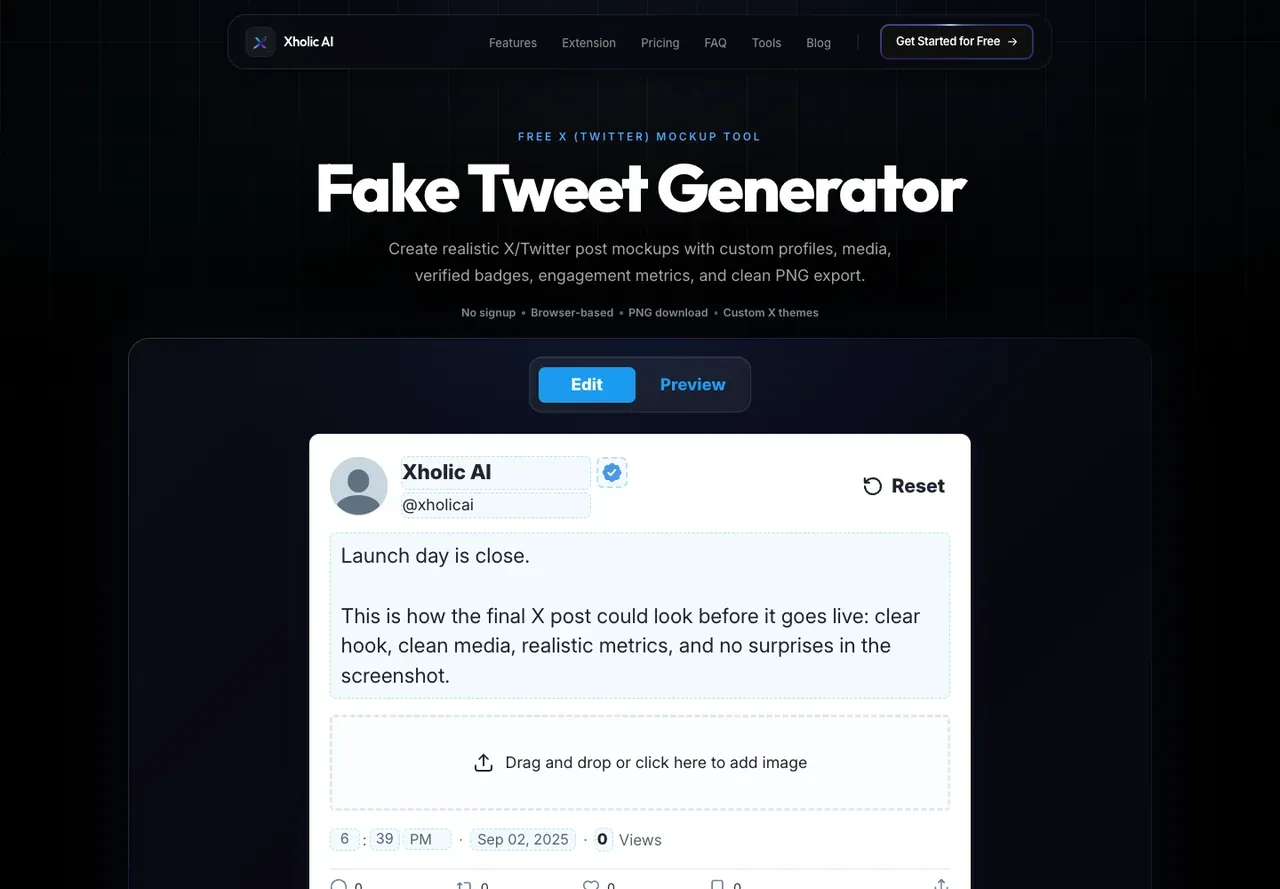
Xholic AI is the best overall pick if you want a dedicated fake tweet generator with replies, quote tweet support, image upload, badge controls, engagement metrics, X themes, and no signup friction. The fake tweet editor itself focuses on a single post, while the related tools cover reply chains, quote tweets, block screens, and suspension mockups.
The main difference is the editing model. Instead of filling out a long form and waiting for a separate preview to update, you edit the tweet card directly. That makes it easier to adjust copy, line breaks, timestamps, profile details, metrics, and images while looking at the same visual surface the reader will see.
Xholic supports the details most realistic X post mockups need: display name, handle, avatar, body text, timestamp, verification style, views, replies, reposts, likes, bookmarks, media, and light, dim, or dark themes. At the time of testing, the export was a clean PNG with no watermark and no signup requirement.
The bigger advantage is that Xholic is not only one fake tweet maker. The same free tools section includes a Quote Tweet Generator, Reply Chain Generator, Block Screen Generator, and Account Suspension Screen Generator. If your work involves X mockups often, that matters.
Best fit: creators, marketers, founders, teachers, and product teams who need realistic X/Twitter mockups quickly.
Trade-off: Xholic is focused on X/Twitter-style mockups. If you need Instagram, Facebook, or LinkedIn screenshots, use a broader social design tool.
Verdict: Best overall for realistic fake tweet mockups, especially when speed and control both matter.
2. Tweetgen - Best Classic Fake Tweet Tool
- Tool: tweetgen.com
- Price: Free
- Signup required: No at the time of testing
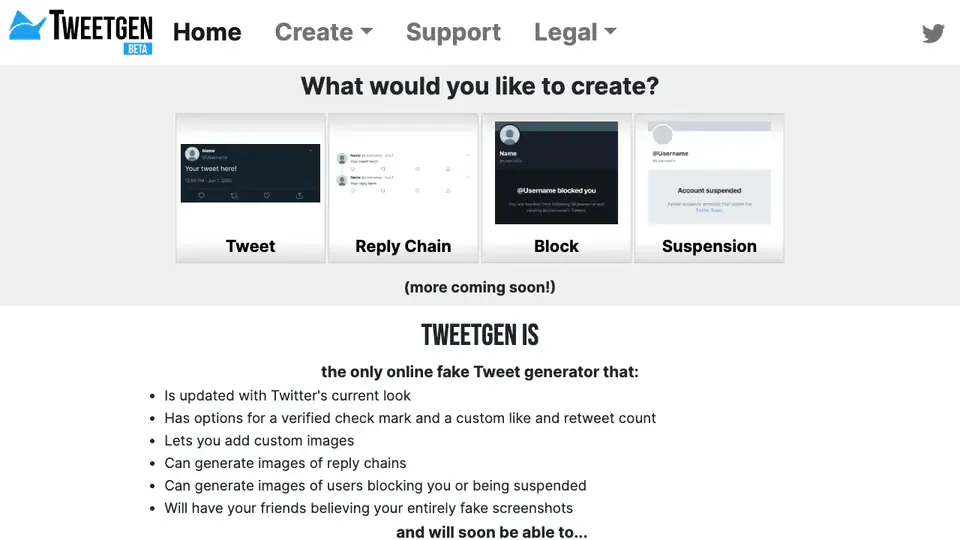
Tweetgen is one of the established names in fake tweet generation. Its homepage positions it as a fake tweet and Twitter screenshot generator, and it supports adjacent mockup types such as reply chains, blocks, suspensions, and profile-style visuals.
Its strength is breadth. If you want a straightforward fake Twitter post generator with older-school controls and related Twitter mockup types, Tweetgen is still worth checking. It also advertises support for verification marks, custom like and retweet counts, custom images, reply chains, blocked-user visuals, suspended-user visuals, and quote tweets.
The trade-off is that the interface feels more dated than newer tools. The experience is serviceable, but it does not feel as fast or direct as editing the tweet card itself inside Xholic. For polished campaign work, that extra friction adds up.
Best fit: users who want a classic fake tweet generator with multiple Twitter-style mockup types.
Trade-off: older UI and less modern-feeling editing workflow.
Verdict: Strong legacy option, especially for users who value breadth over interface polish.
3. Circleboom Fake Tweet Generator - Best Broader Platform Option
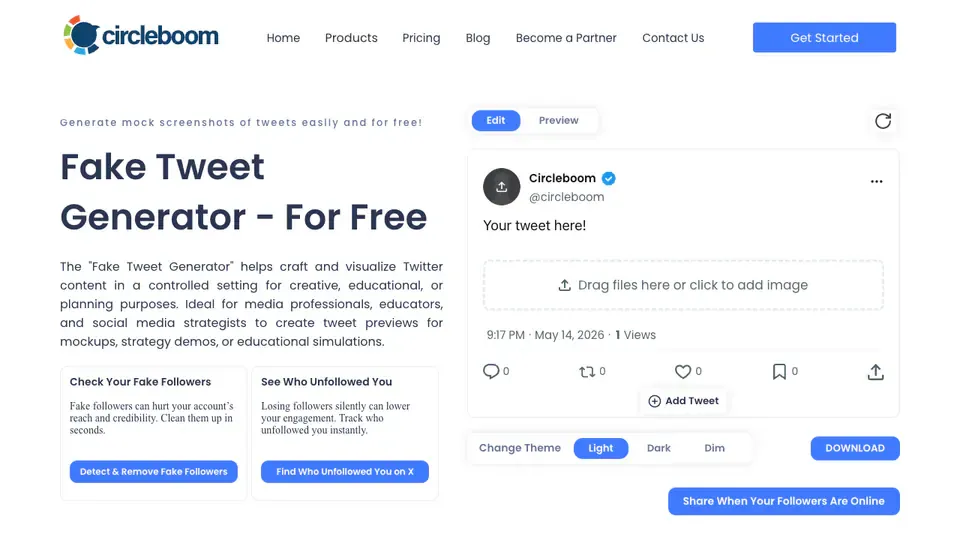
- Tool: circleboom.com/social-media-scheduler/social-media-post-generator/fake-tweet-generator
- Price: Free basic generator with broader Circleboom product upsell
- Signup required: Basic generator available without the full publishing workflow
Circleboom’s fake tweet generator is attached to a larger social media management platform. The page describes support for realistic tweet visuals, reply chains, blocked-user screens, suspensions, image uploads, verification choices, editable statistics, theme changes, and downloads.
That makes Circleboom a credible option, especially if you already use Circleboom or want fake tweet generation near scheduling and social publishing features. The generator itself is more capable than a simple text-to-image toy.
The trade-off is focus. The page includes broader product positioning, scheduling CTAs, and platform navigation. If all you need is a fast fake tweet mockup, that extra platform context can make the experience feel heavier than a dedicated editor.
Best fit: Circleboom users and teams that want fake tweet mockups alongside social media management.
Trade-off: less focused than a dedicated X post mockup generator.
Verdict: Good feature coverage, but heavier than Xholic for a pure fake tweet workflow.
4. TweetsGen - Best Free Tool Suite Option
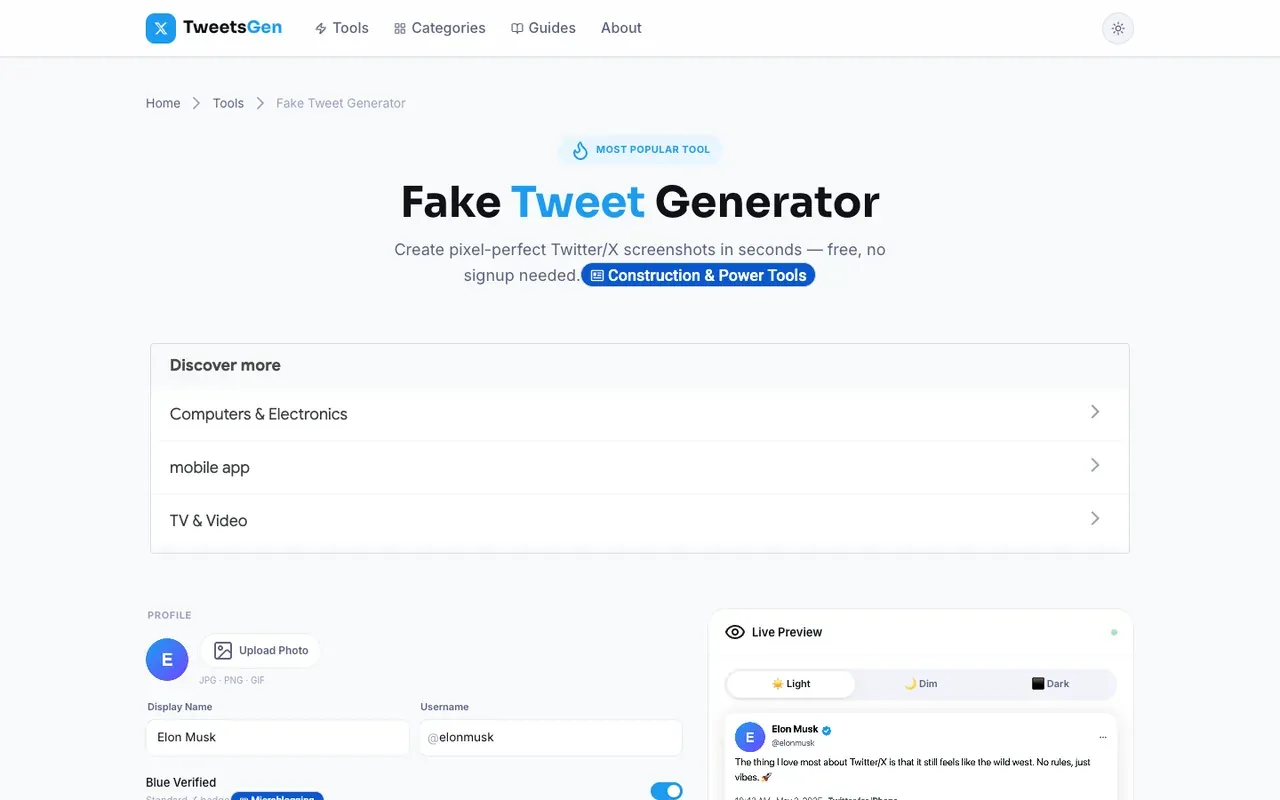
- Tool: tweetsgen.com/tools/fake-tweet-generator
- Price: Free
- Signup required: No at the time of testing
TweetsGen is a broader free Twitter/X tools site with a dedicated fake tweet generator. The page we tested includes profile controls, photo upload, verification options, theme switching, a tweet text area, and a live preview.
Its biggest advantage is immediate access. If you want a fake tweet maker free enough to open and test without account setup, TweetsGen is easy to understand. It also sits near other simple Twitter utilities, which may be useful if your workflow includes bios, hashtags, threads, or tweet ideas.
The trade-off is depth. TweetsGen is practical for straightforward single-post mockups, but it does not feel as complete as Xholic for repeated professional work, especially if you need a full X mockup toolkit with quote tweets, reply chains, block screens, and suspension screens.
Best fit: users who want a simple free fake tweet generator with a visible preview.
Trade-off: less complete than dedicated X mockup suites.
Verdict: Useful free option for basic mockups and quick screenshot-style examples.
5. Zeoob - Best Quick One-Off Option
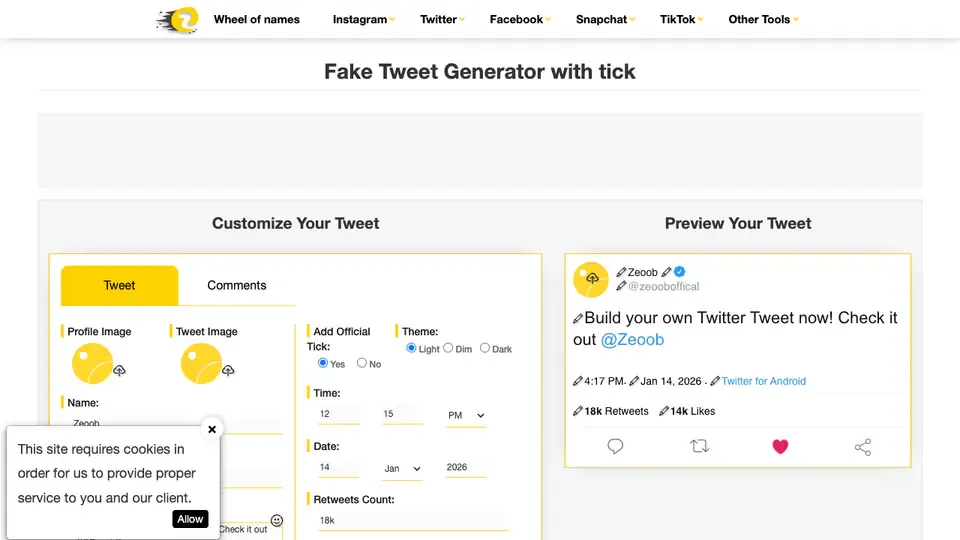
- Tool: zeoob.com/fake-tweet-generator
- Price: Free
- Signup required: No at the time of testing
Zeoob is still useful when you need a quick mockup and do not want to create an account. The tool gives you the expected fake tweet controls and a visible preview, and it is easy enough to understand on first use.
In our test, Zeoob worked for basic mockups, but the page felt more cluttered than Xholic and the editing flow was less direct. That does not make it bad. It just means it is better for quick one-off work than for repeated professional use where you care about iteration speed and visual polish.
Best fit: quick fake tweet examples and casual mockups.
Trade-off: more clutter and less refined editing than the best dedicated options.
Verdict: Practical for simple use, but not the strongest pick for presentation-grade X mockups.
6. BrandBird Fake Tweet Generator - Best for Polished Single Visuals
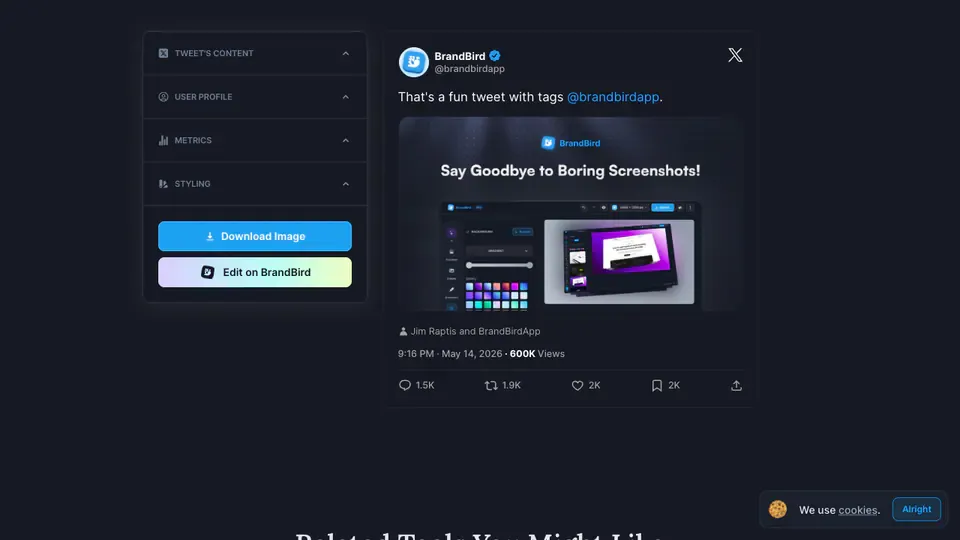
- Tool: brandbird.app/tools/fake-tweet-generator
- Price: Free with paid product upsell
- Signup required: No for basic use at the time of testing
BrandBird is a design platform for makers, creators, and product marketers, and its fake tweet generator fits that positioning. The default output looks polished, and the tool is useful when the final image is going into a landing page, launch graphic, or social proof concept.
The limitation is depth. BrandBird feels more like a lightweight design utility than a dedicated X mockup system. If you only need a clean-looking single tweet, that is fine. If you want detailed control over metrics, badge variations, themes, quote tweets, or reply chains, a more dedicated X mockup tool is a better fit.
Best fit: polished single-tweet visuals for product and marketing graphics.
Trade-off: less control for detailed fake tweet or X mockup workflows.
Verdict: Good-looking output, but not the deepest comparison winner.
7. FakeTweet - Best Template-Driven Fake Twitter Post Generator
- Tool: faketweet.com
- Price: Free entry point with account and template upsells
- Signup required: Partial, depending on workflow
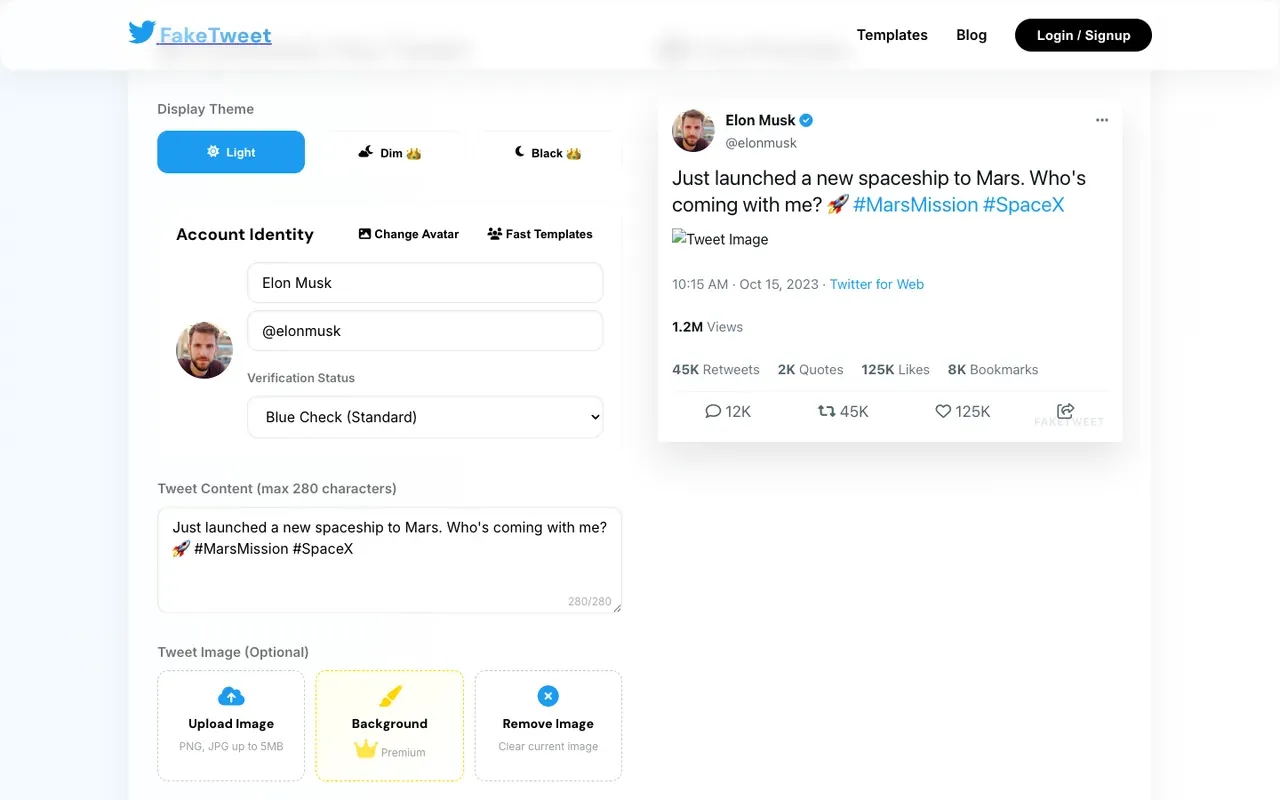
FakeTweet is a modern fake Twitter post generator with a template-focused workflow. In our test, the page offered theme controls, account identity fields, a tweet content field, image controls, engagement metrics, and a live preview.
The output looks polished, and the interface is easier on the eye than many older fake tweet generator pages. It also has template positioning, which can be helpful if you want to start from a premade fake tweet template rather than build every detail manually.
The trade-off is export trust. The preview we tested showed FakeTweet branding inside the generated card, and the page included login or signup paths. That does not make the tool unusable, but it matters if your priority is a fake tweet generator no watermark workflow.
Best fit: users who want a polished template-first fake Twitter post editor.
Trade-off: branding and account prompts make it less ideal for no-watermark professional exports.
Verdict: Visually clean and template-friendly, but not the strongest no-signup or no-watermark option.
8. TweetPik by Tweet Hunter - Best for Real Tweet Screenshots
- Tool: tweethunter.io/tweetpik
- Price: Free entry point with broader Tweet Hunter ecosystem
- Signup required: Depends on the workflow and Tweet Hunter account path
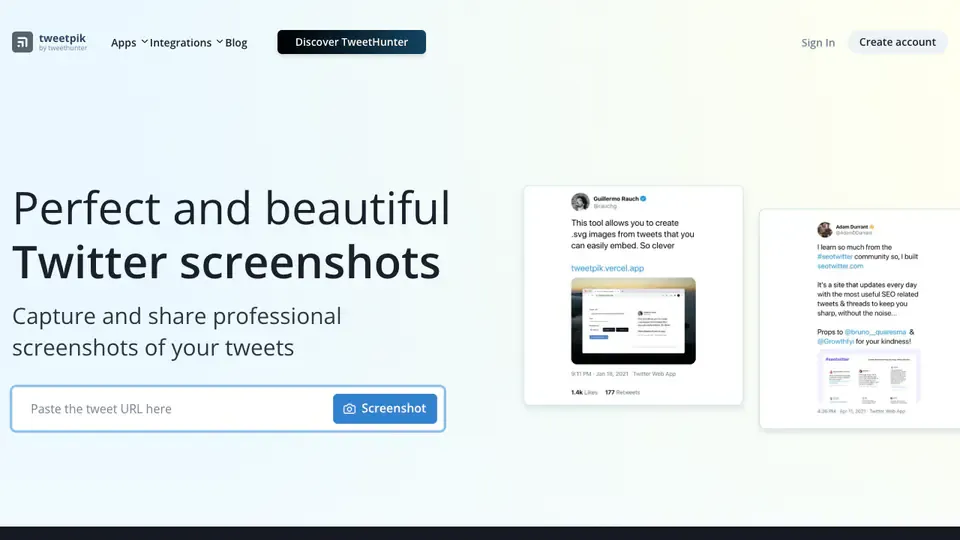
TweetPik by Tweet Hunter is worth mentioning because people comparing fake tweet generators often also compare tweet screenshot tools. But it is not the same job.
TweetPik is strongest when you want to turn a real tweet URL into a polished screenshot. That is useful for newsletters, decks, case studies, and social proof. It is less useful if your goal is to create a fully fictional tweet from scratch with custom metrics, profile data, badge types, and mock engagement numbers.
That distinction is important. For real tweet screenshots, TweetPik can be a good fit. For fake editable tweet mockups, Xholic, Tweetgen, Circleboom, TweetsGen, Zeoob, and FakeTweet are more directly comparable.
Best fit: screenshots of real tweets.
Trade-off: not a full fake tweet editor in the same way as the other tools in this list.
Verdict: Useful adjacent tool, but not the best choice for editable fake tweet generation.
Fake Tweet Generator vs Fake Tweet Maker vs Twitter Screenshot Generator
These searches overlap, but they are not identical.
A fake tweet generator usually means a tool that lets you create a fictional X/Twitter post by editing the profile, text, date, metrics, theme, and media.
A fake tweet maker means almost the same thing, but it often implies a simpler consumer workflow: type the content, choose the settings, and export an image.
A fake Twitter post generator is a broader version of the same intent. People use this phrase when they still call the platform Twitter or when they need a mock social post for a deck, lesson, or campaign concept.
A twitter screenshot generator or tweet screenshot generator may mean something different: a tool that turns a real tweet URL into a clean screenshot. TweetPik fits that category better than a true fake tweet editor.
For most X/Twitter mockup workflows, the best tool is the one that covers both language patterns: it should work as a fake tweet maker for quick exports and as a realistic X post mockup generator when you need precise control.
Other Tools We Considered
We also considered Postel’s fake tweet generator. It has a public fake tweet generator page and is worth checking if you are already using Postel for writing or social workflows. We kept it outside the main ranking because this article focuses on tools where we could compare the visible mockup editor and screenshot workflow side by side.
Which Tool Should You Use?
Use Xholic AI if you want the best balance of realism, control, speed, no signup friction, no watermark export, and related X mockup tools.
Use Tweetgen if you want an older but broad fake tweet toolkit with multiple Twitter-style mockup types.
Use Circleboom if you already use Circleboom or want fake tweet generation near a broader social scheduling platform.
Use TweetsGen if you want a simple fake tweet maker inside a larger free Twitter/X tools directory.
Use Zeoob if you need a quick no-signup mockup and do not mind a less polished page experience.
Use BrandBird if you need a clean single tweet visual for a design or marketing asset.
Use FakeTweet if you want a modern template-driven fake Twitter post generator and do not mind the branding/account prompts.
Use TweetPik if you need screenshots of real tweets rather than editable fake tweets.
Frequently Asked Questions
What is the best free fake tweet generator?
Xholic AI is the best free fake tweet generator in this comparison because it offers direct tweet-card editing, image uploads, badge controls, engagement metrics, X themes, related reply and quote tweet tools, and watermark-free PNG export without requiring signup at the time of testing.
Which fake tweet generator is best overall?
Xholic AI is the best overall pick because it combines speed with detailed X/Twitter mockup controls. It is useful for quick fake tweet maker workflows and more careful product, campaign, education, or presentation mockups.
Can I make a fake tweet with replies?
Yes. Xholic AI offers a dedicated Reply Chain Generator for fake tweet replies and multi-post conversation mockups. Tweetgen and Circleboom also include related reply-chain or thread-style mockup options.
Can I create a fake tweet with an image?
Yes. Xholic AI works as a fake tweet generator with image support, so you can upload media to a fake tweet mockup. At the time of testing, the fake tweet generator supported media uploads and the export remained a clean PNG.
What is the difference between a fake tweet generator and a Twitter screenshot generator?
A fake tweet generator creates an editable fictional tweet mockup. A Twitter screenshot generator usually captures or styles an existing real tweet URL. If you need custom profile details, custom metrics, and fictional post text, use a fake tweet generator. If you need a polished image of a real tweet, use a tweet screenshot generator.
Is there a fake tweet generator with no watermark?
Yes. At the time of testing, Xholic AI’s fake tweet generator exported PNGs without a watermark and did not require signup. Always re-check export behavior before using any tool in a client or public workflow because free limits can change.
Can I create an X post mockup?
Yes. A fake tweet generator is effectively an X post mockup generator when it supports current X-style layout, profile controls, media, verification badges, metrics, and themes. Xholic AI is built around that X/Twitter mockup workflow.
Can I create a quote tweet mockup?
Yes. Xholic AI has a dedicated Quote Tweet Generator for editing both the parent post and quoted post in one mockup. Tweetgen and Circleboom also advertise quote tweet or related mockup support.
Is it safe to use a fake tweet generator?
A fake tweet generator creates an image mockup. It should be used for drafts, education, product mockups, presentations, labeled examples, and creative work. Do not use fake tweet screenshots to impersonate people, fabricate evidence, or mislead viewers.
Final Verdict
The best fake tweet generator for most X mockup workflows is Xholic AI.
It wins because it is focused on the actual job: creating realistic X/Twitter mockups quickly, editing them directly, controlling the details that make the screenshot believable, and exporting a clean PNG without signup friction.
Tweetgen and Circleboom are credible alternatives if you want broader mockup categories or a platform-adjacent tool. TweetsGen and Zeoob are useful for quick free mockups. BrandBird is strong for polished single visuals. FakeTweet is template-friendly but less ideal when no watermark is the priority. TweetPik is useful when your source is a real tweet URL.
For dedicated fake tweet mockups, Xholic is the strongest overall option we tested.