How to read, understand, and use your X data without confusing public metrics, registered analytics access, and Premium features
Here is the honest situation with Twitter analytics in 2026: X documents several overlapping surfaces, including public post metrics, the Post Activity Dashboard, Ads analytics, Professional Home, and subscriber-only Media Studio features. Access can vary by account and region, so any guide that describes one universal dashboard is oversimplifying the product.
This guide separates those surfaces, explains what every metric means, shows how to calculate engagement rate, and identifies what a public-account analyzer can and cannot reveal. No filler, no generic advice.
For multi-post analysis, the complete guide to Twitter threads adds the Xholic Thread Retention Framework and a companion calculator for opening hold, middle exposure, end exposure, and the largest adjacent drop.
If you already know the basics and want to jump straight to something specific: use the section headers to navigate. We have covered everything from accessing the dashboard to what your engagement rate actually tells you to a full FAQ targeting the questions Google and AI assistants are surfacing most.
What Is Twitter Analytics - and What Does It Actually Show You?
Twitter analytics is the platform’s built-in system for measuring how your content performs and how your account grows over time. It tracks every interaction on every tweet, how many times it was seen, how many people clicked, replied, liked, retweeted, or followed you from it, and aggregates that data into dashboards you can analyze.
At the account level, you get trend data: is your reach growing or shrinking? Are people actually engaging with your content or just scrolling past it? At the post level, you get a breakdown of exactly what happened to each individual tweet.
Key insight: A crowded feed makes intuition unreliable. Analytics helps you find the content and timing that actually reaches and resonates with your specific audience.
What Twitter analytics can tell you
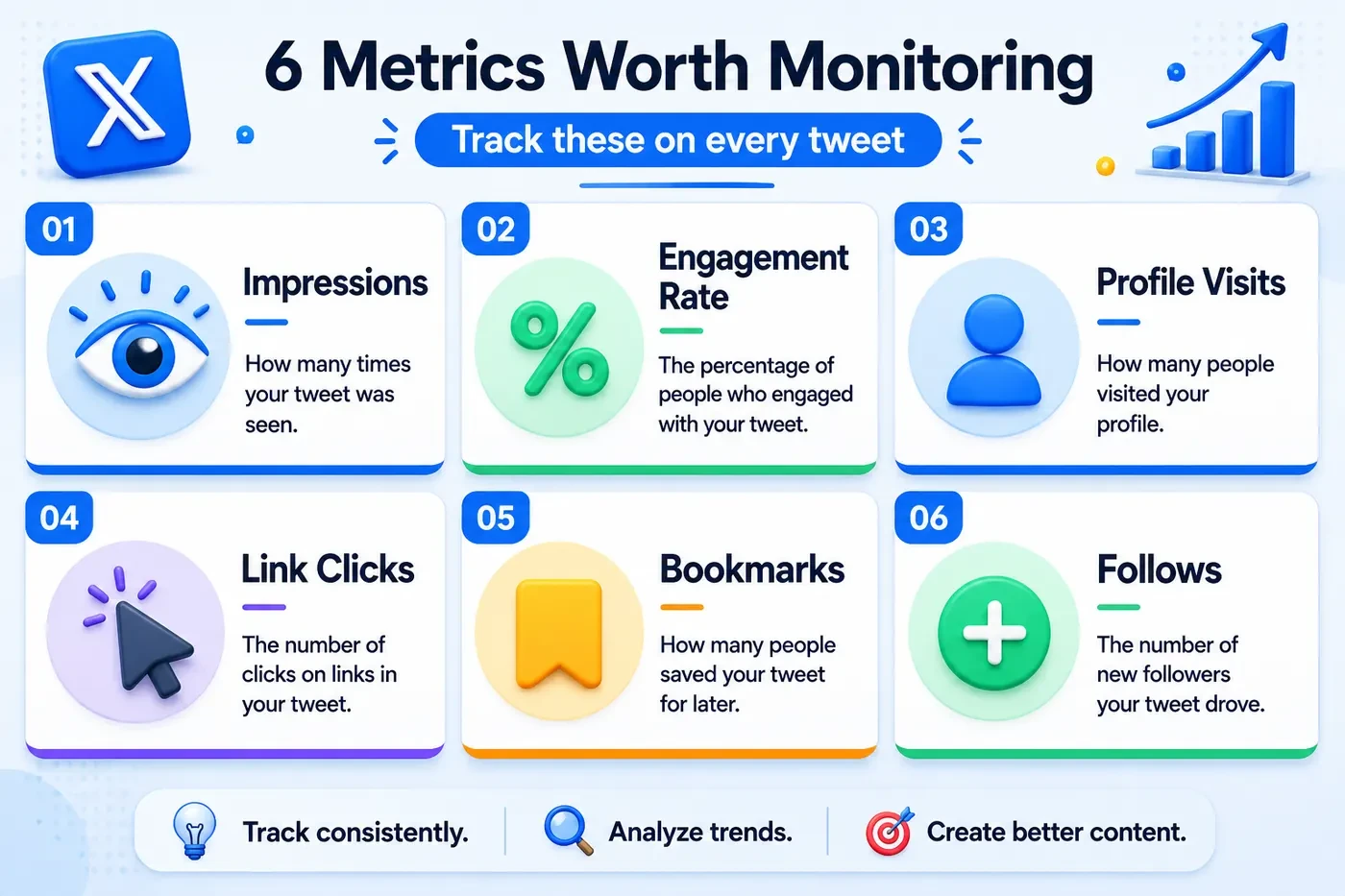
- Impressions: how many times your tweets appeared in someone’s feed, search, or profile
- Engagement rate: the percentage of people who saw your tweet and did something with it
- Profile visits: how many people clicked through to your profile (a signal of interest beyond a single tweet)
- Follower growth: net new followers over time, showing whether your growth is trending up or down
- Link clicks: how many people clicked links in your tweets - the closest proxy to actual traffic you drove
- Video metrics: views, completion rate, watch time for video content
- Top tweets: which posts performed best in a given period, and why
What Twitter analytics cannot tell you
- Who specifically viewed your tweets: you only see aggregate counts, never individual usernames
- Who unfollowed you: only daily net follower change, not identity of unfollowers
- How you compare to competitors: no benchmarking tools in native analytics
- Audience demographics (age, gender, interests): these were removed from the free dashboard in 2020
- A guaranteed, unlimited account-history export across every analytics surface
For the things native analytics cannot show, tools like Xholic AI and the Twitter follower tracker tools in our separate guide fill the gap.
What’s Free in Twitter Analytics, and What Requires Premium?
This is the section most guides skip over or obscure. Here is the documented situation.
Important: X’s official Post Activity Dashboard documentation describes X Analytics as free for users who register at analytics.x.com or have an Ads account. Premium is a separate paid subscription with tier- and region-dependent features. Some professional media features, such as Media Studio access, have additional eligibility requirements.
| Feature | Standard or Registered Access | Premium or Additional Eligibility |
|---|---|---|
| Public post metrics (views, likes, reposts, replies) | Visible on public posts | Also visible |
| Post Activity Dashboard at analytics.x.com | X documents free access after Analytics or Ads registration | Premium is not listed as the only access route |
| Post impressions, engagements, and earned engagement rate | Documented in the Post Activity Dashboard | Availability can still vary by account or surface |
| Post Activity CSV export and date filtering | Documented in X Analytics | Export range depends on the dashboard currently available to the account |
| Video retention, view rate, and completion rate | Documented in the Video Activity Dashboard | Media Studio itself has separate verified-subscriber eligibility |
| Xholic public-account scan | Free, no X account authorization | Private impressions, clicks, and follower-source data are not available |
Pro tip: Start with the metrics already available on your posts and try analytics.x.com. If that dashboard is unavailable for your account, use a public-account analyzer for recent visible-post signals while remembering that it cannot replace private first-party analytics.
How Do You Access Twitter Analytics?
There are three practical ways to inspect performance: the registered X Analytics dashboard, per-post metrics inside X, and public-account analysis tools. Here is how to use each one.
Option A: X Analytics on Desktop
Step 1 Go to analytics.x.com
Open analytics.x.com while signed in to the X account you want to measure. X’s official documentation says users can register for Analytics there or gain access through an Ads account. If the dashboard is unavailable, check the account’s eligibility and registration status rather than assuming Premium is the only fix.
Step 2 Check the date range
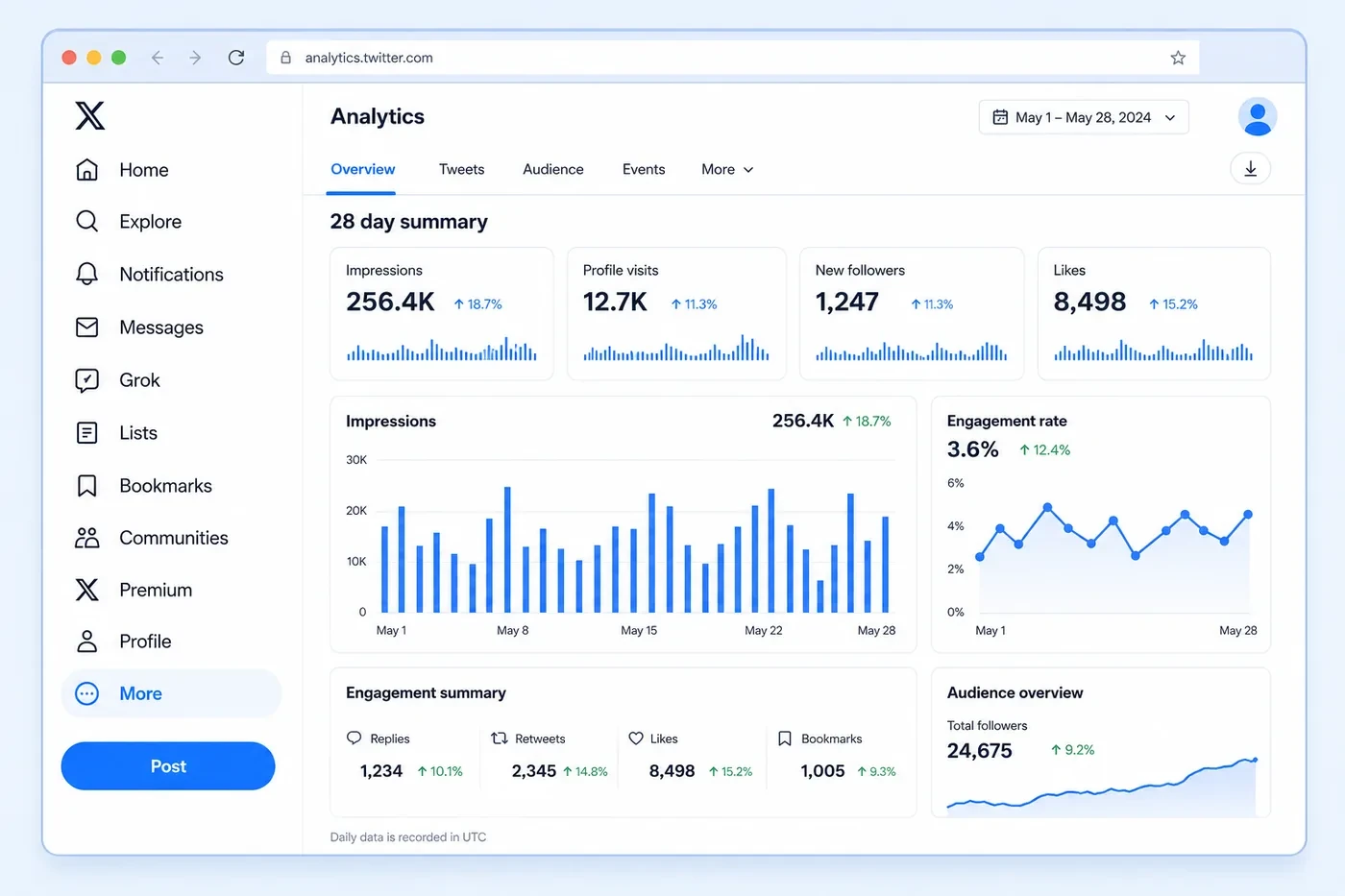
The dashboard defaults to the last 28 days. You can adjust this by clicking the date picker in the top right. Shorter ranges (7 days) are useful for checking the impact of a specific campaign or content type. Longer ranges show you trajectory.
Step 3 Read the account overview
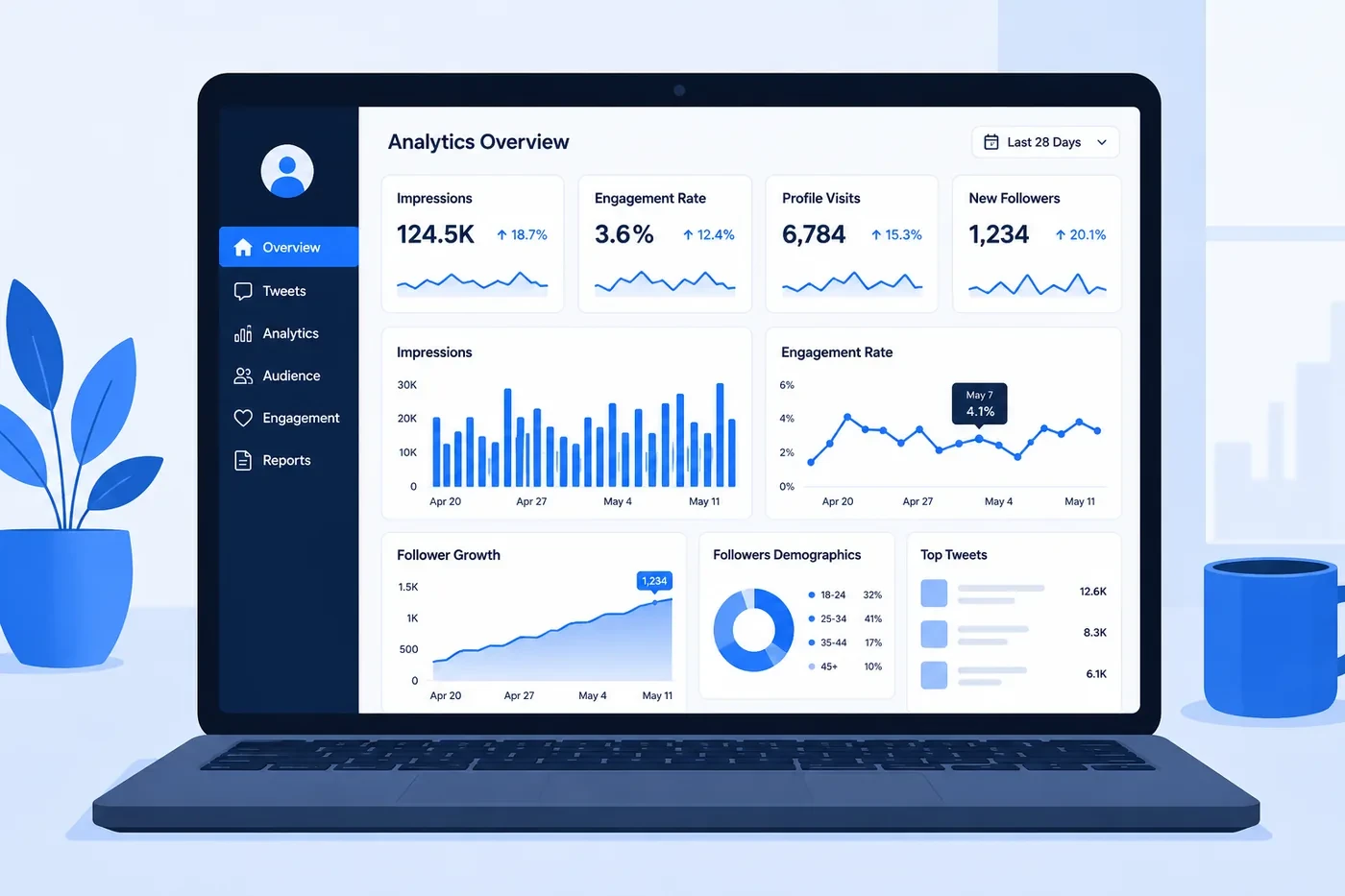
The home view shows your total impressions, profile visits, mentions, and new followers for the period. Each metric has a percentage change compared to the previous period, this context is more useful than the raw number alone.
Step 4 Click into individual tweets
Scroll down to see your top tweets ranked by engagement. Click any tweet to see its full breakdown: impressions, engagements, detail expands, link clicks, profile clicks, follows from this tweet, and more.
Step 5 Export your data (optional)
If the dashboard offers export for your account, use its export control to download post-level data, then open the file in Excel or Google Sheets. Export on a regular cadence because available date ranges and product surfaces can change.
Option B: Per-Post Metrics Inside X
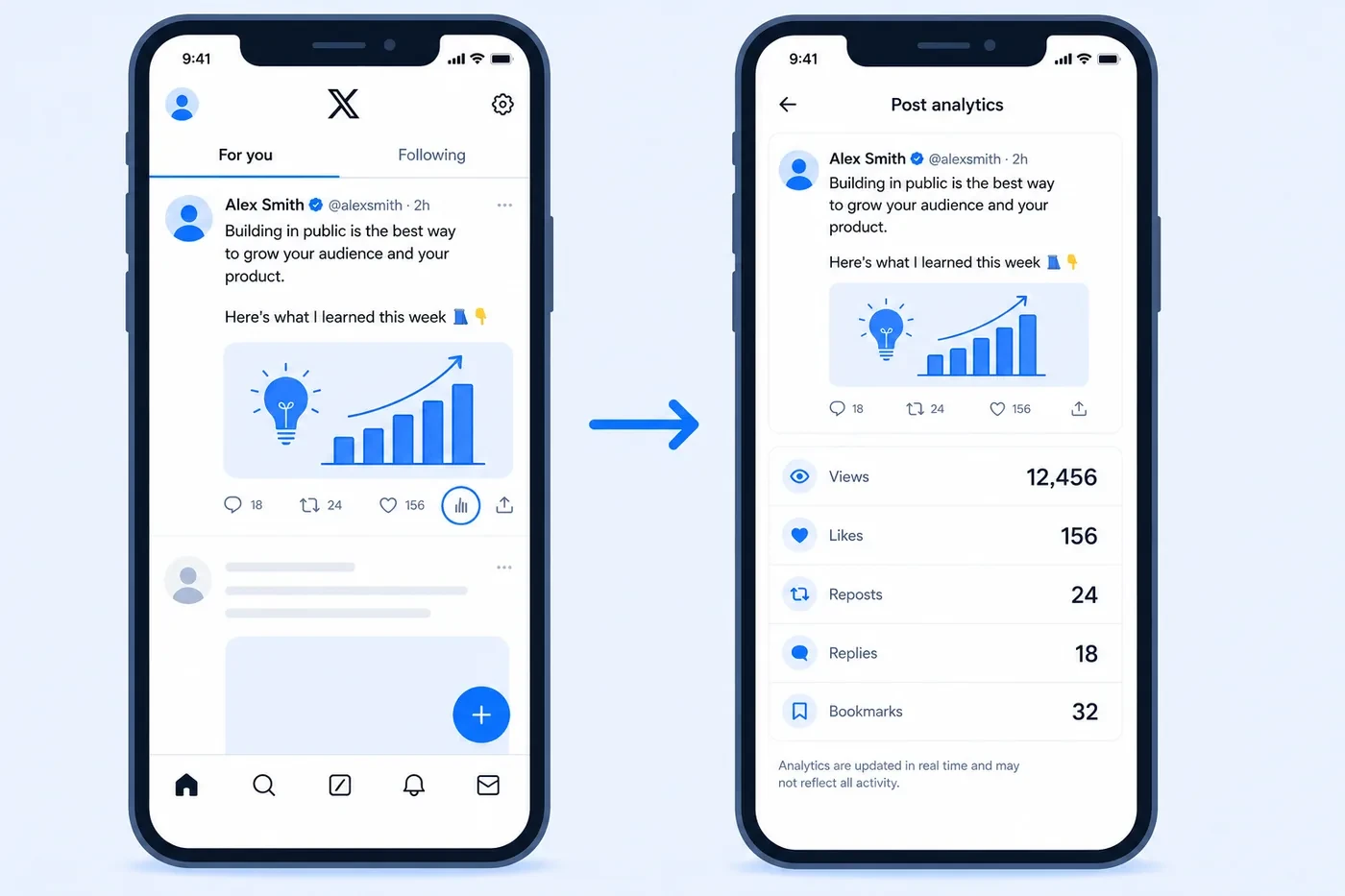
Public posts expose visible metrics such as views, likes, reposts, and replies. Account owners may also see a post-analytics control with more detailed first-party metrics, depending on the account and current X interface.
Step 1 Open the Twitter app and find any of your tweets
Step 2 Tap the bar chart icon below the tweet
When a bar-chart or analytics control appears beneath one of your posts, tap it to open that post’s available analytics. If the control is absent, use analytics.x.com and confirm that the account has completed any required registration.
Step 3 Read your post metrics
The detail view can include impressions or views, engagements, profile visits, and interaction types such as likes, reposts, replies, link clicks, and bookmarks. The exact fields shown can vary by surface and account.
Pro tip: The mobile per-post view is most useful for checking your recent tweets quickly. If you notice one post has significantly more profile visits than usual, that is a strong signal - people were interested enough to look at who you are, not just engage with the tweet itself.
Option C: Xholic AI for a Public-Account Check
If you want a fast check without authorizing an X account, use Xholic AI’s free Twitter analyzer. It summarizes current public profile counts and recent visible original posts, then calculates directional engagement, cadence, content mix, and top-post signals. It cannot access private impressions, clicks, historical follower sources, or another account’s first-party dashboard.
This is most useful for a quick account audit, competitor research, or deciding what to investigate in your own first-party dashboard. See the Twitter analyzer guide for a screenshot walkthrough and interpretation limits.
What Does Every Twitter Analytics Metric Mean?
Twitter’s dashboard uses terminology that sounds intuitive but often means something specific that is worth understanding precisely. Here is every major metric with a plain-English explanation and what to actually do with the information.
Impressions
Impressions are the total number of times your tweet appeared in someone’s feed, search results, or profile page, whether or not they looked at it, clicked it, or did anything at all. It counts every single display.
What it tells you: your reach. A tweet with high impressions but low engagement is being seen but not resonating. A tweet with low impressions but high engagement rate is connecting with a small but interested audience. Neither is inherently bad, context matters.
Heads up: Impressions are not the same as reach. Twitter does not publish a ‘reach’ metric for organic posts. Impressions counts every time the tweet was displayed, including if the same person sees it multiple times. Two people seeing your tweet once each = 2 impressions. One person seeing it twice = also 2 impressions.
Engagement Rate
Engagement rate is the percentage of people who saw your tweet and did something with it, liked, retweeted, replied, clicked, bookmarked, or expanded it.
Formula: Engagement Rate = (Total Engagements / Impressions) x 100
Example: if your tweet got 2,000 impressions and 60 total engagements (likes + replies + retweets + clicks), your engagement rate is 3%.
Key insight: Benchmark: The median engagement rate for brand accounts on X in 2025 was 0.029% (Rival IQ benchmark report). Creators and personal brands typically see 1.5-3%. If you are consistently above 1%, you are performing well. If you are below 0.5%, your content is reaching people but not connecting.
Profile Visits
Profile visits count how many people clicked through to your profile page after seeing a tweet. This is one of the most underrated metrics in the dashboard.
A high profile visit count on a specific tweet means people wanted to know more about you, they were curious enough to investigate. These are often your best-performing tweets in terms of intent, even if the raw engagement numbers are not the highest. Tweets that drive a lot of profile visits are the ones worth studying and replicating.
Follows
The ‘follows’ metric on individual tweets shows how many new followers came directly from that tweet. Twitter attributes these follows to the post that was being viewed when someone tapped Follow.
This metric is gold for understanding what content brings in new followers vs. what content satisfies existing ones. A tweet with 20 new follows is very different from a tweet with 400 likes but 0 new follows, both have value, but for different reasons.
Link Clicks
Link clicks count how many people tapped or clicked a URL inside your tweet. This is the most direct measure of traffic driven, if you linked to a blog post, a product, or a tool, this tells you how many people actually clicked through.
Link clicks combined with your website analytics give you a complete picture of Twitter-to-site traffic. If you are linking to your Xholic tools or guides, this is the metric that tells you whether Twitter is actually driving visitors.
Detail Expands
A detail expand happens when someone clicks ‘Show more’ or taps on the tweet to open it in full, without necessarily liking, retweeting, or clicking a link. It means they were interested enough to read more carefully, even if they did not take further action.
High detail expands on a tweet often indicate strong curiosity, your hook worked, people wanted to read the full thing. If a tweet has many detail expands but few likes or retweets, the content was interesting but may not have felt shareable or worth bookmarking.
Bookmarks
Bookmarks are a relatively newer metric showing how many people saved your tweet to their private bookmarks list. Bookmarks are almost always a signal of genuinely useful content, people save things they want to come back to, not things that just entertained them in the moment.
Pro tip: A high bookmark rate relative to likes often indicates your content is highly practical or informational. Threads with specific tips, tool recommendations, and how-to content typically perform best on bookmarks. If you are building a resource-driven brand, bookmark rate is one of your most meaningful metrics.
Video Views and Completion Rate
For tweets with video, Twitter shows total video views and completion rate. Views counts anyone who watched at least 2 seconds. Completion rate shows the percentage of viewers who watched to the end.
A high view count but low completion rate means people started watching but dropped off early, usually a signal that the first 3 seconds did not deliver on the promise, or the video ran too long. A high completion rate means the content held attention all the way through, which is genuinely rare and worth doubling down on.
How Do You Calculate Your Twitter Engagement Rate?
Twitter’s dashboard shows engagement rate automatically, but understanding how it is calculated helps you interpret it honestly, and stops you from gaming it in ways that make the number look good without actually mattering.
The standard formula
Engagement Rate = (Total Engagements / Impressions) x 100
Total Engagements includes: likes, retweets, quote tweets, replies, link clicks, profile clicks, detail expands, media clicks, and follows. Twitter counts all of these together.
What counts as a ‘good’ engagement rate on Twitter in 2026
| Engagement Rate | What It Means | Who Typically Achieves This |
|---|---|---|
| Below 0.1% | Content is reaching people but not connecting. Revisit your topics, tone, or hook. | Large brand accounts, passive posting |
| 0.1% - 0.5% | Average. Acceptable but leaves significant room to improve. | Most regular brand and creator accounts |
| 0.5% - 1% | Good. Your content is resonating. Keep testing to push higher. | Active creators, engaged niche accounts |
| 1% - 3% | Strong. You understand your audience well. Focus on consistency. | Engaged personal brands, niche experts |
| 3%+ | Excellent. Rare for accounts with large followings. Your content is genuinely connecting. | Small tight-knit niche accounts, viral posts |
Key insight: Engagement rate typically decreases as follower count increases. An account with 500 followers that posts niche content for a highly engaged audience will almost always outperform an account with 500,000 followers on engagement rate alone. This is normal and expected - do not use it as a direct comparison across accounts of different sizes.
The engagement rate mistake most people make
The most common mistake is optimizing for engagement rate on its own without connecting it to your actual goal. If your goal is driving traffic to a product or blog, what matters is link click rate, not just total engagement. A tweet with 500 likes but 2 link clicks is a vanity win. A tweet with 50 likes but 85 link clicks achieved something real.
Match the metric to the goal:
- Goal: grow followers -> watch profile visits and follows per tweet
- Goal: drive website traffic -> watch link clicks
- Goal: build authority and trust -> watch bookmarks and detail expands
- Goal: build reach and awareness -> watch impressions and retweet rate
- Goal: start conversations -> watch reply rate relative to impressions
How Do You Read Your Twitter Analytics Dashboard?
Most people open their analytics, look at the numbers, feel vaguely good or bad about them, and close the tab. Here is a more structured way to get genuine insight out of the data in under ten minutes.
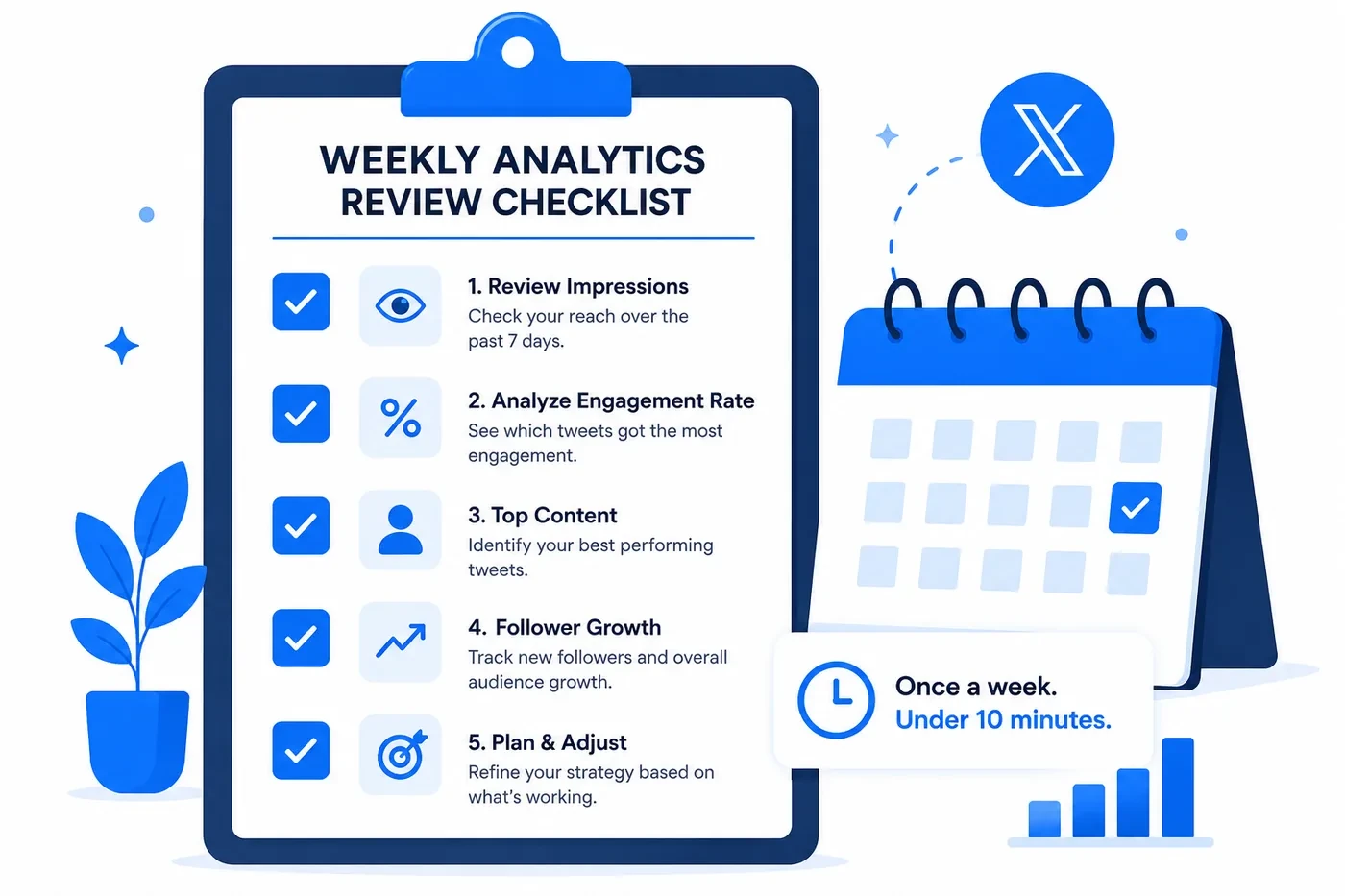
The 5-step analytics review (do this once a week)
- Check your 28-day trend, not just the number. The top of the dashboard shows total impressions, profile visits, and mentions. What matters is not the raw number, it is the percentage change from the previous period. Is the arrow pointing up or down? By how much?
- Find your top 3 tweets by engagement. Scroll to the tweet list and sort by engagement. What do the top 3 have in common? Are they a specific format (thread, image, opinion, how-to)? A specific topic? A specific posting time? This pattern is your repeatable edge.
- Find your bottom 3 tweets. Just as important. What did the low performers share? Same format that bombed before? A topic your audience does not care about? A time slot that consistently underperforms?
- Check your follower trend. Are you gaining more than you are losing? If follower count is flat or declining despite regular posting, the content strategy needs revisiting. Use a follower tracker tool to see day-by-day changes with more granularity than the native dashboard shows.
- Note one thing to test next week. Good analytics review always ends with a decision, not just an observation. It can be small; try posting at a different time, test a different hook format, try a thread instead of a single tweet. One deliberate test per week compounds quickly.
Reading your monthly trend: what the numbers are really telling you
| What You See | What It Actually Means | What to Do |
|---|---|---|
| Impressions up, engagement rate down | You’re reaching more people but connecting with fewer. Reach grew, resonance didn’t. | Audit your recent content - are you drifting from your core topic or audience? |
| Impressions flat, engagement rate up | Your content is getting better but not reaching new people. | Focus on strategies that extend reach: hashtags, reply threads, collaborations. |
| Both up | Healthy growth. Audience is growing and engaging. | Double down. Find what changed and do more of it. |
| Follower growth flat despite high engagement | Your engaged audience is loyal but you’re not reaching new people. | Increase retweet-worthy content and content that appears in ‘For You’ feeds. |
| High profile visits, low follows | People are curious but your profile isn’t converting them. | Revisit your bio, pinned tweet, and profile photo. |
Which Twitter Analytics Tools Can You Use for Free?
No single surface provides every useful signal. These tools fill different gaps around X’s public metrics and registered first-party dashboards.
Xholic AI
Xholic AI’s free X Profile Analytics tool checks a public handle without signup and summarizes visible recent-post engagement, posting cadence, content mix, and top posts. Use it for directional research, not as a substitute for private impressions, clicks, or long-term follower history.
Twitter’s own mobile per-post stats (free)
As covered earlier in this guide, the mobile app still shows per-post analytics to all users for free, views, likes, reposts, replies, bookmarks, and link clicks per tweet. It does not give you account-level trends, but it is a solid starting point for understanding your content performance tweet by tweet.
SocialBlade
SocialBlade tracks follower count history for any public Twitter account and displays simple growth charts, no login required. Useful for a quick check on your own growth trajectory or for benchmarking against a competitor or peer account.
Twitonomy
Twitonomy’s free tier offers deeper profile analytics including follower/following history, top content analysis, and basic audience data. It does require account connection. The free plan is limited in how many records you can pull, but it is more than enough for a one-time audit.
See the full breakdown of these and more options in our guide: Twitter Follower Tracker: 7 Best Free Tools in 2026.
Which Twitter Analytics Mistakes Keep People Stuck?
These are the patterns that show up again and again when people dig into their data the wrong way.
1. Optimizing for impressions instead of engagement
Impressions are easy to chase and hard to convert. A tweet that lands on 50,000 timelines and triggers nothing is worth less than one that reaches 2,000 people and makes 80 of them click through to your site, follow you, or save it. Stop reporting impressions as success unless your actual goal is awareness at scale.
2. Checking analytics daily instead of weekly
Day-to-day fluctuations in impressions and engagement are mostly noise. Algorithms have good days and bad days, timing varies, and not every tweet is meant to perform equally. Weekly or bi-weekly reviews give you genuine signal. Daily checks create anxiety without insight.
3. Not connecting analytics to content decisions
Analytics without action is decoration. If your data consistently shows that how-to content gets 3x the engagement of opinion tweets, but you keep posting opinion tweets because they feel good to write, the data is pointless. The discipline is taking what the data shows and changing your approach accordingly, even when the finding is uncomfortable.
4. Ignoring the ‘follows per tweet’ metric
This is the most underused number in the dashboard. Which tweets are actually bringing in new followers? If you can identify two or three formats that consistently drive follows, those are your franchise content types. Build more of them deliberately rather than posting a wide variety and hoping something works.
5. Using engagement rate to compare yourself to large accounts
An account with 200,000 followers will almost always have a lower engagement rate than an account with 2,000 followers in a tight niche. This is structural, not a reflection of content quality. Compare your own engagement rate over time, or compare to accounts in a similar follower range. Cross-size comparisons are almost always misleading.
Twitter Analytics: Frequently Asked Questions
These answers are written to directly address the questions that appear in Google’s People Also Ask boxes, AI Overviews, and voice search results for Twitter analytics topics in 2026.
Is Twitter analytics free in 2026?
Some analytics are free. Public post metrics are visible on X, and X’s official documentation describes the Post Activity Dashboard as free after Analytics or Ads registration. Premium has separate tiered features and localized pricing, while public-account tools such as Xholic provide directional recent-post analysis without X authorization.
How do I access Twitter analytics?
Start at analytics.x.com while signed in and complete any Analytics or Ads registration offered to the account. Inside X, open the analytics control beneath one of your own posts when available. For public-account research, use a third-party analyzer, but do not treat its visible-post estimates as private first-party data.
What is a good engagement rate on Twitter?
There is no universal good engagement rate because the answer changes with the denominator, account size, content format, and audience. Compare like with like: use the same formula every time, build a four-week baseline for your own account, and compare posts or accounts in a similar follower range.
What is the difference between impressions and reach on Twitter?
Twitter does not publish a ‘reach’ metric for organic posts. Impressions count every time your tweet was displayed, including multiple views by the same person. Reach would count unique viewers. Since Twitter only shows impressions, a single person viewing your tweet five times would contribute 5 to your impression count. This is worth remembering when interpreting high impression numbers.
Can I see Twitter analytics for someone else’s account?
You can see public metrics on any account’s tweets, likes, retweets, replies, and view counts are visible publicly. However, you cannot see another account’s full analytics: their impressions, engagement rate, profile visits, or follower trend data. These are only visible to the account owner. Third-party tools like SocialBlade can show basic follower count history for public accounts.
How far back does Twitter analytics go?
The default and maximum date ranges depend on the X analytics surface currently available to your account. Use the dashboard’s date selector and export controls, then save regular exports if you need a durable history instead of relying on a fixed retention window.
Does Twitter analytics show who viewed my tweets?
No. Twitter analytics shows aggregate view counts (impressions) but does not reveal which specific accounts viewed your tweets. You can see total impressions, engagement counts, and profile visits, but never the identities of individual viewers. This applies to both free and Premium accounts.
What happened to Twitter analytics after the rebrand to X?
The rebrand did not produce one simple replacement dashboard. X currently documents Post Activity, Video Activity, Ads analytics, Professional Home, and Media Studio surfaces with different access paths. Start with analytics.x.com and the current official documentation rather than relying on an old Twitter menu path.
Why are my Twitter analytics not loading?
If the dashboard is not loading, confirm that you are signed in to the correct account and that it has completed Analytics or Ads registration, then try a private window or another browser. Also check X’s status page for an outage. Per-post metrics can be delayed, so refresh the app or check again later before treating missing data as permanent.
How do I improve my Twitter engagement rate?
The most consistent ways to improve engagement rate on Twitter are: post content that prompts a response (questions, polls, bold opinions), write stronger tweet hooks (the first line determines whether anyone reads the rest), post at times when your audience is active, and consistently stay in a clear niche rather than posting broadly. Use your analytics to identify which content formats generate the most engagement for your specific audience, then produce more of them deliberately.
Related Guides
Analytics tells you what is working. These guides help you act on it:
- Twitter Follower Tracker: 7 Best Free Tools in 2026 - track your follower growth with more granularity than the native dashboard provides
- How to Change Your Twitter Handle (Without Losing Followers) - if your profile analytics show low conversion, a cleaner handle is one of the easiest fixes
- How to Make a Viral Tweet in 2026 - use your engagement data to identify the formats worth replicating
- How to Write a Twitter Bio That Gets You Followers - high profile visits but low follows usually means your bio is not converting
- Fake Tweet Generator - mock up different tweet formats and hooks before posting to test how they look
- Twitter Analyzer Tool Guide - learn how to interpret a public account scan and its limits
Putting It All Together
Twitter analytics is only useful if you act on it. The dashboard, the metrics, the benchmarks, none of it matters if you check the numbers and change nothing.
Start simple: look at your top three and bottom three tweets from the past 28 days. Find one pattern in each. That pattern is your first data point. Over four weeks of consistent review, you will have enough signal to know what your audience actually responds to, not what you guess they want, not what performs well for someone else’s account, but what works for yours specifically.
If you need a public comparison alongside your first-party dashboard, Xholic AI’s free analyzer provides a recent visible-post snapshot without signup. Keep exporting your own X analytics separately for private impressions, clicks, and historical reporting.
Build a Weekly Twitter Analytics Reporting System
A useful dashboard review should end with a decision, not a screenshot folder. Use the same short reporting rhythm every week:
- Record total impressions, engagements, profile visits, and follows for the period.
- Separate original posts from replies so one format does not hide the performance of the other.
- List the three posts that created the most qualified replies, profile visits, or follows.
- Note the hook, topic, format, and posting window shared by those posts.
- Choose one pattern to repeat and one weak pattern to stop testing next week.
Keep the calculation method and reporting window consistent. A weekly median across recent original posts is usually more useful than one viral outlier, and it makes trend changes easier to diagnose.
Related Xholic Resources
For profile-level workflows, begin with the X Profile Analytics Guide, continue into the X Profile Audit Guide, and run the X Profile Audit tool when you want a structured review.
For follower monitoring, open the Live Twitter Follower Count tool and use its step-by-step guide to interpret short-window movement without overreacting.
For deeper reporting, learn how to read a Twitter analytics dashboard, what can be measured through Twitter analytics for another account, and how Twitter profile visits fit between post exposure and follower growth.