Stop stockpiling drafts. You probably already have enough post ideas. The issue is turning them into a repeatable publishing rhythm without spending your whole day in tabs, drafts, and half-finished queues.
That is why social media scheduling tools matter. For X (Twitter), the best one is not just a calendar. It is the tool that helps you move from idea, to draft, to timing, to posting, without losing the live engagement that drives growth.
Quick answer: if you want a simple multi-platform scheduler, Buffer is a strong place to start. If you want a writing-first X tool, Typefully is excellent. If you want scheduling inside a broader X growth workflow that includes discovery, replies, remixing, and consistency tracking, Xholic AI is the most complete fit.
1. Xholic AI
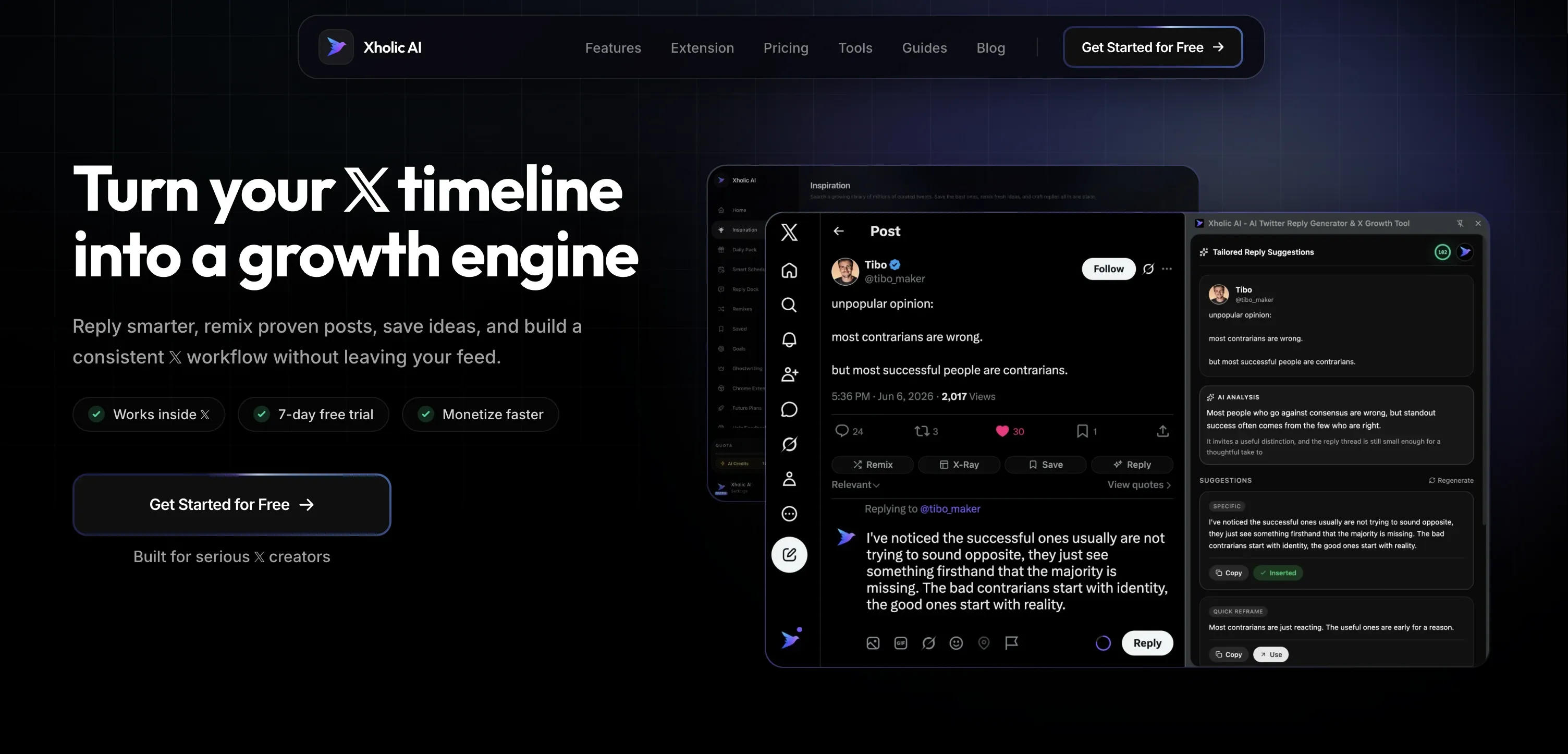
Most scheduling tools start at the calendar. Xholic AI starts earlier, where X growth starts. You see a post gaining traction, spot a creator worth replying to, save a format that worked, remix it into your own voice, then queue the approved version. That is a better workflow for X than opening a blank composer and hoping discipline carries the week.
Xholic is built around that full loop. You can use Inspiration to search real posts by meaning, not just keywords, save promising ideas into Collections, use Steal the Structure to break down why a post worked, draft with Tweet Remixer or Daily Pack, then move approved drafts into Smart Scheduler. If you spend real time on Twitter, the Chrome extension matters a lot because you can save, reply, remix, and track streaks from inside the feed instead of constantly switching tools.
Why it works for X-heavy workflows
A lot of creators do not need more scheduling options. They need fewer dead ends. A pure scheduler helps after the draft exists. Xholic helps before that, while you are still figuring out what to say and where to join the conversation.
That is the difference between a queue tool and a growth system. On fast-moving networks, especially X, your best posts often come from live context. Xholic’s Reply Deck and AI Reply Composer make that part usable, while Smart Scheduler handles the approved content that should go out later.
Practical rule: Schedule your planned posts. Do not schedule your whole personality. Keep room every day for live replies, quote posts, and same-day commentary.
This category has matured beyond simple queue management. By 2026, scheduling tools were described more around workflow efficiency, collaboration, and measurement than basic post automation in Sprout Social’s scheduling tools roundup. Xholic fits that shift, but with a narrower and more useful focus for X-first users.
A practical X workflow inside Xholic looks like this:
- Morning discovery: Open Smart Home, review Daily Pack and high-momentum conversations.
- Midday engagement: Use the Chrome extension to reply to relevant creator posts while the conversation is still warm.
- Afternoon drafting: Remix two saved structures into original posts with your own product context or opinion.
- Evening scheduling: Approve the strongest drafts and drop them into Smart Scheduler for your recurring slots.
If you want a deeper system around timing, creation, and momentum, Xholic’s own guide on using social media management tools to go viral on Twitter X is worth reading alongside the product.
Best fit and trade-offs
Xholic is best for founders building in public, creators who need daily post ideas, and power users who treat X as a growth channel rather than a passive social account. It is also strong for people who do not just want to schedule, but want help finding better conversations and stronger post structures before they write.
The main trade-off is scope. If you manage a large brand across many networks and need broader approvals, service workflows, or deep team governance, a bigger social suite may fit better. Xholic is strongest when X is the main stage.
A second trade-off is behavioral. If you rely too much on any scheduler, you can flatten your tone and miss live moments. That authenticity tension is real, especially on X, where scheduled posting can make accounts feel less responsive if it replaces live participation instead of supporting it, as noted in this guide on the pros and cons of scheduling tools.
2. Buffer
Buffer is what I recommend when someone says, “I just need to get consistent first.” It keeps the workflow simple. Draft, queue, review the calendar, publish. If you are a solo creator or small team posting to X plus a few other networks, that simplicity is a strength, not a limitation.
It is also one of the clearest schedule-first tools in this list. Buffer does not try to become your content research brain. It helps you stay organized and ship.
Where Buffer fits
Buffer works best when your content ideas already exist. Maybe you collect them in notes, Notion, or a swipe file, then use Buffer to push them out reliably across channels. That setup is clean for newsletters, founder accounts, or small brand teams that do not need heavy listening or approvals.
Its free entry point makes it easy to test whether scheduling itself solves your bottleneck. For many people, that is the first real breakthrough. Once the panic-posting stops, you can see what is missing next.
Scheduled posts solve inconsistency. They do not solve weak ideas. If your drafts are stale, your queue just publishes stale content more reliably.
For X specifically, Buffer is best used with a simple split: schedule your evergreen posts, but leave room for live replies and reactive commentary. If you want help filling the queue with stronger ideas, this list of social media content suggestions for 2026 pairs well with a Buffer-style workflow.
Use Buffer if you want straightforward multi-network scheduling, predictable scaling, and minimal learning curve. Do not use it if you want discovery, deep X-native writing help, or a feed-integrated workflow.
Visit Buffer.
3. Hootsuite
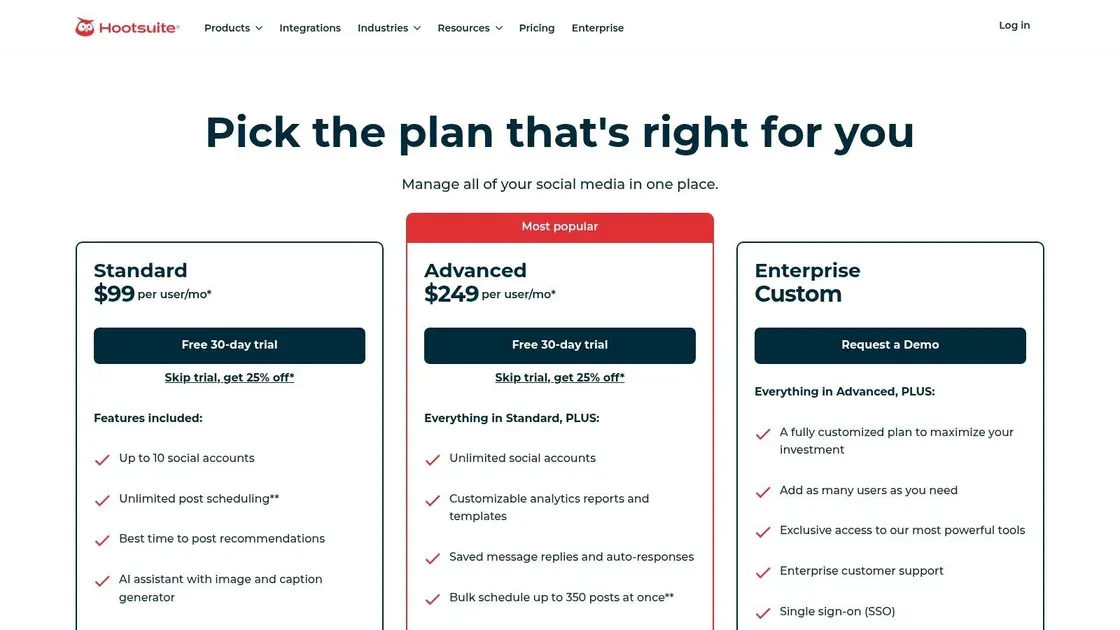
Hootsuite is for teams that have already outgrown lightweight scheduling. If you are handling multiple brands, multiple stakeholders, and a real stream of messages across networks, Hootsuite starts to make sense fast. It is less elegant for individual creators, but stronger once governance and inbox management matter.
For X users, the value is not just publishing. It is having scheduling, inbox, and broader management in one place.
When Hootsuite makes sense
This is a better fit for agencies, in-house social teams, and brands that need approvals and shared workflows. If one person writes, another reviews, and a third handles engagement, Hootsuite supports that operating model better than creator-first tools.
The downside is obvious. It can feel heavy if your only goal is getting tweets out on time. You pay for depth, and if you do not use that depth, it is hard to justify.
A useful X-specific pattern is to use Hootsuite for planned campaign posts and reporting, then let an operator jump into live streams and replies as the day develops. That split works because X still rewards fast participation, not just orderly publishing.
If timing is one of your bigger questions, this guide on the best time to post on Twitter for engagement helps you set a more disciplined schedule before you start filling the calendar.
Visit Hootsuite.
4. Sprout Social
Sprout Social is the premium option when reporting quality and collaboration matter as much as scheduling. It is the tool I would pick if a marketing lead, client, or executive team wants clean answers after the posts go out. Not just what published, but what performed, what conversations came in, and what the team should do next.
That is the core difference. Sprout does not feel like a posting app. It feels like a social operations platform.
Who should choose Sprout
Sprout is a strong fit for agencies, established brands, and larger teams that need publishing, approvals, analytics, and social care under one roof. If your X account is part of a broader content and support operation, that is where it shines.
That broader direction reflects where the market is going. The social media management software market is projected to reach USD 168.64 billion by 2035 with a 16.62% CAGR during 2025 to 2035, according to Market Research Future’s social media management software market report. Buyers increasingly want integrated stacks, not just posting calendars.
For small X-first creators, Sprout can be overkill. You will probably use only part of what you are paying for. But if you need serious reporting and shared inbox workflows, it earns its place.
If your current problem is less “how do I schedule?” and more “how do I choose tools for X growth overall?”, this round-up of Twitter growth tools is a useful companion.
Visit Sprout Social.
5. Later

Later still feels like a visual planner first, even though it supports X. That is not a criticism. It just means the product makes the most sense when your brand lives across image-heavy networks and X is one channel in the mix, not the whole strategy.
For creators who run X alongside Instagram, LinkedIn, TikTok, or YouTube, that is useful. You can keep everything in one visual calendar instead of building disconnected workflows.
Best use case for Later
Later fits brand teams that think in campaigns and assets. If your process starts with creative, media approvals, and a shared calendar, it is easier to manage than many heavier suites. Teams with product launches, event promos, or recurring visual campaigns usually like it.
On X specifically, the trade-off is that visual planning does not automatically make your tweets better. X rewards sharp writing, timing, and live relevance. So Later works best when you already have strong copy processes and just need the calendar layer.
A simple use case: schedule launch-week announcement posts, customer proof, and recap threads in Later, but leave founder reactions, reply chains, and same-day industry commentary unscheduled. That keeps the account feeling alive.
Visit Later.
6. Metricool

Metricool is the tool for people who do not just want to schedule posts. They want to see what happened after. If your habit is opening analytics right after checking the queue, Metricool makes a strong case for itself.
Its appeal is practical. You get scheduling, analytics, and reporting in one workflow, without jumping all the way into enterprise software.
Why analysts like Metricool
This is especially good for SMBs, consultants, and agencies that need client-friendly reporting without turning the whole stack into a compliance project. It is also good for X users who care about patterns over hunches.
A useful workflow is to group your X posts into simple buckets: opinion, education, product, and conversation-starting posts. After a few weeks, Metricool helps you review which bucket earns replies, which one gets impressions, and which one drives profile curiosity. That is much more actionable than staring at a feed and guessing.
Good scheduling tools do not just help you post on time. They help you notice when your topic mix is off.
Metricool is weaker if your main need is idea generation or deep X-native drafting. It is stronger after the content exists.
Visit Metricool.
7. SocialBee

SocialBee is one of the better answers to a common problem: “I can write decent posts, but I never maintain a balanced cadence.” Its category-based system is useful because it forces structure into the queue.
That matters more than people think. Most inconsistent accounts do not lack ideas. They lack content buckets.
Where SocialBee wins
If you post educational threads for a week, then disappear, then come back with product promos, SocialBee helps smooth that out. You can build recurring categories like founder lessons, product insights, customer proof, and lightweight engagement posts, then schedule against those lanes.
That makes it especially good for consultants, solo brands, and agencies managing repeatable content themes. It also matches the historical role of scheduling tools well. Early scheduling products grew around the need for steady cadence, evergreen content, and promotional planning, shaped by uneven platform rules and publishing limitations, as described in the London School of Economics guide to scheduling tools.
SocialBee’s weakness is that it is more cadence-focused than conversation-focused. If your X growth depends heavily on replying early and participating in live topics, you will still need another layer in your workflow for discovery and engagement.
Visit SocialBee.
8. Typefully
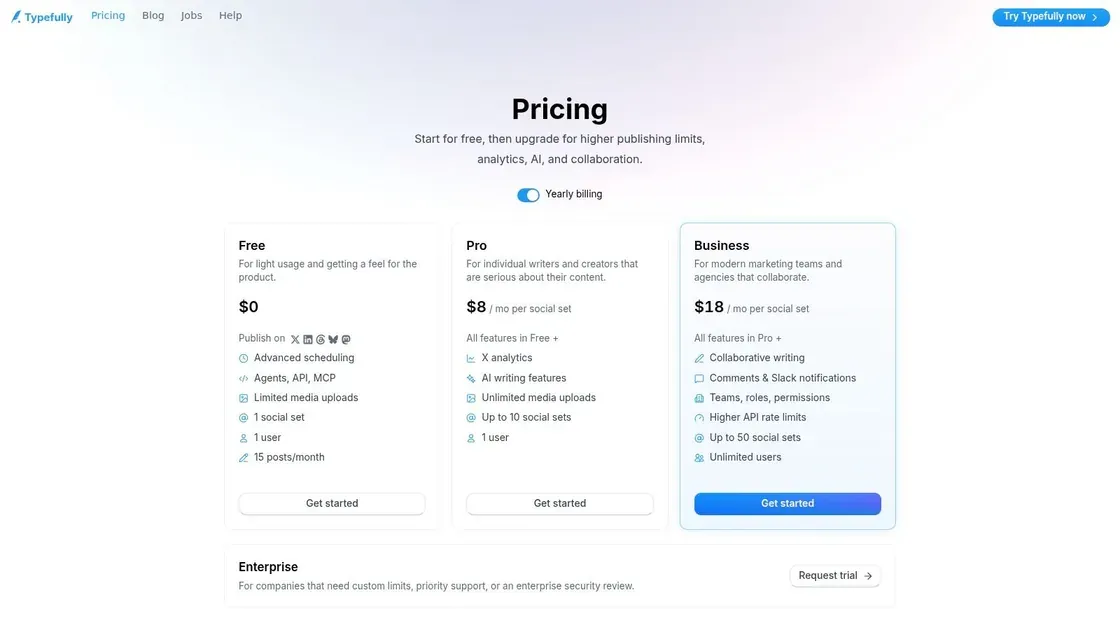
Typefully is the cleanest writing-first tool on this list for X. If you write a lot of threads, revise hooks obsessively, and care about how a post reads before it goes live, Typefully feels right almost immediately.
This one is less about managing a brand machine and more about helping a creator write better and publish cleanly.
Why X writers like it
Typefully is ideal for operators, creators, and founders whose main channel is X and whose growth comes from strong writing, not broad multi-platform coordination. The thread composer is the center of gravity. You can shape a long post sequence, tighten it, schedule it, and move on without extra clutter.
For X-specific work, that focus matters. A tweet does not need a heavyweight content approval stack. It needs a sharp hook and a clean drafting environment.
Here is a simple thread workflow where Typefully shines:
- Draft the hook first: “Most founders do not need more reach. They need a better posting system.”
- Build the thread body: one idea per post, no filler.
- Schedule the thread: place it in a known high-attention slot.
- Stay live after posting: reply to every meaningful response for the next stretch.
Typefully is narrower than a broader suite. That is the trade-off. If you need listening, customer care, or cross-team approvals, look elsewhere. If you want the best environment for shaping X threads, it is one of the strongest options.
Visit Typefully.
9. Hypefury
Hypefury is for creators who want X-focused scheduling with a growth-automation flavor. It is not trying to be a giant social management suite. It is trying to help a creator keep posting, recycle strong content, and layer in a few tactical automations.
That makes it a practical choice for personal brands and creator-led businesses that already know X is the main channel.
Best use case for Hypefury
Hypefury works well when you already have a decent sense of what content performs and want to extend its life. Evergreen queues, thread scheduling, and creator-style workflows are the appeal here.
It is less suited to teams that need polished collaboration or deeper reporting. It is also easy to over-automate if you are not careful. On X, too much automation can make an account feel hollow fast.
If your queue is full but your replies are dead, your account will still feel inactive.
Use Hypefury when your goal is creator consistency and repeatable X output. Skip it if you need serious team workflows, broad channel coordination, or analytics-heavy decision making.
Visit Hypefury.
10. Loomly
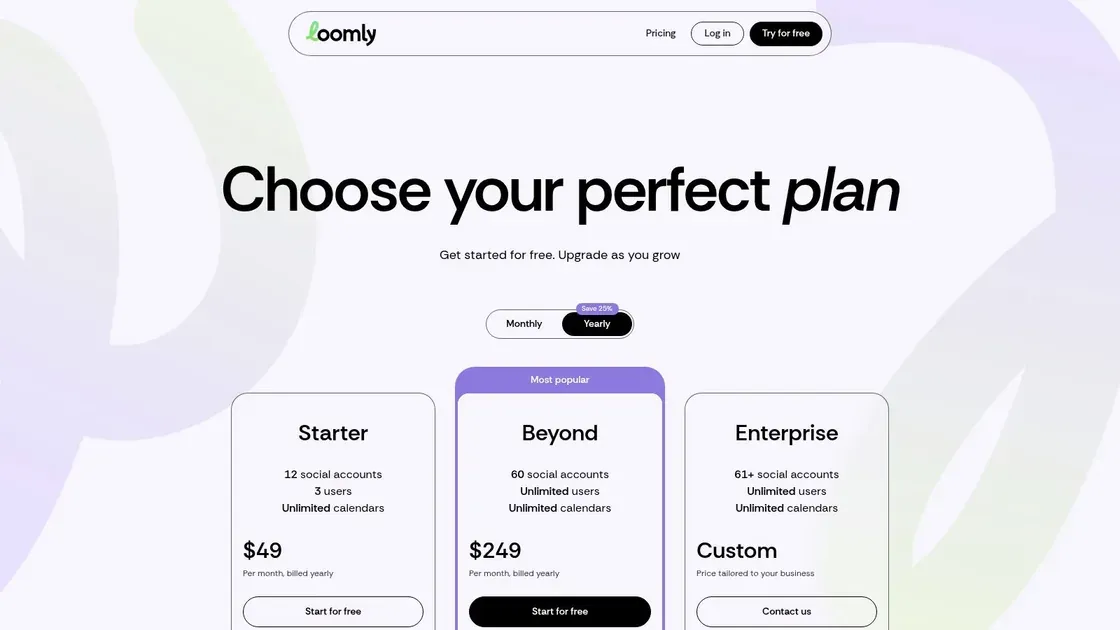
Loomly is a planning tool for teams that need content to be easy to review. It is more client-friendly than many social platforms, which is why agencies and internal marketing teams often like it. The calendar is clear, the approval flow is straightforward, and non-technical stakeholders can readily use it.
For X, that matters if your tweets need sign-off or if multiple people touch the account.
Where Loomly fits best
Loomly is best when your biggest bottleneck is coordination. Maybe one person writes copy, another adds assets, and someone else approves. Loomly reduces the friction in that handoff.
For solo creators, it can feel a bit too process-heavy. But for agencies and brand teams, “easy to approve” is a real feature, not a minor one.
The broader category is expanding quickly. The global social media scheduling tool market is projected to grow at a 23.1% CAGR from 2025 to 2031, according to the Research and Markets social media scheduling tool report. That growth makes sense because teams increasingly want tools that reduce operational drag, not just tools that set timestamps.
Loomly does that well. It just is not especially X-native in the way Typefully, Hypefury, or Xholic are.
Visit Loomly.
Top 10 Social Media Scheduling Tools Comparison
A comparison table is useful, but only if you read it through the workflow you typically run on X.
If the job is queuing posts, several of these tools will do it well. If the job is finding ideas, writing stronger posts, publishing at the right time, and staying active in replies, the gaps show up fast. That is the key split in this category. Some tools are schedulers. Some are operating systems for growth.
| Product | Best fit in an X workflow | UX (★) | Price / Value (💰) | Audience (👥) | What stands out in practice |
|---|---|---|---|---|---|
| Xholic AI 🏆 | Discovery, drafting, replying, and scheduling in one loop | ★★★★★ fast for high-volume X work | 💰 $29/mo starter to $199/mo Ultra, 7-day trial | 👥 founders, indie hackers, creators, marketers, traders, analysts, power users | Momentum tracking, reply workflows, voice-aware writing, reusable post structures |
| Buffer | Simple publishing queue once content is already written | ★★★★☆ clean and easy | 💰 Free tier, low-friction paid plans | 👥 solo creators and small teams | Reliable scheduling, low setup time, predictable pricing |
| Hootsuite | Multi-account operations with approvals and oversight | ★★★☆☆ dense but capable | 💰 Higher starting cost, enterprise-heavy | 👥 larger teams and enterprises | Governance, permissions, inbox coverage, broad integrations |
| Sprout Social | Scheduling tied to reporting, support, and team collaboration | ★★★★☆ polished and structured | 💰 Premium per-user pricing, 30-day trial | 👥 brands, agencies, social care teams | Reporting quality, shared workflows, stronger analytics context |
| Later | Visual planning for brands that care more about assets than text | ★★★★☆ intuitive | 💰 Free tier, paid team plans | 👥 visual brands, ecommerce teams, social teams | Media planning, link-in-bio tools, strong fit for Instagram-led workflows |
| Metricool | Publishing plus analytics for teams that want more reporting without Sprout pricing | ★★★★☆ practical and data-focused | 💰 Free-forever option, good value | 👥 SMBs, agencies, data-minded marketers | Strong reporting for the price, competitor tracking, planner plus analytics |
| SocialBee | Category-based scheduling and recurring content management | ★★★★☆ organized | 💰 Mid-priced, good agency fit | 👥 creators, consultants, agencies | Evergreen queues, recycling rules, bulk editing |
| Typefully | Writing and refining threads before they go live | ★★★★☆ excellent for writers | 💰 Creator-friendly tiers | 👥 thread writers, creators, solopreneurs | Drafting flow, thread editing, clean X-first writing experience |
| Hypefury | Creator automation focused on repeatable X growth plays | ★★★★☆ growth-oriented | 💰 Trial, focused creator plans | 👥 creators growing on X | Auto-retweets, engagement automations, monetization features |
| Loomly | Team planning and approval-heavy publishing | ★★★★☆ easy for stakeholders | 💰 Seat and account-based pricing | 👥 teams, agencies, client managers | Approval flows, brand assets, client-friendly calendar views |
One practical way to choose is to ask where your bottleneck lives.
If you already have strong ideas and clean drafts, Buffer or SocialBee can be enough. If your issue is collaboration, approvals, or reporting across several channels, Hootsuite, Sprout Social, Metricool, Later, and Loomly make more sense. If X is the main growth engine, Typefully and Hypefury fit better because they respect how posting on X works.
Xholic AI belongs in a different lane because scheduling is only one step in the system. The workflow starts earlier, with discovering momentum and spotting angles worth posting about. It continues through drafting and reply execution. That matters for power users because on X, the post itself is only part of the outcome. Distribution often comes from fast replies, topic timing, and staying close to what is already moving.
That is the trade-off across this table. General schedulers help you publish consistently. X-first tools help you write for the platform. All-in-one growth toolkits help you run the full loop.
Build Your System, Not Just a Schedule
Monday morning, the queue looks full, but the account still feels flat by Thursday. That usually means the problem is not publishing volume. The problem is that posting, research, and live engagement are running as separate habits instead of one workflow.
On X, scheduling is the easy part. The harder part is keeping a steady flow of timely ideas, turning them into posts that fit the platform, and showing up in the conversations that give those posts reach. A tool can help with one piece or several pieces. The right choice depends on where your process breaks.
I group these tools by the job they handle.
Simple schedulers such as Buffer work well for operators who already have clean drafts and just need a dependable queue. SocialBee adds more structure if recurring themes and evergreen recycling matter. These tools solve consistency. They do not solve idea quality or distribution.
Broader social platforms such as Hootsuite, Sprout Social, Later, Metricool, and Loomly are better fits when X is one channel inside a larger publishing operation. They reduce the mess around approvals, reporting, calendar visibility, and multi-account management. The trade-off is focus. They are built to support many channels, so the X writing and engagement workflow usually feels less native.
Then there are the X-first tools. Typefully is strong for drafting and polishing threads. Hypefury is useful for creators who want repeatable automations around posting and reposting. Xholic AI sits in a different category because it connects scheduling to the earlier and later stages of growth: finding posts worth studying, organizing ideas, drafting from patterns, and staying active in replies after the post goes out.
That difference matters more than feature checklists suggest.
A strong X workflow usually runs like this:
- Collect signals: save posts, hooks, replies, and topics that are already getting attention in your niche.
- Turn signals into drafts: write original posts based on patterns you keep seeing, not random inspiration.
- Queue the right content: schedule durable posts, launches, and planned threads into defined slots.
- Stay live after publishing: reply, quote, and join active conversations while the topic still has energy.
- Review and feed the next batch: look for posts that sparked replies, profile clicks, or better conversations, then build the next week from those signals.
This is why a scheduler alone often disappoints people who are serious about X growth. It can keep the cadence clean, but it cannot fix weak inputs. If the research is thin, the hooks are generic, or nobody is working replies after posting, the queue just makes mediocre output more consistent.
For a solo creator, that might mean pairing a lightweight scheduler with a manual research habit. For a founder using X as a demand channel, it often makes more sense to use a toolset that keeps discovery, drafting, and engagement close together so execution stays fast.
Build the system around the bottleneck. If your issue is missed posting windows, use a clean scheduler. If your issue is turning market signal into better posts and then capitalizing on the conversation after publish, use a workflow that covers more than the queue.