You can schedule tweets directly on X (Twitter) by using the calendar icon in the post composer on the web, and X allows posts to be scheduled up to 18 months ahead. If you want a simple workflow, write the post, choose the date and time, confirm, and click Schedule.
That’s more critical than often realized. A lot of founders, creators, and social media managers don’t struggle with ideas. They struggle with timing, consistency, and the fact that good posting windows rarely line up with their actual workday. Scheduling fixes that. It lets you batch content, hit audience windows you’d otherwise miss, and keep your account active without living in the timeline all day.
Regarding how to schedule tweets on Twitter, the basic setup is straightforward. The better question is how to schedule in a way that saves time without making your account feel robotic. That’s where the key trade-offs show up.
Why Schedule Posts on X
Individuals often start scheduling because they have demanding schedules. The better reason is that scheduling gives you control.
When you post only when you happen to be online, your feed turns into a random stream of decent ideas with no rhythm. Scheduling changes that. You can write when you have focus, then publish when your audience is around to see it.
Three use cases come up constantly:
- Consistency: You keep posting even on travel days, launch days, or meeting-heavy days.
- Batching: You can write several posts in one sitting instead of context-switching all day.
- Time zones: You can reach readers in other regions without being awake for every slot.
Practical rule: Use scheduling to protect consistency, not to avoid engagement. The post can be automated. The follow-up shouldn’t be.
This is also where a lot of newer creators misread the problem. They look for the “perfect” posting time before they’ve built a repeatable posting habit. In practice, a stable workflow beats random inspiration. Once that’s in place, then timing becomes worth fine-tuning.
If you care about reach, replies, and what your numbers mean, it helps to understand average Twitter engagement rate benchmarks in context. Not because a benchmark will tell you what to post, but because it gives you a reality check when you’re reviewing scheduled content performance.
Why scheduling works operationally
Scheduling is useful because it separates writing from publishing.
That sounds simple, but it changes how you work:
- Write during focus blocks: Draft hooks, threads, launch posts, and replies when your head is clear.
- Publish at chosen times: Let X handle the delivery instead of interrupting your day.
- Review before sending: A scheduled queue is easier to audit than a pile of half-finished drafts.
A founder launching a product next week might batch teaser posts on Monday, queue customer quotes on Tuesday, and leave space for live reactions on launch day. That’s a much stronger system than trying to post everything in real time.
Using the Native X Tweet Scheduler
If you want the simplest answer to how to schedule tweets on Twitter, start with X’s built-in scheduler. It’s the fastest path for solo creators and small teams who just need timed publishing without adding another tool.
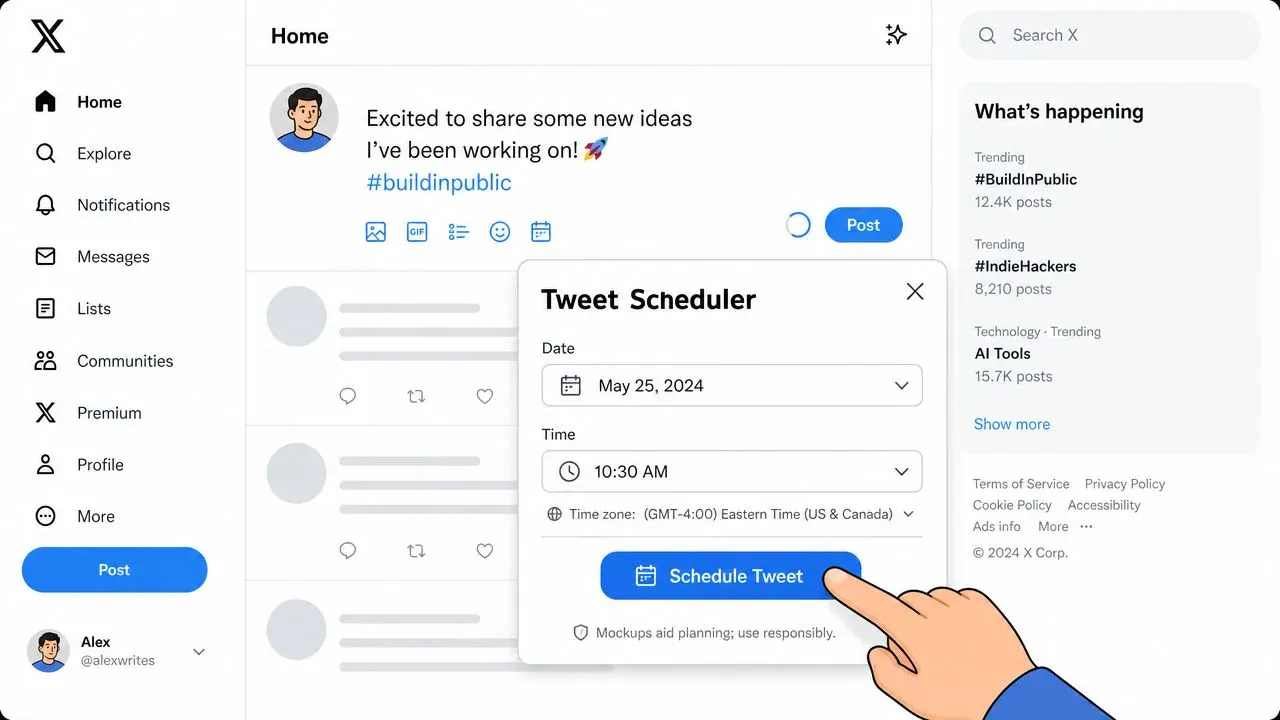
According to Sprout Social’s guide to scheduling tweets, X posts can be scheduled up to 18 months in advance. That’s useful for campaign planning, launches, editorial calendars, and recurring content themes that need to go out on specific dates.
How the native workflow works
On desktop or web, the process is simple:
- Open the composer: Start a new post on X.
- Write the post: Add text, links, and any media you want included.
- Click the scheduling icon: Look for the calendar and clock icon in the composer.
- Choose the date and time: Set when you want the post to go live.
- Confirm it: After that, click Schedule instead of posting immediately.
That basic flow is also described in Onlypult’s walkthrough of X scheduling, which notes that scheduled posts can later be found in Unsent Tweets and then Scheduled.
Here’s a practical example. Say you’re running a product launch across three days:
- Day 1 morning: announcement post
- Day 1 afternoon: feature breakdown
- Day 2 morning: customer pain-point post
- Day 3 morning: launch reminder
Writing those one by one at the moment you need them is inefficient. Writing them in one sitting and scheduling them keeps the messaging tighter and removes last-minute scrambling.
How to edit or remove a scheduled post
Once a post is scheduled, don’t forget it exists. Review your queue.
To manage scheduled posts, open the composer again and check Unsent Tweets and then Scheduled. That’s where you can inspect what’s waiting to publish.
Use that queue for three things:
- Fix timing conflicts: Two important posts too close together can cannibalize attention.
- Catch outdated copy: A joke, reference, or launch message might stop making sense after a news cycle changes.
- Remove weak drafts: A scheduled post that felt smart yesterday can look flat today.
Scheduled posts should be reviewed like outgoing email. If the context changes, the queue should change too.
If you want to see the native flow in action, this short walkthrough is useful:
A sample scheduled post
Here’s a clean example of a post worth scheduling:
We kept hearing the same complaint from users: “I know what to say on X. I just never say it consistently.”
So we rebuilt our workflow around drafting in batches, not posting in bursts.
Shipping the update tomorrow.
Why this works in a queue:
- It isn’t time-fragile
- It supports a launch arc
- It can publish while you’re in meetings
- It still leaves room for live replies afterward
Scheduling Threads and Media Content
Single posts are easy. Threads and media need a bit more care because formatting mistakes are more obvious when they go live.
How to schedule a thread cleanly
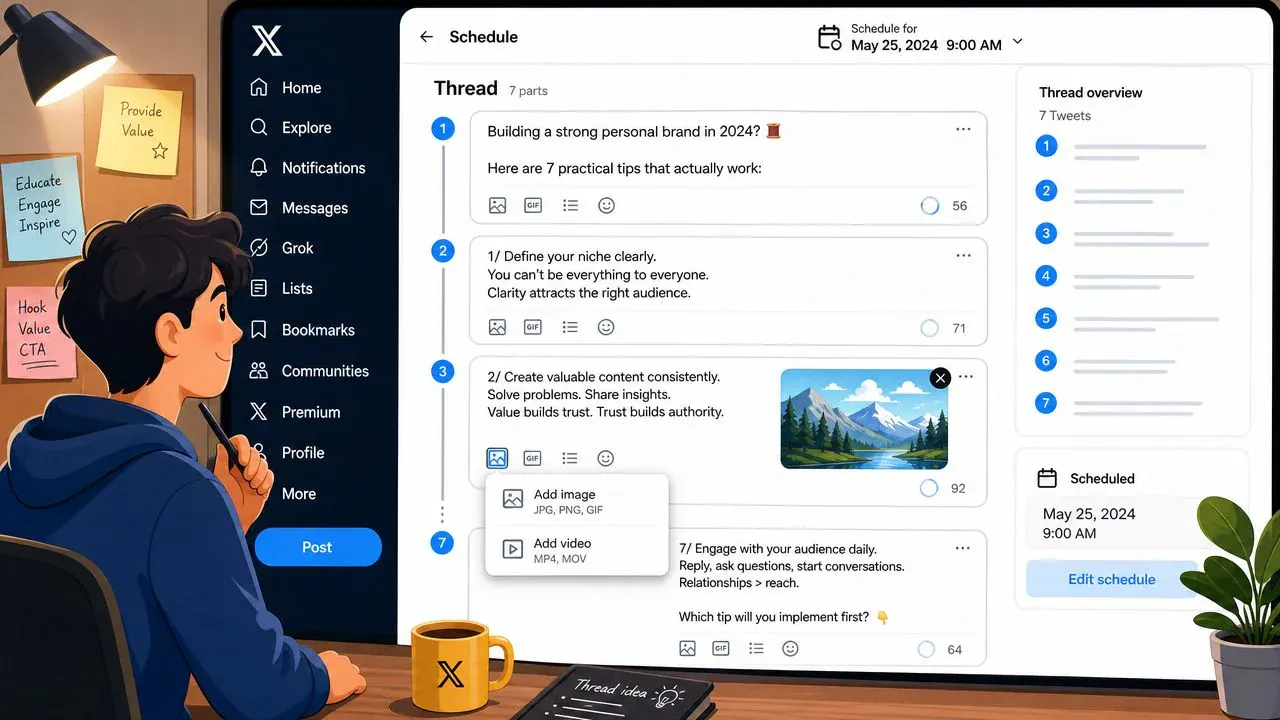
The cleanest workflow is to build the full thread first, preview it, and then schedule the connected set for one publish time. OpenTweet’s thread scheduling guide highlights that this helps reduce formatting errors because you can check each post’s character count and order before release.
That’s the key point. Don’t schedule a thread tweet by tweet unless you want to create avoidable problems.
A solid thread workflow looks like this:
- Draft the hook first: Make sure the first tweet can stand on its own.
- Write the full sequence in one sitting: This keeps the logic and tone consistent.
- Use preview before scheduling: Check order, spacing, and link placement.
- Schedule the full thread together: That preserves continuity.
If you need prompts for thread structures, swipe files, or starter formats, these blank Twitter post templates for 2026 are a useful planning aid before you move the thread into the scheduler.
A thread that publishes in the wrong order doesn’t look “slightly off.” It looks broken.
Media formats that need extra attention
Images, videos, GIFs, and polls can all be part of a scheduled post, but they deserve a final check before you queue them.
Watch for these issues:
- Image sequencing: Multi-image posts need the right order. The first image does most of the stopping power.
- Video relevance: A scheduled clip can feel stale if the surrounding conversation changes.
- Poll timing: Polls are sensitive to context. If the topic moves on, the post can land flat.
- Text-media mismatch: A strong image with weak copy still underperforms.
Here’s a simple example for a creator posting a tutorial thread:
| Tweet in thread | What to include | Why it works |
|---|---|---|
| Hook tweet | One clear promise | Gets the click into the thread |
| Tweet 2 | Screenshot or visual | Makes the advice concrete |
| Tweet 3 | Short explanation | Keeps pacing tight |
| Final tweet | CTA or takeaway | Gives the thread a clear end |
When in doubt, schedule educational threads and evergreen media. Post reactive commentary live.
Powering Up with TweetDeck and Third-Party Tools
Native scheduling is fine when all you need is “publish this later.” It starts to feel limited when you’re running a content calendar, managing multiple campaigns, or trying to build a repeatable publishing system.
When native scheduling is enough
Stay with the built-in scheduler if most of this is true:
- You run one account
- You post a handful of times per week
- You don’t need a shared review process
- You mainly schedule text posts, links, and light media
That setup covers a lot of solo operators.
There’s also an official ads-side workflow for teams. X’s business documentation shows that users can go to ads.x.com, open Creatives > Posts, create a new post, and choose Schedule from the Post Composer drop-down. X explains that this lives inside the official publishing system for both organic and promoted content in its scheduled posts help documentation.
That matters for marketers because scheduling isn’t just a convenience feature anymore. It can sit inside campaign operations.
When you need a bigger workflow
The moment you start asking any of these questions, you’ve outgrown the bare minimum:
- Which posts are drafted but not approved?
- What’s going out this week by theme?
- Which threads are ready?
- Who’s reviewing copy before publishing?
- Should this be queued, manually timed, or held for live posting?
That’s where TweetDeck-style dashboards and third-party schedulers earn their keep. They’re less about the act of scheduling and more about managing the pipeline around it.
A practical comparison:
| Workflow need | Native X scheduler | TweetDeck or third-party tool |
|---|---|---|
| Basic timed posting | Strong | Strong |
| Queue management | Limited | Better |
| Campaign visibility | Limited | Better |
| Multi-step workflow | Limited | Better |
| Draft review process | Limited | Better |
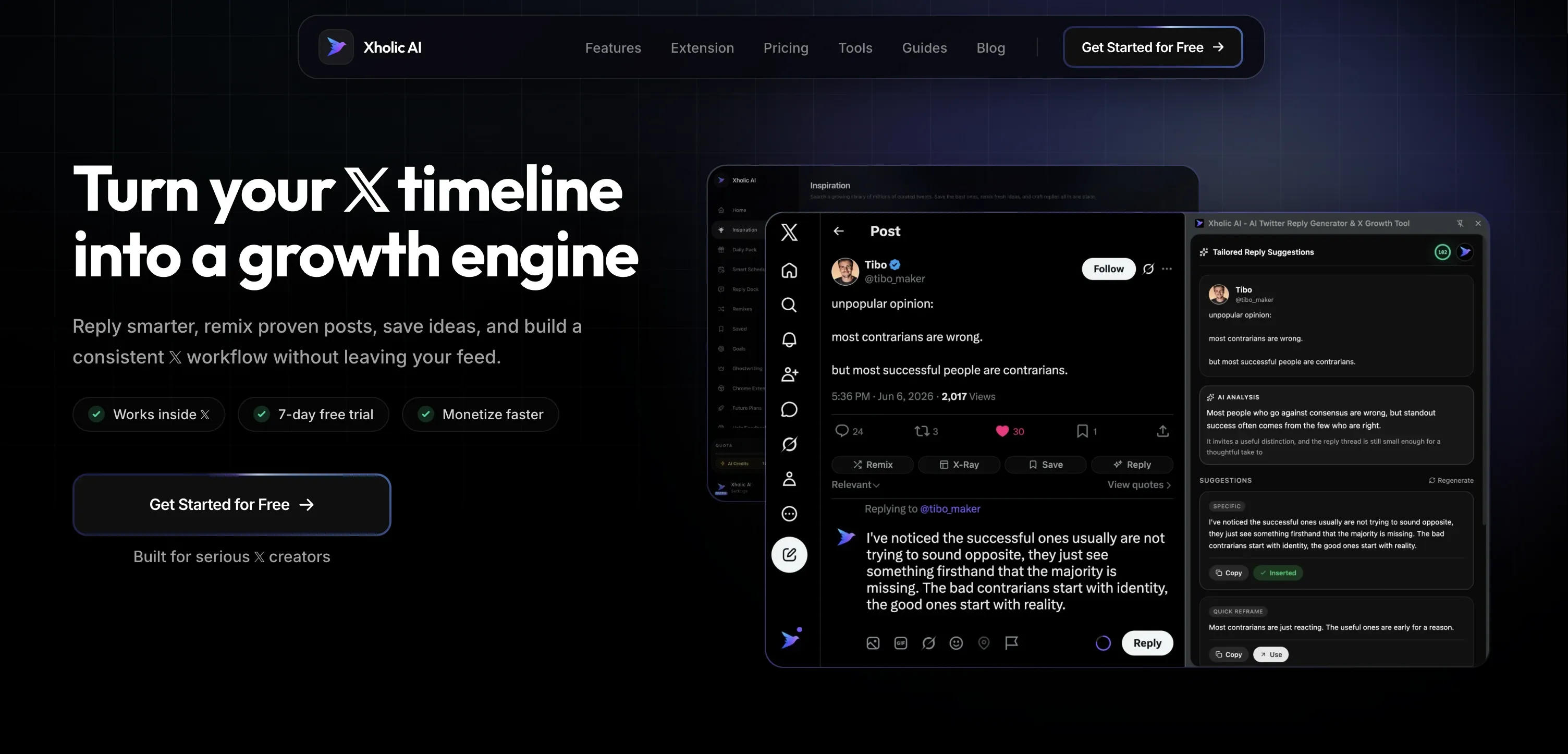
One option in that broader tool category is Xholic’s comparison of Hypefury, Tweet Hunter, and Xholic, especially if you’re evaluating scheduling as part of a larger creation workflow rather than as a standalone feature.
Xholic AI fits that kind of workflow because it combines discovery, drafting, remixing, and scheduling approved posts in one place. The useful part isn’t just the scheduler. It’s that you can move from saved inspiration to draft to approved queue without bouncing between five tabs. Its Smart Scheduler is built for approved posts and configured rules, which is the right way to handle automation on X.
What these tools still won’t solve
No scheduler fixes weak content.
If your hooks are bland, your topics are off, or your posts feel generic, publishing them at a better time won’t rescue them. Tools improve execution. They don’t replace judgment.
That’s why the best setup usually looks like this:
- Use a scheduler for consistency
- Use analytics for timing decisions
- Use live posting for high-context moments
- Use a content system so your queue stays full of strong drafts
Best Practices for Smart Scheduling
The mechanical part is easy. The strategic part is deciding what belongs in the queue and what needs a human at the keyboard.
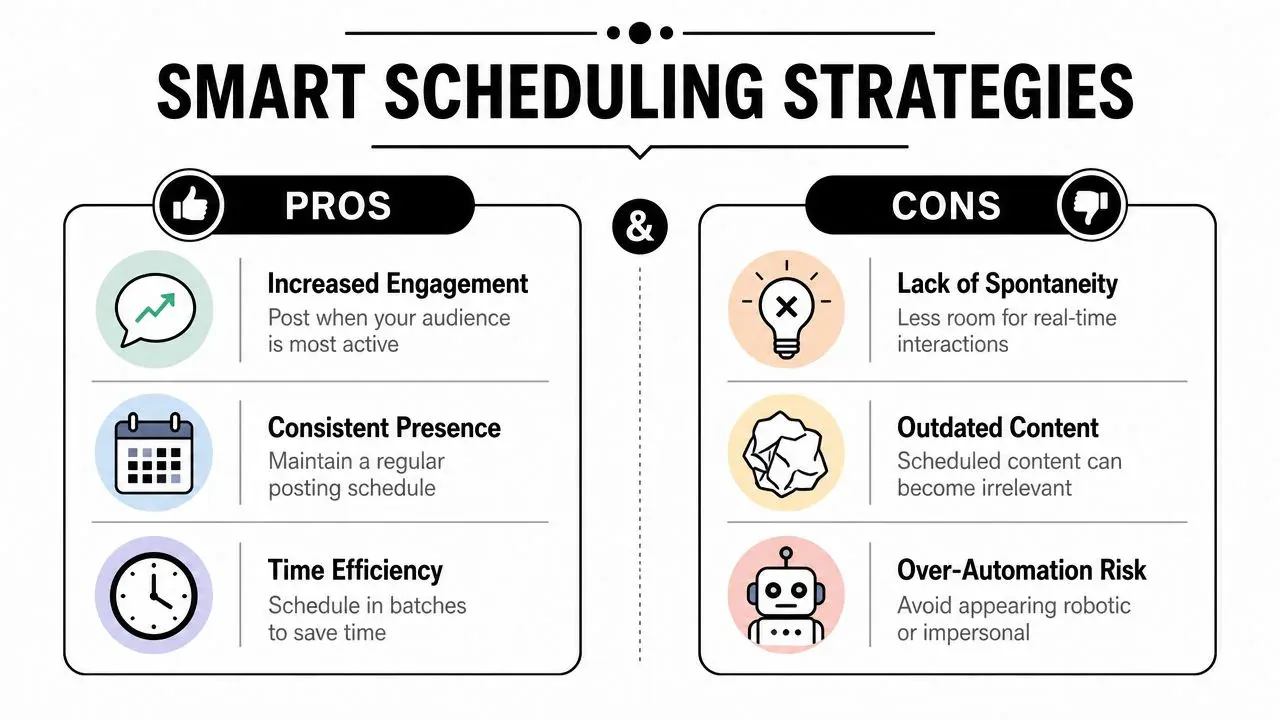
One of the biggest gaps in most scheduling advice is the decision itself. Planable’s scheduling guide notes that guides usually explain how to schedule, but not what should be scheduled versus published live. That distinction matters a lot for founders, analysts, traders, and anyone posting into fast-moving conversations.
What should be scheduled
Schedule posts that benefit from planning more than immediacy:
- Evergreen lessons: Opinions, frameworks, and useful takeaways that won’t expire by afternoon.
- Launch support posts: Teasers, reminders, onboarding tips, and follow-up posts.
- Repeatable series: Weekly prompts, founder notes, content pillars, and educational threads.
- Cross-time-zone content: Posts meant to hit readers in a region you won’t be awake for.
For timing strategy, don’t just think “best time.” Think best audience window. If your audience spans the U.S., Europe, and APAC, the issue isn’t how to click the scheduler. It’s choosing which audience cluster each post is for. That’s why broad timing advice often falls apart in practice.
A more useful approach is to review your own patterns and compare them with guidance like this article on the best time to post on Twitter for engagement. Use timing advice as a starting point, then adjust around your audience location and the type of post.
What should be posted live
Some posts lose value if they sit in a queue.
Post these live when possible:
- Breaking reactions
- Commentary tied to a fast-moving event
- Community replies that need context
- Posts that depend on the current mood of the timeline
- High-stakes takes that may need revision after new information
If a post could become awkward, inaccurate, or tone-deaf because the day changes, don’t schedule it.
That doesn’t mean scheduling is risky. It means you need a simple filter: Will this still make sense if the conversation moves before it publishes?
A simple weekly workflow
A clean weekly process is usually enough:
- Batch draft: Write your evergreen and planned campaign posts in one focused block.
- Sort by sensitivity: Put stable posts in the queue. Hold reactive ones for manual publishing.
- Check time zones: Match the post to the audience segment you want to reach.
- Review the queue daily: Remove anything that no longer fits the moment.
- Show up after publish: Reply, quote, and keep the post alive once it goes out.
The last step matters more than people admit. Scheduled posts can start the conversation. They can’t continue it.
FAQ: Common Scheduling Questions and Troubleshooting
Can you edit a scheduled tweet
The safest habit is to open your scheduled queue and review the post before publish time. If the wording, timing, or context feels off, revise your plan before it goes live. In practice, many teams treat scheduled posts as items to re-check, not items to forget.
Why didn’t my scheduled tweet publish
Usually it comes down to execution issues, not strategy. Media may not have processed correctly, the draft may have had an error, or the post may have needed a final review and slipped through. If a post matters, check the queue ahead of time and confirm the media still looks right.
Does scheduling hurt engagement
Scheduling itself isn’t the problem. Neglect is.
If you queue posts and disappear, the account feels dead. If you schedule strong posts, publish at sensible times, and then come back to reply, quote, and engage, scheduling becomes an advantage.
Should you schedule every tweet
No. Use scheduling for consistency and planning. Keep room for live posts, replies, and moments that need context.
If you want a tighter workflow around discovery, drafting, saving ideas, and scheduling approved posts, try Xholic AI. It’s useful when you’ve moved past basic scheduling and need one system for content research, reply workflows, remixing, and a cleaner posting queue on X.